charger Hyundai Elantra 2018 Owner's Manual
[x] Cancel search | Manufacturer: HYUNDAI, Model Year: 2018, Model line: Elantra, Model: Hyundai Elantra 2018Pages: 526, PDF Size: 17.2 MB
Page 68 of 526
2-51
Safety system of your vehicle
2
ODH035900K
ODH035901K
ODH035902K
ODH035903K
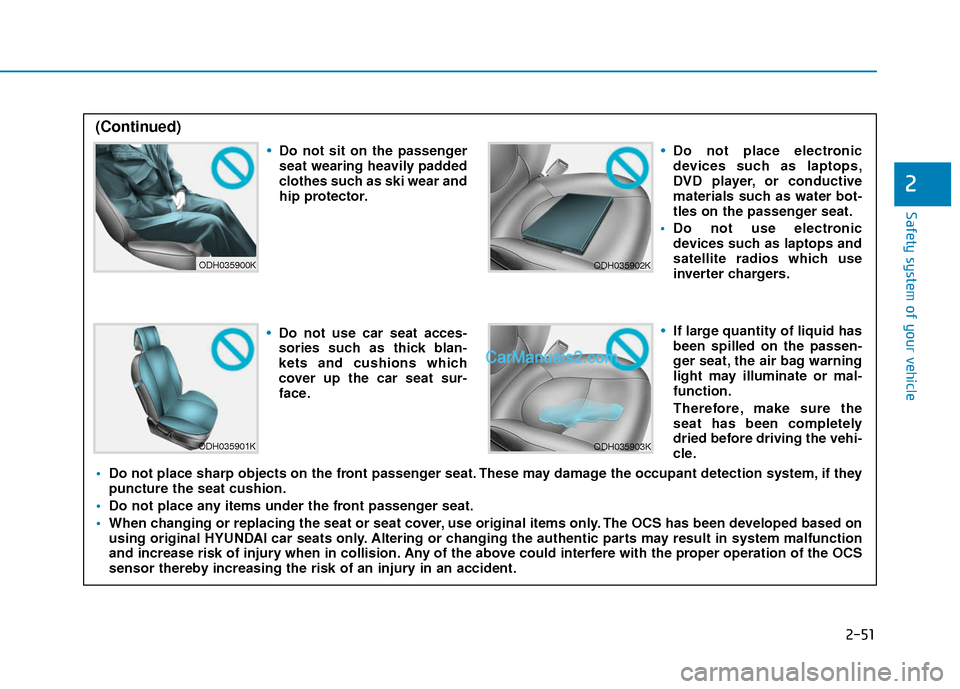
Do not sit on the passenger
seat wearing heavily padded
clothes such as ski wear and
hip protector.
Do not use car seat acces-
sories such as thick blan-
kets and cushions which
cover up the car seat sur-
face.
Do not place electronic
devices such as laptops,
DVD player, or conductive
materials such as water bot-
tles on the passenger seat.
Do not use electronic
devices such as laptops and
satellite radios which use
inverter chargers.
If large quantity of liquid has
been spilled on the passen-
ger seat, the air bag warning
light may illuminate or mal-
function.
Therefore, make sure the
seat has been completely
dried before driving the vehi-
cle.
Do not place sharp objects on the front passenger seat. These may damage the occupant detection system, if they
puncture the seat cushion.
Do not place any items under the front passenger seat.
When changing or replacing the seat or seat cover, use original items only. The OCS has been developed based on
using original HYUNDAI car seats only. Altering or changing the authentic parts may result in system malfunction
and increase risk of injury when in collision. Any of the above could interfere with the proper operation of the OCS
sensor thereby increasing the risk of an injury in an accident.
(Continued)
Page 79 of 526

Light .......................................................................3\
-98
Exterior Lights .................................................................3-98
Interior Lights ................................................................3-104
Welcome System ...........................................................3-107
Wipers and Washers..........................................3-108
Windshield Wipers ........................................................3-108
Windshield Washers .....................................................3-108
Driver Assist System .........................................3-109
Rear View Camera ........................................................3-109
Defroster .............................................................3-110
Rear Window Defroster ..............................................3-110
Manual Climate Control System.......................3-111
Heating and Air Conditioning .....................................3-112
System Operation .........................................................3-116
System Maintenance....................................................3-118
Automatic Climate Control System ..................3-120
Automatic Heating and Air Conditioning.................3-121
Manual Heating and Air Conditioning......................3-122
System Operation .........................................................3-128
System Maintenance....................................................3-130
Windshield Defrosting And Defogging ...........3-131
Auto Defogging System
(Only for Automatic Climate Control System) .......3-134
Climate Control Additional Features ...............3-135
Automatic Ventilation ...................................................3-135
Sunroof Inside Air Recirculation ...............................3-135
Storage Compartment .......................................3-135
Center Console Storage ..............................................3-136
Sliding Armrest ..............................................................3-136
Glove Box ........................................................................\
3-136
Sunglass Holder.............................................................3-137
Multi box ........................................................................\
.3-137
Interior Features ................................................3-138
Cup Holder ......................................................................3-\
138
Sunvisor ........................................................................\
...3-139
Power Outlet ..................................................................3-139
USB Charger ...................................................................3-140\
Clock ........................................................................\
.........3-141
Clothes Hanger ..............................................................3-141
Floor Mat Anchor(s).....................................................3-142
Luggage Net Holder .....................................................3-142
3
Page 217 of 526
3-140
Convenient features of your vehicle
To prevent damage to the Power
Outlets :
Use the power outlet only when theengine is running and remove the
accessory plug after use. Using the
accessory plug for prolonged peri-
ods of time with the engine off could
cause the battery to discharge.
Only use 12V electric accessories which are less than 180 W (Watts) in
electric capacity.
Adjust the air-conditioner or heater to the lowest operating level when
using the power outlet.
Close the cover when not in use. (Continued)(Continued)
Some electronic devices can cause
electronic interference when
plugged into a vehicle’s power out-
let. These devices may cause exces-
sive audio static and malfunctions
in other electronic systems or
devices used in your vehicle.
Push the plug in as far as it will go. If good contact is not made, the
plug may overheat and the fuse may
open.
Plug in battery equipped electri- cal/electronic devices with reverse
current protection. The current from
the battery may flow into the vehi-
cle's electrical/electronic system
and cause system malfunction.
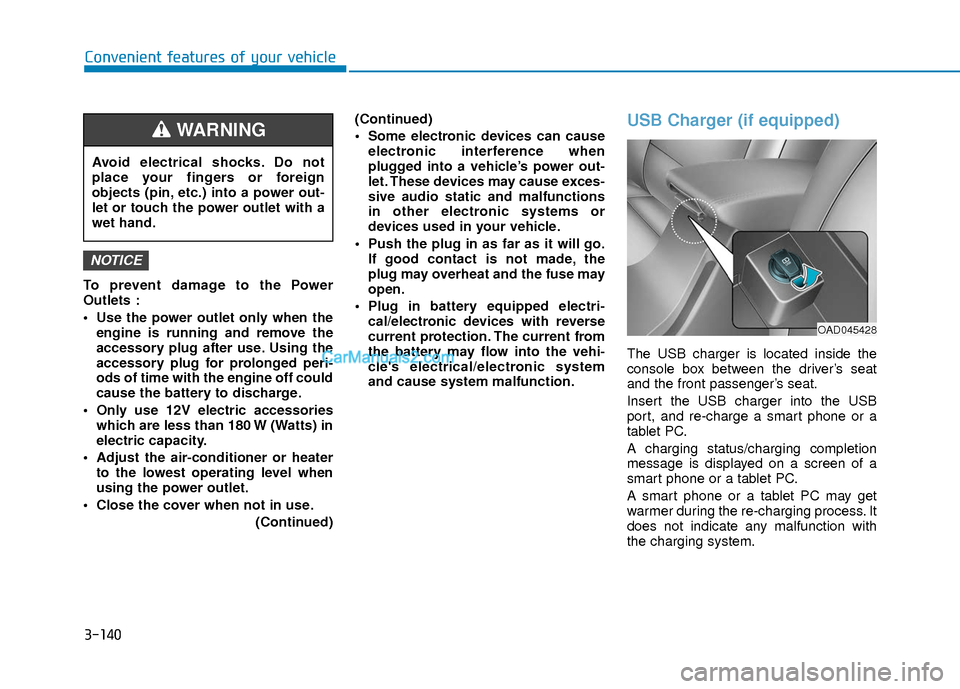
USB Charger (if equipped)
The USB charger is located inside the
console box between the driver’s seat
and the front passenger’s seat.
Insert the USB charger into the USB
port, and re-charge a smart phone or a
tablet PC.
A charging status/charging completion
message is displayed on a screen of a
smart phone or a tablet PC.
A smart phone or a tablet PC may get
warmer during the re-charging process. It
does not indicate any malfunction with
the charging system.
NOTICE
Avoid electrical shocks. Do not
place your fingers or foreign
objects (pin, etc.) into a power out-
let or touch the power outlet with a
wet hand.
WARNING
OAD045428
Page 218 of 526
3-141
Convenient features of your vehicle
3
A smart phone or a tablet PC, which
adopts a different re-charging method,
may not be properly re-charged. In this
case, use an exclusive charger of your
device.
This USB charging terminal will not allow
you to play your media on the AVN unit.
To connect your media to the AVN unit,
use the USB port in the multi box and fol-
low steps in chapter 4 - Multimedia.
Clock
For clock setting details, please refer to
Setup Mode in chapter 4 or the
Multimedia System user's manual that
was supplied with your vehicle.
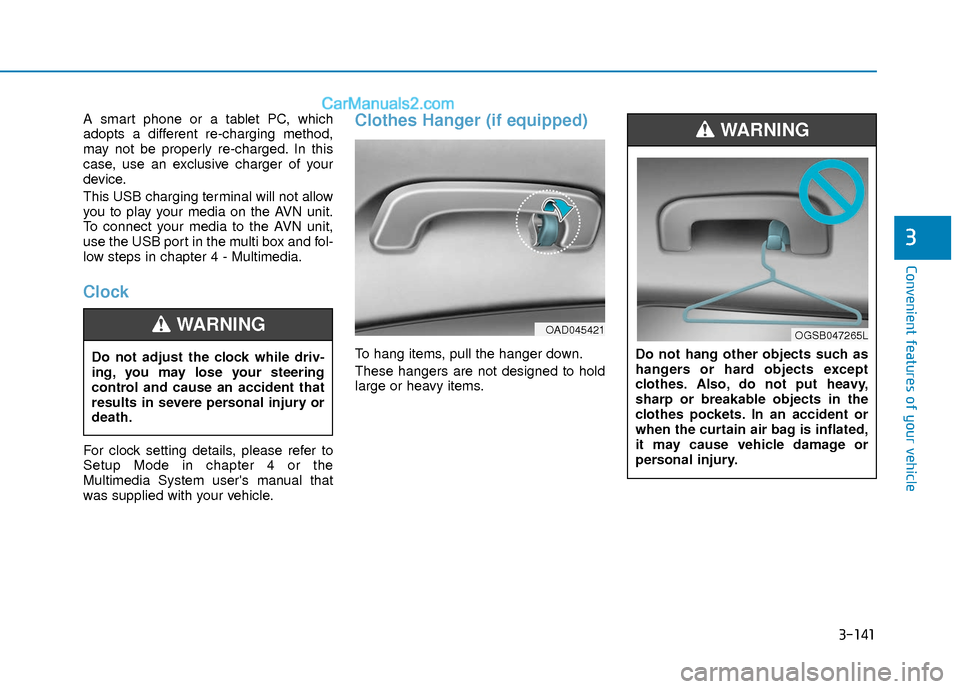
Clothes Hanger (if equipped)
To hang items, pull the hanger down.
These hangers are not designed to hold
large or heavy items.
Do not adjust the clock while driv-
ing, you may lose your steering
control and cause an accident that
results in severe personal injury or
death.
WARNING
Do not hang other objects such as
hangers or hard objects except
clothes. Also, do not put heavy,
sharp or breakable objects in the
clothes pockets. In an accident or
when the curtain air bag is inflated,
it may cause vehicle damage or
personal injury.
WARNING
OAD045421OGSB047265L
Page 392 of 526
6-11
What to do in an emergency
6
The TPMS Malfunction Indicator
may illuminate after blinking for
one minute if the vehicle is near
electric power supply cables or
radio transmitters such as police
stations, government and public
offices, broadcasting stations,
military installations, airports,
transmitting towers, etc.
Additionally, the TPMS
Malfunction Indicator may illumi-
nate if snow chains are used or
electronic devices such as com-
puters, chargers, remote starters,
navigation, etc. This may interfere
with normal operation of the
TPMS.
Changing a Tire with TPMS
If you have a flat tire, the Low Tire
Pressure and LCD position indicator
will come on. Have the flat tire
repaired by an authorized HYUNDAI
dealer as soon as possible or
replace the flat tire with the spare
tire.
The spare tire does not come with a
tire pressure monitoring sensor.
When the low pressure tire or the flat
tire is replaced with the spare tire,
the Low Tire Pressure LCD position
indicator will remain on. Also, the
TPMS Malfunction Indicator will illu-
minate after blinking for one minute if
the vehicle is driven at speed above
15.5 mph (25 km/h) for approximate-
ly 20 minutes.Once the original tire equipped with
a tire pressure monitoring sensor is
reinflated to the recommended pres-
sure and reinstalled on the vehicle,
the Low Tire Pressure LCD position
indicator and TPMS Malfunction
Indicator will go off within a few min-
utes of driving.
If the indicators do not disappear
after a few minutes, please visit an
authorized HYUNDAI dealer.
Each wheel is equipped with a tire
pressure sensor mounted inside the
tire behind the valve stem (except for
the spare tire). You must use TPMS
specific wheels. It is recommended
that you always have your tires serv-
iced by an authorized HYUNDAI
dealer.
NOTICE
It is recommended that you do
not use a puncture-repairing
agent not approved by
HYUNDAI dealer to repair
and/or inflate a low pressure
tire. Tire sealant not approved
by HYUNDAI dealer may dam-
age the tire pressure sensor.
CAUTION
Page 450 of 526
7-32
Maintenance
By jump starting
After a jump start from a good battery,
drive the vehicle for 20-30 minutes before
it is shutoff. The vehicle may not restart if
you shut it off before the battery had a
chance to adequately recharge. See
"Jump Starting" in chapter 6 for more
information on jump starting procedures.
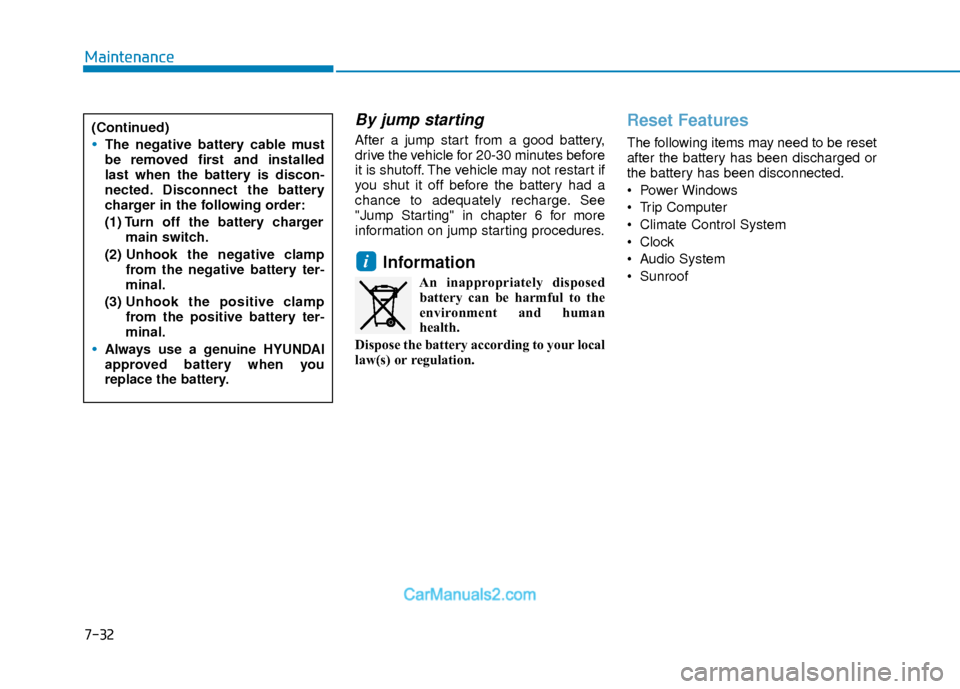
Information
An inappropriately disposedbattery can be harmful to the
environment and human
health.
Dispose the battery according to your local
law(s) or regulation.
Reset Features
The following items may need to be reset
after the battery has been discharged or
the battery has been disconnected.
Power Windows
Trip Computer
Climate Control System
Clock
Audio System
Sunroof
i
(Continued)
The negative battery cable must
be removed first and installed
last when the battery is discon-
nected. Disconnect the battery
charger in the following order:
(1) Turn off the battery charger main switch.
(2) Unhook the negative clamp
from the negative battery ter-
minal.
(3) Unhook the positive clamp
from the positive battery ter-
minal.
Always use a genuine HYUNDAI
approved battery when you
replace the battery.
Page 522 of 526
I-5
If You Have a Flat Tire ...................................................6-13Checking the tire inflation pressure ...........................6-32
Components of the Tire Mobility Kit.........................6-29
Distributing the sealant ..............................................6-32
Introduction ................................................................6-27
Notes on the safe use of the Tire Mobility Kit ..........6-28
Using the Tire Mobility Kit........................................6-30
With Spare Tire ..........................................................6-13
With Tire Mobility Kit (TMK) - Type A,B ................6-19
With Tire Mobility Kit (TMK) - Type C ...................6-27
Ignition Switch..................................................................5-6 Engine Start/Stop Button ..............................................5-9
Key Ignition Switch .....................................................5-6
Important safety precautions.............................................2-2 Air Bag Hazards ...........................................................2-2
Always Wear Your Seat Belt ........................................2-2
Control Your Speed ......................................................2-2
Driver Distraction.........................................................2-2
Keep Your Vehicle in Safe Condition ..........................2-2
Restrain All Children....................................................2-2
In Case of an Emergency While Driving .........................6-2 If the Engine Stalls at a Crossroad or Crossing ...........6-2
If the Engine Stalls While Driving...............................6-2
If you Have a Flat Tire While Driving.........................6-2 Instrument Cluster...........................................................3-54
Gauges ........................................................................\
3-56
Instrument Cluster Control .........................................3-56
LCD Display Messages ..............................................3-71
Warning and Indicator lights ......................................3-61
Instrument Panel Overview ..............................................1-5
Interior Features ............................................................3-138 Clock ........................................................................\
3-141
Clothes Hanger .........................................................3-141
Cup Holder ...............................................................3-138
Floor Mat Anchor(s) .................................................3-142
Luggage Net Holder .................................................3-142
Power Outlet.............................................................3-139
Sunvisor ....................................................................3-13\
9
USB Charger ............................................................3-140
Interior Overview..............................................................1-4
Jump Starting ....................................................................6-3
I
Index
J