warning Hyundai Elantra 2019 Owner's Manual
[x] Cancel search | Manufacturer: HYUNDAI, Model Year: 2019, Model line: Elantra, Model: Hyundai Elantra 2019Pages: 535, PDF Size: 16.83 MB
Page 228 of 535
3-144
Convenient features of your vehicle
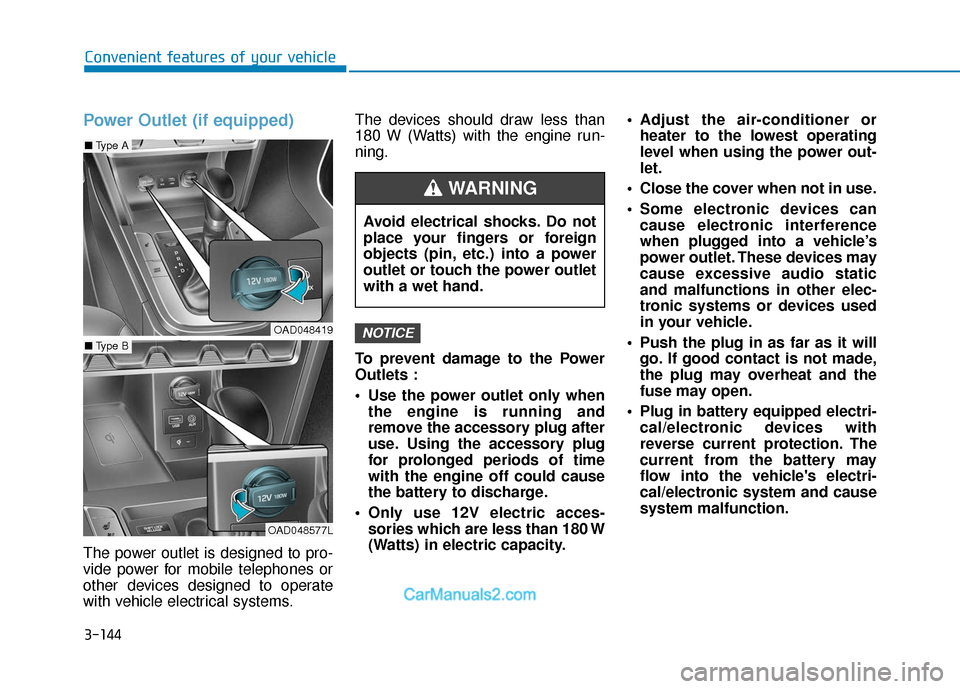
Power Outlet (if equipped)
The power outlet is designed to pro-
vide power for mobile telephones or
other devices designed to operate
with vehicle electrical systems.The devices should draw less than
180 W (Watts) with the engine run-
ning.
To prevent damage to the Power
Outlets :
Use the power outlet only when
the engine is running and
remove the accessory plug after
use. Using the accessory plug
for prolonged periods of time
with the engine off could cause
the battery to discharge.
Only use 12V electric acces- sories which are less than 180 W
(Watts) in electric capacity. Adjust the air-conditioner or
heater to the lowest operating
level when using the power out-
let.
Close the cover when not in use.
Some electronic devices can cause electronic interference
when plugged into a vehicle’s
power outlet. These devices may
cause excessive audio static
and malfunctions in other elec-
tronic systems or devices used
in your vehicle.
Push the plug in as far as it will go. If good contact is not made,
the plug may overheat and the
fuse may open.
Plug in battery equipped electri- cal/electronic devices with
reverse current protection. The
current from the battery may
flow into the vehicle's electri-
cal/electronic system and cause
system malfunction.
NOTICE
Avoid electrical shocks. Do not
place your fingers or foreign
objects (pin, etc.) into a power
outlet or touch the power outlet
with a wet hand.
WARNING
OAD048419
OAD048577L
■ Type B
■Type A
Page 231 of 535
3-147
Convenient features of your vehicle
3
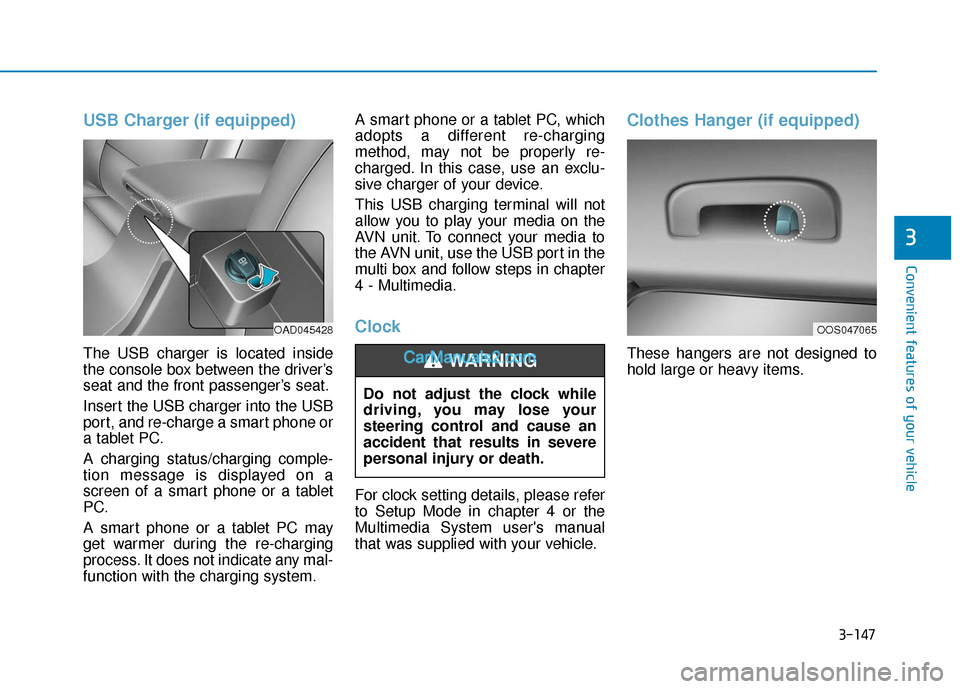
USB Charger (if equipped)
The USB charger is located inside
the console box between the driver’s
seat and the front passenger’s seat.
Insert the USB charger into the USB
port, and re-charge a smart phone or
a tablet PC.
A charging status/charging comple-
tion message is displayed on a
screen of a smart phone or a tablet
PC.
A smart phone or a tablet PC may
get warmer during the re-charging
process. It does not indicate any mal-
function with the charging system.A smart phone or a tablet PC, which
adopts a different re-charging
method, may not be properly re-
charged. In this case, use an exclu-
sive charger of your device.
This USB charging terminal will not
allow you to play your media on the
AVN unit. To connect your media to
the AVN unit, use the USB port in the
multi box and follow steps in chapter
4 - Multimedia.
Clock
For clock setting details, please refer
to Setup Mode in chapter 4 or the
Multimedia System user's manual
that was supplied with your vehicle.
Clothes Hanger (if equipped)
These hangers are not designed to
hold large or heavy items.
Do not adjust the clock while
driving, you may lose your
steering control and cause an
accident that results in severe
personal injury or death.WARNING
OAD045428OOS047065
Page 232 of 535
3-148
Convenient features of your vehicle
Floor Mat Anchor(s)
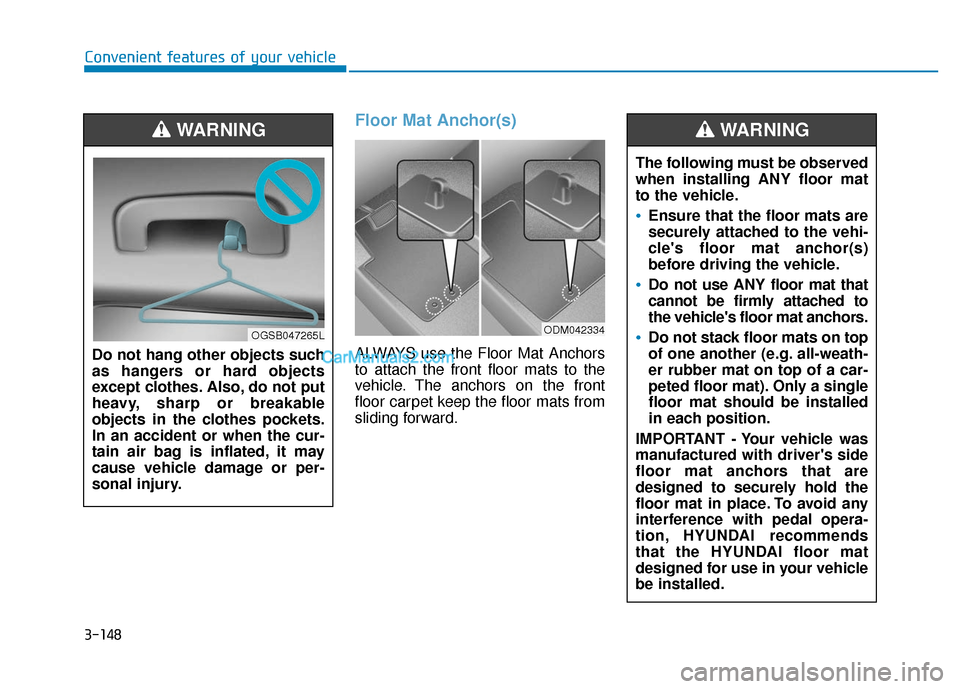
ALWAYS use the Floor Mat Anchors
to attach the front floor mats to the
vehicle. The anchors on the front
floor carpet keep the floor mats from
sliding forward.
ODM042334
The following must be observed
when installing ANY floor mat
to the vehicle.
Ensure that the floor mats are
securely attached to the vehi-
cle's floor mat anchor(s)
before driving the vehicle.
Do not use ANY floor mat that
cannot be firmly attached to
the vehicle's floor mat anchors.
Do not stack floor mats on top
of one another (e.g. all-weath-
er rubber mat on top of a car-
peted floor mat). Only a single
floor mat should be installed
in each position.
IMPORTANT - Your vehicle was
manufactured with driver's side
floor mat anchors that are
designed to securely hold the
floor mat in place. To avoid any
interference with pedal opera-
tion, HYUNDAI recommends
that the HYUNDAI floor mat
designed for use in your vehicle
be installed.
WARNING
Do not hang other objects such
as hangers or hard objects
except clothes. Also, do not put
heavy, sharp or breakable
objects in the clothes pockets.
In an accident or when the cur-
tain air bag is inflated, it may
cause vehicle damage or per-
sonal injury.
WARNING
OGSB047265L
Page 237 of 535
Driving your vehicle
5
Before Driving ........................................................5-4
Before Entering the Vehicle ...........................................5-4
Before Starting ..................................................................5-4
Ignition Switch ........................................................5-6
Key Ignition Switch ...........................................................5-6
Engine Start/Stop Button................................................5-9
Manual Transmission ...........................................5-16
Manual Transmission Operation ..................................5-16
Good Driving Practices ..................................................5-18
Automatic Transmission ......................................5-19
Automatic Transmission Operation .............................5-19
Good Driving Practices ..................................................5-24
Dual Clutch Transmission ....................................5-26
Dual clutch transmission operation ............................5-26
LCD display for transmission temperature and
warning message.............................................................5-28
Good Driving Practices ..................................................5-37
Braking System ....................................................5-39
Power Brakes ...................................................................5-39
Disc Brakes Wear Indicator ..........................................5-40
Rear Drum Brakes...........................................................5-40
Parking Brake...................................................................5-40
Anti-lock Brake System (ABS) ....................................5-42
Electronic Stability Control (ESC)................................5-44 Vehicle Stability Management (VSM).........................5-48
Hill-Start Assist Control (HAC) ....................................5-49
Good Braking Practices .................................................5-49
Drive Mode Integrated Control System ............5-51
Blind-spot Collision Warning (BCW) .................5-54
System description .........................................................5-54
System setting and activation......................................5-55
Warning and system control ........................................5-56
Detecting sensor .............................................................5-58
Limitations of the system .............................................5-60
Rear Cross-traffic Collision Warning (RCCW)
System ...................................................................5-64
System description .........................................................5-64
System setting and activation......................................5-64
Warning and system control ........................................5-66
Detecting sensor .............................................................5-67
Limitations of the system .............................................5-69
Forward Collision Avoidance (FCA) System .....5-73
System Setting and Activation.....................................5-73
FCA Warning Message and System Control ............5-75
FCA Sensor .......................................................................5\
-78
System Malfunction .......................................................5-79
Limitations of the System .............................................5-81
Page 238 of 535
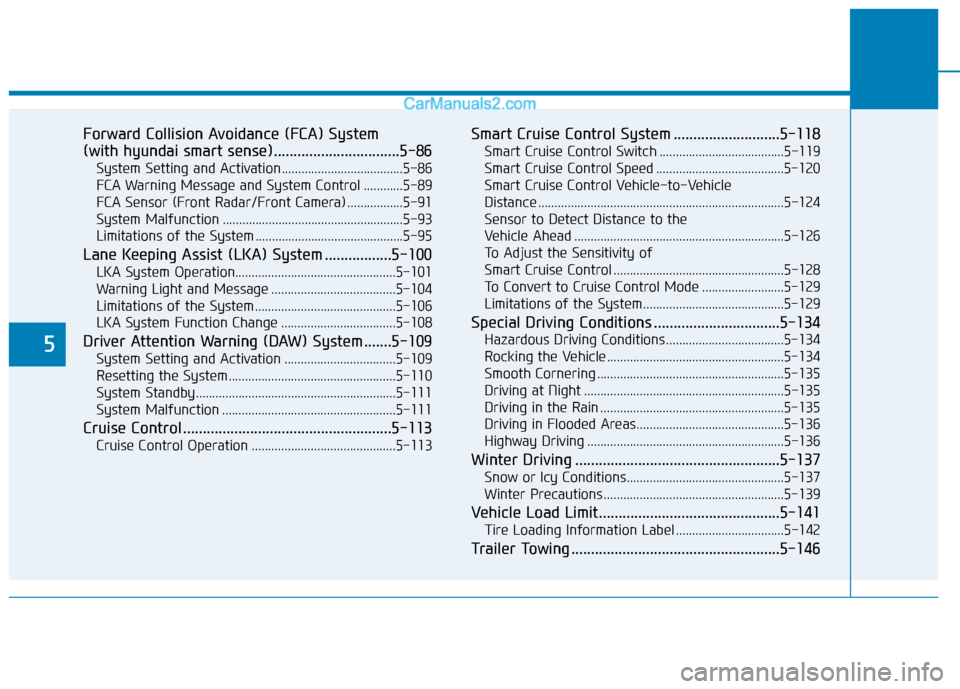
5
Forward Collision Avoidance (FCA) System
(with hyundai smart sense)................................5-86
System Setting and Activation.....................................5-86
FCA Warning Message and System Control ............5-89
FCA Sensor (Front Radar/Front Camera) .................5-91
System Malfunction .......................................................5-93
Limitations of the System .............................................5-95
Lane Keeping Assist (LKA) System .................5-100
LKA System Operation.................................................5-101
Warning Light and Message ......................................5-104
Limitations of the System...........................................5-106
LKA System Function Change ...................................5-108
Driver Attention Warning (DAW) System .......5-109
System Setting and Activation ..................................5-109
Resetting the System ...................................................5-110
System Standby.............................................................5-111
System Malfunction .....................................................5-111
Cruise Control .....................................................5-113
Cruise Control Operation ............................................5-113
Smart Cruise Control System ...........................5-118
Smart Cruise Control Switch ......................................5-119
Smart Cruise Control Speed .......................................5-120
Smart Cruise Control Vehicle-to-Vehicle
Distance ........................................................................\
...5-124
Sensor to Detect Distance to the
Vehicle Ahead ................................................................5-126
To Adjust the Sensitivity of
Smart Cruise Control ....................................................5-128
To Convert to Cruise Control Mode .........................5-129
Limitations of the System...........................................5-129
Special Driving Conditions ................................5-134
Hazardous Driving Conditions....................................5-134
Rocking the Vehicle ......................................................5-134
Smooth Cornering .........................................................5-135
Driving at Night .............................................................5-135
Driving in the Rain ........................................................5-135
Driving in Flooded Areas.............................................5-136
Highway Driving ............................................................5-136
Winter Driving ....................................................5-137
Snow or Icy Conditions................................................5-137
Winter Precautions .......................................................5-139
Vehicle Load Limit..............................................5-141
Tire Loading Information Label .................................5-142
Trailer Towing .....................................................5-146
Page 239 of 535
5-3
Driving your vehicle
5
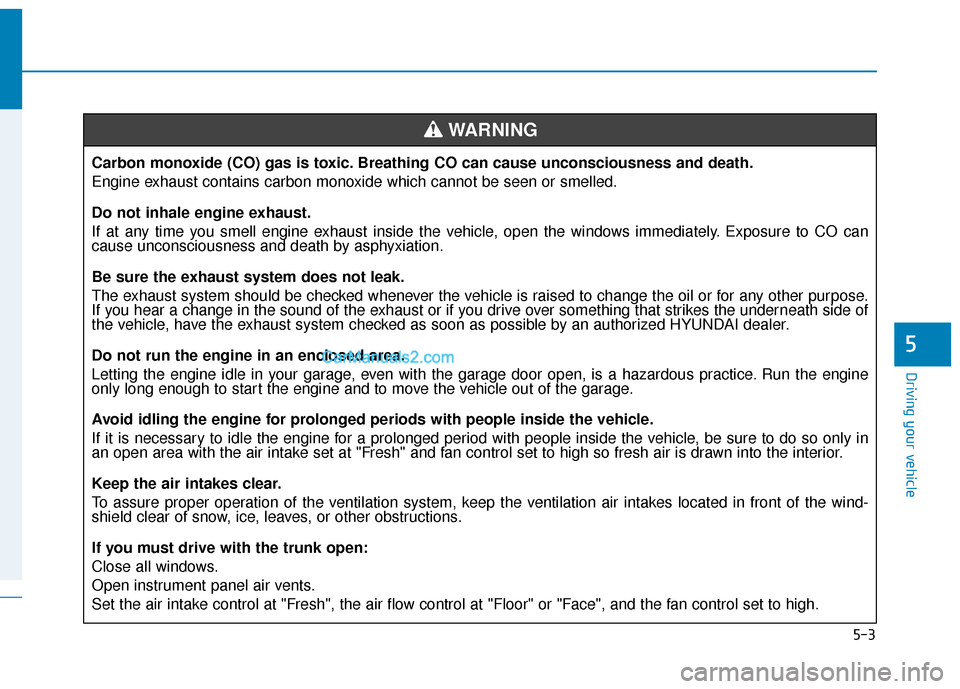
Carbon monoxide (CO) gas is toxic. Breathing CO can cause unconsciousness and death.
Engine exhaust contains carbon monoxide which cannot be seen or smelled.
Do not inhale engine exhaust.
If at any time you smell engine exhaust inside the vehicle, open the windows immediately. Exposure to CO can
cause unconsciousness and death by asphyxiation.
Be sure the exhaust system does not leak.
The exhaust system should be checked whenever the vehicle is raised to change the oil or for any other purpose.
If you hear a change in the sound of the exhaust or if you drive over something that strikes the underneath side of
the vehicle, have the exhaust system checked as soon as possible by an authorized HYUNDAI dealer.
Do not run the engine in an enclosed area.
Letting the engine idle in your garage, even with the garage door open, is a hazardous practice. Run the engine
only long enough to start the engine and to move the vehicle out of the garage.
Avoid idling the engine for prolonged periods with people inside the vehicle.
If it is necessary to idle the engine for a prolonged period with people inside the vehicle, be sure to do so only in
an open area with the air intake set at "Fresh" and fan control set to high so fresh air is drawn into the interior.
Keep the air intakes clear.
To assure proper operation of the ventilation system, keep the ventilation air intakes located in front of the wind-
shield clear of snow, ice, leaves, or other obstructions.
If you must drive with the trunk open:
Close all windows.
Open instrument panel air vents.
Set the air intake control at "Fresh", the air flow control at "Floor" or "Face", and the fan control set to high.
WARNING
Page 240 of 535
5-4
Driving your vehicle
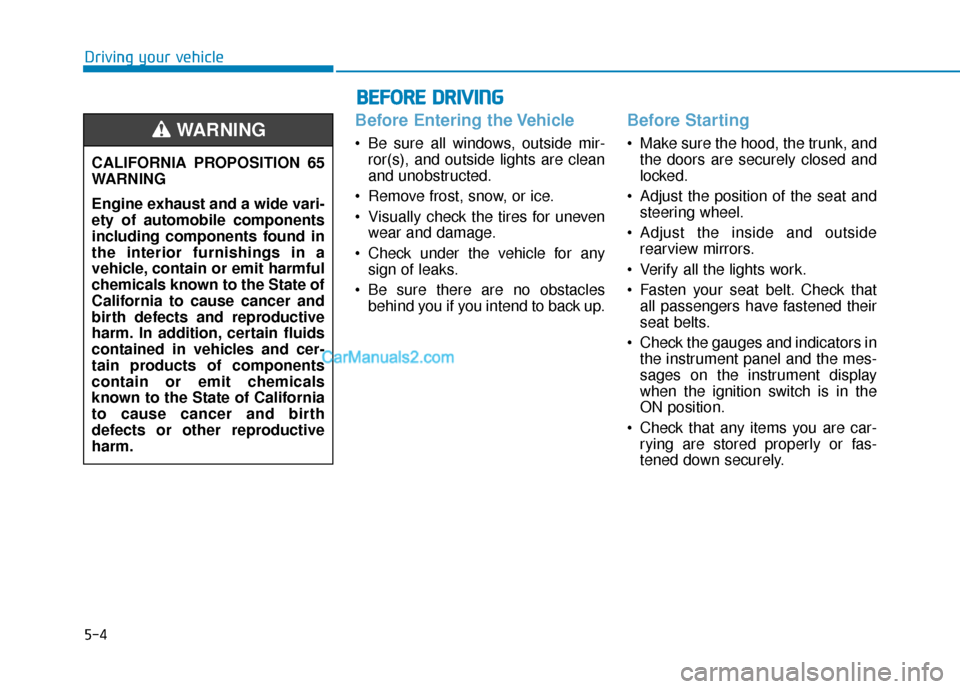
Before Entering the Vehicle
• Be sure all windows, outside mir-ror(s), and outside lights are clean
and unobstructed.
Remove frost, snow, or ice.
Visually check the tires for uneven wear and damage.
Check under the vehicle for any sign of leaks.
Be sure there are no obstacles behind you if you intend to back up.
Before Starting
Make sure the hood, the trunk, andthe doors are securely closed and
locked.
Adjust the position of the seat and steering wheel.
Adjust the inside and outside rearview mirrors.
Verify all the lights work.
Fasten your seat belt. Check that all passengers have fastened their
seat belts.
Check the gauges and indicators in the instrument panel and the mes-
sages on the instrument display
when the ignition switch is in the
ON position.
Check that any items you are car- rying are stored properly or fas-
tened down securely.
CALIFORNIA PROPOSITION 65
WARNING
Engine exhaust and a wide vari-
ety of automobile components
including components found in
the interior furnishings in a
vehicle, contain or emit harmful
chemicals known to the State of
California to cause cancer and
birth defects and reproductive
harm. In addition, certain fluids
contained in vehicles and cer-
tain products of components
contain or emit chemicals
known to the State of California
to cause cancer and birth
defects or other reproductive
harm.WARNING
B B
E
EF
FO
O R
RE
E
D
D R
RI
IV
V I
IN
N G
G
Page 241 of 535
5-5
Driving your vehicle
5
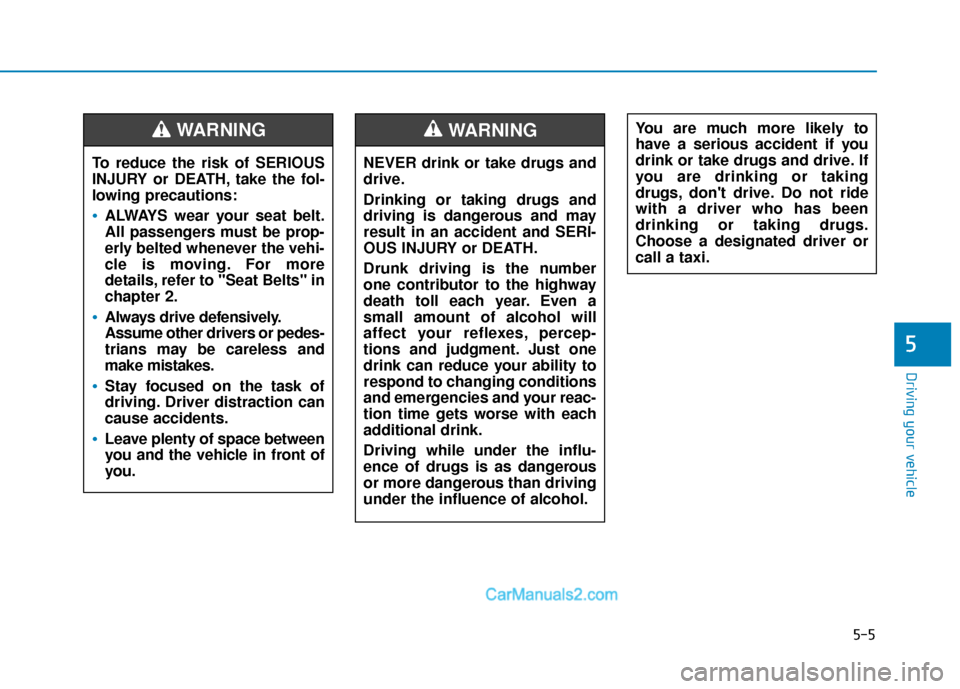
NEVER drink or take drugs and
drive.
Drinking or taking drugs and
driving is dangerous and may
result in an accident and SERI-
OUS INJURY or DEATH.
Drunk driving is the number
one contributor to the highway
death toll each year. Even a
small amount of alcohol will
affect your reflexes, percep-
tions and judgment. Just one
drink can reduce your ability to
respond to changing conditions
and emergencies and your reac-
tion time gets worse with each
additional drink.
Driving while under the influ-
ence of drugs is as dangerous
or more dangerous than driving
under the influence of alcohol.
You are much more likely to
have a serious accident if you
drink or take drugs and drive. If
you are drinking or taking
drugs, don't drive. Do not ride
with a driver who has been
drinking or taking drugs.
Choose a designated driver or
call a taxi.WARNING
To reduce the risk of SERIOUS
INJURY or DEATH, take the fol-
lowing precautions:
•ALWAYS wear your seat belt.
All passengers must be prop-
erly belted whenever the vehi-
cle is moving. For more
details, refer to "Seat Belts" in
chapter 2.
Always drive defensively.
Assume other drivers or pedes-
trians may be careless and
make mistakes.
Stay focused on the task of
driving. Driver distraction can
cause accidents.
Leave plenty of space between
you and the vehicle in front of
you.
WARNING
Page 242 of 535
5-6
Key Ignition Switch
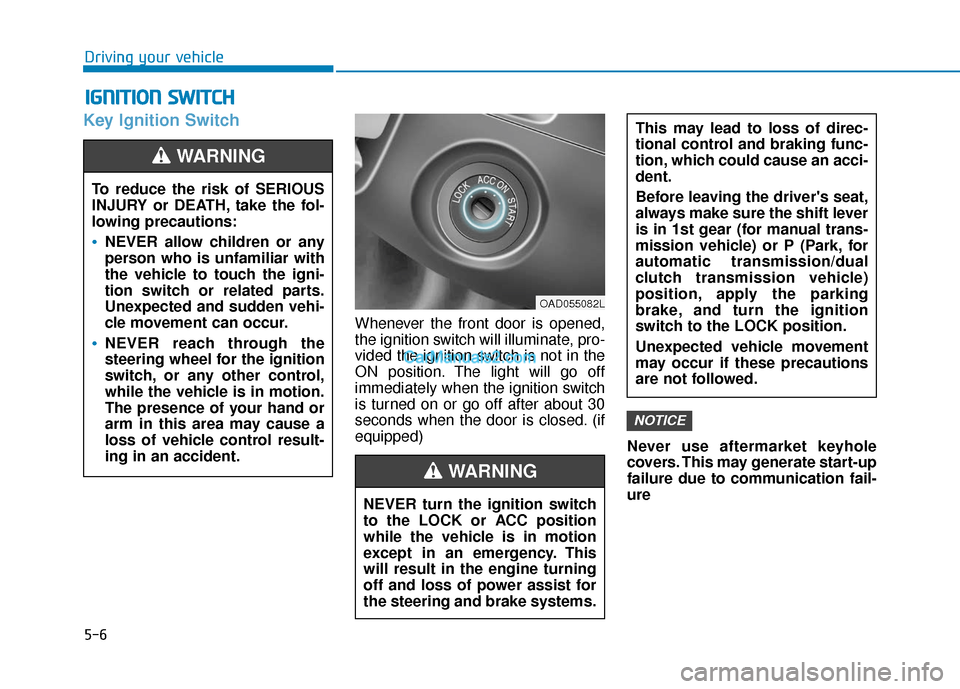
Whenever the front door is opened,
the ignition switch will illuminate, pro-
vided the ignition switch is not in the
ON position. The light will go off
immediately when the ignition switch
is turned on or go off after about 30
seconds when the door is closed. (if
equipped)Never use aftermarket keyhole
covers. This may generate start-up
failure due to communication fail-
ure
NOTICE
I IG
G N
N I
IT
T I
IO
O N
N
S
S W
W I
IT
T C
CH
H
Driving your vehicle
To reduce the risk of SERIOUS
INJURY or DEATH, take the fol-
lowing precautions:
NEVER allow children or any
person who is unfamiliar with
the vehicle to touch the igni-
tion switch or related parts.
Unexpected and sudden vehi-
cle movement can occur.
NEVER reach through the
steering wheel for the ignition
switch, or any other control,
while the vehicle is in motion.
The presence of your hand or
arm in this area may cause a
loss of vehicle control result-
ing in an accident.
WARNING
NEVER turn the ignition switch
to the LOCK or ACC position
while the vehicle is in motion
except in an emergency. This
will result in the engine turning
off and loss of power assist for
the steering and brake systems.
This may lead to loss of direc-
tional control and braking func-
tion, which could cause an acci-
dent.
Before leaving the driver's seat,
always make sure the shift lever
is in 1st gear (for manual trans-
mission vehicle) or P (Park, for
automatic transmission/dual
clutch transmission vehicle)
position, apply the parking
brake, and turn the ignition
switch to the LOCK position.
Unexpected vehicle movement
may occur if these precautions
are not followed.
WARNING
OAD055082L
Page 243 of 535
5-7
Driving your vehicle
5
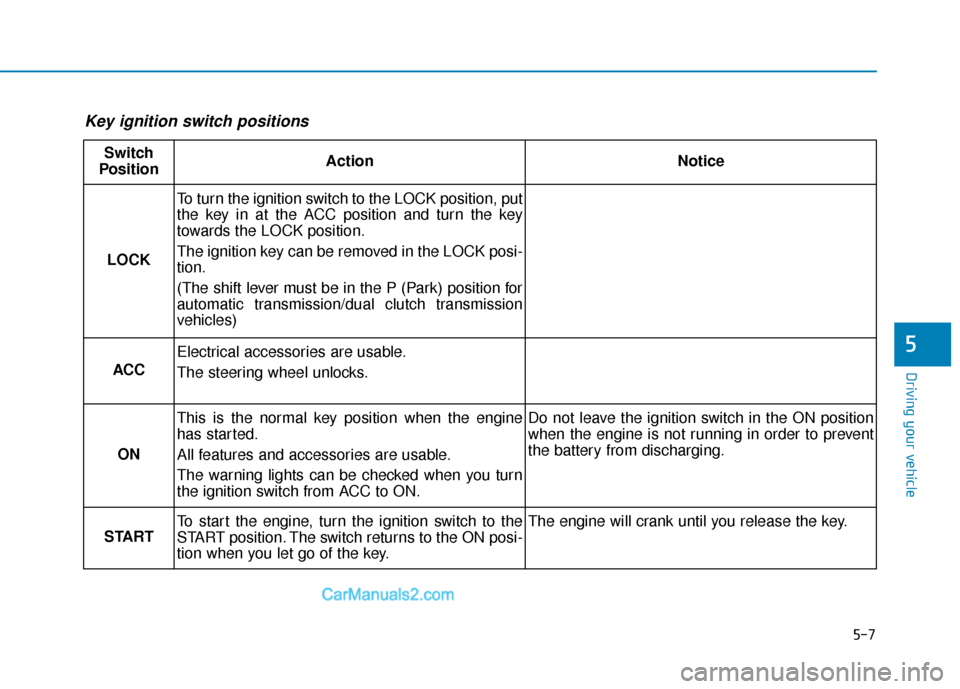
Key ignition switch positions
Switch
PositionActionNotice
LOCK
To turn the ignition switch to the LOCK position, put
the key in at the ACC position and turn the key
towards the LOCK position.
The ignition key can be removed in the LOCK posi-
tion.
(The shift lever must be in the P (Park) position for
automatic transmission/dual clutch transmission
vehicles)
ACC
Electrical accessories are usable.
The steering wheel unlocks.
ON
This is the normal key position when the engine
has started.
All features and accessories are usable.
The warning lights can be checked when you turn
the ignition switch from ACC to ON.Do not leave the ignition switch in the ON position
when the engine is not running in order to prevent
the battery from discharging.
START
To start the engine, turn the ignition switch to the
START position. The switch returns to the ON posi-
tion when you let go of the key.The engine will crank until you release the key.