Speed Hyundai Elantra 2019 Manual PDF
[x] Cancel search | Manufacturer: HYUNDAI, Model Year: 2019, Model line: Elantra, Model: Hyundai Elantra 2019Pages: 535, PDF Size: 16.83 MB
Page 292 of 535
5-56
Driving your vehicle- Later:Select this warning activation
time when the traffic is light and
you are driving in a low speed.
Information
If you change the warning timing, the
warning time of other systems may
change. Always be aware before
changing the warning timing.
Operating Conditions
The system enters the ready status,
when the following conditions are
satisfied :
The vehicle speed is above approxi-
mately 20 mph (30 km/h).
Warning and System Control
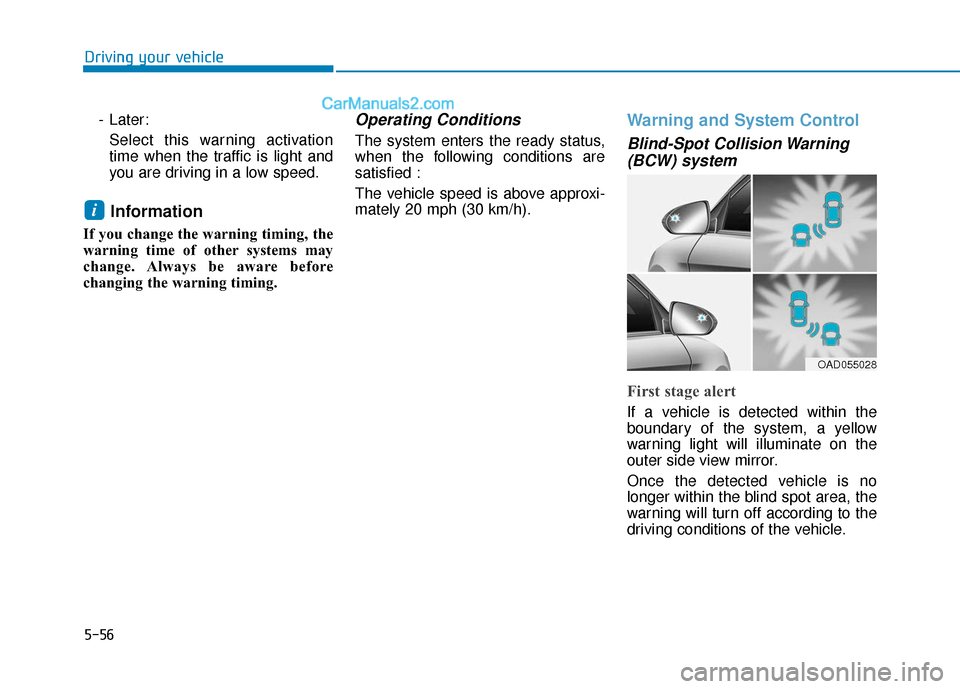
Blind-Spot Collision Warning(BCW) system
First stage alert
If a vehicle is detected within the
boundary of the system, a yellow
warning light will illuminate on the
outer side view mirror.
Once the detected vehicle is no
longer within the blind spot area, the
warning will turn off according to the
driving conditions of the vehicle.
i
OAD055028
Page 296 of 535
5-60
Driving your vehicle
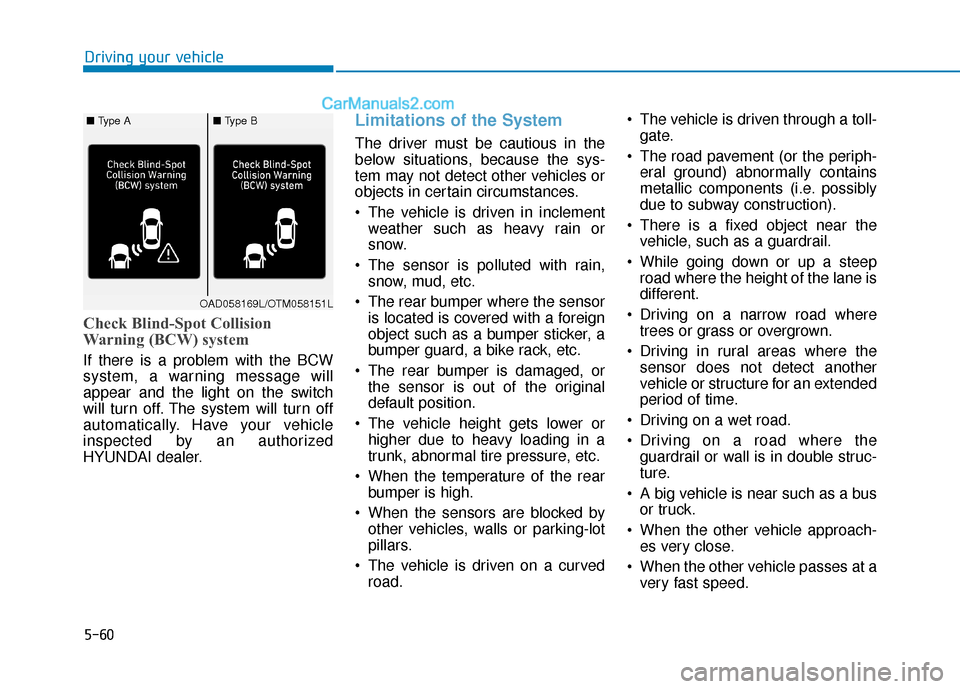
Check Blind-Spot Collision
Warning (BCW) system
If there is a problem with the BCW
system, a warning message will
appear and the light on the switch
will turn off. The system will turn off
automatically. Have your vehicle
inspected by an authorized
HYUNDAI dealer.
Limitations of the System
The driver must be cautious in the
below situations, because the sys-
tem may not detect other vehicles or
objects in certain circumstances.
The vehicle is driven in inclementweather such as heavy rain or
snow.
The sensor is polluted with rain, snow, mud, etc.
The rear bumper where the sensor is located is covered with a foreign
object such as a bumper sticker, a
bumper guard, a bike rack, etc.
The rear bumper is damaged, or the sensor is out of the original
default position.
The vehicle height gets lower or higher due to heavy loading in a
trunk, abnormal tire pressure, etc.
When the temperature of the rear bumper is high.
When the sensors are blocked by other vehicles, walls or parking-lot
pillars.
The vehicle is driven on a curved road. The vehicle is driven through a toll-
gate.
The road pavement (or the periph- eral ground) abnormally contains
metallic components (i.e. possibly
due to subway construction).
There is a fixed object near the vehicle, such as a guardrail.
While going down or up a steep road where the height of the lane is
different.
Driving on a narrow road where trees or grass or overgrown.
Driving in rural areas where the sensor does not detect another
vehicle or structure for an extended
period of time.
Driving on a wet road.
Driving on a road where the guardrail or wall is in double struc-
ture.
A big vehicle is near such as a bus or truck.
When the other vehicle approach- es very close.
When the other vehicle passes at a very fast speed.
OAD058169L/OTM058151L
■ Type A■ Type B
Page 300 of 535
5-64
Driving your vehicle
System Description
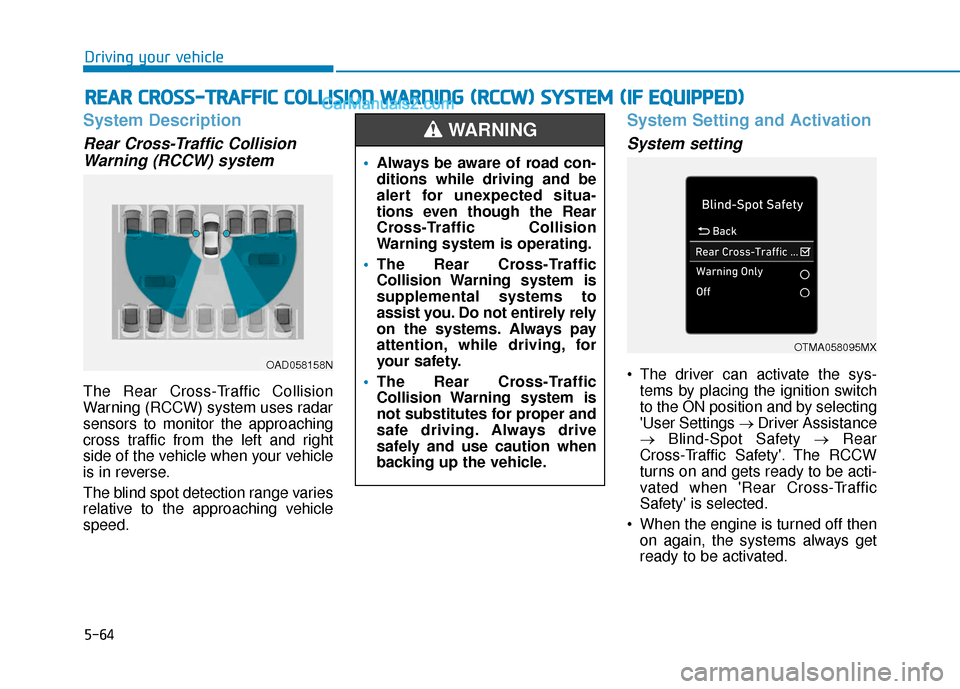
Rear Cross-Traffic CollisionWarning (RCCW) system
The Rear Cross-Traffic Collision
Warning (RCCW) system uses radar
sensors to monitor the approaching
cross traffic from the left and right
side of the vehicle when your vehicle
is in reverse.
The blind spot detection range varies
relative to the approaching vehicle
speed.
System Setting and Activation
System setting
The driver can activate the sys-
tems by placing the ignition switch
to the ON position and by selecting
'User Settings → Driver Assistance
→ Blind-Spot Safety → Rear
Cross-Traffic Safety'. The RCCW
turns on and gets ready to be acti-
vated when 'Rear Cross-Traffic
Safety' is selected.
When the engine is turned off then on again, the systems always get
ready to be activated.
R RE
EA
A R
R
C
C R
R O
O S
SS
S-
-T
T R
R A
A F
FF
FI
IC
C
C
C O
O L
LL
LI
IS
S I
IO
O N
N
W
W A
AR
RN
N I
IN
N G
G
(
( R
R C
CC
CW
W )
)
S
S Y
Y S
ST
T E
EM
M
(
( I
IF
F
E
E Q
Q U
UI
IP
P P
PE
ED
D )
)
OAD058158N
Always be aware of road con-
ditions while driving and be
alert for unexpected situa-
tions even though the Rear
Cross-Traffic Collision
Warning system is operating.
The Rear Cross-Traffic
Collision Warning system is
supplemental systems to
assist you. Do not entirely rely
on the systems. Always pay
attention, while driving, for
your safety.
The Rear Cross-Traffic
Collision Warning system is
not substitutes for proper and
safe driving. Always drive
safely and use caution when
backing up the vehicle.
WARNING
OTMA058095MX
Page 301 of 535
5-65
Driving your vehicle
5
When the system is initially turnedon and when the engine is turned
off then on again, the warning light
will illuminate for 3 seconds on the
outside rearview mirror.
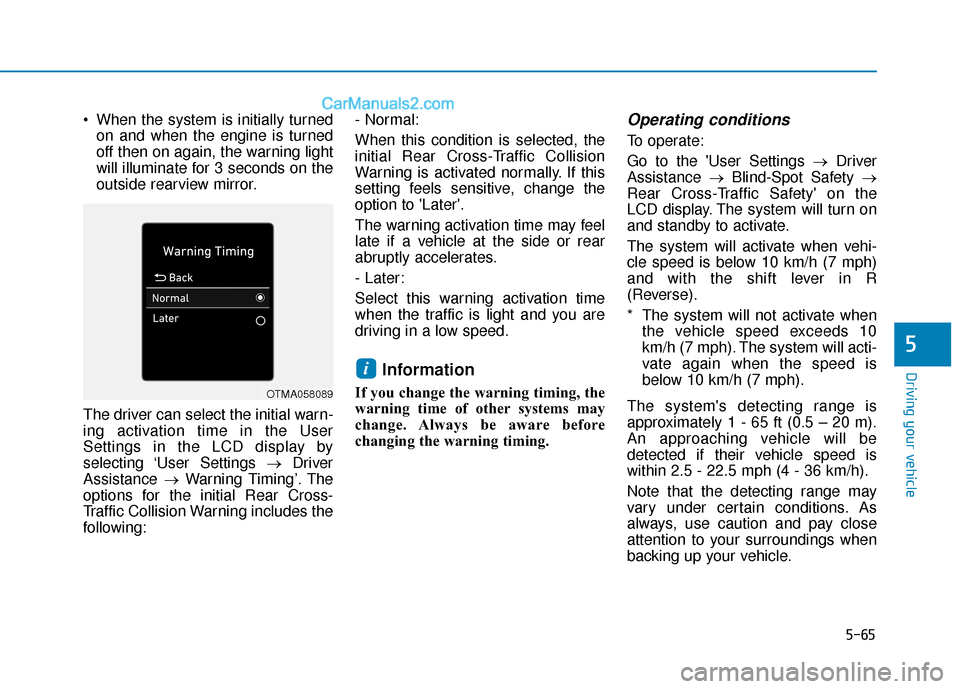
The driver can select the initial warn-
ing activation time in the User
Settings in the LCD display by
selecting ‘User Settings →Driver
Assistance →Warning Timing’. The
options for the initial Rear Cross-
Traffic Collision Warning includes the
following: - Normal:
When this condition is selected, the
initial Rear Cross-Traffic Collision
Warning is activated normally. If this
setting feels sensitive, change the
option to 'Later'.
The warning activation time may feel
late if a vehicle at the side or rear
abruptly accelerates.
- Later:
Select this warning activation time
when the traffic is light and you are
driving in a low speed.
Information
If you change the warning timing, the
warning time of other systems may
change. Always be aware before
changing the warning timing.
Operating conditions
To operate:
Go to the 'User Settings →
Driver
Assistance →Blind-Spot Safety →
Rear Cross-Traffic Safety' on the
LCD display. The system will turn on
and standby to activate.
The system will activate when vehi-
cle speed is below 10 km/h (7 mph)
and with the shift lever in R
(Reverse).
* The system will not activate when the vehicle speed exceeds 10
km/h (7 mph). The system will acti-
vate again when the speed is
below 10 km/h (7 mph).
The system's detecting range is
approximately 1 - 65 ft (0.5 – 20 m).
An approaching vehicle will be
detected if their vehicle speed is
within 2.5 - 22.5 mph (4 - 36 km/h).
Note that the detecting range may
vary under certain conditions. As
always, use caution and pay close
attention to your surroundings when
backing up your vehicle.
i
OTMA058089
Page 302 of 535
5-66
Driving your vehicle
Warning and system control
Rear Cross-Traffic CollisionWarning (RCCW) system
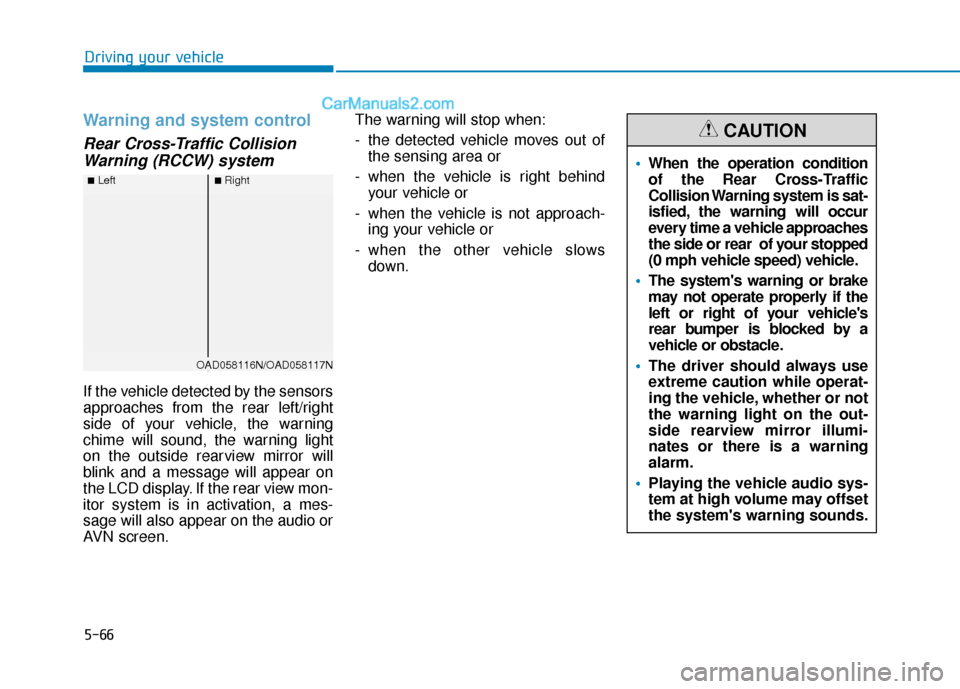
If the vehicle detected by the sensors
approaches from the rear left/right
side of your vehicle, the warning
chime will sound, the warning light
on the outside rearview mirror will
blink and a message will appear on
the LCD display. If the rear view mon-
itor system is in activation, a mes-
sage will also appear on the audio or
AVN screen. The warning will stop when:
- the detected vehicle moves out of
the sensing area or
- when the vehicle is right behind your vehicle or
- when the vehicle is not approach- ing your vehicle or
- when the other vehicle slows down.
■Left■Right
OAD058116N/OAD058117N
When the operation condition
of the Rear Cross-Traffic
Collision Warning system is sat-
isfied, the warning will occur
every time a vehicle approaches
the side or rear of your stopped
(0 mph vehicle speed) vehicle.
The system's warning or brake
may not operate properly if the
left or right of your vehicle's
rear bumper is blocked by a
vehicle or obstacle.
The driver should always use
extreme caution while operat-
ing the vehicle, whether or not
the warning light on the out-
side rearview mirror illumi-
nates or there is a warning
alarm.
Playing the vehicle audio sys-
tem at high volume may offset
the system's warning sounds.
CAUTION
Page 305 of 535
5-69
Driving your vehicle
5
Check Blind-Spot Collision
Warning (BCW) system
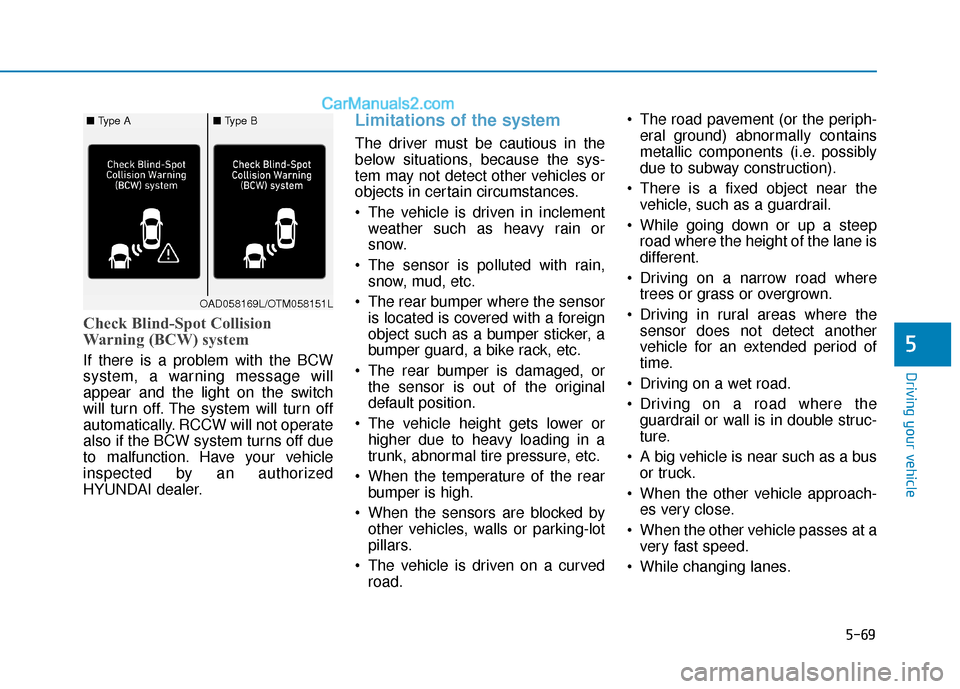
If there is a problem with the BCW
system, a warning message will
appear and the light on the switch
will turn off. The system will turn off
automatically. RCCW will not operate
also if the BCW system turns off due
to malfunction. Have your vehicle
inspected by an authorized
HYUNDAI dealer.
Limitations of the system
The driver must be cautious in the
below situations, because the sys-
tem may not detect other vehicles or
objects in certain circumstances.
The vehicle is driven in inclementweather such as heavy rain or
snow.
The sensor is polluted with rain, snow, mud, etc.
The rear bumper where the sensor is located is covered with a foreign
object such as a bumper sticker, a
bumper guard, a bike rack, etc.
The rear bumper is damaged, or the sensor is out of the original
default position.
The vehicle height gets lower or higher due to heavy loading in a
trunk, abnormal tire pressure, etc.
When the temperature of the rear bumper is high.
When the sensors are blocked by other vehicles, walls or parking-lot
pillars.
The vehicle is driven on a curved road. The road pavement (or the periph-
eral ground) abnormally contains
metallic components (i.e. possibly
due to subway construction).
There is a fixed object near the vehicle, such as a guardrail.
While going down or up a steep road where the height of the lane is
different.
Driving on a narrow road where trees or grass or overgrown.
Driving in rural areas where the sensor does not detect another
vehicle for an extended period of
time.
Driving on a wet road.
Driving on a road where the guardrail or wall is in double struc-
ture.
A big vehicle is near such as a bus or truck.
When the other vehicle approach- es very close.
When the other vehicle passes at a very fast speed.
While changing lanes.
OAD058169L/OTM058151L
■ Type A■ Type B
Page 310 of 535
5-74
Driving your vehicle- If you select "Warning Only", theFCA system activates and pro-
duces only warning alarms in
accordance with the collision risk
levels. You should control the
brake directly because the FCA
system do not control the brake.
- If you select "Off", the FCA sys- tem deactivates,
The warning light illu-
minates on the LCD
display, when you can-
cel the FCA system.
The driver can monitor the FCA
ON/OFF status on the LCD display.
Also, the warning light illuminates
when the ESC (Electronic Stability
Control) is turned off. If the warning
light remains ON when the FCA is
activated, have the system
checked by an authorized
HYUNDAI dealer. The driver can select the initial
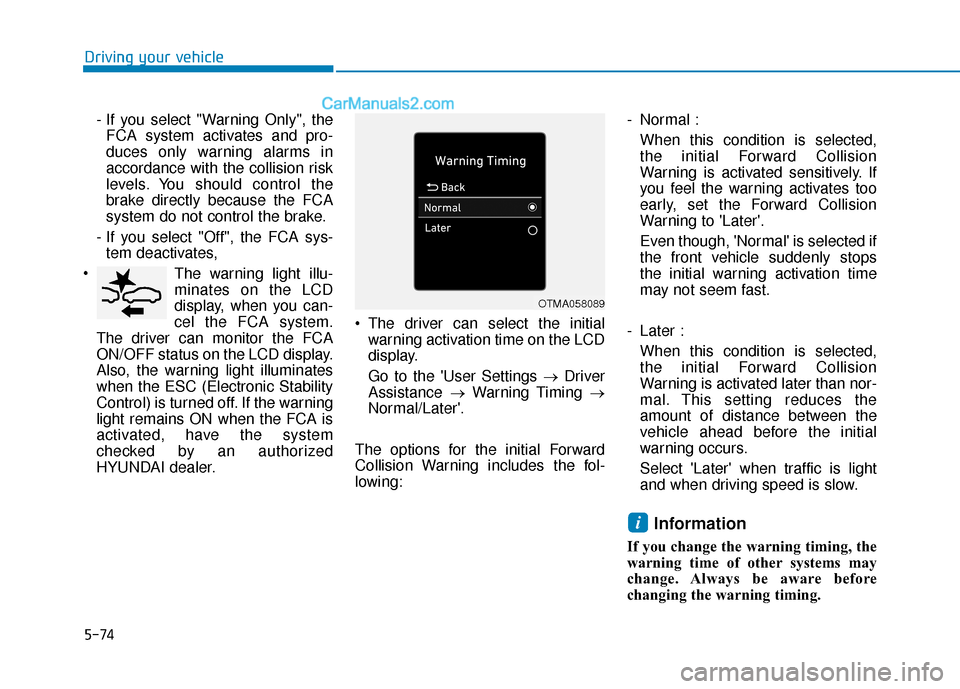
warning activation time on the LCD
display.
Go to the 'User Settings → Driver
Assistance →Warning Timing →
Normal/Later'.
The options for the initial Forward
Collision Warning includes the fol-
lowing: - Normal :
When this condition is selected,
the initial Forward Collision
Warning is activated sensitively. If
you feel the warning activates too
early, set the Forward Collision
Warning to 'Later'.
Even though, 'Normal' is selected if
the front vehicle suddenly stops
the initial warning activation time
may not seem fast.
- Later : When this condition is selected,
the initial Forward Collision
Warning is activated later than nor-
mal. This setting reduces the
amount of distance between the
vehicle ahead before the initial
warning occurs.
Select 'Later' when traffic is light
and when driving speed is slow.
Information
If you change the warning timing, the
warning time of other systems may
change. Always be aware before
changing the warning timing.
i
OTMA058089
Page 311 of 535
5-75
Driving your vehicle
5
Prerequisite for activation
The FCA system is on and ready
when FCA is selected on the LCD
display and when the following pre-
requisites are satisfied:
- The ESC (Electronic StabilityControl) is on.
- Driving speed exceeds approxi- mately 6mph (10 km/h) (The FCA
is only activated within a certain
speed range.).
- The system detects a vehicle in front, which may collide with your
vehicle. (The FCA may not be acti-
vated or may sound a warning
alarm in accordance with the driv-
ing situation or vehicle condition.)
FCA Warning Message and
System Control
The FCA produces warning mes-
sages and warning alarms in accor-
dance with the collision risk levels,
such as abrupt stopping of the vehi-
cle in front, insufficient braking dis-
tance detection. Also, it controls the
brakes in accordance with the colli-
sion risk levels.
The driver can select the initial warn-
ing activation time in the User
Settings in the LCD display. The
options for the initial Forward Collision
Warning include Early or Later initial
warning time.Completely stop the vehicle
on a safe location before
operating the switch on the
steering wheel to activate/
deactivate the FCA system.
The FCA automatically acti-
vates upon placing the igni-
tion switch to the ON position.
The driver can deactivate the
FCA by canceling the system
setting on the LCD display.
The FCA automatically deacti-
vates upon canceling the ESC
(Electronic Stability Control).
When the ESC is canceled,
the FCA cannot be activated
on the LCD display. The FCA
warning light will illuminate
which is normal.
WARNING
Page 312 of 535
5-76
Driving your vehicle
Collision Warning (First warning)
This warning message appears on
the LCD display with a warning
chime. Additionally, some vehicle
system intervention occurs by the
engine management system to help
decelerate the vehicle.
- Your vehicle speed may deceleratemoderately.
- The FCA system limitedly controls the brakes to preemptively mitigate
impact in a collision. - If you select "Warning Only", the
FCA system activates and pro-
duces only warning alarms in
accordance with the collision risk
levels. You should control the brake
directly because the FCA system
do not control the brake.
Emergency Braking(Second warning)
This warning message appears on
the LCD display with a warning
chime.
Additionally, some vehicle system
intervention occurs by the engine
management system to help decel-
erate the vehicle.
- The FCA system limitedly controls
the brakes to preemptively mitigate
impact in a collision. The brake
control is maximized just before a
collision.
OAD058119N
OAD058120N
Page 313 of 535
5-77
Driving your vehicle
5
- If you select "Warning Only", theFCA system activates and pro-
duces only warning alarms in
accordance with the collision risk
levels. You should control the brake
directly because the FCA system
do not control the brake.
Brake operation
In an urgent situation, the brakingsystem enters into the ready status
for prompt reaction against the dri-
ver's depressing the brake pedal.
The FCA provides additional brak- ing power for optimum braking per-
formance, when the driver
depresses the brake pedal.
The braking control is automatical- ly deactivated, when the driver
sharply depresses the accelerator
pedal, or when the driver abruptly
operates the steering wheel.
The FCA braking control is auto- matically canceled, when risk fac-
tors disappear.
The driver should always use
extreme caution while operat-
ing the vehicle, whether or not
there is a warning message or
alarm from the FCA system.
If any other warning sound
such as seat belt warning
chime is already generated,
the Forward Collision-
Avoidance Assist (FCA) sys-
tem warning may not sound.
CAUTION
The FCA system logic operates
within certain parameters, such
as the distance from the vehicle
ahead, the speed of the vehicle
ahead, and the driver's vehicle
speed. Certain conditions such
as inclement weather and road
conditions may affect the oper-
ation of the FCA system.
WARNING
The FCA braking control cannot
completely stop the vehicle nor
avoid all collisions. The driver
should hold the responsibility
to safely drive and control the
vehicle.
WARNING Never deliberately drive danger-
ously to activate the system.
WARNING