alarm Hyundai Elantra 2019 Owner's Manual
[x] Cancel search | Manufacturer: HYUNDAI, Model Year: 2019, Model line: Elantra, Model: Hyundai Elantra 2019Pages: 535, PDF Size: 16.83 MB
Page 85 of 535

Convenient features of your vehicle
Accessing Your Vehicle .........................................3-3
Remote Key........................................................................\
.3-3
Smart Key ........................................................................\
....3-6
Immobilizer System .........................................................3-11
Door Locks ............................................................3-12
Operating Door Locks from Outside the Vehicle ....3-12
Operating Door Locks from Inside the Vehicle .......3-13
Auto Door Lock/Unlock Features ...............................3-15
Child-Protector Rear Door locks ................................3-16
Safe Exit Assist (SEA) System .....................................3-16
Theft-Alarm System ............................................3-17
Driver Position Memory System ........................3-18
Storing Positions into Memory ....................................3-18
Recalling Positions from Memory...............................3-19
Resetting the Driver's Seat Memory System...........3-19
Easy Access Function ....................................................3-20
Steering Wheel .....................................................3-21
Electric Power Steering (EPS) .....................................3-21
Tilt Steering/Telescopic Steering ................................3-21
Horn ........................................................................\
............3-22
Mirrors ...................................................................3-23
Inside Rearview Mirror ..................................................3-23
Side View Mirrors ...........................................................3-30
Reverse Parking Aid Function......................................3-33
Windows ................................................................3-34
Power Windows ...............................................................3-35
Sunroof..................................................................3-39
Sunroof opening and closing .......................................3-40
Sliding the sunroof .........................................................3-40
Tilting the sunroof ..........................................................3-40
Sunshade ........................................................................\
...3-41
Resetting the sunroof ....................................................3-41
Sunroof Open Warning ..................................................3-42
Exterior Features .................................................3-43
Hood ........................................................................\
...........3-43
Trunk ........................................................................\
..........3-44
Smart Trunk ......................................................................3-\
46
Fuel Filler Door ................................................................3-49
Instrument Cluster ...............................................3-53
Instrument Cluster Control............................................3-55
Gauges ........................................................................\
.......3-56
Transmission Shift Indicator .........................................3-60
Warning and Indicator lights ........................................3-61
LCD Display Messages ...................................................3-73
LCD Display (For Supervision Cluster) .............3-79
LCD Display Control ........................................................3-79
LCD Display Modes .........................................................3-80
3
Page 100 of 535
3-16
Convenient features of your vehicle
Child-Protector Rear Door
locks
The child safety lock is provided to
help prevent children seated in the
rear from accidentally opening the
rear doors. The rear door safety locks
should be used whenever children
are in the vehicle.
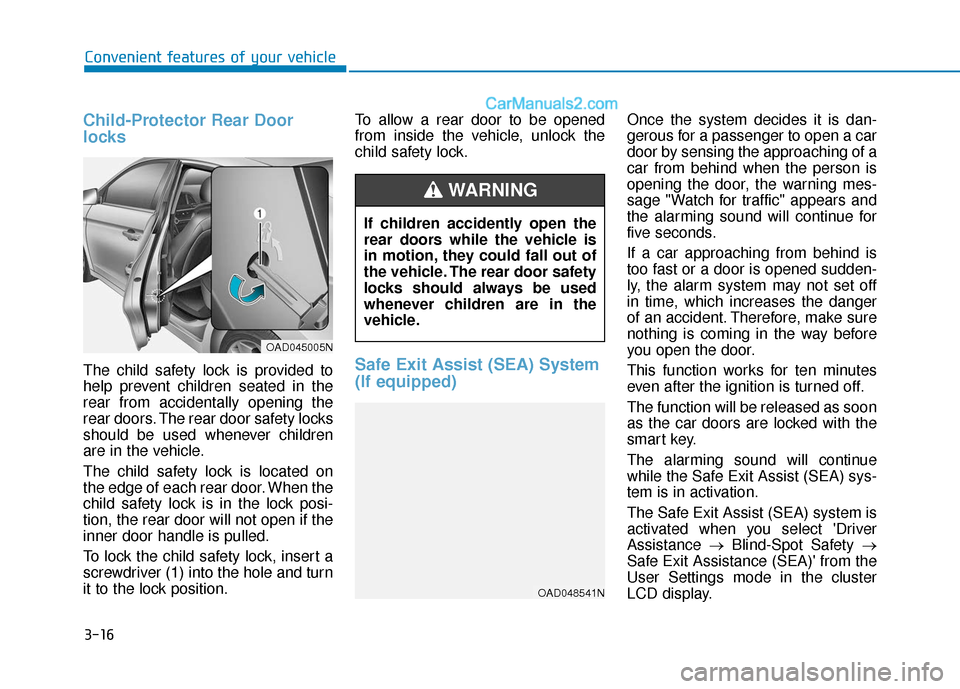
The child safety lock is located on
the edge of each rear door. When the
child safety lock is in the lock posi-
tion, the rear door will not open if the
inner door handle is pulled.
To lock the child safety lock, insert a
screwdriver (1) into the hole and turn
it to the lock position.To allow a rear door to be opened
from inside the vehicle, unlock the
child safety lock.Safe Exit Assist (SEA) System
(If equipped)
Once the system decides it is dan-
gerous for a passenger to open a car
door by sensing the approaching of a
car from behind when the person is
opening the door, the warning mes-
sage "Watch for traffic" appears and
the alarming sound will continue for
five seconds.
If a car approaching from behind is
too fast or a door is opened sudden-
ly, the alarm system may not set off
in time, which increases the danger
of an accident. Therefore, make sure
nothing is coming in the way before
you open the door.
This function works for ten minutes
even after the ignition is turned off.
The function will be released as soon
as the car doors are locked with the
smart key.
The alarming sound will continue
while the Safe Exit Assist (SEA) sys-
tem is in activation.
The Safe Exit Assist (SEA) system is
activated when you select 'Driver
Assistance
→Blind-Spot Safety →
Safe Exit Assistance (SEA)' from the
User Settings mode in the cluster
LCD display.
If children accidently open the
rear doors while the vehicle is
in motion, they could fall out of
the vehicle. The rear door safety
locks should always be used
whenever children are in the
vehicle.
WARNING
OAD045005N
OAD048541N
Page 101 of 535
3-17
Convenient features of your vehicle
3
This system helps to protect your
vehicle and valuables. The horn will
sound and the hazard warning lights
will blink continuously if any of the
following occur:
- A door is opened without using theremote key or smart key.
- The trunk is opened without using the remote key or smart key.
- The engine hood is opened.
The alarm continues for 30 seconds,
then the system resets. To turn off
the alarm, unlock the doors with the
remote key or smart key.
The Theft Alarm System automati-
cally sets 30 seconds after you lock
the doors and the trunk. For the sys-
tem to activate, you must lock the
doors and the trunk from outside the
vehicle with the remote key or smart
key or by pressing the button on the
outside of the door handles with the
smart key in your possession.
The hazard warning lights will blink
and the chime will sound once to
indicate the system is armed. Once the security system is set,
opening any door, the trunk, or the
hood without using the remote key or
smart key will cause the alarm to
activate.
The Theft Alarm System will not set if
the hood, the trunk, or any door is
not fully closed. If the system will not
set, check the hood, the trunk, or the
doors are fully closed.
Do not attempt to alter this system or
add other devices to it.Information
• Do not lock the doors until all pas-
sengers have left the vehicle. If the
remaining passenger leaves the
vehicle when the system is armed,
the alarm will be activated.
• If the vehicle is not disarmed with the remote key or smart key, open
the doors by using the mechanical
key and place the ignition switch in
the ON position (for remote key) or
start the engine (for smart key) by
directly pressing the ignition switch
with the smart key.
• When the system is disarmed but a door or trunk is not opened within
30 seconds, the system will be
rearmed.
i
T TH
H E
EF
FT
T -
-A
A L
LA
A R
RM
M
S
S Y
Y S
ST
T E
EM
M
Page 190 of 535
3-106
Convenient features of your vehicle
Interior Lights
Do not use the interior lights for
extended periods when the engine
is turned off or the battery will dis-
charge.
Interior lamp AUTO cut
The interior lamps will automatically
go off approximately 20 minutes after
the engine is turned off and the
doors are closed. If a door is opened,
the lamp will go off 40 minutes after
the engine is turned off. If the doors
are locked by the remote key or
smart key and the vehicle enters the
armed stage of the theft alarm sys-
tem, the lamps will go off five sec-
onds later.
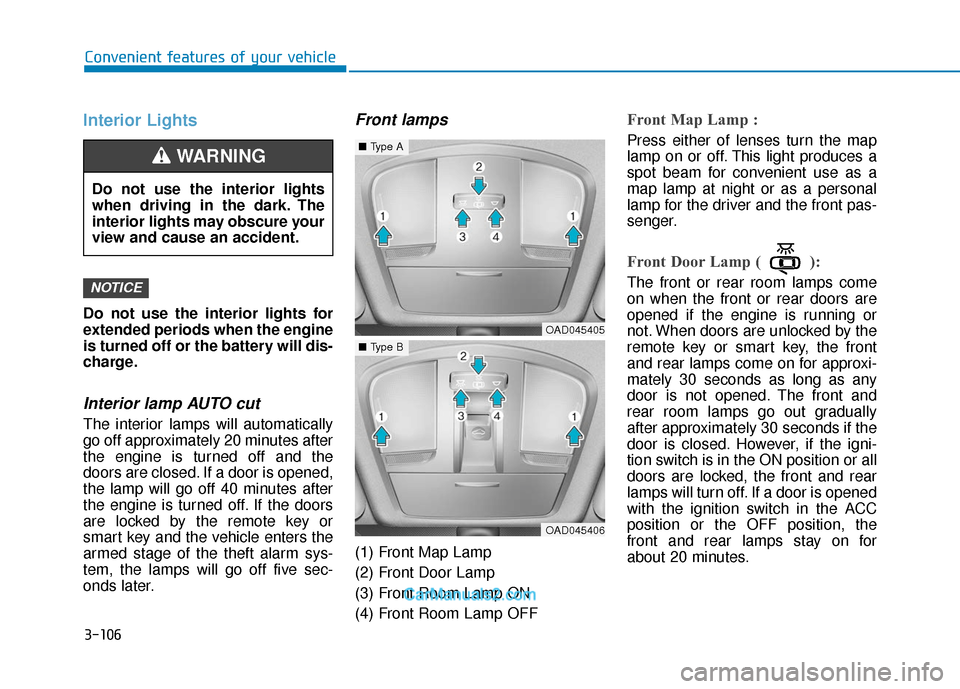
Front lamps
(1) Front Map Lamp
(2) Front Door Lamp
(3) Front Room Lamp ON
(4) Front Room Lamp OFF
Front Map Lamp :
Press either of lenses turn the map
lamp on or off. This light produces a
spot beam for convenient use as a
map lamp at night or as a personal
lamp for the driver and the front pas-
senger.
Front Door Lamp ( ):
The front or rear room lamps come
on when the front or rear doors are
opened if the engine is running or
not. When doors are unlocked by the
remote key or smart key, the front
and rear lamps come on for approxi-
mately 30 seconds as long as any
door is not opened. The front and
rear room lamps go out gradually
after approximately 30 seconds if the
door is closed. However, if the igni-
tion switch is in the ON position or all
doors are locked, the front and rear
lamps will turn off. If a door is opened
with the ignition switch in the ACC
position or the OFF position, the
front and rear lamps stay on for
about 20 minutes.NOTICE
Do not use the interior lights
when driving in the dark. The
interior lights may obscure your
view and cause an accident.
WARNING
OAD045405
■Type A
OAD045406
■Type B
Page 266 of 535
5-30
Driving your vehicle
If the dual clutch temperature con- tinues to increase and reaches
marking 14, the warning alarm
sounds and the temperature gauge
pops up on the cluster.
The DCT warning message is not displayed.
type
- Type A : White
- Type B : Orange
High/Overheat (from marking 15 to 16)
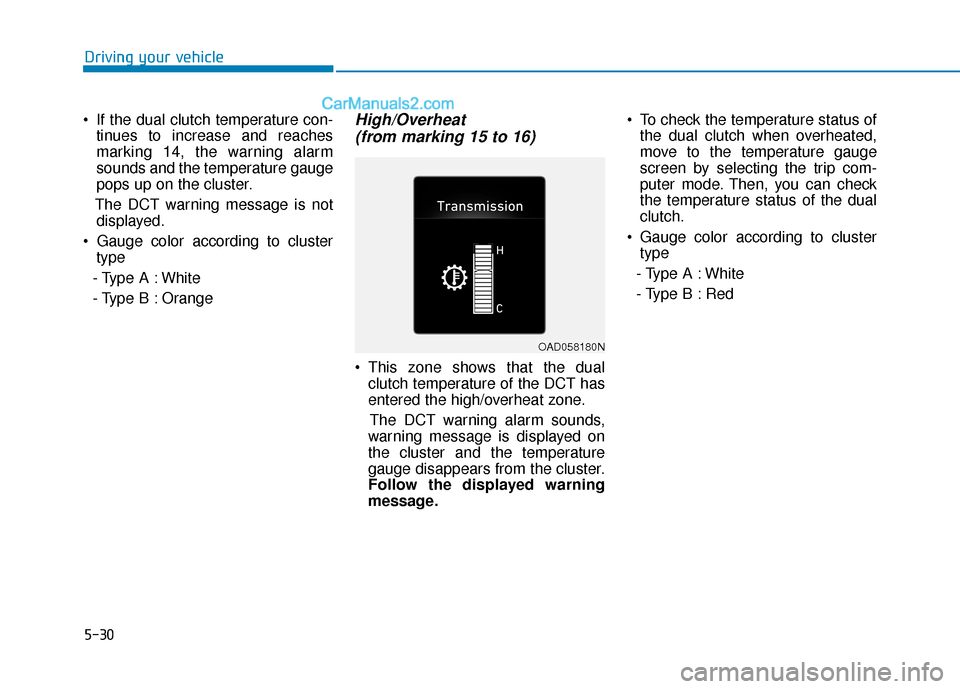
This zone shows that the dual
clutch temperature of the DCT has
entered the high/overheat zone.
The DCT warning alarm sounds,
warning message is displayed on
the cluster and the temperature
gauge disappears from the cluster.
Follow the displayed warning
message. To check the temperature status of
the dual clutch when overheated,
move to the temperature gauge
screen by selecting the trip com-
puter mode. Then, you can check
the temperature status of the dual
clutch.
Gauge color according to cluster type
- Type A : White
- Type B : Red
OAD058180N
Page 294 of 535
5-58
Driving your vehicle
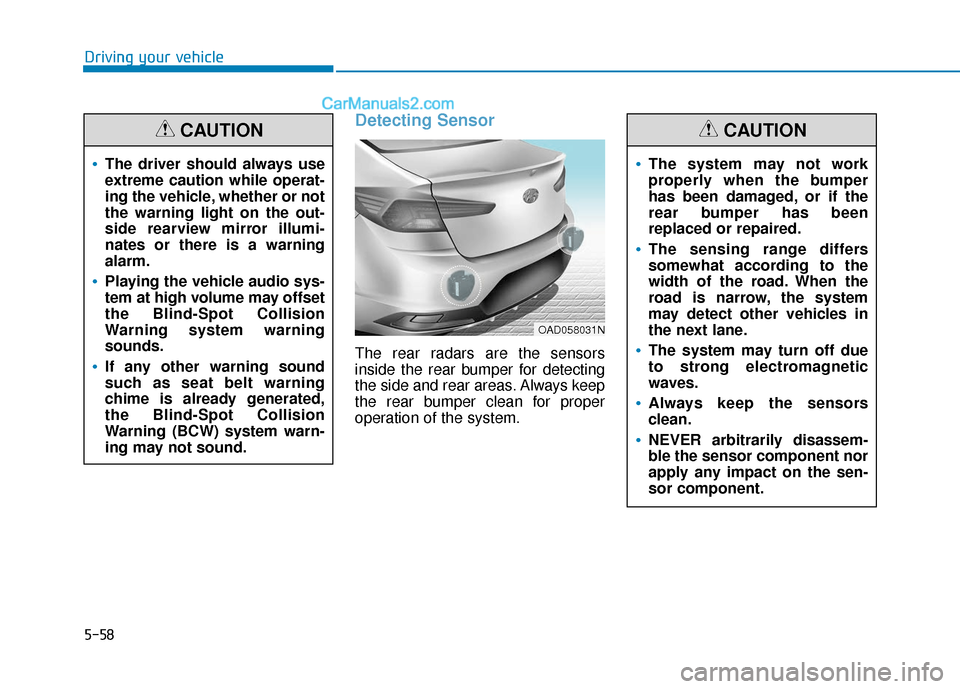
Detecting Sensor
The rear radars are the sensors
inside the rear bumper for detecting
the side and rear areas. Always keep
the rear bumper clean for proper
operation of the system.
The driver should always use
extreme caution while operat-
ing the vehicle, whether or not
the warning light on the out-
side rearview mirror illumi-
nates or there is a warning
alarm.
Playing the vehicle audio sys-
tem at high volume may offset
the Blind-Spot Collision
Warning system warning
sounds.
If any other warning sound
such as seat belt warning
chime is already generated,
the Blind-Spot Collision
Warning (BCW) system warn-
ing may not sound.
CAUTION
OAD058031N
The system may not work
properly when the bumper
has been damaged, or if the
rear bumper has been
replaced or repaired.
The sensing range differs
somewhat according to the
width of the road. When the
road is narrow, the system
may detect other vehicles in
the next lane.
The system may turn off due
to strong electromagnetic
waves.
Always keep the sensors
clean.
NEVER arbitrarily disassem-
ble the sensor component nor
apply any impact on the sen-
sor component.
CAUTION
Page 302 of 535
5-66
Driving your vehicle
Warning and system control
Rear Cross-Traffic CollisionWarning (RCCW) system
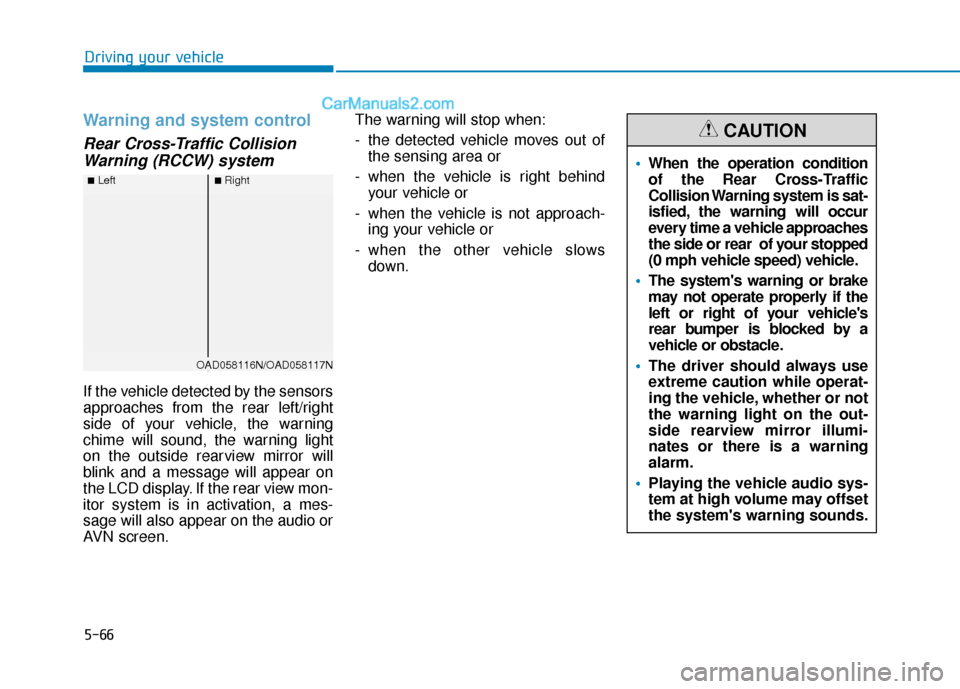
If the vehicle detected by the sensors
approaches from the rear left/right
side of your vehicle, the warning
chime will sound, the warning light
on the outside rearview mirror will
blink and a message will appear on
the LCD display. If the rear view mon-
itor system is in activation, a mes-
sage will also appear on the audio or
AVN screen. The warning will stop when:
- the detected vehicle moves out of
the sensing area or
- when the vehicle is right behind your vehicle or
- when the vehicle is not approach- ing your vehicle or
- when the other vehicle slows down.
■Left■Right
OAD058116N/OAD058117N
When the operation condition
of the Rear Cross-Traffic
Collision Warning system is sat-
isfied, the warning will occur
every time a vehicle approaches
the side or rear of your stopped
(0 mph vehicle speed) vehicle.
The system's warning or brake
may not operate properly if the
left or right of your vehicle's
rear bumper is blocked by a
vehicle or obstacle.
The driver should always use
extreme caution while operat-
ing the vehicle, whether or not
the warning light on the out-
side rearview mirror illumi-
nates or there is a warning
alarm.
Playing the vehicle audio sys-
tem at high volume may offset
the system's warning sounds.
CAUTION
Page 309 of 535
5-73
Driving your vehicle
5
The Forward Collision-Avoidance
Assist (FCA) system is designed to
help detect and monitor the vehicle
ahead in the roadway through cam-
era recognition to warn the driver
that a collision is imminent, and if
necessary, apply emergency brak-
ing.
The camera type FCA system
detects the vehicle ahead in the
roadway through camera.System Setting and Activation
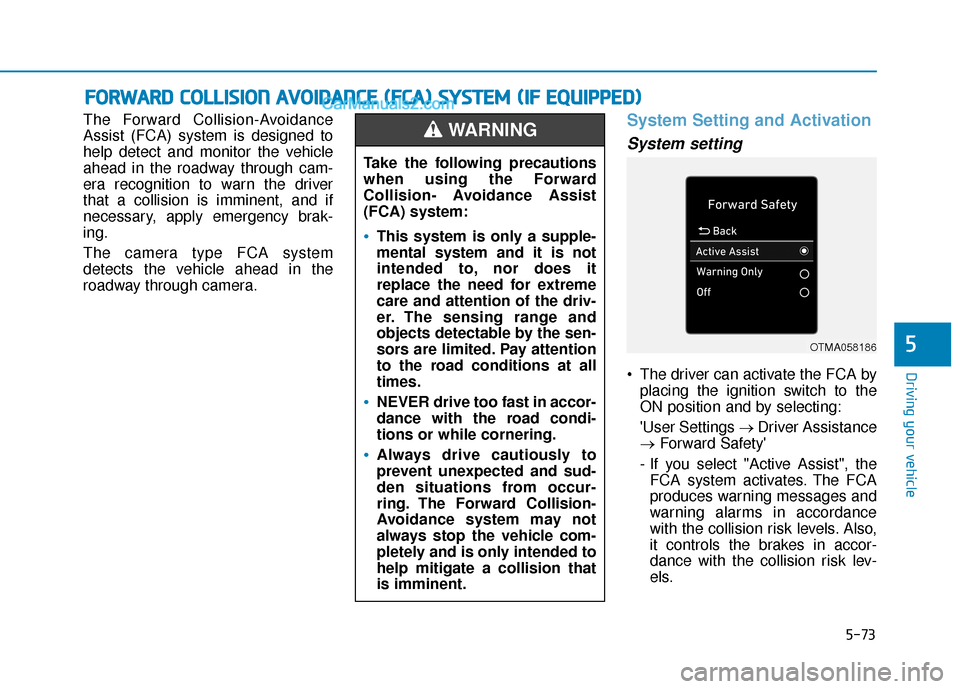
System setting
The driver can activate the FCA byplacing the ignition switch to the
ON position and by selecting:
'User Settings → Driver Assistance
→ Forward Safety'
- If you select "Active Assist", the FCA system activates. The FCA
produces warning messages and
warning alarms in accordance
with the collision risk levels. Also,
it controls the brakes in accor-
dance with the collision risk lev-
els.
F FO
O R
RW
W A
AR
RD
D
C
C O
O L
LL
LI
IS
S I
IO
O N
N
A
A V
VO
O I
ID
D A
A N
N C
CE
E
(
( F
F C
C A
A )
)
S
S Y
Y S
ST
T E
EM
M
(
( I
IF
F
E
E Q
Q U
UI
IP
P P
PE
ED
D )
)
Take the following precautions
when using the Forward
Collision- Avoidance Assist
(FCA) system:
This system is only a supple-
mental system and it is not
intended to, nor does it
replace the need for extreme
care and attention of the driv-
er. The sensing range and
objects detectable by the sen-
sors are limited. Pay attention
to the road conditions at all
times.
NEVER drive too fast in accor-
dance with the road condi-
tions or while cornering.
Always drive cautiously to
prevent unexpected and sud-
den situations from occur-
ring. The Forward Collision-
Avoidance system may not
always stop the vehicle com-
pletely and is only intended to
help mitigate a collision that
is imminent.
WARNING
OTMA058186
Page 310 of 535
5-74
Driving your vehicle- If you select "Warning Only", theFCA system activates and pro-
duces only warning alarms in
accordance with the collision risk
levels. You should control the
brake directly because the FCA
system do not control the brake.
- If you select "Off", the FCA sys- tem deactivates,
The warning light illu-
minates on the LCD
display, when you can-
cel the FCA system.
The driver can monitor the FCA
ON/OFF status on the LCD display.
Also, the warning light illuminates
when the ESC (Electronic Stability
Control) is turned off. If the warning
light remains ON when the FCA is
activated, have the system
checked by an authorized
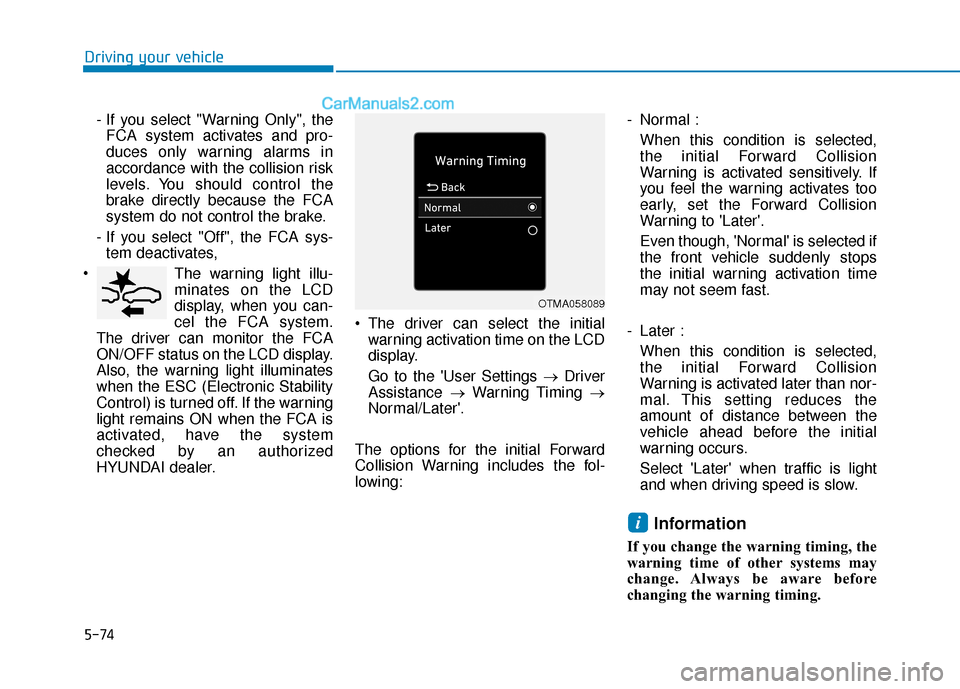
HYUNDAI dealer. The driver can select the initial
warning activation time on the LCD
display.
Go to the 'User Settings → Driver
Assistance →Warning Timing →
Normal/Later'.
The options for the initial Forward
Collision Warning includes the fol-
lowing: - Normal :
When this condition is selected,
the initial Forward Collision
Warning is activated sensitively. If
you feel the warning activates too
early, set the Forward Collision
Warning to 'Later'.
Even though, 'Normal' is selected if
the front vehicle suddenly stops
the initial warning activation time
may not seem fast.
- Later : When this condition is selected,
the initial Forward Collision
Warning is activated later than nor-
mal. This setting reduces the
amount of distance between the
vehicle ahead before the initial
warning occurs.
Select 'Later' when traffic is light
and when driving speed is slow.
Information
If you change the warning timing, the
warning time of other systems may
change. Always be aware before
changing the warning timing.
i
OTMA058089
Page 311 of 535
5-75
Driving your vehicle
5
Prerequisite for activation
The FCA system is on and ready
when FCA is selected on the LCD
display and when the following pre-
requisites are satisfied:
- The ESC (Electronic StabilityControl) is on.
- Driving speed exceeds approxi- mately 6mph (10 km/h) (The FCA
is only activated within a certain
speed range.).
- The system detects a vehicle in front, which may collide with your
vehicle. (The FCA may not be acti-
vated or may sound a warning
alarm in accordance with the driv-
ing situation or vehicle condition.)
FCA Warning Message and
System Control
The FCA produces warning mes-
sages and warning alarms in accor-
dance with the collision risk levels,
such as abrupt stopping of the vehi-
cle in front, insufficient braking dis-
tance detection. Also, it controls the
brakes in accordance with the colli-
sion risk levels.
The driver can select the initial warn-
ing activation time in the User
Settings in the LCD display. The
options for the initial Forward Collision
Warning include Early or Later initial
warning time.Completely stop the vehicle
on a safe location before
operating the switch on the
steering wheel to activate/
deactivate the FCA system.
The FCA automatically acti-
vates upon placing the igni-
tion switch to the ON position.
The driver can deactivate the
FCA by canceling the system
setting on the LCD display.
The FCA automatically deacti-
vates upon canceling the ESC
(Electronic Stability Control).
When the ESC is canceled,
the FCA cannot be activated
on the LCD display. The FCA
warning light will illuminate
which is normal.
WARNING