timing Hyundai Elantra 2019 Owner's Manual
[x] Cancel search | Manufacturer: HYUNDAI, Model Year: 2019, Model line: Elantra, Model: Hyundai Elantra 2019Pages: 535, PDF Size: 16.83 MB
Page 168 of 535
3-84
Convenient features of your vehicle
Driver Assistance
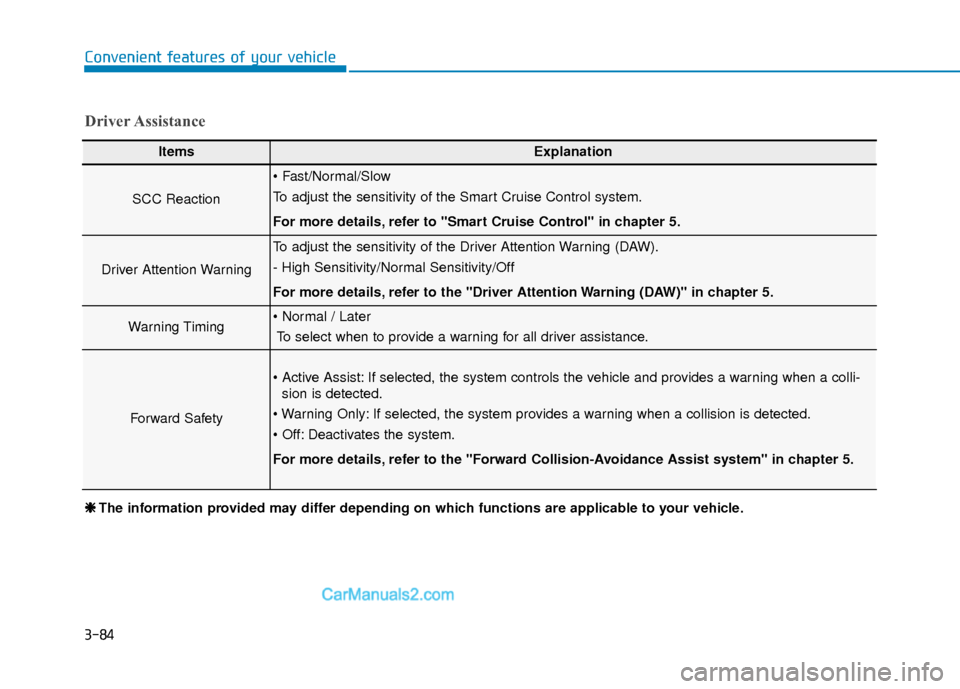
ItemsExplanation
SCC Reaction
To adjust the sensitivity of the Smart Cruise Control system.
For more details, refer to ''Smart Cruise Control'' in chapter 5.
Driver Attention Warning
To adjust the sensitivity of the Driver Attention Warning (DAW).
- High Sensitivity/Normal Sensitivity/Off
For more details, refer to the "Driver Attention Warning (DAW)" in chapter 5.
Warning TimingTo select when to provide a warning for all driver assistance.
Forward Safety
If selected, the system controls the vehicle and provides a warning when a colli- sion is detected.
If selected, the system provides a warning when a collision is detected.
Deactivates the system.
For more details, refer to the "Forward Collision-Avoidance Assist system" in chapter 5.
❈ ❈ The information provided may differ depending on which functions are applicable to your vehicle.
Page 291 of 535
5-55
Driving your vehicle
5
System Setting and Activation
System setting
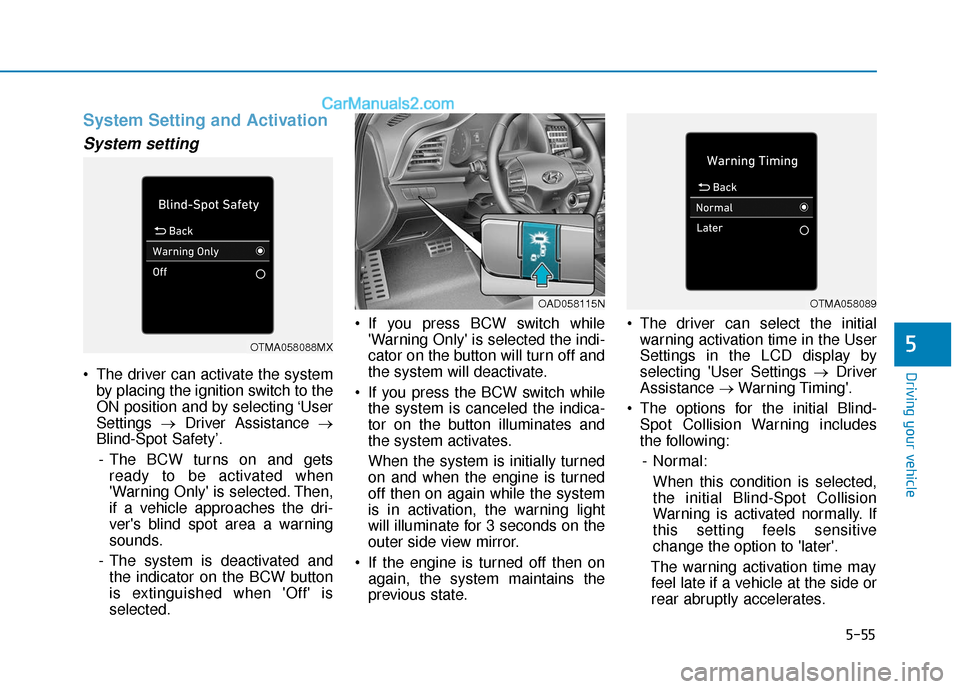
The driver can activate the systemby placing the ignition switch to the
ON position and by selecting ‘User
Settings →Driver Assistance →
Blind-Spot Safety’.
- The BCW turns on and gets ready to be activated when
'Warning Only' is selected. Then,
if a vehicle approaches the dri-
ver's blind spot area a warning
sounds.
- The system is deactivated and the indicator on the BCW button
is extinguished when 'Off' is
selected. If you press BCW switch while
'Warning Only' is selected the indi-
cator on the button will turn off and
the system will deactivate.
If you press the BCW switch while the system is canceled the indica-
tor on the button illuminates and
the system activates.
When the system is initially turned
on and when the engine is turned
off then on again while the system
is in activation, the warning light
will illuminate for 3 seconds on the
outer side view mirror.
If the engine is turned off then on again, the system maintains the
previous state. The driver can select the initial
warning activation time in the User
Settings in the LCD display by
selecting 'User Settings → Driver
Assistance →Warning Timing'.
The options for the initial Blind- Spot Collision Warning includes
the following:
- Normal: When this condition is selected,
the initial Blind-Spot Collision
Warning is activated normally. If
this setting feels sensitive
change the option to 'later'.
The warning activation time may feel late if a vehicle at the side or
rear abruptly accelerates.
OTMA058088MX
OAD058115NOTMA058089
Page 292 of 535
5-56
Driving your vehicle- Later:Select this warning activation
time when the traffic is light and
you are driving in a low speed.
Information
If you change the warning timing, the
warning time of other systems may
change. Always be aware before
changing the warning timing.
Operating Conditions
The system enters the ready status,
when the following conditions are
satisfied :
The vehicle speed is above approxi-
mately 20 mph (30 km/h).
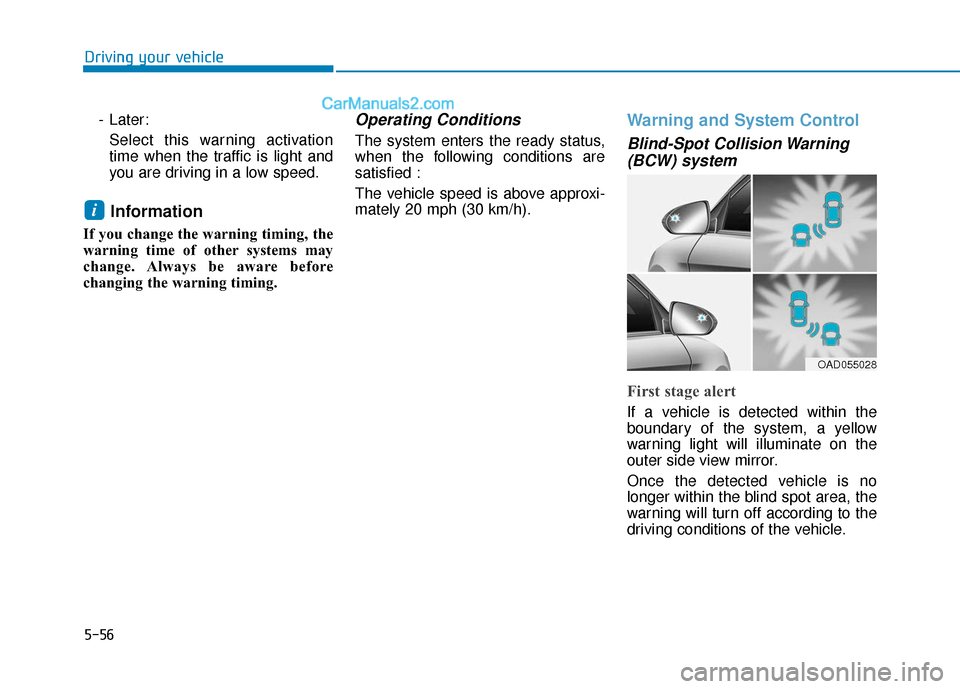
Warning and System Control
Blind-Spot Collision Warning(BCW) system
First stage alert
If a vehicle is detected within the
boundary of the system, a yellow
warning light will illuminate on the
outer side view mirror.
Once the detected vehicle is no
longer within the blind spot area, the
warning will turn off according to the
driving conditions of the vehicle.
i
OAD055028
Page 301 of 535
5-65
Driving your vehicle
5
When the system is initially turnedon and when the engine is turned
off then on again, the warning light
will illuminate for 3 seconds on the
outside rearview mirror.
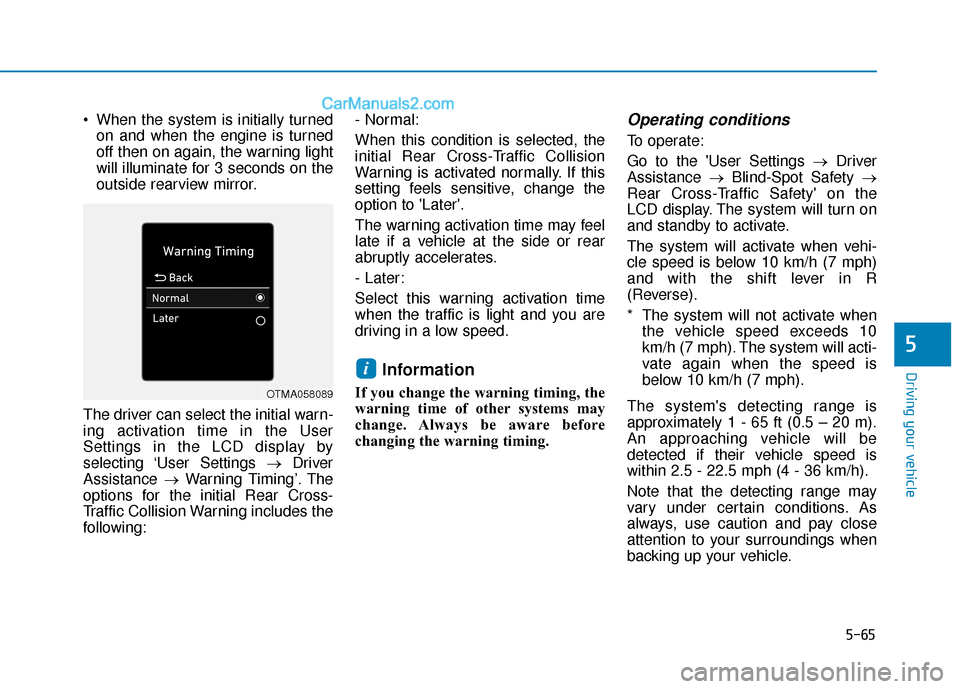
The driver can select the initial warn-
ing activation time in the User
Settings in the LCD display by
selecting ‘User Settings →Driver
Assistance →Warning Timing’. The
options for the initial Rear Cross-
Traffic Collision Warning includes the
following: - Normal:
When this condition is selected, the
initial Rear Cross-Traffic Collision
Warning is activated normally. If this
setting feels sensitive, change the
option to 'Later'.
The warning activation time may feel
late if a vehicle at the side or rear
abruptly accelerates.
- Later:
Select this warning activation time
when the traffic is light and you are
driving in a low speed.
Information
If you change the warning timing, the
warning time of other systems may
change. Always be aware before
changing the warning timing.
Operating conditions
To operate:
Go to the 'User Settings →
Driver
Assistance →Blind-Spot Safety →
Rear Cross-Traffic Safety' on the
LCD display. The system will turn on
and standby to activate.
The system will activate when vehi-
cle speed is below 10 km/h (7 mph)
and with the shift lever in R
(Reverse).
* The system will not activate when the vehicle speed exceeds 10
km/h (7 mph). The system will acti-
vate again when the speed is
below 10 km/h (7 mph).
The system's detecting range is
approximately 1 - 65 ft (0.5 – 20 m).
An approaching vehicle will be
detected if their vehicle speed is
within 2.5 - 22.5 mph (4 - 36 km/h).
Note that the detecting range may
vary under certain conditions. As
always, use caution and pay close
attention to your surroundings when
backing up your vehicle.
i
OTMA058089
Page 310 of 535
5-74
Driving your vehicle- If you select "Warning Only", theFCA system activates and pro-
duces only warning alarms in
accordance with the collision risk
levels. You should control the
brake directly because the FCA
system do not control the brake.
- If you select "Off", the FCA sys- tem deactivates,
The warning light illu-
minates on the LCD
display, when you can-
cel the FCA system.
The driver can monitor the FCA
ON/OFF status on the LCD display.
Also, the warning light illuminates
when the ESC (Electronic Stability
Control) is turned off. If the warning
light remains ON when the FCA is
activated, have the system
checked by an authorized
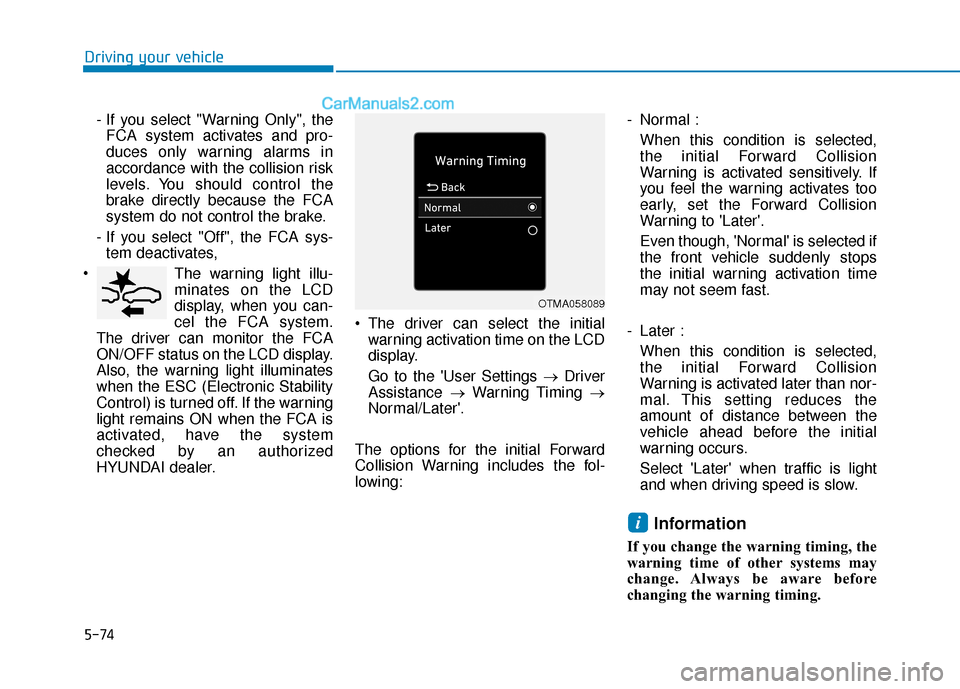
HYUNDAI dealer. The driver can select the initial
warning activation time on the LCD
display.
Go to the 'User Settings → Driver
Assistance →Warning Timing →
Normal/Later'.
The options for the initial Forward
Collision Warning includes the fol-
lowing: - Normal :
When this condition is selected,
the initial Forward Collision
Warning is activated sensitively. If
you feel the warning activates too
early, set the Forward Collision
Warning to 'Later'.
Even though, 'Normal' is selected if
the front vehicle suddenly stops
the initial warning activation time
may not seem fast.
- Later : When this condition is selected,
the initial Forward Collision
Warning is activated later than nor-
mal. This setting reduces the
amount of distance between the
vehicle ahead before the initial
warning occurs.
Select 'Later' when traffic is light
and when driving speed is slow.
Information
If you change the warning timing, the
warning time of other systems may
change. Always be aware before
changing the warning timing.
i
OTMA058089
Page 323 of 535
5-87
Driving your vehicle
5
- If you select "Warning Only", theFCA system activates and pro-
duces only warning alarms in
accordance with the collision risk
levels. You should control the
brake directly because the FCA
system do not control the brake.
- If you select "Off", the FCA sys- tem deactivates,
The warning light illu-
minates on the LCD
display, when you can-
cel the FCA system.
The driver can monitor the FCA
ON/OFF status on the LCD display.
Also, the warning light illuminates
when the ESC (Electronic Stability
Control) is turned off. If the warning
light remains ON when the FCA is
activated, have the system
checked by an authorized
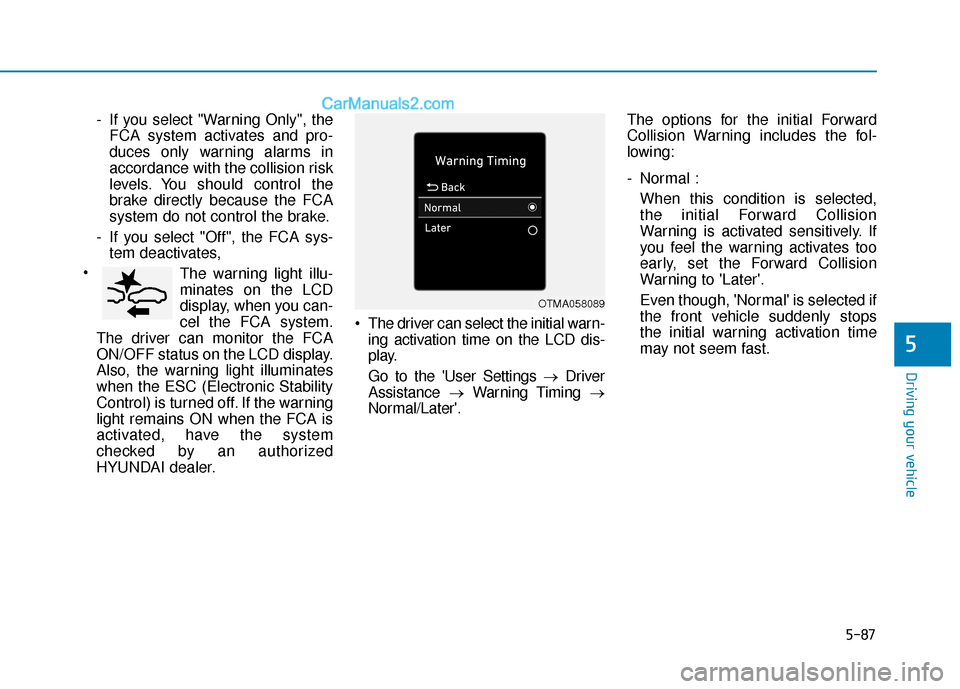
HYUNDAI dealer. The driver can select the initial warn-
ing activation time on the LCD dis-
play.
Go to the 'User Settings → Driver
Assistance →Warning Timing →
Normal/Later'. The options for the initial Forward
Collision Warning includes the fol-
lowing:
- Normal :
When this condition is selected,
the initial Forward Collision
Warning is activated sensitively. If
you feel the warning activates too
early, set the Forward Collision
Warning to 'Later'.
Even though, 'Normal' is selected if
the front vehicle suddenly stops
the initial warning activation time
may not seem fast.
OTMA058089
Page 324 of 535
5-88
Driving your vehicle
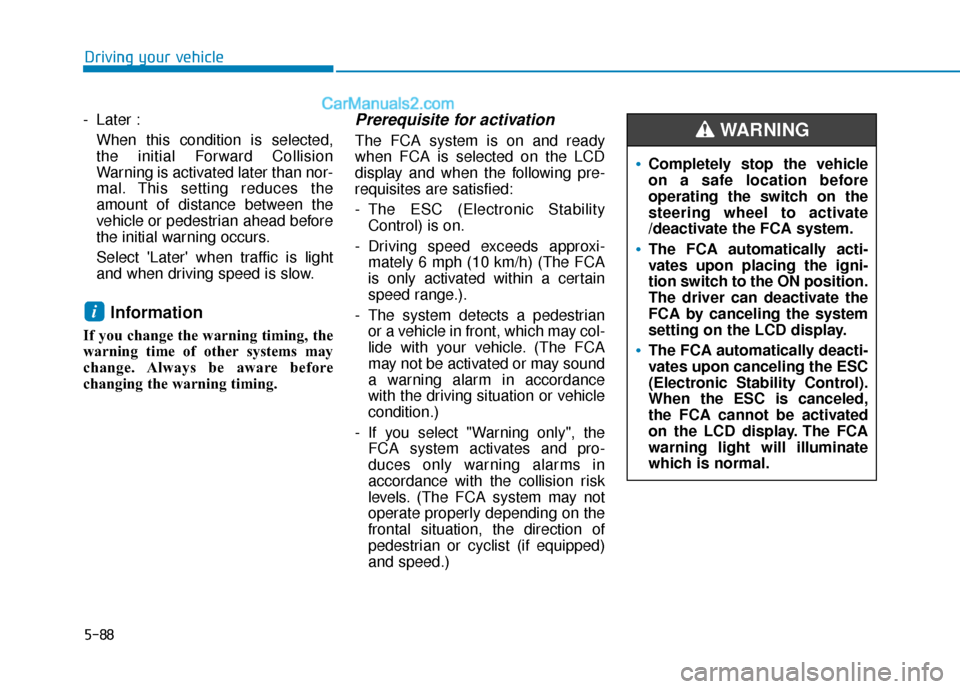
- Later : When this condition is selected,
the initial Forward Collision
Warning is activated later than nor-
mal. This setting reduces the
amount of distance between the
vehicle or pedestrian ahead before
the initial warning occurs.
Select 'Later' when traffic is light
and when driving speed is slow.
Information
If you change the warning timing, the
warning time of other systems may
change. Always be aware before
changing the warning timing.
Prerequisite for activation
The FCA system is on and ready
when FCA is selected on the LCD
display and when the following pre-
requisites are satisfied:
- The ESC (Electronic StabilityControl) is on.
- Driving speed exceeds approxi- mately 6 mph (10 km/h) (The FCA
is only activated within a certain
speed range.).
- The system detects a pedestrian or a vehicle in front, which may col-
lide with your vehicle. (The FCA
may not be activated or may sound
a warning alarm in accordance
with the driving situation or vehicle
condition.)
- If you select "Warning only", the FCA system activates and pro-
duces only warning alarms in
accordance with the collision risk
levels. (The FCA system may not
operate properly depending on the
frontal situation, the direction of
pedestrian or cyclist (if equipped)
and speed.)
i
Completely stop the vehicle
on a safe location before
operating the switch on the
steering wheel to activate
/deactivate the FCA system.
The FCA automatically acti-
vates upon placing the igni-
tion switch to the ON position.
The driver can deactivate the
FCA by canceling the system
setting on the LCD display.
The FCA automatically deacti-
vates upon canceling the ESC
(Electronic Stability Control).
When the ESC is canceled,
the FCA cannot be activated
on the LCD display. The FCA
warning light will illuminate
which is normal.
WARNING