clutch Hyundai Elantra 2020 User Guide
[x] Cancel search | Manufacturer: HYUNDAI, Model Year: 2020, Model line: Elantra, Model: Hyundai Elantra 2020Pages: 535, PDF Size: 16.8 MB
Page 249 of 535

5-13
Driving your vehicle
5
Button PositionAction Notice
ON
Press the Engine Start/Stop button while it is
in the ACC position without depressing the
brake pedal.
The warning lights can be checked before
the engine is started. Do not leave the Engine Start/Stop button in
the ON position when the engine is not run-
ning to prevent the battery from discharging.
START
To start the engine, depress the brake pedal
and press the Engine Start/Stop button with
the shift lever in the P (Park) or in the N
(Neutral) position.
For your safety, start the engine with the shift
lever in the P (Park) position. If you press the Engine Start/Stop button with-
out depressing the brake pedal, the engine
does not start and the Engine Start/Stop but-
ton changes as follows:
OFF
→ →
ACC →
→
ON →
→
OFF
However, the engine may start if you depress
the brake pedal within 0.5 second after press-
ing the Engine Start/Stop button from the OFF
position.
- Vehicle with Intelligent Variable Transmission (IVT)/dual clutch transmission
Page 250 of 535

5-14
Driving your vehicle
Starting the engine Information
• The engine will start by pressing theEngine Start/Stop button, only when
the smart key is in the vehicle.
• Even if the smart key is in the vehi- cle, if it is far away from the driver,
the engine may not start.
• When the Engine Start/Stop button is in the ACC or ON position, if any
door is open, the system checks for
the smart key. If the smart key is not
in the vehicle, the " " indicator
will blink and the warning "Key not
in vehicle" will come on and if all
doors are closed, the chime will also
sound for about 5 seconds. Keep the
smart key in the vehicle when using
the ACC position or if the vehicle
engine is ON. Vehicle with manual transmission:
1. Always carry the smart key with
you.
2. Make sure the parking brake is applied.
3. Make sure the shift lever is in neu- tral.
4. Depress the clutch and brake ped- als.
5. Press the Engine Start/Stop but- ton.
Information
Depress the brake pedal and clutch
pedal until the engine starts.
Vehicle with Intelligent Variable
Transmission (IVT)/dual clutch trans-
mission:
1. Always carry the smart key withyou.
2. Make sure the parking brake is applied.
3. Make sure the shift lever is in P (Park).
4. Depress the brake pedal.
5. Press the Engine Start/Stop but- ton.
i
i
Always wear appropriate
shoes when operating your
vehicle.
Unsuitable shoes, such as
high heels, ski boots, sandals,
flip-flops, etc., may interfere
with your ability to use the
brake and accelerator pedals.
Do not start the vehicle with the
accelerator pedal depressed.
The vehicle can move and lead
to an accident.
Wait until the engine rpm is
normal. The vehicle may sud-
denly move if the brake pedal
is released when the rpm is
high.
WARNING
Page 252 of 535
5-16
Manual Transmission
Operation
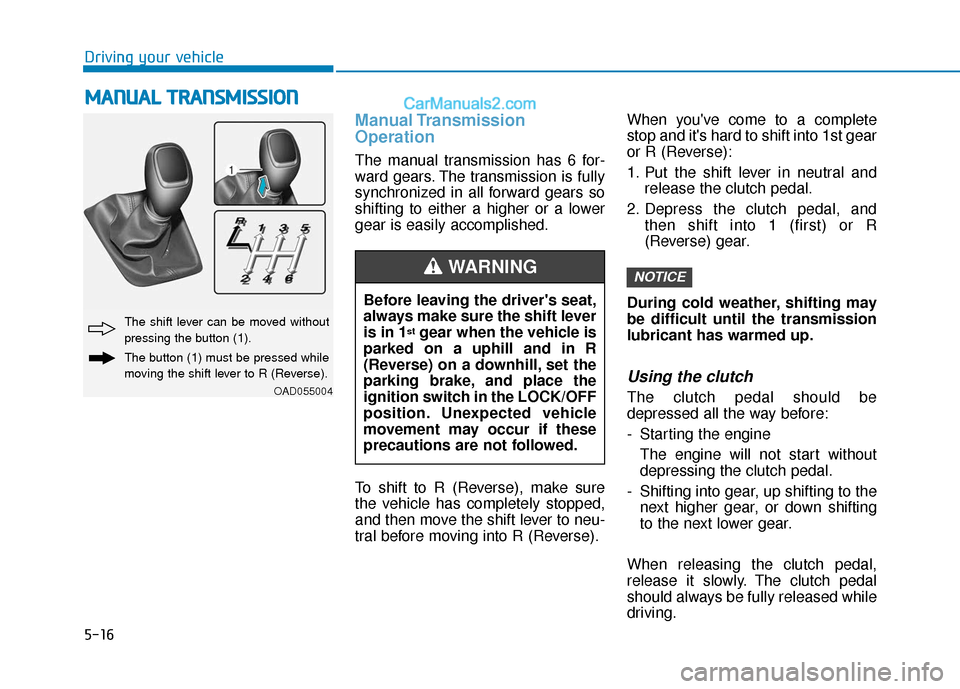
The manual transmission has 6 for-
ward gears. The transmission is fully
synchronized in all forward gears so
shifting to either a higher or a lower
gear is easily accomplished.
To shift to R (Reverse), make sure
the vehicle has completely stopped,
and then move the shift lever to neu-
tral before moving into R (Reverse).When you've come to a complete
stop and it's hard to shift into 1st gear
or R (Reverse):
1. Put the shift lever in neutral and
release the clutch pedal.
2. Depress the clutch pedal, and then shift into 1 (first) or R
(Reverse) gear.
During cold weather, shifting may
be difficult until the transmission
lubricant has warmed up.
Using the clutch
The clutch pedal should be
depressed all the way before:
- Starting the engine The engine will not start without
depressing the clutch pedal.
- Shifting into gear, up shifting to the next higher gear, or down shifting
to the next lower gear.
When releasing the clutch pedal,
release it slowly. The clutch pedal
should always be fully released while
driving.
NOTICE
M M A
AN
N U
U A
AL
L
T
T R
R A
A N
N S
SM
M I
IS
S S
SI
IO
O N
N
Driving your vehicle
OAD055004
The shift lever can be moved without
pressing the button (1).
The button (1) must be pressed while
moving the shift lever to R (Reverse).
Before leaving the driver's seat,
always make sure the shift lever
is in 1
stgear when the vehicle is
parked on a uphill and in R
(Reverse) on a downhill, set the
parking brake, and place the
ignition switch in the LOCK/OFF
position. Unexpected vehicle
movement may occur if these
precautions are not followed.
WARNING
Page 253 of 535
5-17
Driving your vehicle
Downshifting
Down shift to a lower gear when
slowing down in heavy traffic or driv-
ing up a steep hill to prevent high
engine loads.
Also, downshifting reduces the
chance of stalling and helps reaccel-
erate the vehicle when you need to
increase your speed.
When the vehicle is going downhill,
downshifting helps maintain safe
speed by providing engine braking
(brake power from the engine) and
results in less wear on the brakes.To prevent damage to the engine,
clutch and transmission:
When downshifting from 5
th
gear to 4thgear, be careful not to
inadvertently push the shift
lever sideways engaging the 2
nd
gear. A drastic downshift may
cause the engine speed to
increase to the point the
tachometer will enter the red-
zone and may cause engine
damage.
Do not downshift more than two gear at a time or downshift the
gear when the engine is running
at high speed (5,000 RPM or
higher).
Such down shifting may damage
the engine, clutch and the trans-
mission.
NOTICE
5
To prevent unnecessary wear or
damage to the clutch:
Do not rest your foot on the
clutch pedal while driving.
Do not hold the vehicle with
the clutch on an incline, while
waiting for the traffic light, etc.
Always depress the clutch
pedal down fully to prevent
noise or damage.
Do not depress the clutch
pedal again until it is fully
released.
Do not start with the 2nd(sec-
ond) gear engaged except
when you start on a slippery
road.
Do not drive with cargo
loaded more than required
loading capacity.
CAUTION
Page 262 of 535
5-26
Driving your vehicle The dual clutch transmission canbe thought of as an automatically
shifting manual transmission. It
gives the driving feel of a manual
transmission, yet provides the
ease of a fully automatic transmis-
sion.
When D (Drive) is selected, the transmission will automatically shift
through the gears similar to a con-
ventional automatic transmission.
Unlike a traditional automatic
transmission, the gear shifting can
sometimes be felt and heard as the
actuators engage the clutches and
the gears are selected.
The dual clutch transmission incor- porates a dry-type dual clutch
mechanism, which allows for better
acceleration performance and
increased fuel efficiency while driv-
ing. But it differs from a conven-
tional automatic transmission
because it does not incorporate a
torque converter. Instead, the tran-
sition from one gear to the next is
managed by clutch slip, especially
at lower speeds.
D DU
U A
AL
L
C
C L
LU
U T
TC
CH
H
T
T R
R A
A N
N S
SM
M I
IS
S S
SI
IO
O N
N
(
( I
IF
F
E
E Q
Q U
UI
IP
P P
PE
ED
D )
)
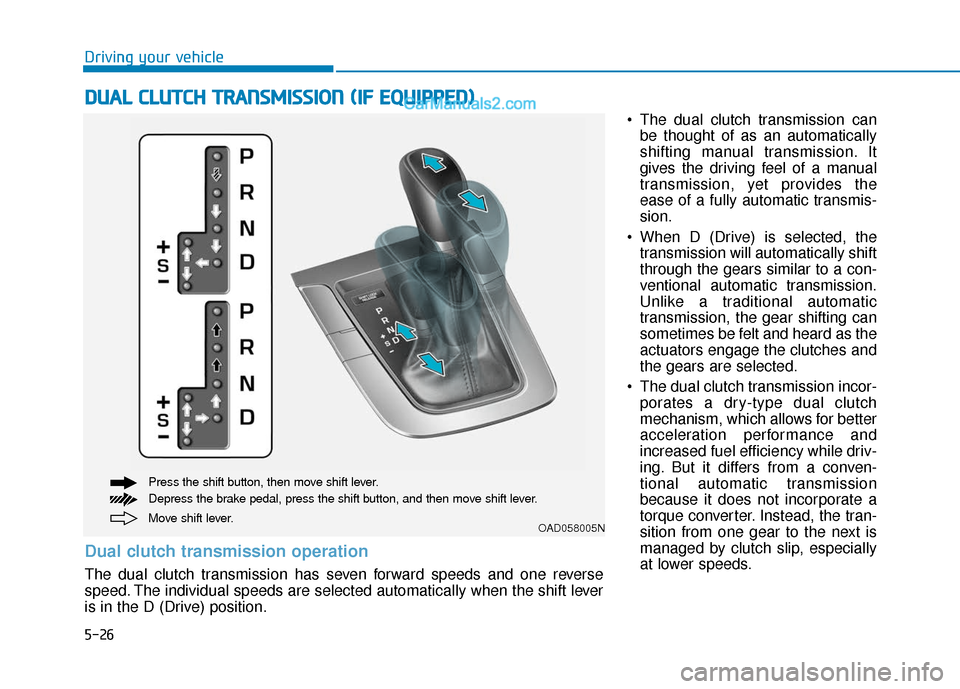
Move shift lever. Press the shift button, then move shift lever.
Depress the brake pedal, press the shift button, and then move shift lever.OAD058005N
Dual clutch transmission operation
The dual clutch transmission has seven forward speeds and one reverse
speed. The individual speeds are selected automatically when the shift lever
is in the D (Drive) position.
Page 263 of 535
5-27
Driving your vehicle
5
As a result, shifts are sometimes
more noticeable, and a light vibra-
tion can be felt as the transmission
shaft speed is matched with the
engine shaft speed. This is a nor-
mal condition of the dual clutch
transmission.
The dry-type clutch transfers torque more directly and provides
a direct-drive feeling which may
feel different from a conventional
automatic transmission. This may
be more noticeable when launch-
ing the vehicle from a stop or when
traveling at low, stop-and-go vehi-
cle speeds.
When rapidly accelerating from a lower vehicle speed, the engine
rpm may increase dramatically as
a result of clutch slip as the dual
clutch transmission selects the cor-
rect gear. This is a normal condi-
tion.
When accelerating from a stop on an incline, press the accelerator
smoothly and gradually to avoid
any shudder feeling or jerkiness. When traveling at a lower vehicle
speed, if you release the accelera-
tor pedal quickly, you may feel
engine braking before the trans-
mission changes gears. This
engine braking feeling is similar to
operating a manual transmission at
low speed.
When driving downhill, you may wish to move the gear shift lever to
Manual Shift mode and downshift
to a lower gear in order to control
your speed without using the brake
pedal excessively.
When you turn the engine on and off, you may hear clicking sounds
as the system goes through a self-
test. This is a normal sound for the
dual clutch transmission.
During the first 1000 miles, you may feel that the vehicle may not
be smooth when accelerating at
low speed. During this break-in
period, the shift quality and per-
formance of your new vehicle is
continuously optimized. To reduce the risk of serious
injury or death:
ALWAYS check the surround-
ing areas near your vehicle for
people, especially children,
before shifting a vehicle into
D (Drive) or R (Reverse).
Before leaving the driver's
seat, always make sure the
shift lever is in the P (Park)
position, then set the parking
brake, and place the ignition
switch in the LOCK/OFF posi-
tion. Unexpected and sudden
vehicle movement can occur
if these precautions are not
followed.
Do not use aggressive engine
braking (shifting from a high-
er gear to a lower gear) on
slippery roads. This could
cause the tires to slip and may
result in an accident.
WARNING
Page 264 of 535
5-28
Driving your vehicle
Always come to a complete stop before shifting into D (Drive) or
R (Reverse).
Do not put the shift lever in N (Neutral) while driving.
LCD display for transmission
temperature and warning mes-
sage
Transmission temperaturegauge
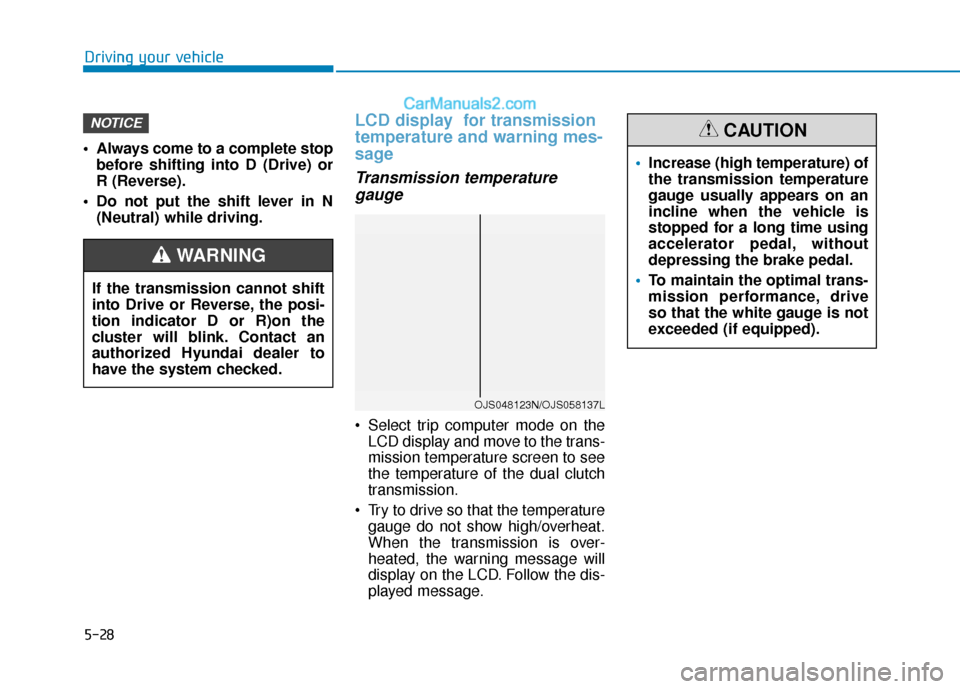
Select trip computer mode on the
LCD display and move to the trans-
mission temperature screen to see
the temperature of the dual clutch
transmission.
Try to drive so that the temperature gauge do not show high/overheat.
When the transmission is over-
heated, the warning message will
display on the LCD. Follow the dis-
played message.
NOTICE
If the transmission cannot shift
into Drive or Reverse, the posi-
tion indicator D or R)on the
cluster will blink. Contact an
authorized Hyundai dealer to
have the system checked.
WARNING
OJS048123N/OJS058137L
Increase (high temperature) of
the transmission temperature
gauge usually appears on an
incline when the vehicle is
stopped for a long time using
accelerator pedal, without
depressing the brake pedal.
To maintain the optimal trans-
mission performance, drive
so that the white gauge is not
exceeded (if equipped).
CAUTION
Page 265 of 535
5-29
Driving your vehicle
5
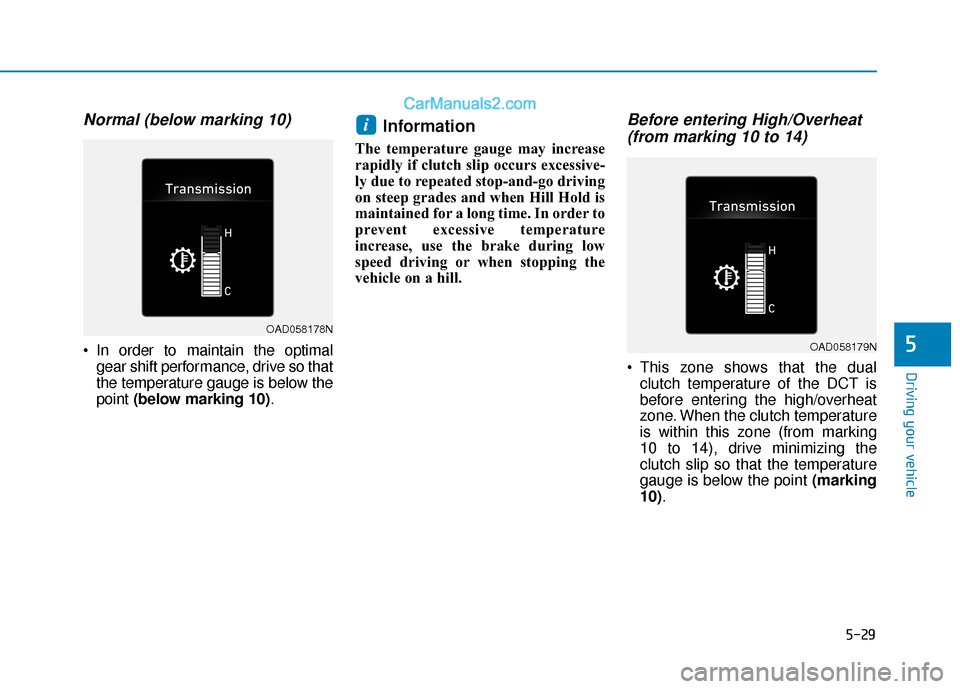
Normal (below marking 10)
In order to maintain the optimalgear shift performance, drive so that
the temperature gauge is below the
point (below marking 10) .
Information
The temperature gauge may increase
rapidly if clutch slip occurs excessive-
ly due to repeated stop-and-go driving
on steep grades and when Hill Hold is
maintained for a long time. In order to
prevent excessive temperature
increase, use the brake during low
speed driving or when stopping the
vehicle on a hill.
Before entering High/Overheat
(from marking 10 to 14)
This zone shows that the dual
clutch temperature of the DCT is
before entering the high/overheat
zone. When the clutch temperature
is within this zone (from marking
10 to 14), drive minimizing the
clutch slip so that the temperature
gauge is below the point (marking
10).
i
OAD058178N
OAD058179N
Page 266 of 535
5-30
Driving your vehicle
If the dual clutch temperature con- tinues to increase and reaches
marking 14, the warning alarm
sounds and the temperature gauge
pops up on the cluster.
The DCT warning message is not
displayed.
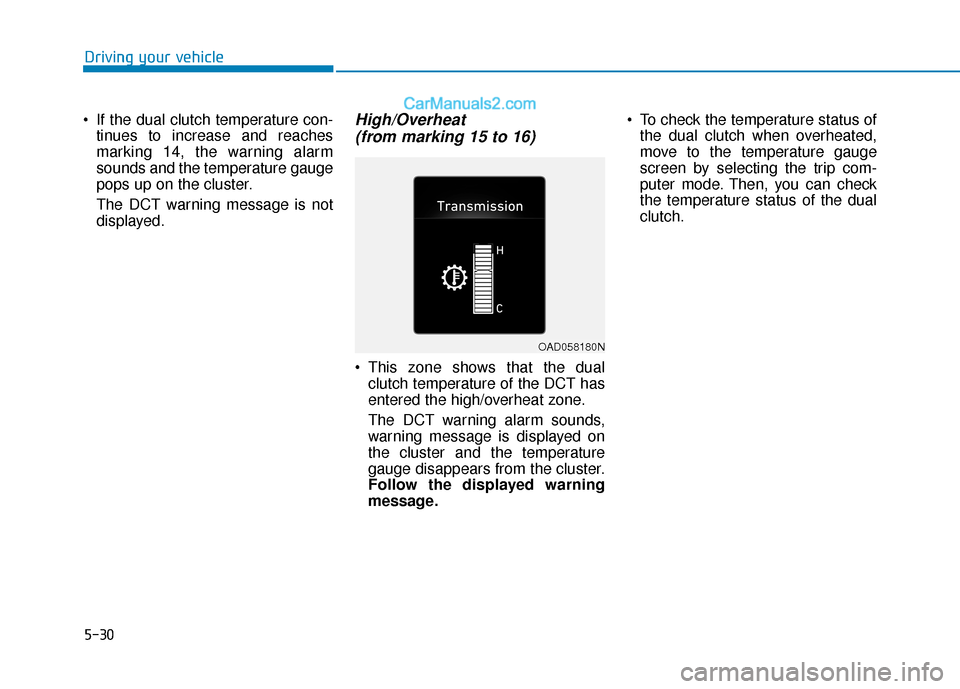
High/Overheat (from marking 15 to 16)
This zone shows that the dual
clutch temperature of the DCT has
entered the high/overheat zone.
The DCT warning alarm sounds,
warning message is displayed on
the cluster and the temperature
gauge disappears from the cluster.
Follow the displayed warning
message. To check the temperature status of
the dual clutch when overheated,
move to the temperature gauge
screen by selecting the trip com-
puter mode. Then, you can check
the temperature status of the dual
clutch.
OAD058180N
Page 267 of 535
5-31
Driving your vehicle
5
DCT warning messages
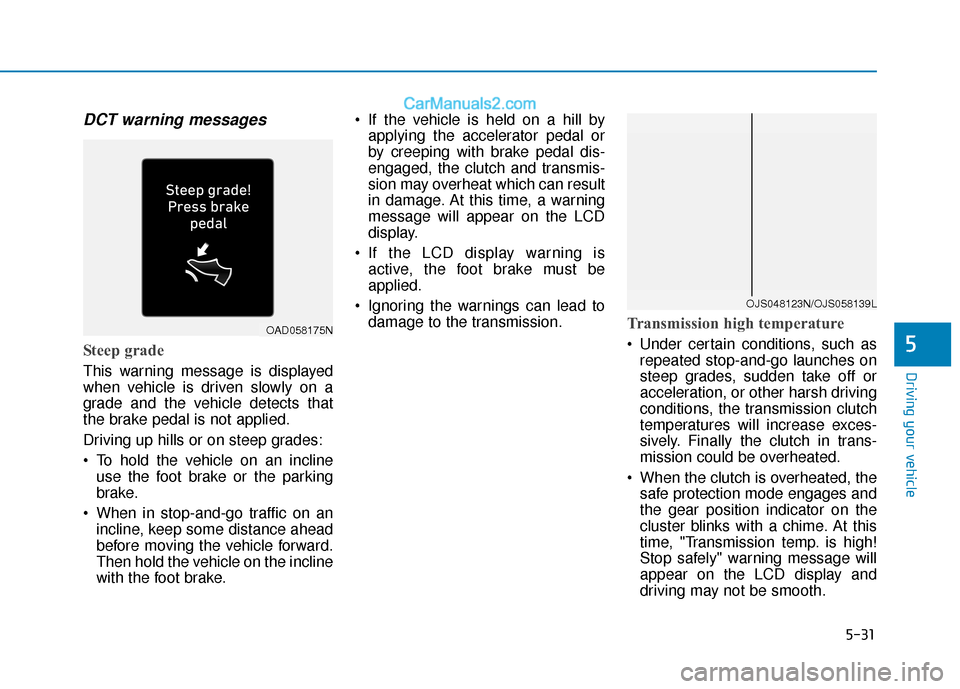
Steep grade
This warning message is displayed
when vehicle is driven slowly on a
grade and the vehicle detects that
the brake pedal is not applied.
Driving up hills or on steep grades:
To hold the vehicle on an inclineuse the foot brake or the parking
brake.
When in stop-and-go traffic on an incline, keep some distance ahead
before moving the vehicle forward.
Then hold the vehicle on the incline
with the foot brake. If the vehicle is held on a hill by
applying the accelerator pedal or
by creeping with brake pedal dis-
engaged, the clutch and transmis-
sion may overheat which can result
in damage. At this time, a warning
message will appear on the LCD
display.
If the LCD display warning is active, the foot brake must be
applied.
Ignoring the warnings can lead to damage to the transmission.
Transmission high temperature
Under certain conditions, such asrepeated stop-and-go launches on
steep grades, sudden take off or
acceleration, or other harsh driving
conditions, the transmission clutch
temperatures will increase exces-
sively. Finally the clutch in trans-
mission could be overheated.
When the clutch is overheated, the safe protection mode engages and
the gear position indicator on the
cluster blinks with a chime. At this
time, "Transmission temp. is high!
Stop safely" warning message will
appear on the LCD display and
driving may not be smooth.
OJS048123N/OJS058139L
OAD058175N