trip Hyundai Elantra 2020 Owner's Guide
[x] Cancel search | Manufacturer: HYUNDAI, Model Year: 2020, Model line: Elantra, Model: Hyundai Elantra 2020Pages: 535, PDF Size: 16.8 MB
Page 318 of 535
5-82
Driving your vehicle
The vehicle in front is an oversize vehicle or trailer that is too big to
be detected by the camera recog-
nition system (for example a tractor
trailer, etc.)
The vehicle in front does not have rear lights or the rear lights are not
turned ON or the rear lights are
located unusually.
The outside brightness changes suddenly, for example when enter-
ing or exiting a tunnel
The vehicle is moving underground level or inside a building
The vehicle drives inside a build- ing, such as a basement parking
lot
The adverse road conditions cause excessive vehicle vibrations while
driving
You are on a roundabout and the vehicle in front circles
The camera lens is contaminated due to tinted, filmed or coated
windshield, damaged glass, or
stuck of foreign matter (sticker,
bug, etc.) on the glass
The camera is damaged. The brightness outside is too low
such as when the headlamps are
not on at night or the vehicle is
going through a tunnel.
Light coming from a street light or an oncoming vehicle is reflected on
a wet road surface such as a pud-
dle in the road
The field of view in front is obstructed by sun glare
The shadow is on the road by a median strip, trees, etc.
The vehicle drives through a toll- gate.
The windshield glass is fogged up; a clear view of the road is obstruct-
ed
The camera sensor recognition is limited
The rear part of the vehicle in front is not normally visible (for example,
the vehicle is spinning or the vehi-
cle is overturned)
The sensor recognition changes suddenly when passing over a
speed bump
The vehicle in front is driving errat- ically The vehicle in front is moving verti-
cally to the driving direction
The vehicle in front is stopped ver- tically
The vehicle in front is driving towards your vehicle or reversing
Page 331 of 535
5-95
Driving your vehicle
5
The vehicle is on unpaved oruneven rough surfaces, or road
with sudden gradient changes.
The vehicle drives through a con- struction area, on an unpaved
road, or above metal materials,
such as a railway
The vehicle in front is too small to be detected (for example a motor-
cycle or a bicycle, etc.)
The camera's field of view is not well illuminated (either too dark or
too much reflection or too much
backlight that obscures the field of
view)
The camera does not recognize the entire vehicle in front.
The vehicle in front is an oversize vehicle or trailer that is too big to
be detected by the camera recog-
nition system (for example a tractor
trailer, etc.)
The vehicle in front does not have rear lights or the rear lights are not
turned ON or the rear lights are
located unusually.
The outside brightness changes suddenly, for example when enter-
ing or exiting a tunnel The vehicle drives inside a build-
ing, such as a basement parking
lot
The adverse road conditions cause excessive vehicle vibrations while
driving
You are on a roundabout and the vehicle in front circles
The camera lens is contaminated due to tinted, filmed or coated
windshield, damaged glass, or
stuck of foreign matter (sticker,
bug, etc.) on the glass
The camera is damaged.
The brightness outside is too low such as when the headlamps are
not on at night or the vehicle is
going through a tunnel.
Light coming from a street light or an oncoming vehicle is reflected on
a wet road surface such as a pud-
dle in the road
The field of view in front is obstructed by sun glare
The shadow is on the road by a median strip, trees, etc.
The vehicle drives through a toll- gate. The windshield glass is fogged up;
a clear view of the road is obstruct-
ed
The radar/camera sensor recogni- tion is limited
The rear part of the vehicle in front is not normally visible (for example,
the vehicle is spinning or the vehi-
cle is overturned)
There is severe irregular reflection from the radar sensor
The sensor recognition changes suddenly when passing over a
speed bump
The vehicle in front is driving errat- ically
The vehicle in front is moving verti- cally to the driving direction
The vehicle in front is stopped ver- tically
The vehicle in front is driving towards your vehicle or reversing
Page 342 of 535
5-106
Driving your vehicle
Only one side of the lane marker is detected.
Radius of a curve is too small.
The vehicle is driven on a steep incline.
The steering wheel is turned sud- denly.
Driving on a steep slope or hill.
Limitations of the System
The LKA system may operate pre-
maturely even if the vehicle does not
depart from the intended lane, OR,
the LKA system may not warn you if
the vehicle leaves the intended lane
under the following circumstances:
When the lane and road condi-
tions are poor
It is difficult to distinguish the lane marker from the road because the
lane marker is covered with dust or
sand.
It is difficult to distinguish the color of the lane marker from the road.
There are markings on the road surface that look like a lane marker
that is inadvertently being detected
by the camera.
The lane marker is indistinct or damaged.
The lane marker is merged or divided (e.g. tollgate).
The lane number increases or decreases or the lane marker are
crossing complicatedly. There are more than two lane
markers on the road in front of you.
The lane marker is very thick or thin.
The lane is very wide or narrow.
The lane marker ahead is not visi- ble due to rain, snow, water on the
road, damaged or stained road
surface, or other factors.
The shadow is on the lane marker by a median strip, trees, guardrail,
noise barriers, etc.
The lane markers are complicated or a structure substitutes for the
lines such as a construction area.
There are crosswalk signs or other symbols on the road.
The lane marker in a tunnel is stained with oil, etc.
The lane suddenly disappears such as at the intersection.
Page 429 of 535
At least twice a year:(i.e., every Spring and Fall)
Check radiator, heater and air con-
ditioning hoses for leaks or dam-
age.
Check windshield washer spray and wiper operation. Clean wiper
blades with clean cloth dampened
with washer fluid.
Check headlamp alignment.
Check muffler, exhaust pipes, shields and clamps.
Check the seat belts for wear and function.
At least once a year:
Clean body and door drain holes.
Lubricate door hinges and hoodhinges.
Lubricate door and hood locks and latches.
Lubricate door rubber weather strips.
Lubricate door checker.
Check the air conditioning system.
Inspect and lubricate transmission linkage and controls.
Clean the battery and terminals.
Check the brake fluid level. Follow Normal Maintenance
Schedule if the vehicle is usually
operated where none of the following
conditions apply. If any of the follow-
ing conditions apply, you must follow
the Maintenance Under Severe
Usage Conditions.
Repeated short distance driving.
Driving in dusty conditions or
sandy areas.
Extensive use of brakes.
Driving in areas where salt or other corrosive materials are used.
Driving on rough or muddy roads.
Driving in mountainous areas.
Extended periods of idling or low speed operation.
Driving for a prolonged period in cold temperatures and/or extreme-
ly humid climates.
More than 50% driving in heavy city traffic during hot weather
above 90°F (32°C).
For additional information or assis-
tance see your authorized HYUNDAI
dealer.
7-7
7
Maintenance
S S C
C H
H E
ED
D U
U L
LE
E D
D
M
M A
AI
IN
N T
TE
EN
N A
AN
N C
CE
E
S
S E
E R
R V
V I
IC
C E
E S
S
Page 459 of 535
7-37
7
Maintenance
By jump starting
After a jump start from a good bat-
tery, drive the vehicle for 20-30 min-
utes before it is shutoff. The vehicle
may not restart if you shut it off
before the battery had a chance to
adequately recharge. See "Jump
Starting" in chapter 6 for more infor-
mation on jump starting procedures.
Information
An inappropriately disposedbattery can be harmful to
the environment and human
health.
Dispose the battery according to your
local law(s) or regulation.
Reset Features
The following items may need to be
reset after the battery has been dis-
charged or the battery has been dis-
connected.
Power Windows
Trip Computer
Climate Control System
Clock
Audio System
Sunroof
i
Watch the battery during
charging, and stop or reduce
the charging rate if the battery
cells begin boiling violently.
The negative battery cable
must be removed first and
installed last when the battery
is disconnected. Disconnect
the battery charger in the fol-
lowing order:
(1) Turn off the battery charg- er main switch.
(2) Unhook the negative
clamp from the negative
battery terminal.
(3) Unhook the positive clamp from the positive battery
terminal.
Always use a genuine
HYUNDAI approved battery
when you replace the battery.
Page 497 of 535
7-75
7
Maintenance
A
AP
PP
PE
EA
A R
RA
A N
N C
CE
E
C
C A
A R
RE
E
Exterior Care
Exterior general caution
It is very important to follow the label
directions when using any chemical
cleaner or polish. Read all warning
and caution statements that appear
on the label.
High-pressure washing
When using high-pressure wash-
ers, make sure to maintain suffi-
cient distance from the vehicle.
Insufficient clearance or excessive
pressure can lead to component
damage or water penetration.
Do not spray the camera, sensors or its surrounding area directly with
a high pressure washer. Shock
applied from high pressure water
may cause the device to not oper-
ate normally.
Do not bring the nozzle tip close to boots (rubber or plastic covers)or
connectors as they may be dam-
aged if they come into contact with
high pressure water.
Do not use any high-pressure noz- zles, which induce either one-direct
water stream or water swirling.
Protecting your vehicle’s finish
Washing
To help protect your vehicle’s finish
from rust and deterioration, wash it
thoroughly and frequently at least
once a month with lukewarm or cold
water.
If you use your vehicle for off-road
driving, you should wash it after each
off-road trip. Pay special attention to
the removal of any accumulation of
salt, dirt, mud, and other foreign
materials. Make sure the drain holes
in the lower edges of the doors and
rocker panels are kept clear and
clean.
Insects, tar, tree sap, bird droppings,
industrial pollution and similar
deposits can damage your vehicle’s
finish if not removed immediately.
Even prompt washing with plain
water may not completely remove all
these deposits. A mild soap, safe for
use on painted surfaces, should be
used.
After washing, rinse the vehicle thor-
oughly with lukewarm or cold water.
Do not allow soap to dry on the fin-
ish. Do not use strong soap, chemi-
cal detergents or hot water, and
do not wash the vehicle in direct
sunlight or when the body of the
vehicle is warm.
Be careful when washing the side windows of your vehicle.
Especially, with high-pressure
water, water may leak through
the windows and wet the interi-
or.
To prevent damage to the plastic parts, do not clean with chemi-
cal solvents or strong deter-
gents.
NOTICE
After washing the vehicle, test
the brakes while driving slowly
to see if they have been affected
by water before getting on the
road. If braking performance is
impaired, dry the brakes by
applying them lightly while
maintaining a slow forward
speed.
WARNING
Page 498 of 535
7-76
Maintenance
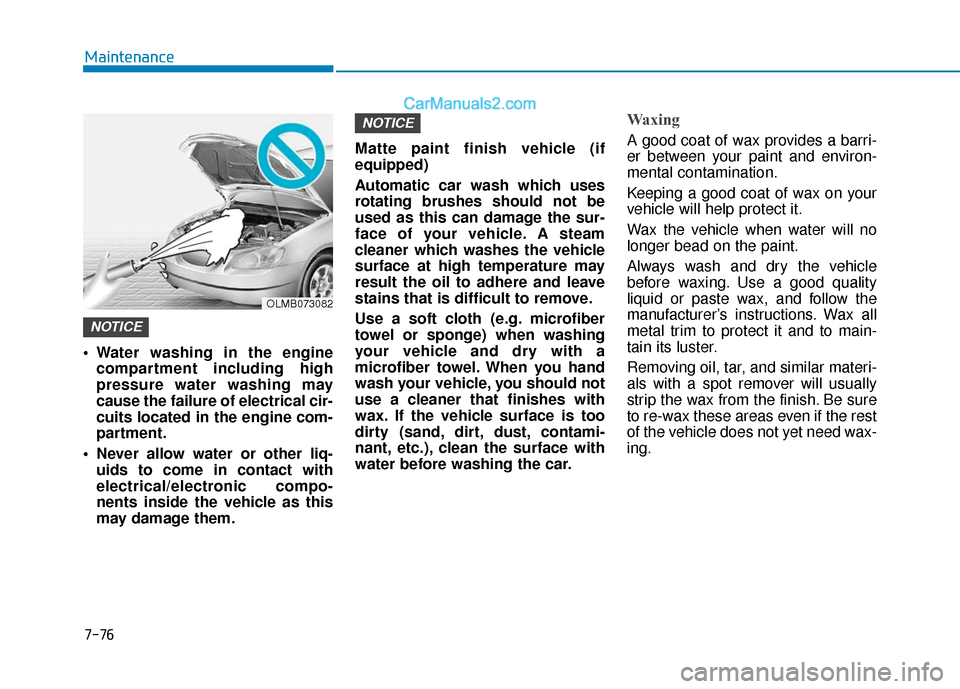
Water washing in the engine compartment including high
pressure water washing may
cause the failure of electrical cir-
cuits located in the engine com-
partment.
Never allow water or other liq- uids to come in contact with
electrical/electronic compo-
nents inside the vehicle as this
may damage them. Matte paint finish vehicle (if
equipped)
Automatic car wash which uses
rotating brushes should not be
used as this can damage the sur-
face of your vehicle. A steam
cleaner which washes the vehicle
surface at high temperature may
result the oil to adhere and leave
stains that is difficult to remove.
Use a soft cloth (e.g. microfiber
towel or sponge) when washing
your vehicle and dry with a
microfiber towel. When you hand
wash your vehicle, you should not
use a cleaner that finishes with
wax. If the vehicle surface is too
dirty (sand, dirt, dust, contami-
nant, etc.), clean the surface with
water before washing the car.
Waxing
A good coat of wax provides a barri-
er between your paint and environ-
mental contamination.
Keeping a good coat of wax on your
vehicle will help protect it.
Wax the vehicle when water will no
longer bead on the paint.
Always wash and dry the vehicle
before waxing. Use a good quality
liquid or paste wax, and follow the
manufacturer’s instructions. Wax all
metal trim to protect it and to main-
tain its luster.
Removing oil, tar, and similar materi-
als with a spot remover will usually
strip the wax from the finish. Be sure
to re-wax these areas even if the rest
of the vehicle does not yet need wax-
ing.
NOTICE
NOTICE
OLMB073082
Page 502 of 535
7-80
Maintenance
When cleaning lower door panels, rocker panels and frame members,
be sure that drain holes are kept
open so that moisture can escape
and not be trapped inside to accel-
erate corrosion.
Keep your garage dry
Don’t park your car in a damp, poor-
ly ventilated garage. This creates a
favorable environment for corrosion.
This is particularly true if you wash
your vehicle in the garage or drive it
into the garage when it is still wet or
covered with snow, ice or mud. Even
a heated garage can contribute to
corrosion unless it is well ventilated
so moisture is dispersed.
Keep paint and trim in good condition
Scratches or chips in the finish
should be covered with "touch-up"
paint as soon as possible to reduce
the possibility of corrosion. If bare
metal is showing through, the atten-
tion of a qualified body and paint
shop is recommended.
Bird droppings are highly corrosive
and may damage painted surfaces in
just a few hours. Always remove bird
droppings as soon as possible.
Interior Care
Interior general precautions
Prevent caustic solutions such as
perfume and cosmetic oil, from con-
tacting the interior parts because
they may cause damage or discol-
oration. If they do contact the interior
parts, wipe them off immediately.
See the instructions for the proper
way to clean vinyl.
Never allow water or other liq-uids to come in contact with
electrical/electronic compo-
nents inside the vehicle as this
may damage them.
When cleaning leather products (steering wheel, seats etc.), use
neutral detergents or low alco-
hol content solutions. If you use
high alcohol content solutions
or acid/ alkaline detergents, the
color of the leather may fade or
the surface may get stripped off.
NOTICE
Page 529 of 535
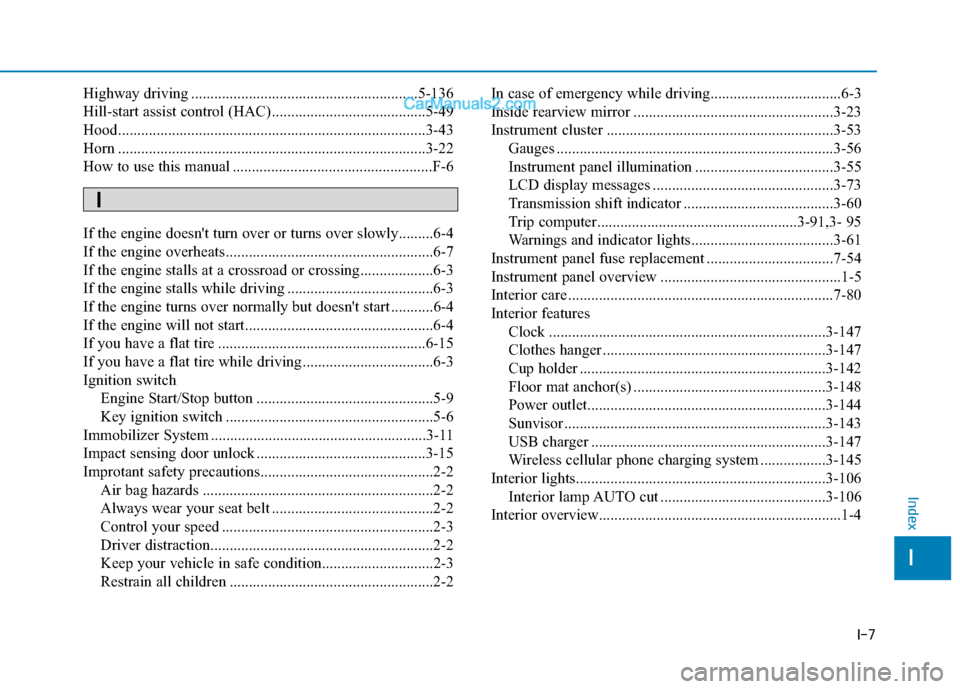
I-7
Highway driving ...........................................................5-136
Hill-start assist control (HAC)........................................5-49
Hood........................................................................\
........3-43
Horn ........................................................................\
........3-22
How to use this manual ....................................................F-6
If the engine doesn't turn over or turns over slowly.........6-4
If the engine overheats ......................................................6-7
If the engine stalls at a crossroad or crossing...................6-3
If the engine stalls while driving ......................................6-3
If the engine turns over normally but doesn't start ...........6-4
If the engine will not start.................................................6-4
If you have a flat tire ......................................................6-15
If you have a flat tire while driving ..................................6-3
Ignition switchEngine Start/Stop button ..............................................5-9
Key ignition switch ......................................................5-6
Immobilizer System ........................................................3-11
Impact sensing door unlock ............................................3-15
Improtant safety precautions.............................................2-2 Air bag hazards ............................................................2-2
Always wear your seat belt ..........................................2-2
Control your speed .......................................................2-3
Driver distraction..........................................................2-2
Keep your vehicle in safe condition.............................2-3
Restrain all children .....................................................2-2 In case of emergency while driving..................................6-3
Inside rearview mirror ....................................................3-23
Instrument cluster ...........................................................3-53
Gauges ........................................................................\
3-56
Instrument panel illumination ....................................3-55
LCD display messages ...............................................3-73
Transmission shift indicator .......................................3-60
Trip computer....................................................3-91,3- 95
Warnings and indicator lights.....................................3-61
Instrument panel fuse replacement .................................7-54
Instrument panel overview ...............................................1-5
Interior care .....................................................................7-8\
0
Interior features Clock ........................................................................\
3-147
Clothes hanger ..........................................................3-147
Cup holder ................................................................3-142
Floor mat anchor(s) ..................................................3-148
Power outlet..............................................................3-144
Sunvisor ....................................................................3-14\
3
USB charger .............................................................3-147
Wireless cellular phone charging system .................3-145
Interior lights.................................................................3-106 Interior lamp AUTO cut ...........................................3-106
Interior overview...............................................................1-4
I
Index
I
Page 534 of 535

I-12
Tachometer ......................................................................3-\
56
Theft alarm system .........................................................3-17
Tilt steering/Telescopic steering .....................................3-21
Tire chains .....................................................................5-1\
37
Tire loading information label ......................................5-142
Tire Mobility Kit .............................................................6-22
Tire pressure monitoring system (TPMS) ........................6-9Changing a tire with TPMS .......................................6-13
Low tire pressure LCD display with position indicator...................................................................6-11
Low tire pressure telltale ............................................6-11
TPMS malfunction indicator ......................................6-12
Tire rotation ....................................................................7-41\
Tire specification and pressure label ..............................8-11
Tires and wheels .............................................................7-38 All season tires ...........................................................7-51
Checking tire inflation pressure .................................7-40
Compact spare tire replacement .................................7-43
Low aspect ratio tires .................................................7-52
Radial-ply tires ...........................................................7-51
Recommended cold tire inflation pressures ...............7-39
Snow tires ...................................................................5-51
Summer tires ..............................................................7-51
Tire care ......................................................................7-\
38
Tire maintenance ........................................................7-44
Tire replacement .........................................................7-42 Tire rotation ................................................................7-41
Tire sidewall labeling .................................................7-44
Tire terminology and definitions ................................7-48
Tire traction ................................................................7-43
Wheel alignment and tire balance ..............................7-42
Wheel replacement .....................................................7-43
Tires and wheels ...............................................................8-5
Towing ........................................................................\
....6-36
Trailer towing................................................................5-146
Transmission shift indicator............................................3-60
Transmission temperature and warning message ...........5-28
Trip computer Conventional cluster...................................................3-91
Supervision cluster .....................................................3-95
Trunk ........................................................................\
.......3-44 Emergency trunk safety release .................................3-45
Smart trunk .................................................................3-46
Trunk room lamp ..........................................................3-107
Turn signals...................................................................3-104\
USB charger ..................................................................3-147
User settings mode..........................................................3-83
Index
T
U