wheel HYUNDAI ELANTRA 2021 User Guide
[x] Cancel search | Manufacturer: HYUNDAI, Model Year: 2021, Model line: ELANTRA, Model: HYUNDAI ELANTRA 2021Pages: 570, PDF Size: 52.21 MB
Page 68 of 570
03
3-37
Where Are the Air Bags?
Driver’s and passenger’s front air
bags
Your vehicle is equipped with an
Advanced Supplemental Restraint
System (SRS) and lap/shoulder belts at
both the driver and passenger seating
positions.
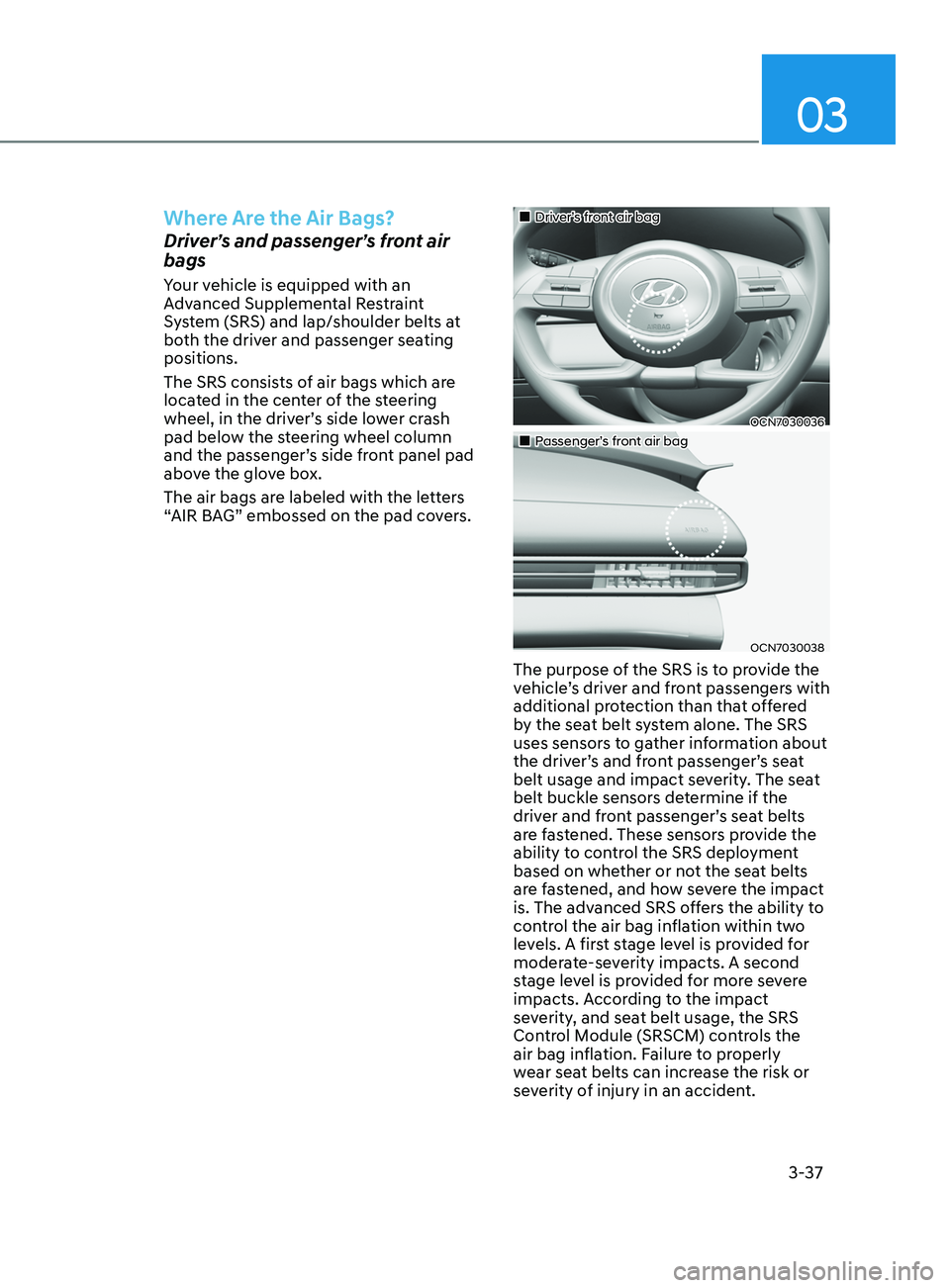
The SRS consists of air bags which are
located in the center of the steering
wheel, in the driver’s side lower crash
pad below the steering wheel column
and the passenger’s side front panel pad
above the glove box.
The air bags are labeled with the letters
“AIR BAG” embossed on the pad covers.
„„Driver’s front air bag
OCN7030036
„„Passenger’s front air bag
OCN7030038
The purpose of the SRS is to provide the
vehicle’s driver and front passengers with
additional protection than that offered
by the seat belt system alone. The SRS
uses sensors to gather information about
the driver’s and front passenger’s seat
belt usage and impact severity. The seat
belt buckle sensors determine if the
driver and front passenger’s seat belts
are fastened. These sensors provide the
ability to control the SRS deployment
based on whether or not the seat belts
are fastened, and how severe the impact
is. The advanced SRS offers the ability to
control the air bag inflation within two
levels. A first stage level is provided for
moderate-severity impacts. A second
stage level is provided for more severe
impacts. According to the impact
severity, and seat belt usage, the SRS
Control Module (SRSCM) controls the
air bag inflation. Failure to properly
wear seat belts can increase the risk or
severity of injury in an accident.
Page 69 of 570
3-38
WARNING
To reduce the risk of serious injury or
death from inflating front air bags, take
the following precautions:
• Seat belts must be worn at all times
to help keep occupants positioned
properly.
• Move your seat as far back as
possible from front air bags, while
still maintaining control of the
vehicle.
• Never lean against the door or center
console.
• Do not allow the front passenger
to place their feet or legs on the
dashboard.
• No objects (such as crash pad
cover, cellular phone holder, cup
holder, perfume or stickers) should
be placed over or near the air bag
modules on the steering wheel,
instrument panel, windshield glass,
and the front passenger’s panel
above the glove box. Such objects
could cause harm if the vehicle is in a
crash severe enough to cause the air
bags to deploy.
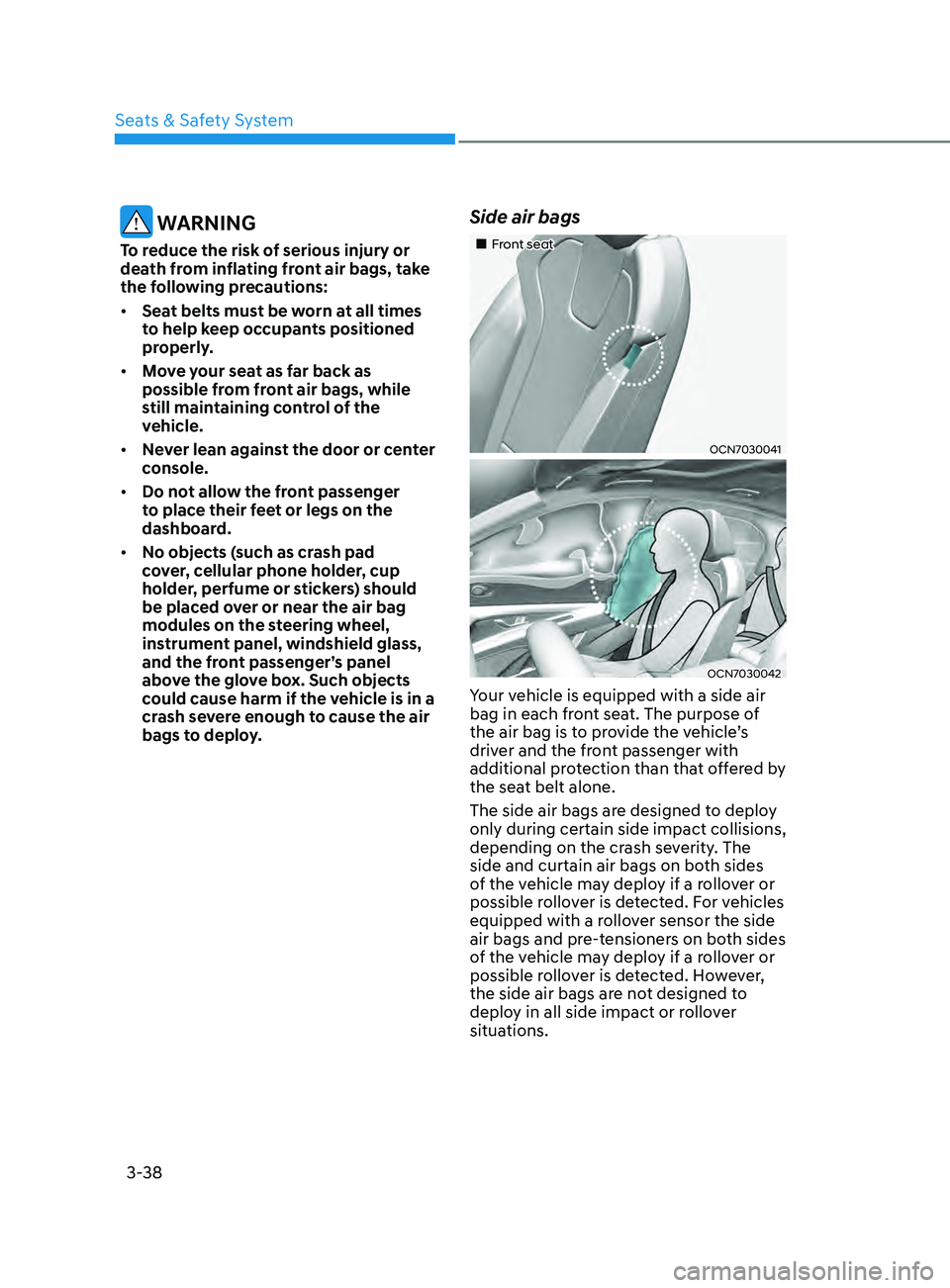
Side air bags
„„Front seat
OCN7030041
OCN7030042
Your vehicle is equipped with a side air
bag in each front seat. The purpose of
the air bag is to provide the vehicle’s
driver and the front passenger with
additional protection than that offered by
the seat belt alone.
The side air bags are designed to deploy
only during certain side impact collisions,
depending on the crash severity. The
side and curtain air bags on both sides
of the vehicle may deploy if a rollover or
possible rollover is detected. For vehicles
equipped with a rollover sensor the side
air bags and pre-tensioners on both sides
of the vehicle may deploy if a rollover or
possible rollover is detected. However,
the side air bags are not designed to
deploy in all side impact or rollover
situations.
Seats & Safety System
Page 70 of 570
03
3-39
WARNING
To reduce the risk of serious injury or
death from an inflating side air bag,
take the following precautions:
• Seat belts must be worn at all times
to help keep occupants positioned
properly.
• Do not allow passengers to lean their
heads or bodies onto doors, put their
arms on the doors, stretch their arms
out of the window, or place objects
between the doors and seats.
• Hold the steering wheel at the 9
o’clock and 3 o’clock positions, to
minimize the risk of injuries to your
hands and arms.
• Do not use any accessory seat
covers. This could reduce or prevent
the effectiveness of the system.
• Do not place any objects over the
air bag or between the air bag and
yourself. Also, do not attach any
objects around the area the air bag
inflates such as the door, side door
glass, front and rear pillar.
• Do not place any objects between
the door and the seat. They may
become dangerous projectiles if the
side air bag inflates.
• Do not install any accessories on the
side or near the side air bags.
• Do not put any objects between the
side airbag label and seat cushion. It
could cause harm if the vehicle is in a
crash severe enough to cause the air
bags to deploy.
• Do not cause impact to the doors
when the ignition switch button is in
the ON position as this may cause the
side air bags to inflate.
• If the seat or seat cover is damaged,
have the vehicle checked and
repaired by an authorized HYUNDAI
dealer.
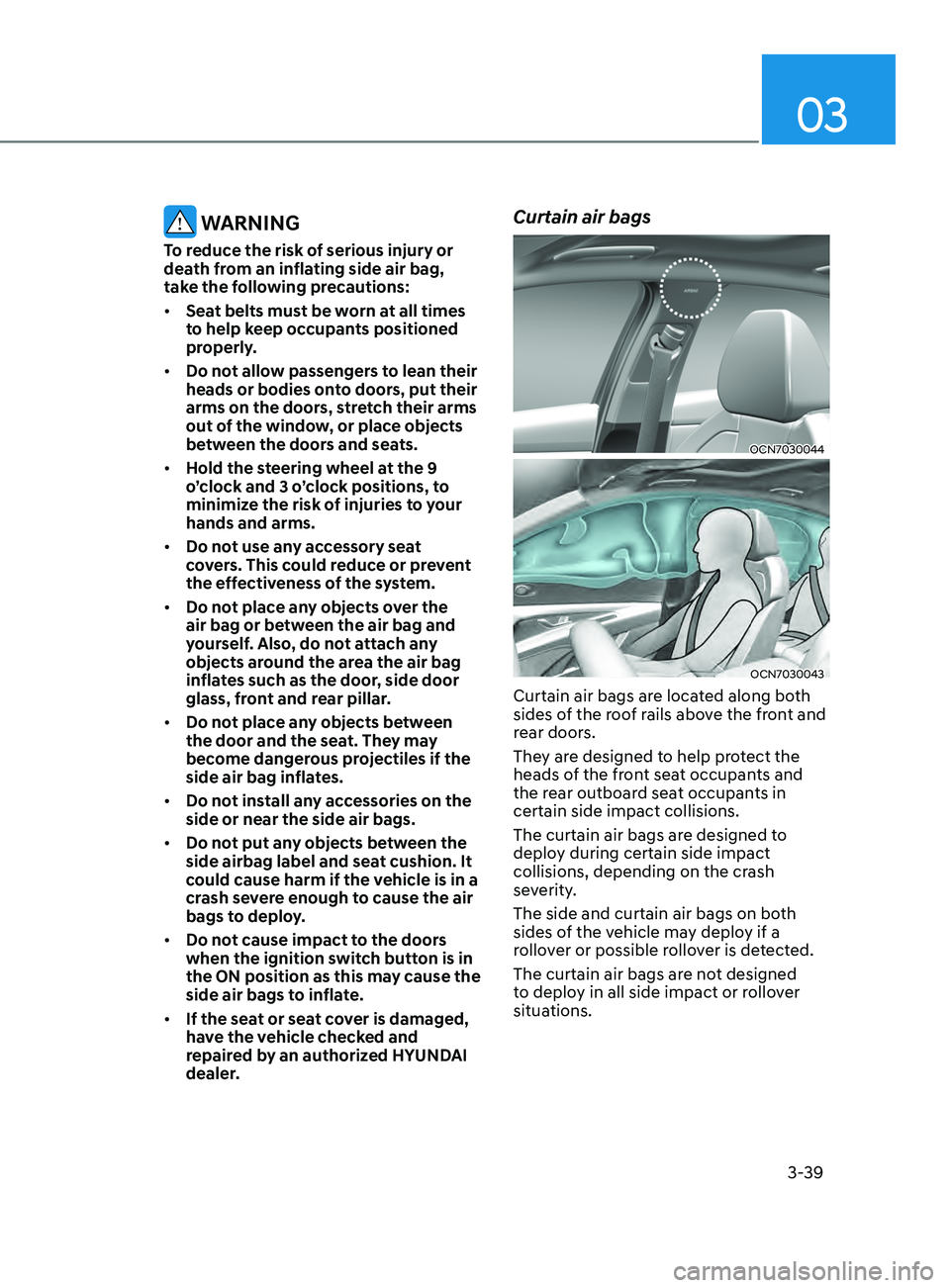
Curtain air bags
OCN7030044
OCN7030043
Curtain air bags are located along both
sides of the roof rails above the front and
rear doors.
They are designed to help protect the
heads of the front seat occupants and
the rear outboard seat occupants in
certain side impact collisions.
The curtain air bags are designed to
deploy during certain side impact
collisions, depending on the crash
severity.
The side and curtain air bags on both
sides of the vehicle may deploy if a
rollover or possible rollover is detected.
The curtain air bags are not designed
to deploy in all side impact or rollover
situations.
Page 73 of 570
3-42
• There are even circumstances under
which contact with the air bag can
cause fatal injuries, especially if the
occupant is positioned excessively
close to the air bag.
You can take steps to help reduce the
risk of being injured by an inflating air
bag. The greatest risk is sitting too close
to the air bag. An air bag needs about 10
inches (25 cm) of space to inflate. NHTSA
recommends that drivers allow at least
10 inches (25 cm) between the center of
the steering wheel and the chest.
WARNING
To reduce the risk of serious injury or
death from an inflating air bag, take the
following precautions:
• NEVER place a child restraint in the
front passenger seat.
Always properly restrain children
under age 13 in the rear seats of the
vehicle.
• Adjust the front passenger’s and
driver’s seats as far to the rear as
possible while allowing you to
maintain full control of the vehicle.
• Hold the steering wheel with
hands at the 9 o’clock and 3 o’clock
positions.
• NEVER place anything or anyone
between the air bag and the seat
occupant.
• Do not allow the front passenger
to place their feet or legs on the
dashboard.
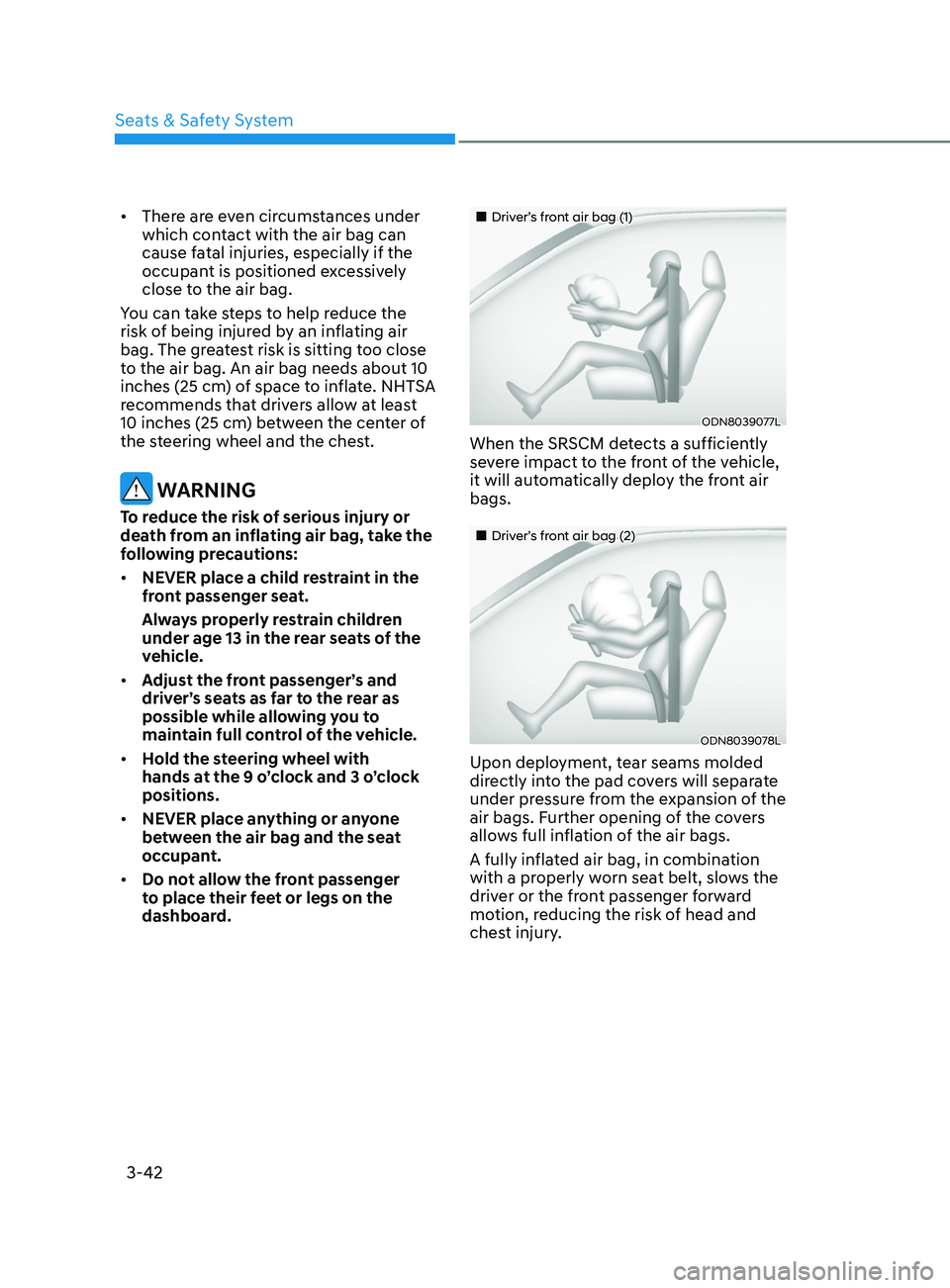
„„Driver’s front air bag (1)
ODN8039077L
When the SRSCM detects a sufficiently
severe impact to the front of the vehicle,
it will automatically deploy the front air
bags.
„„Driver’s front air bag (2)
ODN8039078L
Upon deployment, tear seams molded
directly into the pad covers will separate
under pressure from the expansion of the
air bags. Further opening of the covers
allows full inflation of the air bags.
A fully inflated air bag, in combination
with a properly worn seat belt, slows the
driver or the front passenger forward
motion, reducing the risk of head and
chest injury.
Seats & Safety System
Page 85 of 570
3-54
OCN7030056
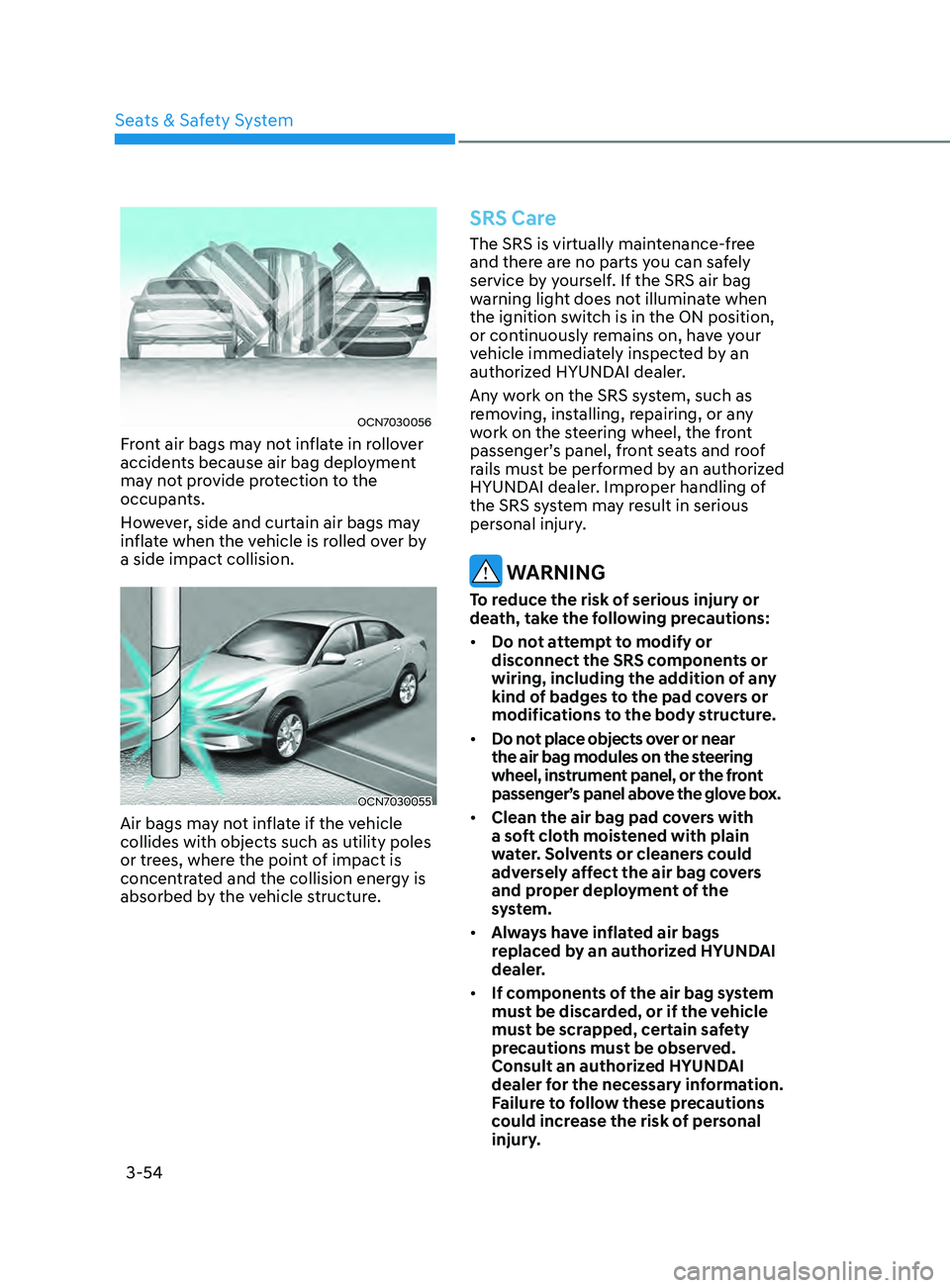
Front air bags may not inflate in rollover
accidents because air bag deployment
may not provide protection to the
occupants.
However, side and curtain air bags may
inflate when the vehicle is rolled over by
a side impact collision.
OCN7030055
Air bags may not inflate if the vehicle
collides with objects such as utility poles
or trees, where the point of impact is
concentrated and the collision energy is
absorbed by the vehicle structure.
SRS Care
The SRS is virtually maintenance-free
and there are no parts you can safely
service by yourself. If the SRS air bag
warning light does not illuminate when
the ignition switch is in the ON position,
or continuously remains on, have your
vehicle immediately inspected by an
authorized HYUNDAI dealer.
Any work on the SRS system, such as
removing, installing, repairing, or any
work on the steering wheel, the front
passenger’s panel, front seats and roof
rails must be performed by an authorized
HYUNDAI dealer. Improper handling of
the SRS system may result in serious
personal injury.
WARNING
To reduce the risk of serious injury or
death, take the following precautions:
• Do not attempt to modify or
disconnect the SRS components or
wiring, including the addition of any
kind of badges to the pad covers or
modifications to the body structure.
• Do not place objects over or near
the air bag modules on the steering
wheel, instrument panel, or the front
passenger’s panel above the glove box.
• Clean the air bag pad covers with
a soft cloth moistened with plain
water. Solvents or cleaners could
adversely affect the air bag covers
and proper deployment of the
system.
• Always have inflated air bags
replaced by an authorized HYUNDAI
dealer.
• If components of the air bag system
must be discarded, or if the vehicle
must be scrapped, certain safety
precautions must be observed.
Consult an authorized HYUNDAI
dealer for the necessary information.
Failure to follow these precautions
could increase the risk of personal
injury.
Seats & Safety System
Page 88 of 570

Cruise Indicator Light ........................................................................\
...................4-18
SPOR T Mode Indicator Light ........................................................................\
........ 4-
18
SMART Mode Indicator Light
........................................................................\
....... 4-
18
Icy Road Warning Light
........................................................................\
................ 4-
19
LCD Display Messages
........................................................................\
.................... 4-
19
Shift to P or N to start engine (for smart key system)
........................................ 4-
19
Shift to P (for smart key system and intelligent variable transmission)
............ 4-
19
Low key battery (for smart key system)...............................................................4-19
Press brake pedal to start engine (for smart key system and intelligent
variable transmission)......................................................................\
.....................4-19
Key not in vehicle (for smart key system)
........................................................... 4-20
K
ey not detected (for smart key system)............................................................ 4-20
Press START button again (for smart key system)
............................................. 4-
20
Battery discharging due to external electrical devices
..................................... 4-
20
Press START button with key (for smart key system)
........................................ 4-
20
Check BRAKE SWITCH fuse (for smart key system and automatic
transmission/intelligent variable transmission)................................................. 4-20
Door, Hood, Trunk Open Indicator....................................................................... 4-21
Sunroof Open
........................................................................\
................................ 4-
21
Low Pressure
........................................................................\
................................. 4-
21
Lights Mode........................................................................\
................................... 4-21
Wiper
........................................................................\
.....................................
.......4-22
Heated Steering Wheel turned off
...................................................................... 4-22
L
ow fuel
........................................................................\
.....................................
...4-22
Engine Overheated
........................................................................\
...................... 4-
22
Check headlight
........................................................................\
........................... 4-
22
Check headlight (Low)
........................................................................\
................ 4-
23
Check turn signal
........................................................................\
......................... 4-
23
Check brake light
........................................................................\
......................... 4-
23
Check daytime running light
........................................................................\
....... 4-
23
Check high mounted stop lamp
........................................................................\
. 4-
23
Check headlight LED
........................................................................\
................... 4-
23
Check Forward Collision-Avoidance Assist system
........................................... 4
-24
Check Lane Keeping Assist system
.................................................................... 4-2
4
Check Blind-Spot Collision Warning system...................................................... 4-24
Check Driver Attention Warning system
............................................................ 4
-24
Check High Beam Assist system
........................................................................\
. 4
-24
Check Smart Cruise Control system
................................................................... 4-2
4
4
Page 89 of 570
 ........................................................................\
............4-25LCD Display Control .....................................................................")
LCD Display (Type A) ........................................................................\
............4-25LCD Display Control ........................................................................\
....................... 4-25
L CD display modes........................................................................\
......................... 4-26Trip computer mode
........................................................................\
.................... 4-
27
Turn By Turn (TBT) mode
........................................................................\
............ 4-
27
Driving Assist mode
........................................................................\
..................... 4-
27
Master warning mode
........................................................................\
................. 4-
28
User settings mode
........................................................................\
........................ 4-
29
Trip Computer........................................................................\
................................. 4-36 Trip modes
........................................................................\
.................................... 4-
36
Average fuel economy/Instant fuel economy
................................................... 4-
36
Accumulated Info display
........................................................................\
............ 4-
37
Drive Info display
........................................................................\
......................... 4-
38
Digital speedometer
........................................................................\
.................... 4-
38
Auto Stop accumulated time
........................................................................\
...... 4-
38
Smart shift
........................................................................\
.................................... 4-
39
LCD display (Type B) ........................................................................\
...........4-40LCD Display Control ........................................................................\
....................... 4-40
View modes ........................................................................\
..................................... 4-4
1
Utility group
........................................................................\
.................................... 4-42
Utility It
ems
........................................................................\
.................................. 4-42
Driving Assis
t group
........................................................................\
..................... 4-43
Na
vigation group
........................................................................\
......................... 4-43
Driving in
fo. group
........................................................................\
....................... 4-43
W
arning message group
........................................................................\
............. 4-44
U
ser settings mode
........................................................................\
........................ 4-44
Cruise Indicator Light ........................................................................\
................... 4-18
SPORT Mode Indicator Light ........................................................................\
........ 4-18
SMART Mode Indicator Light ........................................................................\
....... 4-18
Icy Road Warning Light ........................................................................\
................ 4-19
LCD Display Messages ........................................................................\
.................... 4-19
Shift to P or N to start engine (for smart key system) ........................................ 4-19
Shift to P (for smart key system and intelligent variable transmission) ............ 4-19
Low key battery (for smart key system)...............................................................4-19
Press brake pedal to start engine (for smart key system and intelligent
variable transmission)......................................................................\
.....................4-19
Key not in vehicle (for smart key system) ...........................................................4-20
Key not detected (for smart key system)............................................................ 4-20
Press START button again (for smart key system) ............................................. 4-20
Battery discharging due to external electrical devices ..................................... 4-20
Press START button with key (for smart key system) ........................................ 4-20
Check BRAKE SWITCH fuse (for smart key system and automatic
transmission/intelligent variable transmission)................................................. 4-20
Door, Hood, Trunk Open Indicator....................................................................... 4-21
Sunroof Open ........................................................................\
................................ 4-21
Low Pressure ........................................................................\
................................. 4-21
Lights Mode........................................................................\
................................... 4-21
Wiper ........................................................................\
............................................ 4-22
Heated Steering Wheel turned off ...................................................................... 4-22
Low fuel ........................................................................\
........................................ 4-22
Engine Overheated ........................................................................\
...................... 4-22
Check headlight ........................................................................\
........................... 4-22
Check headlight (Low) ........................................................................\
................ 4-23
Check turn signal ........................................................................\
......................... 4-23
Check brake light ........................................................................\
......................... 4-23
Check daytime running light ........................................................................\
....... 4-23
Check high mounted stop lamp ........................................................................\
. 4-23
Check headlight LED ........................................................................\
................... 4-23
Check Forward Collision-Avoidance Assist system ........................................... 4-24
Check Lane Keeping Assist system .................................................................... 4-24
Check Blind-Spot Collision Warning system...................................................... 4-24
Check Driver Attention Warning system ............................................................ 4-24
Check High Beam Assist system ........................................................................\
. 4-24
Check Smart Cruise Control system ................................................................... 4-24
4. Instrument Cluster
4
Page 96 of 570
Instrument Cluster
4-10
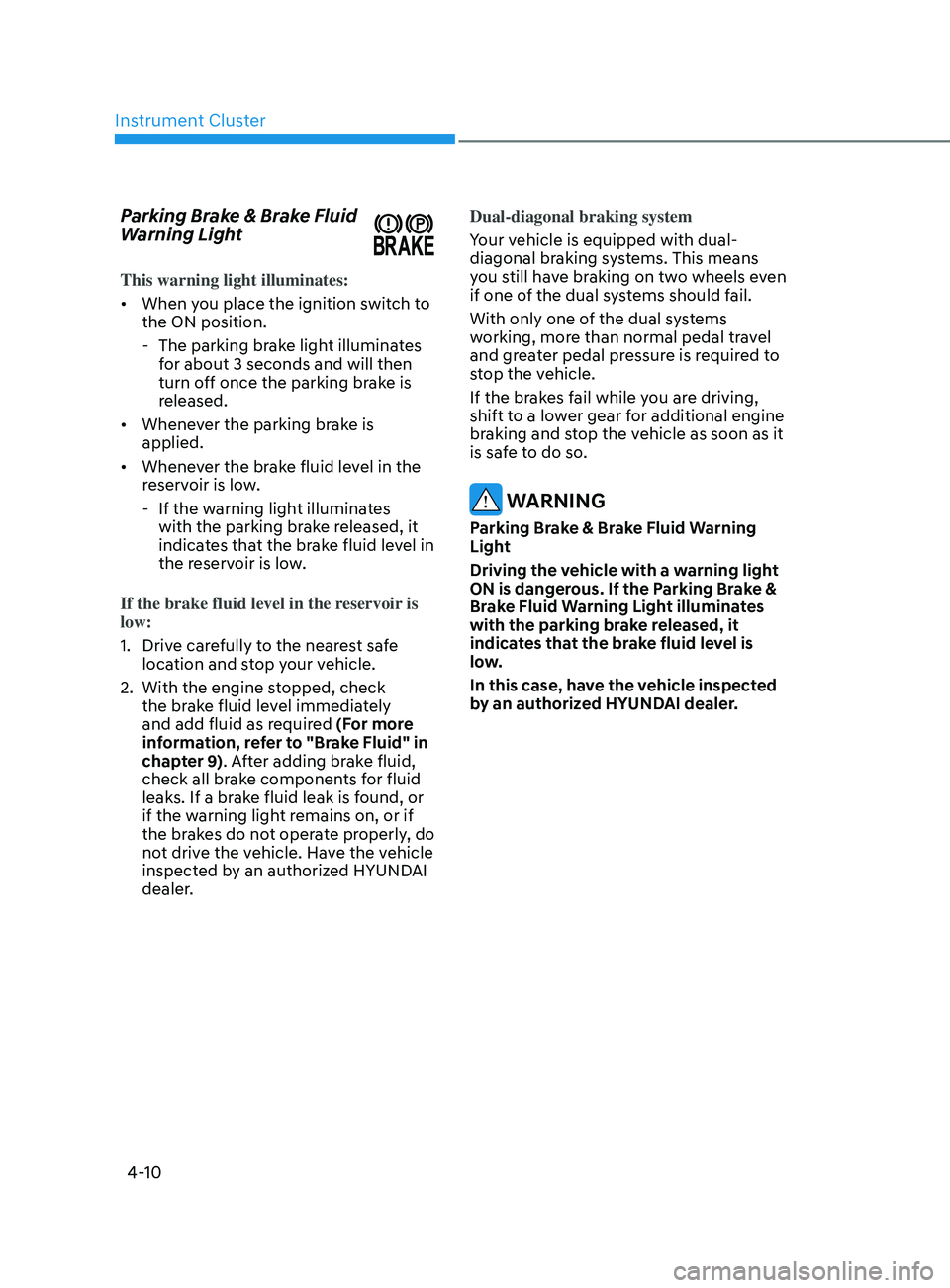
Parking Brake & Brake Fluid
Warning Light
This warning light illuminates:
• When you place the ignition switch to
the ON position.
- The parking brak
e light illuminates
for about 3 seconds and will then
turn off once the parking brake is
released.
• Whenever the parking brake is
applied.
• Whenever the brake fluid level in the
reservoir is low.
- If the warning ligh
t illuminates
with the parking brake released, it
indicates that the brake fluid level in
the reservoir is low.
If the brake fluid level in the reservoir is
low:
1.
Drive car
efully to the nearest safe
location and stop your vehicle.
2.
With the engine st
opped, check
the brake fluid level immediately
and add fluid as required (For more
information, refer to "Brake Fluid" in
chapter 9). After adding brake fluid,
check all brake components for fluid
leaks. If a brake fluid leak is found, or
if the warning light remains on, or if
the brakes do not operate properly, do
not drive the vehicle. Have the vehicle
inspected by an authorized HYUNDAI
dealer. Dual-diagonal braking system
Your vehicle is equipped with dual-
diagonal braking systems. This means
you still have braking on two wheels even
if one of the dual systems should fail.
With only one of the dual systems
working, more than normal pedal travel
and greater pedal pressure is required to
stop the vehicle.
If the brakes fail while you are driving,
shift to a lower gear for additional engine
braking and stop the vehicle as soon as it
is safe to do so.
WARNING
Parking Brake & Brake Fluid Warning
Light
Driving the vehicle with a warning light
ON is dangerous. If the Parking Brake &
Brake Fluid Warning Light illuminates
with the parking brake released, it
indicates that the brake fluid level is
low.
In this case, have the vehicle inspected
by an authorized HYUNDAI dealer.
Page 108 of 570
Instrument Cluster
4-22
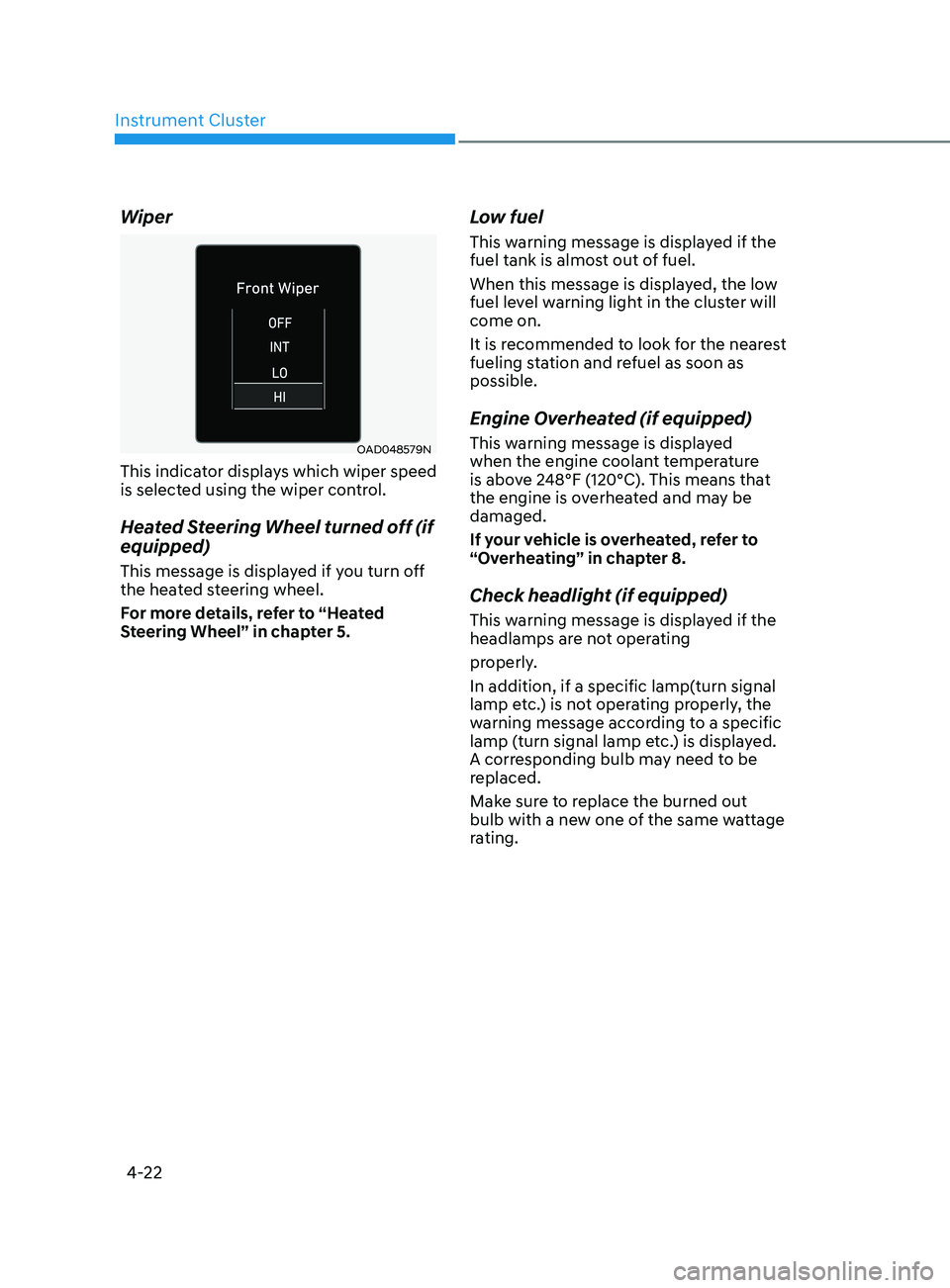
Wiper
OAD048579N
This indicator displays which wiper speed
is selected using the wiper control.
Heated Steering Wheel turned off (if
equipped)
This message is displayed if you turn off
the heated steering wheel.
For more details, refer to “Heated
Steering Wheel” in chapter 5.
Low fuel
This warning message is displayed if the
fuel tank is almost out of fuel.
When this message is displayed, the low
fuel level warning light in the cluster will
come on.
It is recommended to look for the nearest
fueling station and refuel as soon as
possible.
Engine Overheated (if equipped)
This warning message is displayed
when the engine coolant temperature
is above 248°F (120°C). This means that
the engine is overheated and may be
damaged.
If your vehicle is overheated, refer to
“Overheating” in chapter 8.
Check headlight (if equipped)
This warning message is displayed if the
headlamps are not operating
properly.
In addition, if a specific lamp(turn signal
lamp etc.) is not operating properly, the
warning message according to a specific
lamp (turn signal lamp etc.) is displayed.
A corresponding bulb may need to be
replaced.
Make sure to replace the burned out
bulb with a new one of the same wattage
rating.
Page 122 of 570
Instrument Cluster
4-36
Trip Computer
The trip computer is a microcomputer-
controlled driver information system that
displays information related to driving.
Information
Some driving information stored in the
trip computer (for example Average
Vehicle Speed) resets if the battery is
disconnected.
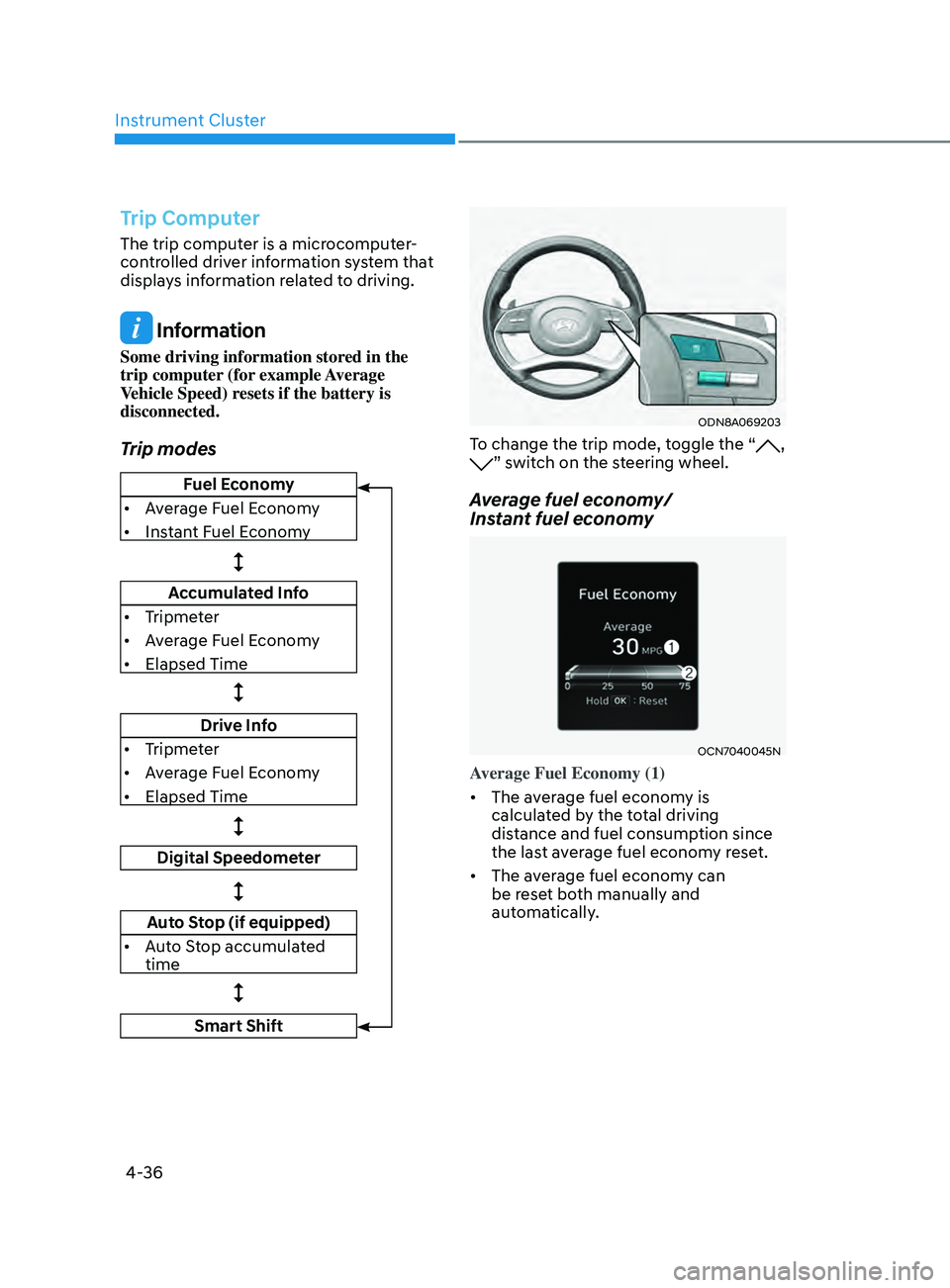
Trip modes
Fuel Economy
• Average Fuel Economy
• Instant Fuel Economy
Accumulated Info
• Tripmeter
• Average Fuel Economy
• Elapsed Time
Drive Info
• Tripmeter
• Average Fuel Economy
• Elapsed Time
Digital Speedometer
Auto Stop (if equipped)
• Auto Stop accumulated
time
Smart Shift
ODN8A069203
To change the trip mode, toggle the “, ” switch on the steering wheel.
Average fuel economy/
Instant fuel economy
OCN7040045N
Average Fuel Economy (1)
• The average fuel economy is
calculated by the total driving
distance and fuel consumption since
the last average fuel econ
omy r
eset.
• The average fuel economy can
be reset both manually and
automatically.