reset HYUNDAI ELANTRA 2021 Owner's Manual
[x] Cancel search | Manufacturer: HYUNDAI, Model Year: 2021, Model line: ELANTRA, Model: HYUNDAI ELANTRA 2021Pages: 570, PDF Size: 52.21 MB
Page 378 of 570
![HYUNDAI ELANTRA 2021 Owners Manual 07
7-65
To temporarily pause the system
OCN7060063[A] : Type A, [B] : Type B
Push the switch to temporarily
pause the set speed limit. The set speed
limit will turn off but the Manual Speed
Limit](/img/35/41160/w960_41160-377.png "HYUNDAI ELANTRA 2021 Owners Manual 07
7-65
To temporarily pause the system
OCN7060063[A] : Type A, [B] : Type B
Push the switch to temporarily
pause the set speed limit. The set speed
limit will turn off but the Manual Speed
Limit")
07
7-65
To temporarily pause the system
OCN7060063[A] : Type A, [B] : Type B
Push the switch to temporarily
pause the set speed limit. The set speed
limit will turn off but the Manual Speed
Limit Assist enabled (
) indicator
will stay on.
To resume the system
OCN7060145
To resume Manual Speed Limit Assist
after the system was paused, push the +,
-,
switch.
If you push the + switch up or – switch
down, vehicle speed will be set to the
current speed on the cluster.
If you push the
switch, vehicle speed
will resume to the preset speed.
To turn off the system
OCN7060060
Press the Driving Assist () button
to turn Manual Speed Limit Assist off.
The Manual Speed Limit Assist enabled
(
) indicator will go off.
Always press the Driving Assist (
)
button to turn Manual Speed Limit Assist
off when not in use.
WARNING
Take the following precautions when
using Manual Speed Limit Assist:
• Always set the vehicle speed to the
speed limit in your country.
• Keep Manual Speed Limit Assist off
when the system is not in use, to
avoid inadvertently setting a speed.
Check that the Manual Speed Limit
Assist enabled (
) indicator is
off.
• Manual Speed Limit Assist does
not substitute for proper and safe
driving. It is the responsibility of
the driver to always drive safely
and should always be aware of
unexpected and sudden situations
from occurring. Pay attention to the
road conditions at all times.
Page 386 of 570
07
7-7 3
• The driver’s attention lev el is display ed on the scale of 1 t
o 5. The lower the
level is, the more inattentive the driver
is.
• The level decreases when the driver
does not take a break for a certain
period of time.
Taking a break
OTM070105L
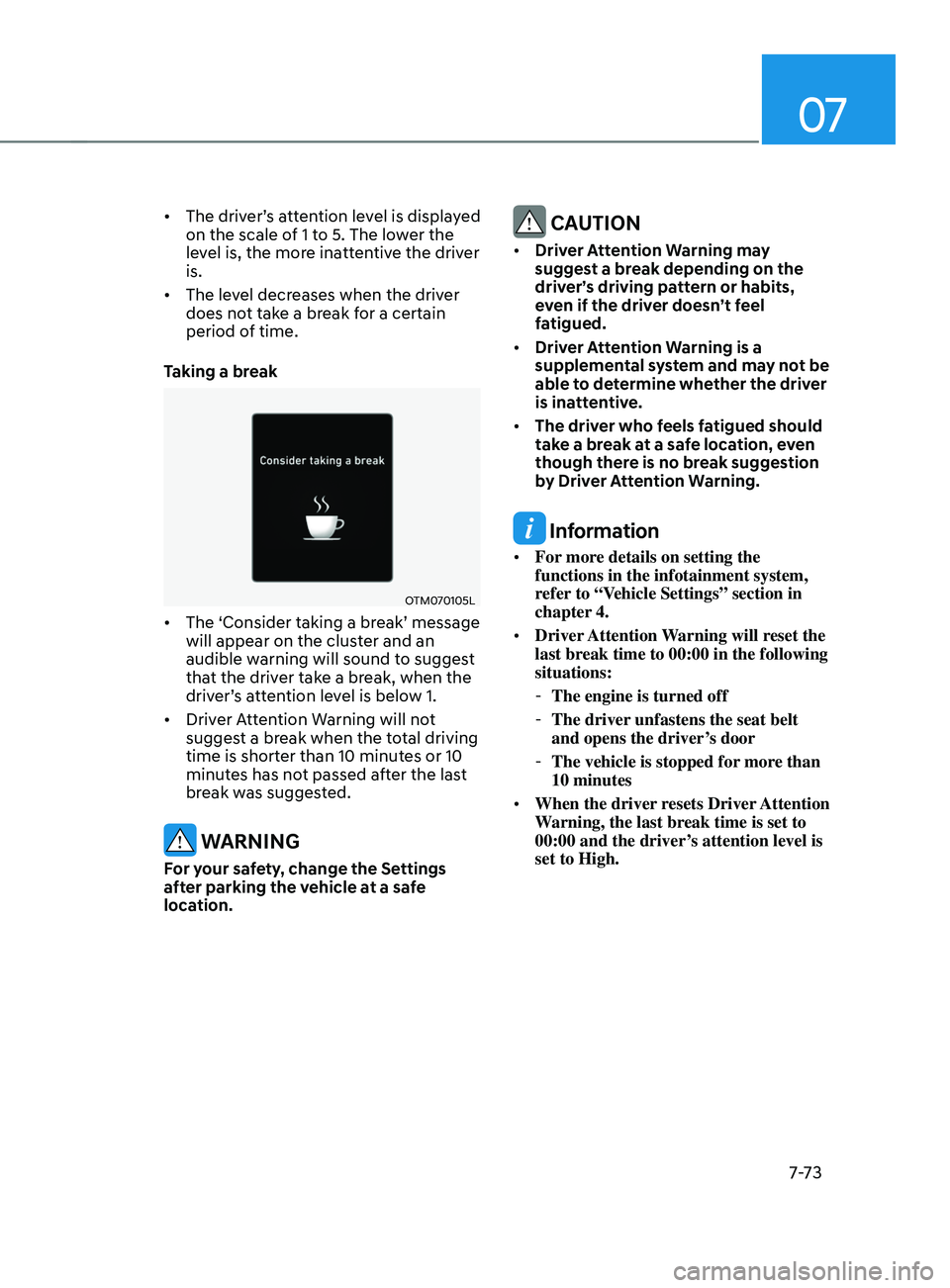
• The ‘Consider taking a br eak’ message will appear on the clust
er and an
audible warning will sound to suggest
that the driver take a break, when the
driver’s
a
ttention
le
vel
is belo
w
1.
• Driver A
ttention Warning will not
suggest a break when the total driving
time is shorter than 10 minutes or 10
minutes has not passed after the last
break was suggested.
WARNING
For your safety, change the Settings
after parking the vehicle at a safe
location.
CAUTION
• Driver Attention Warning may
suggest a break depending on the
driver’s driving pattern or habits,
even if the driver doesn’t feel
fatigued.
• Driver Attention Warning is a
supplemental system and may not be
able to determine whether the driver
is inattentive.
• The driver who feels fatigued should
take a break at a safe location, even
though there is no break suggestion
by Driver Attention Warning.
Information
• For more details on setting the
functions in the infotainment system,
refer to “Vehicle Settings” section in
chapter 4.
• Driver Attention Warning will reset the
last break time to 00:00 in the following
situations:
-The engine is turned off
-The driver unfastens the seat belt
and opens the driver
’s door
-The vehicle is stopped for mor
e than
10 minutes
• When the driver resets Driver Attention
Warning, the last break time is set to
00:00 and the driver’s attention level is
set to High.
Page 392 of 570
07
7-7 9
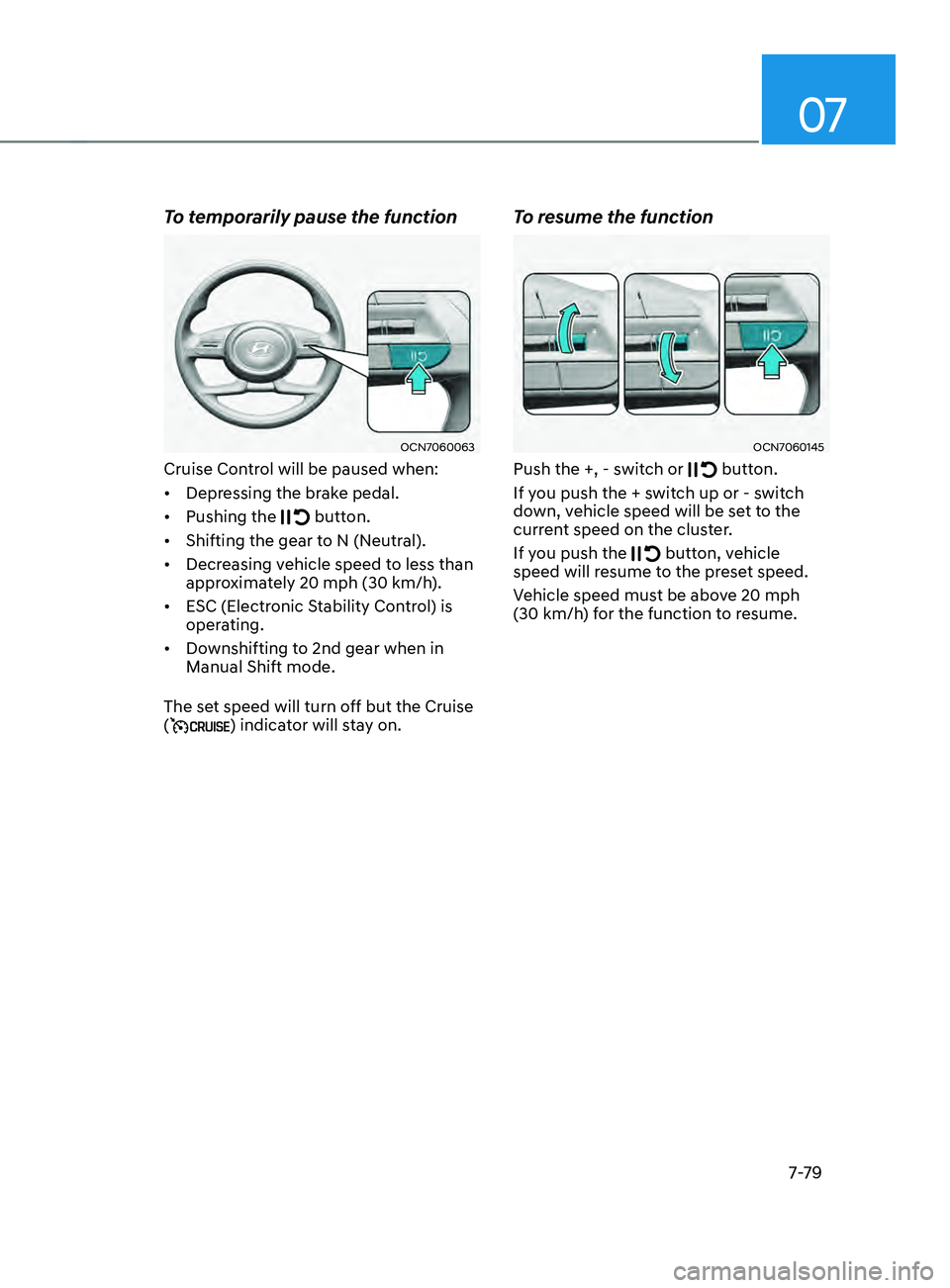
To temporarily pause the function
OCN7060063
Cruise Control will be paused when:
• Depressing the brake pedal.
• Pushing the
button.
• Shifting the gear to N (Neutral).
• Decreasing vehicle speed to less than
approximately 20
mph (30 km/h
).
• ESC (Electronic Stability Control) is
operating.
• Downshifting to 2nd gear when in
Manual Shift mode.
The set speed will turn off but the Cruise
(
) indicator will stay on.
To resume the function
OCN7060145
Push the +, - switch or button.
If you push the + switch up or - switch
down, vehicle speed will be set to the
current speed on the cluster.
If you push the
button, vehicle
speed will resume to the preset speed.
Vehicle speed must be above 20
mph
(30 km/h
) for the function to resume.
Page 397 of 570
![HYUNDAI ELANTRA 2021 Owners Manual Driver assistance system
7-84
OCN7060120[A] : Type A, [B] : Type B
To temporarily cancel the function
Press the
switch or depress the
brake pedal to temporarily cancel Smart
Cruise Control.
OCN706](/img/35/41160/w960_41160-396.png "HYUNDAI ELANTRA 2021 Owners Manual Driver assistance system
7-84
OCN7060120[A] : Type A, [B] : Type B
To temporarily cancel the function
Press the
switch or depress the
brake pedal to temporarily cancel Smart
Cruise Control.
OCN706")
Driver assistance system
7-84
OCN7060120[A] : Type A, [B] : Type B
To temporarily cancel the function
Press the
switch or depress the
brake pedal to temporarily cancel Smart
Cruise Control.
OCN7060121[A] : Type A, [B] : Type B
To resume the function
To resume Smart Cruise Control after the
system was canceled, push the +, - or
switch.
If you push the + switch up or - switch
down, vehicle speed will be set to the
current speed on the cluster.
If you push the
switch, vehicle speed
will resume to the preset speed.
WARNING
Check the driving condition before
using the switch. Driving speed
may sharply increase or decrease when
you press the
switch.
OCN7060060[A] : Type A, [B] : Type B
To turn off the function
Press the Driving Assist button to turn
Smart Cruise Control system off.
Information
If your vehicle is equipped with Manual
Speed Limit Assist, press and hold the
Driving Assist button to turn off Smart
Cruise Control. However, Manual Speed
Limit Assist will turn on.
Page 414 of 570
07
7-101
Limitations of the function
Navigation-based Smart Cruise Control
may not operate normally under the
following circumstances:
• The navigation is not working properly
• Speed limit and road information in
the navigation is not updated
• The map information and the actual
road is different because of real-time
GPS data or map information error
• The navigation searches for a route
while driving
• GPS signals are blocked in areas such
as a tunnel
• The navigation is updated while
driving
• Map information is not transmitted
due to infotainment system's
abnormal operation
• A road that divides into two or more
roads and joins again
• The driver goes off course the route
set in the navigation
• The route to the destination is
changed or canceled by resetting the
navigation •
The vehicle enters a service station or
rest area
• The speed limit of some sections
changes according to the road
situations
• Android Auto or Car Play is operating
• The navigation cannot detect the
current vehicle position (ex: elevated
roads including overpass adjacent to
general roads or nearby roads exist in
a parallel way)
• The navigation is being updated while
driving
• The navigation is being restarted while
driving
• There is bad weather, such as heavy
rain, heavy snow, etc.
• Driving on a road under construction
• Driving on a road that is controlled
• Driving on a road that is sharply
curved
• Driving on roads with intersections,
roundabouts, straight entrances and
exits, etc.
Page 427 of 570
Driver assistance system
7-114
• Highway Driving Assist may
inadvertently operate or turn off
depending on road conditions
(navigation information) and
surroundings.
• Lane Following Assist function may
be temporarily disabled when the
front view camera cannot detect
lanes properly or the hands-off
warning is on.
• You may not hear the warning sound
of Highway Driving Assist if the
surrounding is noisy.
• If the vehicle is driven at high speed
above a certain speed at a curve,
your vehicle may drive to one side or
may depart from the driving lane.
• When you are towing a trailer or
another vehicle, we recommend that
Highway Driving Assist is turned off
due to safety reasons.
• The hands–off warning message
may appear early or late depending
on how the steering wheel is held or
road conditions. Always have your
hands on the steering wheel while
driving.
• For your safety, please read the
owner's manual before using the
Highway Driving Assist.
• Highway Driving Assist will not
operate when the engine is started,
or when the detecting sensors or
navigation is being initialized.Limitations of the function
Highway Driving Assist may not operate
normally, or may not operate under the
following circumstances:
• The map information and the
actual road is different because the
navigation is not updated
• The map information and the actual
road is different because of real-time
GPS data or map information error
• The infotainment system is overloaded
by simultaneously performing
functions such as route search, video
playback, voice recognition, etc.
• GPS signals are blocked in areas such
as a tunnel
• The driver goes off course or the
route to the destination is changed or
canceled by resetting the navigation
• The vehicle enters a service station or
rest area
• Android Auto or Car Play is operating
• The navigation cannot detect the
current vehicle position (ex: elevated
roads including overpass adjacent to
general roads or nearby roads exist in
a parallel way)
• White single dotted lane line or road
edge cannot be detected
• The road is temporarily controlled due
to construction, etc.
• There is no structure, such as a
medium strip, guardrails, etc., on the
road
• There is a changeable lane in the
direction of lane change
For more details on the limitations of
the front view camera, front radar, front
corner radar and rear corner radar, refer
to “Forward Collision-Avoidance Assist
(FCA)” section in chapter 7.
Page 487 of 570

Engine Compartment ........................................................................\
............9-3
Main tenance Services
........................................................................\
........... 9-4
Owner’s Responsibility ........................................................................\
.................... 9-4
Owner Maint enance Precautions ........................................................................\
.... 9-4
Owner Maintenance ........................................................................\
.............. 9-5Owner Maintenance Schedule ........................................................................\
........9-5
Scheduled Maintenance Services ................................................................9 -7Normal Maintenance Schedule (Smartstream G2.0 Atkinson) .............................9-8
Maint enance Under Severe Usage Conditions ..................................................... 9-
11
Explanation of Scheduled Maintenance Items ...........................................9-13
E ngine Oil
........................................................................\
.............................. 9-
15
Checking the Engine Oil Level ........................................................................\
........9-15
Checking the E ngine Oil and Filter ........................................................................\
9-
15
Engine Coolant ........................................................................\
.....................9-16Checking the Engine Coolant Level .......................................................................9- 16
Changing Engine Coolant ........................................................................\
............... 9-
17
Brake fluid ........................................................................\
............................9-18Checking the brake fluid level ........................................................................\
........9-18
Washer Fluid ........................................................................\
......................... 9-19Checking the Washer Fluid Level ........................................................................\
...9-19
Parking brake ........................................................................\
....................... 9-19Checking the parking brake ........................................................................\
...........9-19
Air cleaner ........................................................................\
............................ 9-20Filter replacement ........................................................................\
..........................9-20
CABIN Air Filter ........................................................................\
.....................9-21
Filt er Inspection
........................................................................\
.................... 9-
21
Filter replacement ........................................................................\
...........................9-21
Wiper Blades ........................................................................\
........................9-22Blade Inspection ........................................................................\
............................ 9-22
Blade R eplacement ........................................................................\
........................ 9-
22
Battery ........................................................................\
..................................9-2 4
For Best Battery Service ........................................................................\
................9-25
Ba ttery capacity label ........................................................................\
.................... 9-
25
Battery Recharging
........................................................................\
........................ 9-
26
Reset items
........................................................................\
..................................... 9-
26
Maintenance
9. Maintenance
9
Page 512 of 570
Maintenance9-26
Battery Recharging
WARNING
Always follow these instructions when
recharging your vehicle’s battery to
avoid the risk of SERIOUS INJURY or
DEATH from explosions or acid burns:
• Before performing maintenance or
recharging the battery, turn off all
accessories and place the ignition
switch to the LOCK/OFF position.
• Keep all flames, sparks, or smoking
materials away from the battery.
• Always work outdoors or in an area
with plenty of ventilation.
• Wear eye protection when checking
the battery during charging.
• The battery must be removed from
the vehicle and placed in a well
ventilated area.
• Watch the battery during charging,
and stop or reduce the charging
rate if the battery cells begin boiling
violently.
• Vehicle is equipped with the
Absorbent Glass Mat (AGM) battery.
Do not charge the AGM battery with
a general charger. It may damage
or explode the AGM battery. Only
charge the AGM battery with a
charger that has AGM battery
setting.
• The negative battery cable must
be removed first and installed last
when the battery is disconnected.
Disconnect the battery charger in the
following order:
1.
Turn o
ff the battery charger main
switch.
2.
Unhook the nega
tive clamp from
the negative battery terminal.
3.
Unhook the positiv
e clamp from
the positive battery terminal.
• Always use a genuine HYUNDAI
approved battery when you replace
the battery.
NOTICE
AGM battery (if equipped)
• Absorbent Glass Matt (AGM)
batteries are maintenance-free
and we recommend that the AGM
battery be serviced by an authorized
HYUNDAI dealer. For charging
your AGM battery, use only fully
automatic battery chargers that
are specially developed for AGM
batteries.
• When replacing the AGM battery,
we recommend that you use parts
for replacement from an authorized
HYUNDAI dealer.
• Do not open or remove the cap on
top of the battery. This may cause
leaks of internal electrolyte that
could result in severe injury.
By jump starting
After a jump start from a good battery,
drive the vehicle for 20-30 minutes
before it is shutoff. The vehicle may
not restart if you shut it off before the
battery had a chance to adequately
recharge. See “Jump Starting” in chapter
7 for more information on jump starting
procedures.
Information
An inappropriately disposed
battery can be harmful to
the environment and human
health. Dispose of the battery
according to your local law(s) or
regulations.
Reset items
Items should be reset after the battery
has been discharged or the battery has
been disconnected.
• Auto up/down window (See chapter 5)
• Sunroof (See chapter 5)
• Trip computer (See chapter 4)
• Climate control system (See chapter 5)
Page 516 of 570
Maintenance
9-30
Wheel Alignment and Tire
Balance
The wheels on your vehicle were aligned
and balanced carefully at the factory to
give you the longest tire life and best
overall performance.
In most cases, you will not need to have
your wheels aligned again. However,
if you notice unusual tire wear or your
vehicle pulling one way or the other, the
alignment may need to be reset.
If you notice your vehicle vibrating when
driving on a smooth road, your wheels
may need to be rebalanced.
NOTICE
Improper wheel weights can damage
your vehicle’s aluminum wheels. Use
only approved wheel weights.
Tire Replacement
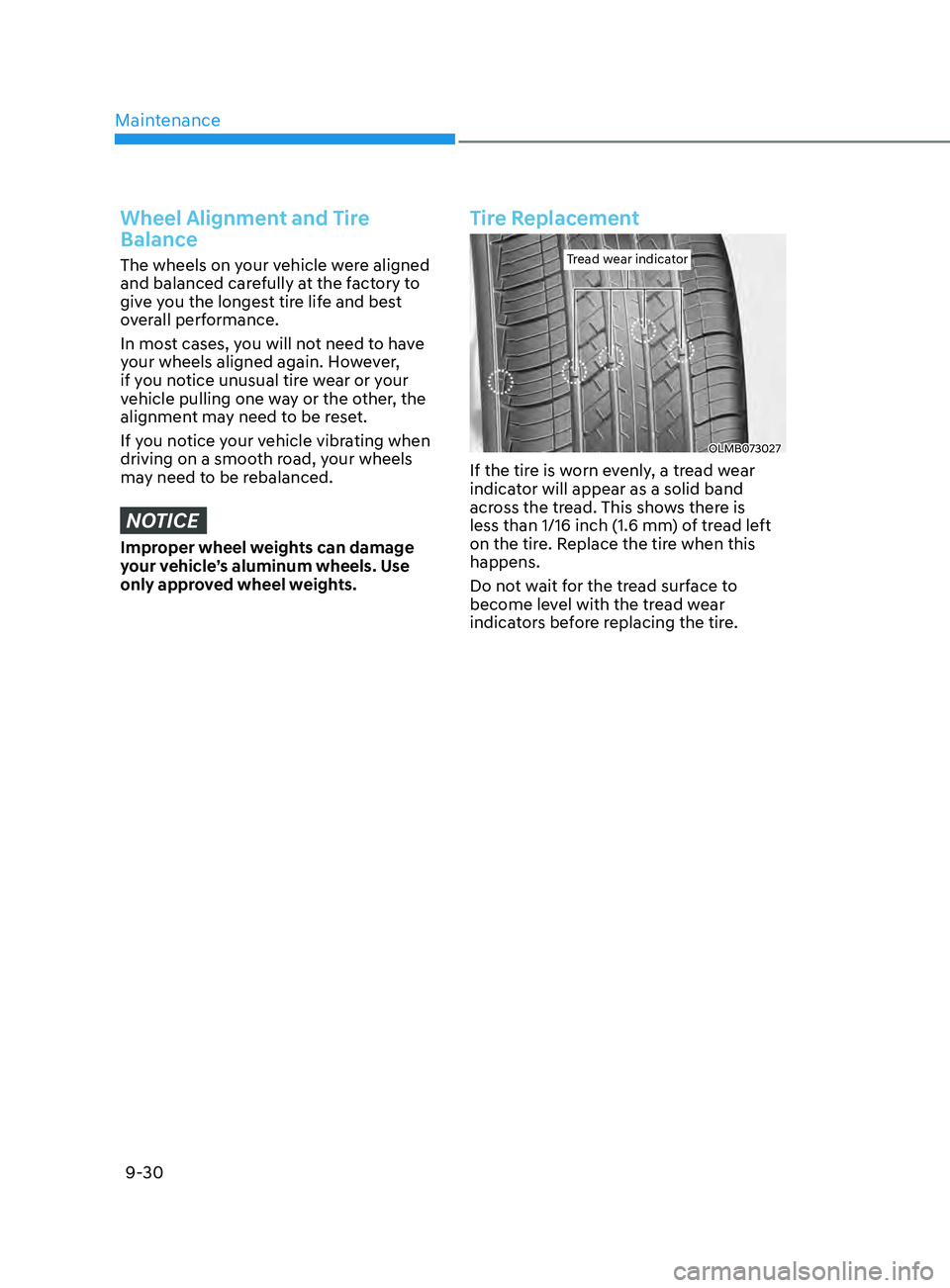
Tread wear indicatorTread wear indicator
OLMB073027
If the tire is worn evenly, a tread wear
indicator will appear as a solid band
across the tread. This shows there is
less than 1/16 inch (1.6 mm) of tread left
on the tire. Replace the tire when this
happens.
Do not wait for the tread surface to
become level with the tread wear
indicators before replacing the tire.
Page 560 of 570

I
I-3
B
Battery
........................................................................\
.........................................9-24
Battery capacity label ........................................................................\
...............9-25
Battery Recharging ........................................................................\
................... 9-26
For Best Battery Service ........................................................................\
..........9-25
Reset items ........................................................................\
............................... 9-26
Before Driving
........................................................................\
............................... 6-4
Before Entering the V
ehicle
........................................................................\
....... 6-4
Before Starting ........................................................................\
........................... 6-4
Blind-Spot Collision W
arning (BCW)
................................................................. 7-36
Function malfunction and limitations ..............................................................7-41
Function operation ........................................................................\
.................... 7-39
Function settings ........................................................................\
...................... 7-37
Blind-Spot Collision-A
voidance Assist (BCA)
.................................................. 7-45
Function malfunction and limitations .............................................................. 7-54
Function operation ........................................................................\
.................... 7-49
Function settings ........................................................................\
...................... 7-47
Brake fluid
........................................................................\
................................... 9-18
Checking the brake fluid level ........................................................................\
.9-18
Brake System
........................................................................\
............................... 6-19
Auto Hold ........................................................................\
................................. 6-26
Disc Brakes W
ear Indicator
........................................................................\
...... 6-19
Electronic Parking Brake (EPB) .....................................................................6-22
Parking brake ........................................................................\
............................ 6-20
Power Brakes ........................................................................\
............................6-19
Bulb W
attage
........................................................................\
.................................. 2-8