change time HYUNDAI ELANTRA 2021 Owner's Guide
[x] Cancel search | Manufacturer: HYUNDAI, Model Year: 2021, Model line: ELANTRA, Model: HYUNDAI ELANTRA 2021Pages: 570, PDF Size: 52.21 MB
Page 355 of 570
Driver assistance system
7-42
WARNING
• Even though the warning message
does not appear on the cluster, Blind-
Spot Safety system may not properly
operate.
• Blind-Spot Safety system may not
properly operate in an area (e.g. open
terrain), where any substance are
not detected right after the engine
is turned on, or when the detecting
sensor is blocked with foreign
material right after the engine is
turned on.
CAUTION
Turn off Blind-Spot Safety system to
install a trailer, carrier, etc., or remove
the trailer, carrier, etc. to use Blind-Spot
Safety system.
Limitations of the function
Blind-Spot Safety system may not
operate normally, or the system may
operate unexpectedly under the
following circumstances:
• There is inclement weather, such as
heavy snow, heavy rain, etc.
• The rear corner radar is covered with
snow, rain, dirt, etc.
• The temperature around the rear
corner radar is high or low
• Driving on a highway (or motorway)
ramp
• The road pavement (or the peripheral
ground) abnormally contains metallic
components (i.e. possibly due to
subway construction) •
There is a fixed object near the
vehicle, such as sound barriers,
guardrails, central dividers, entry
barriers, street lamps, signs,
tunnels, walls, etc. (including double
structures)
• Driving in large areas where there are
few vehicles or structures (i.e. desert,
meadow, suburb, etc.)
• Driving through a narrow road where
trees or grass are overgrown
• Driving on a wet road surface, such as
a puddle on the road
• The other vehicle drives very close
behind your vehicle, or the other
vehicle passes by your vehicle in close
proximity
• The speed of the other vehicle is very
fast that it passes by your vehicle in a
short time
• Your vehicle passes by the other
vehicle
• Your vehicle changes lane
• Your vehicle has started at the same
time as the vehicle next to you and
has accelerated
• The vehicle in the next lane moves
two lanes away from you, or when the
vehicle two lanes away moves to the
next lane from you
• A trailer or carrier is installed around
the rear corner radar
• The bumper around the rear corner
radar is covered with objects, such as
a bumper sticker, bumper guard, bike
rack, etc.
• The bumper around the rear corner
radar is impacted, damaged or the
radar is out of position
• Your vehicle height is low or high
due to heavy loads, abnormal tire
pressure, etc.
Page 361 of 570
Driver assistance system
7-48
OTM070097N
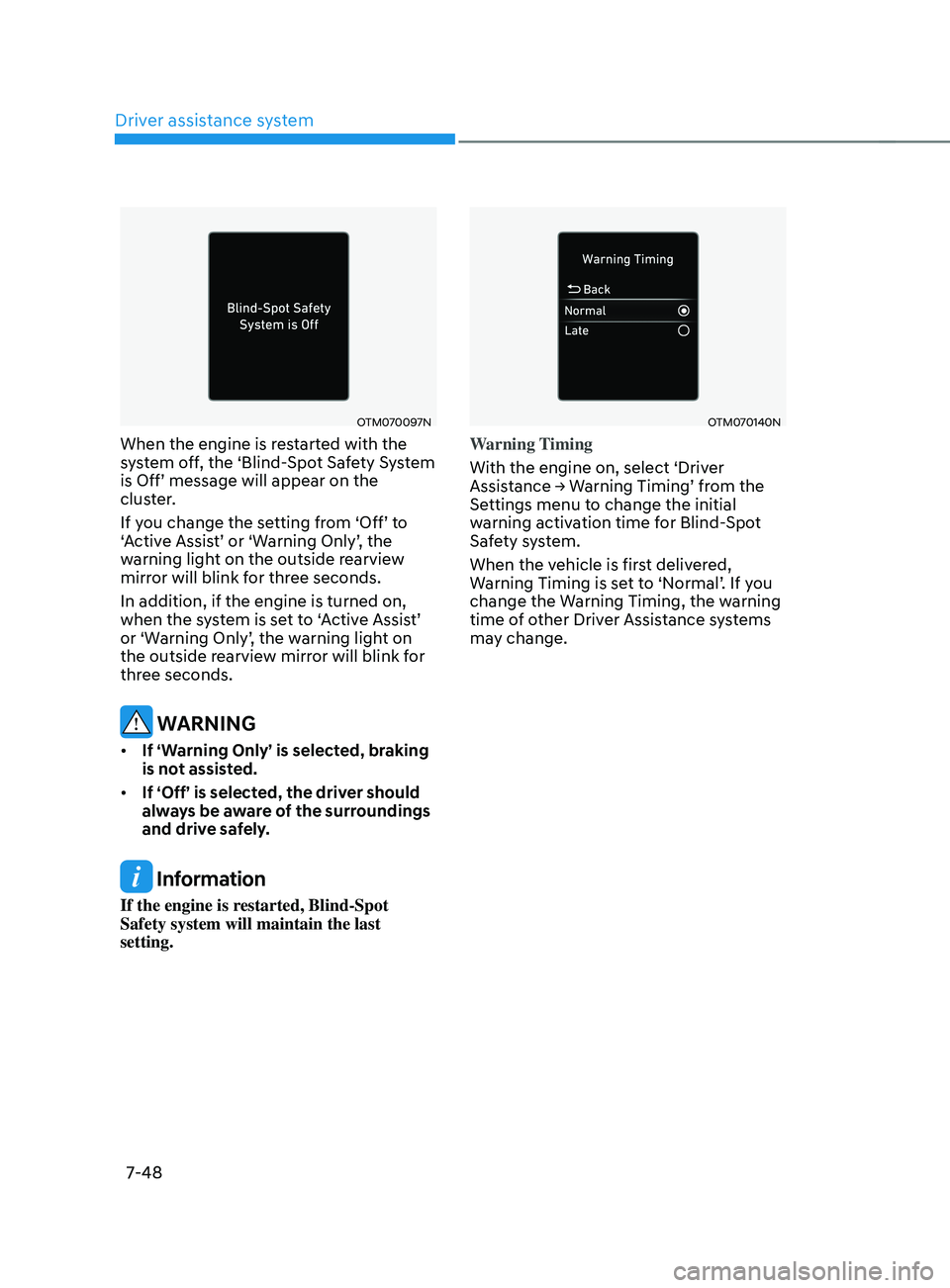
When the engine is restarted with the
system off, the ‘Blind-Spot Safety System
is
Off’ message will appear on the clust
er.
If
y
ou
change the se
tting
fr
om
‘Off’ t
o
‘A
ctive
Assis
t’
or ‘W
arning
Only’
,
the warning ligh
t on the outside rearview
mirror will blink for three seconds.
In addition, if the engine is turned on,
when
the s
ystem
is se
t
t
o
‘
Active
Assis
t’
or ‘W
arning
Only’
,
the w
arning
ligh
t
on the outside rearvie
w mirror will blink for
three seconds.
WARNING
• If ‘Warning Only’ is selected, braking
is not assisted.
• If ‘Off’ is selected, the driver should
always be aware of the surroundings
and drive safely.
Information
If the engine is restarted, Blind-Spot
Safety system will maintain the last
setting.
OTM070140N
Warning Timing
With the engine on, select ‘Driver
Assistance
→ W
arning
Timing’ fr
om
the Settings menu t
o change the initial
warning activation time for Blind-Spot
Safety system.
When the vehicle is first delivered,
Warning
Timing is se
t
t
o
‘N
ormal’.
If y
ou
change the Warning Timing, the w
arning
time of other Driver Assistance systems
may change.
Page 362 of 570
07
7-49
OTM070141N
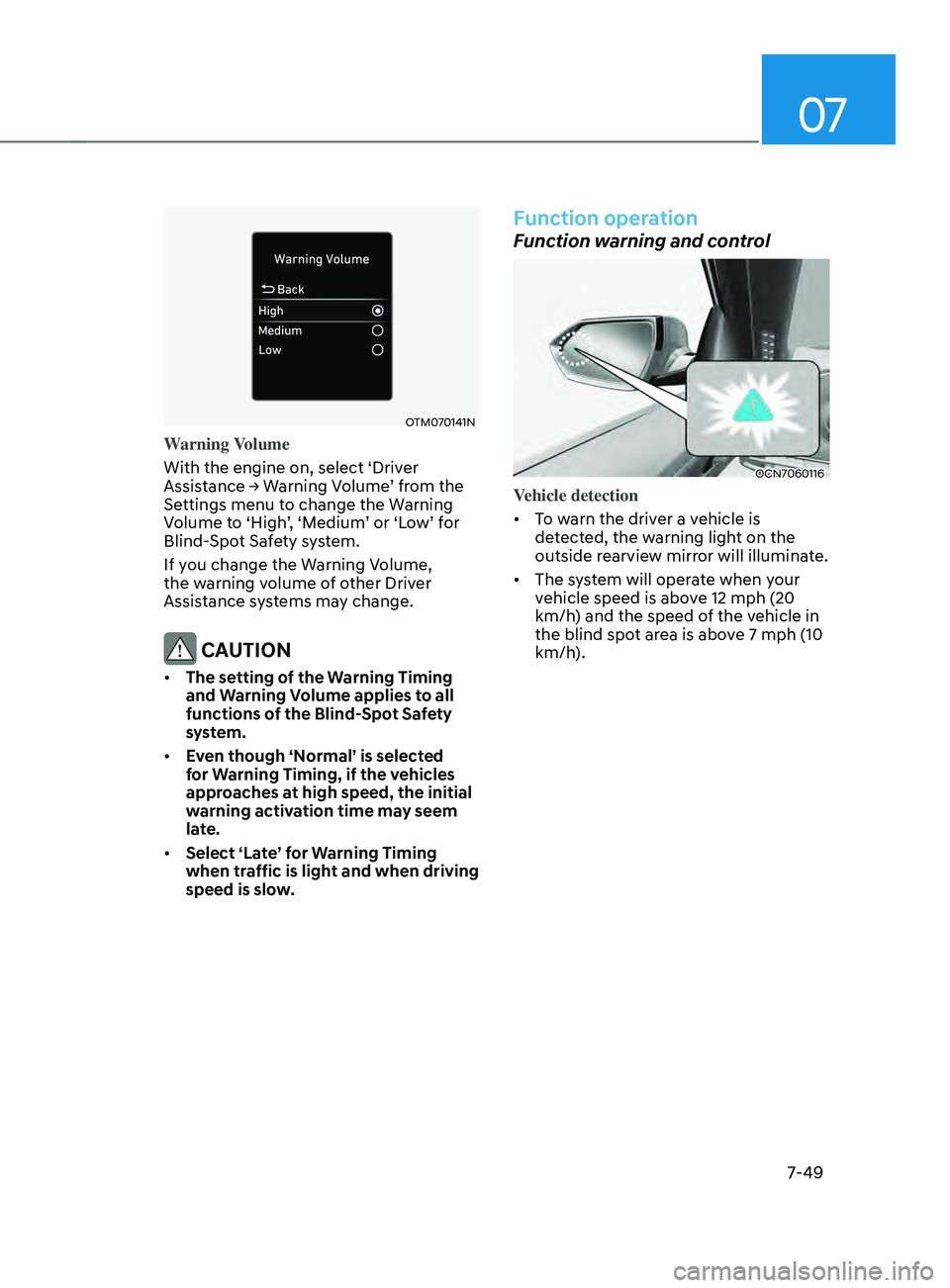
Warning Volume
With the engine on, select ‘Driver
Assistance
→ W
arning
V
olume’
fr
om
the Settings menu t
o change the Warning
Volume
t
o
‘High
’,
‘M
edium’
or ‘L
ow’
f
or
Blind-Spo
t Safety system.
If you change the Warning Volume,
the warning volume of other Driver
Assistance systems may change.
CAUTION
• The setting of the Warning Timing
and Warning Volume applies to all
functions of the Blind-Spot Safety
system.
• Even though ‘Normal’ is selected
for Warning Timing, if the vehicles
approaches at high speed, the initial
warning activation time may seem
late.
• Select ‘Late’ for Warning Timing
when traffic is light and when driving
speed is slow.
Function operation
Function warning and control
OCN7060116
Vehicle detection
• To warn the driver a vehicle is
detected, the warning light on the
outside rearview mirror will illuminate.
• The system will operate when your
vehicle speed is above 12 mph (20
km/h) and the speed of the vehicle in
the blind spot area is above 7 mph (10
km/h).
Page 364 of 570
07
7-51
WARNING
• Collision-Avoidance Assist will
be canceled under the following
circumstances:
-Your v
ehicle enters the next lane
by a certain distance
- Your v
ehicle is away from the
collision risk
- The st
eering wheel is sharply
steered
- The brak
e pedal is depressed
-Forw
ard Collision-Avoidance Assist
is operating
• After function operation or lane
change, you must drive to the center
of the lane. The function will not
operate if the vehicle is not driven in
the center of the lane.
OCN7060043N
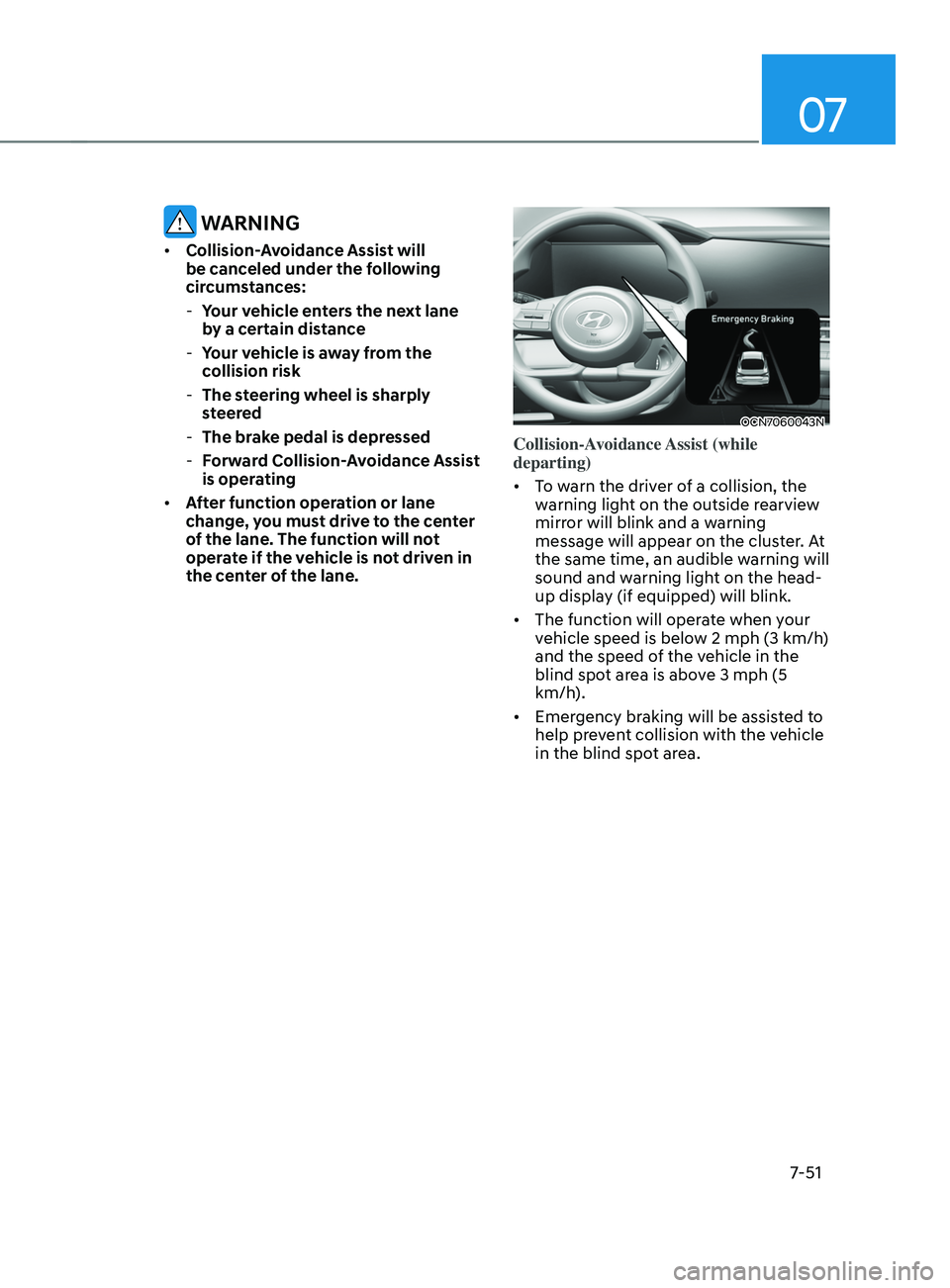
Collision-Avoidance Assist (while
departing)
• To warn the driver of a collision, the
warning light on the outside rearview
mirror will blink and a warning
message will appear on the cluster. At
the same time, an audible warning will
sound and warning light on the head-
up display (if equipped) will blink.
• The function will operate when your
vehicle speed is below 2
mph (3 km/h
)
and the speed of the vehicle in the
blind spot area is above 3
mph (5
km/h
).
• Emergency braking will be assisted to
help prevent collision with the vehicle
in the blind spot area.
Page 368 of 570
07
7-55
• The speed of the other vehicle is very
fast that it passes by your vehicle in a
short time
• Your vehicle passes by the other
vehicle
• Your vehicle changes lane
• Your vehicle has started at the same
time as the vehicle next to you and
has accelerated
• The vehicle in the next lane moves
two lanes away from you, or when the
vehicle two lanes away moves to the
next lane from you
• A trailer or carrier is installed around
the rear corner radar
• The bumper around the rear corner
radar is covered with objects, such as
a bumper sticker, bumper guard, bike
rack, etc.
• The bumper around the rear corner
radar is impacted, damaged or the
radar is out of position
• Your vehicle height is low or high
due to heavy loads, abnormal tire
pressure, etc.
Blind-Spot Safety system may not
operate normally, or the system may
operate unexpectedly when the
following objects are detected:
• A motorcycle or bicycle is detected
• A vehicle such as a flat trailer is
detected
• A big vehicle such as a bus or truck is
detected
• A moving obstacle such as a
pedestrian, animal, shopping cart or a
baby stroller is detected
• A vehicle with low height such as a
sports car is detected Braking con
trol ma y no t w ork, driv er’s att
ention is required in the following
circumstances:
• The vehicle severely vibrates while
driving over a bumpy road, uneven
road or concrete patch
• Driving on a slippery surface due to
snow, water puddle, ice, etc.
• The tire pressure is low or a tire is
damaged
• The brake is reworked
• The vehicle makes abrupt lane
changes
For more details on the limitations
of the front view camera, refer to
“Forward Collision-Avoidance Assist
(FCA)” and “Lane Keeping Assist (LKA)”
section in chapter 7.
Page 372 of 570
07
7-59
Function settings
Setting
OCN7070042L
Safe Exit Assist
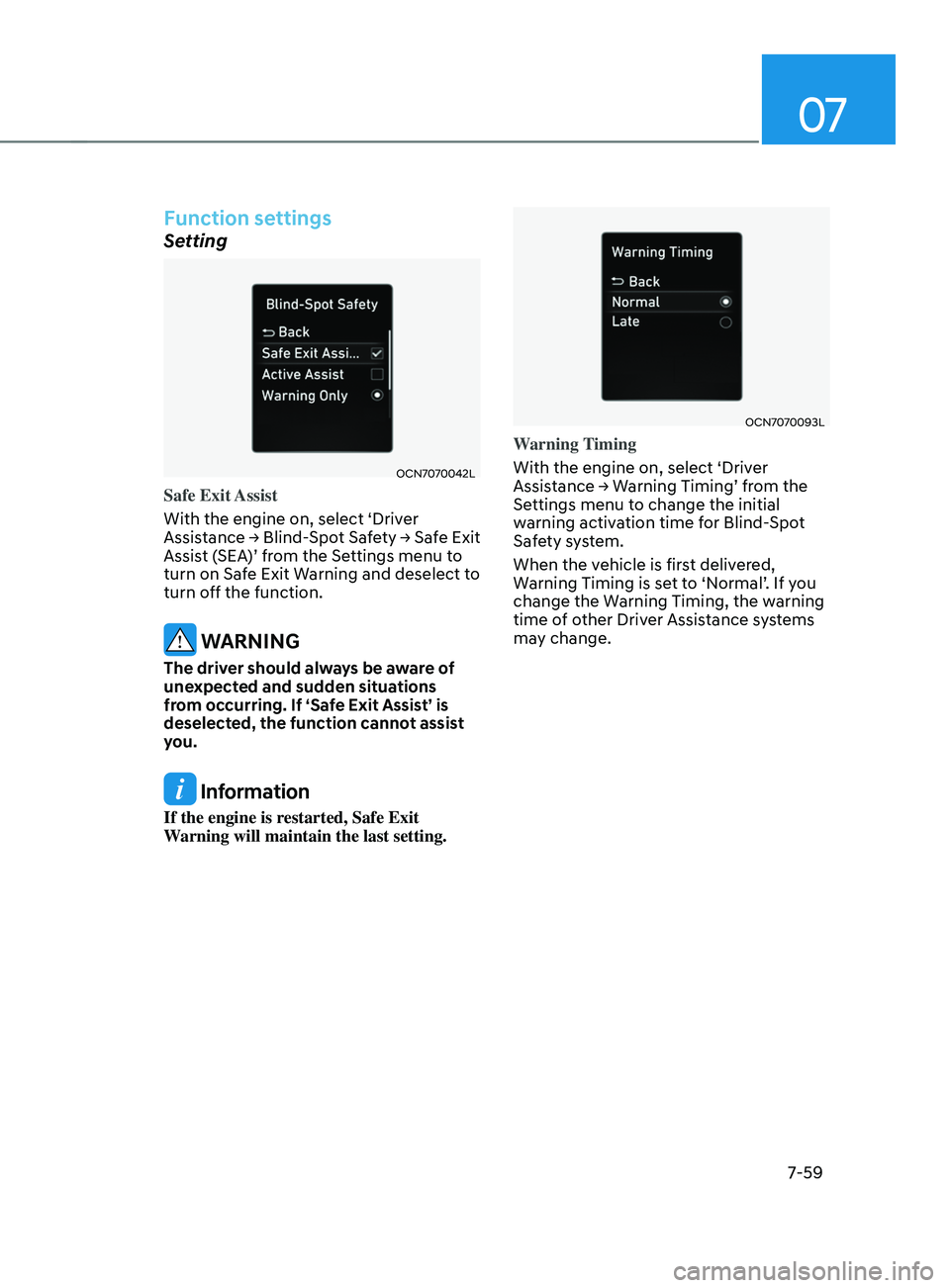
With the engine on, select ‘Driver
Assistance
→ Blind-Spo
t
Saf
ety
→ Saf
e
Exit Assist (
SEA)’
fr
om
the Se
ttings
menu t
o
turn on Saf
e Exit Warning and deselect to
turn off the function.
WARNING
The driver should always be aware of
unexpected and sudden situations
from occurring. If ‘Safe Exit Assist’ is
deselected, the function cannot assist
you.
Information
If the engine is restarted, Safe Exit
Warning will maintain the last setting.
OCN7070093L
Warning Timing
With the engine on, select ‘Driver
Assistance
→ W
arning
Timing’ fr
om
the Settings menu t
o change the initial
warning activation time for Blind-Spot
Safety system.
When the vehicle is first delivered,
Warning
Timing is se
t
t
o
‘N
ormal’.
If y
ou
change the Warning Timing, the w
arning
time of other Driver Assistance systems
may change.
Page 373 of 570
Driver assistance system
7-60
OCN7070027L
Warning Volume
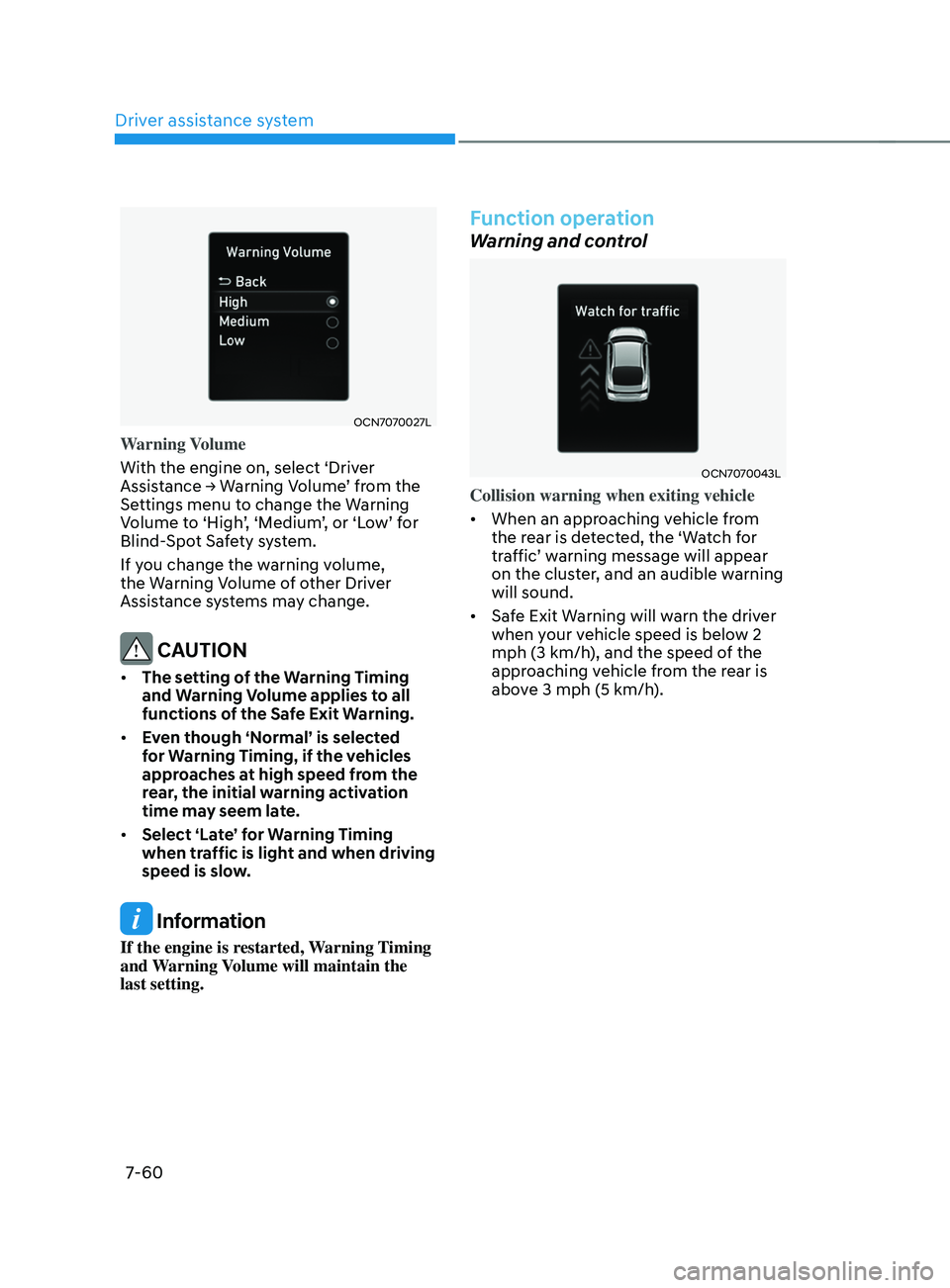
With the engine on, select ‘Driver
Assistance
→ W
arning
V
olume’
fr
om
the Settings menu t
o change the Warning
Volume
t
o
‘High
’,
‘M
edium’,
or ‘L
ow’
f
or
Blind-Spo
t Safety system.
If you change the warning volume,
the Warning Volume of other Driver
Assistance systems may change.
CAUTION
• The setting of the Warning Timing
and Warning Volume applies to all
functions of the Safe Exit Warning.
• Even though ‘Normal’ is selected
for Warning Timing, if the vehicles
approaches at high speed from the
rear, the initial warning activation
time may seem late.
• Select ‘Late’ for Warning Timing
when traffic is light and when driving
speed is slow.
Information
If the engine is restarted, Warning Timing
and Warning Volume will maintain the
last setting.
Function operation
Warning and control
OCN7070043L
Collision warning when exiting vehicle
• When an approaching vehicle from
the rear is detected, the ‘Watch for
traffic’
w
arning
message will appear on the clust
er, and an audible warning
will sound.
• Safe Exit Warning will warn the driver
when your vehicle speed is below 2
mph (3 km/h), and the speed of the
approaching vehicle from the rear is
above 3 mph (5 km/h).
Page 381 of 570
Driver assistance system
7-68
OCN7070105N
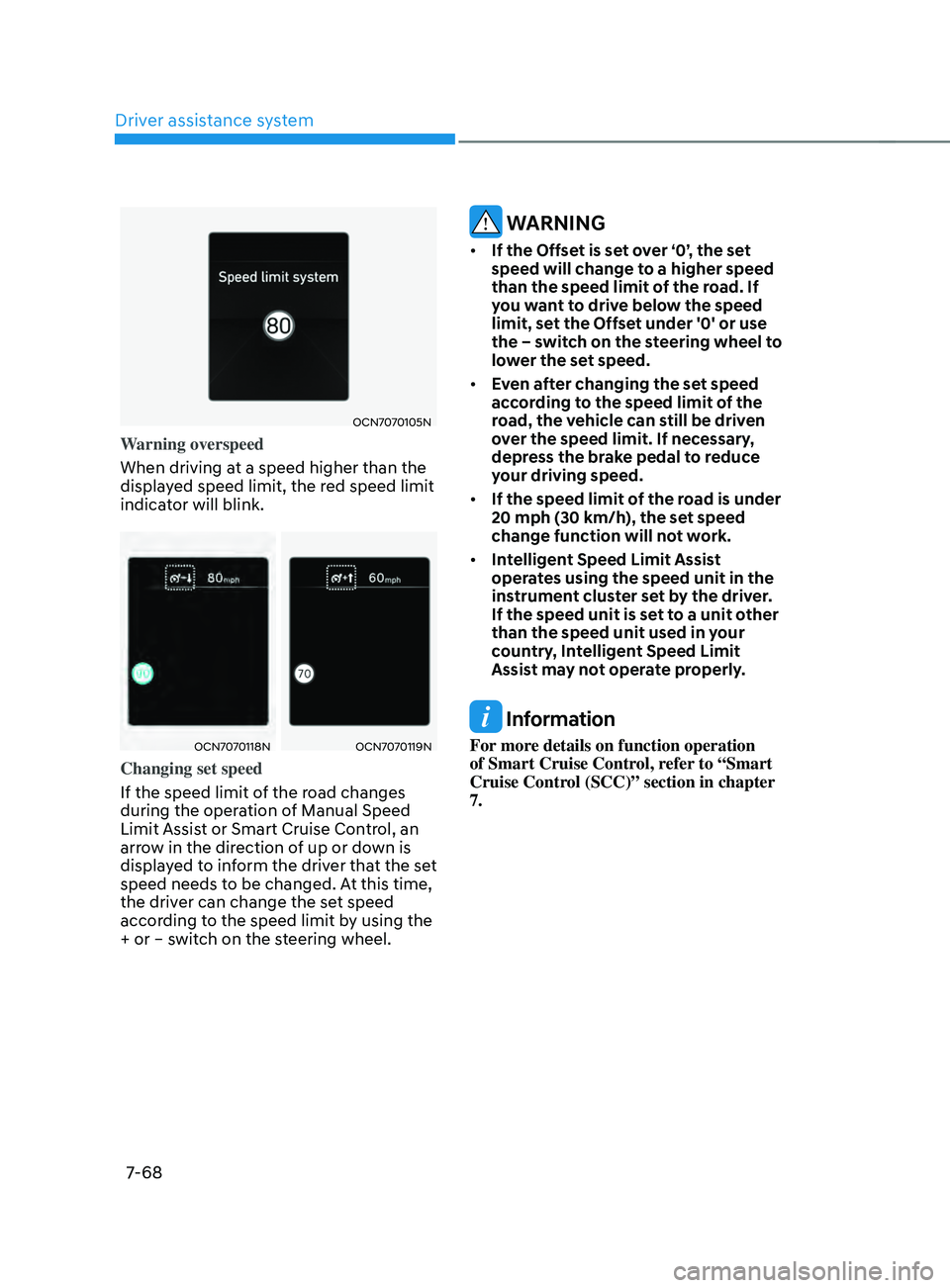
Warning overspeed
When driving at a speed higher than the
displayed speed limit, the red speed limit
indicator will blink.
OCN7070118NOCN7070119N
Changing set speed
If the speed limit of the road changes
during the operation of Manual Speed
Limit Assist or Smart Cruise Control, an
arrow in the direction of up or down is
displayed to inform the driver that the set
speed needs to be changed. At this time,
the driver can change the set speed
according to the speed limit by using the
+ or – switch on the steering wheel.
WARNING
• If the Offset is set over ‘0’, the set
speed will change to a higher speed
than the speed limit of the road. If
you want to drive below the speed
limit, set the Offset under '0' or use
the – switch on the steering wheel to
lower the set speed.
• Even after changing the set speed
according to the speed limit of the
road, the vehicle can still be driven
over the speed limit. If necessary,
depress the brake pedal to reduce
your driving speed.
• If the speed limit of the road is under
20 mph (30 km/h), the set speed
change function will not work.
• Intelligent Speed Limit Assist
operates using the speed unit in the
instrument cluster set by the driver.
If the speed unit is set to a unit other
than the speed unit used in your
country, Intelligent Speed Limit
Assist may not operate properly.
Information
For more details on function operation
of Smart Cruise Control, refer to “Smart
Cruise Control (SCC)” section in chapter
7.
Page 385 of 570
Driver assistance system
7-7 2
OTM070140N
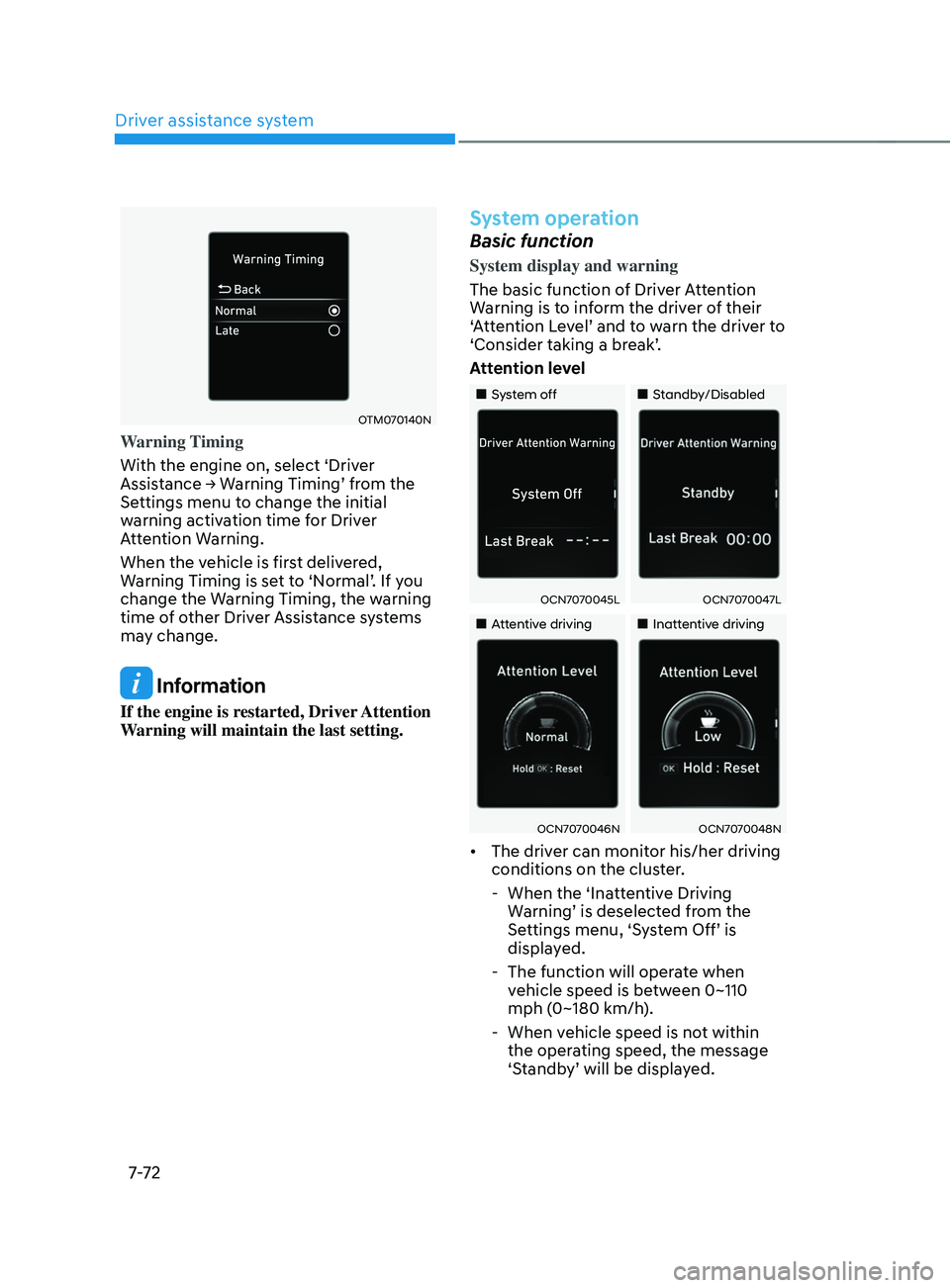
Warning Timing
With the engine on, select ‘Driver
Assistance
→ W
arning
Timing’ fr
om
the Settings menu t
o change the initial
warning activation time for Driver
Attention Warning.
When the vehicle is first delivered,
Warning
Timing is se
t
t
o
‘N
ormal’.
If y
ou
change the Warning Timing, the w
arning
time of other Driver Assistance systems
may change.
Information
If the engine is restarted, Driver Attention
Warning will maintain the last setting.
System operation
Basic function
System display and warning
The basic function of Driver Attention
Warning is to inform the driver of their
‘Attention
L
evel’
and t
o
w
arn
the driv
er
t
o
‘Consider taking a br
eak’.
Attention level
„„System off „„Standby/Disabled
OCN7070045LOCN7070047L
„„Attentive driving„„Inattentive driving
OCN7070046NOCN7070048N
• The driver can monitor his/her driving
conditions on the cluster.
- When the ‘Inatt
entive Driving
Warning’
is deselect
ed
fr
om
the Settings menu, ‘S
ystem
Off’ is display
ed.
- The function will opera
te when
vehicle speed is between 0~110
mph (0~180 km/h).
- When vehicle speed is no
t within
the operating speed, the message
‘Standby’
will be displa
yed.
Page 386 of 570
07
7-7 3
• The driver’s attention lev el is display ed on the scale of 1 t
o 5. The lower the
level is, the more inattentive the driver
is.
• The level decreases when the driver
does not take a break for a certain
period of time.
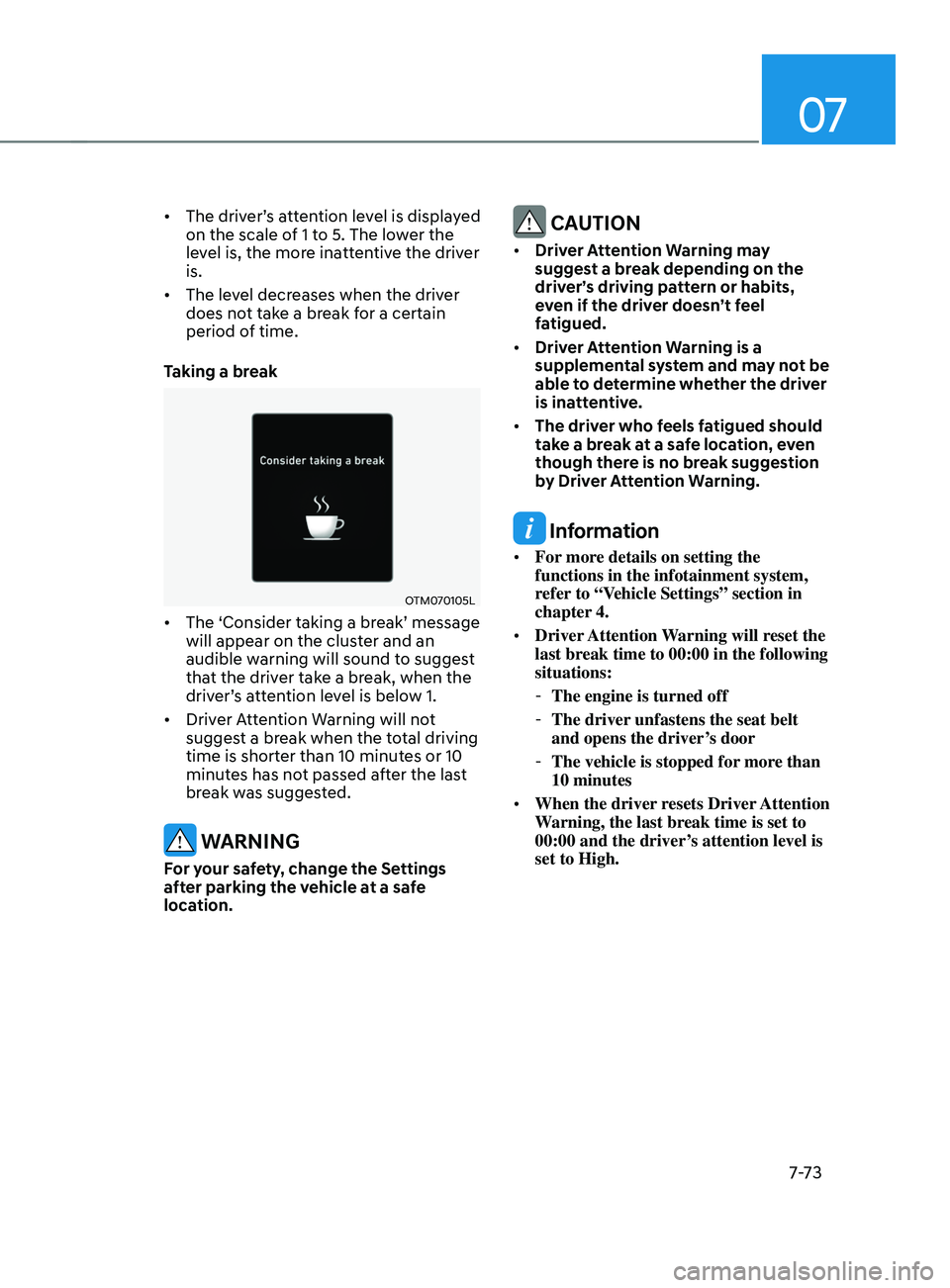
Taking a break
OTM070105L
• The ‘Consider taking a br eak’ message will appear on the clust
er and an
audible warning will sound to suggest
that the driver take a break, when the
driver’s
a
ttention
le
vel
is belo
w
1.
• Driver A
ttention Warning will not
suggest a break when the total driving
time is shorter than 10 minutes or 10
minutes has not passed after the last
break was suggested.
WARNING
For your safety, change the Settings
after parking the vehicle at a safe
location.
CAUTION
• Driver Attention Warning may
suggest a break depending on the
driver’s driving pattern or habits,
even if the driver doesn’t feel
fatigued.
• Driver Attention Warning is a
supplemental system and may not be
able to determine whether the driver
is inattentive.
• The driver who feels fatigued should
take a break at a safe location, even
though there is no break suggestion
by Driver Attention Warning.
Information
• For more details on setting the
functions in the infotainment system,
refer to “Vehicle Settings” section in
chapter 4.
• Driver Attention Warning will reset the
last break time to 00:00 in the following
situations:
-The engine is turned off
-The driver unfastens the seat belt
and opens the driver
’s door
-The vehicle is stopped for mor
e than
10 minutes
• When the driver resets Driver Attention
Warning, the last break time is set to
00:00 and the driver’s attention level is
set to High.