engine HYUNDAI ELANTRA 2021 Repair Manual
[x] Cancel search | Manufacturer: HYUNDAI, Model Year: 2021, Model line: ELANTRA, Model: HYUNDAI ELANTRA 2021Pages: 570, PDF Size: 52.21 MB
Page 172 of 570
Convenient Features
5-36
Rear Occupant Alert (ROA)
System
This function helps prevent the driver
from leaving a passenger in the rear
seats.
If your vehicle is equipped with
additional navigation, please refer
to the infotainment system manual
separately supplied.
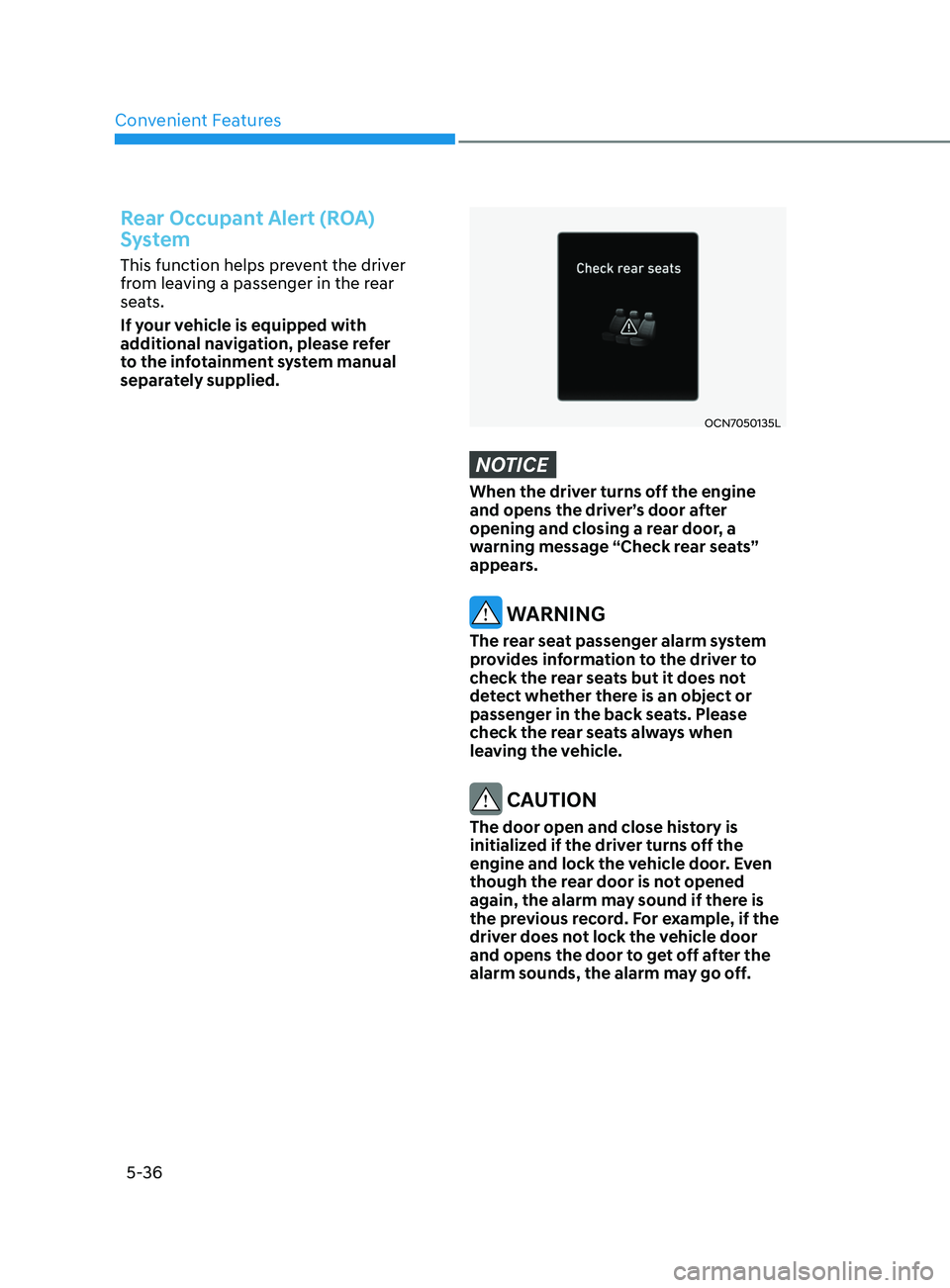
OCN7050135L
NOTICE
When the driver turns off the engine
and opens the driver’s door after
opening and closing a rear door, a
warning message “Check rear seats”
appears.
WARNING
The rear seat passenger alarm system
provides information to the driver to
check the rear seats but it does not
detect whether there is an object or
passenger in the back seats. Please
check the rear seats always when
leaving the vehicle.
CAUTION
The door open and close history is
initialized if the driver turns off the
engine and lock the vehicle door. Even
though the rear door is not opened
again, the alarm may sound if there is
the previous record. For example, if the
driver does not lock the vehicle door
and opens the door to get off after the
alarm sounds, the alarm may go off.
Page 173 of 570
05
5-37
ThefT-AlArm SySTem
This system helps to protect your vehicle
and valuables. The horn will sound and
the hazard warning lights will blink
continuously if any of the following
occur:
- A door is opened without using the remo
te key or smart key.
- The trunk is opened without using the remo
te key or smart key.
- The engine hood is opened.
The alarm continues f
or 30 seconds, then
the system resets. To turn off the alarm,
unlock the doors with the remote key or
smart key.
The Theft Alarm System automatically
sets 30 seconds after you lock the doors
and the trunk. For the system to activate,
you must lock the doors and the trunk
from outside the vehicle with the remote
key or smart key or by pressing the
button on the outside of the door handle
with the smart key in your possession.
The hazard warning lights will blink and
the chime will sound once to indicate the
system is armed.
Once the security system is set, opening
any door, the trunk, or the hood without
using the remote key or smart key will
cause the alarm to activate.
The Theft Alarm System will not set if the
hood, the trunk, or any door is not fully
closed. If the system will not set, check
the hood, the trunk, or the doors are fully
closed.
Do not attempt to alter this system or
add other devices to it. Information
• Do not lock the doors until all
passengers have left the vehicle. If the
remaining passenger leaves the vehicle
when the system is armed, the alarm
will be activated.
• If the vehicle is not disarmed with the
remote key or smart key, open the
doors by using the mechanical key and
place the ignition switch in the ON
position (for remote key) or start the
engine (for smart key) and wait for 30
seconds.
• When the system is disarmed but a
door or trunk is not opened within 30
seconds, the system will be rearmed.
Page 179 of 570
05
5-43
WARNING
Before programming HomeLink® to a
garage door opener or gate operator,
make sure people and objects are out
of the way of the device to prevent
potential harm or damage. Do not
use the HomeLink® with any garage
door opener that lacks the safety
stop and reverse features required
by U.S. federal safety standards (this
includes any garage door opener model
manufactured before April 1, 1982).
A garage door that cannot detect an
object - signaling the door to stop and
reverse - does not meet current U.S.
federal safety standards. Using a garage
door opener without these features
increases the risk of serious injury or
death.
Programming HomeLink
®
Please note the following:
• When
pr
ogramming
a gar
age
door opener, it is advised t
o park the
vehicle outside of the garage.
• It
is r
ecommended
tha
t
a ne
w
ba
ttery
be placed in the hand-held transmitt
er
of the device being programmed to
HomeLink® for quicker training and
accurate transmission of the radio-
frequency signal.
• Some
v
ehicles
ma
y
r
equire
the Engine S
tart/Stop button to be in the
ACC (or “Accessories”) position for
programming and/or operation of
HomeLink®.
• In
the e
vent
tha
t
ther
e
ar
e
s
till
progr
amming difficulties or questions
after following the programming steps
listed below, contact HomeLink® at:
www.homelink.com, www.youtube.
com/HomeLinkGentex or by calling
1-800-355-3515. Programming
To program most devices, follow these
instructions:
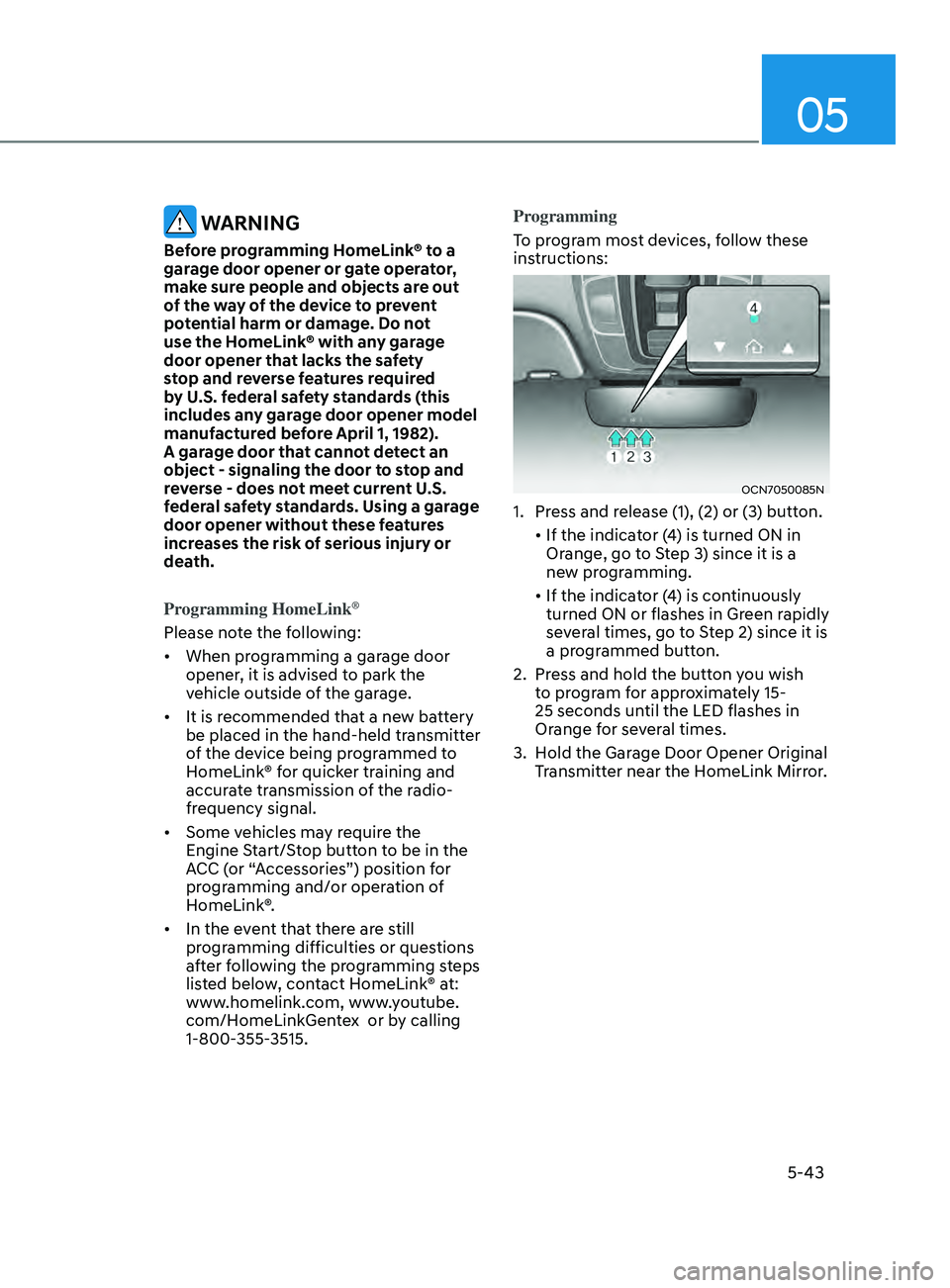
OCN7050085N
1. Press and release (1), (2) or (3) button.
•
If the indica
tor
(
4)
is turned ON in Orange, go t
o Step 3) since it is a
new programming.
•
If the indica
tor
(
4)
is con
tinuously
turned ON or flashes in Green r
apidly
several times, go to Step 2) since it is
a programmed button.
2.
Press and hold the butt
on you wish
to program for approximately 15-
25 seconds until the LED flashes in
Orange for several times.
3.
Hold the Gar
age Door Opener Original
Transmitter near the HomeLink Mirror.
Page 190 of 570
Convenient Features
5-54
NOTICE
Do not install any accessories on the
windows. The automatic reverse
feature may not operate.
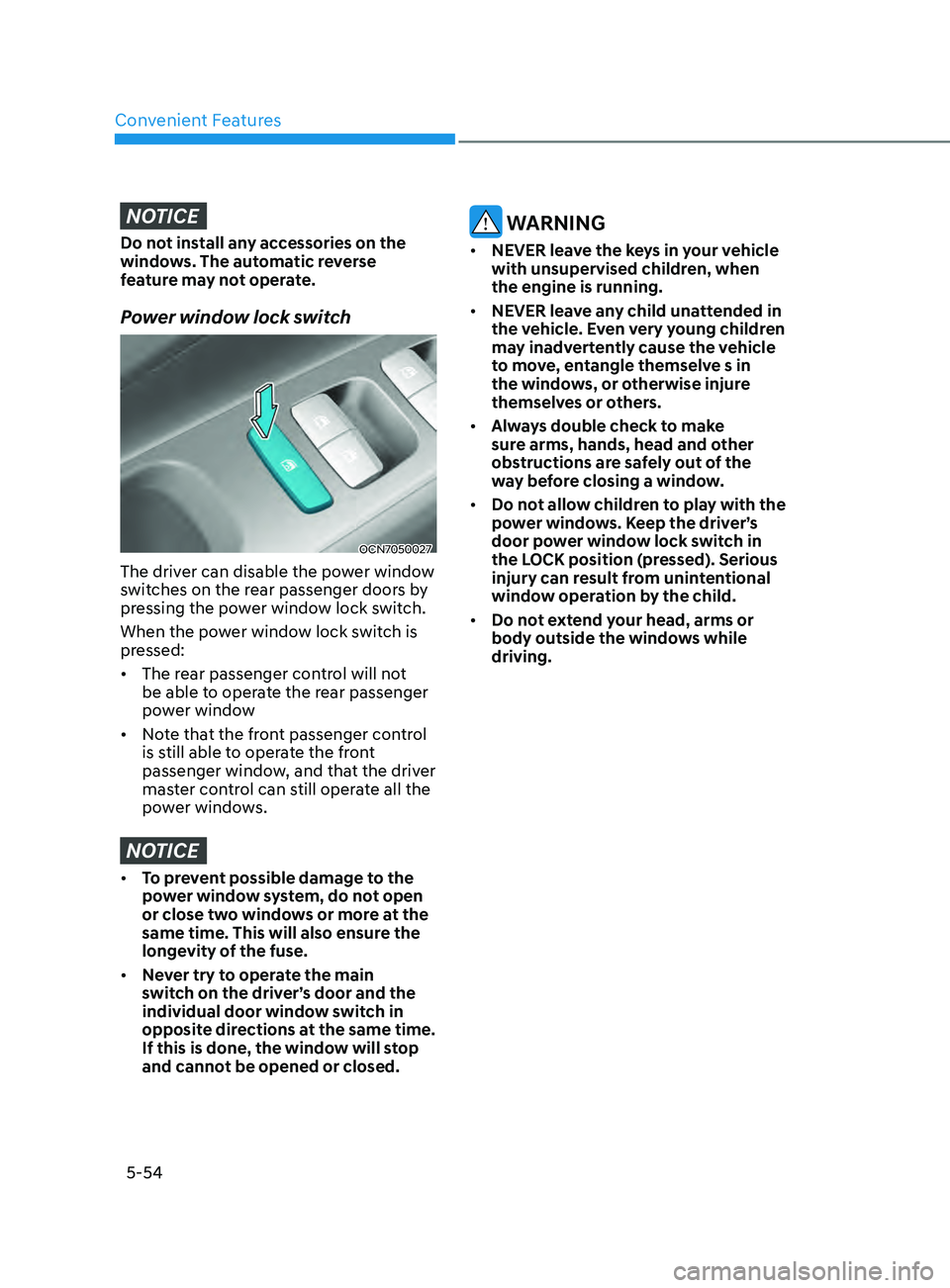
Power window lock switch
OCN7050027
The driver can disable the power window
switches on the rear passenger doors by
pressing the power window lock switch.
When the power window lock switch is
pressed:
• The rear passenger control will not
be able to operate the rear passenger
power window
• Note that the front passenger control
is still able to operate the front
passenger window, and that the driver
master control can still operate all the
power windows.
NOTICE
• To prevent possible damage to the
power window system, do not open
or close two windows or more at the
same time. This will also ensure the
longevity of the fuse.
• Never try to operate the main
switch on the driver’s door and the
individual door window switch in
opposite directions at the same time.
If this is done, the window will stop
and cannot be opened or closed.
WARNING
• NEVER leave the keys in your vehicle
with unsupervised children, when
the engine is running.
• NEVER leave any child unattended in
the vehicle. Even very young children
may inadvertently cause the vehicle
to move, entangle themselve s in
the windows, or otherwise injure
themselves or others.
• Always double check to make
sure arms, hands, head and other
obstructions are safely out of the
way before closing a window.
• Do not allow children to play with the
power windows. Keep the driver’s
door power window lock switch in
the LOCK position (pressed). Serious
injury can result from unintentional
window operation by the child.
• Do not extend your head, arms or
body outside the windows while
driving.
Page 191 of 570
05
5-55
Sunroof (if equipped)
OCN7050028
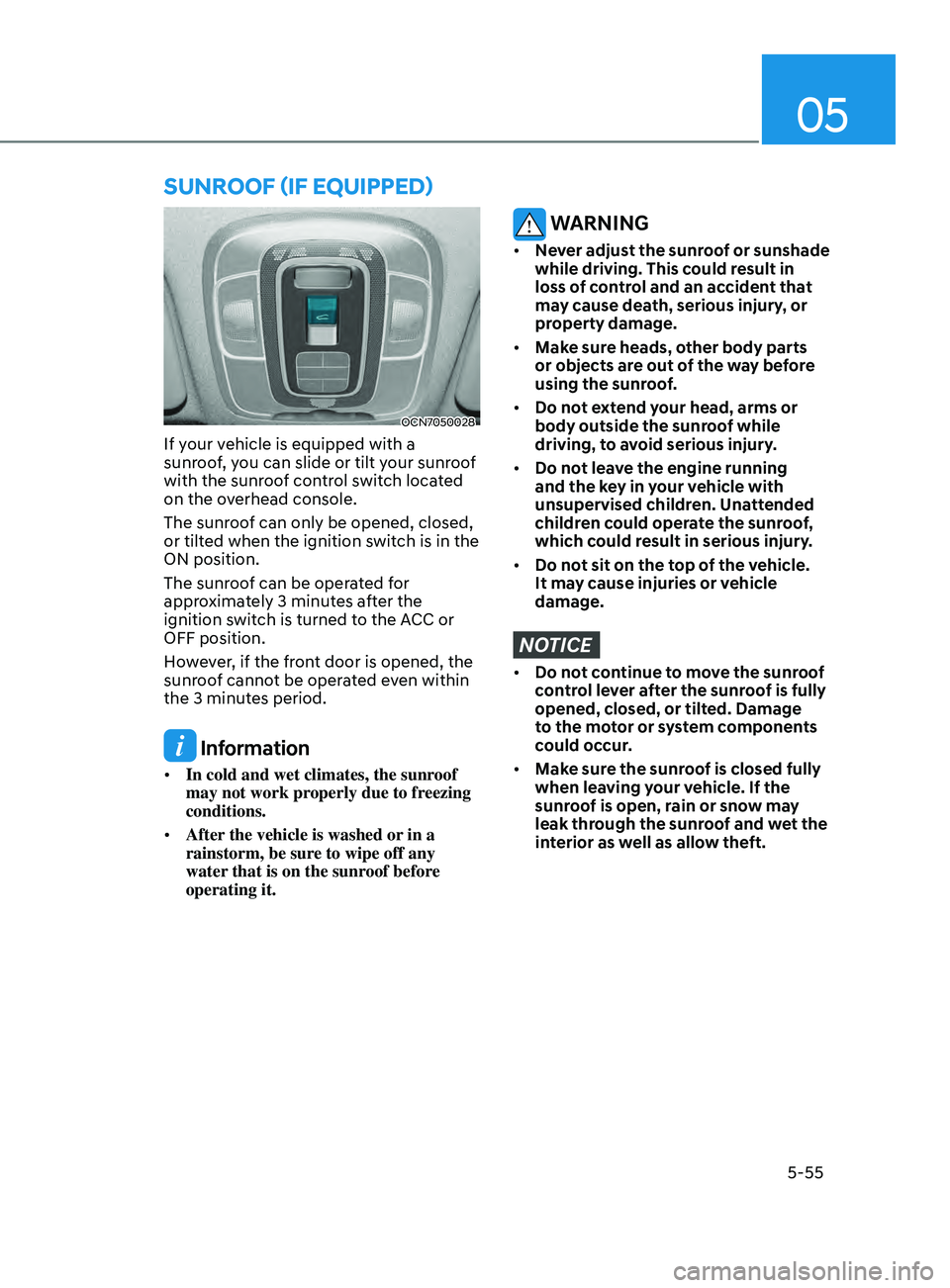
If your vehicle is equipped with a
sunroof, you can slide or tilt your sunroof
with the sunroof control switch located
on the overhead console.
The sunroof can only be opened, closed,
or tilted when the ignition switch is in the
ON position.
The sunroof can be operated for
approximately 3 minutes after the
ignition switch is turned to the ACC or
OFF position.
However, if the front door is opened, the
sunroof cannot be operated even within
the 3 minutes period.
Information
• In cold and wet climates, the sunroof
may not work properly due to freezing
conditions.
• After the vehicle is washed or in a
rainstorm, be sure to wipe off any
water that is on the sunroof before
operating it.
WARNING
• Never adjust the sunroof or sunshade
while driving. This could result in
loss of control and an accident that
may cause death, serious injury, or
property damage.
• Make sure heads, other body parts
or objects are out of the way before
using the sunroof.
• Do not extend your head, arms or
body outside the sunroof while
driving, to avoid serious injury.
• Do not leave the engine running
and the key in your vehicle with
unsupervised children. Unattended
children could operate the sunroof,
which could result in serious injury.
• Do not sit on the top of the vehicle.
It may cause injuries or vehicle
damage.
NOTICE
• Do not continue to move the sunroof
control lever after the sunroof is fully
opened, closed, or tilted. Damage
to the motor or system components
could occur.
• Make sure the sunroof is closed fully
when leaving your vehicle. If the
sunroof is open, rain or snow may
leak through the sunroof and wet the
interior as well as allow theft.
Page 194 of 570
Convenient Features
5-58
Resetting the sunroof
The sunroof may need to be reset if the
following conditions occur:
- The batt
ery is discharged or
disconnected or the sunroof fuse has
been replaced or disconnected.
- The sunroo
f control lever is not
operating correctly.
1.
Turn the ignition s
witch to the ON
position or start the engine. We
recommend resetting the sunroof
while the engine is running.
2.
Close the sunroo
f completely if
opened.
3.
Release the sunr
oof control lever.
4.
Mo
ve the sunroof control lever
forward in the direction of close
until the sunroof moves tilt up. Then,
release the lever.
5.
Mo
ve the sunroof control lever
forward in the direction of close, until
the sunroof operates as follow again:
Tilt
do
wn
→ Slide Open → Slide Close
NOTICE
Do not release the lever until the
operation is completed. If you release
the lever during operation, try again
from step 2.
6.
Release the sunr
oof control lever after
all operation has completed. (The
sunroof system has been reset.)
Information
• If the sunroof does not reset when
the vehicle battery is disconnected or
discharged, or related fuse is blown, the
sunroof may not operate normally.
• For more detailed information, we
recommend that you contact an
authorized HYUNDAI dealer.
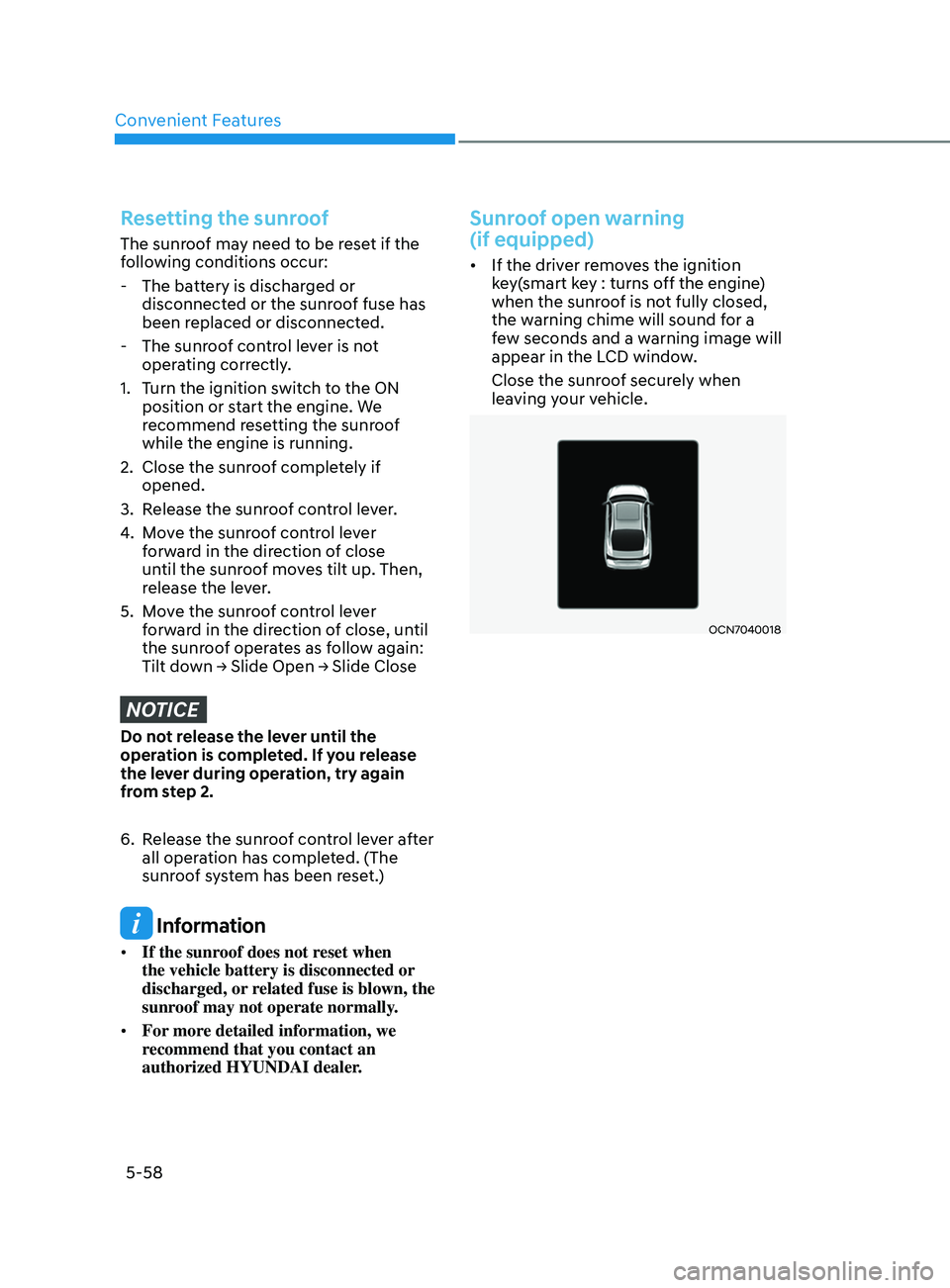
Sunroof open warning
(if equipped)
• If the driver removes the ignition
key(smart key : turns off the engine)
when the sunroof is not fully closed,
the warning chime will sound for a
few seconds and a warning image will
appear in the LCD window.
Close the sunroof securely when
leaving your vehicle.
OCN7040018
Page 195 of 570
05
5-59
hooD
Opening the hood
OCN7050033
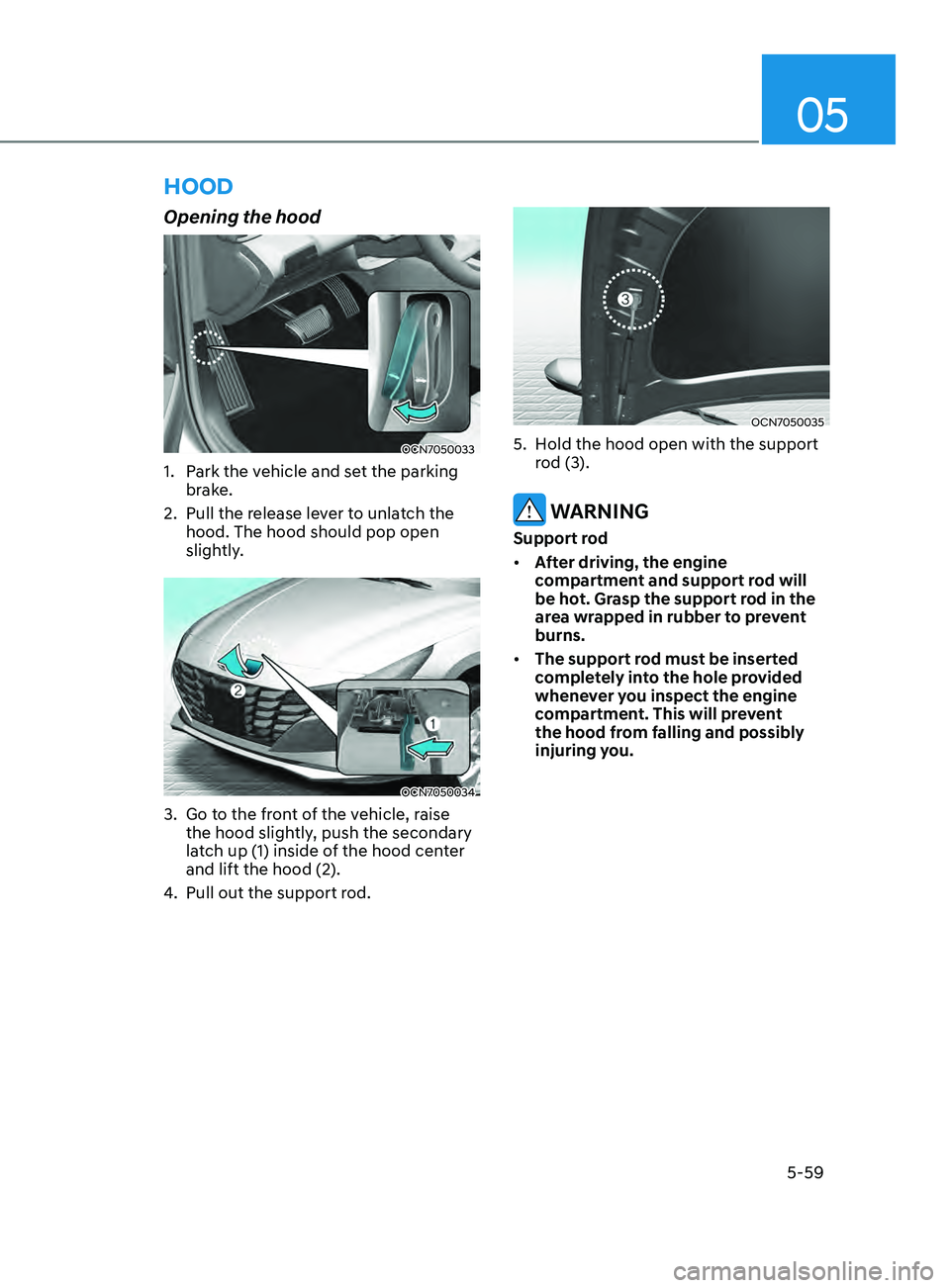
1. Park the vehicle and set the parking
brake.
2.
Pull the release le
ver to unlatch the
hood. The hood should pop open
slightly.
OCN7050034
3. Go to the front of the vehicle, raise
the hood sligh tly, push the secondary
latch up (1) inside of the hood center
and lift the hood (2).
4.
Pull out the support rod.
OCN7050035
5. Hold the hood open with the support
r od (3).
WARNING
Support rod
• After driving, the engine
compartment and support rod will
be hot. Grasp the support rod in the
area wrapped in rubber to prevent
burns.
• The support rod must be inserted
completely into the hole provided
whenever you inspect the engine
compartment. This will prevent
the hood from falling and possibly
injuring you.
Page 196 of 570
Convenient Features
5-60
Closing the hood
1. Before closing the hood, check the
following:
• All filler caps in engine
compartment must be correctly
installed.
• Gloves, rags or any other
combustible material must
be removed from the engine
compartment.
2.
Re
turn the support rod to its clip to
prevent it from rattling.
3.
Lo
wer the hood halfway (lifted
approximately 30
cm fr
om the closed
position) and push down to securely
lock in place. Then double check to be
sure the hood is secure.
If the hood can be raised slightly,
it is not securely locked. Open it
again and close it with more force. WARNING
• Before closing the hood, ensure
all obstructions are removed from
around the hood opening.
• Always double check to be sure that
the hood is firmly latched before
driving away. Check there is no
hood open warning light or message
displayed on the instrument cluster.
Driving with the hood opened may
cause a total loss of visibility, which
might result in an accident.
• Do not move the vehicle with the
hood in the raised position, as vision
is obstructed, which might result in
an accident, and the hood could fall
or be damaged.
Page 202 of 570
Convenient Features5-66
Fuel Filler Door
Opening the fuel filler door
OCN7050042
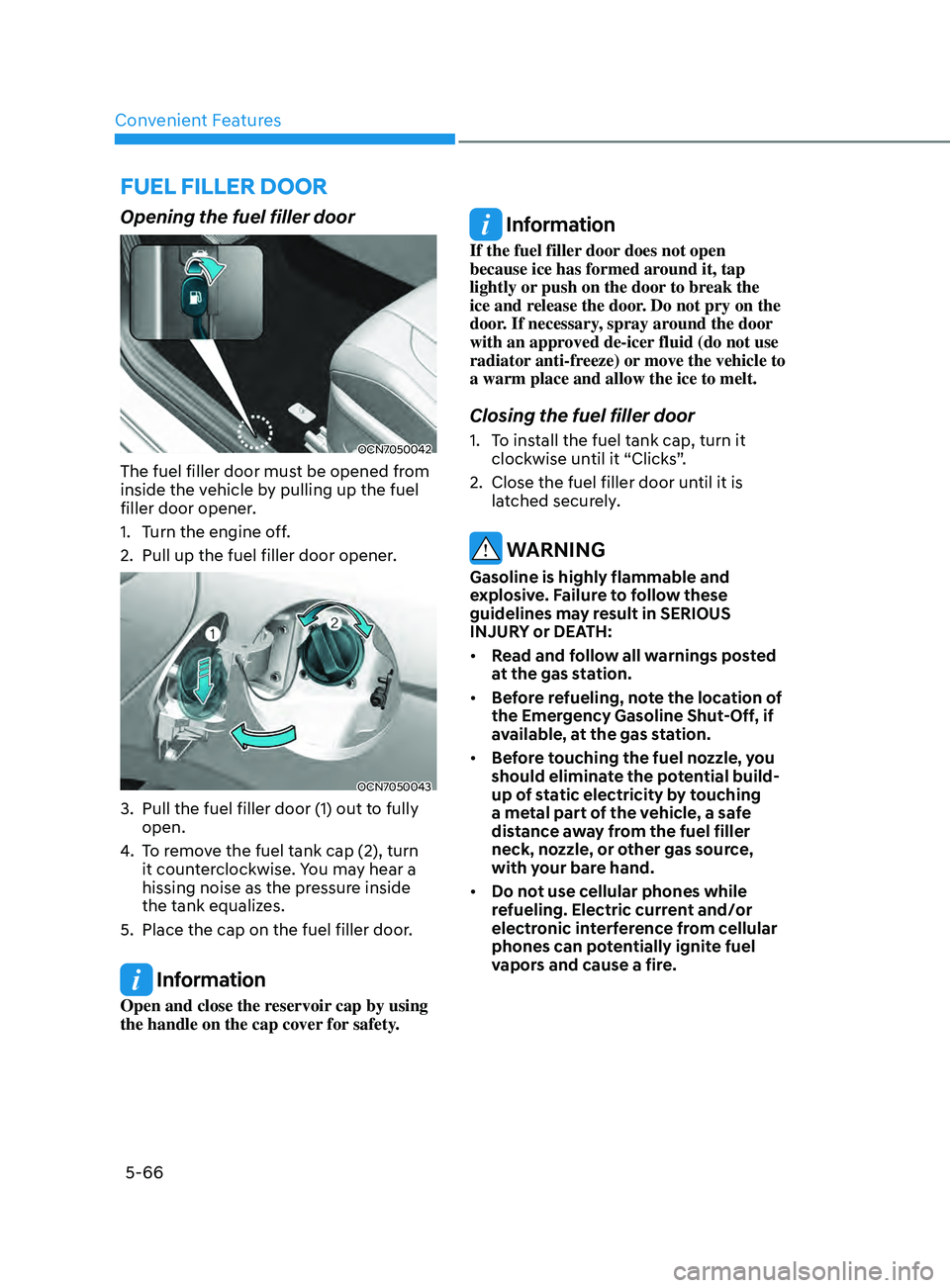
The fuel filler door must be opened from
inside the vehicle by pulling up the fuel
filler door opener.
1.
Turn the engine o
ff.
2.
Pull up the fuel filler door opener.
OCN7050043
3. Pull the fuel filler door (1) out to fully
open.
4.
To r
emove the fuel tank cap (2), turn
it counterclockwise. You may hear a
hissing noise as the pressure inside
the tank equalizes.
5.
Place the cap on the fuel filler door.
Information
Open and close the reservoir cap by using
the handle on the cap cover for safety.
Information
If the fuel filler door does not open
because ice has formed around it, tap
lightly or push on the door to break the
ice and release the door. Do not pry on the
door. If necessary, spray around the door
with an approved de-icer fluid (do not use
radiator anti-freeze) or move the vehicle to
a warm place and allow the ice to melt.
Closing the fuel filler door
1. To install the fuel tank cap, turn it
clockwise un til it “Clicks”.
2.
Close the fuel filler door until it is
la
tched securely.
WARNING
Gasoline is highly flammable and
explosive. Failure to follow these
guidelines may result in SERIOUS
INJURY or DEATH:
• Read and follow all warnings posted
at the gas station.
• Before refueling, note the location of
the Emergency Gasoline Shut-Off, if
available, at the gas station.
• Before touching the fuel nozzle, you
should eliminate the potential build-
up of static electricity by touching
a metal part of the vehicle, a safe
distance away from the fuel filler
neck, nozzle, or other gas source,
with your bare hand.
• Do not use cellular phones while
refueling. Electric current and/or
electronic interference from cellular
phones can potentially ignite fuel
vapors and cause a fire.
Page 203 of 570
05
5-67
• Do not get back into a vehicle
once you have begun refueling.
You can generate a build-up of
static electricity by touching,
rubbing or sliding against any item
or fabric capable of producing
static electricity. Static electricity
discharge can ignite fuel vapors
causing a fire. If you must re-enter
the vehicle, you should once again
eliminate potentially dangerous
static electricity discharge by
touching a metal part of the vehicle,
away from the fuel filler neck, nozzle
or other gasoline source, with your
bare hand.
• When refueling, always move the
shift lever to the P (Park) position,
set the parking brake, and place the
ignition switch to the LOCK/OFF
position.
• Sparks produced by electrical
components related to the engine
can ignite fuel vapors causing a fire.
• When using an approved portable
fuel container, be sure to place the
container on the ground prior to
refueling. Static electricity discharge
from the container can ignite fuel
vapors causing a fire. Once refueling
has begun, contact between your
bare hand and the vehicle should
be maintained until the filling is
complete.
• Use only approved portable plastic
fuel containers designed to carry and
store gasoline.
• Do not use matches or a lighter and
do not smoke or leave a lit cigarette
in your vehicle while at a gas station,
especially during refueling.• Do not over-fill or top-off your
vehicle tank, which can cause
gasoline spillage.
• If a fire breaks out during refueling,
leave the vicinity of the vehicle, and
immediately contact the manager
of the gas station and then contact
the local fire department. Follow any
safety instructions they provide.
• If pressurized fuel sprays out, it can
cover your clothes or skin and thus
subject you to the risk of fire and
burns. Always remove the fuel cap
carefully and slowly. If the cap is
venting fuel or if you hear a hissing
sound, wait until the condition stops
before completely removing the cap.
• Always check that the fuel cap is
installed securely to prevent fuel
spillage in the event of an accident.
Information
Make sure to refuel your vehicle according
to the “Fuel Requirements” suggested in
the Introduction chapter.
NOTICE
• Do not spill fuel on the exterior
surfaces of the vehicle. Any type of
fuel spilled on painted surfaces may
damage the paint.
• If the fuel filler cap requires
replacement, use only a genuine
HYUNDAI cap or the equivalent
specified for your vehicle. An
incorrect fuel filler cap can result
in a serious malfunction of the fuel
system or emission control system.