wheel HYUNDAI ELANTRA 2021 Repair Manual
[x] Cancel search | Manufacturer: HYUNDAI, Model Year: 2021, Model line: ELANTRA, Model: HYUNDAI ELANTRA 2021Pages: 570, PDF Size: 52.21 MB
Page 420 of 570
07
7-107
OCN7070035L
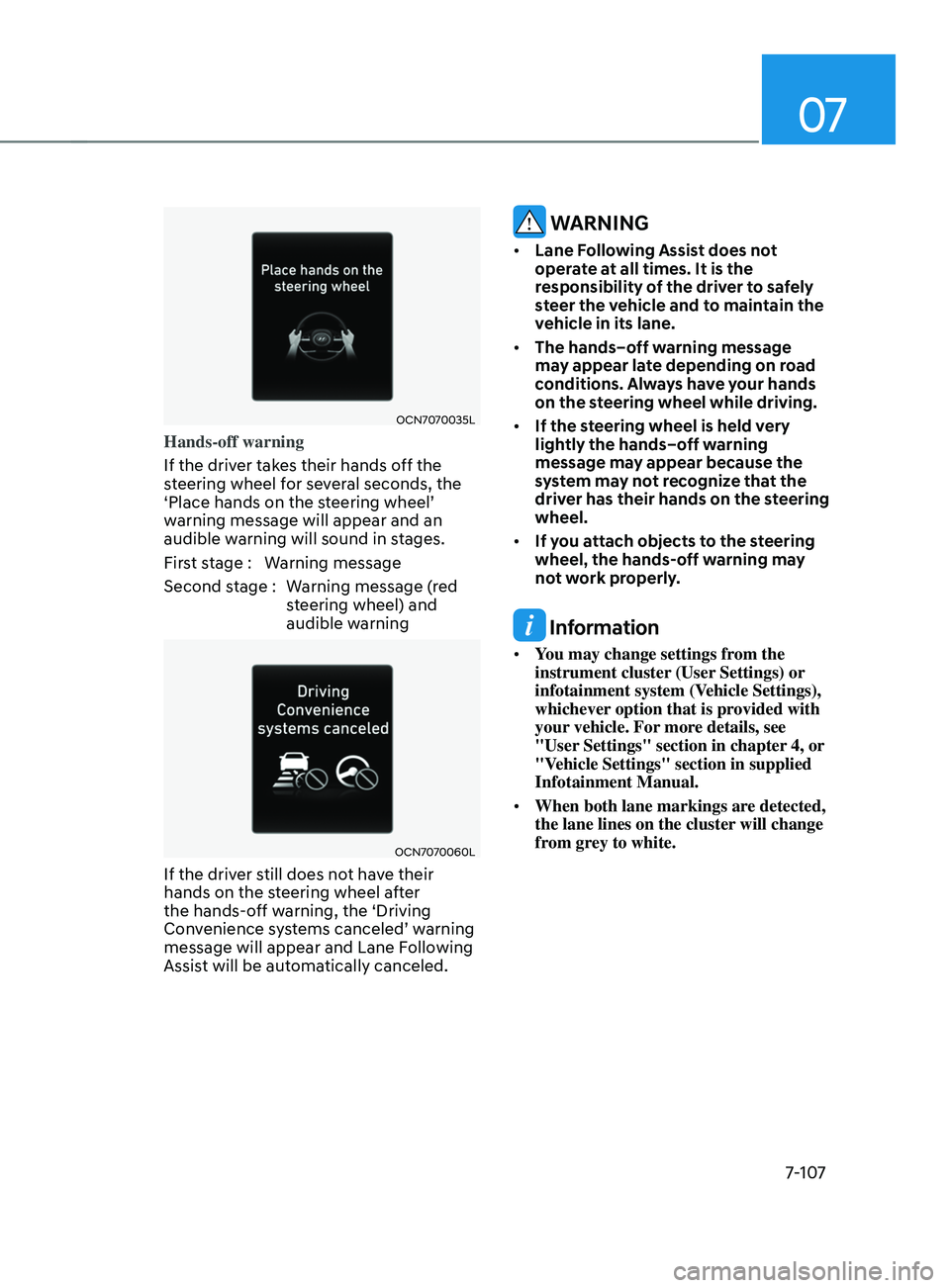
Hands-off warning
If the driver takes their hands off the
steering wheel for several seconds, the
‘Place
hands on the s
teering
wheel’ warning message will appear and an
audible w
arning will sound in stages.
First stage : Warning message
Second stage : Warning message (red steering wheel) and
audible warning
OCN7070060L
If the driver still does not have their
hands on the steering wheel after
the hands-off warning, the ‘Driving
Convenience
s
ystems
canceled’ w
arning
message will appear and Lane Follo
wing
Assist will be automatically canceled.
WARNING
• Lane Following Assist does not
operate at all times. It is the
responsibility of the driver to safely
steer the vehicle and to maintain the
vehicle in its lane.
• The hands–off warning message
may appear late depending on road
conditions. Always have your hands
on the steering wheel while driving.
• If the steering wheel is held very
lightly the hands–off warning
message may appear because the
system may not recognize that the
driver has their hands on the steering
wheel.
• If you attach objects to the steering
wheel, the hands-off warning may
not work properly.
Information
• You may change settings from the
instrument cluster (User Settings) or
infotainment system (Vehicle Settings),
whichever option that is provided with
your vehicle. For more details, see
"User Settings" section in chapter 4, or
"Vehicle Settings" section in supplied
Infotainment Manual.
• When both lane markings are detected,
the lane lines on the cluster will change
from grey to white.
Page 421 of 570
Driver assistance system
7-108
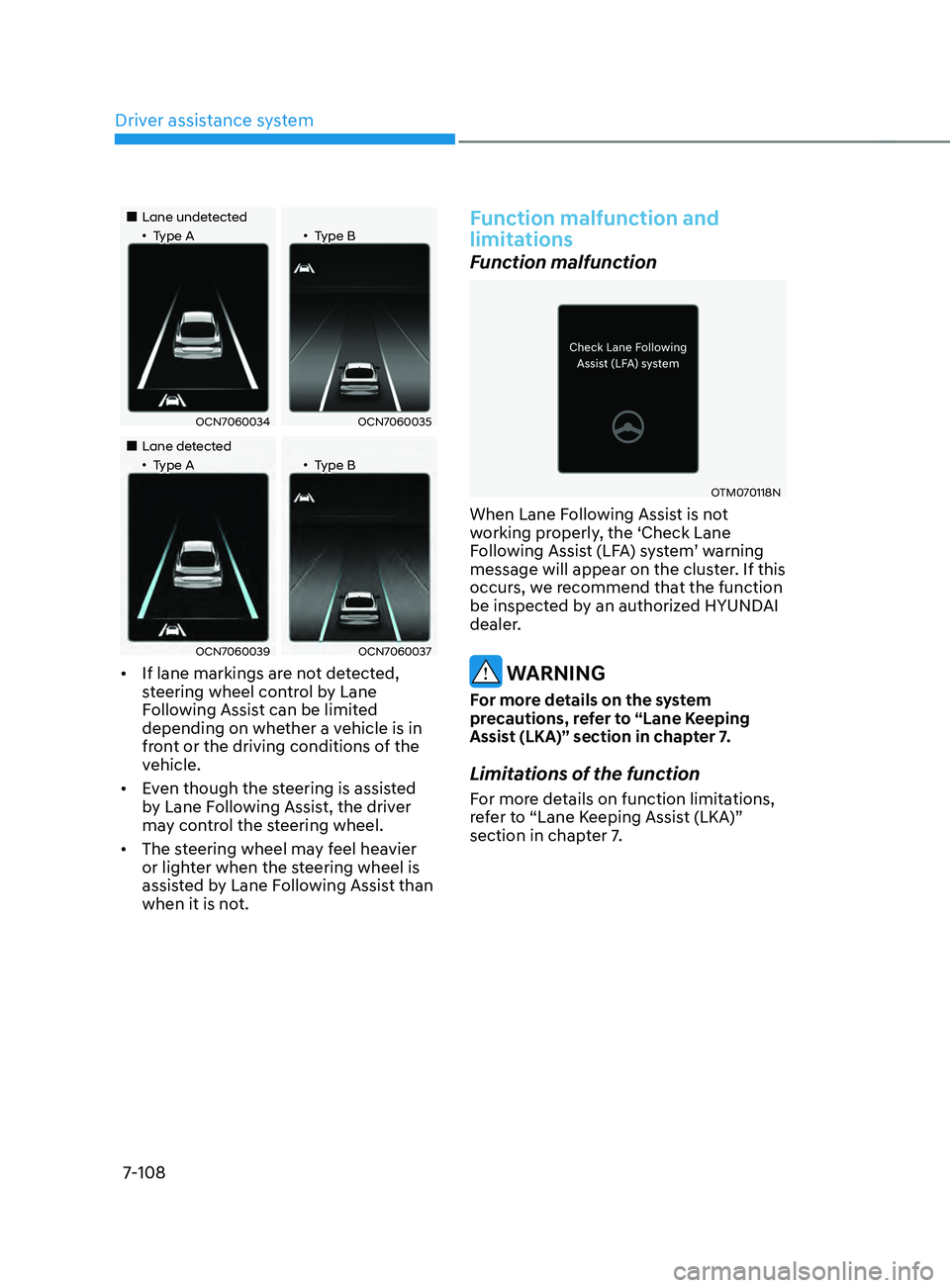
„„Lane undetected„•Type A„•Type B
OCN7060034OCN7060035
„„Lane detected„•Type A„•Type B
OCN7060039OCN7060037
• If lane markings are not detected,
steering wheel control by Lane
Following Assist can be limited
depending on whether a vehicle is in
front or the driving conditions of the
vehicle.
• Even though the steering is assisted
by Lane Following Assist, the driver
may control the steering wheel.
• The steering wheel may feel heavier
or lighter when the steering wheel is
assisted by Lane Following Assist than
when it is not.
Function malfunction and
limitations
Function malfunction
OTM070118N
When Lane Following Assist is not
working properly, the ‘Check Lane
Following
Assis
t
(LF
A)
s
ystem’
w
arning
message will appear on the clust
er. If this
occurs, we recommend that the function
be inspected by an authorized HYUNDAI
dealer.
WARNING
For more details on the system
precautions, refer to “Lane Keeping
Assist (LKA)” section in chapter 7.
Limitations of the function
For more details on function limitations,
refer to “Lane Keeping Assist (LKA)”
section in chapter 7.
Page 425 of 570
Driver assistance system
7-112
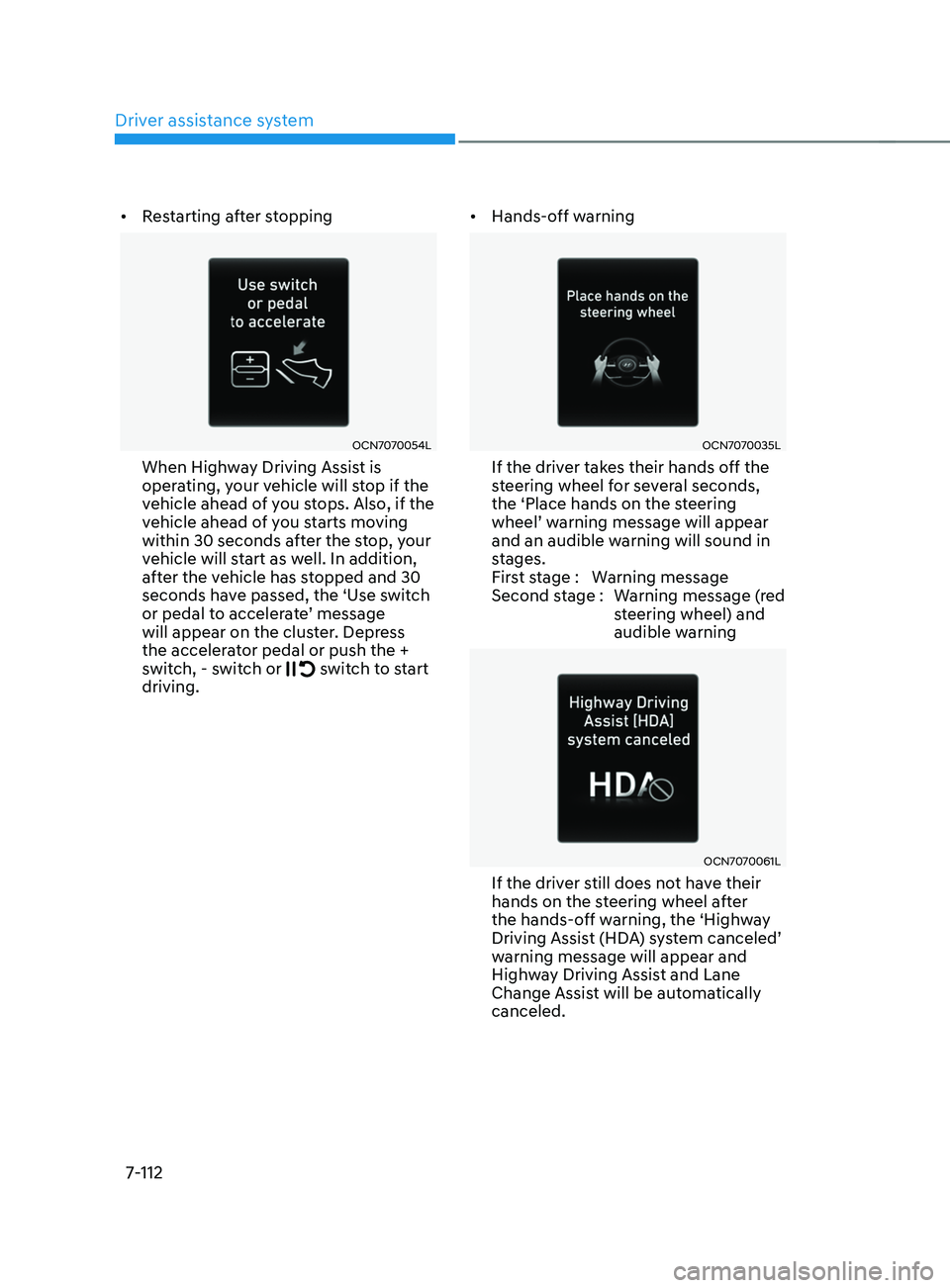
• Restarting after stopping
OCN7070054L
When Highway Driving Assist is
operating, your vehicle will stop if the
vehicle ahead of you stops. Also, if the
vehicle ahead of you starts moving
within 30 seconds after the stop, your
vehicle will start as well. In addition,
after the vehicle has stopped and 30
seconds have passed, the ‘Use switch
or
pedal t
o
acceler
ate’
message will appear on the clust
er. Depress
the accelerator pedal or push the +
switch, - switch or
switch to start
driving. •
Hands-off warning
OCN7070035L
If the driver takes their hands off the
steering wheel for several seconds,
the ‘Place hands on the steering
wheel’
w
arning
message will appear and an audible warning will sound in
s
tages.
First stage : Warning message
Second stage : Warning message (red steering wheel) and
audible warning
OCN7070061L
If the driver still does not have their
hands on the steering wheel after
the hands-off warning, the ‘Highway
Driving
Assis
t
(HD
A)
s
ystem
canceled’ warning message will appear and
High
way Driving Assist and Lane
Change Assist will be automatically
canceled.
Page 426 of 570
07
7-113
Function standby
When Smart Cruise Control is
temporarily canceled while Highway
Driving Assist is operating, Highway
Driving Assist will be in the standby state.
At this time, Lane Following Assist will
operate normally.
Function malfunction and
limitations
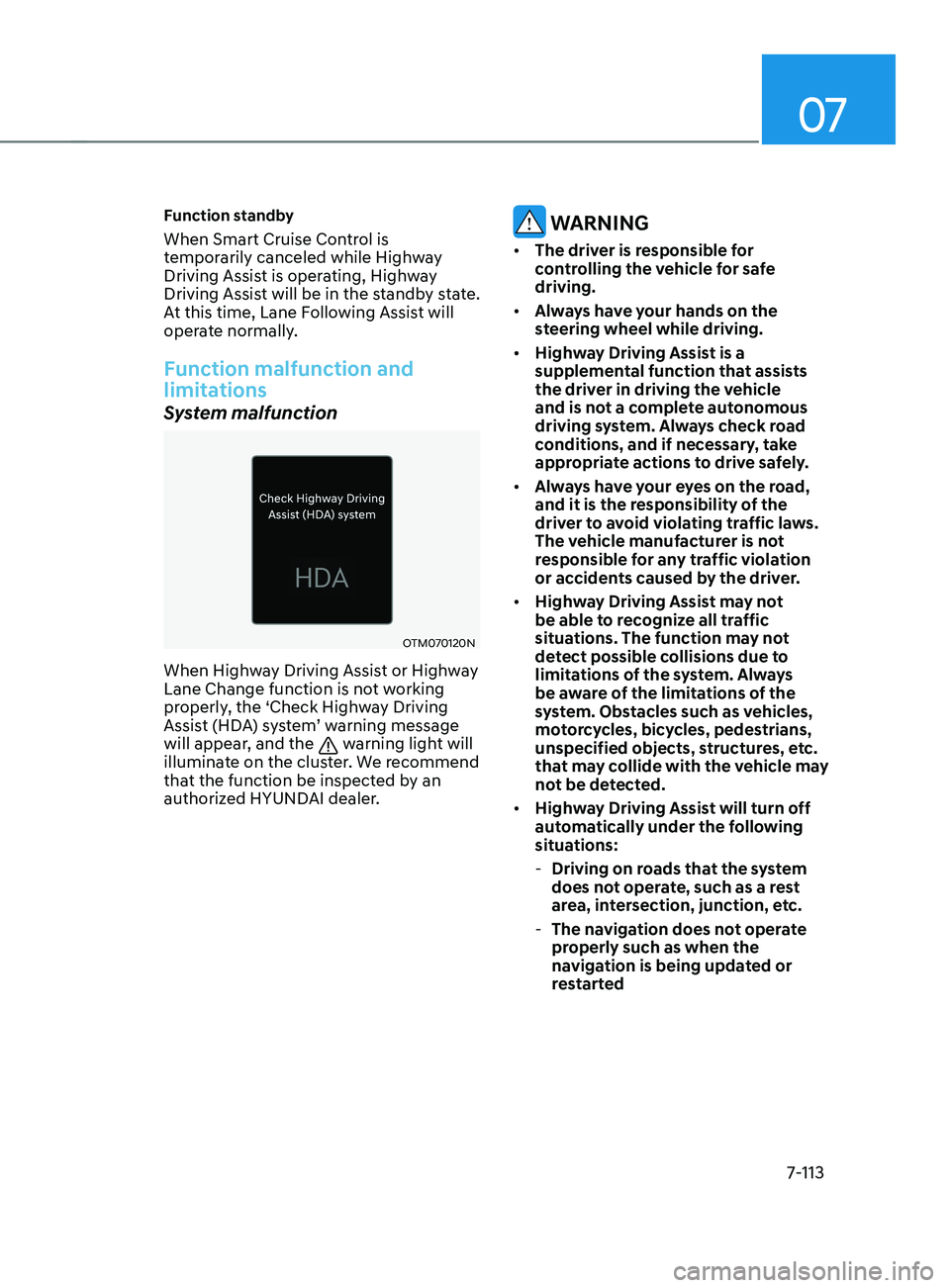
System malfunction
OTM070120N
When Highway Driving Assist or Highway
Lane Change function is not working
properly, the ‘Check Highway Driving
Assist (HDA) system’ warning message
will appear, and the
warning light will
illuminate on the cluster. We recommend
that the function be inspected by an
authorized HYUNDAI dealer.
WARNING
• The driver is responsible for
controlling the vehicle for safe
driving.
• Always have your hands on the
steering wheel while driving.
• Highway Driving Assist is a
supplemental function that assists
the driver in driving the vehicle
and is not a complete autonomous
driving system. Always check road
conditions, and if necessary, take
appropriate actions to drive safely.
• Always have your eyes on the road,
and it is the responsibility of the
driver to avoid violating traffic laws.
The vehicle manufacturer is not
responsible for any traffic violation
or accidents caused by the driver.
• Highway Driving Assist may not
be able to recognize all traffic
situations. The function may not
detect possible collisions due to
limitations of the system. Always
be aware of the limitations of the
system. Obstacles such as vehicles,
motorcycles, bicycles, pedestrians,
unspecified objects, structures, etc.
that may collide with the vehicle may
not be detected.
• Highway Driving Assist will turn off
automatically under the following
situations:
- Driving on roads that the system
does not operate, such as a rest
area, intersection, junction, etc.
- The navigation does not operate
properly such as when the
navigation is being updated or
restarted
Page 427 of 570
Driver assistance system
7-114
• Highway Driving Assist may
inadvertently operate or turn off
depending on road conditions
(navigation information) and
surroundings.
• Lane Following Assist function may
be temporarily disabled when the
front view camera cannot detect
lanes properly or the hands-off
warning is on.
• You may not hear the warning sound
of Highway Driving Assist if the
surrounding is noisy.
• If the vehicle is driven at high speed
above a certain speed at a curve,
your vehicle may drive to one side or
may depart from the driving lane.
• When you are towing a trailer or
another vehicle, we recommend that
Highway Driving Assist is turned off
due to safety reasons.
• The hands–off warning message
may appear early or late depending
on how the steering wheel is held or
road conditions. Always have your
hands on the steering wheel while
driving.
• For your safety, please read the
owner's manual before using the
Highway Driving Assist.
• Highway Driving Assist will not
operate when the engine is started,
or when the detecting sensors or
navigation is being initialized.Limitations of the function
Highway Driving Assist may not operate
normally, or may not operate under the
following circumstances:
• The map information and the
actual road is different because the
navigation is not updated
• The map information and the actual
road is different because of real-time
GPS data or map information error
• The infotainment system is overloaded
by simultaneously performing
functions such as route search, video
playback, voice recognition, etc.
• GPS signals are blocked in areas such
as a tunnel
• The driver goes off course or the
route to the destination is changed or
canceled by resetting the navigation
• The vehicle enters a service station or
rest area
• Android Auto or Car Play is operating
• The navigation cannot detect the
current vehicle position (ex: elevated
roads including overpass adjacent to
general roads or nearby roads exist in
a parallel way)
• White single dotted lane line or road
edge cannot be detected
• The road is temporarily controlled due
to construction, etc.
• There is no structure, such as a
medium strip, guardrails, etc., on the
road
• There is a changeable lane in the
direction of lane change
For more details on the limitations of
the front view camera, front radar, front
corner radar and rear corner radar, refer
to “Forward Collision-Avoidance Assist
(FCA)” section in chapter 7.
Page 457 of 570
Driver assistance system
7-144
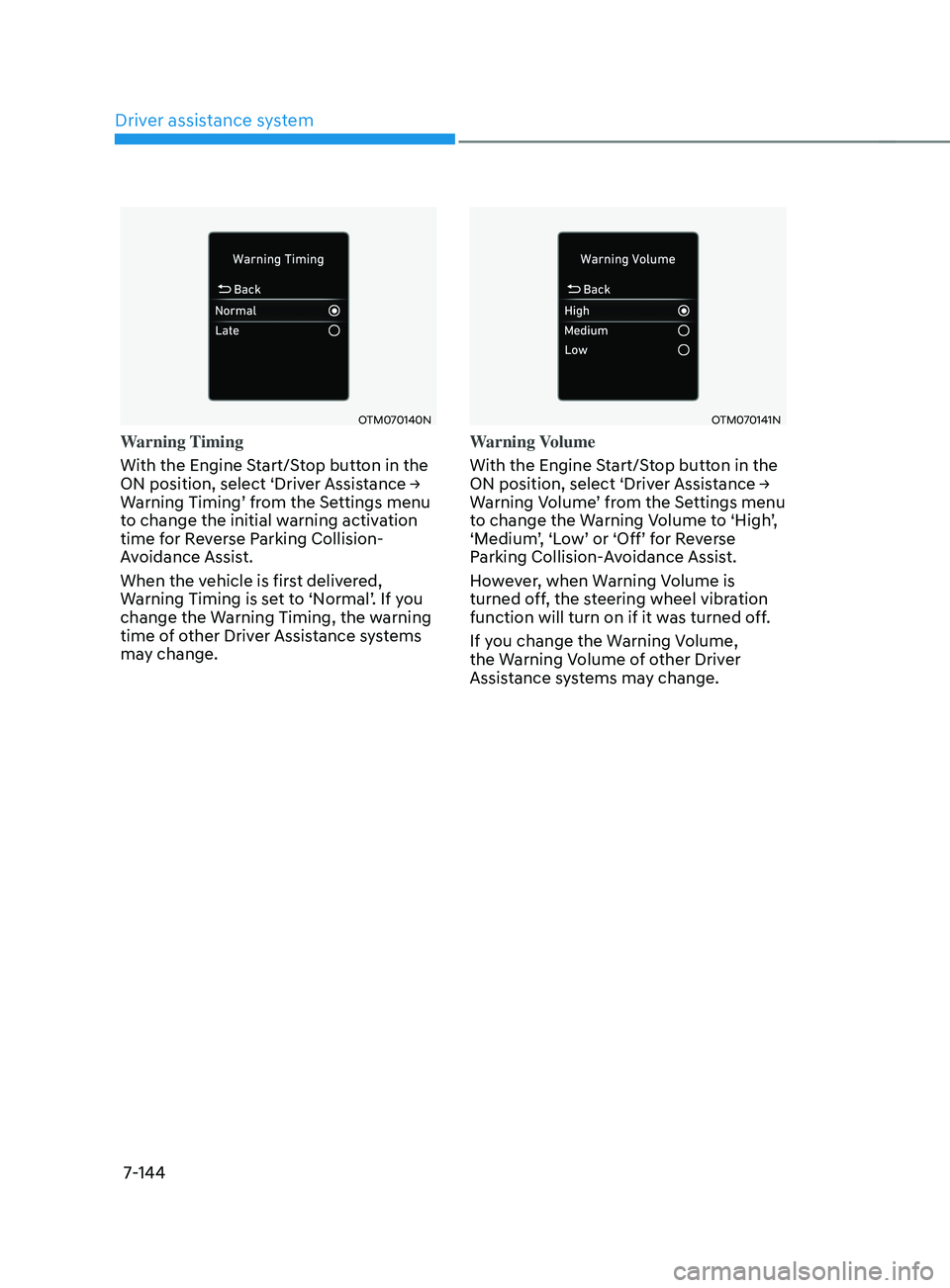
OTM070140N
Warning Timing
With the Engine Start/Stop button in the
ON
position, select ‘Driv
er
Assis
tance
→ Warning Timing’ fr
om
the Se
ttings
menu to change the initial w
arning activation
time for Reverse Parking Collision-
Avoidance Assist.
When the vehicle is first delivered,
Warning
Timing is se
t
t
o
‘N
ormal’.
If y
ou
change the Warning Timing, the w
arning
time of other Driver Assistance systems
may change.
OTM070141N
Warning Volume
With the Engine Start/Stop button in the
ON
position, select ‘Driv
er
Assis
tance
→ Warning V
olume’
fr
om
the Se
ttings
menu to change the W
arning
V
olume
t
o
‘High
’,
‘Medium
’,
‘L
ow’
or ‘Off’ f
or
R
everse
Parking Collision-
Avoidance Assist.
However, when Warning Volume is
turned off, the steering wheel vibration
function will turn on if it was turned off.
If you change the Warning Volume,
the Warning Volume of other Driver
Assistance systems may change.
Page 458 of 570
07
7-145
Function operation
Operating conditions
If ‘Active Assist’ or ‘Warning Only’ is set from the Settings menu, Reverse Parking
Collision-Avoidance Assist will be in
the ready status when the following
conditions are satisfied:
- The tailgat
e is closed
- The gear is shifted t
o R (Reverse)
- Vehicle speed is belo
w 6
mph (10
km/h
)
- Sy
stem components such as the rear
view camera and the rear ultrasonic
sensors are in normal conditions
Warning Only
• If the function detects a risk of
collision with a pedestrian or an
object, the system will warn the driver
with an audible warning, steering
wheel vibration and warning message
on the cluster. When Rear View
Monitor is operating, a warning will
appear on the infotainment system
screen.
• ‘If
‘W
arning
Only’ is select
ed,
br
aking
will not be assis
ted.
• The warning will turn off when the
gear is shifted to P (Park), N (Neutral)
or D (Drive). Active Assist
•
If the function detects a risk of
collision with a pedestrian or an
object, the system will warn the driver
with an audible warning, steering
wheel vibration and warning message
on the cluster. When Rear View
Monitor is operating, a warning will
appear on the infotainment system
screen.
• If the function detects imminent
collision with a pedestrian or an
object behind the vehicle, the system
will assist you with braking. The driver
needs to pay attention as the brake
assist will end within 2 seconds. The
driver must immediately depress
the brake pedal and check vehicle
surroundings.
• Brake control will end when:
- The gear is shifted t
o P (Park) or D
(Drive).
- The driver depr
esses the brake
pedal with sufficient power
- Braking assis
t has last for
approximately 2 seconds
• The warning will turn off when:
- The driver shifts the gear t
o P (Park),
N (Neutral), or D (Drive)
• The brake control may not operate
properly depending on the status of
ESC (Electronic Stability Control).
There will only be a warning when:
- The ESC (Electronic S
tability
Control) warning light is on
- ESC (Electronic S
tability Control) is
engaged in a different function
Page 472 of 570
08
8-9
Tire pressure monitoring system
WARNING
Over-inflation or under-inflation can
reduce tire life, adversely affect vehicle
handling, and lead to sudden tire failure
that may cause loss of vehicle control
resulting in an accident.
Each tire, including the spare (if
provided), should be checked monthly
when cold and inflated to the inflation
pressure recommended by the vehicle
manufacturer on the vehicle placard
or tire inflation pressure label. (If your
vehicle has tires of a different size than
the size indicated on the vehicle placard
or tire inflation pressure label, you should
determine the proper tire inflation
pressure for those tires.)
As an added safety feature, your
vehicle has been equipped with a tire
pressure monitoring system (TPMS)
that illuminates a low tire pressure
telltale when one or more of your tires is
significantly under-inflated. Accordingly,
when the low tire pressure telltale
illuminates, you should stop and check
your tires as soon as possible, and inflate
them to the proper pressure. Driving on
a significantly underinflated tire causes
the tire to overheat and can lead to tire
failure.
Under-inflation also reduces fuel
efficiency and tire tread life, and may
affect the vehicle’s handling and
stopping ability.Please note that the TPMS is not a
substitute for proper tire maintenance,
and it is the driver’s responsibility to
maintain correct tire pressure, even if
under-inflation has not reached the level
to trigger illumination of the TPMS low
tire pressure telltale.
Your vehicle has also been equipped with
a TPMS malfunction indicator to indicate
when the system is not operating
properly. The TPMS malfunction
indicator is combined with the low
tire pressure telltale. When the system
detects a malfunction, the telltale will
flash for approximately one minute and
then remain continuously illuminated.
This sequence will continue upon
subsequent vehicle start-ups as long as
the malfunction exists.
When the malfunction indicator is
illuminated, the system may not be able
to detect or signal low tire pressure as
intended. TPMS malfunctions may occur
for a variety of reasons, including the
installation of replacement or alternate
tires or wheels on the vehicle that
prevent the TPMS from functioning
properly.
Always check the TPMS malfunction
telltale after replacing one or more tires
or wheels on your vehicle to ensure that
the replacement or alternate tires and
wheels allow the TPMS to continue to
function properly.
Page 476 of 570
08
8-13
Each wheel is equipped with a tire
pressure sensor mounted inside the tire
behind the valve stem (except for the
spare tire). You must use TPMS specific
wheels. It is recommended that you
always have your tires serviced by an
authorized HYUNDAI dealer.
You may not be able to identify a tire
with low pressure by simply looking at it.
Always use a good quality tire pressure
gauge to measure the tire’s inflation
pressure. Please note that a tire that is
hot (from being driven) will have a higher
pressure measurement than a tire that is
cold.
A cold tire means the vehicle has been
sitting for 3 hours and driven for less
than 1 mile (1.6 km) in that 3 hour period.
Allow the tire to cool before measuring
the inflation pressure. Always be sure
the tire is cold before inflating to the
recommended pressure.
WARNING
• The TPMS cannot alert you to severe
and sudden tire damage caused by
external factors such as nails or road
debris.
• If you feel any vehicle instability,
immediately take your foot off
the accelerator, apply the brakes
gradually with light force, and slowly
move to a safe position off the road.
WARNING
Tampering with, modifying, or disabling
the Tire Pressure Monitoring System
(TPMS) components may interfere
with the system’s ability to warn the
driver of low tire pressure conditions
and/or TPMS malfunctions. Tampering
with, modifying, or disabling the Tire
Pressure Monitoring System (TPMS)
components may void the warranty for
that portion of the vehicle.
Information
This device complies with Part 15 of the
FCC rules.
Operation is subject to the following three
conditions:
1.
This device may not cause harmful
interference.
2.
This device must accept any
interference r
eceived, including
interference that may cause undesired
operation.
3.
Changes or modifications not expr
essly
approved by the party responsible
for compliance could void the user’s
authority to operate the equipment.
Page 477 of 570
Emergency Situations
8-14
if you Have a flaT Tire (WiTH sPare Tire)
WARNING
Changing a tire can be dangerous.
Follow the instructions in this section
when changing a tire to reduce the risk
of serious injury or death.
CAUTION
Be careful as you use the jack handle to
stay clear of the flat end. The flat end
has sharp edges that could cause cuts.
Jack and Tools
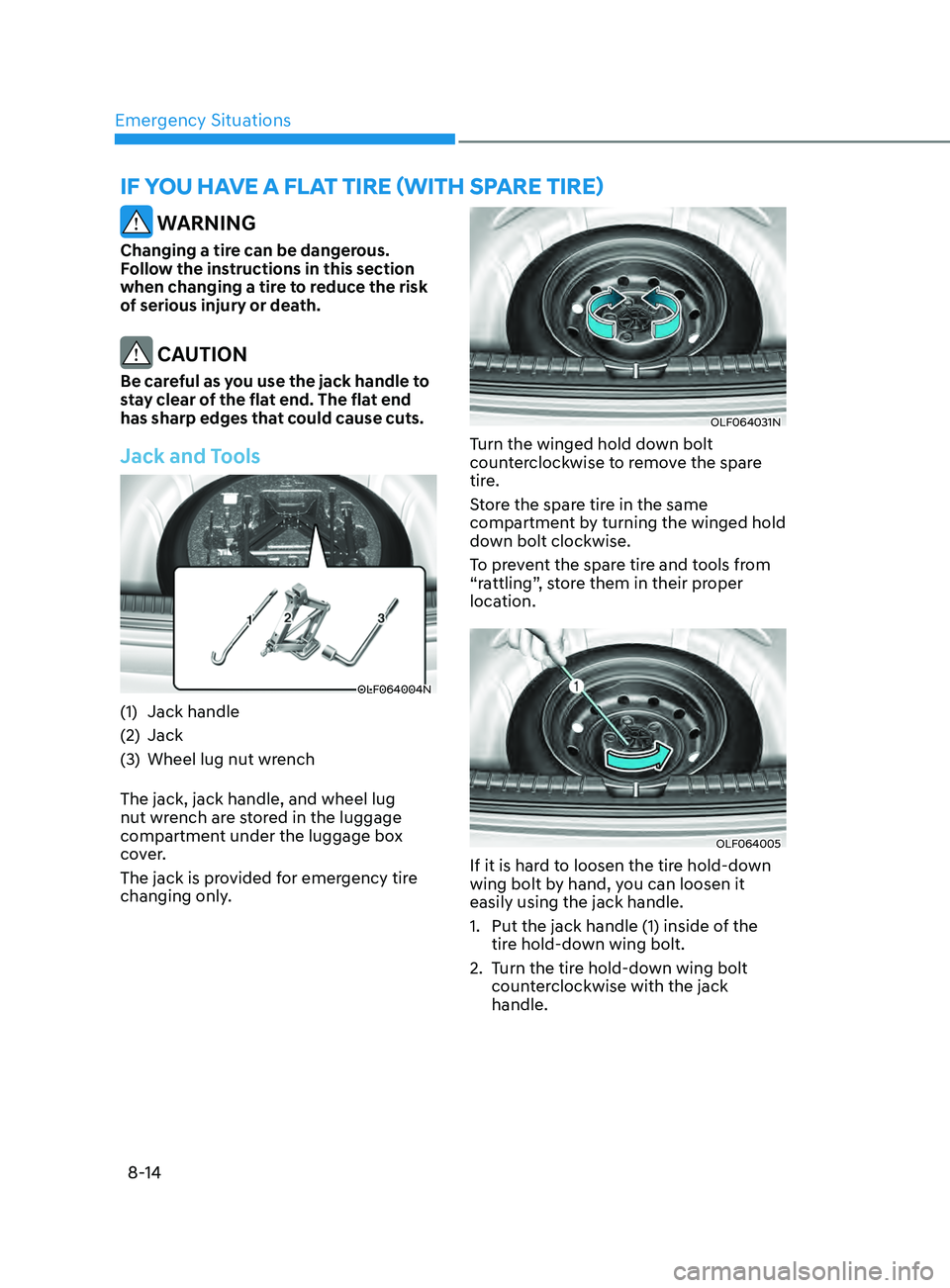
OLF064004N
(1) Jack handle
(2)
Jack
(3
)
Wheel lug nut wrench
The jack, jack handle, and wheel lug
nut wr
ench are stored in the luggage
compartment under the luggage box
cover.
The jack is provided for emergency tire
changing only.
OLF064031N
Turn the winged hold down bolt
counterclockwise to remove the spare
tire.
Store the spare tire in the same
compartment by turning the winged hold
down bolt clockwise.
To prevent the spare tire and tools from
“rattling”, store them in their proper
location.
OLF064005
If it is hard to loosen the tire hold-down
wing bolt by hand, you can loosen it
easily using the jack handle.
1.
Put the jack handle (1) inside of the
tir
e hold-down wing bolt.
2.
Turn the tir
e hold-down wing bolt
counterclockwise with the jack
handle.