start stop button Hyundai Elantra GT 2013 User Guide
[x] Cancel search | Manufacturer: HYUNDAI, Model Year: 2013, Model line: Elantra GT, Model: Hyundai Elantra GT 2013Pages: 476, PDF Size: 31.71 MB
Page 163 of 476
Features of your vehicle
78 4
LCD display warning (if equipped)
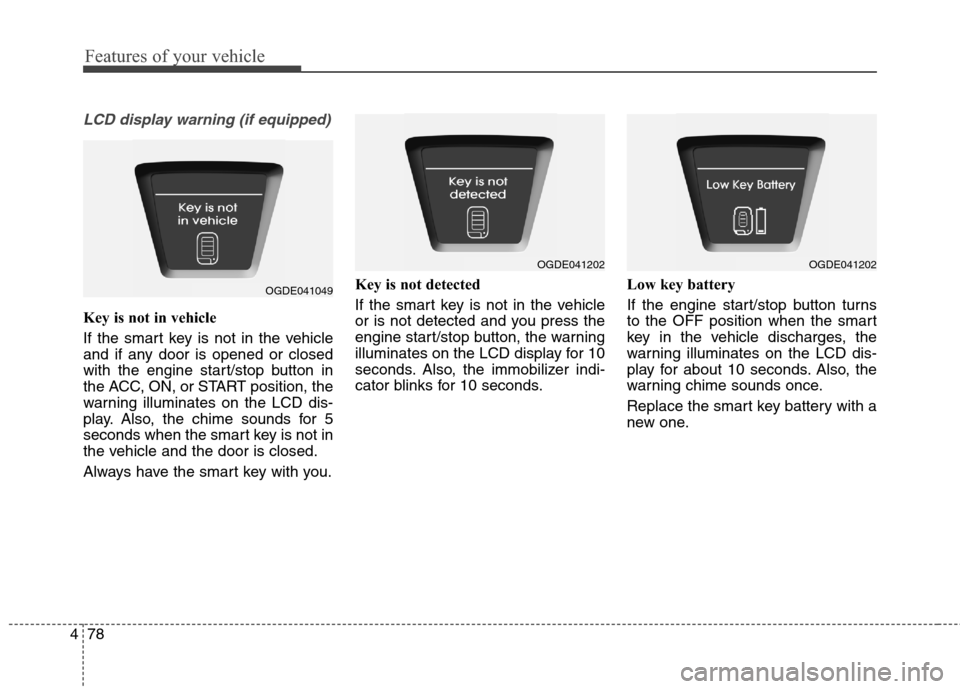
Key is not in vehicle
If the smart key is not in the vehicle
and if any door is opened or closed
with the engine start/stop button in
the ACC, ON, or START position, the
warning illuminates on the LCD dis-
play. Also, the chime sounds for 5
seconds when the smart key is not in
the vehicle and the door is closed.
Always have the smart key with you.Key is not detected
If the smart key is not in the vehicle
or is not detected and you press the
engine start/stop button, the warning
illuminates on the LCD display for 10
seconds. Also, the immobilizer indi-
cator blinks for 10 seconds.Low key battery
If the engine start/stop button turns
to the OFF position when the smart
key in the vehicle discharges, the
warning illuminates on the LCD dis-
play for about 10 seconds. Also, the
warning chime sounds once.
Replace the smart key battery with a
new one.
OGDE041049
OGDE041202OGDE041202
Page 164 of 476
479
Features of your vehicle
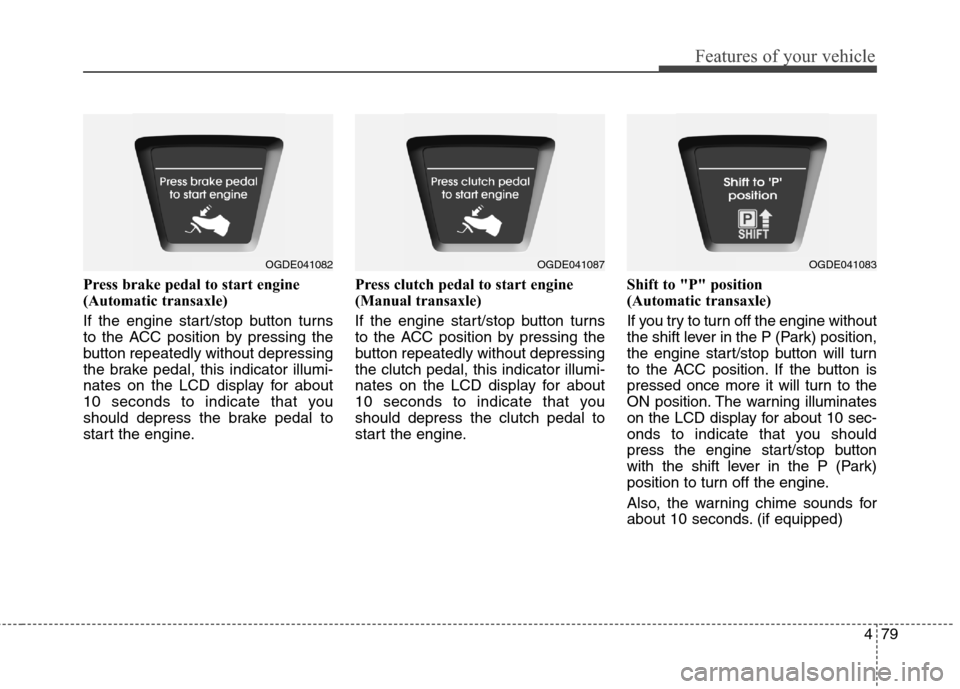
Press brake pedal to start engine
(Automatic transaxle)
If the engine start/stop button turns
to the ACC position by pressing the
button repeatedly without depressing
the brake pedal, this indicator illumi-
nates on the LCD display for about
10 seconds to indicate that you
should depress the brake pedal to
start the engine.Press clutch pedal to start engine
(Manual transaxle)
If the engine start/stop button turns
to the ACC position by pressing the
button repeatedly without depressing
the clutch pedal, this indicator illumi-
nates on the LCD display for about
10 seconds to indicate that you
should depress the clutch pedal to
start the engine.Shift to "P" position
(Automatic transaxle)
If you try to turn off the engine without
the shift lever in the P (Park) position,
the engine start/stop button will turn
to the ACC position. If the button is
pressed once more it will turn to the
ON position. The warning illuminates
on the LCD display for about 10 sec-
onds to indicate that you should
press the engine start/stop button
with the shift lever in the P (Park)
position to turn off the engine.
Also, the warning chime sounds for
about 10 seconds. (if equipped)
OGDE041082OGDE041087OGDE041083
Page 165 of 476
Features of your vehicle
80 4
Press start button again
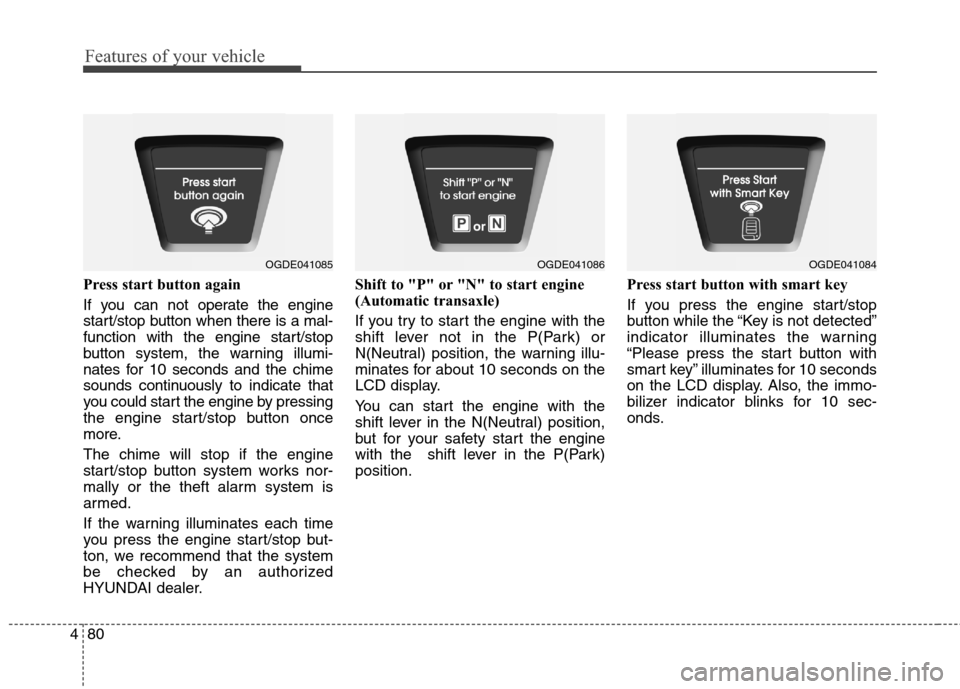
If you can not operate the engine
start/stop button when there is a mal-
function with the engine start/stop
button system, the warning illumi-
nates for 10 seconds and the chime
sounds continuously to indicate that
you could start the engine by pressing
the engine start/stop button once
more.
The chime will stop if the engine
start/stop button system works nor-
mally or the theft alarm system is
armed.
If the warning illuminates each time
you press the engine start/stop but-
ton, we recommend that the system
be checked by an authorized
HYUNDAI dealer.Shift to "P" or "N" to start engine
(Automatic transaxle)
If you try to start the engine with the
shift lever not in the P(Park) or
N(Neutral) position, the warning illu-
minates for about 10 seconds on the
LCD display.
You can start the engine with the
shift lever in the N(Neutral) position,
but for your safety start the engine
with the shift lever in the P(Park)
position.Press start button with smart key
If you press the engine start/stop
button while the “Key is not detected”
indicator illuminates the warning
“Please press the start button with
smart key” illuminates for 10 seconds
on the LCD display. Also, the immo-
bilizer indicator blinks for 10 sec-
onds.
OGDE041085OGDE041086OGDE041084
Page 166 of 476
481
Features of your vehicle
Check brake switch fuse
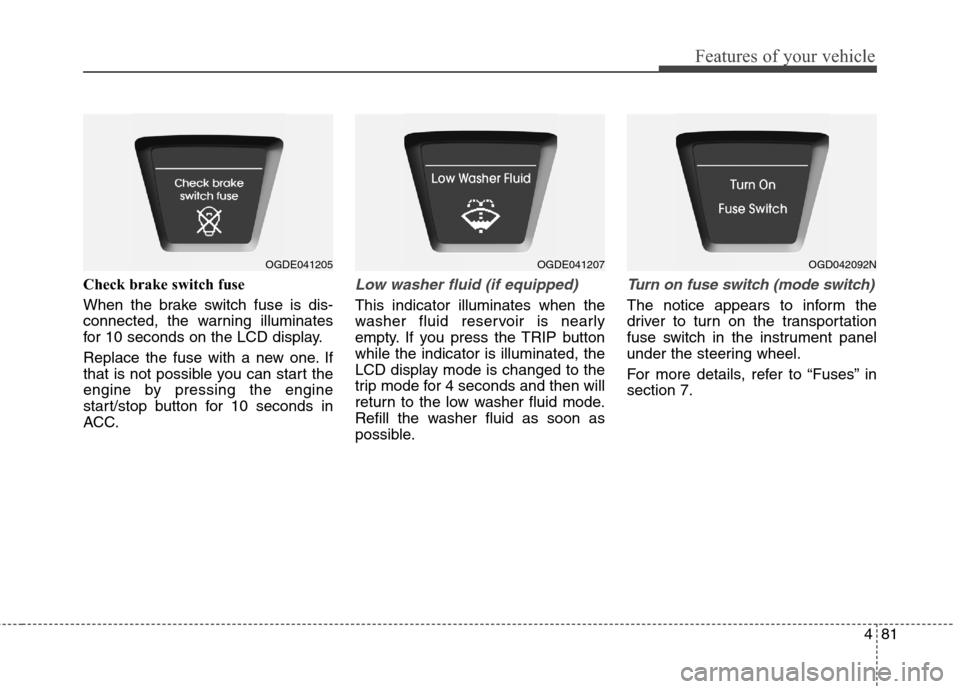
When the brake switch fuse is dis-
connected, the warning illuminates
for 10 seconds on the LCD display.
Replace the fuse with a new one. If
that is not possible you can start the
engine by pressing the engine
start/stop button for 10 seconds in
ACC.Low washer fluid (if equipped)
This indicator illuminates when the
washer fluid reservoir is nearly
empty. If you press the TRIP button
while the indicator is illuminated, the
LCD display mode is changed to the
trip mode for 4 seconds and then will
return to the low washer fluid mode.
Refill the washer fluid as soon as
possible.
Turn on fuse switch (mode switch)
The notice appears to inform the
driver to turn on the transportation
fuse switch in the instrument panel
under the steering wheel.
For more details, refer to “Fuses” in
section 7.
OGDE041205OGDE041207OGD042092N
Page 273 of 476
Driving your vehicle
Before driving ............................................................5-4
• Before entering vehicle ..................................................5-4
....................................................5-4
................................................................5-5
Key ..............................................................................5-6
............................................5-6
..................................................5-6
........................................................5-7
Engine start/stop button ..........................................5-9
............................5-9
......................................................5-11
Manual transaxle ....................................................5-14
........................................5-14
................................................5-16
Automatic transaxle ................................................5-17
transaxle operation ....................................5-17
................................................5-21
Brake system ............................................................5-24
................................................................5-24
....................................5-28
....................................5-33
..............................5-35
........................5-38
Cruise control system..............................................5-41
..........................................5-42
............................5-42
....................................5-43
control on ......................................................................5-43
do one of the following ......5-43
approximately 30 km/h (20 mph) ..............................5-44
do one of the following ....5-45
Active ECO system..................................................5-46
..................................................5-46
..........................5-46
Economical operation ............................................5-47
Special driving conditions ......................................5-49
....................................5-49
......................................................5-49
........................................................5-50
............................................................5-50
........................................................5-51
..............................................5-52
..........................................................5-52
Winter driving ........................................................5-54
..............................................5-54
5
Page 281 of 476
59
Driving your vehicle
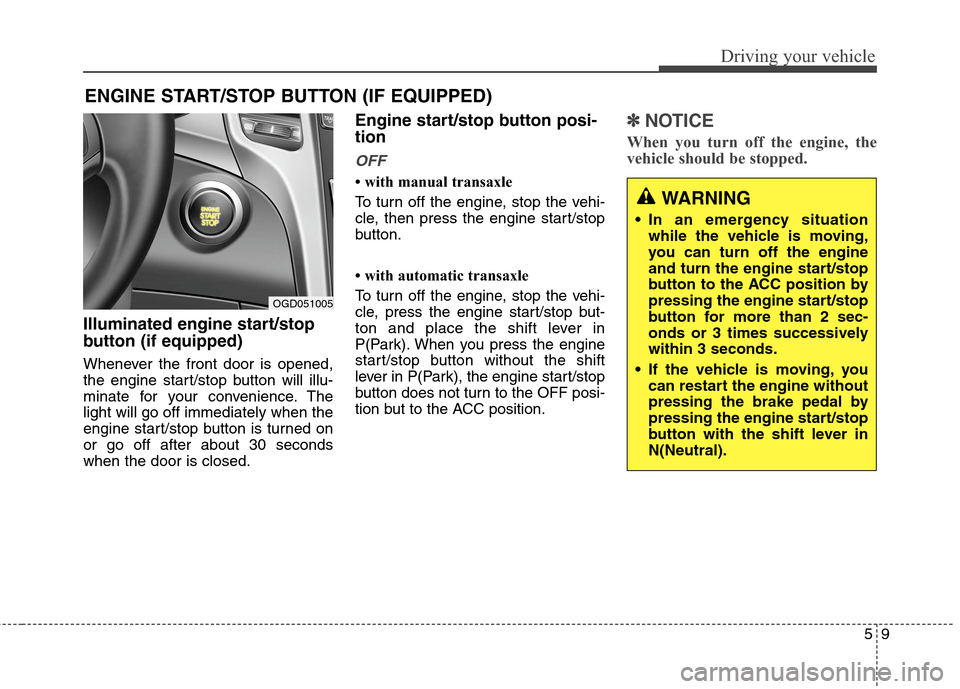
Illuminated engine start/stop
button (if equipped)
Whenever the front door is opened,
the engine start/stop button will illu-
minate for your convenience. The
light will go off immediately when the
engine start/stop button is turned on
or go off after about 30 seconds
when the door is closed.
Engine start/stop button posi-
tion
OFF
• with manual transaxle
To turn off the engine, stop the vehi-
cle, then press the engine start/stop
button.
• with automatic transaxle
To turn off the engine, stop the vehi-
cle, press the engine start/stop but-
ton and place the shift lever in
P(Park). When you press the engine
start/stop button without the shift
lever in P(Park), the engine start/stop
button does not turn to the OFF posi-
tion but to the ACC position.
✽ ✽
NOTICE
When you turn off the engine, the
vehicle should be stopped.
ENGINE START/STOP BUTTON (IF EQUIPPED)
OGD051005
WARNING
In an emergency situation
while the vehicle is moving,
you can turn off the engine
and turn the engine start/stop
button to the ACC position by
pressing the engine start/stop
button for more than 2 sec-
onds or 3 times successively
within 3 seconds.
If the vehicle is moving, you
can restart the engine without
pressing the brake pedal by
pressing the engine start/stop
button with the shift lever in
N(Neutral).
Page 282 of 476
Driving your vehicle
10 5
ACC(Accessory)
• with manual transaxle
Press the engine start/stop button
when the button is in the OFF posi-
tion without depressing the clutch
pedal.
• with automatic transaxle
Press the engine start/stop button
when the button is in the OFF posi-
tion without depressing the brake
pedal.
If you leave the engine start/stop but-
ton in the ACC position for more than
1 hour, the button is turned off auto-
matically to prevent the battery from
discharging.
ON
• with manual transaxle
Press the engine start/stop button
when the button is in the ACC posi-
tion without depressing the clutch
pedal.
• with automatic transaxle
Press the engine start/stop button
when the button is in the ACC posi-
tion without depressing the brake
pedal.
The warning lights can be checked
before the engine is started. Do not
leave the button in the ON position if
the engine is not running to prevent
the battery from discharging.
START
• with manual transaxle
To start the engine, depress the
clutch pedal and brake pedal, then
press the engine start/stop button
with the shift lever in the N(Neutral)
position.
• with automatic transaxle
To start the engine, depress the brake
pedal and press the engine start/stop
button with the shift lever in the
P(Park) or the N (Neutral) position.
✽ ✽
NOTICE
• If you press the engine start/stop
button without depressing the
clutch pedal on manual transaxle
vehicles or without depressing the
brake pedal on automatic
transaxle vehicles, the engine will
not start and the engine start/stop
button changes as follows:
OFF→ →
ACC → →
ON → →
OFF
• If you leave the engine start/stop
button in the ACC or the ON posi-
tion for a long time, the battery
may be discharged.
Page 283 of 476
511
Driving your vehicle
Starting the engine
1. Carry the smart key or have it
inside the vehicle.
2. Make sure the parking brake is
firmly applied.
3.Manual Transaxle- Depress the
clutch pedal fully and shift the
transaxle into Neutral. Depress the
brake and clutch pedal fully.
Automatic Transaxle- Place the
transaxle shift lever in P (Park).
Depress the brake pedal fully.
You can also start the engine
when the shift lever is in the N
(Neutral) position.
WARNING
Except in an emergency situa-
tion, never press the engine
start/stop button while the
vehicle is in motion. This may
result in loss of directional
control and braking function,
which could cause an accident.
Before leaving the driver’s
seat, always make sure the
shift lever is engaged in 1st
gear for the manual transaxle
or P (Park) for the automatic
transaxle, set the parking
brake fully and shut the
engine off. Unexpected and
sudden vehicle movement
may occur if these precau-
tions are not taken.
(Continued)
(Continued)
Never reach for the engine
start/stop button, or any other
controls through the steering
wheel while the vehicle is in
motion. The presence of your
hand or arm in this area could
cause a loss of vehicle con-
trol, an accident and serious
bodily injury or death.
Do not place any movable
objects around the driver’s
seat as they may move while
driving, interfere with the driv-
er and lead to an accident.
WARNING
Always wear appropriate shoes
when operating your vehicle.
Unsuitable shoes (high heels,
ski boots, etc.) may interfere
with your ability to use the
brake, accelerator and clutch
pedal (if equipped).
Page 284 of 476
Driving your vehicle
12 5
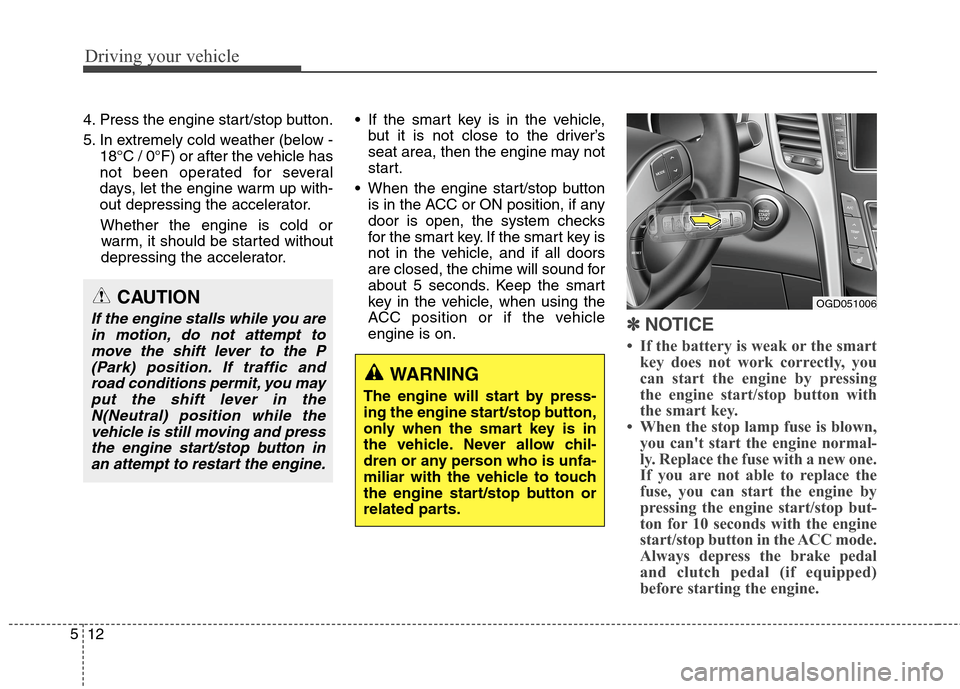
4. Press the engine start/stop button.
5. In extremely cold weather (below -
18°C / 0°F) or after the vehicle has
not been operated for several
days, let the engine warm up with-
out depressing the accelerator.
Whether the engine is cold or
warm, it should be started without
depressing the accelerator. If the smart key is in the vehicle,
but it is not close to the driver’s
seat area, then the engine may not
start.
When the engine start/stop button
is in the ACC or ON position, if any
door is open, the system checks
for the smart key. If the smart key is
not in the vehicle, and if all doors
are closed, the chime will sound for
about 5 seconds. Keep the smart
key in the vehicle, when using the
ACC position or if the vehicle
engine is on.
✽ ✽
NOTICE
• If the battery is weak or the smart
key does not work correctly, you
can start the engine by pressing
the engine start/stop button with
the smart key.
• When the stop lamp fuse is blown,
you can't start the engine normal-
ly. Replace the fuse with a new one.
If you are not able to replace the
fuse, you can start the engine by
pressing the engine start/stop but-
ton for 10 seconds with the engine
start/stop button in the ACC mode.
Always depress the brake pedal
and clutch pedal (if equipped)
before starting the engine.
WARNING
The engine will start by press-
ing the engine start/stop button,
only when the smart key is in
the vehicle. Never allow chil-
dren or any person who is unfa-
miliar with the vehicle to touch
the engine start/stop button or
related parts.
OGD051006CAUTION
If the engine stalls while you are
in motion, do not attempt to
move the shift lever to the P
(Park) position. If traffic and
road conditions permit, you may
put the shift lever in the
N(Neutral) position while the
vehicle is still moving and press
the engine start/stop button in
an attempt to restart the engine.
Page 285 of 476
513
Driving your vehicle
CAUTION
Do not press the engine
start/stop button for more than
5 seconds except when the stop
lamp fuse is disconnected.