USB HYUNDAI ELANTRA GT 2014 User Guide
[x] Cancel search | Manufacturer: HYUNDAI, Model Year: 2014, Model line: ELANTRA GT, Model: HYUNDAI ELANTRA GT 2014Pages: 476, PDF Size: 31.71 MB
Page 250 of 476
4165
Features of your vehicle
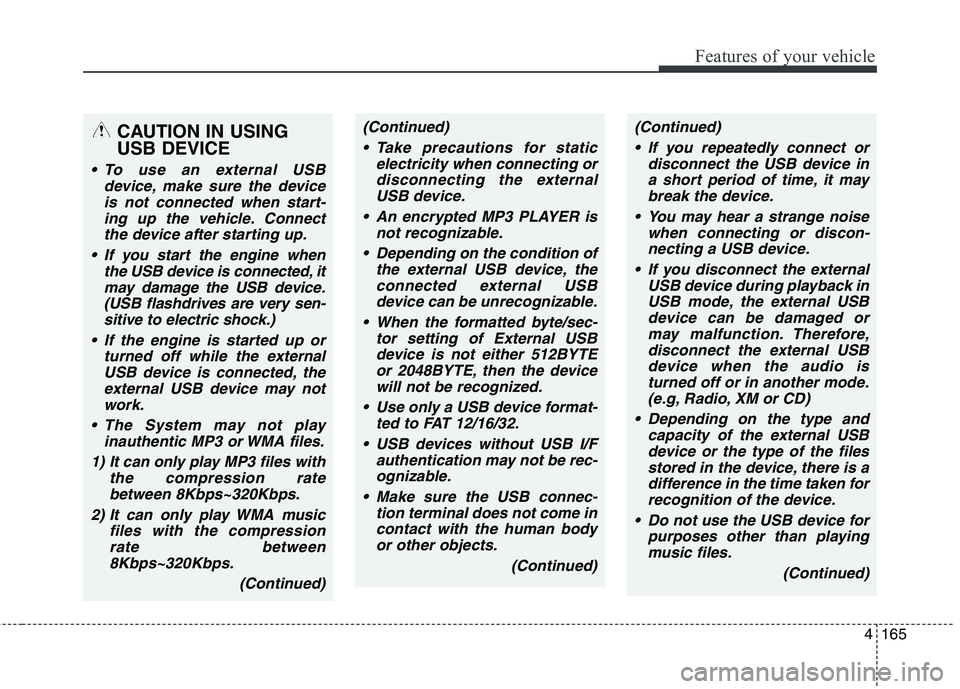
CAUTION IN USING
USB DEVICE
To use an external USB
device, make sure the device
is not connected when start-
ing up the vehicle. Connect
the device after starting up.
If you start the engine when
the USB device is connected, it
may damage the USB device.
(USB flashdrives are very sen-
sitive to electric shock.)
If the engine is started up or
turned off while the external
USB device is connected, the
external USB device may not
work.
The System may not play
inauthentic MP3 or WMA files.
1) It can only play MP3 files with
the compression rate
between 8Kbps~320Kbps.
2) It can only play WMA music
files with the compression
rate between
8Kbps~320Kbps.
(Continued)
(Continued)
Take precautions for static
electricity when connecting or
disconnecting the external
USB device.
An encrypted MP3 PLAYER is
not recognizable.
Depending on the condition of
the external USB device, the
connected external USB
device can be unrecognizable.
When the formatted byte/sec-
tor setting of External USB
device is not either 512BYTE
or 2048BYTE, then the device
will not be recognized.
Use only a USB device format-
ted to FAT 12/16/32.
USB devices without USB I/F
authentication may not be rec-
ognizable.
Make sure the USB connec-
tion terminal does not come in
contact with the human body
or other objects.
(Continued)(Continued)
If you repeatedly connect or
disconnect the USB device in
a short period of time, it may
break the device.
You may hear a strange noise
when connecting or discon-
necting a USB device.
If you disconnect the external
USB device during playback in
USB mode, the external USB
device can be damaged or
may malfunction. Therefore,
disconnect the external USB
device when the audio is
turned off or in another mode.
(e.g, Radio, XM or CD)
Depending on the type and
capacity of the external USB
device or the type of the files
stored in the device, there is a
difference in the time taken for
recognition of the device.
Do not use the USB device for
purposes other than playing
music files.
(Continued)
Page 251 of 476
Features of your vehicle
166 4
(Continued)
Playing videos through the
USB is not supported.
Use of USB accessories such
as rechargers or heaters
using USB I/F may lower per-
formance or cause trouble.
If you use devices such as a
USB hub purchased separate-
ly, the vehicle’s audio system
may not recognize the USB
device. In that case, connect
the USB device directly to the
multimedia terminal of the
vehicle.
If the USB device is divided by
logical drives, only the music
files on the highest-priority
drive are recognized by car
audio.
Devices such as MP3 Player/
Cellular phone/Digital camera
can be unrecognizable by
standard USB I/F can be
unrecognizable.
(Continued)(Continued)
Charging through the USB
may not be supported in some
mobile devices.
USB HDD or USB types liable
to connection failures due to
vehicle vibrations are not sup-
ported. (i-stick type)
Some non-standard USB
devices (METAL COVER TYPE
USB) can be unrecognizable.
Some USB flash memory read-
ers (such as CF, SD, micro SD,
etc.) or external-HDD type
devices can be unrecognizable.
Music files protected by DRM
(DIGITAL RIGHTS MANAGE-
MENT) are not recognizable.
The data in the USB memory
may be lost while using this
audio. Always back up impor-
tant data on a personal stor-
age device.
(Continued)(Continued)
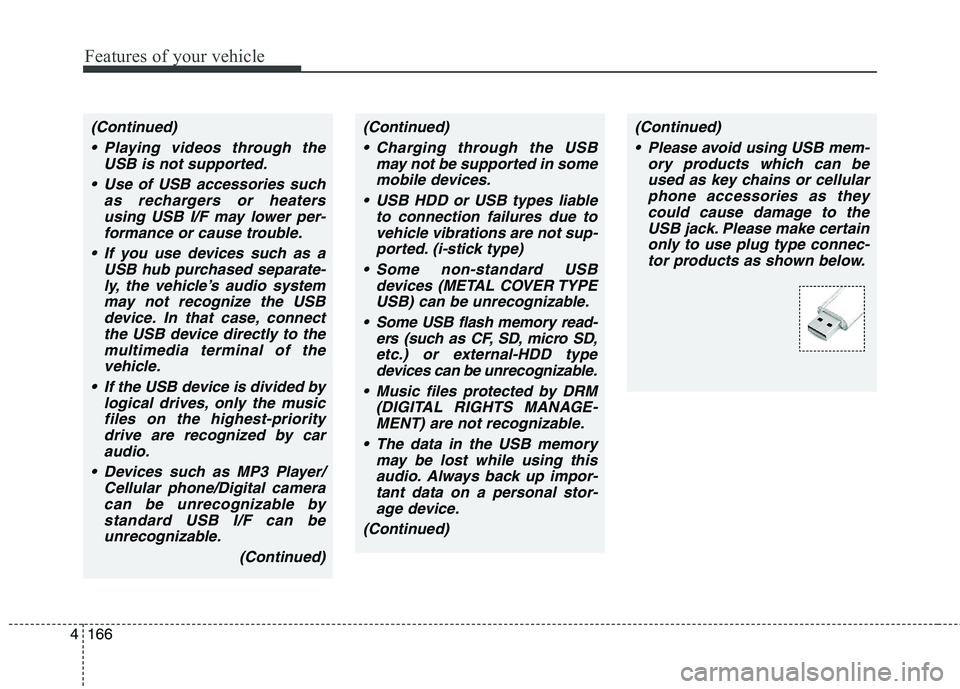
Please avoid using USB mem-
ory products which can be
used as key chains or cellular
phone accessories as they
could cause damage to the
USB jack. Please make certain
only to use plug type connec-
tor products as shown below.
Page 252 of 476
4167
Features of your vehicle
✽ ✽
NOTICE FOR USING THE
iPod®DEVICE
• Some iPod models may not sup-
port communication protocol and
files may not properly play.
Supported iPod models:
- iPod Mini
- iPod 4th(Photo) ~ 6th(Classic)
generation
- iPod Nano 1st~4th generation
- iPod Touch 1st~2nd generation
• The order of search or playback of
songs in the iPod can be different
from the order searched in the
audio system.
• If the iPod disabled due to its own
malfunction, reset the iPod.
(Reset: Refer to iPod manual)
• An iPod may not operate normal-
ly on low battery.
(Continued)(Continued)
• Some iPod devices, such as the
iPhone, can be connected through
the Bluetooth®Wireless
Technology interface. The device
must have audio Bluetooth
®
Wireless Technology capability
(such as for stereo headphone
Bluetooth
®Wireless Technology).
The device can play, but it will not
be controlled by the audio system.
• To use iPod features within the
audio, use the cable provided upon
purchasing an iPod device.
• Skipping or improper operation
may occur depending on the char-
acteristics of your iPod/Phone
device.
• If your iPhone is connected to both
the Bluetooth
®Wireless
Technology and USB, the sound
may not be properly played. In
your iPhone, select the Dock con-
nector orBluetooth
®Wireless
Technology to change the sound
output (source).
CAUTION IN USING
THE iPod®DEVICE
When connecting iPod with
the iPod Power Cable, insert
the connector to the multime-
dia socket completely. If not
inserted completely, commu-
nications between iPod and
audio may be interrupted.
When adjusting the sound
effects of the iPod and the
audio system, the sound
effects of both devices will
overlap and might reduce or
distort the quality of the sound.
Deactivate (turn off) the equal-
izer function of an iPod when
adjusting the audio system’s
volume, and turn off the equal-
izer of the audio system when
using the equalizer of an iPod.
When not using iPod with car
audio, detach the iPod cable
from iPod. Otherwise, iPod may
remain in accessory mode,
and may not work properly.
Page 255 of 476
Features of your vehicle
170 4
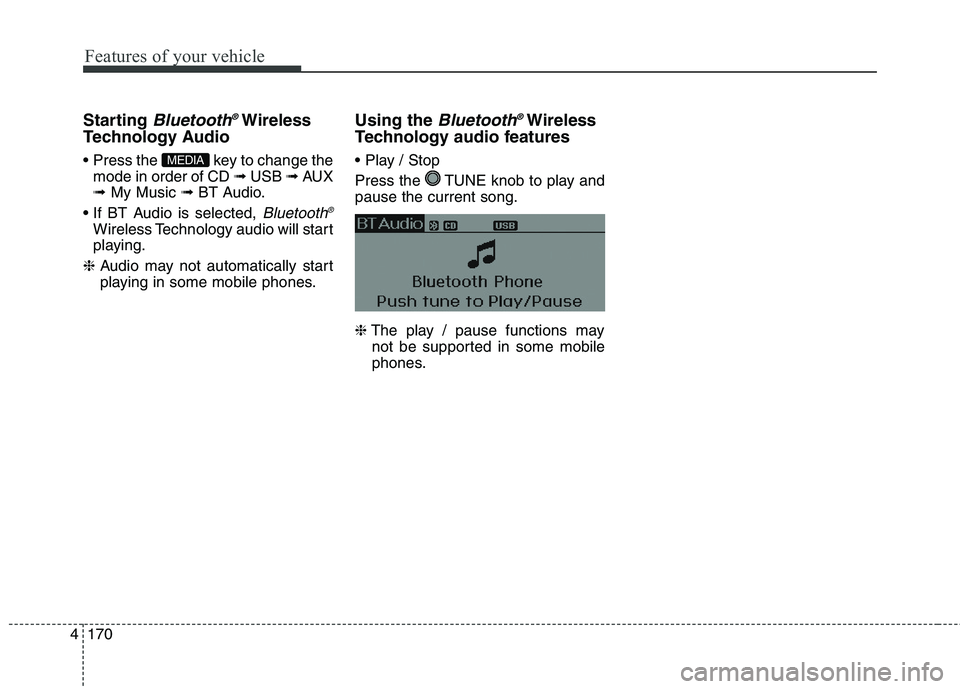
Starting Bluetooth®Wireless
Technology Audio
key to change the
mode in order of CD ➟ USB ➟ AUX
➟ My Music ➟ BT Audio.
Bluetooth®
Wireless Technology audio will start
playing.
❈Audio may not automatically start
playing in some mobile phones.
Using the Bluetooth®Wireless
Technology audio features
Press the TUNE knob to play and
pause the current song.
❈The play / pause functions may
not be supported in some mobile
phones.MEDIA
Page 262 of 476
4177
Features of your vehicle
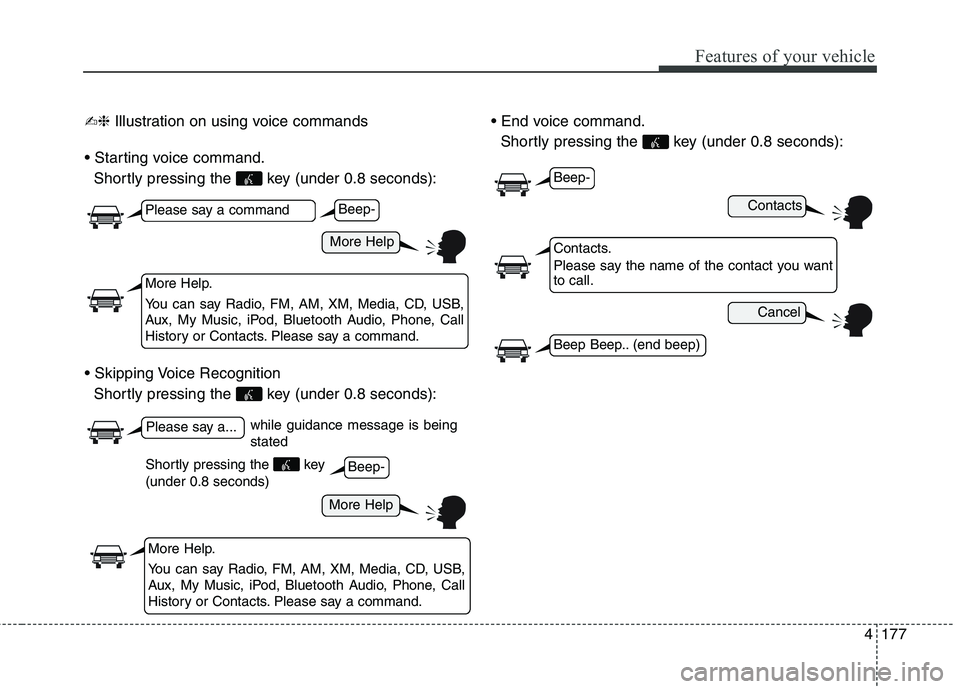
✍❈Illustration on using voice commands
Shortly pressing the key (under 0.8 seconds):
Shortly pressing the key (under 0.8 seconds):
Shortly pressing the key (under 0.8 seconds):
while guidance message is being
stated
More Help
Contacts
Cancel
More Help
Please say a command
Please say a...
More Help.
You can say Radio, FM, AM, XM, Media, CD, USB,
Aux, My Music, iPod, Bluetooth Audio, Phone, Call
History or Contacts. Please say a command.
Contacts.
Please say the name of the contact you want
to call.
More Help.
You can say Radio, FM, AM, XM, Media, CD, USB,
Aux, My Music, iPod, Bluetooth Audio, Phone, Call
History or Contacts. Please say a command.
Beep-
Beep-
Beep-
Beep Beep.. (end beep)
Shortly pressing the key
(under 0.8 seconds)
Page 264 of 476
4179
Features of your vehicle
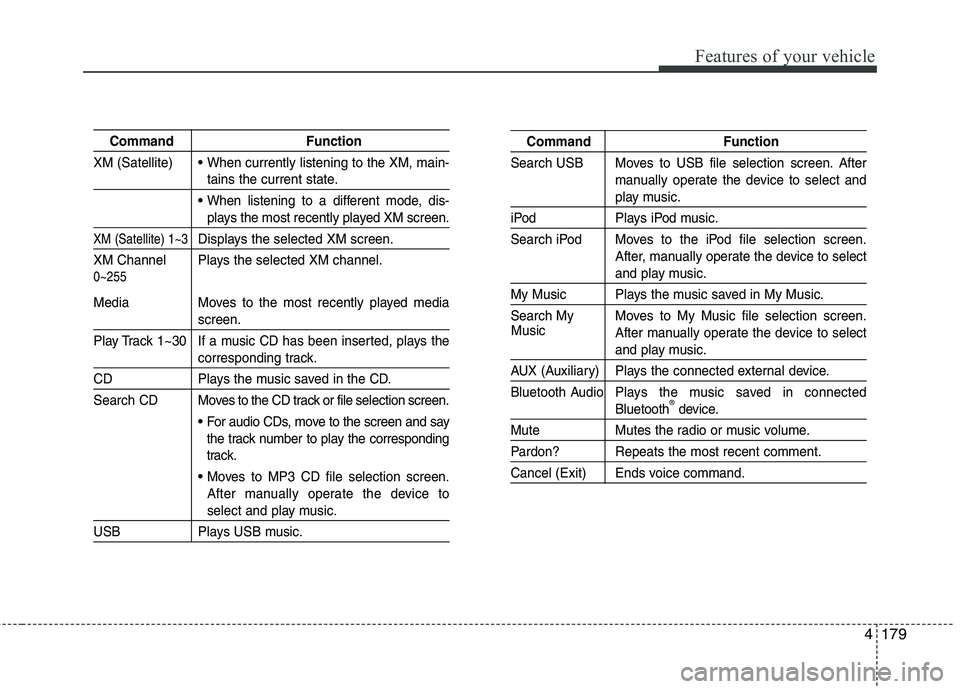
Command Function
XM (Satellite)
When currently listening to the XM, main-
tains the current state.
When listening to a different mode, dis-
plays the most recently played XM screen.
XM (Satellite) 1~3Displays the selected XM screen.
XM Channel Plays the selected XM channel.
Media Moves to the most recently played media
screen.
Play Track 1~30 If a music CD has been inserted, plays the
corresponding track.
CD Plays the music saved in the CD.
Search CD Moves to the CD track or file selection screen.
For audio CDs, move to the screen and say
the track number to play the corresponding
track.
Moves to MP3 CD file selection screen.
After manually operate the device to
select and play music.
USB Plays USB music.
Command Function
Search USB Moves to USB file selection screen. After
manually operate the device to select and
play music.
iPod Plays iPod music.
Search iPod Moves to the iPod file selection screen.
After, manually operate the device to select
and play music.
My Music Plays the music saved in My Music.
Search My Moves to My Music file selection screen.
After manually operate the device to select
and play music.
AUX (Auxiliary) Plays the connected external device.
Bluetooth Audio Plays the music saved in connected
Bluetooth®device.
Mute Mutes the radio or music volume.
Pardon? Repeats the most recent comment.
Cancel (Exit) Ends voice command.
0~255
Music
Page 266 of 476
4181
Features of your vehicle
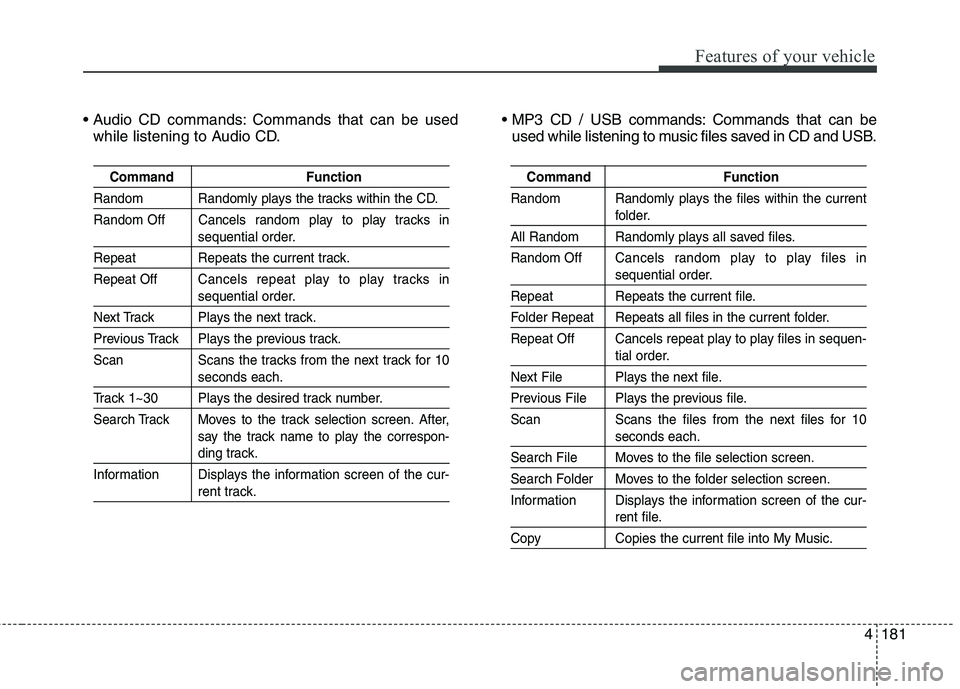
Commands that can be used
while listening to Audio CD. Commands that can be
used while listening to music files saved in CD and USB.
Command Function
Random Randomly plays the tracks within the CD.
Random Off Cancels random play to play tracks in
sequential order.
Repeat Repeats the current track.
Repeat OffCancels repeat play to play tracks in
sequential order.
Next Track Plays the next track.
Previous Track Plays the previous track.
Scan Scans the tracks from the next track for 10
seconds each.
Track 1~30 Plays the desired track number.
Search Track Moves to the track selection screen. After,
say the track name to play the correspon-
ding track.
Information Displays the information screen of the cur-
rent track.
Command Function
Random Randomly plays the files within the current
folder.
All Random Randomly plays all saved files.
Random OffCancels random play to play files in
sequential order.
Repeat Repeats the current file.
Folder Repeat Repeats all files in the current folder.
Repeat Off Cancels repeat play to play files in sequen-
tial order.
Next File Plays the next file.
Previous File Plays the previous file.
Scan Scans the files from the next files for 10
seconds each.
Search File Moves to the file selection screen.
Search Folder Moves to the folder selection screen.
Information Displays the information screen of the cur-
rent file.
Copy Copies the current file into My Music.
Page 468 of 476
Index
2I
Active eco system ........................................................5-46
Air bag warning label....................................................3-66
Air bag warning light ....................................................3-41
Air bags ........................................................................3-38
Air bag warning label ................................................3-66
Air bag warning light ................................................3-41
Curtain air bag ............................................................3-57
Driver's and passenger's front air bag ........................3-52
Occupant classification system ..................................3-45
Side impact air bag ....................................................3-56
SRS components and functions..................................3-41
Air cleaner ....................................................................7-34
Antenna (Roof)............................................................4-130
Anti-lock brake system (ABS) ......................................5-33
Appearance care ............................................................7-83
Exterior care ..............................................................7-83
Interior care ................................................................7-89
Audio system ..............................................................4-130
Roof antenna ............................................................4-130
Steering wheel audio control....................................4-131
Auto defogging sysemt ..............................................4-115
Automatic climate control system ..............................4-106
Air conditioning ......................................................4-112
Automatic heating and air conditioning ..................4-107
Manual heating and air conditioning ......................4-108Automatic transaxle ......................................................5-17
Sports mode ................................................................5-20
Automatic transaxle shift position indicator ................4-60
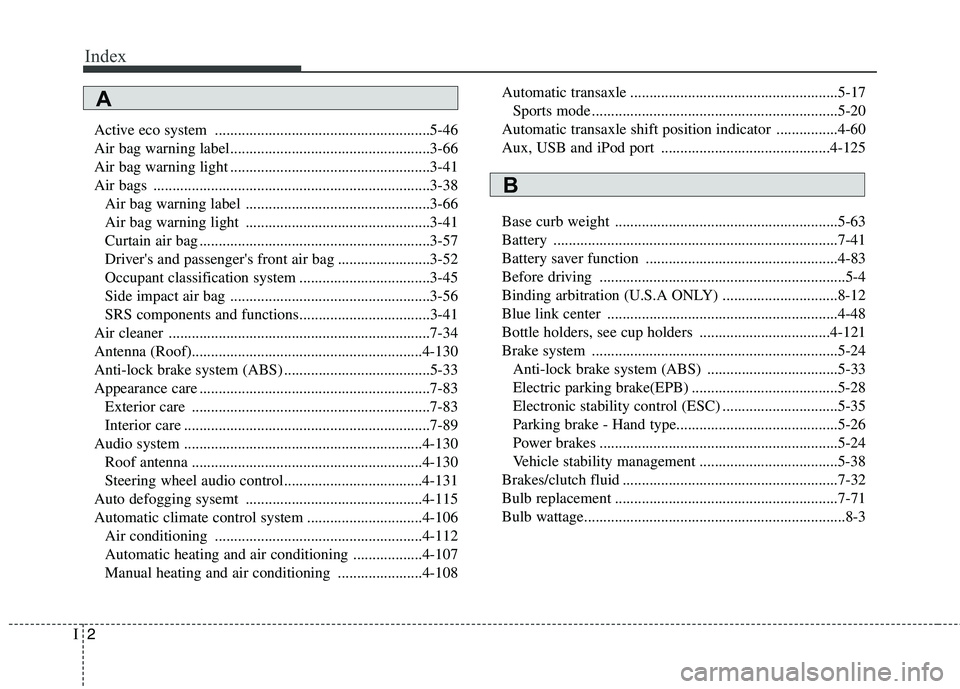
Aux, USB and iPod port ............................................4-125
Base curb weight ..........................................................5-63
Battery ..........................................................................7-41
Battery saver function ..................................................4-83
Before driving ................................................................5-4
Binding arbitration (U.S.A ONLY) ..............................8-12
Blue link center ............................................................4-48
Bottle holders, see cup holders ..................................4-121
Brake system ................................................................5-24
Anti-lock brake system (ABS) ..................................5-33
Electric parking brake(EPB) ......................................5-28
Electronic stability control (ESC) ..............................5-35
Parking brake - Hand type..........................................5-26
Power brakes ..............................................................5-24
Vehicle stability management ....................................5-38
Brakes/clutch fluid ........................................................7-32
Bulb replacement ..........................................................7-71
Bulb wattage....................................................................8-3
A
B
Page 471 of 476
I5
Index
Fuel gauge ....................................................................4-59
Fuel requirements ............................................................1-3
Fuse switch ....................................................................7-60
Fuses ..............................................................................7-58
Fuse switch ................................................................7-60
Fuse/relay panel description ......................................7-62
Instrument panel fuse ................................................7-59
Gauge
Engine temperature gauge ..........................................4-58
Fuel gauge ..................................................................4-59
GAW (Gross axle weight) ............................................5-63
GAWR (Gross axle weight rating) ................................5-63
Glove box ....................................................................4-118
GVW (Gross vehicle weight)........................................5-63
GVWR (Gross vehicle weight rating) ..........................5-63
Hazardous driving conditions ......................................5-49
Headlamp delay ............................................................4-83
Headlamp welcome function ........................................4-84
Headrest(front) ................................................................3-8
Headrest(rear) ................................................................3-11
Hight adjustment ..........................................................3-20
Highway driving............................................................5-52Hood ..............................................................................4-32
Horn ..............................................................................4-45
How to use this manual ..................................................1-2
Indicator symbols on the instrument cluster ..................1-7
Indicators and warnings ................................................4-67
Inside rearview mirror ..................................................4-48
Instrument cluster ..........................................................4-56
Engine temperature gauge ..........................................4-58
Fuel gauge ..................................................................4-59
Instrument panel illumination ....................................4-57
LCD display warning ................................................4-78
Odometer ....................................................................4-60
Speedometer ..............................................................4-57
Tachometer ................................................................4-57
Trip computer ............................................................4-61
Warning and indicators ..............................................4-67
Instrument panel fuse ....................................................7-59
Instrument panel illumination ......................................4-57
Instrument panel overview ..............................................2-5
Interior care ..................................................................7-89
Interior features ..........................................................4-121
Aux, USB and iPod port ..........................................4-125
Cargo area cover ......................................................4-126
Clothes hanger ..........................................................4-124
Cup holder ................................................................4-121
G
H
I