change time HYUNDAI ELANTRA GT 2014 User Guide
[x] Cancel search | Manufacturer: HYUNDAI, Model Year: 2014, Model line: ELANTRA GT, Model: HYUNDAI ELANTRA GT 2014Pages: 476, PDF Size: 31.71 MB
Page 218 of 476
4133
Features of your vehicle
SYSTEM CONTROLLERS
AND FUNCTIONS
❈Display and settings may differ
depending on the selected audio.
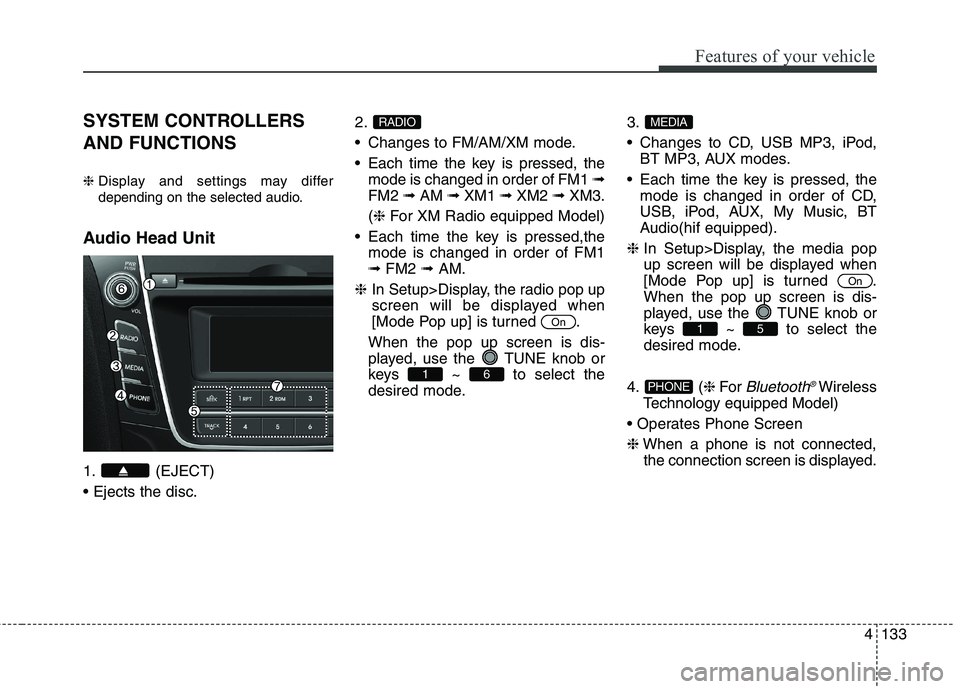
Audio Head Unit
1. (EJECT)
2.
Changes to FM/AM/XM mode.
Each time the key is pressed, the
mode is changed in order of FM1 ➟
FM2 ➟AM ➟XM1 ➟XM2 ➟XM3.
(❈For XM Radio equipped Model)
Each time the key is pressed,the
mode is changed in order of FM1
➟FM2 ➟AM.
❈In Setup>Display, the radio pop up
screen will be displayed when
[Mode Pop up] is turned .
When the pop up screen is dis-
played, use the TUNE knob or
keys ~ to select the
desired mode.3.
Changes to CD, USB MP3, iPod,
BT MP3, AUX modes.
Each time the key is pressed, the
mode is changed in order of CD,
USB, iPod, AUX, My Music, BT
Audio(hif equipped).
❈In Setup>Display, the media pop
up screen will be displayed when
[Mode Pop up] is turned .
When the pop up screen is dis-
played, use the TUNE knob or
keys ~ to select the
desired mode.
4. (❈For
Bluetooth®Wireless
Technology equipped Model)
❈When a phone is not connected,
the connection screen is displayed.PHONE
51
On
MEDIA
61
On
RADIO
Page 220 of 476
4135
Features of your vehicle
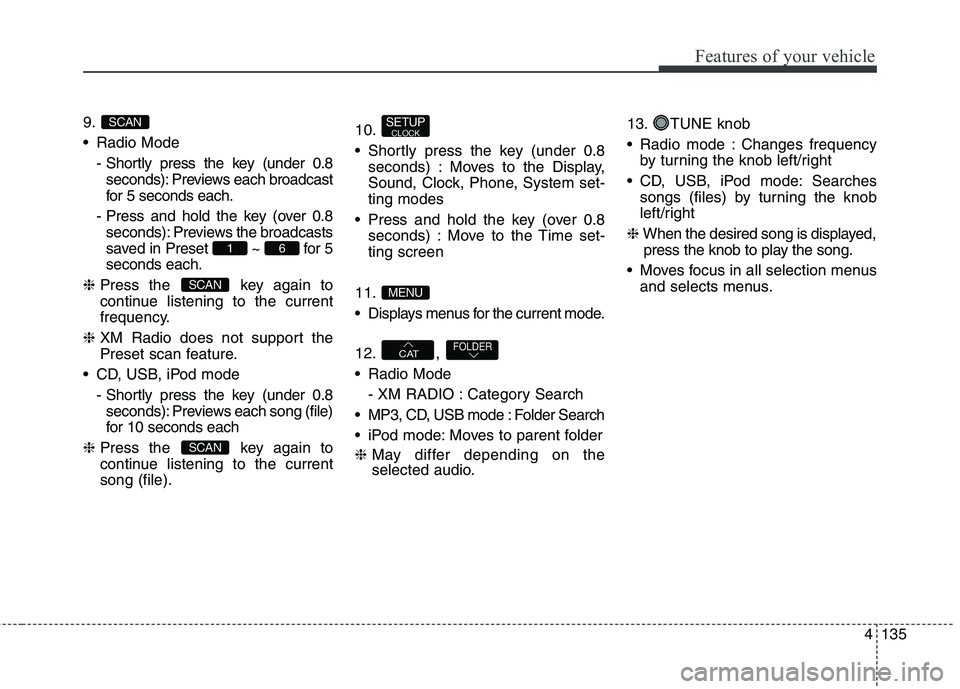
9.
Radio Mode
- Shortly press the key (under 0.8
seconds): Previews each broadcast
for 5 seconds each.
- Press and hold the key (over 0.8
seconds): Previews the broadcasts
saved in Preset ~ for 5
seconds each.
❈Press the key again to
continue listening to the current
frequency.
❈XM Radio does not support the
Preset scan feature.
CD, USB, iPod mode
- Shortly press the key (under 0.8
seconds): Previews each song (file)
for 10 seconds each
❈Press the key again to
continue listening to the current
song (file).10.
Shortly press the key (under 0.8
seconds) : Moves to the Display,
Sound, Clock, Phone, System set-
ting modes
Press and hold the key (over 0.8
seconds) : Move to the Time set-
ting screen
11.
Displays menus for the current mode.
12. ,
Radio Mode
- XM RADIO : Category Search
MP3, CD, USB mode : Folder Search
iPod mode: Moves to parent folder
❈May differ depending on the
selected audio.13. TUNE knob
Radio mode : Changes frequency
by turning the knob left/right
CD, USB, iPod mode: Searches
songs (files) by turning the knob
left/right
❈When the desired song is displayed,
press the knob to play the song.
Moves focus in all selection menus
and selects menus.
FOLDERCAT
MENU
SETUPCLOCK
SCAN
SCAN
61
SCAN
Page 221 of 476
Features of your vehicle
136 4
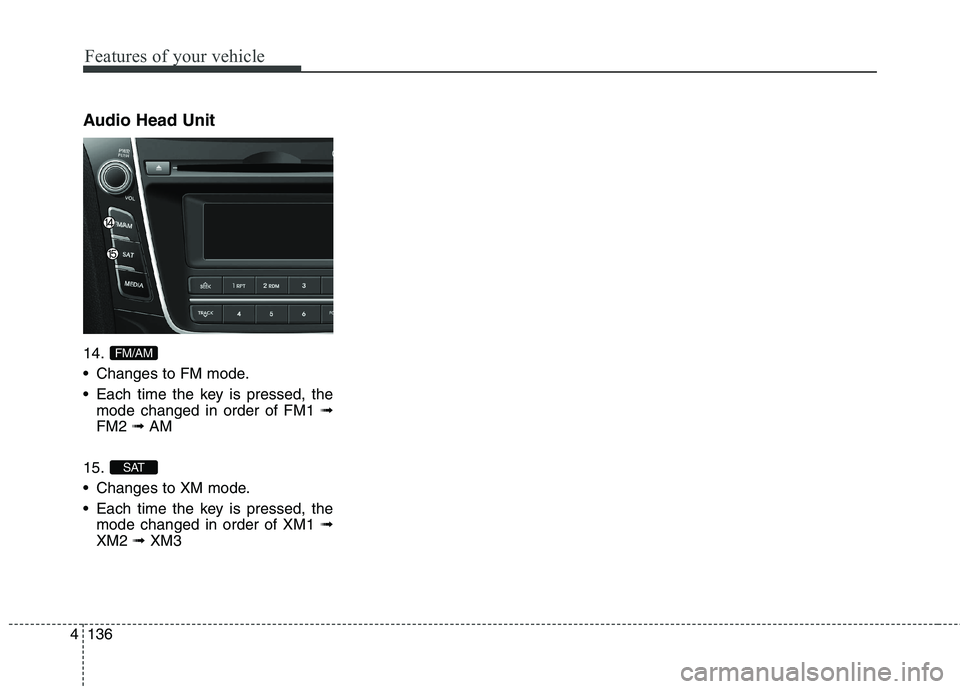
Audio Head Unit
14.
Changes to FM mode.
Each time the key is pressed, the
mode changed in order of FM1 ➟
FM2 ➟AM
15.
Changes to XM mode.
Each time the key is pressed, the
mode changed in order of XM1 ➟
XM2 ➟XM3
SAT
FM/AM
Page 222 of 476
![HYUNDAI ELANTRA GT 2014 User Guide 4137
Features of your vehicle
DISPLAY SETTINGS
Press the key Select [Display]
through TUNE knob or key
Select menu through TUNE knobMode Pop up
[Mode Pop up] Changes /
selection mode
During On s](/img/35/56097/w960_56097-221.png "HYUNDAI ELANTRA GT 2014 User Guide 4137
Features of your vehicle
DISPLAY SETTINGS
Press the key Select [Display]
through TUNE knob or key
Select menu through TUNE knobMode Pop up
[Mode Pop up] Changes /
selection mode
During On s")
4137
Features of your vehicle
DISPLAY SETTINGS
Press the key Select [Display]
through TUNE knob or key
Select menu through TUNE knobMode Pop up
[Mode Pop up] Changes /
selection mode
During On state, press the
or key to display the mode
change pop up screen.
Text Scroll
[Text Scroll] Set /
: Maintains scroll
: Scrolls only one (1) time.
Media Display
When playing an MP3 file, select the
desired display info from ‘Folder/File’
or ‘Album/Artist/Song’.
Off
On
OffOn
MEDIA
RADIO
OffOn
1
SETUP
Page 252 of 476
4167
Features of your vehicle
✽ ✽
NOTICE FOR USING THE
iPod®DEVICE
• Some iPod models may not sup-
port communication protocol and
files may not properly play.
Supported iPod models:
- iPod Mini
- iPod 4th(Photo) ~ 6th(Classic)
generation
- iPod Nano 1st~4th generation
- iPod Touch 1st~2nd generation
• The order of search or playback of
songs in the iPod can be different
from the order searched in the
audio system.
• If the iPod disabled due to its own
malfunction, reset the iPod.
(Reset: Refer to iPod manual)
• An iPod may not operate normal-
ly on low battery.
(Continued)(Continued)
• Some iPod devices, such as the
iPhone, can be connected through
the Bluetooth®Wireless
Technology interface. The device
must have audio Bluetooth
®
Wireless Technology capability
(such as for stereo headphone
Bluetooth
®Wireless Technology).
The device can play, but it will not
be controlled by the audio system.
• To use iPod features within the
audio, use the cable provided upon
purchasing an iPod device.
• Skipping or improper operation
may occur depending on the char-
acteristics of your iPod/Phone
device.
• If your iPhone is connected to both
the Bluetooth
®Wireless
Technology and USB, the sound
may not be properly played. In
your iPhone, select the Dock con-
nector orBluetooth
®Wireless
Technology to change the sound
output (source).
CAUTION IN USING
THE iPod®DEVICE
When connecting iPod with
the iPod Power Cable, insert
the connector to the multime-
dia socket completely. If not
inserted completely, commu-
nications between iPod and
audio may be interrupted.
When adjusting the sound
effects of the iPod and the
audio system, the sound
effects of both devices will
overlap and might reduce or
distort the quality of the sound.
Deactivate (turn off) the equal-
izer function of an iPod when
adjusting the audio system’s
volume, and turn off the equal-
izer of the audio system when
using the equalizer of an iPod.
When not using iPod with car
audio, detach the iPod cable
from iPod. Otherwise, iPod may
remain in accessory mode,
and may not work properly.
Page 275 of 476
53
Driving your vehicle
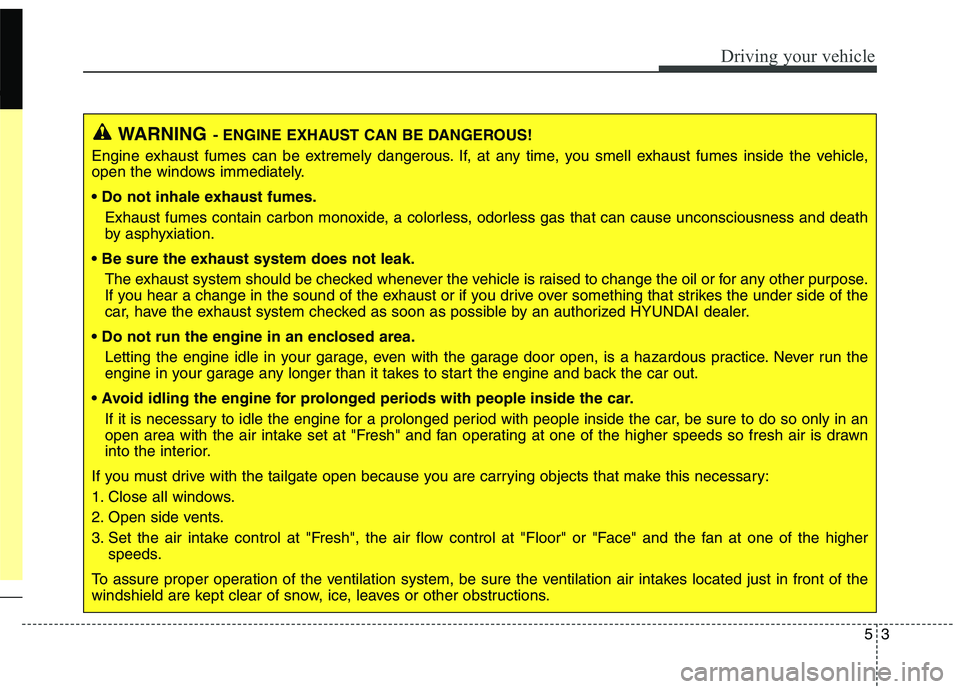
WARNING- ENGINE EXHAUST CAN BE DANGEROUS!
Engine exhaust fumes can be extremely dangerous. If, at any time, you smell exhaust fumes inside the vehicle,
open the windows immediately.
• Do not inhale exhaust fumes.
Exhaust fumes contain carbon monoxide, a colorless, odorless gas that can cause unconsciousness and death
by asphyxiation.
The exhaust system should be checked whenever the vehicle is raised to change the oil or for any other purpose.
If you hear a change in the sound of the exhaust or if you drive over something that strikes the under side of the
car, have the exhaust system checked as soon as possible by an authorized HYUNDAI dealer.
Letting the engine idle in your garage, even with the garage door open, is a hazardous practice. Never run the
engine in your garage any longer than it takes to start the engine and back the car out.
If it is necessary to idle the engine for a prolonged period with people inside the car, be sure to do so only in an
open area with the air intake set at "Fresh" and fan operating at one of the higher speeds so fresh air is drawn
into the interior.
If you must drive with the tailgate open because you are carrying objects that make this necessary:
1. Close all windows.
2. Open side vents.
3. Set the air intake control at "Fresh", the air flow control at "Floor" or "Face" and the fan at one of the higher
speeds.
To assure proper operation of the ventilation system, be sure the ventilation air intakes located just in front of the
windshield are kept clear of snow, ice, leaves or other obstructions.
Page 282 of 476
Driving your vehicle
10 5
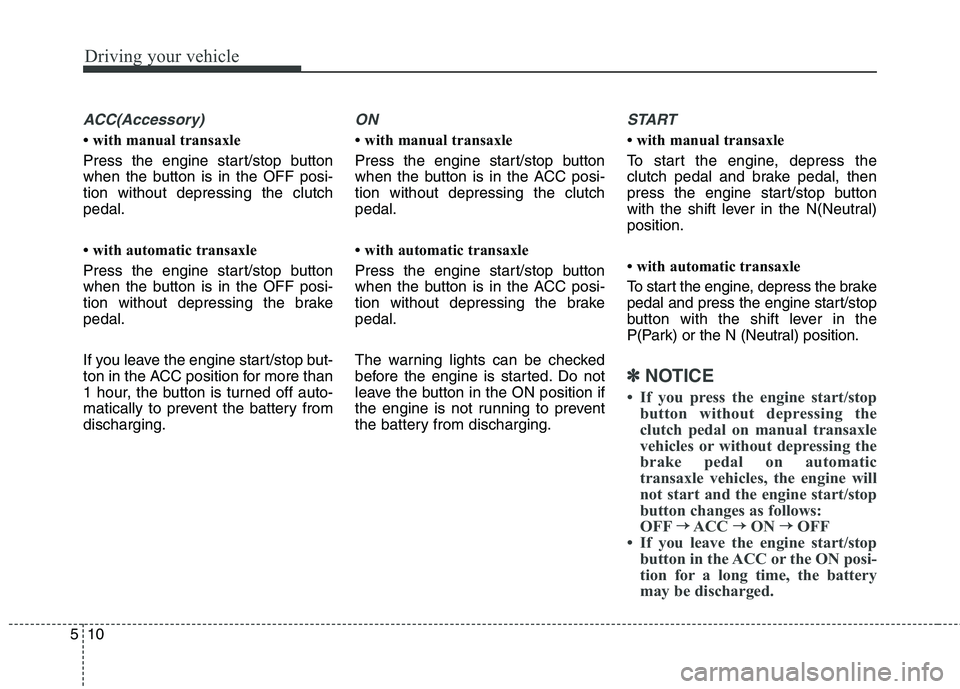
ACC(Accessory)
• with manual transaxle
Press the engine start/stop button
when the button is in the OFF posi-
tion without depressing the clutch
pedal.
• with automatic transaxle
Press the engine start/stop button
when the button is in the OFF posi-
tion without depressing the brake
pedal.
If you leave the engine start/stop but-
ton in the ACC position for more than
1 hour, the button is turned off auto-
matically to prevent the battery from
discharging.
ON
• with manual transaxle
Press the engine start/stop button
when the button is in the ACC posi-
tion without depressing the clutch
pedal.
• with automatic transaxle
Press the engine start/stop button
when the button is in the ACC posi-
tion without depressing the brake
pedal.
The warning lights can be checked
before the engine is started. Do not
leave the button in the ON position if
the engine is not running to prevent
the battery from discharging.
START
• with manual transaxle
To start the engine, depress the
clutch pedal and brake pedal, then
press the engine start/stop button
with the shift lever in the N(Neutral)
position.
• with automatic transaxle
To start the engine, depress the brake
pedal and press the engine start/stop
button with the shift lever in the
P(Park) or the N (Neutral) position.
✽ ✽
NOTICE
• If you press the engine start/stop
button without depressing the
clutch pedal on manual transaxle
vehicles or without depressing the
brake pedal on automatic
transaxle vehicles, the engine will
not start and the engine start/stop
button changes as follows:
OFF→ →
ACC → →
ON → →
OFF
• If you leave the engine start/stop
button in the ACC or the ON posi-
tion for a long time, the battery
may be discharged.
Page 315 of 476
543
Driving your vehicle
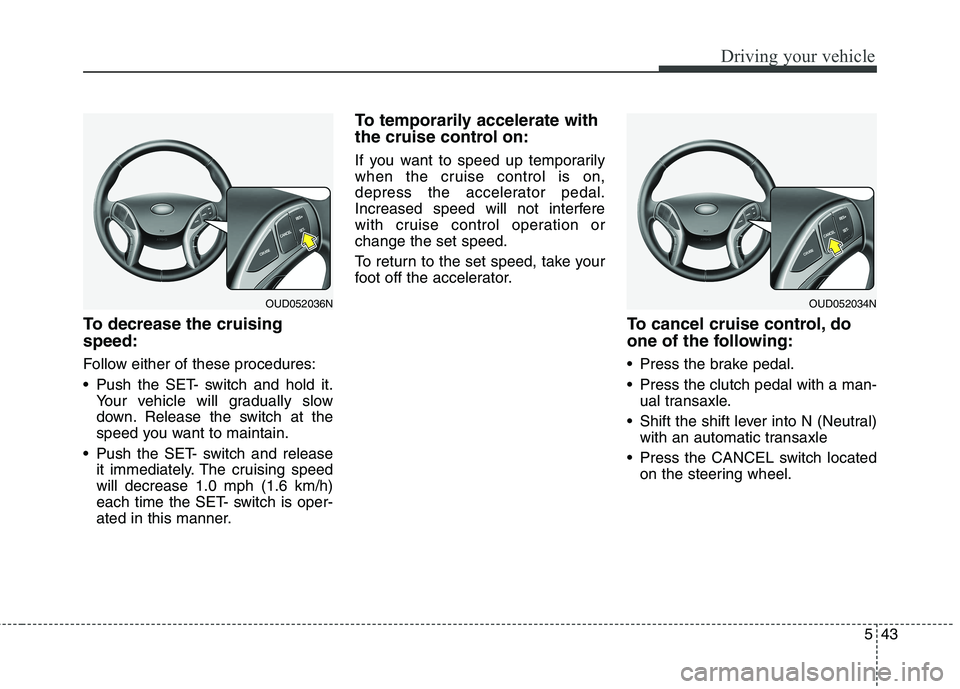
To decrease the cruising
speed:
Follow either of these procedures:
Push the SET- switch and hold it.
Your vehicle will gradually slow
down. Release the switch at the
speed you want to maintain.
Push the SET- switch and release
it immediately. The cruising speed
will decrease 1.0 mph (1.6 km/h)
each time the SET- switch is oper-
ated in this manner.
To temporarily accelerate with
the cruise control on:
If you want to speed up temporarily
when the cruise control is on,
depress the accelerator pedal.
Increased speed will not interfere
with cruise control operation or
change the set speed.
To return to the set speed, take your
foot off the accelerator.
To cancel cruise control, do
one of the following:
Press the brake pedal.
Press the clutch pedal with a man-
ual transaxle.
Shift the shift lever into N (Neutral)
with an automatic transaxle
Press the CANCEL switch located
on the steering wheel.
OUD052036NOUD052034N
Page 328 of 476
Driving your vehicle
56 5
Use high quality ethylene glycol
coolant
Your vehicle is delivered with high
quality ethylene glycol coolant in the
cooling system. It is the only type of
coolant that should be used because
it helps prevent corrosion in the cool-
ing system, lubricates the water
pump and prevents freezing. Be sure
to replace or replenish your coolant
in accordance with the maintenance
schedule in section 7. Before winter,
have your coolant tested to assure
that its freezing point is sufficient for
the temperatures anticipated during
the winter.
Check battery and cables
Winter puts additional burdens on
the battery system. Visually inspect
the battery and cables as described
in section 7. The level of charge in
your battery can be checked by an
authorized HYUNDAI dealer or a
service station.
Change to "winter weight" oil
if necessary
In some climates it is recommended
that a lower viscosity "winter weight"
oil be used during cold weather. See
section 8 for recommendations. If
you aren't sure what weight oil you
should use, consult an authorized
HYUNDAI dealer.
Check spark plugs and igni-
tion system
Inspect your spark plugs as
described in section 7 and replace
them if necessary. Also check all
ignition wiring and components to be
sure they are not cracked, worn or
damaged in any way.
WARNING - Tire chains
The use of chains may adverse-
ly affect vehicle handling.
Do not exceed 20 mph (30
km/h) or the chain manufac-
turer’s recommended speed
limit, whichever is lower.
Drive carefully and avoid
bumps, holes, sharp turns, and
other road hazards, which may
cause the vehicle to bounce.
Avoid sharp turns or locked-
wheel braking.
CAUTION
Chains that are the wrong size
or improperly installed can
damage your vehicle's brake
lines, suspension, body and
wheels.
Stop driving and retighten the
chains any time you hear them
hitting the vehicle.
Page 389 of 476
Maintenance
28 7
Changing the engine oil and
filter
Have engine oil and filter changed by
an authorized HYUNDAI dealer
according to the Maintenance
Schedule at the beginning of this
section.
CALIFORNIA PROPO-
SITION 65 WARNING
Engine oil contains chemicals
known to the State of California
to cause cancer, birth defects,
and reproductive harm.
Used engine oil may cause irri-
tation or cancer of the skin if
left in contact with the skin for
prolonged periods of time. Used
engine oil contains chemicals
that have caused cancer in lab-
oratory animals. Always protect
your skin by washing your
hands thoroughly with soap
and warm water as soon as pos-
sible after handling used oil.