battery HYUNDAI ELANTRA GT 2014 Owner's Manual
[x] Cancel search | Manufacturer: HYUNDAI, Model Year: 2014, Model line: ELANTRA GT, Model: HYUNDAI ELANTRA GT 2014Pages: 476, PDF Size: 31.71 MB
Page 200 of 476
4115
Features of your vehicle
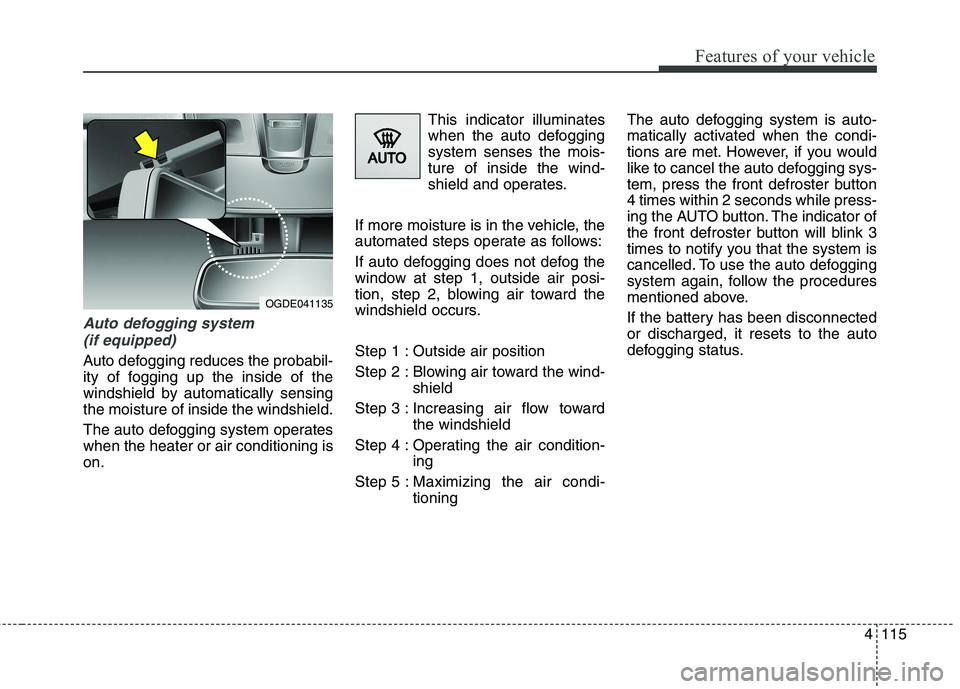
Auto defogging system
(if equipped)
Auto defogging reduces the probabil-
ity of fogging up the inside of the
windshield by automatically sensing
the moisture of inside the windshield.
The auto defogging system operates
when the heater or air conditioning is
on.This indicator illuminates
when the auto defogging
system senses the mois-
ture of inside the wind-
shield and operates.
If more moisture is in the vehicle, the
automated steps operate as follows:
If auto defogging does not defog the
window at step 1, outside air posi-
tion, step 2, blowing air toward the
windshield occurs.
Step 1 : Outside air position
Step 2 : Blowing air toward the wind-
shield
Step 3 : Increasing air flow toward
the windshield
Step 4 : Operating the air condition-
ing
Step 5 : Maximizing the air condi-
tioningThe auto defogging system is auto-
matically activated when the condi-
tions are met. However, if you would
like to cancel the auto defogging sys-
tem, press the front defroster button
4 times within 2 seconds while press-
ing the AUTO button. The indicator of
the front defroster button will blink 3
times to notify you that the system is
cancelled. To use the auto defogging
system again, follow the procedures
mentioned above.
If the battery has been disconnected
or discharged, it resets to the auto
defogging status.
OGDE041135
Page 207 of 476
Features of your vehicle
122 4
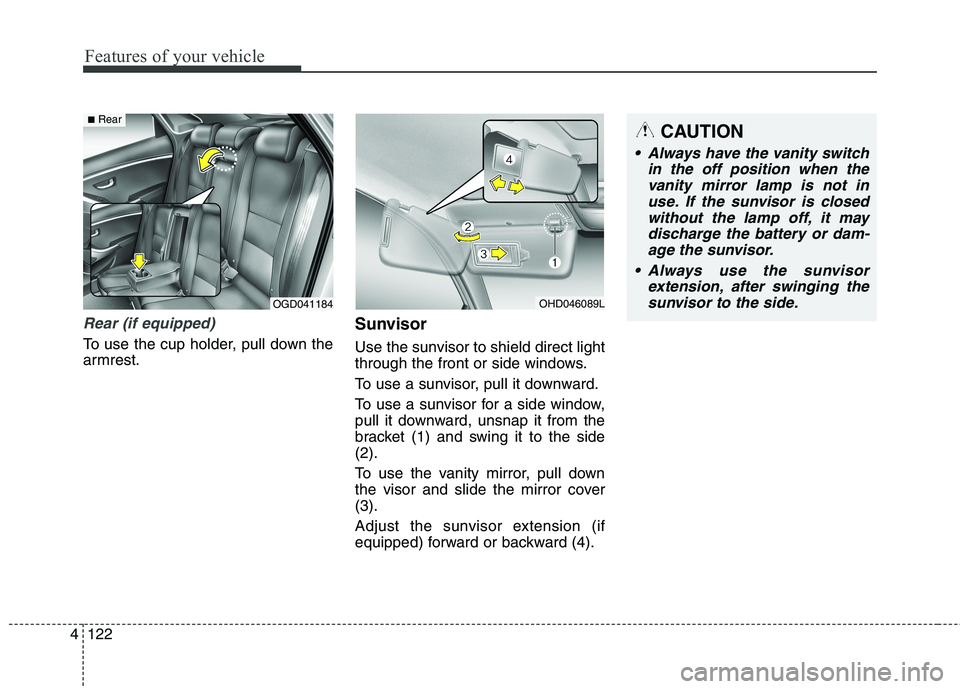
Rear (if equipped)
To use the cup holder, pull down the
armrest.
Sunvisor
Use the sunvisor to shield direct light
through the front or side windows.
To use a sunvisor, pull it downward.
To use a sunvisor for a side window,
pull it downward, unsnap it from the
bracket (1) and swing it to the side
(2).
To use the vanity mirror, pull down
the visor and slide the mirror cover
(3).
Adjust the sunvisor extension (if
equipped) forward or backward (4).
OHD046089LOGD041184
■RearCAUTION
Always have the vanity switch
in the off position when the
vanity mirror lamp is not in
use. If the sunvisor is closed
without the lamp off, it may
discharge the battery or dam-
age the sunvisor.
Always use the sunvisor
extension, after swinging the
sunvisor to the side.
Page 208 of 476
4123
Features of your vehicle
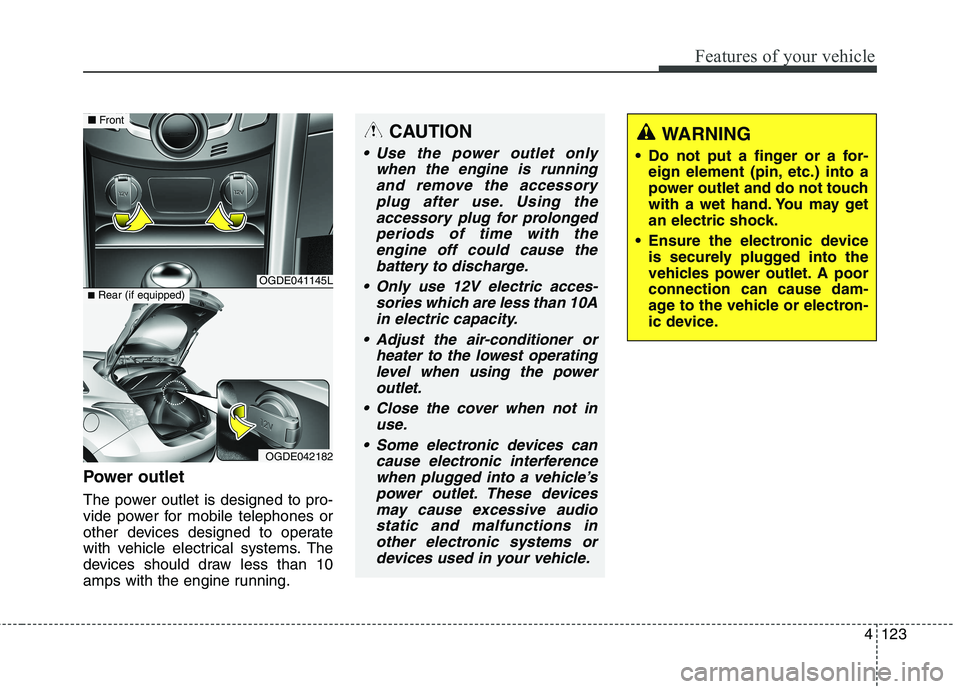
Power outlet
The power outlet is designed to pro-
vide power for mobile telephones or
other devices designed to operate
with vehicle electrical systems. The
devices should draw less than 10
amps with the engine running.
CAUTION
Use the power outlet only
when the engine is running
and remove the accessory
plug after use. Using the
accessory plug for prolonged
periods of time with the
engine off could cause the
battery to discharge.
Only use 12V electric acces-
sories which are less than 10A
in electric capacity.
Adjust the air-conditioner or
heater to the lowest operating
level when using the power
outlet.
Close the cover when not in
use.
Some electronic devices can
cause electronic interference
when plugged into a vehicle’s
power outlet. These devices
may cause excessive audio
static and malfunctions in
other electronic systems or
devices used in your vehicle.
WARNING
Do not put a finger or a for-
eign element (pin, etc.) into a
power outlet and do not touch
with a wet hand. You may get
an electric shock.
Ensure the electronic device
is securely plugged into the
vehicles power outlet. A poor
connection can cause dam-
age to the vehicle or electron-
ic device.
OGDE041145L
OGDE042182
■Front
■Rear (if equipped)
Page 231 of 476
Features of your vehicle
146 4
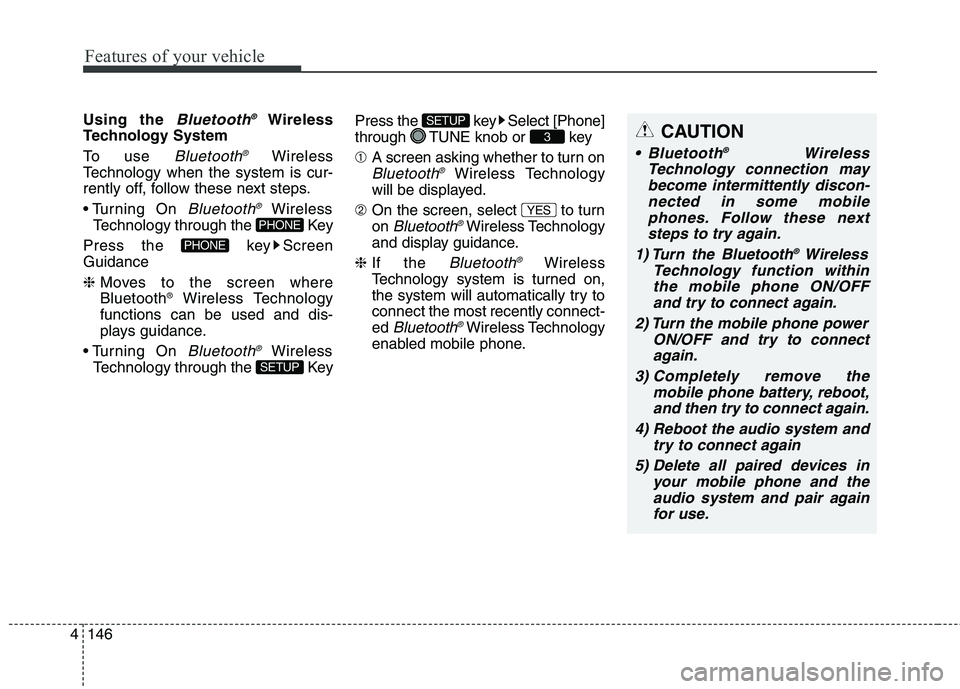
Using the Bluetooth®Wireless
Technology System
To use
Bluetooth®Wireless
Technology when the system is cur-
rently off, follow these next steps.
On
Bluetooth®Wireless
Technology through the Key
Press the key Screen
Guidance
❈Moves to the screen where
Bluetooth
®Wireless Technology
functions can be used and dis-
plays guidance.
On
Bluetooth®Wireless
Technology through the KeyPress the key Select [Phone]
through TUNE knob or key
➀A screen asking whether to turn on
Bluetooth®Wireless Technology
will be displayed.
➁On the screen, select to turn
on
Bluetooth®Wireless Technology
and display guidance.
❈If the
Bluetooth®Wireless
Technology system is turned on,
the system will automatically try to
connect the most recently connect-
ed
Bluetooth®Wireless Technology
enabled mobile phone.
YES
3
SETUP
SETUP
PHONE
PHONE
CAUTION
Bluetooth®Wireless
Technology connection may
become intermittently discon-
nected in some mobile
phones. Follow these next
steps to try again.
1) Turn the Bluetooth
®Wireless
Technology function within
the mobile phone ON/OFF
and try to connect again.
2) Turn the mobile phone power
ON/OFF and try to connect
again.
3) Completely remove the
mobile phone battery, reboot,
and then try to connect again.
4) Reboot the audio system and
try to connect again
5) Delete all paired devices in
your mobile phone and the
audio system and pair again
for use.
Page 252 of 476
4167
Features of your vehicle
✽ ✽
NOTICE FOR USING THE
iPod®DEVICE
• Some iPod models may not sup-
port communication protocol and
files may not properly play.
Supported iPod models:
- iPod Mini
- iPod 4th(Photo) ~ 6th(Classic)
generation
- iPod Nano 1st~4th generation
- iPod Touch 1st~2nd generation
• The order of search or playback of
songs in the iPod can be different
from the order searched in the
audio system.
• If the iPod disabled due to its own
malfunction, reset the iPod.
(Reset: Refer to iPod manual)
• An iPod may not operate normal-
ly on low battery.
(Continued)(Continued)
• Some iPod devices, such as the
iPhone, can be connected through
the Bluetooth®Wireless
Technology interface. The device
must have audio Bluetooth
®
Wireless Technology capability
(such as for stereo headphone
Bluetooth
®Wireless Technology).
The device can play, but it will not
be controlled by the audio system.
• To use iPod features within the
audio, use the cable provided upon
purchasing an iPod device.
• Skipping or improper operation
may occur depending on the char-
acteristics of your iPod/Phone
device.
• If your iPhone is connected to both
the Bluetooth
®Wireless
Technology and USB, the sound
may not be properly played. In
your iPhone, select the Dock con-
nector orBluetooth
®Wireless
Technology to change the sound
output (source).
CAUTION IN USING
THE iPod®DEVICE
When connecting iPod with
the iPod Power Cable, insert
the connector to the multime-
dia socket completely. If not
inserted completely, commu-
nications between iPod and
audio may be interrupted.
When adjusting the sound
effects of the iPod and the
audio system, the sound
effects of both devices will
overlap and might reduce or
distort the quality of the sound.
Deactivate (turn off) the equal-
izer function of an iPod when
adjusting the audio system’s
volume, and turn off the equal-
izer of the audio system when
using the equalizer of an iPod.
When not using iPod with car
audio, detach the iPod cable
from iPod. Otherwise, iPod may
remain in accessory mode,
and may not work properly.
Page 278 of 476
Driving your vehicle
6 5
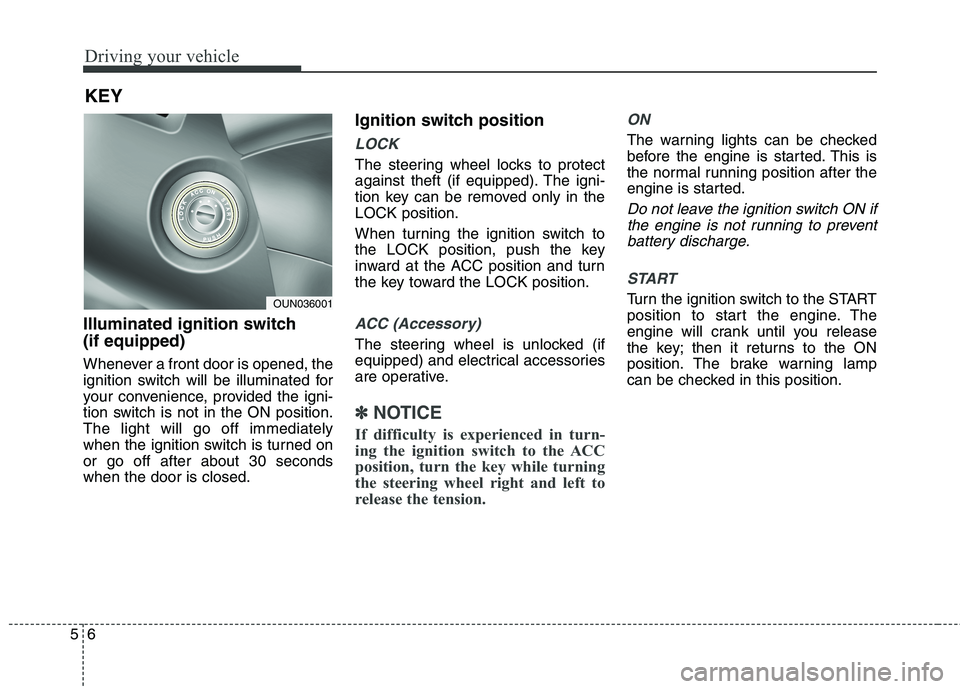
Illuminated ignition switch
(if equipped)
Whenever a front door is opened, the
ignition switch will be illuminated for
your convenience, provided the igni-
tion switch is not in the ON position.
The light will go off immediately
when the ignition switch is turned on
or go off after about 30 seconds
when the door is closed.
Ignition switch position
LOCK
The steering wheel locks to protect
against theft (if equipped). The igni-
tion key can be removed only in the
LOCK position.
When turning the ignition switch to
the LOCK position, push the key
inward at the ACC position and turn
the key toward the LOCK position.
ACC (Accessory)
The steering wheel is unlocked (if
equipped) and electrical accessories
are operative.
✽ ✽
NOTICE
If difficulty is experienced in turn-
ing the ignition switch to the ACC
position, turn the key while turning
the steering wheel right and left to
release the tension.
ON
The warning lights can be checked
before the engine is started. This is
the normal running position after the
engine is started.
Do not leave the ignition switch ON if
the engine is not running to prevent
battery discharge.
START
Turn the ignition switch to the START
position to start the engine. The
engine will crank until you release
the key; then it returns to the ON
position. The brake warning lamp
can be checked in this position.
KEY
OUN036001
Page 282 of 476
Driving your vehicle
10 5
ACC(Accessory)
• with manual transaxle
Press the engine start/stop button
when the button is in the OFF posi-
tion without depressing the clutch
pedal.
• with automatic transaxle
Press the engine start/stop button
when the button is in the OFF posi-
tion without depressing the brake
pedal.
If you leave the engine start/stop but-
ton in the ACC position for more than
1 hour, the button is turned off auto-
matically to prevent the battery from
discharging.
ON
• with manual transaxle
Press the engine start/stop button
when the button is in the ACC posi-
tion without depressing the clutch
pedal.
• with automatic transaxle
Press the engine start/stop button
when the button is in the ACC posi-
tion without depressing the brake
pedal.
The warning lights can be checked
before the engine is started. Do not
leave the button in the ON position if
the engine is not running to prevent
the battery from discharging.
START
• with manual transaxle
To start the engine, depress the
clutch pedal and brake pedal, then
press the engine start/stop button
with the shift lever in the N(Neutral)
position.
• with automatic transaxle
To start the engine, depress the brake
pedal and press the engine start/stop
button with the shift lever in the
P(Park) or the N (Neutral) position.
✽ ✽
NOTICE
• If you press the engine start/stop
button without depressing the
clutch pedal on manual transaxle
vehicles or without depressing the
brake pedal on automatic
transaxle vehicles, the engine will
not start and the engine start/stop
button changes as follows:
OFF→ →
ACC → →
ON → →
OFF
• If you leave the engine start/stop
button in the ACC or the ON posi-
tion for a long time, the battery
may be discharged.
Page 284 of 476
Driving your vehicle
12 5
4. Press the engine start/stop button.
5. In extremely cold weather (below -
18°C / 0°F) or after the vehicle has
not been operated for several
days, let the engine warm up with-
out depressing the accelerator.
Whether the engine is cold or
warm, it should be started without
depressing the accelerator. If the smart key is in the vehicle,
but it is not close to the driver’s
seat area, then the engine may not
start.
When the engine start/stop button
is in the ACC or ON position, if any
door is open, the system checks
for the smart key. If the smart key is
not in the vehicle, and if all doors
are closed, the chime will sound for
about 5 seconds. Keep the smart
key in the vehicle, when using the
ACC position or if the vehicle
engine is on.
✽ ✽
NOTICE
• If the battery is weak or the smart
key does not work correctly, you
can start the engine by pressing
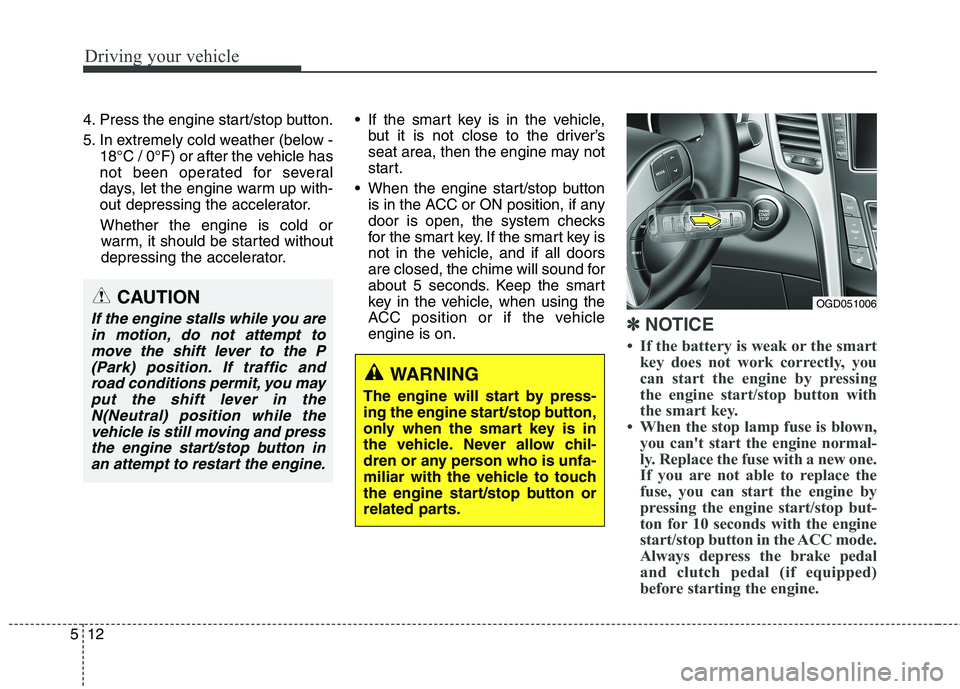
the engine start/stop button with
the smart key.
• When the stop lamp fuse is blown,
you can't start the engine normal-
ly. Replace the fuse with a new one.
If you are not able to replace the
fuse, you can start the engine by
pressing the engine start/stop but-
ton for 10 seconds with the engine
start/stop button in the ACC mode.
Always depress the brake pedal
and clutch pedal (if equipped)
before starting the engine.
WARNING
The engine will start by press-
ing the engine start/stop button,
only when the smart key is in
the vehicle. Never allow chil-
dren or any person who is unfa-
miliar with the vehicle to touch
the engine start/stop button or
related parts.
OGD051006CAUTION
If the engine stalls while you are
in motion, do not attempt to
move the shift lever to the P
(Park) position. If traffic and
road conditions permit, you may
put the shift lever in the
N(Neutral) position while the
vehicle is still moving and press
the engine start/stop button in
an attempt to restart the engine.
Page 307 of 476
535
Driving your vehicle
✽ ✽
NOTICE
When you jump start your vehicle
because of a drained battery, the
engine may not run as smoothly and
the ABS warning light may turn on at
the same time. This happens because
of the low battery voltage. It does not
mean your ABS is malfunctioning.
• Do not pump your brakes!
• Have the battery recharged before
driving the vehicle.
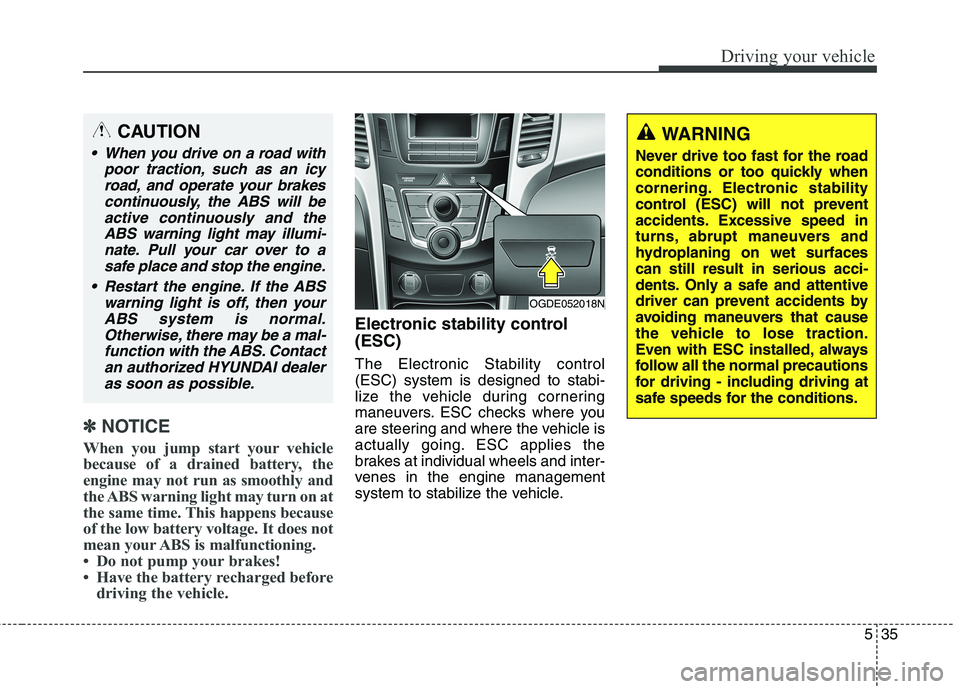
Electronic stability control
(ESC)
The Electronic Stability control
(ESC) system is designed to stabi-
lize the vehicle during cornering
maneuvers. ESC checks where you
are steering and where the vehicle is
actually going. ESC applies the
brakes at individual wheels and inter-
venes in the engine management
system to stabilize the vehicle.
OGDE052018N
CAUTION
When you drive on a road with
poor traction, such as an icy
road, and operate your brakes
continuously, the ABS will be
active continuously and the
ABS warning light may illumi-
nate. Pull your car over to a
safe place and stop the engine.
Restart the engine. If the ABS
warning light is off, then your
ABS system is normal.
Otherwise, there may be a mal-
function with the ABS. Contact
an authorized HYUNDAI dealer
as soon as possible.
WARNING
Never drive too fast for the road
conditions or too quickly when
cornering. Electronic stability
control (ESC) will not prevent
accidents. Excessive speed in
turns, abrupt maneuvers and
hydroplaning on wet surfaces
can still result in serious acci-
dents. Only a safe and attentive
driver can prevent accidents by
avoiding maneuvers that cause
the vehicle to lose traction.
Even with ESC installed, always
follow all the normal precautions
for driving - including driving at
safe speeds for the conditions.
Page 328 of 476
Driving your vehicle
56 5
Use high quality ethylene glycol
coolant
Your vehicle is delivered with high
quality ethylene glycol coolant in the
cooling system. It is the only type of
coolant that should be used because
it helps prevent corrosion in the cool-
ing system, lubricates the water
pump and prevents freezing. Be sure
to replace or replenish your coolant
in accordance with the maintenance
schedule in section 7. Before winter,
have your coolant tested to assure
that its freezing point is sufficient for
the temperatures anticipated during
the winter.
Check battery and cables
Winter puts additional burdens on
the battery system. Visually inspect
the battery and cables as described
in section 7. The level of charge in
your battery can be checked by an
authorized HYUNDAI dealer or a
service station.
Change to "winter weight" oil
if necessary
In some climates it is recommended
that a lower viscosity "winter weight"
oil be used during cold weather. See
section 8 for recommendations. If
you aren't sure what weight oil you
should use, consult an authorized
HYUNDAI dealer.
Check spark plugs and igni-
tion system
Inspect your spark plugs as
described in section 7 and replace
them if necessary. Also check all
ignition wiring and components to be
sure they are not cracked, worn or
damaged in any way.
WARNING - Tire chains
The use of chains may adverse-
ly affect vehicle handling.
Do not exceed 20 mph (30
km/h) or the chain manufac-
turer’s recommended speed
limit, whichever is lower.
Drive carefully and avoid
bumps, holes, sharp turns, and
other road hazards, which may
cause the vehicle to bounce.
Avoid sharp turns or locked-
wheel braking.
CAUTION
Chains that are the wrong size
or improperly installed can
damage your vehicle's brake
lines, suspension, body and
wheels.
Stop driving and retighten the
chains any time you hear them
hitting the vehicle.