ECU HYUNDAI ELANTRA GT 2014 Owner's Guide
[x] Cancel search | Manufacturer: HYUNDAI, Model Year: 2014, Model line: ELANTRA GT, Model: HYUNDAI ELANTRA GT 2014Pages: 476, PDF Size: 31.71 MB
Page 214 of 476
4129
Features of your vehicle
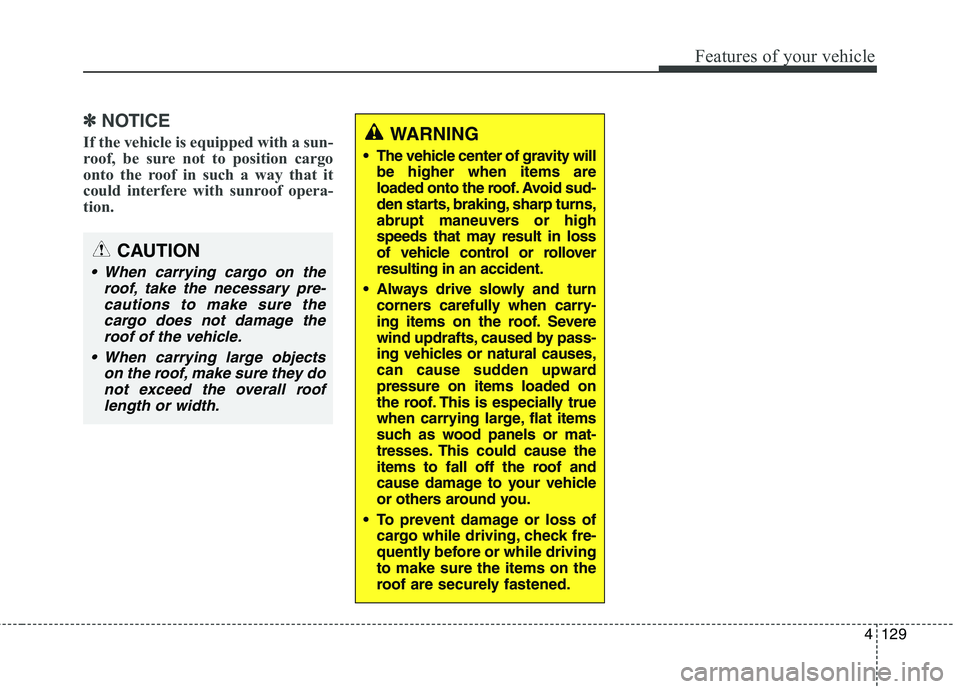
✽ ✽
NOTICE
If the vehicle is equipped with a sun-
roof, be sure not to position cargo
onto the roof in such a way that it
could interfere with sunroof opera-
tion.WARNING
The vehicle center of gravity will
be higher when items are
loaded onto the roof. Avoid sud-
den starts, braking, sharp turns,
abrupt maneuvers or high
speeds that may result in loss
of vehicle control or rollover
resulting in an accident.
Always drive slowly and turn
corners carefully when carry-
ing items on the roof. Severe
wind updrafts, caused by pass-
ing vehicles or natural causes,
can cause sudden upward
pressure on items loaded on
the roof. This is especially true
when carrying large, flat items
such as wood panels or mat-
tresses. This could cause the
items to fall off the roof and
cause damage to your vehicle
or others around you.
To prevent damage or loss of
cargo while driving, check fre-
quently before or while driving
to make sure the items on the
roof are securely fastened.
CAUTION
When carrying cargo on the
roof, take the necessary pre-
cautions to make sure the
cargo does not damage the
roof of the vehicle.
When carrying large objects
on the roof, make sure they do
not exceed the overall roof
length or width.
Page 263 of 476
Features of your vehicle
178 4
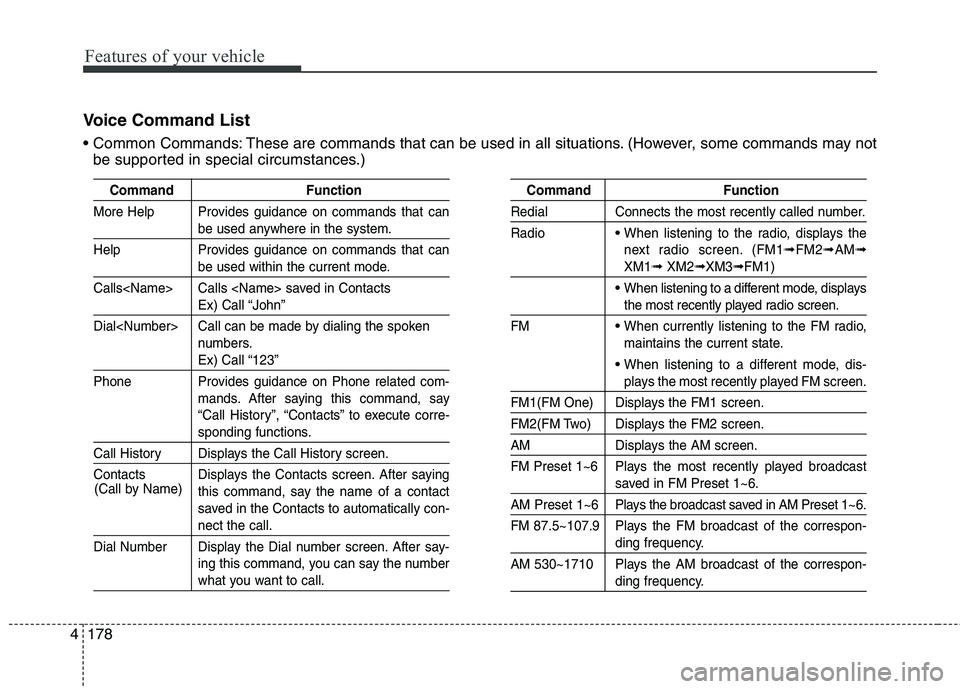
Voice Command List
These are commands that can be used in all situations. (However, some commands may not
be supported in special circumstances.)
Command Function
More Help Provides guidance on commands that can
be used anywhere in the system.
Help Provides guidance on commands that can
be used within the current mode.
Calls
Ex) Call “John”
Dial
numbers.
Ex) Call “123”
Phone Provides guidance on Phone related com-
mands. After saying this command, say
“Call History”, “Contacts” to execute corre-
sponding functions.
Call History Displays the Call History screen.
Contacts Displays the Contacts screen. After saying
this command, say the name of a contact
saved in the Contacts to automatically con-
nect the call.
Dial Number Display the Dial number screen. After say-
ing this command, you can say the number
what you want to call.
Command Function
Redial Connects the most recently called number.
Radio
When listening to the radio, displays the
next radio screen. (FM1
➟FM2➟AM➟
XM1➟XM2➟XM3➟FM1)
When listening to a different mode, displays
the most recently played radio screen.
FM
When currently listening to the FM radio,
maintains the current state.
When listening to a different mode, dis-
plays the most recently played FM screen.
FM1(FM One) Displays the FM1 screen.
FM2(FM Two) Displays the FM2 screen.
AM Displays the AM screen.
FM Preset 1~6 Plays the most recently played broadcast
saved in FM Preset 1~6.
AM Preset 1~6 Plays the broadcast saved in AM Preset 1~6.
FM 87.5~107.9 Plays the FM broadcast of the correspon-
ding frequency.
AM 530~1710 Plays the AM broadcast of the correspon-
ding frequency. (Call by Name)
Page 269 of 476
Features of your vehicle
184 4
Blue Link®
Hyundai aims to offer differentiated
customer values through a
‘Connected Car Life,’ which is to pro-
vide consumers with fast and reliable
IT technology. As consumers’
lifestyles become more and more
mobile in thanks to remarkable
advances in smart phones, tablet
PCs and overall wireless telecommu-
nication, new lifestyle patterns
demand seamless connection
between one’s office, home, out-
doors and automobiles.
Automobile companies are now
faced with the task of shifting their
paradigm from vehicle-centered
services to customer value-centered
services, with the ultimate goal of
securing global leadership in the
field of vehicle IT and telematics.Hyundai Motor plans to achieve this
by realizing a terminal platform flexi-
ble to changes in IT technology,
cooperating with global IT compa-
nies, creating an eco-system and
providing the latest contents & serv-
ices based on an open environment.
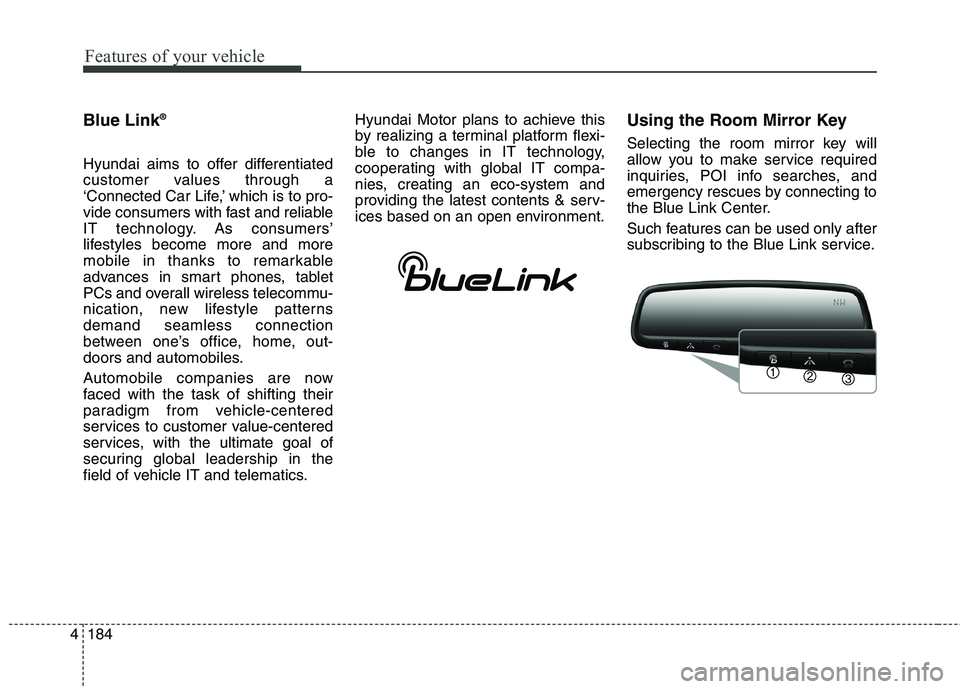
Using the Room Mirror Key
Selecting the room mirror key will
allow you to make service required
inquiries, POI info searches, and
emergency rescues by connecting to
the Blue Link Center.
Such features can be used only after
subscribing to the Blue Link service.
Page 292 of 476
Driving your vehicle
20 5
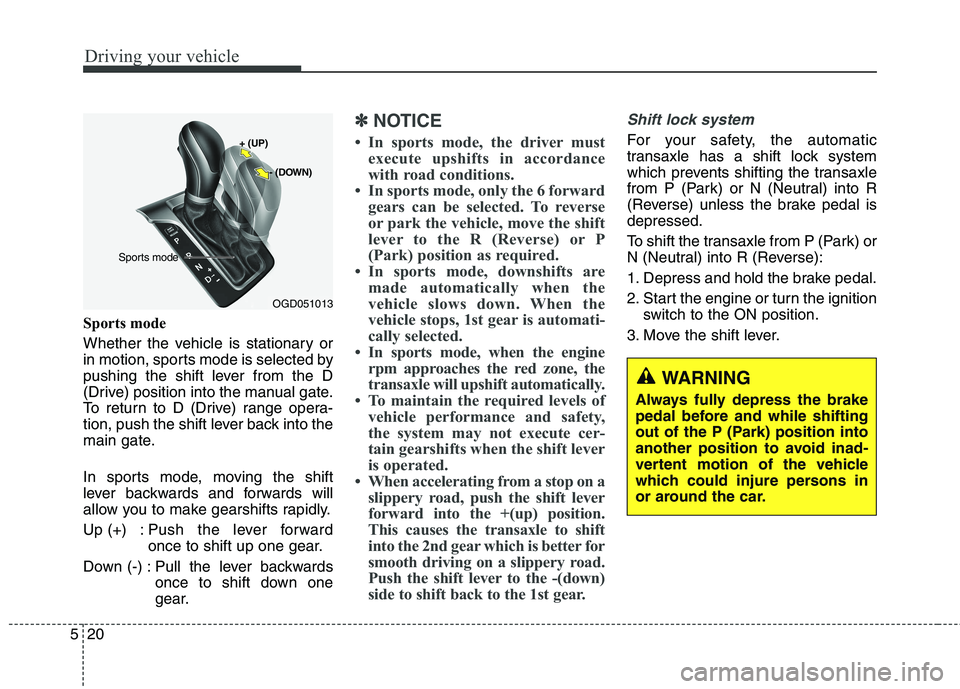
Sports mode
Whether the vehicle is stationary or
in motion, sports mode is selected by
pushing the shift lever from the D
(Drive) position into the manual gate.
To return to D (Drive) range opera-
tion, push the shift lever back into the
main gate.
In sports mode, moving the shift
lever backwards and forwards will
allow you to make gearshifts rapidly.
Up (+) : Push the lever forward
once to shift up one gear.
Down (-) : Pull the lever backwards
once to shift down one
gear.
✽ ✽
NOTICE
• In sports mode, the driver must
execute upshifts in accordance
with road conditions.
• In sports mode, only the 6 forward
gears can be selected. To reverse
or park the vehicle, move the shift
lever to the R (Reverse) or P
(Park) position as required.
• In sports mode, downshifts are
made automatically when the
vehicle slows down. When the
vehicle stops, 1st gear is automati-
cally selected.
• In sports mode, when the engine
rpm approaches the red zone, the
transaxle will upshift automatically.
• To maintain the required levels of
vehicle performance and safety,
the system may not execute cer-
tain gearshifts when the shift lever
is operated.
• When accelerating from a stop on a
slippery road, push the shift lever
forward into the +(up) position.
This causes the transaxle to shift
into the 2nd gear which is better for
smooth driving on a slippery road.
Push the shift lever to the -(down)
side to shift back to the 1st gear.
Shift lock system
For your safety, the automatic
transaxle has a shift lock system
which prevents shifting the transaxle
from P (Park) or N (Neutral) into R
(Reverse) unless the brake pedal is
depressed.
To shift the transaxle from P (Park) or
N (Neutral) into R (Reverse):
1. Depress and hold the brake pedal.
2. Start the engine or turn the ignition
switch to the ON position.
3. Move the shift lever.
WARNING
Always fully depress the brake
pedal before and while shifting
out of the P (Park) position into
another position to avoid inad-
vertent motion of the vehicle
which could injure persons in
or around the car.
OGD051013
+ (UP)
- (DOWN)
Sports mode
Page 299 of 476
527
Driving your vehicle
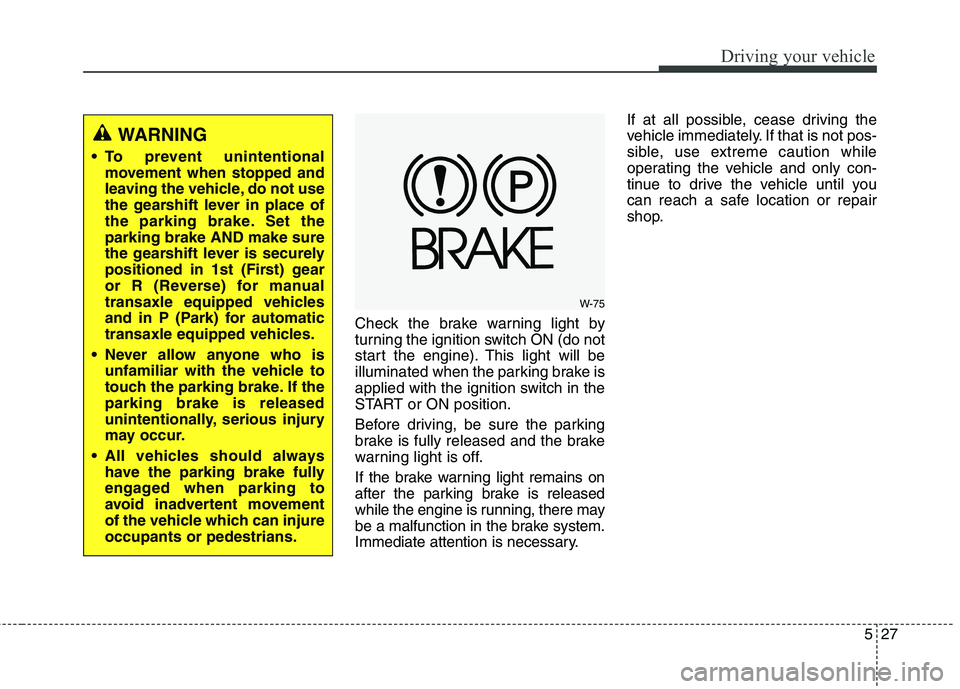
Check the brake warning light by
turning the ignition switch ON (do not
start the engine). This light will be
illuminated when the parking brake is
applied with the ignition switch in the
START or ON position.
Before driving, be sure the parking
brake is fully released and the brake
warning light is off.
If the brake warning light remains on
after the parking brake is released
while the engine is running, there may
be a malfunction in the brake system.
Immediate attention is necessary.If at all possible, cease driving the
vehicle immediately. If that is not pos-
sible, use extreme caution while
operating the vehicle and only con-
tinue to drive the vehicle until you
can reach a safe location or repair
shop.
WARNING
To prevent unintentional
movement when stopped and
leaving the vehicle, do not use
the gearshift lever in place of
the parking brake. Set the
parking brake AND make sure
the gearshift lever is securely
positioned in 1st (First) gear
or R (Reverse) for manual
transaxle equipped vehicles
and in P (Park) for automatic
transaxle equipped vehicles.
Never allow anyone who is
unfamiliar with the vehicle to
touch the parking brake. If the
parking brake is released
unintentionally, serious injury
may occur.
All vehicles should always
have the parking brake fully
engaged when parking to
avoid inadvertent movement
of the vehicle which can injure
occupants or pedestrians.
W-75
Page 303 of 476
531
Driving your vehicle
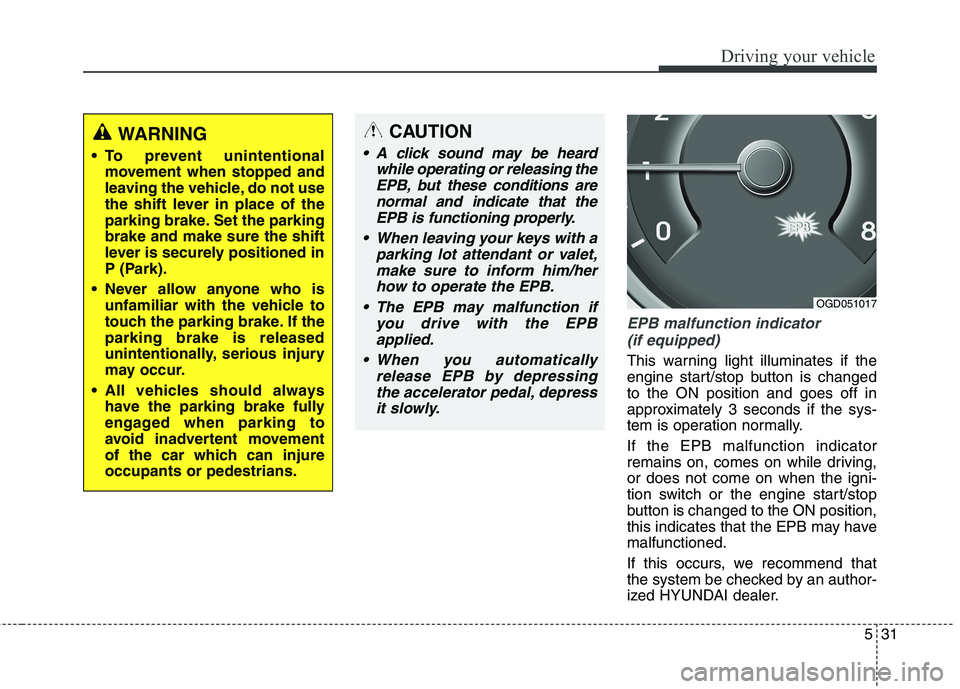
EPB malfunction indicator
(if equipped)
This warning light illuminates if the
engine start/stop button is changed
to the ON position and goes off in
approximately 3 seconds if the sys-
tem is operation normally.
If the EPB malfunction indicator
remains on, comes on while driving,
or does not come on when the igni-
tion switch or the engine start/stop
button is changed to the ON position,
this indicates that the EPB may have
malfunctioned.
If this occurs, we recommend that
the system be checked by an author-
ized HYUNDAI dealer.
WARNING
To prevent unintentional
movement when stopped and
leaving the vehicle, do not use
the shift lever in place of the
parking brake. Set the parking
brake and make sure the shift
lever is securely positioned in
P (Park).
Never allow anyone who is
unfamiliar with the vehicle to
touch the parking brake. If the
parking brake is released
unintentionally, serious injury
may occur.
All vehicles should always
have the parking brake fully
engaged when parking to
avoid inadvertent movement
of the car which can injure
occupants or pedestrians.
CAUTION
A click sound may be heard
while operating or releasing the
EPB, but these conditions are
normal and indicate that the
EPB is functioning properly.
When leaving your keys with a
parking lot attendant or valet,
make sure to inform him/her
how to operate the EPB.
The EPB may malfunction if
you drive with the EPB
applied.
When you automatically
release EPB by depressing
the accelerator pedal, depress
it slowly.
OGD051017
Page 334 of 476
Driving your vehicle
62 5
WARNING
Overloading your vehicle can
cause heat buildup in your
vehicle's tires and possible
tire failure that could lead to a
crash.
Overloading your vehicle can
cause increased stopping dis-
tances that could lead to a
crash.
A crash resulting from poor
handling, vehicle damage, tire
failure, or increased stopping
distances could result in seri-
ous injury or death.
WARNING - Loose cargo
Items you carry inside your
vehicle can strike and injure
occupants in a sudden stop or
turn, or in a crash.
Put items in the cargo area of
your vehicle. Try to spread the
weight evenly.
Never stack items, like suit-
cases, inside the vehicle
above the tops of the seats.
Do not leave an unsecured
child restraint in your vehicle.
When you carry something
inside the vehicle, secure it.
Do not drive with a seat folded
down unless necessary.CAUTION
Overloading your vehicle may
cause damage. Repairs would
not be covered by your war-
ranty. Do not overload your
vehicle.
Using heavier suspension
components to get added
durability might not change
your weight ratings. Ask your
dealer to help you load your
vehicle the right way.
Page 351 of 476
615
What to do in an emergency
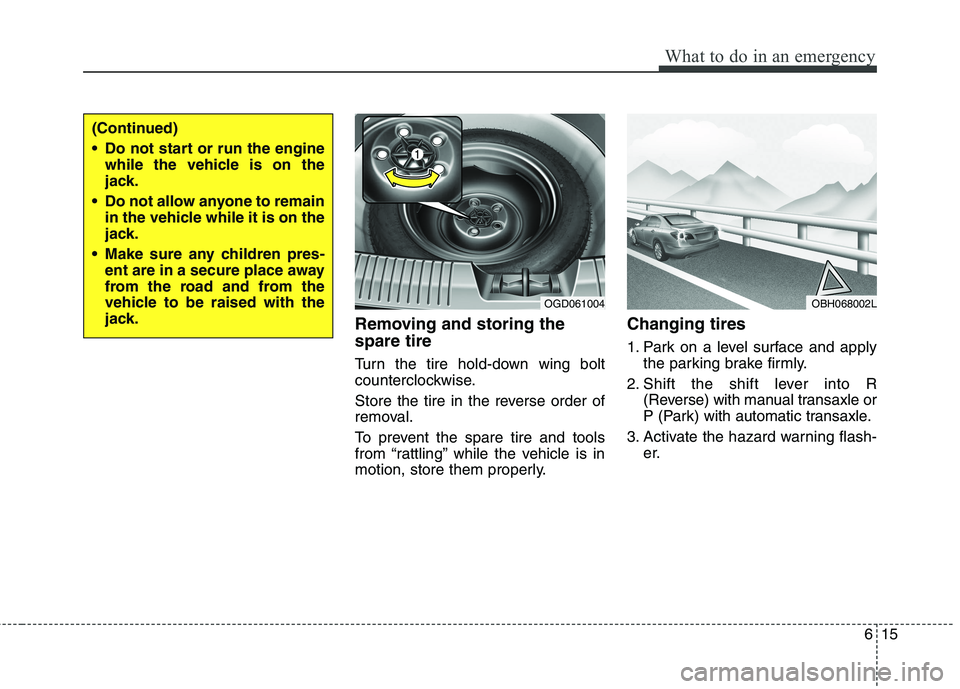
Removing and storing the
spare tire
Turn the tire hold-down wing bolt
counterclockwise.
Store the tire in the reverse order of
removal.
To prevent the spare tire and tools
from “rattling” while the vehicle is in
motion, store them properly.
Changing tires
1. Park on a level surface and apply
the parking brake firmly.
2. Shift the shift lever into R
(Reverse) with manual transaxle or
P (Park) with automatic transaxle.
3. Activate the hazard warning flash-
er.
(Continued)
Do not start or run the engine
while the vehicle is on the
jack.
Do not allow anyone to remain
in the vehicle while it is on the
jack.
Make sure any children pres-
ent are in a secure place away
from the road and from the
vehicle to be raised with the
jack.
OBH068002LOGD061004
Page 355 of 476
619
What to do in an emergency
If you have a tire gauge, remove the
valve cap and check the air pressure.
If the pressure is lower than recom-
mended, drive slowly to the nearest
service station and inflate to the cor-
rect pressure. If it is too high, adjust it
until it is correct. Always reinstall the
valve cap after checking or adjusting
tire pressure. If the cap is not
replaced, air may leak from the tire. If
you lose a valve cap, buy another and
install it as soon as possible.
After you have changed wheels,
always secure the flat tire in its place
and return the jack and tools to their
proper storage locations.To prevent the jack, jack handle,
wheel lug nut wrench and spare tire
from rattling while the vehicle is in
motion, store them properly.CAUTION
Your vehicle has metric threads
on the wheel studs and nuts.
Make certain during wheel
removal that the same nuts that
were removed are reinstalled -
or, if replaced, that nuts with
metric threads and the same
chamfer configuration are used.
Installation of a non-metric
thread nut on a metric stud or
vice-versa will not secure the
wheel to the hub properly and
will damage the stud so that it
must be replaced.
Note that most lug nuts do not
have metric threads. Be sure to
use extreme care in checking
for thread style before installing
aftermarket lug nuts or wheels.
If in doubt, consult an author-
ized HYUNDAI dealer.
WARNING - Wheel studs
If the studs are damaged, they
may lose their ability to retain
the wheel. This could lead to the
loss of the wheel and a collision
resulting in serious injuries.
WARNING - Inadequate
spare tire
pressure
Check the inflation pressures
as soon as possible after
installing the spare tire. Adjust
it to the specified pressure, if
necessary. Refer to “Tires and
wheels” section 8.
Page 359 of 476
623
What to do in an emergency
When towing your vehicle in an
emergency without wheel dollies :
1. Set the ignition switch in the ACC
position.
2. Place the shift lever in N (Neutral).
3. Release the parking brake.
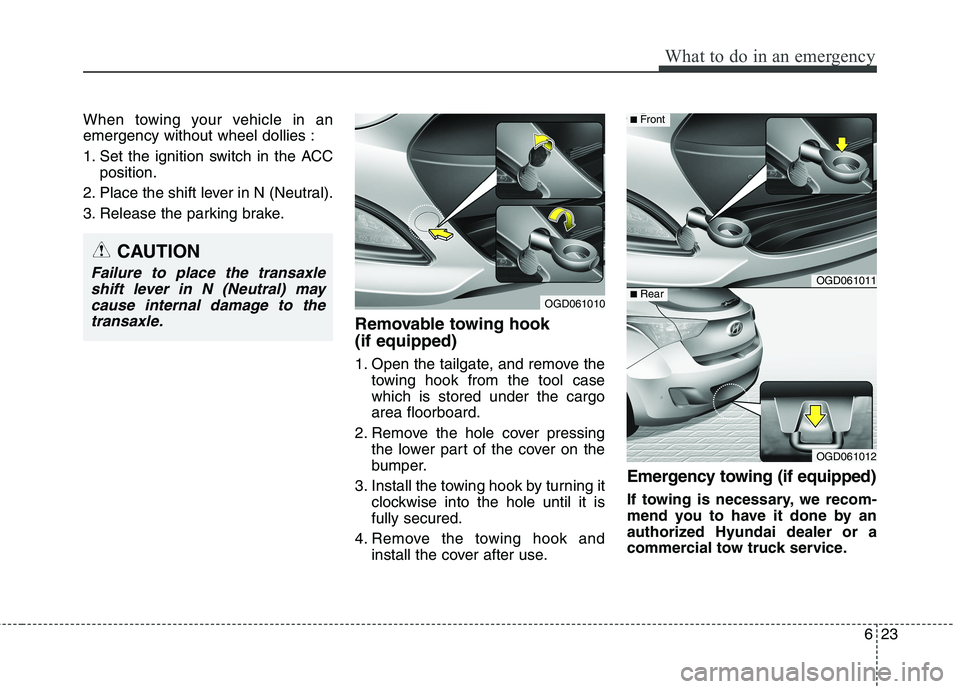
Removable towing hook
(if equipped)
1. Open the tailgate, and remove the
towing hook from the tool case
which is stored under the cargo
area floorboard.
2. Remove the hole cover pressing
the lower part of the cover on the
bumper.
3. Install the towing hook by turning it
clockwise into the hole until it is
fully secured.
4. Remove the towing hook and
install the cover after use.
Emergency towing (if equipped)
If towing is necessary, we recom-
mend you to have it done by an
authorized Hyundai dealer or a
commercial tow truck service.
CAUTION
Failure to place the transaxle
shift lever in N (Neutral) may
cause internal damage to the
transaxle.
OGD061010
OGD061011
OGD061012
■Rear
■Front