heater HYUNDAI ELANTRA GT 2014 Owners Manual
[x] Cancel search | Manufacturer: HYUNDAI, Model Year: 2014, Model line: ELANTRA GT, Model: HYUNDAI ELANTRA GT 2014Pages: 476, PDF Size: 31.71 MB
Page 29 of 476
Safety features of your vehicle
10 3
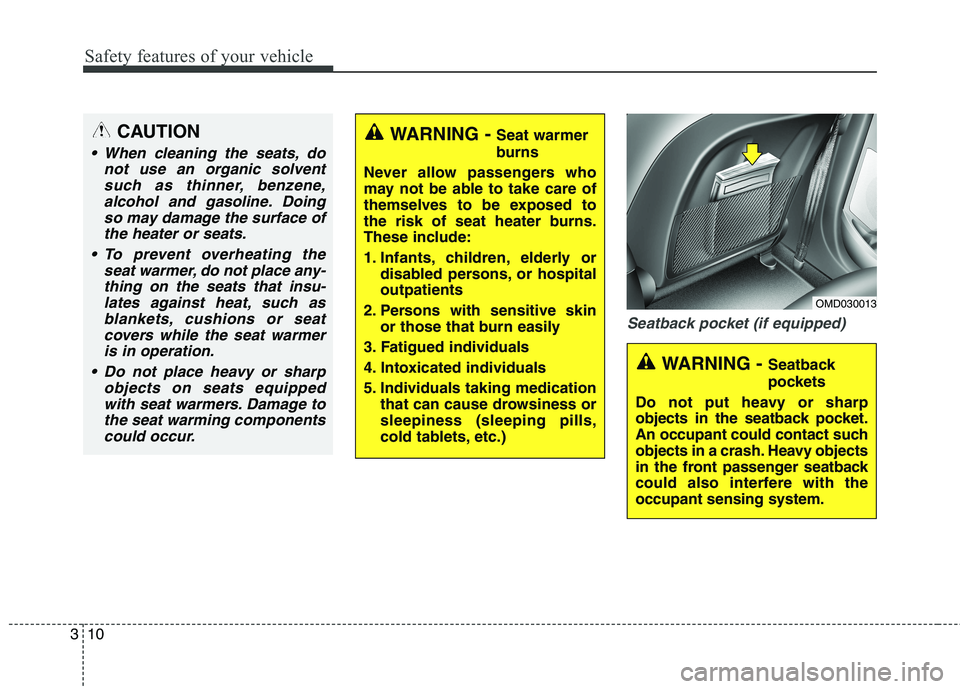
Seatback pocket (if equipped)
WARNING - Seat warmer
burns
Never allow passengers who
may not be able to take care of
themselves to be exposed to
the risk of seat heater burns.
These include:
1. Infants, children, elderly or
disabled persons, or hospital
outpatients
2. Persons with sensitive skin
or those that burn easily
3. Fatigued individuals
4. Intoxicated individuals
5. Individuals taking medication
that can cause drowsiness or
sleepiness (sleeping pills,
cold tablets, etc.)CAUTION
When cleaning the seats, do
not use an organic solvent
such as thinner, benzene,
alcohol and gasoline. Doing
so may damage the surface of
the heater or seats.
To prevent overheating the
seat warmer, do not place any-
thing on the seats that insu-
lates against heat, such as
blankets, cushions or seat
covers while the seat warmer
is in operation.
Do not place heavy or sharp
objects on seats equipped
with seat warmers. Damage to
the seat warming components
could occur.
OMD030013
WARNING - Seatback
pockets
Do not put heavy or sharp
objects in the seatback pocket.
An occupant could contact such
objects in a crash. Heavy objects
in the front passenger seatback
could also interfere with the
occupant sensing system.
Page 69 of 476
Safety features of your vehicle
50 3
WARNING
Even though your vehicle is
equipped with the occupant
classification system, never
install a child restraint system
in the front passenger's seat.
A deploying air bag can force-
fully strike a child resulting in
serious injuries or death. Any
child age 12 and under should
ride in the rear seat. Children
too large for child restraints
should use the available
lap/shoulder belts. No matter
what type of crash, children of
all ages are safer when
restrained in the rear seat.
(Continued)
(Continued)
If the PASS AIR BAG "OFF"
indicator is illuminated when
the front passenger's seat is
occupied by an adult and
he/she sits properly (sitting
upright with the seatback in
an upright position, centered
on the seat cushion with their
seat belt on, legs comfortably
extended and their feet on the
floor), have that person sit in
the rear seat.
Do not modify or replace the
front passenger seat. Don't
place anything on or attach
anything such as a blanket or
seat heater to the front pas-
senger seat. This can adverse-
ly affect the occupant classifi-
cation system.
Do not sit on sharp objects
such as tools when occupying
the front passenger seat. This
can adversely affect the occu-
pant classification system.
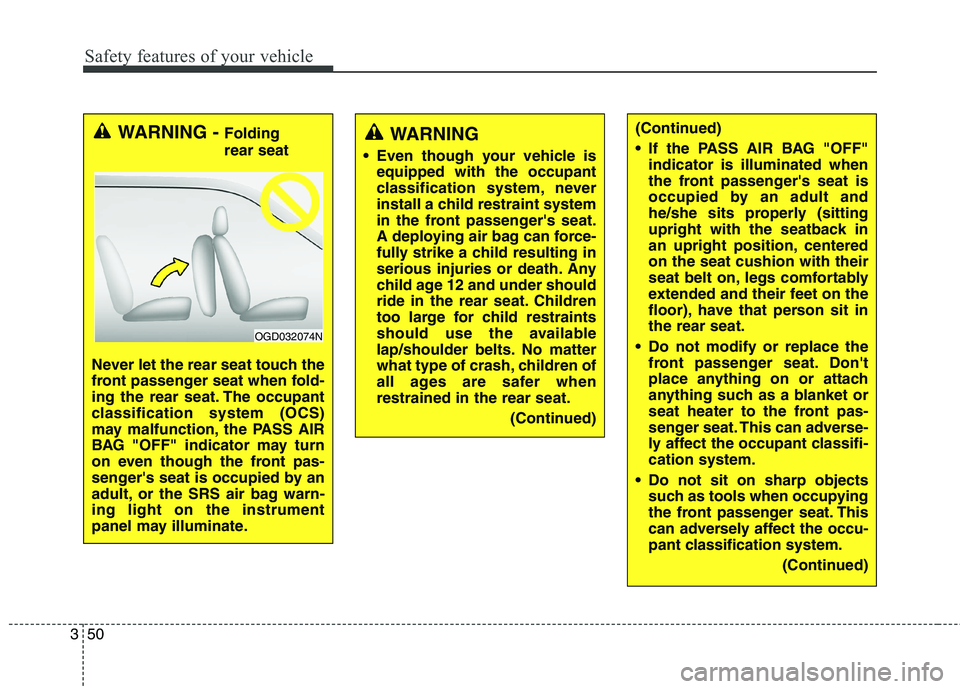
(Continued)WARNING - Folding
rear seat
Never let the rear seat touch the
front passenger seat when fold-
ing the rear seat. The occupant
classification system (OCS)
may malfunction, the PASS AIR
BAG "OFF" indicator may turn
on even though the front pas-
senger's seat is occupied by an
adult, or the SRS air bag warn-
ing light on the instrument
panel may illuminate.
OGD032074N
Page 186 of 476
4101
Features of your vehicle
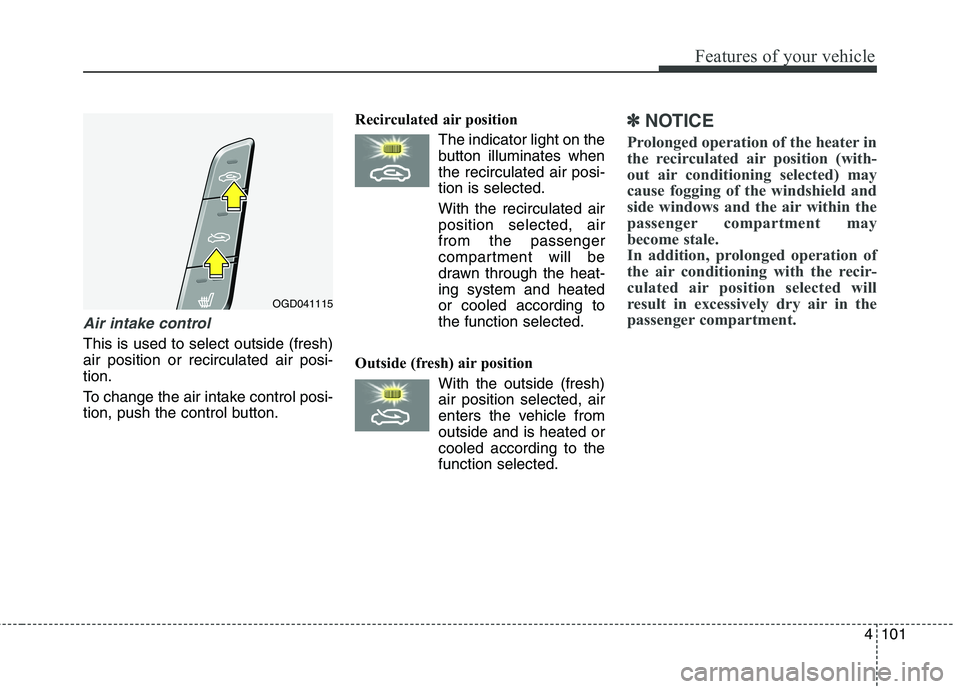
Air intake control
This is used to select outside (fresh)
air position or recirculated air posi-
tion.
To change the air intake control posi-
tion, push the control button.Recirculated air position
The indicator light on the
button illuminates when
the recirculated air posi-
tion is selected.
With the recirculated air
position selected, air
from the passenger
compartment will be
drawn through the heat-
ing system and heated
or cooled according to
the function selected.
Outside (fresh) air position
With the outside (fresh)
air position selected, air
enters the vehicle from
outside and is heated or
cooled according to the
function selected.
✽ ✽
NOTICE
Prolonged operation of the heater in
the recirculated air position (with-
out air conditioning selected) may
cause fogging of the windshield and
side windows and the air within the
passenger compartment may
become stale.
In addition, prolonged operation of
the air conditioning with the recir-
culated air position selected will
result in excessively dry air in the
passenger compartment.
OGD041115
Page 190 of 476
4105
Features of your vehicle
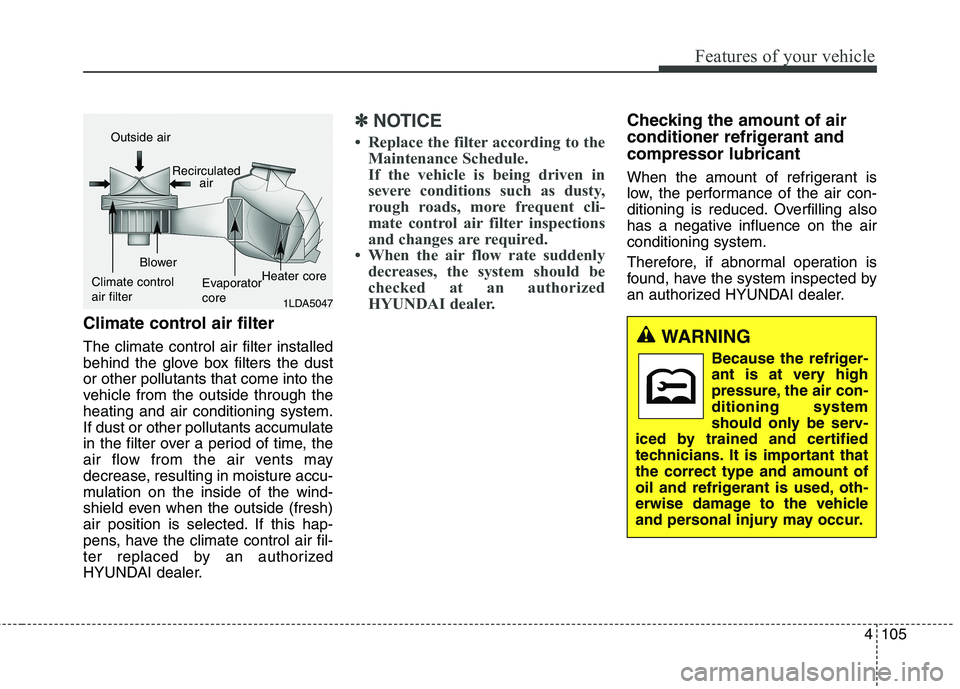
Climate control air filter
The climate control air filter installed
behind the glove box filters the dust
or other pollutants that come into the
vehicle from the outside through the
heating and air conditioning system.
If dust or other pollutants accumulate
in the filter over a period of time, the
air flow from the air vents may
decrease, resulting in moisture accu-
mulation on the inside of the wind-
shield even when the outside (fresh)
air position is selected. If this hap-
pens, have the climate control air fil-
ter replaced by an authorized
HYUNDAI dealer.
✽ ✽
NOTICE
• Replace the filter according to the
Maintenance Schedule.
If the vehicle is being driven in
severe conditions such as dusty,
rough roads, more frequent cli-
mate control air filter inspections
and changes are required.
• When the air flow rate suddenly
decreases, the system should be
checked at an authorized
HYUNDAI dealer.
Checking the amount of air
conditioner refrigerant and
compressor lubricant
When the amount of refrigerant is
low, the performance of the air con-
ditioning is reduced. Overfilling also
has a negative influence on the air
conditioning system.
Therefore, if abnormal operation is
found, have the system inspected by
an authorized HYUNDAI dealer.
1LDA5047
Outside air
Recirculated
air
Climate control
air filterBlower
Evaporator
coreHeater core
WARNING
Because the refriger-
ant is at very high
pressure, the air con-
ditioning system
should only be serv-
iced by trained and certified
technicians. It is important that
the correct type and amount of
oil and refrigerant is used, oth-
erwise damage to the vehicle
and personal injury may occur.
Page 196 of 476
4111
Features of your vehicle
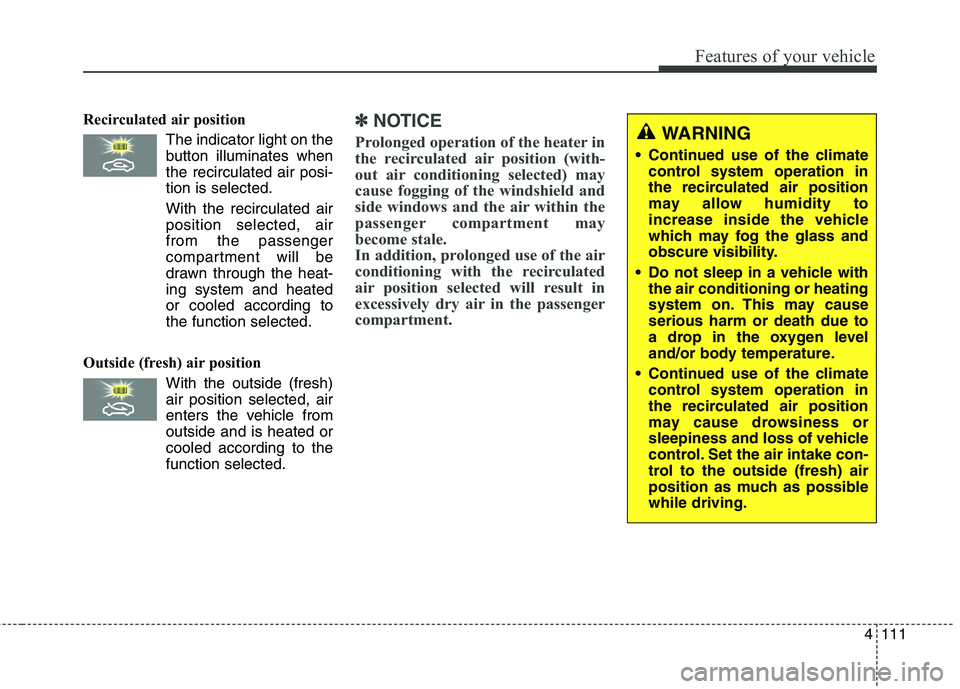
Recirculated air position
The indicator light on the
button illuminates when
the recirculated air posi-
tion is selected.
With the recirculated air
position selected, air
from the passenger
compartment will be
drawn through the heat-
ing system and heated
or cooled according to
the function selected.
Outside (fresh) air position
With the outside (fresh)
air position selected, air
enters the vehicle from
outside and is heated or
cooled according to the
function selected.✽ ✽
NOTICE
Prolonged operation of the heater in
the recirculated air position (with-
out air conditioning selected) may
cause fogging of the windshield and
side windows and the air within the
passenger compartment may
become stale.
In addition, prolonged use of the air
conditioning with the recirculated
air position selected will result in
excessively dry air in the passenger
compartment.WARNING
Continued use of the climate
control system operation in
the recirculated air position
may allow humidity to
increase inside the vehicle
which may fog the glass and
obscure visibility.
Do not sleep in a vehicle with
the air conditioning or heating
system on. This may cause
serious harm or death due to
a drop in the oxygen level
and/or body temperature.
Continued use of the climate
control system operation in
the recirculated air position
may cause drowsiness or
sleepiness and loss of vehicle
control. Set the air intake con-
trol to the outside (fresh) air
position as much as possible
while driving.
Page 198 of 476
4113
Features of your vehicle
For maximum defrosting, set the
temperature control to the extreme
right/hot position and the fan speed
control to the highest speed.
If warm air to the floor is desired
while defrosting or defogging, set
the mode to the floor-defrost posi-
tion.
Before driving, clear all snow and
ice from the windshield, rear win-
dow, outside rear view mirrors, and
all side windows.
Clear all snow and ice from the
hood and air inlet in the cowl grill to
improve heater and defroster effi-
ciency and to reduce the probabili-
ty of fogging up the inside of the
windshield.
✽ ✽
NOTICE
Be sure to keep the interior surface
of the windshield clean by wiping it
with a clean cloth and glass cleaner.
This will help reduce the tendency of
the glass fogging and also improve
visibility.
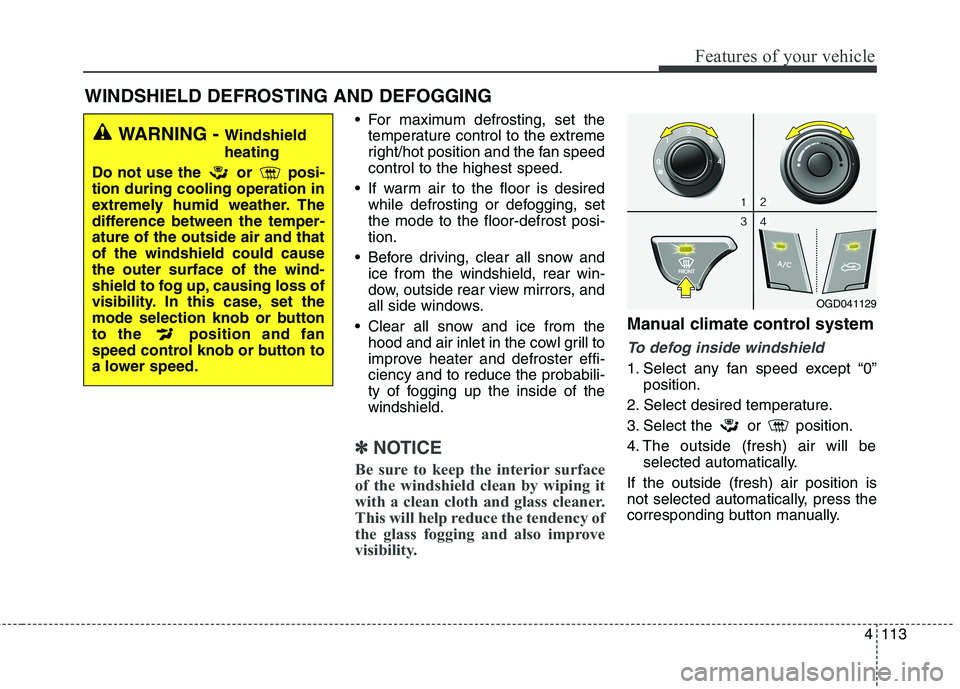
Manual climate control system
To defog inside windshield
1. Select any fan speed except “0”
position.
2. Select desired temperature.
3. Select the or position.
4. The outside (fresh) air will be
selected automatically.
If the outside (fresh) air position is
not selected automatically, press the
corresponding button manually.
WINDSHIELD DEFROSTING AND DEFOGGING
WARNING - Windshield
heating
Do not use the or posi-
tion during cooling operation in
extremely humid weather. The
difference between the temper-
ature of the outside air and that
of the windshield could cause
the outer surface of the wind-
shield to fog up, causing loss of
visibility. In this case, set the
mode selection knob or button
to the position and fan
speed control knob or button to
a lower speed.
OGD041129
Page 200 of 476
4115
Features of your vehicle
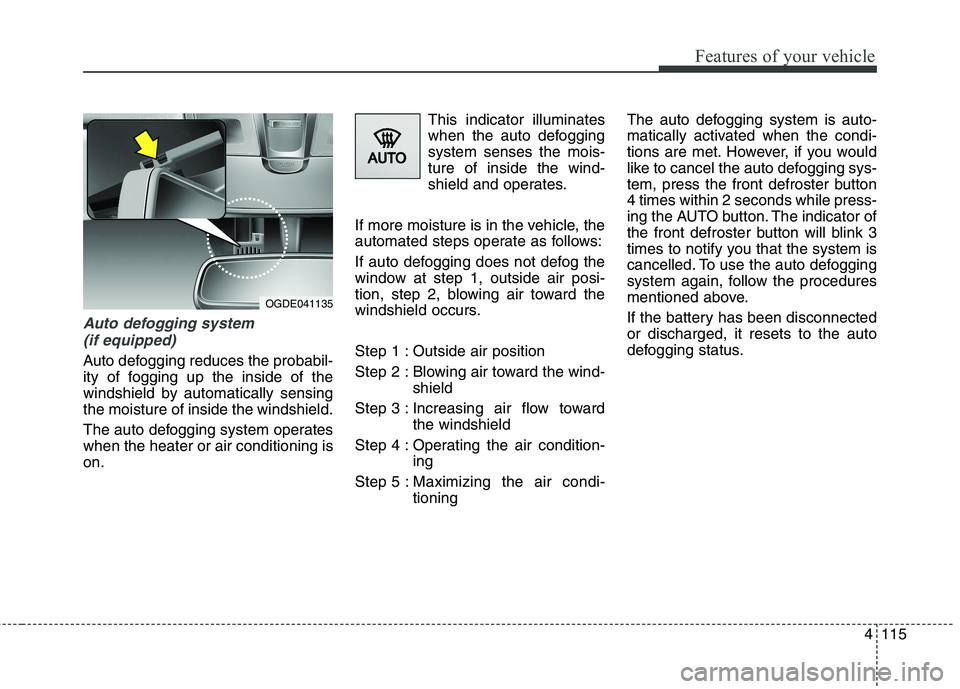
Auto defogging system
(if equipped)
Auto defogging reduces the probabil-
ity of fogging up the inside of the
windshield by automatically sensing
the moisture of inside the windshield.
The auto defogging system operates
when the heater or air conditioning is
on.This indicator illuminates
when the auto defogging
system senses the mois-
ture of inside the wind-
shield and operates.
If more moisture is in the vehicle, the
automated steps operate as follows:
If auto defogging does not defog the
window at step 1, outside air posi-
tion, step 2, blowing air toward the
windshield occurs.
Step 1 : Outside air position
Step 2 : Blowing air toward the wind-
shield
Step 3 : Increasing air flow toward
the windshield
Step 4 : Operating the air condition-
ing
Step 5 : Maximizing the air condi-
tioningThe auto defogging system is auto-
matically activated when the condi-
tions are met. However, if you would
like to cancel the auto defogging sys-
tem, press the front defroster button
4 times within 2 seconds while press-
ing the AUTO button. The indicator of
the front defroster button will blink 3
times to notify you that the system is
cancelled. To use the auto defogging
system again, follow the procedures
mentioned above.
If the battery has been disconnected
or discharged, it resets to the auto
defogging status.
OGDE041135
Page 208 of 476
4123
Features of your vehicle
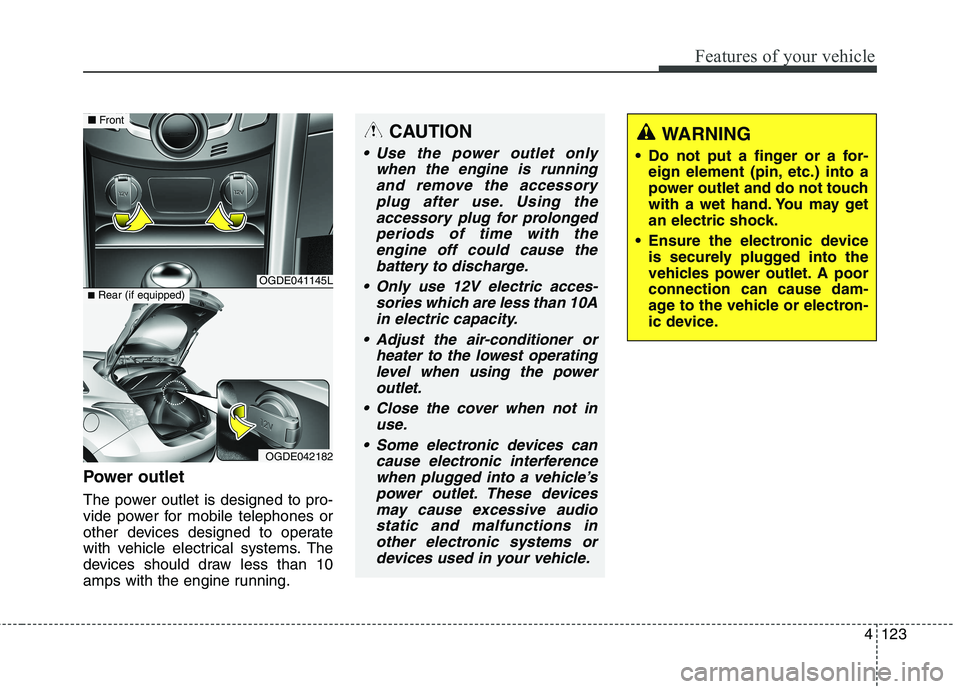
Power outlet
The power outlet is designed to pro-
vide power for mobile telephones or
other devices designed to operate
with vehicle electrical systems. The
devices should draw less than 10
amps with the engine running.
CAUTION
Use the power outlet only
when the engine is running
and remove the accessory
plug after use. Using the
accessory plug for prolonged
periods of time with the
engine off could cause the
battery to discharge.
Only use 12V electric acces-
sories which are less than 10A
in electric capacity.
Adjust the air-conditioner or
heater to the lowest operating
level when using the power
outlet.
Close the cover when not in
use.
Some electronic devices can
cause electronic interference
when plugged into a vehicle’s
power outlet. These devices
may cause excessive audio
static and malfunctions in
other electronic systems or
devices used in your vehicle.
WARNING
Do not put a finger or a for-
eign element (pin, etc.) into a
power outlet and do not touch
with a wet hand. You may get
an electric shock.
Ensure the electronic device
is securely plugged into the
vehicles power outlet. A poor
connection can cause dam-
age to the vehicle or electron-
ic device.
OGDE041145L
OGDE042182
■Front
■Rear (if equipped)
Page 251 of 476
Features of your vehicle
166 4
(Continued)
Playing videos through the
USB is not supported.
Use of USB accessories such
as rechargers or heaters
using USB I/F may lower per-
formance or cause trouble.
If you use devices such as a
USB hub purchased separate-
ly, the vehicle’s audio system
may not recognize the USB
device. In that case, connect
the USB device directly to the
multimedia terminal of the
vehicle.
If the USB device is divided by
logical drives, only the music
files on the highest-priority
drive are recognized by car
audio.
Devices such as MP3 Player/
Cellular phone/Digital camera
can be unrecognizable by
standard USB I/F can be
unrecognizable.
(Continued)(Continued)
Charging through the USB
may not be supported in some
mobile devices.
USB HDD or USB types liable
to connection failures due to
vehicle vibrations are not sup-
ported. (i-stick type)
Some non-standard USB
devices (METAL COVER TYPE
USB) can be unrecognizable.
Some USB flash memory read-
ers (such as CF, SD, micro SD,
etc.) or external-HDD type
devices can be unrecognizable.
Music files protected by DRM
(DIGITAL RIGHTS MANAGE-
MENT) are not recognizable.
The data in the USB memory
may be lost while using this
audio. Always back up impor-
tant data on a personal stor-
age device.
(Continued)(Continued)
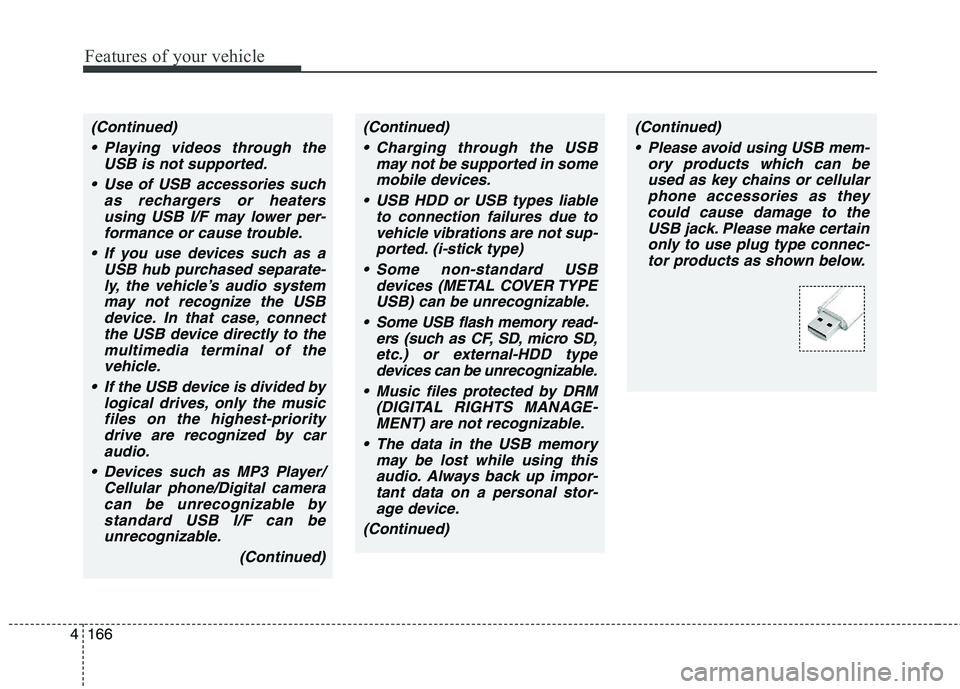
Please avoid using USB mem-
ory products which can be
used as key chains or cellular
phone accessories as they
could cause damage to the
USB jack. Please make certain
only to use plug type connec-
tor products as shown below.
Page 277 of 476
55
Driving your vehicle
Before starting
Close and lock all doors.
Position the seat so that all con-
trols are easily reached.
Adjust the inside and outside
rearview mirrors.
Be sure that all lights work.
Check all gauges.
Check the operation of warning
lights when the ignition switch is
turned to the ON position.
Release the parking brake and
make sure the brake warning light
goes out.
For safe operation, be sure you are
familiar with your vehicle and its
equipment.WARNING
Always check the surrounding
areas near your vehicle for peo-
ple, especially children, before
putting a car into D (Drive) or R
(Reverse).
WARNING -
Driving under the influence
of alcohol or drugs
Drinking and driving is danger-
ous. Impaired driving is the
number one contributor to the
highway death toll each year.
Even a small amount of alcohol
will affect your reflexes, percep-
tions and judgment. Driving
while under the influence of
drugs is as dangerous or more
dangerous than driving drunk.
You are much more likely to
have a serious accident if you
drink or take drugs and drive.
If you are drinking or taking
drugs, don’t drive. Do not ride
with a driver who has been drink-
ing or taking drugs. Choose a
designated driver or call a cab.
WARNING
All passengers must be proper-
ly belted whenever the vehicle
is moving. Refer to “Seat belts”
in section 3 for more informa-
tion on their proper use.
WARNING
When you intend to park or
stop the vehicle with the
engine on, be careful not to
depress the accelerator pedal
for a long period of time. It may
overheat the engine or exhaust
system and cause fire.
When you make a sudden
stop or turn the steering
wheel rapidly, loose objects
may drop on the floor and it
could interfere with the opera-
tion of the foot pedals, possi-
bly causing an accident. Keep
all things in the vehicle safely
stored.
If you do not focus on driving,
it may cause an accident. Be
careful when operating
devices that may disturb driv-
ing such as the audio system
or the heater. It is the respon-
sibility of the driver to always
drive safely.