ad blue Hyundai Elantra GT 2016 Owner's Guide
[x] Cancel search | Manufacturer: HYUNDAI, Model Year: 2016, Model line: Elantra GT, Model: Hyundai Elantra GT 2016Pages: 546, PDF Size: 14.04 MB
Page 287 of 546
Features of your vehicle
200
4
Blue Link®
Hyundai aims to offer differentiated
customer values through a
‘Connected Car Life,’ which is to pro-
vide consumers with fast and reliable
IT technology. As consumers’
lifestyles become more and more
mobile in thanks to remarkable
advances in smart phones, tablet
PCs and overall wireless telecommu-
nication, new lifestyle patterns
demand seamless connection
between one’s office, home, out-
doors and automobiles.
Automobile companies are now
faced with the task of shifting their
paradigm from vehicle-centered
services to customer value-centered
services, with the ultimate goal of
securing global leadership in the
field of vehicle IT and telematics. Hyundai Motor plans to achieve this
by realizing a terminal platform flexi-
ble to changes in IT technology,
cooperating with global IT compa-
nies, creating an eco-system and
providing the latest contents & serv-
ices based on an open environment.
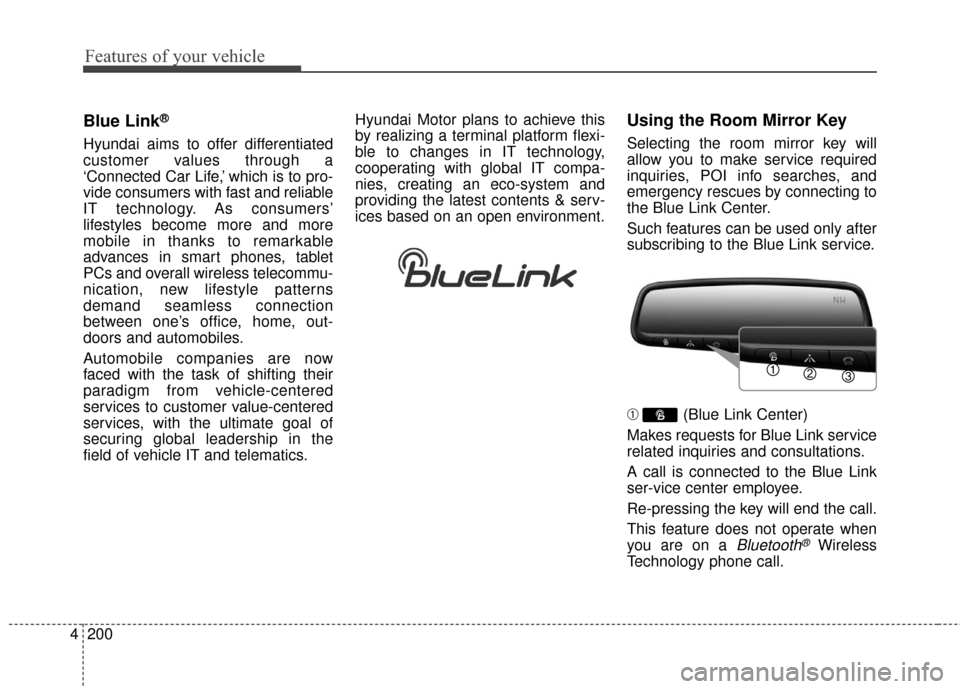
Using the Room Mirror Key
Selecting the room mirror key will
allow you to make service required
inquiries, POI info searches, and
emergency rescues by connecting to
the Blue Link Center.
Such features can be used only after
subscribing to the Blue Link service.
➀
(Blue Link Center)
Makes requests for Blue Link service
related inquiries and consultations.
A call is connected to the Blue Link
ser-vice center employee.
Re-pressing the key will end the call.
This feature does not operate when
you are on a
Bluetooth®Wireless
Technology phone call.
Page 288 of 546
4201
Features of your vehicle
\b (Blue Link for POI)
Starts Blue Link voice command.
Voice receiving voice guidance,
shortly press the button to convert to
voice command mode. Press and
hold the button to end voice com-
mand.
1. Navigate to
“Navigate to” voice command is used
to request the download of route
data for a new destination, saved
destinations, daily routes and previ-
ous destinations.
2. Save Destination
“Save Destination” VR command is
used to assign a voice tag to the last
downloaded destination and store it
in a destination directory.
NOTE:
The Turn by Turn(TBT) feature sup-
ports the store of ten(10) destina-
tions in the TBT destinations
directory. 3. Route Preview
“Route Preview” VR command allows
the user to preview the route instruc-
tions (upcoming maneuver instruc-
tions) at any time during the route
guidance.
4. Destinations List
“Destinations List” VR command
allows the user to preview and delete
the stored destinations with their
associated voice tags in the Turn by
Turn destinations directory.
5. Voice Guidance
“Voice Guidance” VR command
allows the user to mute/unmute the
Turn by Turn(TBT) direction
announcements.
6. Suspend Route
“Suspend Route” VR command
allows the user to suspend and
pause Turn by Turn(TBT) route guid-
ance while in the guidance mode.
7. Resume Route
“Resume Route” VR command
allows the user to resume Turn by
Turn(TBT) route guidance.
➂
(Blue Link for SOS)
In the case of an emergency,
requests for help to the Blue Link
center.
Call is connected to the Blue Link
emergency rescue center. Re-press-
ing the key will end the call.
If already on a
Bluetooth®Wireless
Technology phone call, the call will
end to connect you to the Blue Link
Emergency Rescue Center.
Page 289 of 546
Features of your vehicle
202
4
Turn by Turn
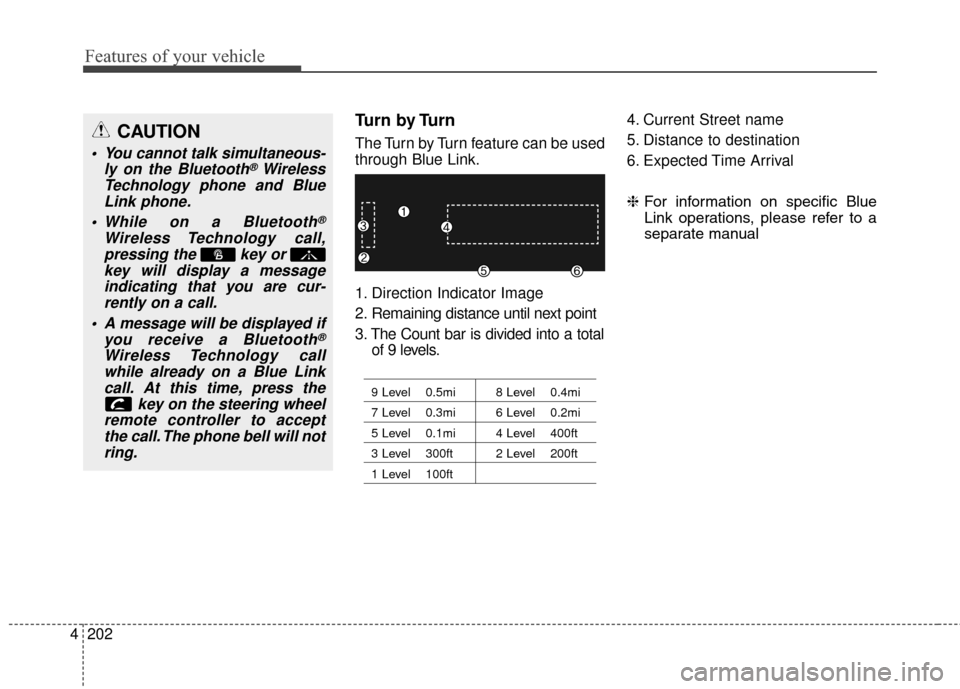
The Turn by Turn feature can be used
through Blue Link.
1. Direction Indicator Image
2. Remaining distance until next point
3. The Count bar is divided into a total
of 9 levels.
9 Level 0.5mi 8 Level 0.4mi
7 Level 0.3mi 6 Level 0.2mi
5 Level 0.1mi 4 Level 400ft
3 Level 300ft 2 Level 200ft
1 Level 100ft
4. Current Street name
5. Distance to destination
6. Expected Time Arrival
❈ For information on specific Blue
Link operations, please refer to a
separate manualCAUTION
You cannot talk simultaneous- ly on the Bluetooth®Wireless
Technology phone and Blue Link phone.
While on a Bluetooth
®
Wireless Technology call, pressing the key or key will display a messageindicating that you are cur-rently on a call.
A message will be displayed if you receive a Bluetooth
®
Wireless Technology callwhile already on a Blue Linkcall. At this time, press the key on the steering wheel
remote controller to accept the call. The phone bell will notring.
Page 290 of 546
4203
Features of your vehicle
iPod®is a registered trademark of
Apple Inc. iPod®mobile digital
device sold separately. The
Bluetooth
®word mark and logos
are registered trademarks owned
by Bluetooth SIG, Inc. and any use
of such marks by Hyundai is
under license. SiriusXM services
require a subscription sold sepa-
rately, or as a package, by Sirius
XM Radio Inc. If you decide to con-
tinue service after your trial, the
subscription plan you choose will
automatically renew thereafter
and you will be charged according
to your chosen payment method
at then-current rates. Fees and
taxes apply. To cancel you must
call SiriusXM at 1-866-635-2349.
See SiriusXM Customer
Agreement for complete terms at
www.siriusxm.com. SiriusXM U.S.
satellite and data services are
available only in the 48 contigu-
ous USA, DC and PR (with cover-
age limitations). SiriusXM satellite
service is also available in
Canada; see www.siriusxm.ca. All
fees and programming subject to
change. Sirius, XM and all related marks
and logos are trademarks of Sirius
XM Radio Inc. Android™ is a
trademark of Google, Inc.
BlackBerry is a registered trade-
mark of Research In Motion
Limited (RIM). All other marks,
channel names and logos are the
property of their respective own-
ers. All rights reserved.
Page 291 of 546
Features of your vehicle
204
4
■
■
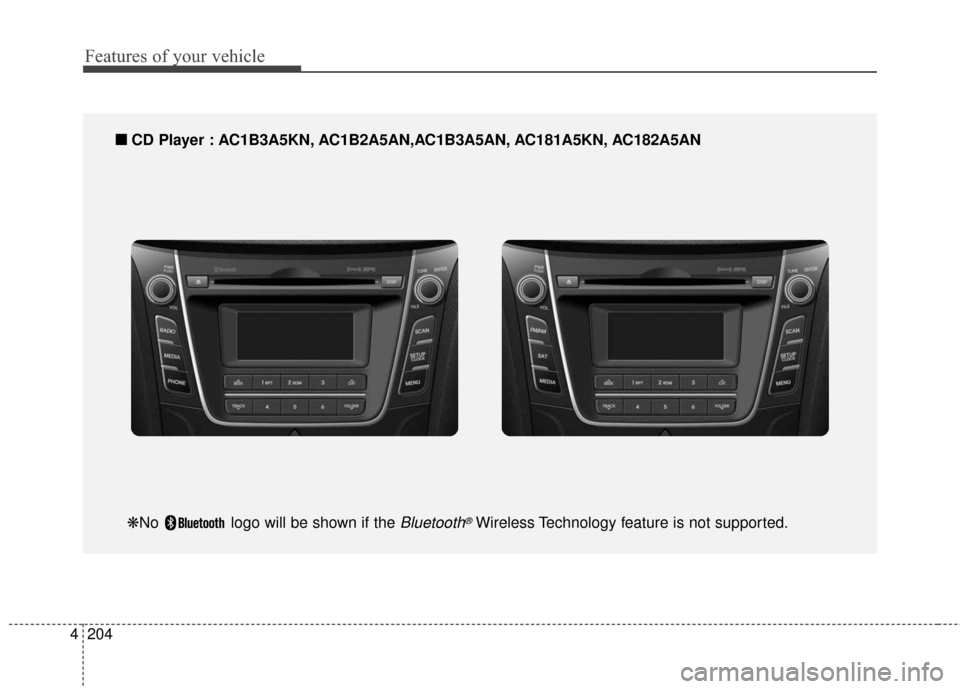
CD Player : AC1B3A5KN, AC1B2A5AN,AC1B3A5AN, AC181A5KN, AC182A5AN
❋No logo will be shown if the Bluetooth®Wireless Technology feature is not supported.
Page 292 of 546
4205
Features of your vehicle
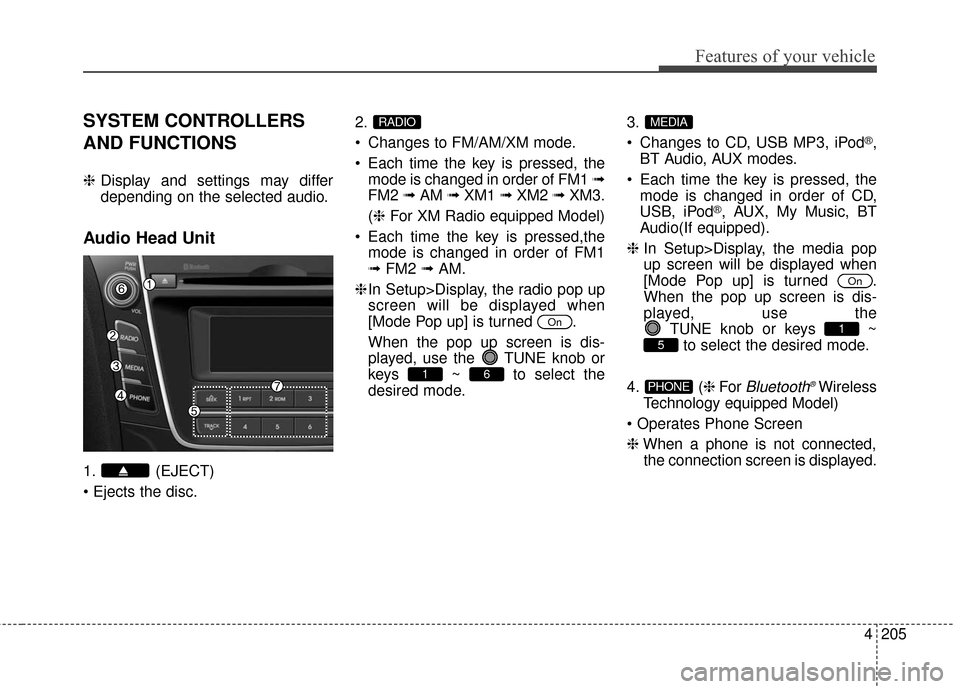
SYSTEM CONTROLLERS
AND FUNCTIONS
❈Display and settings may differ
depending on the selected audio.
Audio Head Unit
1. (EJECT)
2.
Changes to FM/AM/XM mode.
Each time the key is pressed, the
mode is changed in order of FM1 ➟
FM2 ➟AM ➟XM1 ➟XM2 ➟XM3.
(❈ For XM Radio equipped Model)
Each time the key is pressed,the mode is changed in order of FM1
➟ FM2 ➟AM.
❈ In Setup>Display, the radio pop up
screen will be displayed when
[Mode Pop up] is turned .
When the pop up screen is dis-
played, use the TUNE knob or
keys ~ to select the
desired mode. 3.
Changes to CD, USB MP3, iPod
®,
BT Audio, AUX modes.
Each time the key is pressed, the mode is changed in order of CD,
USB, iPod
®, AUX, My Music, BT
Audio(If equipped).
❈ In Setup>Display, the media pop
up screen will be displayed when
[Mode Pop up] is turned .
When the pop up screen is dis-
played, use the
TUNE knob or keys ~to select the desired mode.
4. ( ❈For
Bluetooth®Wireless
Technology equipped Model)
❈ When a phone is not connected,
the connection screen is displayed.PHONE
5
1
On
MEDIA
61
On
RADIO
Page 296 of 546
4209
Features of your vehicle
■
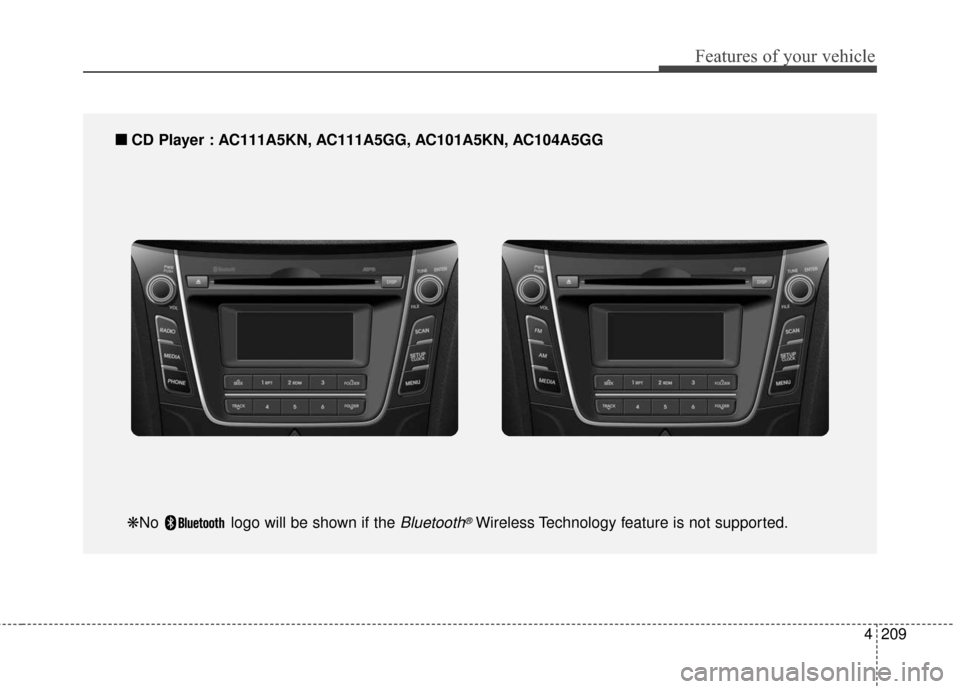
■CD Player : AC111A5KN, AC111A5GG, AC101A5KN, AC104A5GG
❋No logo will be shown if the Bluetooth®Wireless Technology feature is not supported.
Page 297 of 546
Features of your vehicle
210
4
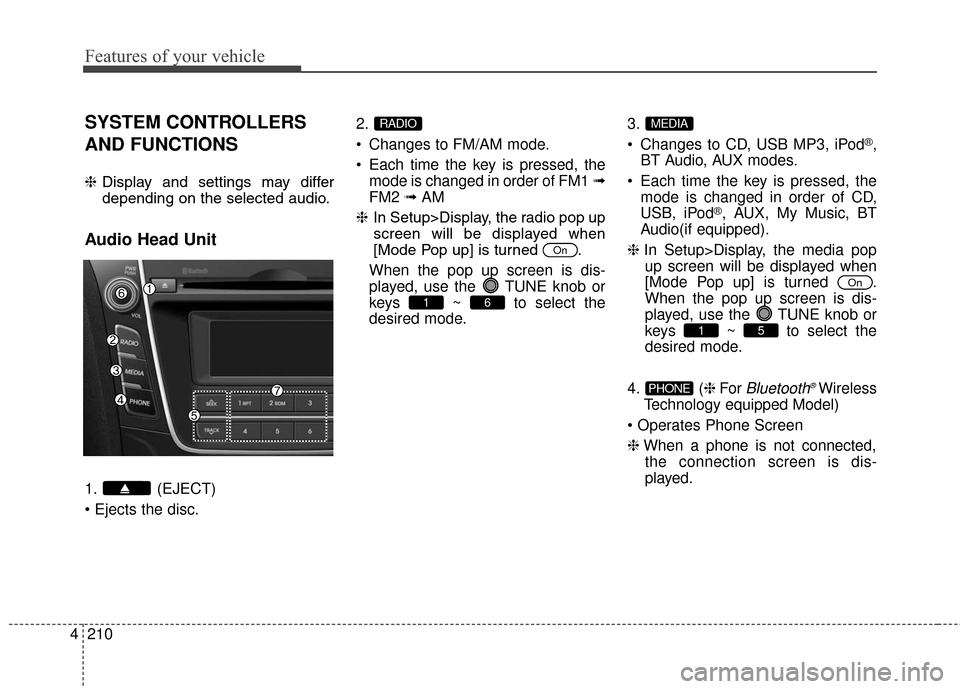
SYSTEM CONTROLLERS
AND FUNCTIONS
❈ Display and settings may differ
depending on the selected audio.
Audio Head Unit
1. (EJECT)
2.
Changes to FM/AM mode.
Each time the key is pressed, the
mode is changed in order of FM1 ➟
FM2 ➟AM
❈ In Setup>Display, the radio pop up
screen will be displayed when
[Mode Pop up] is turned .
When the pop up screen is dis-
played, use the TUNE knob or
keys ~ to select the
desired mode. 3.
Changes to CD, USB MP3, iPod
®,
BT Audio, AUX modes.
Each time the key is pressed, the mode is changed in order of CD,
USB, iPod
®, AUX, My Music, BT
Audio(if equipped).
❈ In Setup>Display, the media pop
up screen will be displayed when
[Mode Pop up] is turned .
When the pop up screen is dis-
played, use the TUNE knob or
keys ~ to select the
desired mode.
4. ( ❈For
Bluetooth®Wireless
Technology equipped Model)
❈ When a phone is not connected,
the connection screen is dis-
played.PHONE
51
On
MEDIA
61
On
RADIO
Page 302 of 546
![Hyundai Elantra GT 2016 Owners Guide 4215
Features of your vehicle
Sound Settings
This menu allows you to set the
‘Bass, Middle, Treble’ and the Sound
Fader and Balance.
Select [Sound Settings] Select
menu through
TUNE knobTu r n
TU](/img/35/14628/w960_14628-301.png "Hyundai Elantra GT 2016 Owners Guide 4215
Features of your vehicle
Sound Settings
This menu allows you to set the
‘Bass, Middle, Treble’ and the Sound
Fader and Balance.
Select [Sound Settings] Select
menu through
TUNE knobTu r n
TU")
4215
Features of your vehicle
Sound Settings
This menu allows you to set the
‘Bass, Middle, Treble’ and the Sound
Fader and Balance.
Select [Sound Settings] Select
menu through
TUNE knobTu r n
TUNE knobleft/right to set
Bass, Middle, Treble : Selects the sound tone.
Fader, Balance : Moves the sound fader and balance.
Default : Restores default settings.
❈ Back : While adjusting values, re-
pressing the TUNE knob will
restore the parent menu.
Speed Dependent Volume
Control
This feature is used to automatically
control the volume level according to
the speed of the vehicle.
Select [Speed Dependent Vol.] Set
in [On / Off] of
TUNEknob
Voice Recognition Volume
(if equipped)
Adjusts voice recognition volume.
Select [Voice Recognition Vol.] Set
volume of
TUNEknob
Blue Link®Voice Volume
(for Blue Link
®equipped model)
Sets the Blue Link®voice recognition
volume.
❈ While using Blue Link
®voice
recognition, turning the tune knob
will display the volume control
popup screen.
❈ May differ depending on the
selected audio.
Page 318 of 546
4231
Features of your vehicle
Bluetooth®Wireless
Technology AUDIO
(if equipped model)
What is
Bluetooth®Wireless
Technology
?
Bluetooth®Wireless Technology allows
devices to be connected in a short dis-
tance, including hands-free devices,
stereo headsets, wireless remote con-
trollers, etc. For more information, visit
the Bluetooth®Wireless Technology
website at www.Bluetooth.com
Before using Bluetooth®Wireless
Technology audio features
Bluetooth®Wireless Technology
audio may not be supported
depending on the compatibility of
your
Bluetooth®Wireless
Technology mobile phone.
In order to use
Bluetooth®Wireless
Technology audio, you must first
pair and connect the
Bluetooth®
Wireless Technology mobile phone.
Bluetooth®Wireless Technology
audio can be used only when the
[Audio Streaming] of Phone is
turned .
❈ Setting
Bluetooth®Wireless
Technology
Audio Streaming :
Press the key Select
[Phone] Select [Audio Streaming]
through the TUNE knob Set
/
Starting Bluetooth®Wireless
Technology Audio
Press the key to change
the mode in order of
CD➟ USB➟ AUX➟My Music➟ BT
Audio.
If BT Audio is selected,
Bluetooth®
Wireless Technology audio will start
playing.
❈ Audio may not automatically start
playing in some mobile phones.
Using the Bluetooth®Wireless
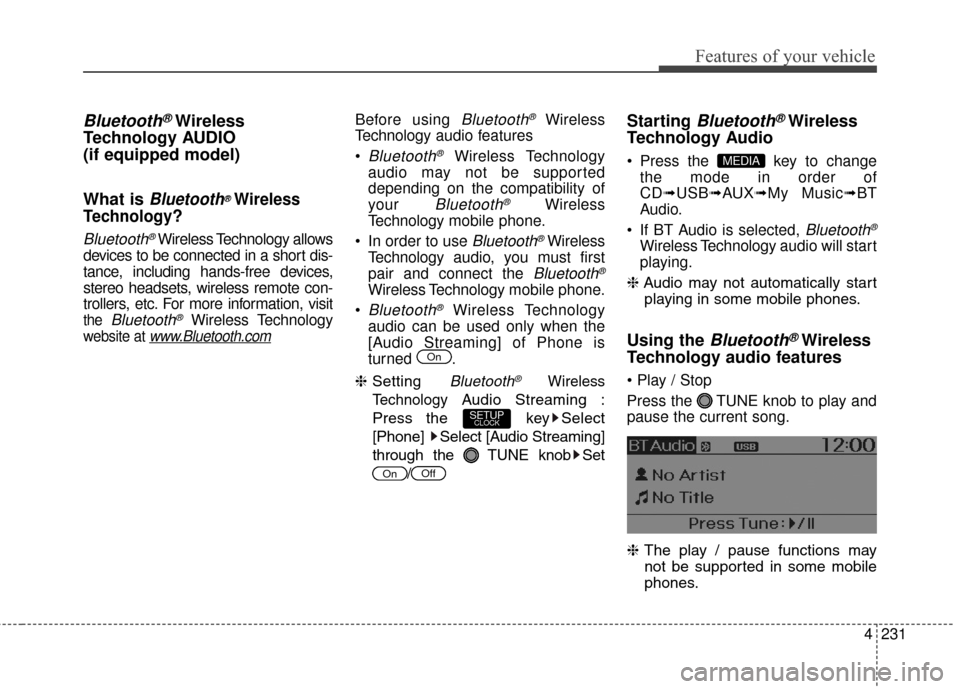
Technology audio features
Press the TUNE knob to play and
pause the current song.
❈ The play / pause functions may
not be supported in some mobile
phones.
MEDIA
OffOn
SETUPCLOCK
On