mirror Hyundai Elantra GT 2017 User Guide
[x] Cancel search | Manufacturer: HYUNDAI, Model Year: 2017, Model line: Elantra GT, Model: Hyundai Elantra GT 2017Pages: 493, PDF Size: 11.53 MB
Page 141 of 493
Features of your vehicle
54
4
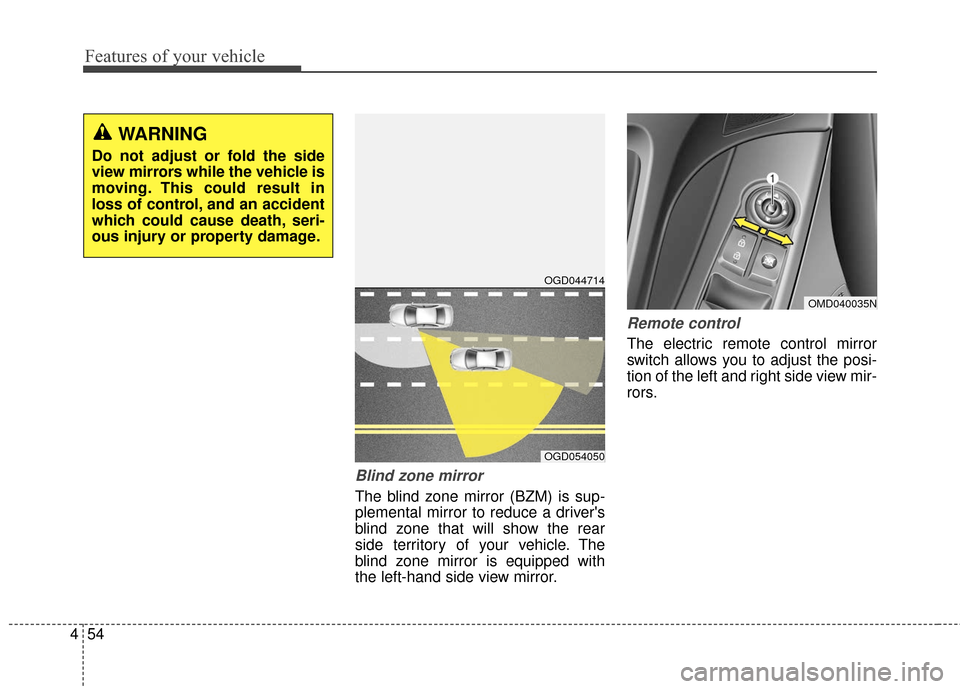
Blind zone mirror
The blind zone mirror (BZM) is sup-
plemental mirror to reduce a driver's
blind zone that will show the rear
side territory of your vehicle. The
blind zone mirror is equipped with
the left-hand side view mirror.
Remote control
The electric remote control mirror
switch allows you to adjust the posi-
tion of the left and right side view mir-
rors.
WARNING
Do not adjust or fold the side
view mirrors while the vehicle is
moving. This could result in
loss of control, and an accident
which could cause death, seri-
ous injury or property damage.
OMD040035N
OGD044714
OGD054050
Page 142 of 493
455
Features of your vehicle
To adjust the position of the mirrors:
1. Place the ignition switch in theACC position.
2. Move the lever(1) to R (right) or L (left) to select the right side mirror
or the left side mirror.
3. Press a corresponding point on the mirror adjustment control to
position the selected mirror up,
down, left or right.
4. After the adjustment, position the lever in the center to prevent inad-
vertent movement.
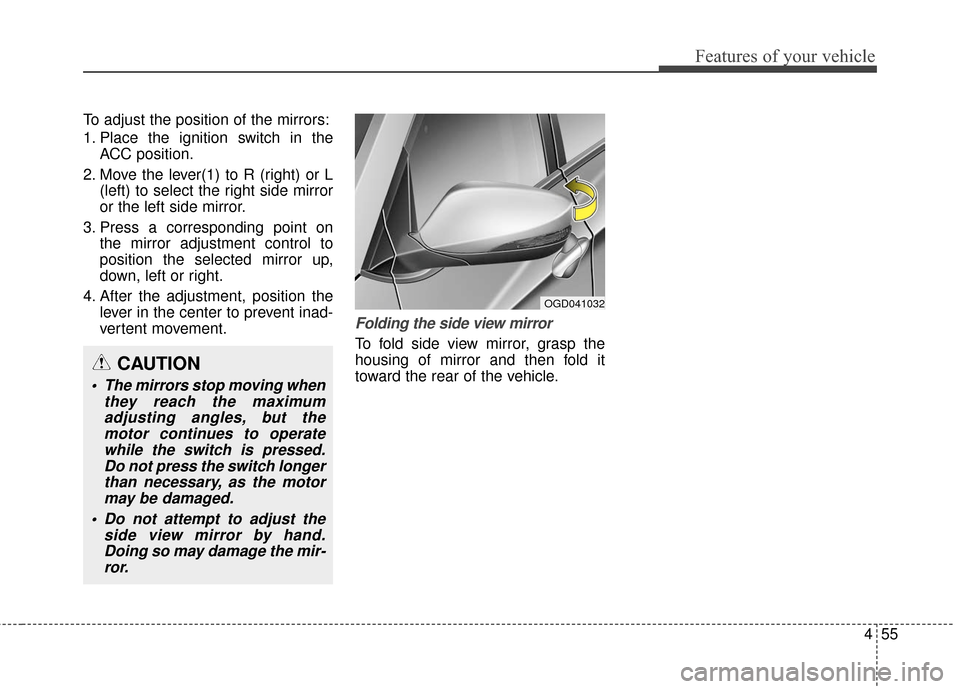
Folding the side view mirror
To fold side view mirror, grasp the
housing of mirror and then fold it
toward the rear of the vehicle.
OGD041032
CAUTION
The mirrors stop moving whenthey reach the maximumadjusting angles, but themotor continues to operatewhile the switch is pressed.Do not press the switch longerthan necessary, as the motormay be damaged.
Do not attempt to adjust the side view mirror by hand.Doing so may damage the mir-ror.
Page 174 of 493
487
Features of your vehicle
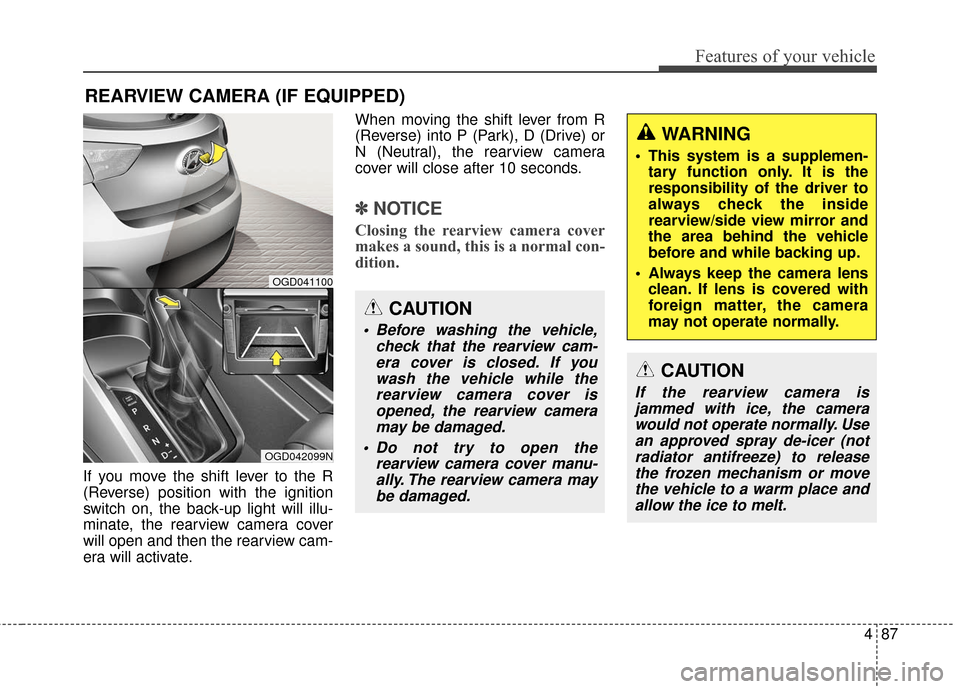
If you move the shift lever to the R
(Reverse) position with the ignition
switch on, the back-up light will illu-
minate, the rearview camera cover
will open and then the rearview cam-
era will activate.When moving the shift lever from R
(Reverse) into P (Park), D (Drive) or
N (Neutral), the rearview camera
cover will close after 10 seconds.
✽ ✽
NOTICE
Closing the rearview camera cover
makes a sound, this is a normal con-
dition.
REARVIEW CAMERA (IF EQUIPPED)
OGD042099N
OGD041100
CAUTION
Before washing the vehicle,
check that the rearview cam-era cover is closed. If youwash the vehicle while therearview camera cover isopened, the rearview cameramay be damaged.
Do not try to open the rearview camera cover manu-ally. The rearview camera maybe damaged.
WARNING
This system is a supplemen- tary function only. It is the
responsibility of the driver to
always check the inside
rearview/side view mirror and
the area behind the vehicle
before and while backing up.
Always keep the camera lens clean. If lens is covered with
foreign matter, the camera
may not operate normally.
CAUTION
If the rearview camera isjammed with ice, the camerawould not operate normally. Usean approved spray de-icer (notradiator antifreeze) to releasethe frozen mechanism or movethe vehicle to a warm place andallow the ice to melt.
Page 186 of 493
499
Features of your vehicle
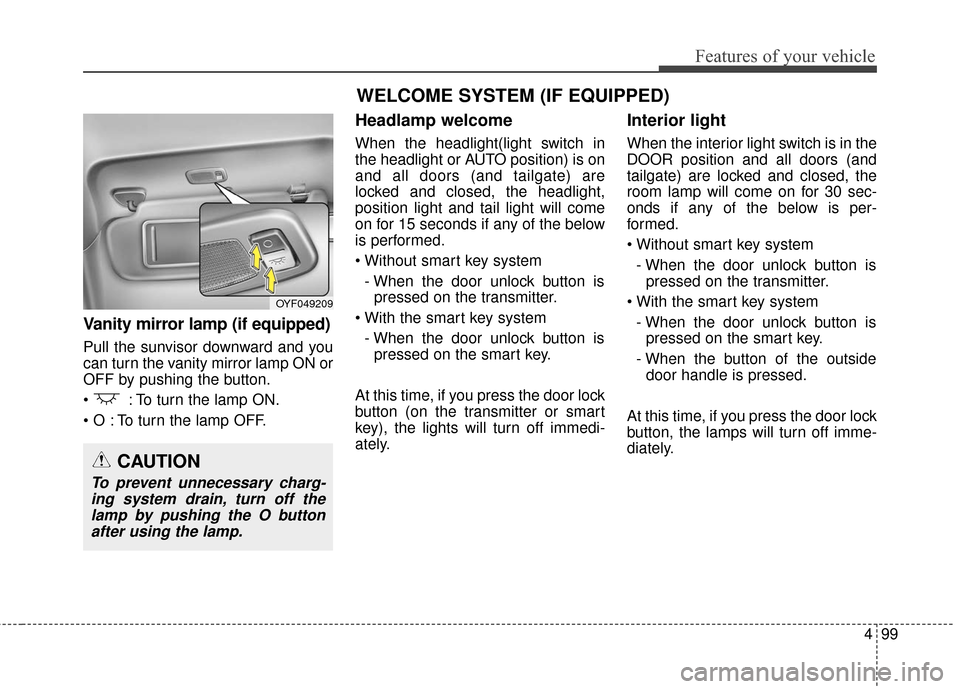
Vanity mirror lamp (if equipped)
Pull the sunvisor downward and you
can turn the vanity mirror lamp ON or
OFF by pushing the button.
: To turn the lamp ON.
To turn the lamp OFF.
Headlamp welcome
When the headlight(light switch in
the headlight or AUTO position) is on
and all doors (and tailgate) are
locked and closed, the headlight,
position light and tail light will come
on for 15 seconds if any of the below
is performed.
- When the door unlock button is pressed on the transmitter.
- When the door unlock button is pressed on the smart key.
At this time, if you press the door lock
button (on the transmitter or smart
key), the lights will turn off immedi-
ately.
Interior light
When the interior light switch is in the
DOOR position and all doors (and
tailgate) are locked and closed, the
room lamp will come on for 30 sec-
onds if any of the below is per-
formed.
- When the door unlock button is pressed on the transmitter.
- When the door unlock button is pressed on the smart key.
- When the button of the outside door handle is pressed.
At this time, if you press the door lock
button, the lamps will turn off imme-
diately.
OYF049209
CAUTION
To prevent unnecessary charg- ing system drain, turn off thelamp by pushing the O buttonafter using the lamp.
WELCOME SYSTEM (IF EQUIPPED)
Page 187 of 493
Features of your vehicle
100
4
✽
✽
NOTICE
If you want to defrost and defog the
front windshield, refer to
“Windshield defrosting and defog-
ging” in this section.
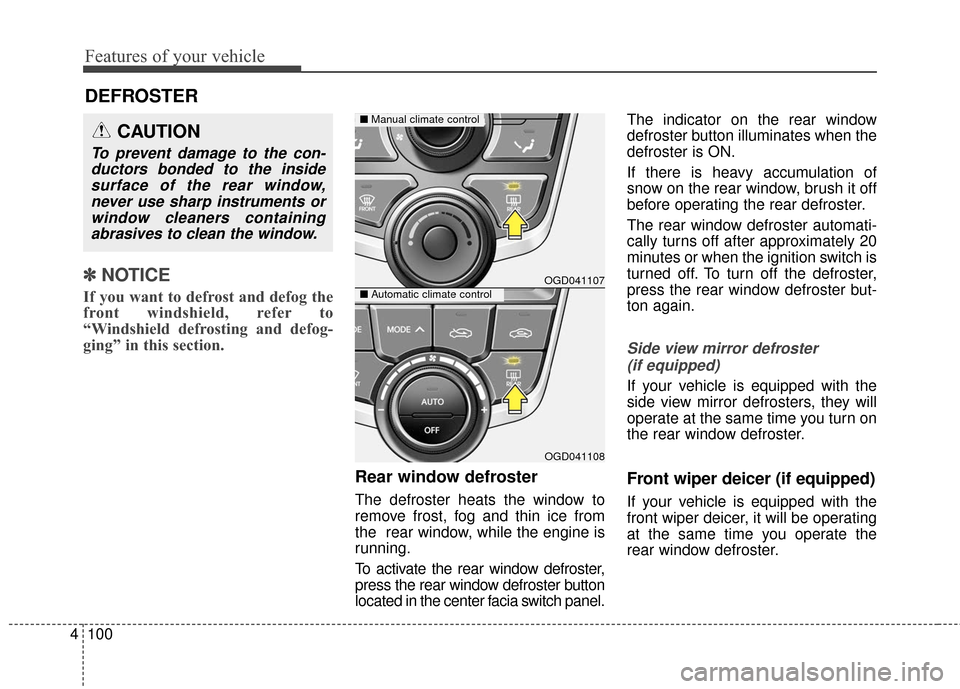
Rear window defroster
The defroster heats the window to
remove frost, fog and thin ice from
the rear window, while the engine is
running.
To activate the rear window defroster,
press the rear window defroster button
located in the center facia switch panel. The indicator on the rear window
defroster button illuminates when the
defroster is ON.
If there is heavy accumulation of
snow on the rear window, brush it off
before operating the rear defroster.
The rear window defroster automati-
cally turns off after approximately 20
minutes or when the ignition switch is
turned off. To turn off the defroster,
press the rear window defroster but-
ton again.
Side view mirror defroster
(if equipped)
If your vehicle is equipped with the
side view mirror defrosters, they will
operate at the same time you turn on
the rear window defroster.
Front wiper deicer (if equipped)
If your vehicle is equipped with the
front wiper deicer, it will be operating
at the same time you operate the
rear window defroster.
DEFROSTER
OGD041107
OGD041108
■ Manual climate control
■Automatic climate control
CAUTION
To prevent damage to the con-
ductors bonded to the insidesurface of the rear window,never use sharp instruments orwindow cleaners containingabrasives to clean the window.
Page 205 of 493
Features of your vehicle
118
4
For maximum defrosting, set the
temperature control to the extreme
right/hot position and the fan speed
control to the highest speed.
If warm air to the floor is desired while defrosting or defogging, set
the mode to the floor-defrost posi-
tion.
Before driving, clear all snow and ice from the windshield, rear win-
dow, outside rear view mirrors, and
all side windows.
Clear all snow and ice from the hood and air inlet in the cowl grill to
improve heater and defroster effi-
ciency and to reduce the probabili-
ty of fogging up the inside of the
windshield.
✽ ✽ NOTICE
Be sure to keep the interior surface
of the windshield clean by wiping it
with a clean cloth and glass cleaner.
This will help reduce the tendency of
the glass fogging and also improve
visibility.
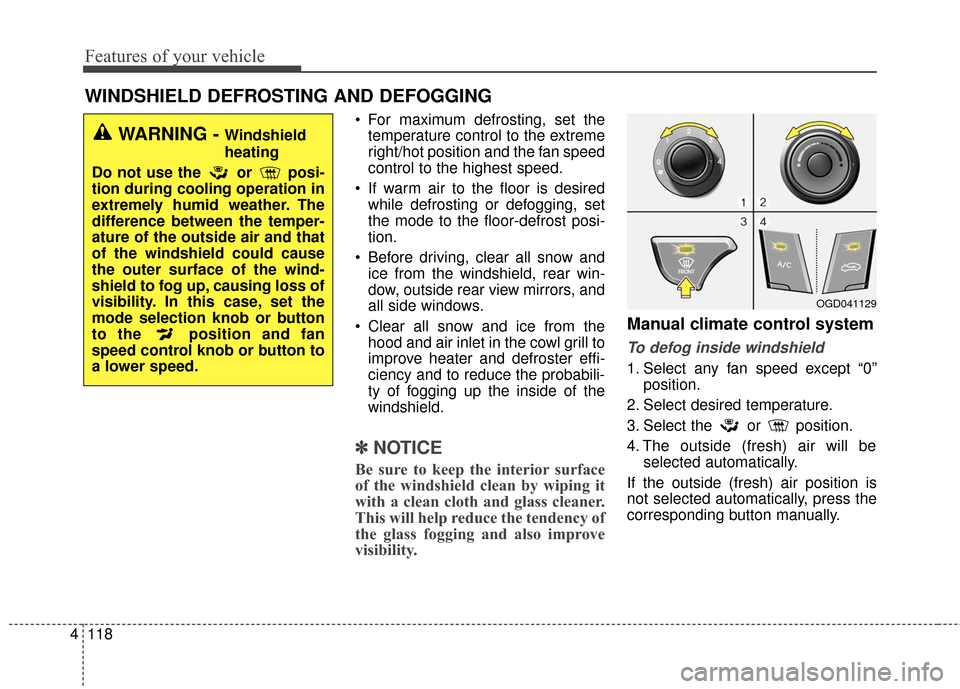
Manual climate control system
To defog inside windshield
1. Select any fan speed except “0”
position.
2. Select desired temperature.
3. Select the or position.
4. The outside (fresh) air will be selected automatically.
If the outside (fresh) air position is
not selected automatically, press the
corresponding button manually.
WINDSHIELD DEFROSTING AND DEFOGGING
WARNING - Windshield
heating
Do not use the or posi-
tion during cooling operation in
extremely humid weather. The
difference between the temper-
ature of the outside air and that
of the windshield could cause
the outer surface of the wind-
shield to fog up, causing loss of
visibility. In this case, set the
mode selection knob or button
to the position and fan
speed control knob or button to
a lower speed.
OGD041129
Page 211 of 493
Features of your vehicle
124
4
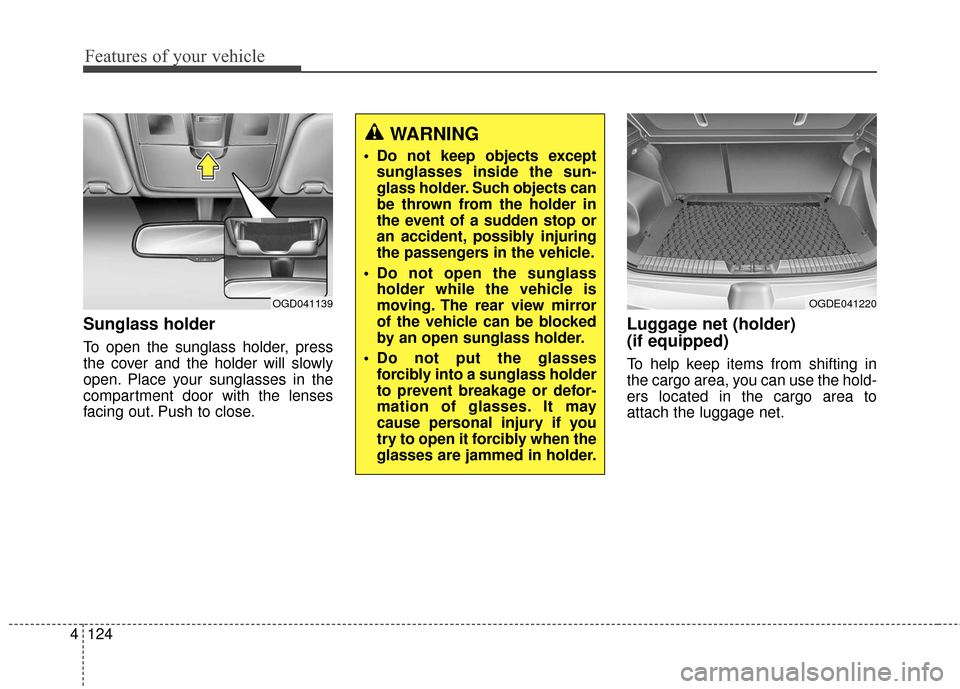
Sunglass holder
To open the sunglass holder, press
the cover and the holder will slowly
open. Place your sunglasses in the
compartment door with the lenses
facing out. Push to close.
Luggage net (holder)
(if equipped)
To help keep items from shifting in
the cargo area, you can use the hold-
ers located in the cargo area to
attach the luggage net.
WARNING
Do not keep objects except
sunglasses inside the sun-
glass holder. Such objects can
be thrown from the holder in
the event of a sudden stop or
an accident, possibly injuring
the passengers in the vehicle.
Do not open the sunglass holder while the vehicle is
moving. The rear view mirror
of the vehicle can be blocked
by an open sunglass holder.
Do not put the glasses forcibly into a sunglass holder
to prevent breakage or defor-
mation of glasses. It may
cause personal injury if you
try to open it forcibly when the
glasses are jammed in holder.
OGD041139OGDE041220
Page 214 of 493
4127
Features of your vehicle
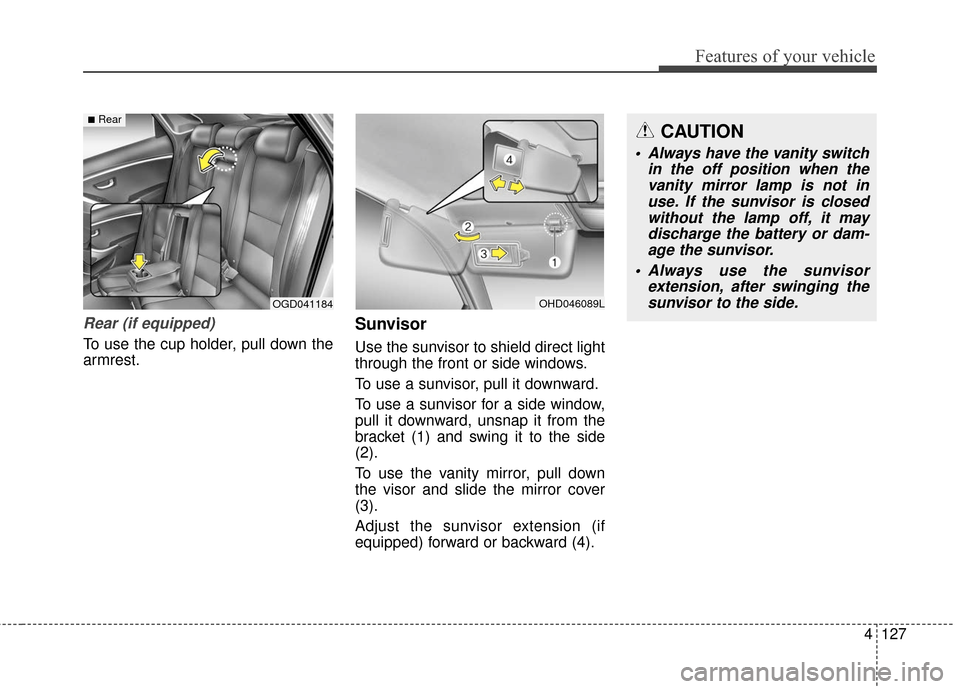
Rear (if equipped)
To use the cup holder, pull down the
armrest.
Sunvisor
Use the sunvisor to shield direct light
through the front or side windows.
To use a sunvisor, pull it downward.
To use a sunvisor for a side window,
pull it downward, unsnap it from the
bracket (1) and swing it to the side
(2).
To use the vanity mirror, pull down
the visor and slide the mirror cover
(3).
Adjust the sunvisor extension (if
equipped) forward or backward (4).
OHD046089LOGD041184
■RearCAUTION
Always have the vanity switchin the off position when thevanity mirror lamp is not inuse. If the sunvisor is closedwithout the lamp off, it maydischarge the battery or dam-age the sunvisor.
Always use the sunvisor extension, after swinging thesunvisor to the side.
Page 287 of 493
Features of your vehicle
200
4
Blue Link®
Hyundai aims to offer differentiated
customer values through a
‘Connected Car Life,’ which is to pro-
vide consumers with fast and reliable
IT technology. As consumers’
lifestyles become more and more
mobile in thanks to remarkable
advances in smart phones, tablet
PCs and overall wireless telecommu-
nication, new lifestyle patterns
demand seamless connection
between one’s office, home, out-
doors and automobiles.
Automobile companies are now
faced with the task of shifting their
paradigm from vehicle-centered
services to customer value-centered
services, with the ultimate goal of
securing global leadership in the
field of vehicle IT and telematics. Hyundai Motor plans to achieve this
by realizing a terminal platform flexi-
ble to changes in IT technology,
cooperating with global IT compa-
nies, creating an eco-system and
providing the latest contents & serv-
ices based on an open environment.
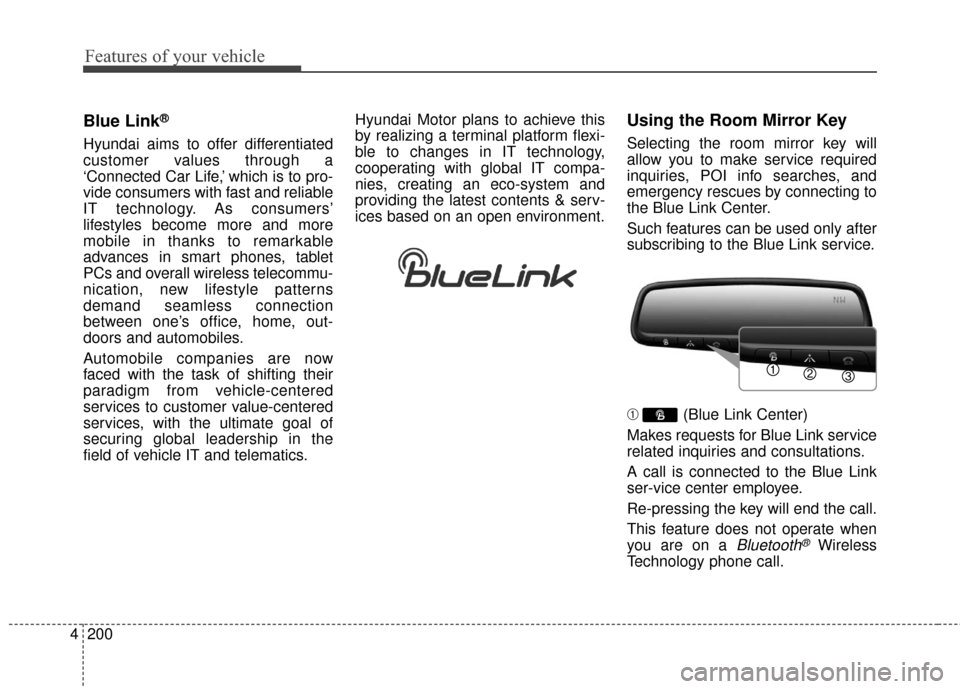
Using the Room Mirror Key
Selecting the room mirror key will
allow you to make service required
inquiries, POI info searches, and
emergency rescues by connecting to
the Blue Link Center.
Such features can be used only after
subscribing to the Blue Link service.
➀
(Blue Link Center)
Makes requests for Blue Link service
related inquiries and consultations.
A call is connected to the Blue Link
ser-vice center employee.
Re-pressing the key will end the call.
This feature does not operate when
you are on a
Bluetooth®Wireless
Technology phone call.
Page 296 of 493
Driving your vehicle
45
Before entering vehicle
• Be sure that all windows, outsidemirror(s), and outside lights are
clean.
Check the condition of the tires.
Check under the vehicle for any sign of leaks.
Be sure there are no obstacles behind you if you intend to back up.
Necessary inspections
Fluid levels, such as engine oil,
engine coolant, brake fluid, and
washer fluid should be checked on a
regular basis, with the exact interval
depending on the fluid. Further
details are provided in section 7,
“Maintenance”.
BEFORE DRIVING
CALIFORNIA PROPO-
SITION 65 WARNING
Engine exhaust and a wide vari-
ety of automobile components
and parts, including compo-
nents found in the interior fur-
nishings in a vehicle, contain or
emit chemicals known to the
State of California to cause can-
cer and birth defects and repro-
ductive harm. In addition, cer-
tain fluids contained in vehicles
and certain products of compo-
nent wear contain or emit chem-
icals known to the State of
California to cause cancer and
birth defects or other reproduc-
tive harm.
WARNING
Driving while distracted can
result in a loss of vehicle con-
trol, that may lead to an accident,
severe personal injury, and
death. The driver’s primary
responsibility is in the safe and
legal operation of a vehicle, and
use of any handheld devices,
other equipment, or vehicle sys-
tems which take the driver’s
eyes, attention and focus away
from the safe operation of a vehi-
cle or which are not permissible
by law should never be used
during operation of the vehicle.