fuel Hyundai Elantra GT 2017 Owner's Guide
[x] Cancel search | Manufacturer: HYUNDAI, Model Year: 2017, Model line: Elantra GT, Model: Hyundai Elantra GT 2017Pages: 493, PDF Size: 11.53 MB
Page 158 of 493
471
Features of your vehicle
Warnings and indicators
All warning lights are checked by
turning the ignition switch ON (do not
start the engine). Any light that does
not illuminate should be checked by
an authorized HYUNDAI dealer.
After starting the engine, check to
make sure that all warning lights are
off. If any are still on, this indicates a
situation that may need attention.
When releasing the parking brake,
the brake system warning light
should go off. The fuel warning light
will stay on if the fuel level is low.
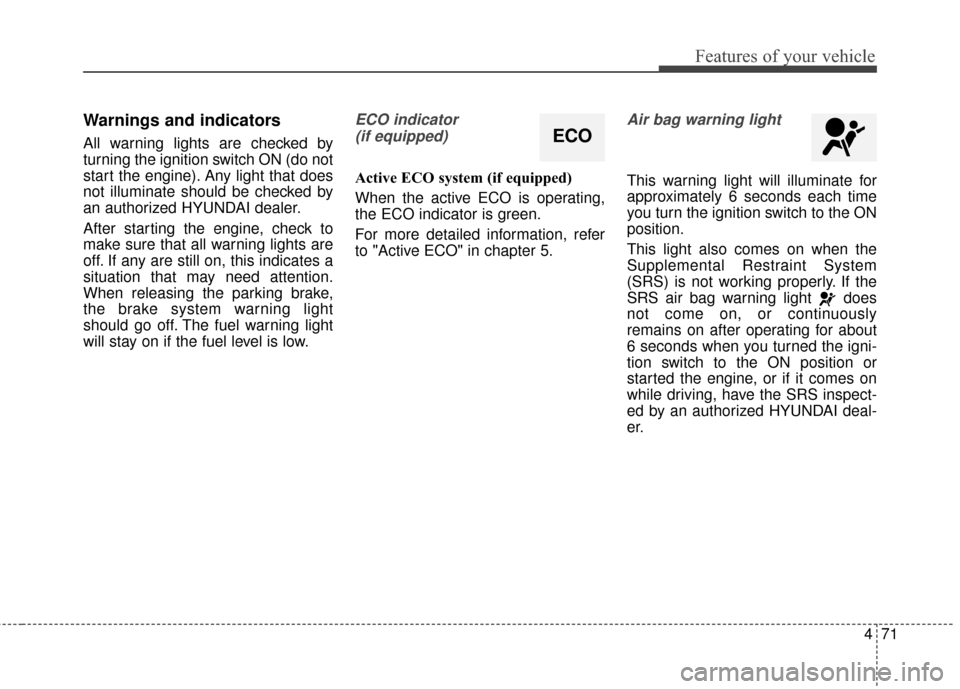
ECO indicator (if equipped)
Active ECO system (if equipped)
When the active ECO is operating,
the ECO indicator is green.
For more detailed information, refer
to "Active ECO" in chapter 5.
Air bag warning light
This warning light will illuminate for
approximately 6 seconds each time
you turn the ignition switch to the ON
position.
This light also comes on when the
Supplemental Restraint System
(SRS) is not working properly. If the
SRS air bag warning light does
not come on, or continuously
remains on after operating for about
6 seconds when you turned the igni-
tion switch to the ON position or
started the engine, or if it comes on
while driving, have the SRS inspect-
ed by an authorized HYUNDAI deal-
er.
ECO
Page 165 of 493
Features of your vehicle
78
4
With smart key system (if equipped)
If any of the following occurs in a
vehicle equipped with the smart key,
the immobilizer indicator illuminates,
blinks or the light goes off.
When the smart key is in the vehi-
cle, if the engine start/stop button
is turned to the ON position, the
indicator will illuminate until the
engine is started. However, when
the smart key is not in the vehicle,
if the engine start/stop button is
depressed, the indicator will blink
for a few minutes to indicate that
you will not be able to start the
engine.
When the ignition switch is turned to the ON position and the indica-
tor turns off after 2 seconds, the
system may need repair. Have the
vehicle checked by an authorized
HYUNDAI dealer. When the battery is weak, if the
engine start/stop button is
depressed, the indicator will blink
and you will not be able to start the
engine. However, you may still be
able to start the engine by pressing
the engine start/stop button with
the smart key. If smart key system
related parts need repair, the indi-
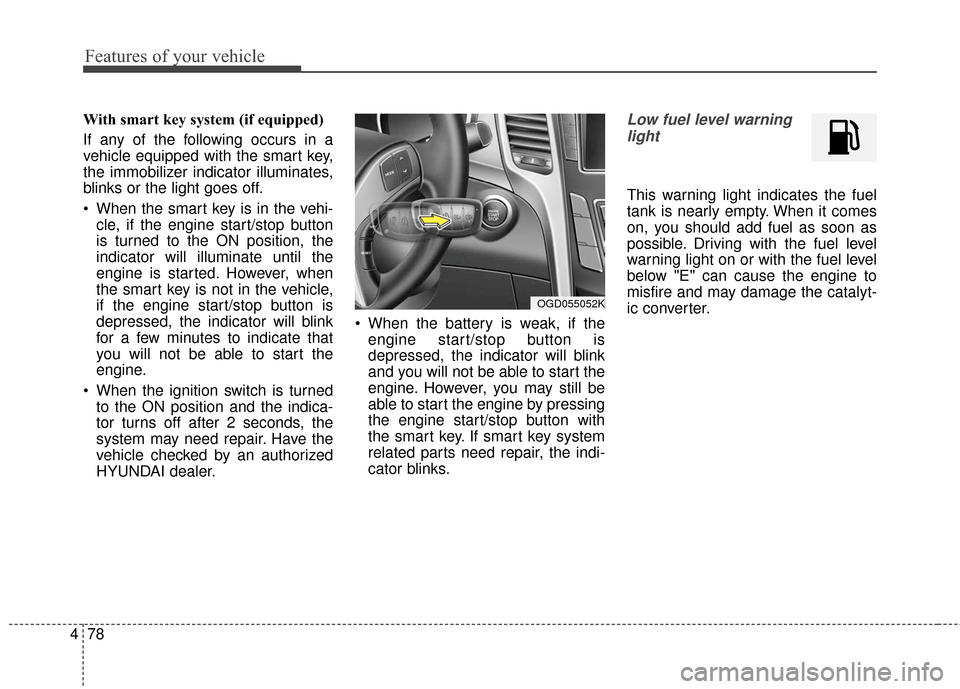
cator blinks.Low fuel level warning
light
This warning light indicates the fuel
tank is nearly empty. When it comes
on, you should add fuel as soon as
possible. Driving with the fuel level
warning light on or with the fuel level
below "E" can cause the engine to
misfire and may damage the catalyt-
ic converter.
OGD055052K
Page 166 of 493
479
Features of your vehicle
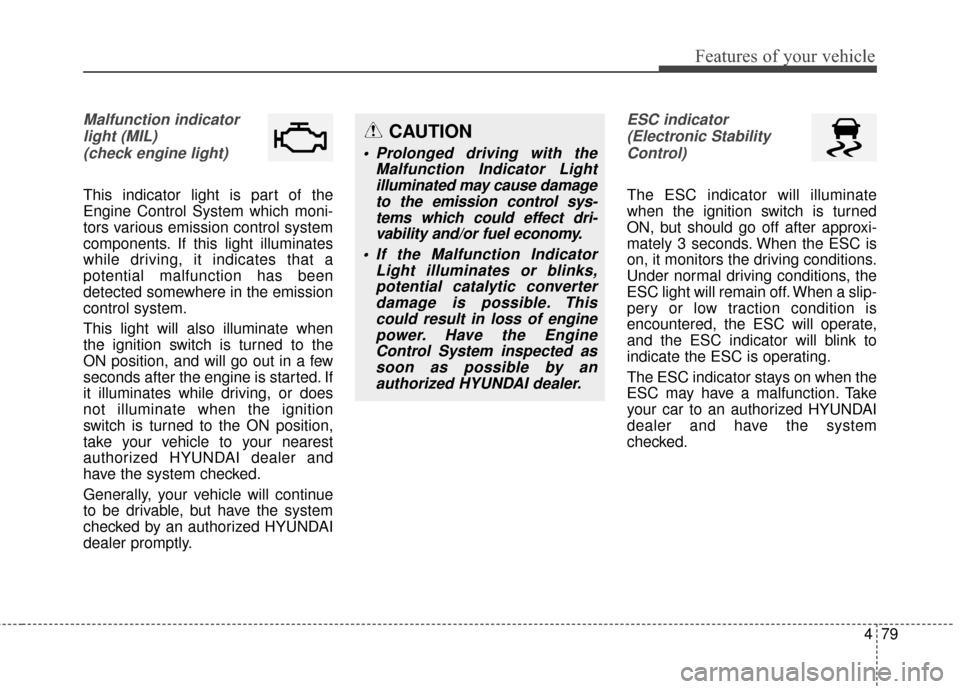
Malfunction indicatorlight (MIL)(check engine light)
This indicator light is part of the
Engine Control System which moni-
tors various emission control system
components. If this light illuminates
while driving, it indicates that a
potential malfunction has been
detected somewhere in the emission
control system.
This light will also illuminate when
the ignition switch is turned to the
ON position, and will go out in a few
seconds after the engine is started. If
it illuminates while driving, or does
not illuminate when the ignition
switch is turned to the ON position,
take your vehicle to your nearest
authorized HYUNDAI dealer and
have the system checked.
Generally, your vehicle will continue
to be drivable, but have the system
checked by an authorized HYUNDAI
dealer promptly.
ESC indicator(Electronic StabilityControl)
The ESC indicator will illuminate
when the ignition switch is turned
ON, but should go off after approxi-
mately 3 seconds. When the ESC is
on, it monitors the driving conditions.
Under normal driving conditions, the
ESC light will remain off. When a slip-
pery or low traction condition is
encountered, the ESC will operate,
and the ESC indicator will blink to
indicate the ESC is operating.
The ESC indicator stays on when the
ESC may have a malfunction. Take
your car to an authorized HYUNDAI
dealer and have the system
checked.
CAUTION
Prolonged driving with the Malfunction Indicator Lightilluminated may cause damageto the emission control sys-tems which could effect dri-vability and/or fuel economy.
If the Malfunction Indicator Light illuminates or blinks,potential catalytic converterdamage is possible. Thiscould result in loss of enginepower. Have the EngineControl System inspected assoon as possible by anauthorized HYUNDAI dealer.
Page 311 of 493
519
Driving your vehicle
R (Reverse)
Use this position to drive the vehicle
backward.N (Neutral)
The wheels and transaxle are not
engaged. The vehicle will roll freely
even on the slightest incline unless
the parking brake or service brakes
are applied.
D (Drive)
This is the normal forward driving
position. The transaxle will automati-
cally shift through a 6-gear
sequence, providing the best fuel
economy and power.
For extra power when passing anoth-
er vehicle or climbing grades,
depress the accelerator fully, at
which time the transaxle will auto-
matically downshift to the next lower
gear.
✽ ✽
NOTICE
Always come to a complete stop
before shifting into D (Drive).
CAUTION
Always come to a complete stop
before shifting into or out of R(Reverse); you may damage thetransaxle if you shift into R(Reverse) while the vehicle is inmotion, except as explained in“Rocking the vehicle” in thissection.
WARNING
Shifting into P (Park) while the vehicle is in motion will cause
the drive wheels to lock which
may cause you to lose control
of the vehicle.
Do not use the P (Park) posi- tion in place of the parking
brake. Always make sure the
shift lever is latched in the P
(Park) position and set the
parking brake fully.
Never leave a child unattend- ed in a vehicle.
CAUTION
The transaxle may be damagedif you shift into P (Park) whilethe vehicle is in motion.
Page 333 of 493
541
Driving your vehicle
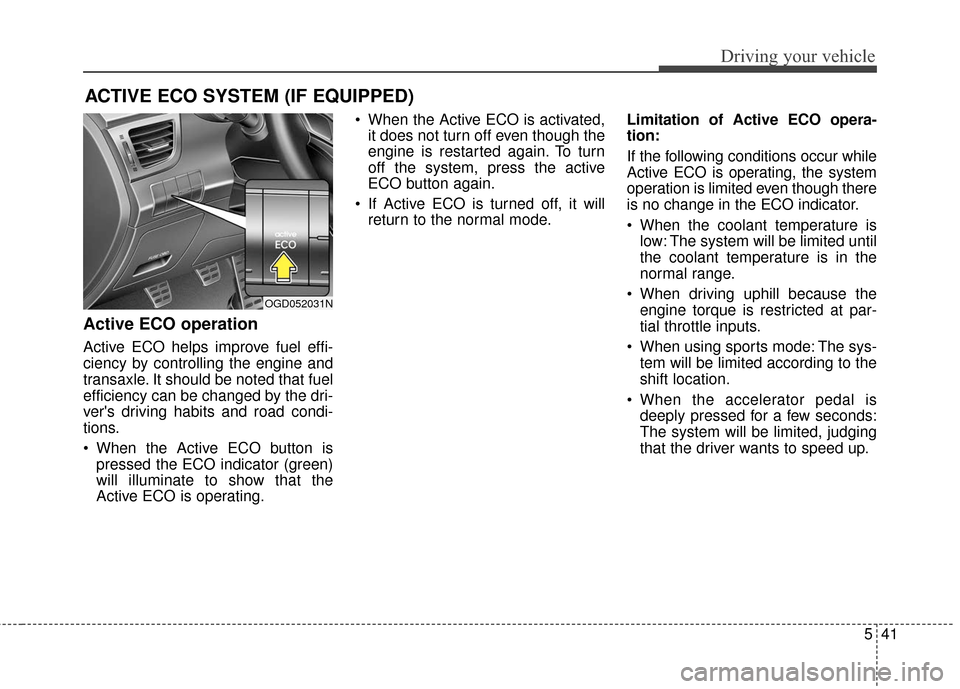
Active ECO operation
Active ECO helps improve fuel effi-
ciency by controlling the engine and
transaxle. It should be noted that fuel
efficiency can be changed by the dri-
ver's driving habits and road condi-
tions.
When the Active ECO button ispressed the ECO indicator (green)
will illuminate to show that the
Active ECO is operating. When the Active ECO is activated,
it does not turn off even though the
engine is restarted again. To turn
off the system, press the active
ECO button again.
If Active ECO is turned off, it will return to the normal mode. Limitation of Active ECO opera-
tion:
If the following conditions occur while
Active ECO is operating, the system
operation is limited even though there
is no change in the ECO indicator.
When the coolant temperature is
low: The system will be limited until
the coolant temperature is in the
normal range.
When driving uphill because the engine torque is restricted at par-
tial throttle inputs.
When using sports mode: The sys- tem will be limited according to the
shift location.
When the accelerator pedal is deeply pressed for a few seconds:
The system will be limited, judging
that the driver wants to speed up.
ACTIVE ECO SYSTEM (IF EQUIPPED)
OGD052031N
Page 334 of 493
Driving your vehicle
42
5
Your vehicle's fuel economy depends
mainly on your style of driving, where
you drive and when you drive.
Each of these factors affects how
many miles (kilometers) you can get
from a gallon (liter) of fuel. To operate
your vehicle as economically as pos-
sible, use the following driving sug-
gestions to help save money in both
fuel and repairs:
Drive smoothly. Accelerate at a
moderate rate. Don't make "jack-
rabbit" starts or full-throttle shifts
and maintain a steady cruising
speed. Don't race between stop-
lights. Try to adjust your speed to
that of the other traffic so you don't
have to change speeds unneces-
sarily. Avoid heavy traffic whenever
possible. Always maintain a safe
distance from other vehicles so
you can avoid unnecessary brak-
ing. This also reduces brake wear.
Drive at a moderate speed. The faster you drive, the more fuel your
car uses. Driving at a moderate
speed, especially on the highway,
is one of the most effective ways to
reduce fuel consumption. Don't "ride" the brake pedal. This
can increase fuel consumption and
also increase wear on these com-
ponents. In addition, driving with
your foot resting on the brake pedal
may cause the brakes to overheat,
which reduces their effectiveness
and may lead to more serious con-
sequences.
Take care of your tires. Keep them inflated to the recommended pres-
sure. Incorrect inflation, either too
much or too little, results in unnec-
essary tire wear. Check the tire
pressures at least once a month.
Be sure that the wheels are aligned correctly. Improper align-
ment can result from hitting curbs
or driving too fast over irregular
surfaces. Poor alignment causes
faster tire wear and may also result
in other problems as well as
greater fuel consumption. Keep your car in good condition. For
better fuel economy and reduced
maintenance costs, maintain your
car in accordance with the mainte-
nance schedule in section 7. If you
drive your car in severe conditions,
more frequent maintenance is
required (see section 7 for details).
Keep your car clean. For maximum service, your vehicle should be kept
clean and free of corrosive materi-
als. It is especially important that
mud, dirt, ice, etc. not be allowed to
accumulate on the underside of the
car. This extra weight can result in
increased fuel consumption and
also contribute to corrosion.
Travel lightly. Don't carry unneces- sary weight in your car. Weight
reduces fuel economy.
Don't let the engine idle longer than necessary. If you are waiting
(and not in traffic), turn off your
engine and restart only when
you're ready to go.
ECONOMICAL OPERATION
Page 335 of 493
543
Driving your vehicle
Remember, your vehicle does notrequire extended warm-up. After
the engine has started, allow the
engine to run for 10 to 20 seconds
prior to placing the vehicle in gear.
In very cold weather, however, give
your engine a slightly longer warm-
up period.
Don't "lug" or "over-rev" the engine. Lugging is driving too slowly in too
high a gear resulting in the engine
bucking. If this happens, shift to a
lower gear. Over-revving is racing
the engine beyond its safe limit.
This can be avoided by shifting at
the recommended speeds.
Use your air conditioning sparingly. The air conditioning system is
operated by engine power so your
fuel economy is reduced when you
use it. Open windows at high speeds can
reduce fuel economy.
Fuel economy is less in crosswinds and headwinds. To help offset
some of this loss, slow down when
driving in these conditions.
Keeping a vehicle in good operating
condition is important both for econ-
omy and safety. Therefore, have an
authorized HYUNDAI dealer perform
scheduled inspections and mainte-
nance.
WARNING - Engine off
during motion
Never turn the engine off to
coast down hills or anytime the
vehicle is in motion. The power
steering and power brakes may
not function properly without the
engine running. Instead, keep
the engine on and downshift to
an appropriate gear for engine
braking effect. In addition, turn-
ing off the ignition while driving
could engage the steering wheel
lock resulting in loss of vehicle
steering which could cause
serious injury or death.
Page 340 of 493
Driving your vehicle
48
5
Fuel, engine coolant and engine
oil
High speed travel consumes more
fuel than urban motoring. Do not for-
get to check both engine coolant and
engine oil.
Drive belt
CAUTION
A loose or damaged drive beltmay result in overheating of theengine. Inspect your drive beltfor proper tension, or have yourHyundai dealer inspect this atthe normal service intervals list-ed in section 7.
Page 348 of 493
Driving your vehicle
56
5
Certification label
The certification label is located on
the driver's door sill at the center pillar.
This label shows the maximum
allowable weight of the fully loaded
vehicle. This is called the GVWR
(Gross Vehicle Weight Rating). The
GVWR includes the weight of the
vehicle, all occupants, fuel and
cargo.
This label also tells you the maxi-
mum weight that can be supported
by the front and rear axles, called
Gross Axle Weight Rating (GAWR). To find out the actual loads on your
front and rear axles, you need to go
to a weigh station and weigh your
vehicle. Your dealer can help you with
this. Be sure to spread out your load
equally on both sides of the center-
line.
The label will help you decide how
much cargo and installed equipment
your vehicle can carry.
If you carry items inside your vehicle
- like suitcases, tools, packages, or
anything else - they are moving as
fast as the vehicle. If you have to stop
or turn quickly, or if there is a crash,
the items will continue moving and
can cause an injury if they strike the
driver or a passenger.
OBH059070
WARNING -Overloading
Never exceed the GVWR for your vehicle, the GAWR for
either the front or rear axle
and vehicle capacity weight.
Exceeding these ratings can
cause an accident or vehicle
damage. You can calculate the
weight of your load by weigh-
ing the items (or people)
before putting them in the
vehicle. Be careful not to over-
load your vehicle.
(Continued)
(Continued)
Do not load your vehicle anyheavier than the GVWR, either
the maximum front or rear
GAWR and vehicle capacity
weight. If you do, parts,
including tires on your vehicle
can break, and it can change
the way your vehicle handles
and its braking ability.
Overloading could cause you
to lose control and crash.
Also, overloading can shorten
the life of your vehicle.
Page 350 of 493
Driving your vehicle
58
5
This section will guide you in the
proper loading of your vehicle, to
keep your loaded vehicle weight
within its design rating capability.
Properly loading your vehicle will
provide maximum return of the vehi-
cle design performance. Before load-
ing your vehicle, familiarize yourself
with the following terms for determin-
ing your vehicle's weight ratings,
from the vehicle's specifications and
the certification label:
Base curb weight
This is the weight of the vehicle
including a full tank of fuel and all
standard equipment. It does not
include passengers, cargo, or option-
al equipment.
Vehicle curb weight
This is the weight of your new vehicle
when you picked it up from your deal-
er plus any aftermarket equipment. Cargo weight
This figure includes all weight added
to the Base Curb Weight, including
cargo and optional equipment.
GAW (Gross axle weight)
This is the total weight placed on
each axle (front and rear) - including
vehicle curb weight and all payload.
GAWR (Gross axle weight rating)
This is the maximum allowable
weight that can be carried by a single
axle (front or rear). These numbers
are shown on the certification label.
The total load on each axle must
never exceed its GAWR.
GVW (Gross vehicle weight)
This is the Base Curb Weight plus
actual Cargo Weight plus passengers.
GVWR (Gross vehicle weight rating)
This is the maximum allowable
weight of the fully loaded vehicle
(including all options, equipment,
passengers and cargo). The GVWR
is shown on the certification label
located on the driver’s door sill.
VEHICLE WEIGHT