ignition Hyundai Elantra GT 2017 Workshop Manual
[x] Cancel search | Manufacturer: HYUNDAI, Model Year: 2017, Model line: Elantra GT, Model: Hyundai Elantra GT 2017Pages: 493, PDF Size: 11.53 MB
Page 179 of 493
Features of your vehicle
92
4
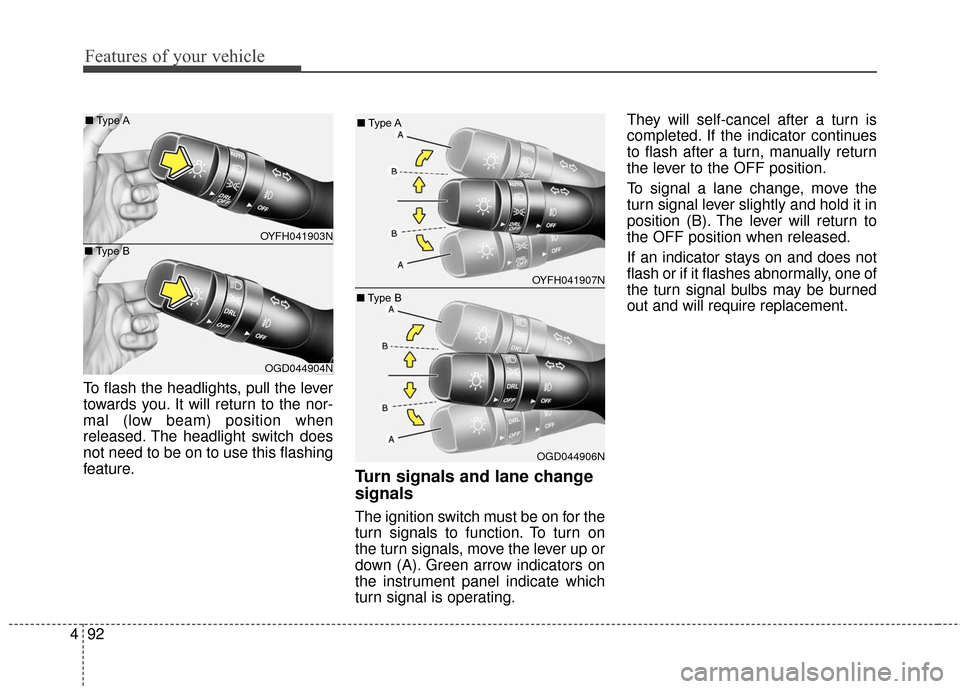
To flash the headlights, pull the lever
towards you. It will return to the nor-
mal (low beam) position when
released. The headlight switch does
not need to be on to use this flashing
feature.
Turn signals and lane change
signals
The ignition switch must be on for the
turn signals to function. To turn on
the turn signals, move the lever up or
down (A). Green arrow indicators on
the instrument panel indicate which
turn signal is operating. They will self-cancel after a turn is
completed. If the indicator continues
to flash after a turn, manually return
the lever to the OFF position.
To signal a lane change, move the
turn signal lever slightly and hold it in
position (B). The lever will return to
the OFF position when released.
If an indicator stays on and does not
flash or if it flashes abnormally, one of
the turn signal bulbs may be burned
out and will require replacement.
OYFH041903N
■
Type A
OGD044904N
■
Type B
OYFH041907N
■
Type A
OGD044906N
■
Type B
Page 182 of 493
495
Features of your vehicle
LO : Normal wiper speed
HI : Fast wiper speed
✽ ✽NOTICE
If there is heavy accumulation of
snow or ice on the windshield,
defrost the windshield for about 10
minutes, or until the snow and/or ice
is removed before using the wind-
shield wipers to ensure proper oper-
ation.
✽ ✽NOTICE
• When you operate the wipers, if
your vehicle has a problem in any
part of the wiper operation sys-
tem, the wiper may operate in the
LO mode regardless of the wiper
switch position. In this case, have
your vehicle checked by an
authorized HYUNDAI dealer as
soon as possible.
• When the ignition key is removed, the wiper blade sometimes may
move slightly for reducing the
deterioration of the windshield
wipers.
Windshield washers
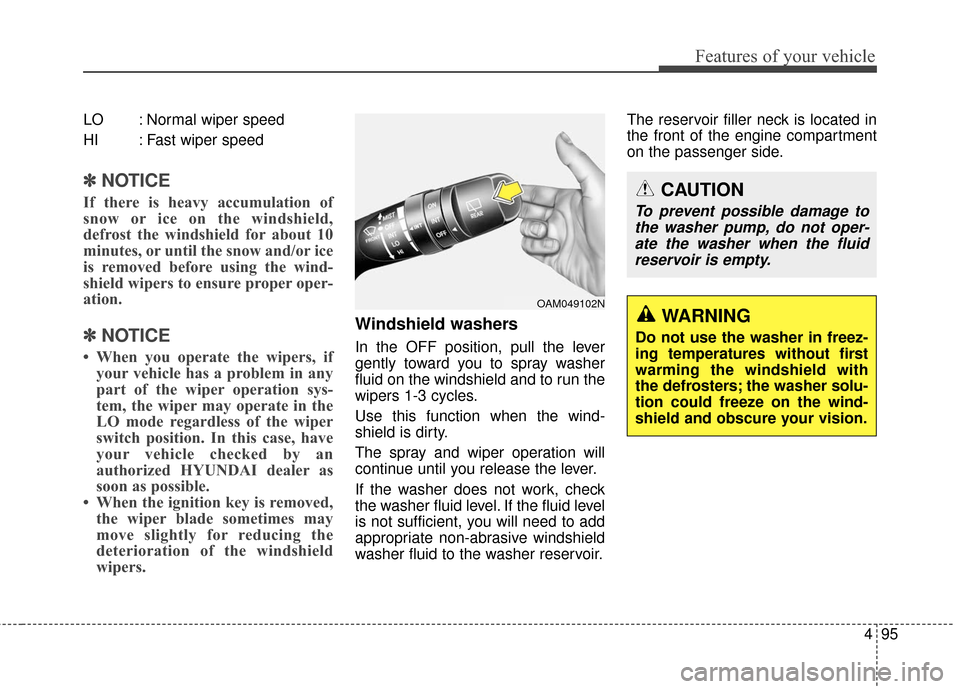
In the OFF position, pull the lever
gently toward you to spray washer
fluid on the windshield and to run the
wipers 1-3 cycles.
Use this function when the wind-
shield is dirty.
The spray and wiper operation will
continue until you release the lever.
If the washer does not work, check
the washer fluid level. If the fluid level
is not sufficient, you will need to add
appropriate non-abrasive windshield
washer fluid to the washer reservoir. The reservoir filler neck is located in
the front of the engine compartment
on the passenger side.
OAM049102N
CAUTION
To prevent possible damage to
the washer pump, do not oper-ate the washer when the fluidreservoir is empty.
WARNING
Do not use the washer in freez-
ing temperatures without first
warming the windshield with
the defrosters; the washer solu-
tion could freeze on the wind-
shield and obscure your vision.
Page 184 of 493
497
Features of your vehicle
Automatic turn off function
(if equipped)
The interior lights automatically turn
off approximately 20 minutes after
the ignition switch is turned off.
If your vehicle is equipped with the
theft alarm system, the interior lights
automatically turn off approximately
5 seconds after the system is in the
armed stage.
Map lamp (if equipped)
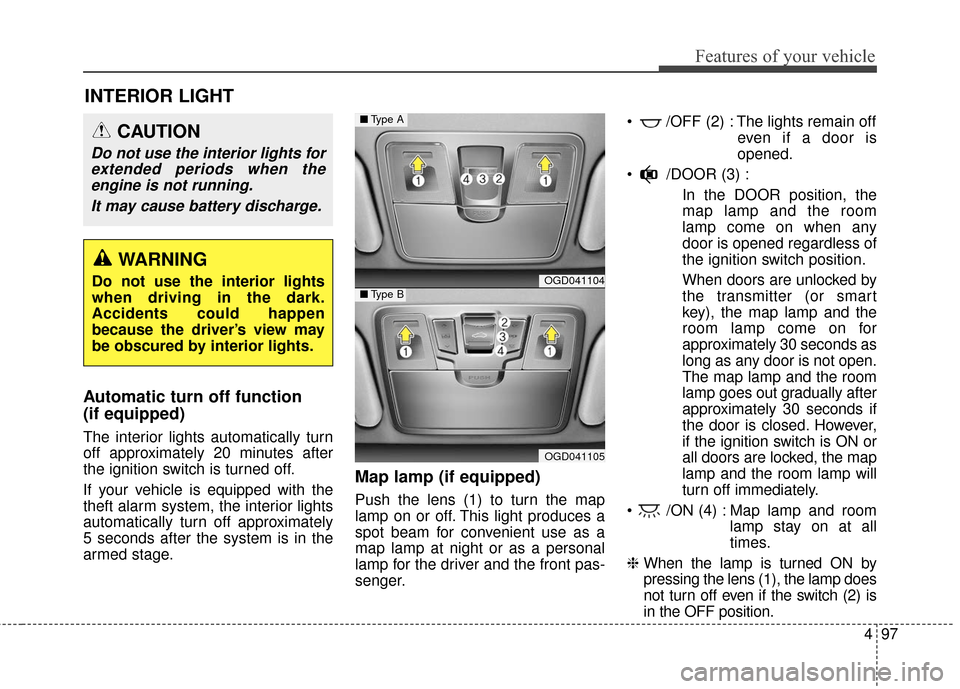
Push the lens (1) to turn the map
lamp on or off. This light produces a
spot beam for convenient use as a
map lamp at night or as a personal
lamp for the driver and the front pas-
senger. /OFF (2) : The lights remain off
even if a door is
opened.
/DOOR (3) : In the DOOR position, the
map lamp and the room
lamp come on when any
door is opened regardless of
the ignition switch position.
When doors are unlocked by
the transmitter (or smart
key), the map lamp and the
room lamp come on for
approximately 30 seconds as
long as any door is not open.
The map lamp and the room
lamp goes out gradually after
approximately 30 seconds if
the door is closed. However,
if the ignition switch is ON or
all doors are locked, the map
lamp and the room lamp will
turn off immediately.
/ON (4) : Map lamp and room lamp stay on at all
times.
❈ When the lamp is turned ON by
pressing the lens (1), the lamp does
not turn off even if the switch (2) is
in the OFF position.
INTERIOR LIGHT
CAUTION
Do not use the interior lights for
extended periods when theengine is not running.
It may cause battery discharge.
WARNING
Do not use the interior lights
when driving in the dark.
Accidents could happen
because the driver’s view may
be obscured by interior lights.OGD041104
OGD041105
■ Type A
■Type B
Page 187 of 493
Features of your vehicle
100
4
✽
✽
NOTICE
If you want to defrost and defog the
front windshield, refer to
“Windshield defrosting and defog-
ging” in this section.
Rear window defroster
The defroster heats the window to
remove frost, fog and thin ice from
the rear window, while the engine is
running.
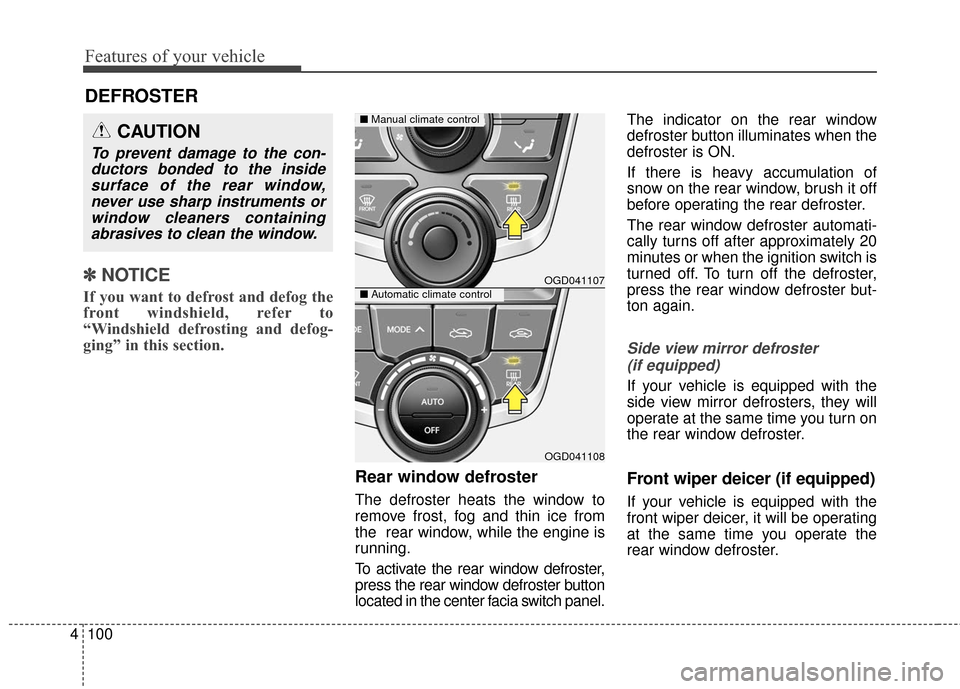
To activate the rear window defroster,
press the rear window defroster button
located in the center facia switch panel. The indicator on the rear window
defroster button illuminates when the
defroster is ON.
If there is heavy accumulation of
snow on the rear window, brush it off
before operating the rear defroster.
The rear window defroster automati-
cally turns off after approximately 20
minutes or when the ignition switch is
turned off. To turn off the defroster,
press the rear window defroster but-
ton again.
Side view mirror defroster
(if equipped)
If your vehicle is equipped with the
side view mirror defrosters, they will
operate at the same time you turn on
the rear window defroster.
Front wiper deicer (if equipped)
If your vehicle is equipped with the
front wiper deicer, it will be operating
at the same time you operate the
rear window defroster.
DEFROSTER
OGD041107
OGD041108
■ Manual climate control
■Automatic climate control
CAUTION
To prevent damage to the con-
ductors bonded to the insidesurface of the rear window,never use sharp instruments orwindow cleaners containingabrasives to clean the window.
Page 193 of 493
Features of your vehicle
106
4
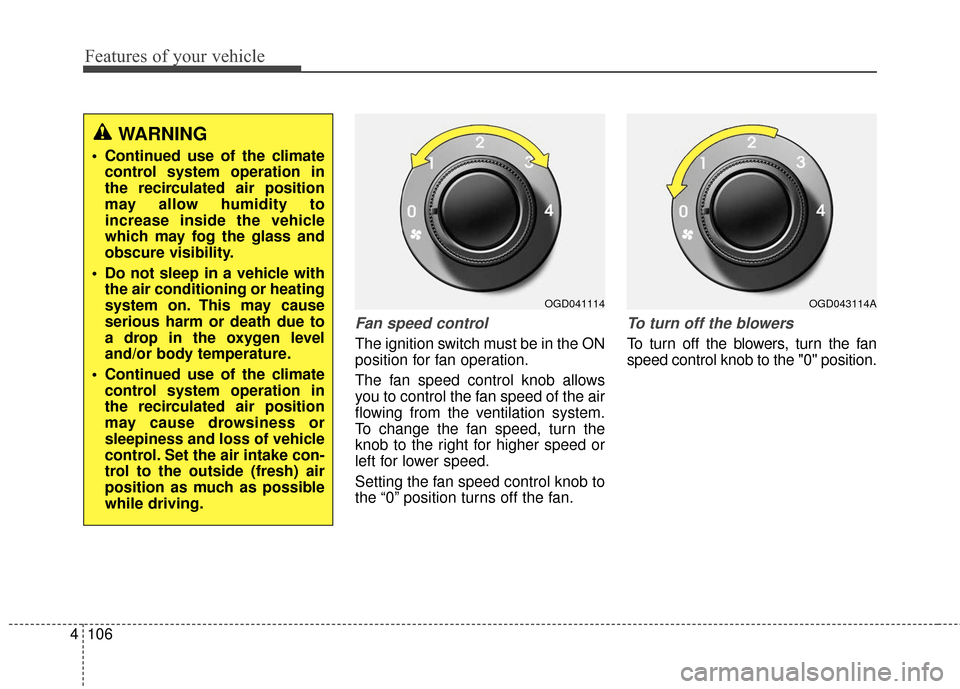
Fan speed control
The ignition switch must be in the ON
position for fan operation.
The fan speed control knob allows
you to control the fan speed of the air
flowing from the ventilation system.
To change the fan speed, turn the
knob to the right for higher speed or
left for lower speed.
Setting the fan speed control knob to
the “0” position turns off the fan.
To turn off the blowers
To turn off the blowers, turn the fan
speed control knob to the "0" position.
OGD041114
WARNING
Continued use of the climate
control system operation in
the recirculated air position
may allow humidity to
increase inside the vehicle
which may fog the glass and
obscure visibility.
Do not sleep in a vehicle with the air conditioning or heating
system on. This may cause
serious harm or death due to
a drop in the oxygen level
and/or body temperature.
Continued use of the climate control system operation in
the recirculated air position
may cause drowsiness or
sleepiness and loss of vehicle
control. Set the air intake con-
trol to the outside (fresh) air
position as much as possible
while driving.
OGD043114A
Page 229 of 493
Features of your vehicle
142
4
WARNING
• Do not stare at the screen
while driving. Staring at the
screen for prolonged periods
of time could lead to traffic
accidents.
Do not disassemble, assem- ble, or modify the audio sys-
tem. Such acts could result in
accidents, fire, or electric
shock.
Using the phone while driving may lead to a lack of attention
of traffic conditions and
increase the likelihood of
accidents. Use the phone
feature after parking the vehi-
cle.
Heed caution not to spill water or introduce foreign objects
into the device. Such acts
could lead to smoke, fire, or
product malfunction.
(Continued)
(Continued)
Please refrain from use if thescreen is blank or no sound
can be heard as these signs
may indicate product mal-
function. Continued use in
such conditions could lead to
accidents(fires, electric
shock) or product malfunc-
tions.
Do not touch the antenna dur- ing thunder or lightening as
such acts may lead to light-
ning induced electric shock.
Do not stop or park in park- ing-restricted areas to operate
the product. Such acts could
lead to traffic accidents.
Use the system with the vehi- cle ignition turned on.
Prolonged use with the igni-
tion turned off could result in
battery discharge.CAUTION
Operating the device while driving could lead to acci-dents due to a lack of atten-tion to external surroundings.First park the vehicle beforeoperating the device.
Adjust the volume to levels that allow the driver to hearsounds from outside of thevehicle. Driving in a statewhere external sounds cannotbe heard may lead to acci-dents.
Pay attention to the volume setting when turning thedevice on. A sudden output ofextreme volume upon turningthe device on could lead tohearing impairment. (Adjustthe volume to a suitable levelsbefore turning off the device.)
(Continued)
Page 230 of 493
4143
Features of your vehicle
(Continued) Turn on the car ignition before using this device. Do not oper-ate the audio system for longperiods of time with the igni-tion turned off as such opera-tions may lead to battery dis-charge.
Do not subject the device to severe shock or impact. Directpressure onto the front side ofthe monitor may cause dam-age to the LCD or touchscreen.
When cleaning the device, make sure to turn off thedevice and use a dry andsmooth cloth. Never usetough materials, chemicalcloths, or solvents (alcohol,benzene, thinners, etc.) assuch materials may damagethe device panel or causecolor/quality deterioration.
(Continued)(Continued) Do not place beverages close to the audio system. Spillingbeverages may lead to systemmalfunction.
In case of product malfunc- tion, please contact your placeof purchase or After Servicecenter.
Placing the audio system within an electromagneticenvironment may result innoise interference.
Prevent caustic solutions such as perfume and cosmet-ic oil from contacting thedashboard because they maycause damage or discol-oration.
Page 235 of 493
Features of your vehicle
148
4
✽
✽
NOTICE - PRECAUTIONS
FOR SAFE DRIVING
•Bluetooth®Handsfree is a feature
that enables drivers to practice
safe driving. Connecting the head
unit with a Bluetooth
®phone
allows the user to conveniently
make and receive calls and use
contacts. Before using Bluetooth
®,
carefully read the contents of this
user’s manual.
• Excessive use or operations while driving may lead to negligent driv-
ing practices and result in acci-
dents. Refrain from excessive
operations while driving.
• Viewing the screen for prolonged periods of time is dangerous and
may lead to accidents. When driv-
ing, view the screen only for short
periods of time.
✽ ✽ NOTICE - WHEN CON-
NECTING A
Bluetooth®
PHONE
• Before connecting the head unit
with the mobile phone, check to
see that the mobile phone supports
Bluetooth
®features.
• Even if the phone supports Bluetooth
®, the phone will not be
found during device searches if the
phone has been set to hidden state
or the Bluetooth
®power is turned
off. Disable the hidden state or
turn on the Bluetooth
®power
prior to searching/connecting with
the Head unit.
• Bluetooth phone is automatically connected when the ignition on.
• If you do not want automatic con- nection with your Bluetooth
®
device, turn off the Bluetooth®fea-
ture within your mobile phone.
• The Handsfree call volume and quality may differ depending on
the mobile phone. (Continued)(Continued)
• Park the vehicle when connecting
the head unit with the mobile
phone.
• Bluetooth
®connection may
become intermittently disconnect-
ed in some mobile phones. Follow
these steps to try again.
1. Within the mobile phone, turn the Bluetooth
®function off/on
and try again.
2. Turn the mobile phone power Off/On and try again.
3. Completely remove the mobile phone battery, reboot, and then
again.
4. Reboot the Audio System and try again.
5. Delete all paired devices, pair and try again.
Page 297 of 493
55
Driving your vehicle
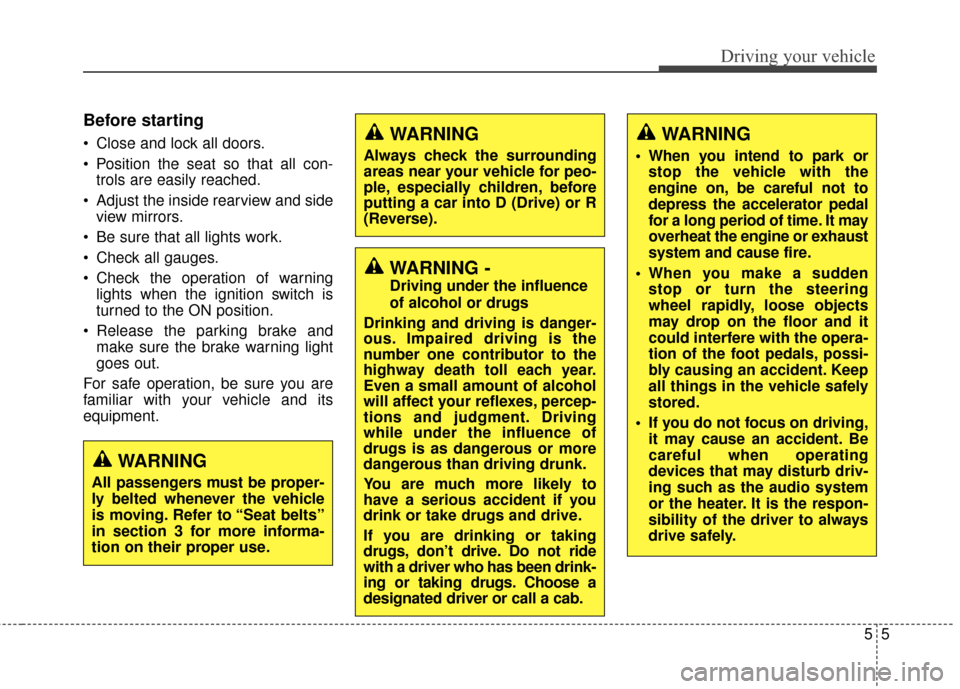
Before starting
Close and lock all doors.
Position the seat so that all con-trols are easily reached.
Adjust the inside rearview and side view mirrors.
Be sure that all lights work.
Check all gauges.
Check the operation of warning lights when the ignition switch is
turned to the ON position.
Release the parking brake and make sure the brake warning light
goes out.
For safe operation, be sure you are
familiar with your vehicle and its
equipment.WARNING
Always check the surrounding
areas near your vehicle for peo-
ple, especially children, before
putting a car into D (Drive) or R
(Reverse).
WARNING -
Driving under the influence
of alcohol or drugs
Drinking and driving is danger-
ous. Impaired driving is the
number one contributor to the
highway death toll each year.
Even a small amount of alcohol
will affect your reflexes, percep-
tions and judgment. Driving
while under the influence of
drugs is as dangerous or more
dangerous than driving drunk.
You are much more likely to
have a serious accident if you
drink or take drugs and drive.
If you are drinking or taking
drugs, don’t drive. Do not ride
with a driver who has been drink-
ing or taking drugs. Choose a
designated driver or call a cab.
WARNING
All passengers must be proper-
ly belted whenever the vehicle
is moving. Refer to “Seat belts”
in section 3 for more informa-
tion on their proper use.
WARNING
When you intend to park or stop the vehicle with the
engine on, be careful not to
depress the accelerator pedal
for a long period of time. It may
overheat the engine or exhaust
system and cause fire.
When you make a sudden stop or turn the steering
wheel rapidly, loose objects
may drop on the floor and it
could interfere with the opera-
tion of the foot pedals, possi-
bly causing an accident. Keep
all things in the vehicle safely
stored.
If you do not focus on driving, it may cause an accident. Be
careful when operating
devices that may disturb driv-
ing such as the audio system
or the heater. It is the respon-
sibility of the driver to always
drive safely.
Page 298 of 493
Driving your vehicle
65
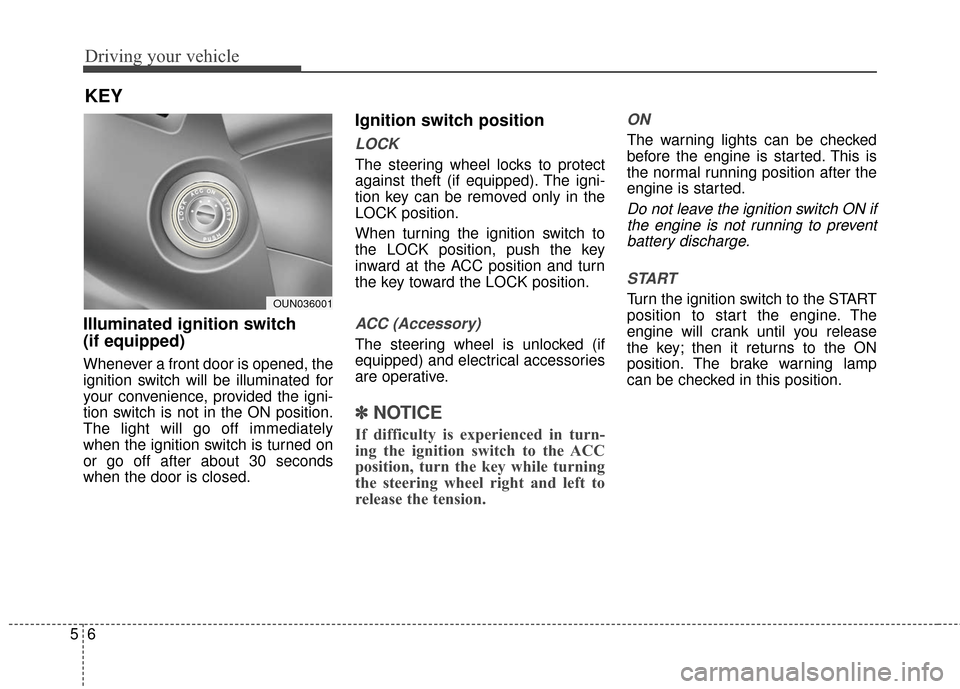
Illuminated ignition switch
(if equipped)
Whenever a front door is opened, the
ignition switch will be illuminated for
your convenience, provided the igni-
tion switch is not in the ON position.
The light will go off immediately
when the ignition switch is turned on
or go off after about 30 seconds
when the door is closed.
Ignition switch position
LOCK
The steering wheel locks to protect
against theft (if equipped). The igni-
tion key can be removed only in the
LOCK position.
When turning the ignition switch to
the LOCK position, push the key
inward at the ACC position and turn
the key toward the LOCK position.
ACC (Accessory)
The steering wheel is unlocked (if
equipped) and electrical accessories
are operative.
✽ ✽NOTICE
If difficulty is experienced in turn-
ing the ignition switch to the ACC
position, turn the key while turning
the steering wheel right and left to
release the tension.
ON
The warning lights can be checked
before the engine is started. This is
the normal running position after the
engine is started.
Do not leave the ignition switch ON if
the engine is not running to preventbattery discharge.
START
Turn the ignition switch to the START
position to start the engine. The
engine will crank until you release
the key; then it returns to the ON
position. The brake warning lamp
can be checked in this position.
KEY
OUN036001