block Hyundai Elantra GT 2017 Owner's Manual
[x] Cancel search | Manufacturer: HYUNDAI, Model Year: 2017, Model line: Elantra GT, Model: Hyundai Elantra GT 2017Pages: 493, PDF Size: 11.53 MB
Page 97 of 493
Features of your vehicle
10
4
Loss of the smart key
A maximum of 2 smart keys can be
registered to a single vehicle.
If you happen to lose your smart key,
you will not be able to start the
engine. You should immediately take
the vehicle and remaining key to your
authorized HYUNDAI dealer(tow the
vehicle, if necessary) to protect it
from potential theft.
Smart key precautions
The smart key may not work if any
of the following occur:
- The smart key is close to a radio transmitter such as a radio sta-
tion or an airport which can inter-
fere with normal operation of the
smart key.
- The smart key is near a mobile two way radio system or a cellu-
lar phone.
- Another vehicle’s smart key is being operated close to your
vehicle.
When the smart key does not work correctly, open and close the door
with the mechanical key and contact
an authorized HYUNDAI dealer. If the smart key is in close proximi-
ty to your cell phone or smart
phone, the signal from the smart
key could be blocked by normal
operation of your cell phone or
smart phone. This is especially
important when the phone is active
such as making a call, receiving
calls, text messaging, and/or send-
ing/receiving emails. Avoid placing
the smart key and your cell phone
or smart phone in the same pants
or jacket pocket and maintain ade-
quate distance between the two
devices.
CAUTION
Keep the smart key away fromwater or any liquid and fire. Ifthe inside of the smart key getsdamp (due to drinks or mois-ture), or is heated, internal cir-cuit may malfunction, excludingthe car from the warranty.
Page 102 of 493
415
Features of your vehicle
Transmitter precautions
✽
✽NOTICE
The transmitter will not work if any
of following occur:
• The ignition key is in the ignition
switch.
• You exceed the operating distance limit (about 90 feet [30 m]).
• The battery in the transmitter is weak.
• Other vehicles or objects may be blocking the signal.
• The weather is extremely cold.
• The transmitter is close to a radio transmitter such as a radio station
or an airport which can interfere
with normal operation of the
transmitter.
When the transmitter does not work
correctly, open and close the door
with the ignition key. If you have a
problem with the transmitter, contact
an authorized HYUNDAI dealer. (Continued)(Continued)
• If the transmitter is in close prox-
imity to your cell phone or smart
phone, the signal from the trans-
mitter could be blocked by normal
operation of your cell phone or
smart phone. This is especially
important when the phone is
active such as making call, receiv-
ing calls, text messaging, and/or
sending/receiving emails. Avoid
placing the transmitter and your
cell phone or smart phone in the
same pants or jacket pocket and
maintain adequate distance
between the two devices.
This device complies with Part 15
of the FCC rules.
Operation is subject to the following
two conditions:
1. This device may not cause harm-
ful interference, and
2. This device must accept any inter- ference received, including inter-
ference that may cause undesired
operation.
CAUTION
Keep the transmitter away fromwater or any liquid and fire. Ifthe inside of the transmittergets damp (due to drinks ormoisture), or is heated, internalcircuit may malfunction, exclud-ing the car from the warranty.
CAUTION
Changes or modifications notexpressly approved by the partyresponsible for compliancecould void the user’s authorityto operate the equipment. If thekeyless entry system is inopera-tive due to changes or modifica-tions not expressly approved bythe party responsible for com-pliance, it will not be covered byyour manufacturer’s vehiclewarranty.
Page 115 of 493
Features of your vehicle
28
4
Power windows
The ignition switch must be in the ON
position for power windows to operate.
Each door has a power window
switch that controls that door's win-
dow. The driver has a power window
lock switch which can block the oper-
ation of passenger windows. The dri-
ver’s door has a master power win-
dow switch that controls all the win-
dows in the vehicle. The power win-
dows can be operated for approxi-
mately 30 seconds after the ignition
key is removed or turned to the ACC
or LOCK position. However, if the
front doors open, the power windows
cannot be operated within the 30
second period.
✽ ✽
NOTICE
• In cold and wet climates, power
windows may not work properly
due to freezing conditions.
• While driving with the rear win- dows down or with the sunroof (if
equipped) in an open (or partially
open) position, your vehicle may
demonstrate a wind buffeting or
pulsation noise. This noise is a
normal occurrence and can be
reduced or eliminated by taking
the following actions. If the noise
occurs with one or both of the
rear windows down, partially
lower both front windows
approximately one inch. If you
experience the noise with the sun-
roof open, slightly reduce the size
of the sunroof opening.
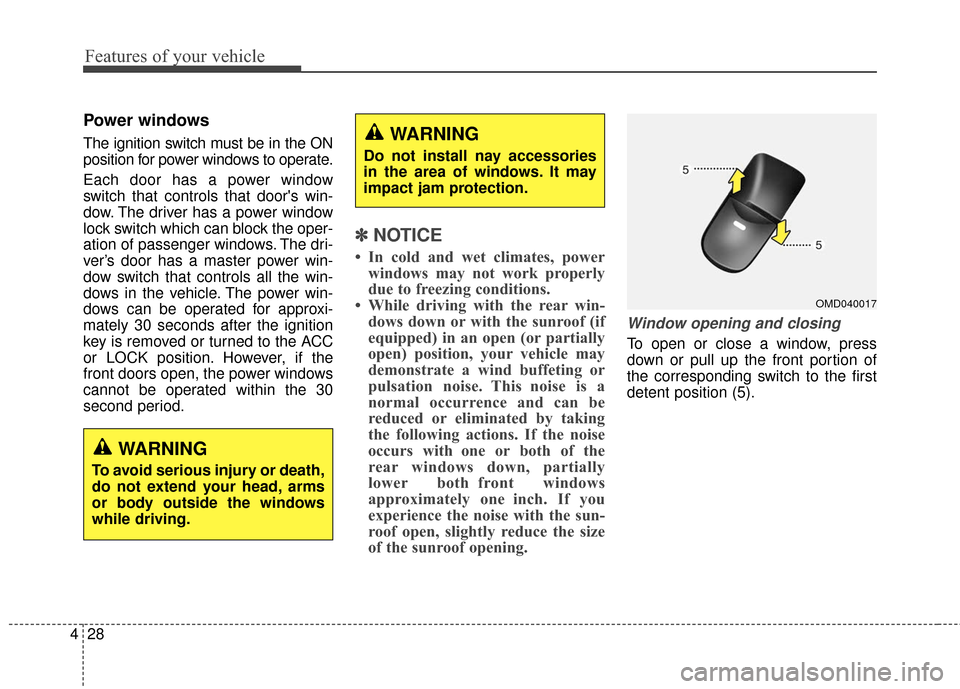
Window opening and closing
To open or close a window, press
down or pull up the front portion of
the corresponding switch to the first
detent position (5).
OMD040017
WARNING
To avoid serious injury or death,
do not extend your head, arms
or body outside the windows
while driving.
WARNING
Do not install nay accessories
in the area of windows. It may
impact jam protection.
Page 116 of 493
429
Features of your vehicle
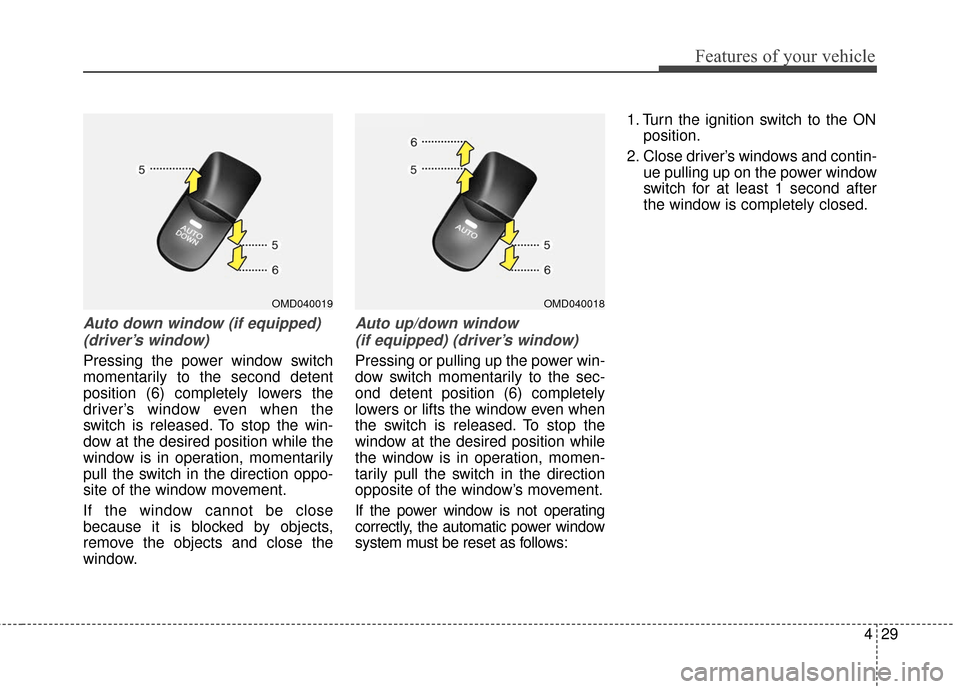
Auto down window (if equipped) (driver’s window)
Pressing the power window switch
momentarily to the second detent
position (6) completely lowers the
driver’s window even when the
switch is released. To stop the win-
dow at the desired position while the
window is in operation, momentarily
pull the switch in the direction oppo-
site of the window movement.
If the window cannot be close
because it is blocked by objects,
remove the objects and close the
window.
Auto up/down window (if equipped) (driver’s window)
Pressing or pulling up the power win-
dow switch momentarily to the sec-
ond detent position (6) completely
lowers or lifts the window even when
the switch is released. To stop the
window at the desired position while
the window is in operation, momen-
tarily pull the switch in the direction
opposite of the window’s movement.
If the power window is not operating
correctly, the automatic power window
system must be reset as follows: 1. Turn the ignition switch to the ON
position.
2. Close driver’s windows and contin- ue pulling up on the power window
switch for at least 1 second after
the window is completely closed.
OMD040019OMD040018
Page 117 of 493
Features of your vehicle
30
4
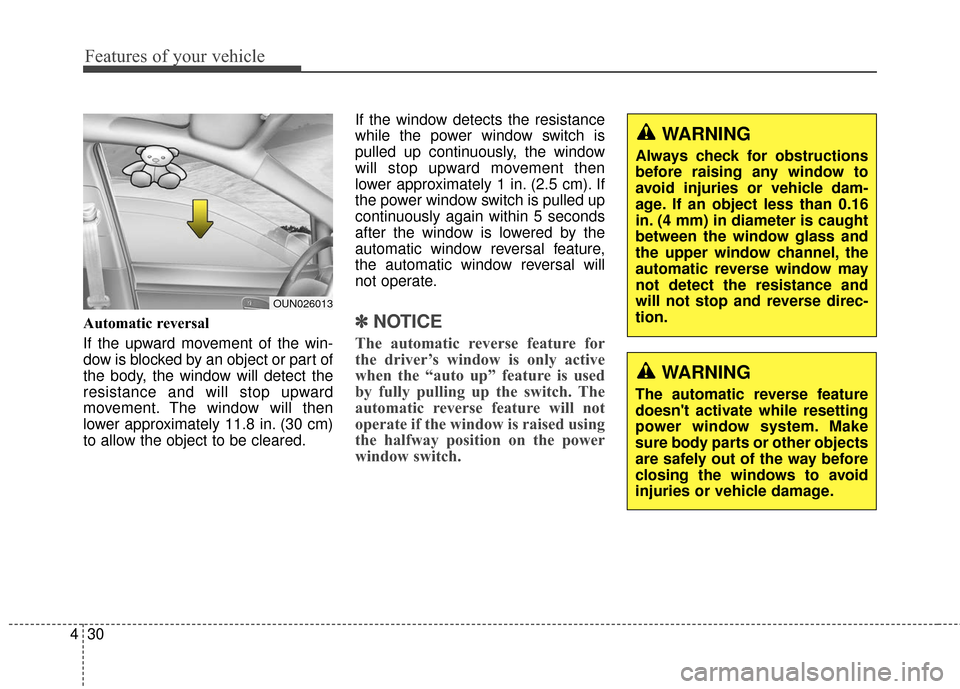
Automatic reversal
If the upward movement of the win-
dow is blocked by an object or part of
the body, the window will detect the
resistance and will stop upward
movement. The window will then
lower approximately 11.8 in. (30 cm)
to allow the object to be cleared. If the window detects the resistance
while the power window switch is
pulled up continuously, the window
will stop upward movement then
lower approximately 1 in. (2.5 cm). If
the power window switch is pulled up
continuously again within 5 seconds
after the window is lowered by the
automatic window reversal feature,
the automatic window reversal will
not operate.✽ ✽
NOTICE
The automatic reverse feature for
the driver’s window is only active
when the “auto up” feature is used
by fully pulling up the switch. The
automatic reverse feature will not
operate if the window is raised using
the halfway position on the power
window switch.
WARNING
Always check for obstructions
before raising any window to
avoid injuries or vehicle dam-
age. If an object less than 0.16
in. (4 mm) in diameter is caught
between the window glass and
the upper window channel, the
automatic reverse window may
not detect the resistance and
will not stop and reverse direc-
tion.
WARNING
The automatic reverse feature
doesn't activate while resetting
power window system. Make
sure body parts or other objects
are safely out of the way before
closing the windows to avoid
injuries or vehicle damage.
OUN026013
Page 194 of 493
4107
Features of your vehicle
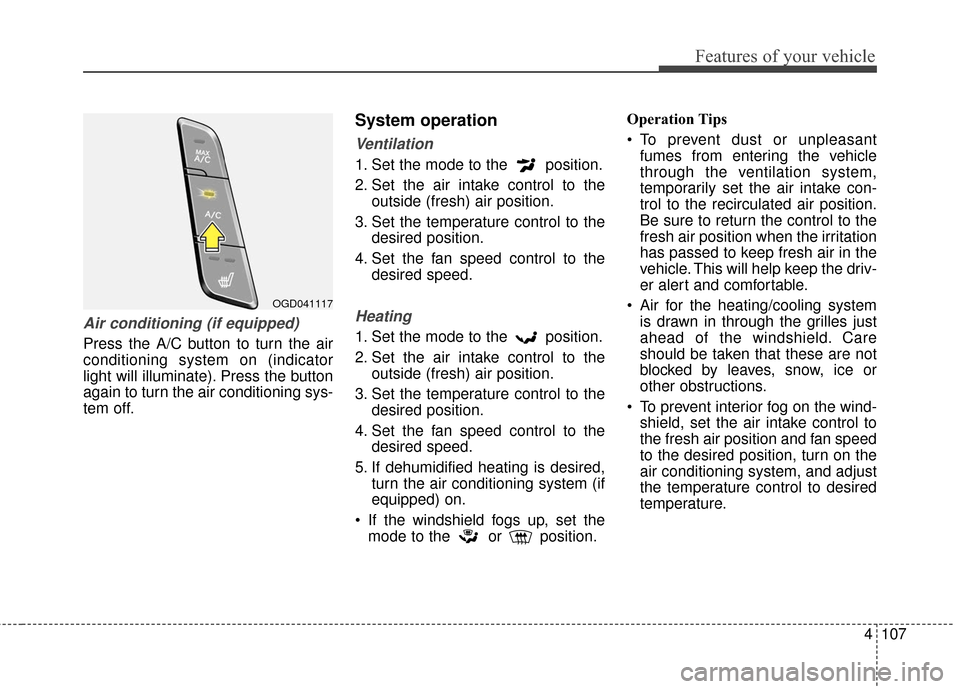
Air conditioning (if equipped)
Press the A/C button to turn the air
conditioning system on (indicator
light will illuminate). Press the button
again to turn the air conditioning sys-
tem off.
System operation
Ventilation
1. Set the mode to the position.
2. Set the air intake control to theoutside (fresh) air position.
3. Set the temperature control to the desired position.
4. Set the fan speed control to the desired speed.
Heating
1. Set the mode to the position.
2. Set the air intake control to theoutside (fresh) air position.
3. Set the temperature control to the desired position.
4. Set the fan speed control to the desired speed.
5. If dehumidified heating is desired, turn the air conditioning system (if
equipped) on.
If the windshield fogs up, set the mode to the or position. Operation Tips
To prevent dust or unpleasant
fumes from entering the vehicle
through the ventilation system,
temporarily set the air intake con-
trol to the recirculated air position.
Be sure to return the control to the
fresh air position when the irritation
has passed to keep fresh air in the
vehicle. This will help keep the driv-
er alert and comfortable.
Air for the heating/cooling system is drawn in through the grilles just
ahead of the windshield. Care
should be taken that these are not
blocked by leaves, snow, ice or
other obstructions.
To prevent interior fog on the wind- shield, set the air intake control to
the fresh air position and fan speed
to the desired position, turn on the
air conditioning system, and adjust
the temperature control to desired
temperature.
OGD041117
Page 210 of 493
4123
Features of your vehicle
Glove box
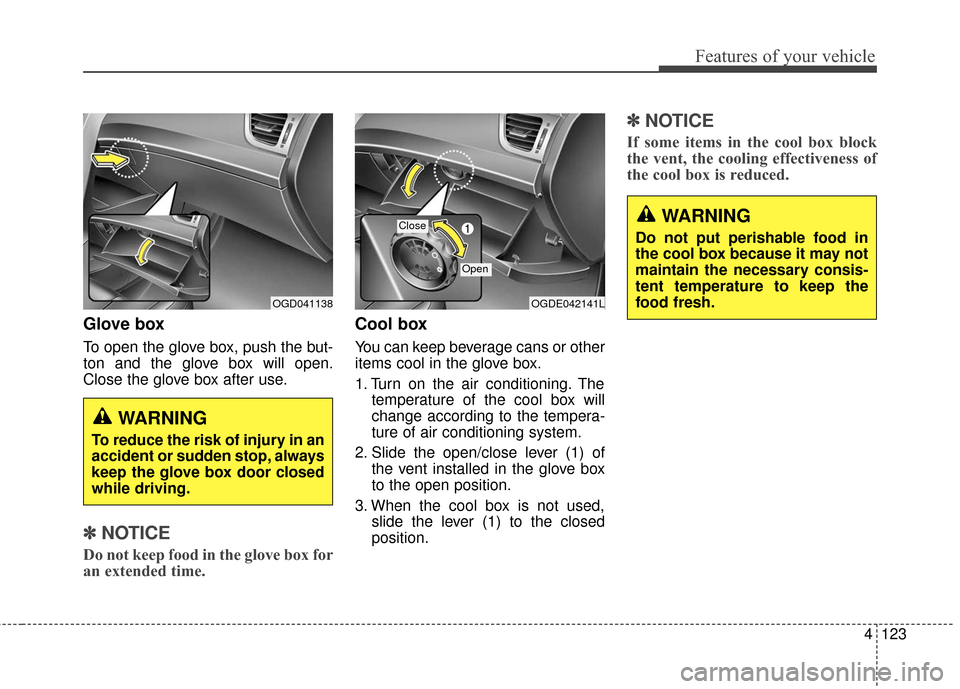
To open the glove box, push the but-
ton and the glove box will open.
Close the glove box after use.
✽ ✽NOTICE
Do not keep food in the glove box for
an extended time.
Cool box
You can keep beverage cans or other
items cool in the glove box.
1. Turn on the air conditioning. The
temperature of the cool box will
change according to the tempera-
ture of air conditioning system.
2. Slide the open/close lever (1) of the vent installed in the glove box
to the open position.
3. When the cool box is not used, slide the lever (1) to the closed
position.
✽ ✽NOTICE
If some items in the cool box block
the vent, the cooling effectiveness of
the cool box is reduced.
WARNING
To reduce the risk of injury in an
accident or sudden stop, always
keep the glove box door closed
while driving.
OGDE042141LOGD041138
Close
Open
WARNING
Do not put perishable food in
the cool box because it may not
maintain the necessary consis-
tent temperature to keep the
food fresh.
Page 211 of 493
Features of your vehicle
124
4
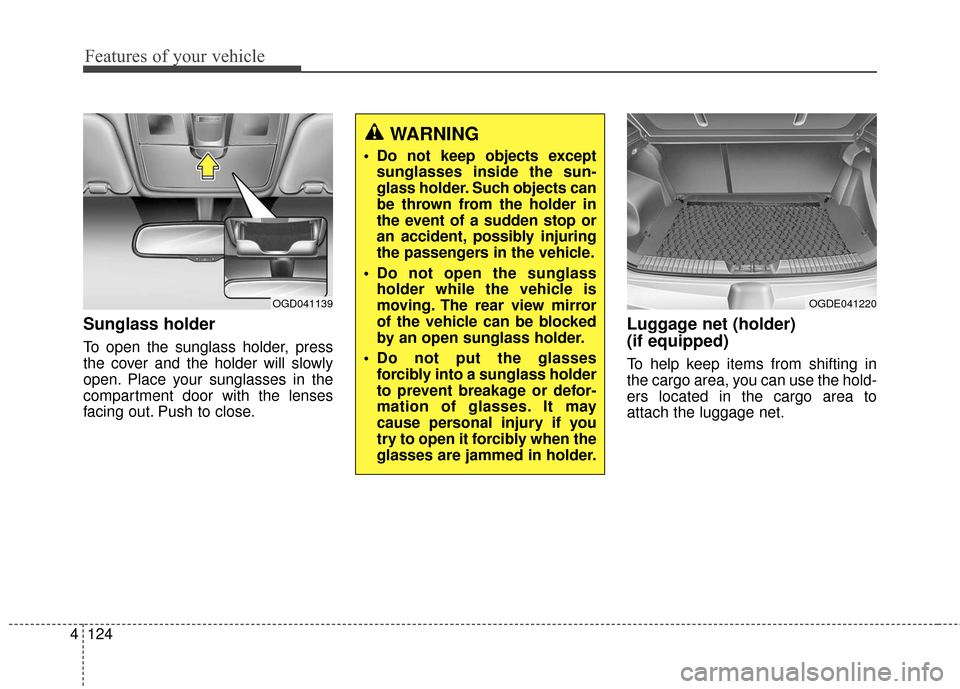
Sunglass holder
To open the sunglass holder, press
the cover and the holder will slowly
open. Place your sunglasses in the
compartment door with the lenses
facing out. Push to close.
Luggage net (holder)
(if equipped)
To help keep items from shifting in
the cargo area, you can use the hold-
ers located in the cargo area to
attach the luggage net.
WARNING
Do not keep objects except
sunglasses inside the sun-
glass holder. Such objects can
be thrown from the holder in
the event of a sudden stop or
an accident, possibly injuring
the passengers in the vehicle.
Do not open the sunglass holder while the vehicle is
moving. The rear view mirror
of the vehicle can be blocked
by an open sunglass holder.
Do not put the glasses forcibly into a sunglass holder
to prevent breakage or defor-
mation of glasses. It may
cause personal injury if you
try to open it forcibly when the
glasses are jammed in holder.
OGD041139OGDE041220
Page 327 of 493
535
Driving your vehicle
After parking the vehicle, check tobe sure the parking brake is not
engaged and that the parking
brake indicator light is out before
driving away.
Driving through water may get the brakes wet. They can also get wet
when the car is washed. Wet
brakes can be dangerous! Your car
will not stop as quickly if the brakes
are wet. Wet brakes may cause the
car to pull to one side.
To dry the brakes, apply the brakes
lightly until the braking action returns
to normal, taking care to keep the
car under control at all times. If the
braking action does not return to
normal, stop as soon as it is safe to
do so and call an authorized
HYUNDAI dealer for assistance.
Do not coast down hills with the car out of gear. This is extremely haz-
ardous. Keep the car in gear at all
times, use the brakes to slow
down, then shift to a lower gear (for
automatic transaxle, shift to sports
mode) so that engine braking will
help you maintain a safe speed. Do not "ride" the brake pedal.
Resting your foot on the brake
pedal while driving can be danger-
ous because it can result in the
brakes overheating and losing their
effectiveness. It also increases the
wear of the brake components.
If a tire goes flat while you are driv- ing, apply the brakes gently and
keep the car pointed straight
ahead while you slow down. When
you are moving slowly enough for it
to be safe to do so, pull off the road
and stop in a safe place.
If your vehicle is equipped with an automatic transaxle, don't let your
vehicle creep forward. To avoid
creeping forward, keep your foot
firmly on the brake pedal when the
vehicle is stopped.
Use caution when parking on a hill. Firmly engage the parking brake
and place the shift lever in P (auto-
matic transaxle) or in first or
reverse gear (manual transaxle). If
your vehicle is facing downhill, turn
the front wheels into the curb to
help keep the vehicle from rolling. If your vehicle is facing uphill, turn
the front wheels away from the
curb to help keep the vehicle from
rolling. If there is no curb or if it is
required by other conditions to
keep the vehicle from rolling, block
the wheels.
Under some conditions your park- ing brake can freeze in the
engaged position. This is most like-
ly to happen when there is an
accumulation of snow or ice
around or near the rear brakes or if
the brakes are wet. If there is a risk
that the parking brake may freeze,
apply it only temporarily while you
put the gear selector lever in P
(automatic transaxle) or in first or
reverse gear (manual transaxle)
and block the rear wheels so the
vehicle cannot roll. Then release
the parking brake.
Do not hold the vehicle on the upgrade with the accelerator
pedal. This can cause the transaxle
to overheat. Always use the brake
pedal or parking brake.
Page 344 of 493
Driving your vehicle
52
5
To keep locks from freezing
To keep the locks from freezing,
squirt an approved de-icer fluid or
glycerine into the key opening. If a
lock is covered with ice, squirt it with
an approved de-icing fluid to remove
the ice. If the lock is frozen internally,
you may be able to thaw it out by
using a heated key. Handle the heat-
ed key with care to avoid injury.
Use approved window washer
anti-freeze in system
To keep the water in the window
washer system from freezing, add an
approved window washer anti-freeze
solution in accordance with instruc-
tions on the container. Window wash-
er anti-freeze is available from an
authorized HYUNDAI dealer and
most auto parts outlets. Do not use
engine coolant or other types of anti-
freeze as these may damage the
paint finish.
Don't let your parking brake
freeze
Under some conditions your parking
brake can freeze in the engaged posi-
tion. This is most likely to happen
when there is an accumulation of
snow or ice around or near the rear
brakes or if the brakes are wet. If there
is a risk of the parking brake freezing,
apply it only temporarily while you put
the shift lever in P (automatic
transaxle) or in first or reverse gear
(manual transaxle) and block the rear
wheels so the vehicle cannot roll.
Then release the parking brake.
Don't let ice and snow accu-
mulate underneath
Under some conditions, snow and
ice can build up under the fenders
and interfere with the steering. When
driving in severe winter conditions
where this may happen, you should
periodically check underneath the
car to be sure the movement of the
front wheels and the steering com-
ponents is not obstructed.
Carry emergency equipment
Depending on the severity of the
weather where you drive your car,
you should carry appropriate emer-
gency equipment. Some of the items
you may want to carry include tire
chains, tow straps or chains, flash-
light, emergency flares, sand, a
shovel, jumper cables, a window
scraper, gloves, ground cloth, cover-
alls, a blanket, etc.
Don't place foreign objects or
materials in the engine com-
partment
Placement of foreign objects or
materials which prevent cooling of
the engine, in the engine compart-
ment, may cause a failure or com-
bustion. The manufacturer is not
responsible for the damage caused
by such placement.