lights HYUNDAI ELANTRA GT 2019 Owner's Manual
[x] Cancel search | Manufacturer: HYUNDAI, Model Year: 2019, Model line: ELANTRA GT, Model: HYUNDAI ELANTRA GT 2019Pages: 486, PDF Size: 78.59 MB
Page 162 of 486
3-77
Convenient features of your vehicle
3
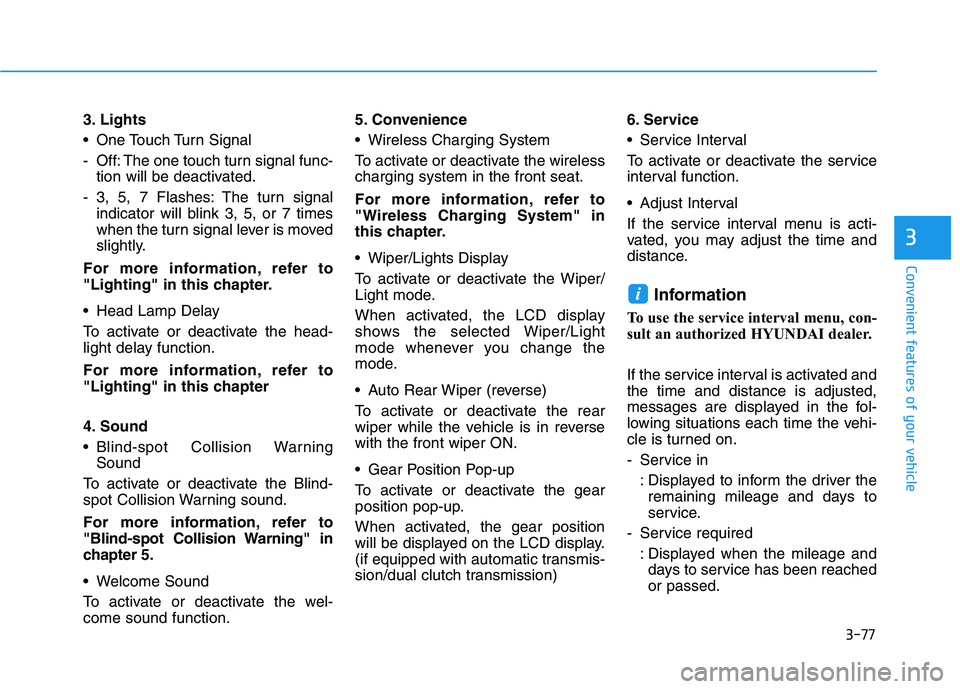
3. Lights
One Touch Turn Signal
- Off: The one touch turn signal func-tion will be deactivated.
- 3, 5, 7 Flashes: The turn signal indicator will blink 3, 5, or 7 times
when the turn signal lever is moved
slightly.
For more information, refer to
"Lighting" in this chapter.
Head Lamp Delay
To activate or deactivate the head-
light delay function.
For more information, refer to
"Lighting" in this chapter
4. Sound
Blind-spot Collision Warning Sound
To activate or deactivate the Blind-
spot Collision Warning sound.
For more information, refer to
"Blind-spot Collision Warning" in
chapter 5.
Welcome Sound
To activate or deactivate the wel- come sound function. 5. Convenience
Wireless Charging System
To activate or deactivate the wireless charging system in the front seat.
For more information, refer to
"Wireless Charging System" in
this chapter.
Wiper/Lights Display
To activate or deactivate the Wiper/
Light mode.
When activated, the LCD display
shows the selected Wiper/Light
mode whenever you change the
mode.
Auto Rear Wiper (reverse)
To activate or deactivate the rear
wiper while the vehicle is in reversewith the front wiper ON.
Gear Position Pop-up
To activate or deactivate the gear
position pop-up.
When activated, the gear position
will be displayed on the LCD display.
(if equipped with automatic transmis-
sion/dual clutch transmission)
6. Service
Service Interval
To activate or deactivate the service
interval function.
Adjust Interval
If the service interval menu is acti-
vated, you may adjust the time and
distance.
Information
To use the service interval menu, con-
sult an authorized HYUNDAI dealer.
If the service interval is activated and the time and distance is adjusted,
messages are displayed in the fol-
lowing situations each time the vehi-
cle is turned on.
- Service in : Displayed to inform the driver theremaining mileage and days to
service.
- Service required : Displayed when the mileage anddays to service has been reachedor passed.
i
Page 168 of 486
3-83
Convenient features of your vehicle
3
LLIIGG HH TTIINN GG
Exterior Lights
Lighting control
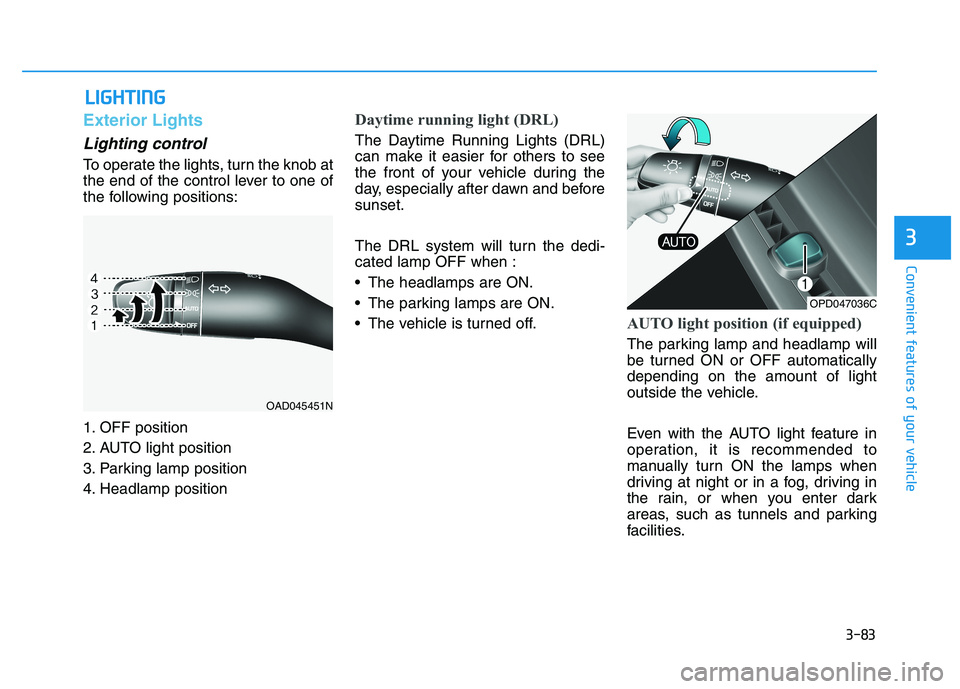
To operate the lights, turn the knob at
the end of the control lever to one of
the following positions:
1. OFF position
2. AUTO light position
3. Parking lamp position
4. Headlamp position
Daytime running light (DRL)
The Daytime Running Lights (DRL)
can make it easier for others to see
the front of your vehicle during the
day, especially after dawn and beforesunset.
The DRL system will turn the dedi- cated lamp OFF when :
• The headlamps are ON.
The parking lamps are ON.
The vehicle is turned off.
AUTO light position (if equipped)
The parking lamp and headlamp will
be turned ON or OFF automaticallydepending on the amount of light
outside the vehicle.
Even with the AUTO light feature in
operation, it is recommended to
manually turn ON the lamps when
driving at night or in a fog, driving in
the rain, or when you enter dark
areas, such as tunnels and parking
facilities.
OAD045451N
OPD047036C
Page 171 of 486
3-86
3. The High Beam Assist (HBA) will
turn on when vehicle speed is
above 40 km/h (25 mph).
when the High Beam Assist
(HBA) is operating, the High
Beam Assist (HBA) will turn offand the high beam will be on
continuously.
towards you when the high beam
is off, the high beam will turn onwithout the High Beam Assist
(HBA) canceled. When you let
go of the light switch, the lever
will move to the middle and the
high beam will turn off.
towards you when the high beam
is on by the High Beam Assist
(HBA), the low beam will be onand the High Beam Assist (HBA)
will turn off.
headlamp position, the High
Beam Assist (HBA) will turn off
and the low beam will be on con-
tinuously. When the High Beam Assist (HBA) is
operating, the high beam switches to
low beam in the below conditions.
- When the headlamp of an on-com-
ing vehicle is detected.
- When the tail lamp of a vehicle in front is detected.
- When headlamp/tail lamp of bicy- cle/motorcycle is detected.
- When the surrounding is bright enough high beams are not need- ed.
- When streetlights or other lights are detected.
- When the light switch is not in the AUTO position.
- When the High Beam Assist (HBA) is off.
- When vehicle speed is below 24 km/h (15 mph).
Warning light and message
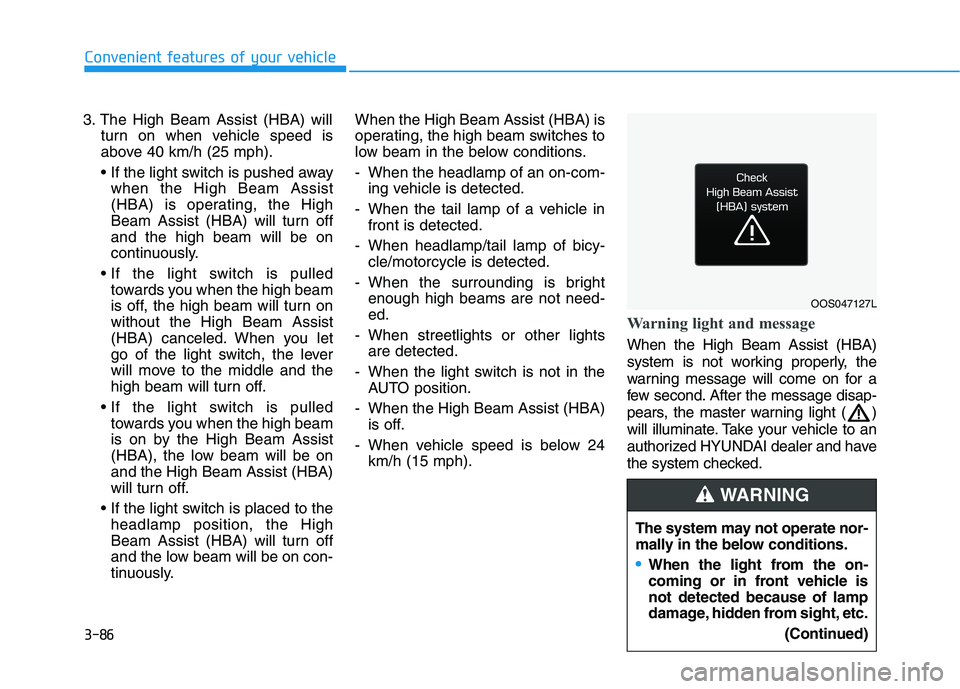
When the High Beam Assist (HBA)
system is not working properly, the
warning message will come on for a
few second. After the message disap-
pears, the master warning light ( )
will illuminate. Take your vehicle to an
authorized HYUNDAI dealer and have
the system checked.
Convenient features of your vehicle
OOS047127L
The system may not operate nor-
mally in the below conditions.
When the light from the on-
coming or in front vehicle isnot detected because of lamp
damage, hidden from sight, etc. (Continued)
WARNING
Page 174 of 486
3-89
Convenient features of your vehicle
3
Headlamp delay function (if equipped)
If the key is removed from the ignition
switch or placed in the ACC positionor the LOCK/OFF position with theheadlamps ON, the headlamps
(and/or parking lamps) remain on for
about 5 minutes. However, if the dri-
ver’s door is opened and closed, the
headlights are turned off after 15
seconds. Also, with the engine off if
the driver's door is opened and
closed, the headlamps (and/or park-
ing lamps) are turned off after 15
seconds.
The headlamps (and/or parking
lamps) can be turned off by pressing
the lock button on the remote key or
smart key twice or turning the light
switch to the OFF or AUTO position.
You can activate or deactivate the
Headlamp Delay function from theUser Settings Mode (Light) on the
LCD display.
For more information, refer to the
"LCD Display" section in this
chapter. If the driver gets out of the vehicle
through other doors (except dri-
ver's door), the battery saver func-tion does not operate and the
headlamp delay function does not
turn off automatically. Therefore, It
causes the battery to be dis-
charged. In this case, make sure
to turn off the lamp before getting
out of the vehicle.
Interior Lights
Do not use the interior lights for
extended periods when the vehi-
cle is turned off or the battery will
discharge.
Interior lamp AUTO cut
The interior lamps will automatically
go off approximately 20 minutes after
the engine is turned off and the
doors are closed. If a door is opened,
the lamp will go off 40 minutes after
the engine is turned off. If the doors
are locked by the remote key or
smart key and the vehicle enters the
armed stage of the theft alarm sys-
tem, the lamps will go off five sec-
onds later.
NOTICE
NOTICE
Do not use the interior lights
when driving in the dark. The
interior lights may obscure your
view and cause an accident.
WARNING
Page 225 of 486
5-4
Driving your vehicle
Before Entering the Vehicle
• Be sure all windows, outside mir-ror(s), and outside lights are clean
and unobstructed.
Remove frost, snow, or ice.
Visually check the tires for uneven wear and damage.
Check under the vehicle for any sign of leaks.
Be sure there are no obstacles behind you if you intend to back up.
Before Starting
Make sure the hood, the tailgate,and the doors are securely closed
and locked.
Adjust the position of the seat and steering wheel.
Adjust the inside and outside rearview mirrors.
Verify all the lights work.
Fasten your seatbelt. Check that all passengers have fastened their
seatbelts.
Check the gauges and indicators in the instrument panel and the mes-
sages on the instrument display
when the ignition switch is in theON position.
Check that any items you are car- rying are stored properly or fas-
tened down securely.
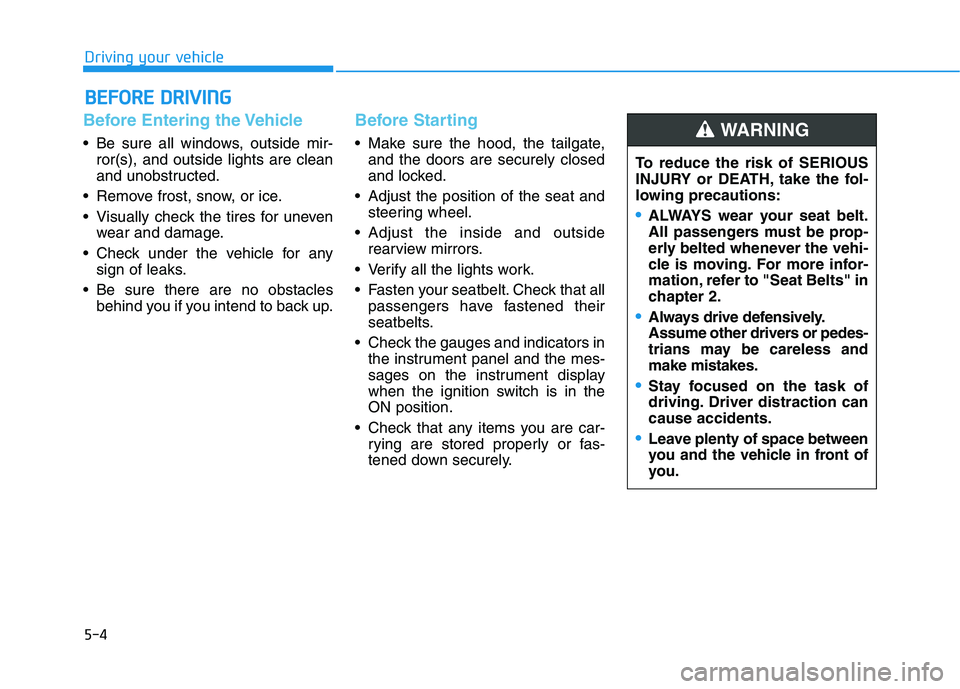
BBEEFFOO RREE DD RRIIVV IINN GG
To reduce the risk of SERIOUS
INJURY or DEATH, take the fol-
lowing precautions:
•ALWAYS wear your seat belt.
All passengers must be prop-
erly belted whenever the vehi-
cle is moving. For more infor-
mation, refer to "Seat Belts" in
chapter 2.
Always drive defensively.
Assume other drivers or pedes-
trians may be careless andmake mistakes.
Stay focused on the task of
driving. Driver distraction cancause accidents.
Leave plenty of space between
you and the vehicle in front of
you.
WARNING
Page 228 of 486
5-7
Driving your vehicle
5
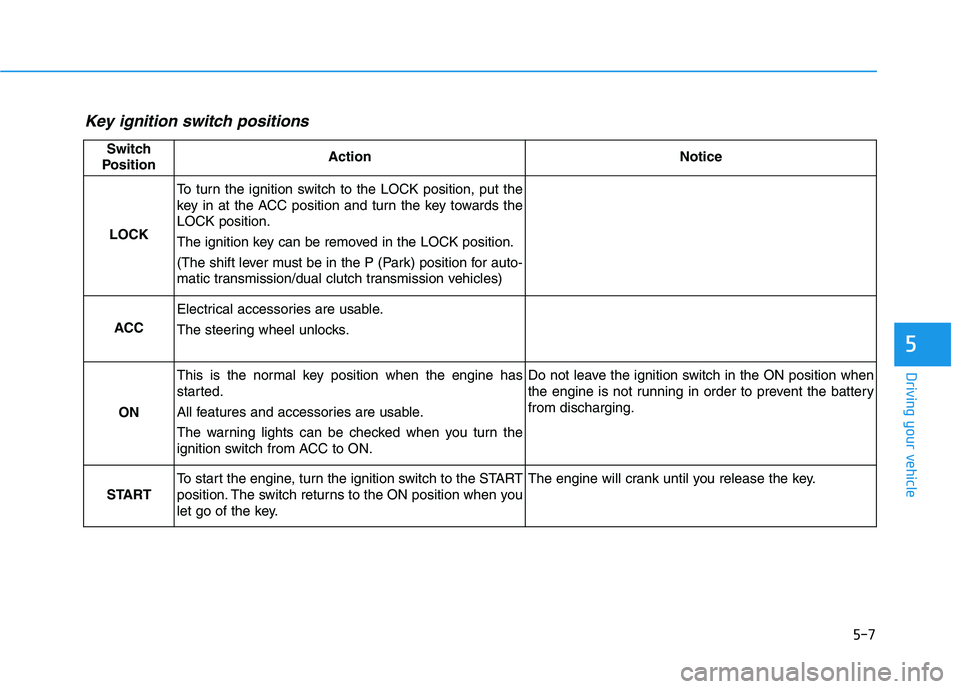
Key ignition switch positions
Switch
PositionActionNotice
LOCK
To turn the ignition switch to the LOCK position, put the
key in at the ACC position and turn the key towards theLOCK position.
The ignition key can be removed in the LOCK position.
(The shift lever must be in the P (Park) position for auto-
matic transmission/dual clutch transmission vehicles)
ACC
Electrical accessories are usable.
The steering wheel unlocks.
ON
This is the normal key position when the engine has
started.
All features and accessories are usable.
The warning lights can be checked when you turn the
ignition switch from ACC to ON.Do not leave the ignition switch in the ON position when
the engine is not running in order to prevent the batteryfrom discharging.
START
To start the engine, turn the ignition switch to the START
position. The switch returns to the ON position when you
let go of the key.The engine will crank until you release the key.
Page 232 of 486
5-11
Driving your vehicle
5
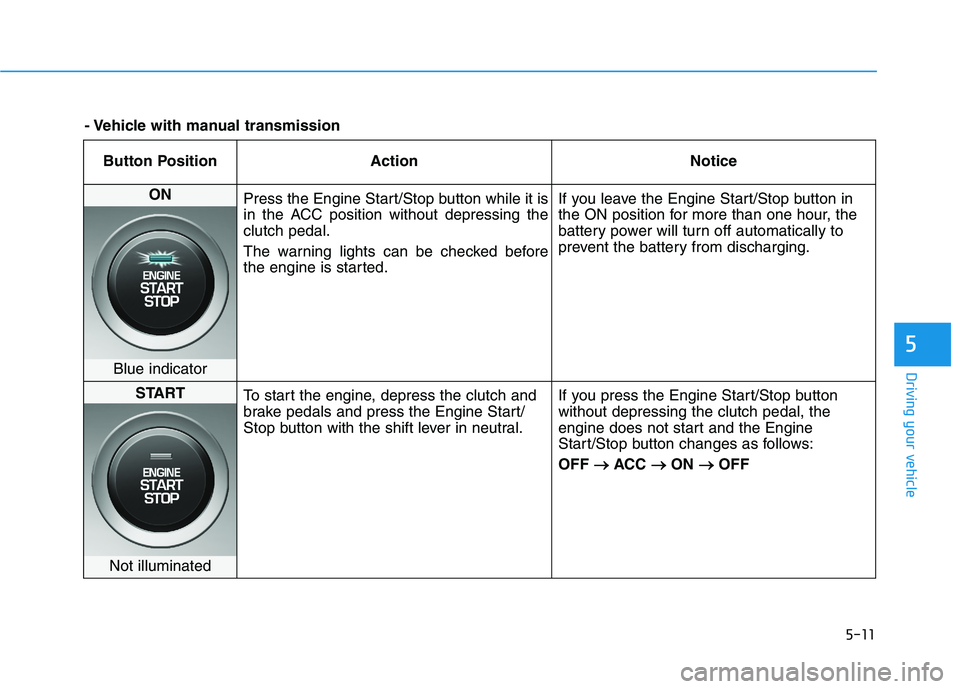
Button Position ActionNotice
ON
Press the Engine Start/Stop button while it is
in the ACC position without depressing theclutch pedal.
The warning lights can be checked before
the engine is started. If you leave the Engine Start/Stop button in
the ON position for more than one hour, the
battery power will turn off automatically to
prevent the battery from discharging.
Blue indicator
START
To start the engine, depress the clutch and
brake pedals and press the Engine Start/
Stop button with the shift lever in neutral. If you press the Engine Start/Stop buttonwithout depressing the clutch pedal, the
engine does not start and the Engine
Start/Stop button changes as follows: OFF
ACC
ON
OFF
Not illuminated
- Vehicle with manual transmission
Page 234 of 486
5-13
Driving your vehicle
5
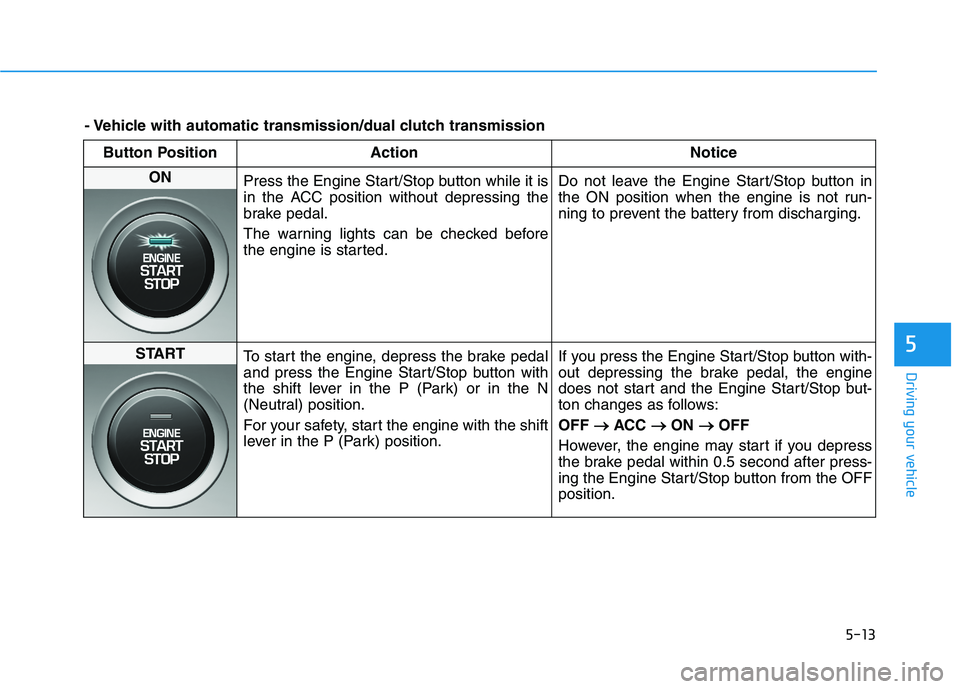
Button Position ActionNotice
ON
Press the Engine Start/Stop button while it is
in the ACC position without depressing the
brake pedal.
The warning lights can be checked before
the engine is started. Do not leave the Engine Start/Stop button in
the ON position when the engine is not run-
ning to prevent the battery from discharging.
START
To start the engine, depress the brake pedal
and press the Engine Start/Stop button with
the shift lever in the P (Park) or in the N
(Neutral) position.
For your safety, start the engine with the shift
lever in the P (Park) position. If you press the Engine Start/Stop button with-
out depressing the brake pedal, the engine
does not start and the Engine Start/Stop but-
ton changes as follows: OFF
ACC
ON
OFF
However, the engine may start if you depress
the brake pedal within 0.5 second after press-
ing the Engine Start/Stop button from the OFFposition.
- Vehicle with automatic transmission/dual clutch transmission
Page 270 of 486
5-49
Driving your vehicle
Information
When you jump start your vehicle
because of a drained battery, the ABS
warning light ( ) may turn on at the
same time. This happens because of
the low battery voltage. It does not
mean your ABS is malfunctioning.
Have the battery recharged before
driving the vehicle.
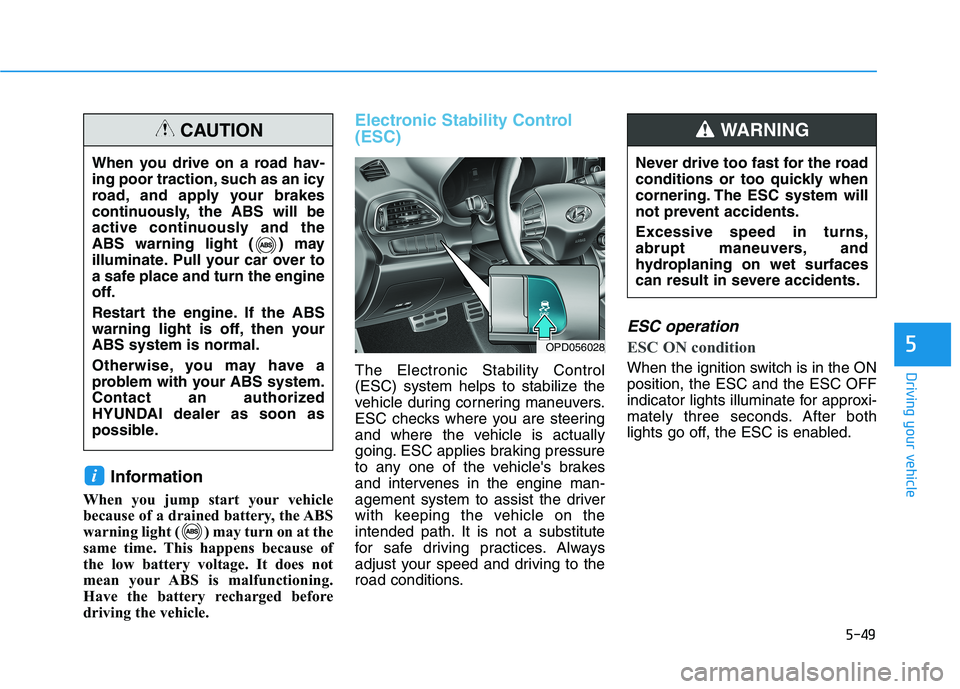
Electronic Stability Control (ESC)
The Electronic Stability Control
(ESC) system helps to stabilize the
vehicle during cornering maneuvers.
ESC checks where you are steering
and where the vehicle is actually
going. ESC applies braking pressure
to any one of the vehicle's brakes
and intervenes in the engine man-
agement system to assist the driver
with keeping the vehicle on the
intended path. It is not a substitute
for safe driving practices. Always
adjust your speed and driving to the
road conditions.
ESC operation
ESC ON condition
When the ignition switch is in the ON position, the ESC and the ESC OFF
indicator lights illuminate for approxi-
mately three seconds. After both
lights go off, the ESC is enabled.
i
5
When you drive on a road hav-
ing poor traction, such as an icy
road, and apply your brakes
continuously, the ABS will be
active continuously and the
ABS warning light ( ) may
illuminate. Pull your car over to
a safe place and turn the engine
off.
Restart the engine. If the ABS
warning light is off, then yourABS system is normal.
Otherwise, you may have a
problem with your ABS system.
Contact an authorized
HYUNDAI dealer as soon as
possible.
CAUTION
OPD056028 Never drive too fast for the road
conditions or too quickly when
cornering. The ESC system will
not prevent accidents. Excessive speed in turns,
abrupt maneuvers, and
hydroplaning on wet surfaces
can result in severe accidents.
WARNING
Page 272 of 486
5-51
Driving your vehicle
5
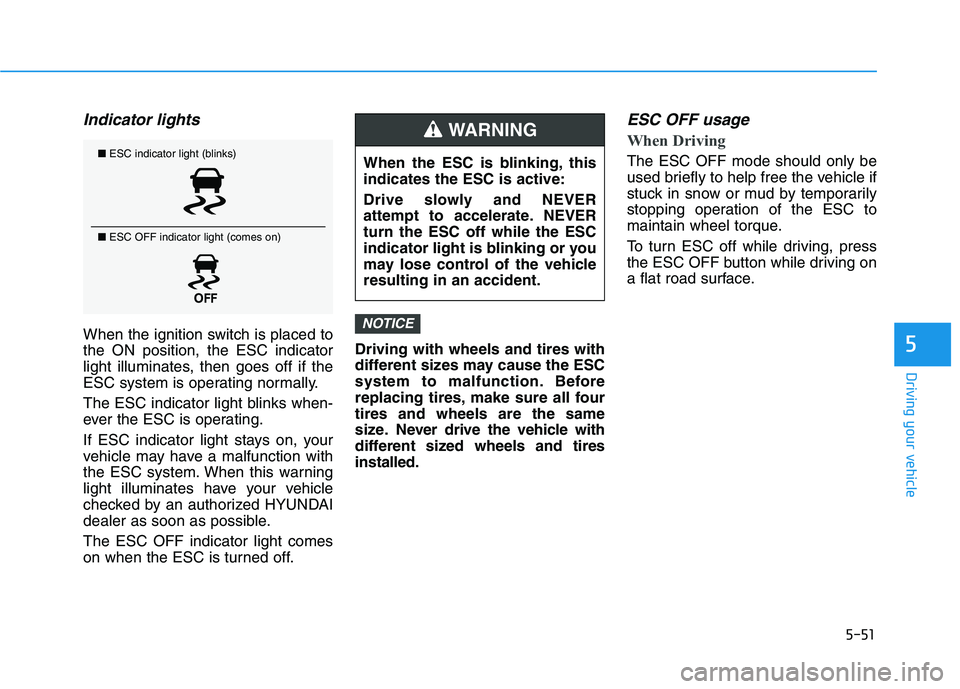
Indicator lights
When the ignition switch is placed to the ON position, the ESC indicator
light illuminates, then goes off if the
ESC system is operating normally.
The ESC indicator light blinks when-
ever the ESC is operating.
If ESC indicator light stays on, your
vehicle may have a malfunction with
the ESC system. When this warning
light illuminates have your vehicle
checked by an authorized HYUNDAI
dealer as soon as possible. The ESC OFF indicator light comes
on when the ESC is turned off.Driving with wheels and tires with
different sizes may cause the ESC
system to malfunction. Before
replacing tires, make sure all fourtires and wheels are the same
size. Never drive the vehicle with
different sized wheels and tiresinstalled.
ESC OFF usage
When Driving
The ESC OFF mode should only be
used briefly to help free the vehicle if
stuck in snow or mud by temporarily
stopping operation of the ESC to
maintain wheel torque.
To turn ESC off while driving, press
the ESC OFF button while driving on
a flat road surface.
NOTICE
■
ESC indicator light (blinks)
■ ESC OFF indicator light (comes on)When the ESC is blinking, this indicates the ESC is active:
Drive slowly and NEVER
attempt to accelerate. NEVERturn the ESC off while the ESC
indicator light is blinking or you
may lose control of the vehicleresulting in an accident.
WARNING