ECO mode HYUNDAI ELANTRA GT 2020 User Guide
[x] Cancel search | Manufacturer: HYUNDAI, Model Year: 2020, Model line: ELANTRA GT, Model: HYUNDAI ELANTRA GT 2020Pages: 495, PDF Size: 15.22 MB
Page 138 of 495
3-53
Convenient features of your vehicle
3
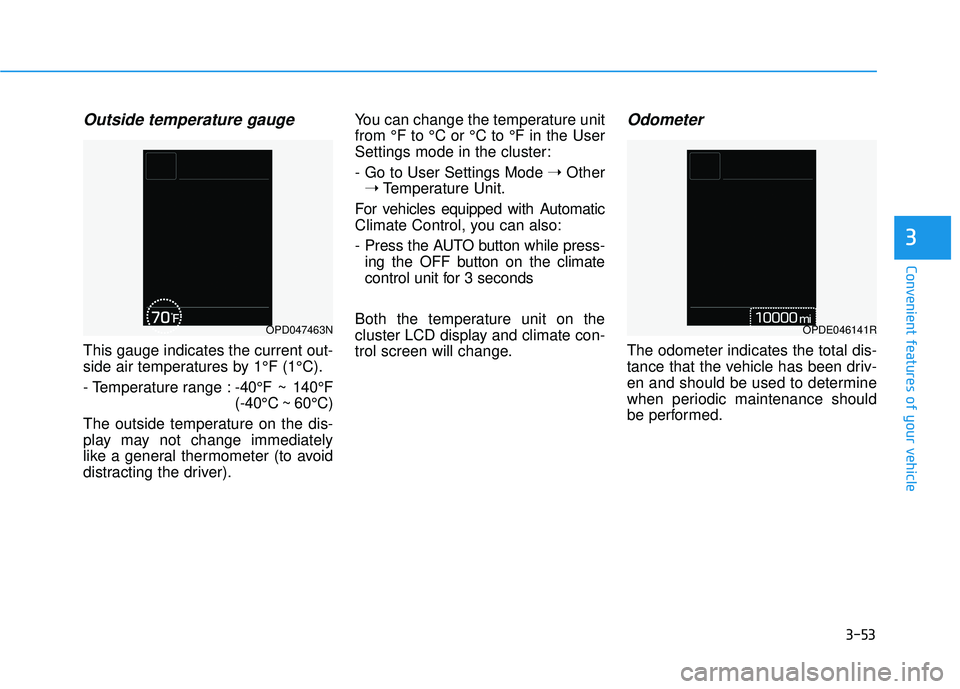
Outside temperature gauge
This gauge indicates the current out-
side air temperatures by 1°F (1°C).
- Temperature range :-40°F ~ 140°F
(-40°C ~ 60°C)
The outside temperature on the dis-
play may not change immediately
like a general thermometer (to avoid
distracting the driver). You can change the temperature unit
from °F to °C or °C to °F in the User
Settings mode in the cluster:
- Go to User Settings Mode
➝Other
➝ Temperature Unit.
For vehicles equipped with Automatic
Climate Control, you can also:
- Press the AUTO button while press- ing the OFF button on the climate
control unit for 3 seconds
Both the temperature unit on the
cluster LCD display and climate con-
trol screen will change.
Odometer
The odometer indicates the total dis-
tance that the vehicle has been driv-
en and should be used to determine
when periodic maintenance should
be performed.
OPD047463NOPDE046141R
Page 140 of 495
3-55
Convenient features of your vehicle
3
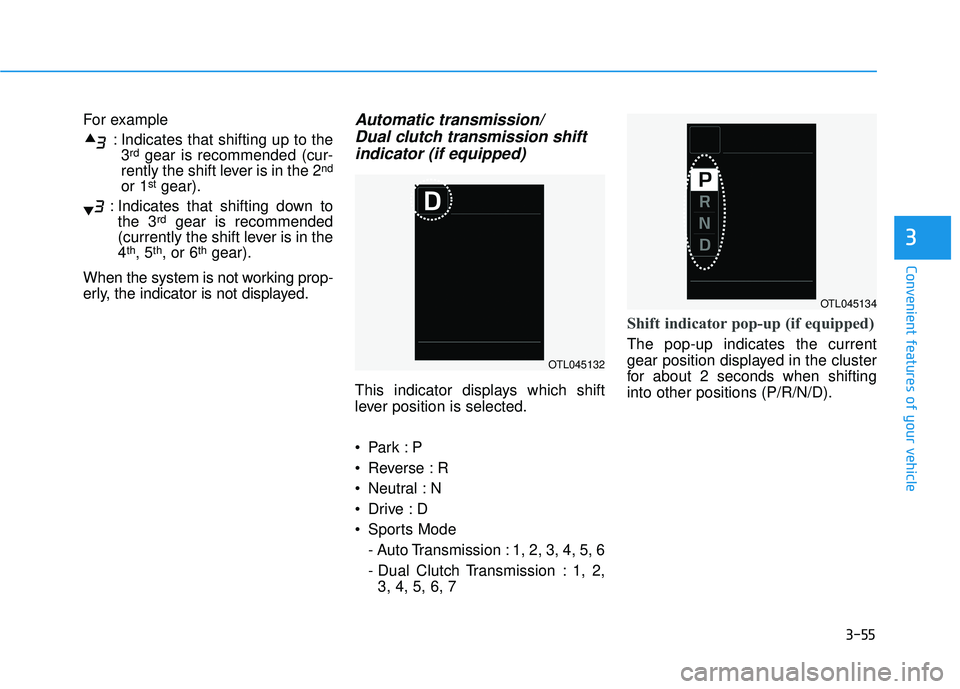
For example: Indicates that shifting up to the3
rdgear is recommended (cur-
rently the shift lever is in the 2nd
or 1stgear).
: Indicates that shifting down to the 3
rdgear is recommended
(currently the shift lever is in the
4
th, 5th, or 6thgear).
When the system is not working prop-
erly, the indicator is not displayed.
Automatic transmission/ Dual clutch transmission shiftindicator (if equipped)
This indicator displays which shift
lever position is selected.
Reverse : R
Neutral : N
Sports Mode
- Auto Transmission : 1, 2, 3, 4, 5, 6
- Dual Clutch Transmission : 1, 2,3, 4, 5, 6, 7
Shift indicator pop-up (if equipped)
The pop-up indicates the current
gear position displayed in the cluster
for about 2 seconds when shifting
into other positions (P/R/N/D).
OTL045132
OTL045134
Page 159 of 495
3-74
Convenient features of your vehicle
Modes SymbolExplanation
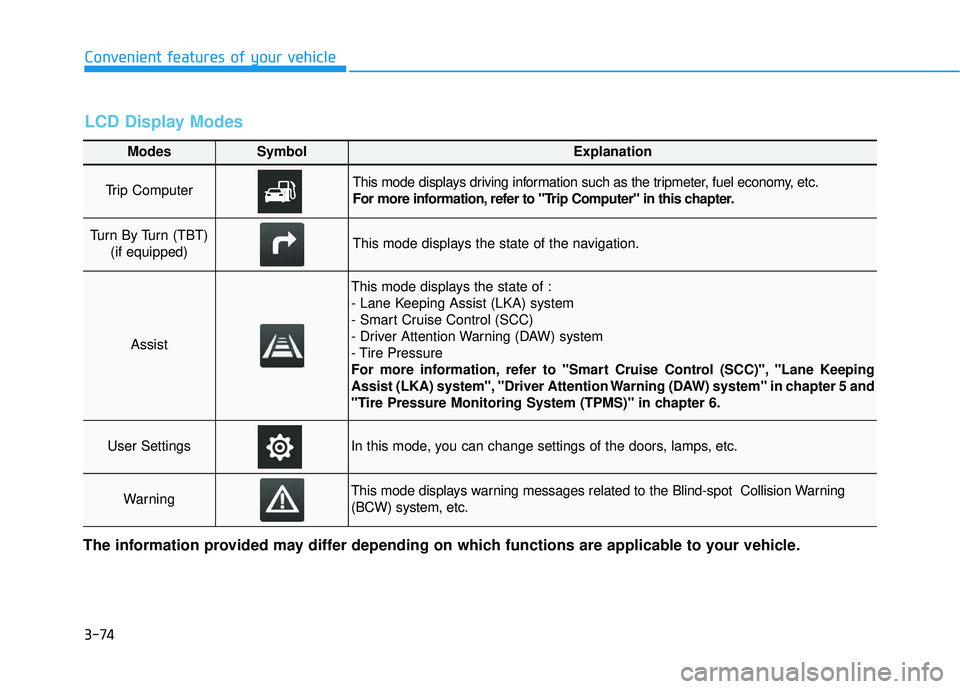
Trip Computer This mode displays driving information such as the tripmeter, fuel economy, etc.
For more information, refer to "Trip Computer" in this chapter.
Turn By Turn (TBT) (if equipped)This mode displays the state of the navigation.
Assist
This mode displays the state of :
- Lane Keeping Assist (LKA) system
- Smart Cruise Control (SCC)
- Driver Attention Warning (DAW) system
- Tire Pressure
For more information, refer to "Smart Cruise Control (SCC)", "Lane Keeping
Assist (LKA) system", "Driver Attention Warning (DAW) system" in chapter 5 and
"Tire Pressure Monitoring System (TPMS)" in chapter 6.
User SettingsIn this mode, you can change settings of the doors, lamps, etc.
WarningThis mode displays warning messages related to the Blind-spot Collision Warning
(BCW) system, etc.
The information provided may differ depending on which functions are applicable to your vehicle.
LCD Display Modes
Page 160 of 495
3-75
Convenient features of your vehicle
3
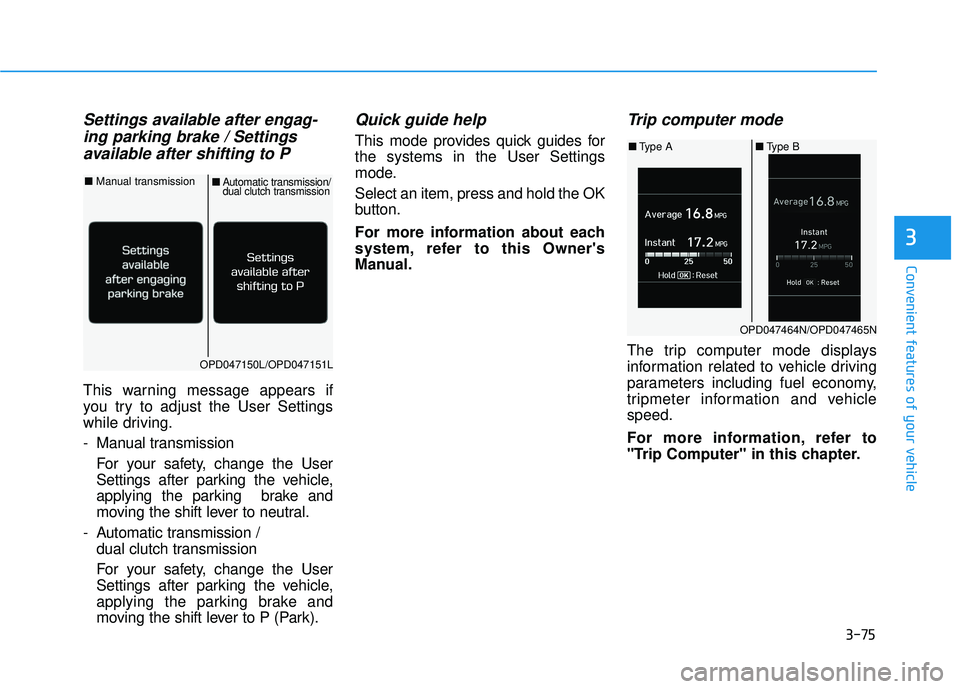
Settings available after engag-ing parking brake / Settingsavailable after shifting to P
This warning message appears if
you try to adjust the User Settings
while driving.
- Manual transmission
For your safety, change the User
Settings after parking the vehicle,
applying the parking brake and
moving the shift lever to neutral.
- Automatic transmission / dual clutch transmission
For your safety, change the User
Settings after parking the vehicle,
applying the parking brake and
moving the shift lever to P (Park).
Quick guide help
This mode provides quick guides for
the systems in the User Settings
mode.
Select an item, press and hold the OK
button.
For more information about each
system, refer to this Owner's
Manual.
Trip computer mode
The trip computer mode displays
information related to vehicle driving
parameters including fuel economy,
tripmeter information and vehicle
speed.
For more information, refer to
"Trip Computer" in this chapter.OPD047150L/OPD047151L
■ Manual transmission
■Automatic transmission/dual clutch transmission
OPD047464N/OPD047465N
■ Type A ■Type B
Page 162 of 495
3-77
Convenient features of your vehicle
3
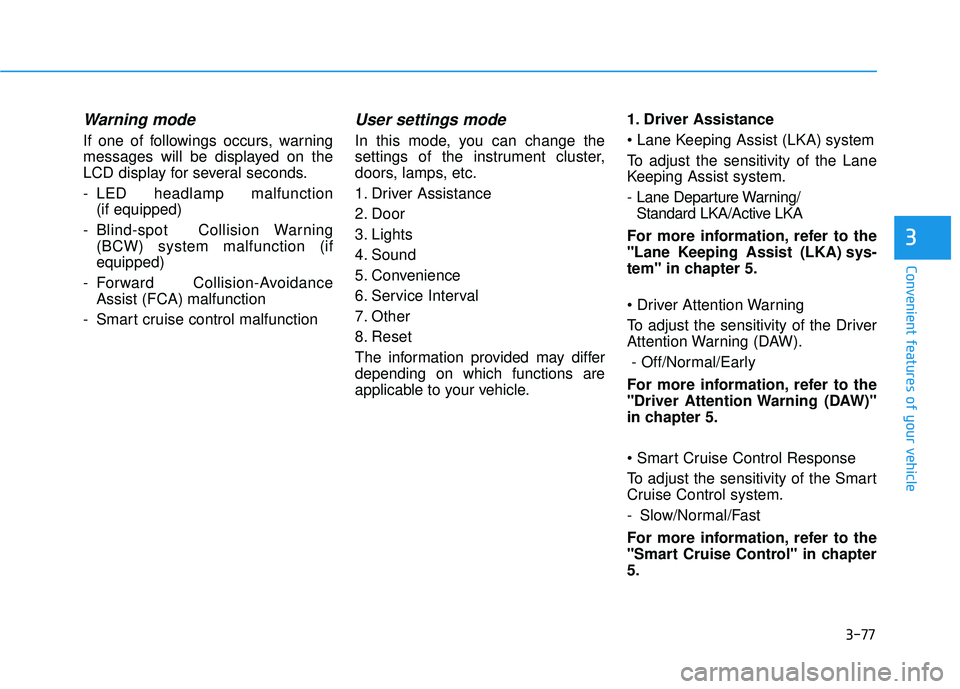
Warning mode
If one of followings occurs, warning
messages will be displayed on the
LCD display for several seconds.
- LED headlamp malfunction (if equipped)
- Blind-spot Collision Warning (BCW) system malfunction (if
equipped)
- Forward Collision-Avoidance Assist (FCA) malfunction
- Smart cruise control malfunction
User settings mode
In this mode, you can change the
settings of the instrument cluster,
doors, lamps, etc.
1. Driver Assistance
2. Door
3. Lights
4. Sound
5. Convenience
6. Service Interval
7. Other
8. Reset
The information provided may differ
depending on which functions are
applicable to your vehicle. 1. Driver Assistance
system
To adjust the sensitivity of the Lane
Keeping Assist system.
- Lane Departure Warning/
Standard LKA/Active LKA
For more information, refer to the
"Lane Keeping Assist (LKA) sys-
tem" in chapter 5.
To adjust the sensitivity of the Driver
Attention Warning (DAW). - Off/Normal/Early
For more information, refer to the
"Driver Attention Warning (DAW)"
in chapter 5.
To adjust the sensitivity of the Smart
Cruise Control system.
- Slow/Normal/Fast
For more information, refer to the
"Smart Cruise Control" in chapter
5.
Page 165 of 495
3-80
Convenient features of your vehicle
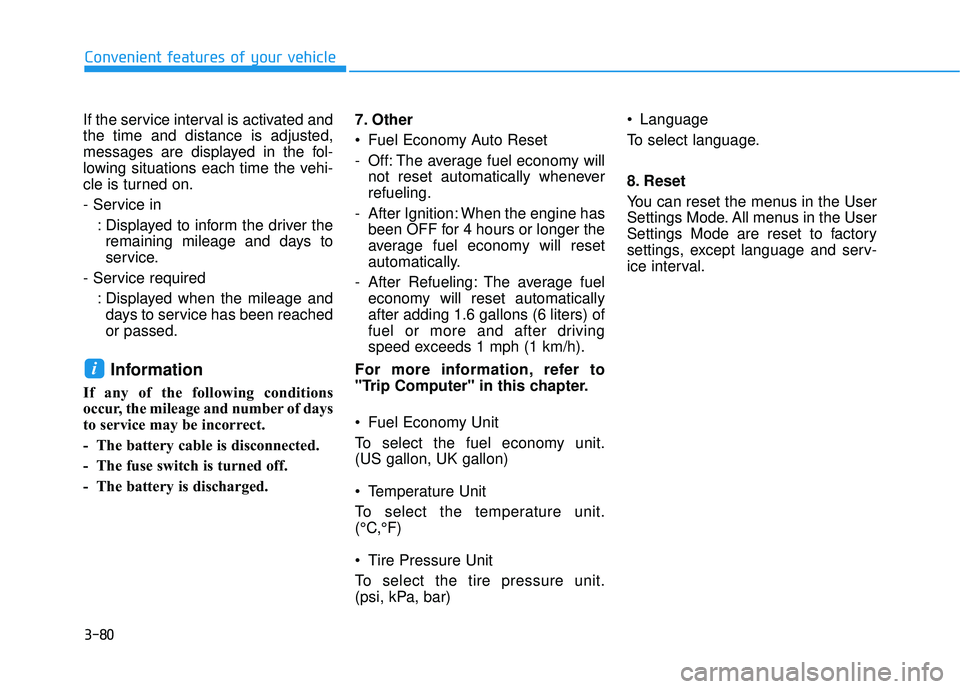
If the service interval is activated and
the time and distance is adjusted,
messages are displayed in the fol-
lowing situations each time the vehi-
cle is turned on.
- Service in : Displayed to inform the driver theremaining mileage and days to
service.
- Service required : Displayed when the mileage anddays to service has been reached
or passed.
Information
If any of the following conditions
occur, the mileage and number of days
to service may be incorrect.
- The battery cable is disconnected.
- The fuse switch is turned off.
- The battery is discharged. 7. Other
Fuel Economy Auto Reset
- Off: The average fuel economy will
not reset automatically whenever
refueling.
- After Ignition: When the engine has been OFF for 4 hours or longer the
average fuel economy will reset
automatically.
- After Refueling: The average fuel economy will reset automatically
after adding 1.6 gallons (6 liters) of
fuel or more and after driving
speed exceeds 1 mph (1 km/h).
For more information, refer to
"Trip Computer" in this chapter.
Fuel Economy Unit
To select the fuel economy unit.
(US gallon, UK gallon)
Temperature Unit
To select the temperature unit.
(°C,°F)
Tire Pressure Unit
To select the tire pressure unit.
(psi, kPa, bar) Language
To select language.
8. Reset
You can reset the menus in the User
Settings Mode. All menus in the User
Settings Mode are reset to factory
settings, except language and serv-
ice interval.
i
Page 166 of 495
3-81
Convenient features of your vehicle
3
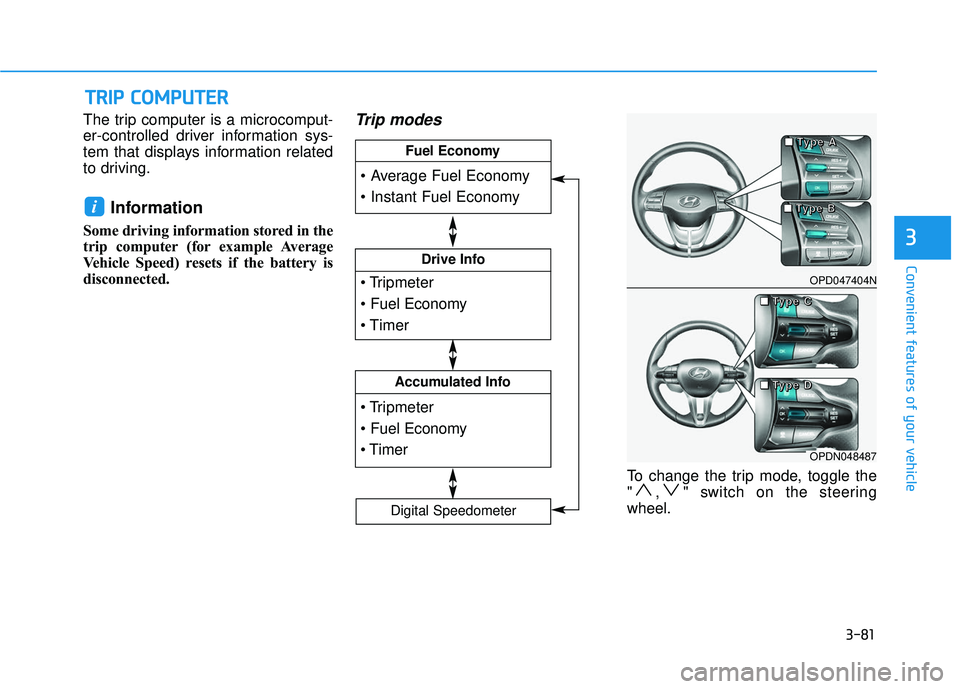
The trip computer is a microcomput-
er-controlled driver information sys-
tem that displays information related
to driving.
Information
Some driving information stored in the
trip computer (for example Average
Vehicle Speed) resets if the battery is
disconnected.
Trip modes
To change the trip mode, toggle the
" , " switch on the steering
wheel.
i
T
TR
R I
IP
P
C
C O
O M
M P
PU
U T
TE
ER
R
Drive Info
Accumulated Info
Fuel Economy
Digital Speedometer
OPD047404N
OPDN048487
■
■
■
■
T
T
T
T
y
y
y
y
p
p
p
p
e
e
e
e
A
A
A
A
■
■
■
■
T
T
T
T
y
y
y
y
p
p
p
p
e
e
e
e
C
C
C
C
■
■
■
■
T
T
T
T
y
y
y
y
p
p
p
p
e
e
e
e
D
D
D
D
■
■
■
■
T
T
T
T
y
y
y
y
p
p
p
p
e
e
e
e
B
B
B
B
Page 167 of 495
3-82
Convenient features of your vehicle
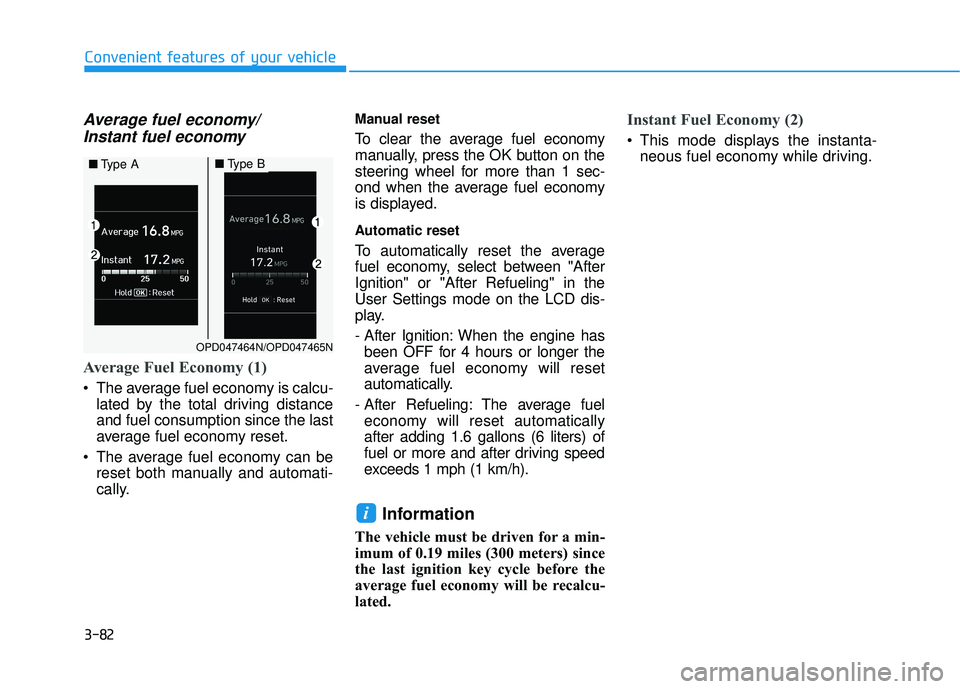
Average fuel economy/Instant fuel economy
Average Fuel Economy (1)
The average fuel economy is calcu-
lated by the total driving distance
and fuel consumption since the last
average fuel economy reset.
The average fuel economy can be reset both manually and automati-
cally.
Manual reset
To clear the average fuel economy
manually, press the OK button on the
steering wheel for more than 1 sec-
ond when the average fuel economy
is displayed.
Automatic reset
To automatically reset the average
fuel economy, select between "After
Ignition" or "After Refueling" in the
User Settings mode on the LCD dis-
play.
- After Ignition: When the engine hasbeen OFF for 4 hours or longer the
average fuel economy will reset
automatically.
- After Refueling: The average fuel economy will reset automatically
after adding 1.6 gallons (6 liters) of
fuel or more and after driving speed
exceeds 1 mph (1 km/h).
Information
The vehicle must be driven for a min-
imum of 0.19 miles (300 meters) since
the last ignition key cycle before the
average fuel economy will be recalcu-
lated.
Instant Fuel Economy (2)
This mode displays the instanta- neous fuel economy while driving.
i
OPD047464N/OPD047465N
■ Type A■Type B
Page 176 of 495
3-91
Convenient features of your vehicle
3
Headlamp delay function (if equipped)
If the key is removed from the ignition
switch or placed in the ACC position
or the LOCK/OFF position with the
headlamps ON, the headlamps
(and/or parking lamps) remain on for
about 5 minutes. However, if the dri-
ver’s door is opened and closed, the
headlights are turned off after 15
seconds. Also, with the engine off if
the driver's door is opened and
closed, the headlamps (and/or park-
ing lamps) are turned off after 15
seconds.
The headlamps (and/or parking
lamps) can be turned off by pressing
the lock button on the remote key or
smart key twice or turning the light
switch to the OFF or AUTO position.
You can activate or deactivate the
Headlamp Delay function from the
User Settings Mode (Light) on the
LCD display.
For more information, refer to the
"LCD Display" section in this
chapter. If the driver gets out of the vehicle
through other doors (except dri-
ver's door), the battery saver func-
tion does not operate and the
headlamp delay function does not
turn off automatically. Therefore, It
causes the battery to be dis-
charged. In this case, make sure
to turn off the lamp before getting
out of the vehicle.
Interior Lights
Do not use the interior lights for
extended periods when the vehi-
cle is turned off or the battery will
discharge.
Interior lamp AUTO cut
The interior lamps will automatically
go off approximately 20 minutes after
the engine is turned off and the
doors are closed. If a door is opened,
the lamp will go off 40 minutes after
the engine is turned off. If the doors
are locked by the remote key or
smart key and the vehicle enters the
armed stage of the theft alarm sys-
tem, the lamps will go off five sec-
onds later.
NOTICE
NOTICE
Do not use the interior lights
when driving in the dark. The inte-
rior lights may obscure your view
and cause an accident.
WARNING
Page 179 of 495
3-94
Convenient features of your vehicle
Welcome System (if equipped)
Welcome light (if equipped)
Headlamp and parking lamp
When the headlamp (with the lamp
switch in the headlamp or AUTO
position) is on and all doors (and
trunk) are locked and closed, the
parking lamp and headlamp will
come on for 15 seconds when the
door unlock button is pressed on the
remote key or smart key.
At this time, if you press the door lock
or unlock button on the remote key or
smart key the parking lamp and
headlamp will turn off immediately.
You can activate or deactivate the
Welcome Light from the User Settings
Mode (Light) on the LCD display.
For more details, refer to "LCD
Display" in this chapter.
Interior lamp
When the interior lamp switch is in
the DOOR position and all doors (and
trunk) are closed and locked, the
room lamp will come on for 30 sec-
onds if any of the below is performed.
When the door unlock button ispressed on the remote key or
smart key.
When the button of the outside door handle is pressed.
At this time, if you press the door lock
or unlock button on the remote key or
smart key the room lamp will turn off
immediately.