service interval HYUNDAI ELANTRA HYBRID 2021 Owners Manual
[x] Cancel search | Manufacturer: HYUNDAI, Model Year: 2021, Model line: ELANTRA HYBRID, Model: HYUNDAI ELANTRA HYBRID 2021Pages: 555, PDF Size: 56.08 MB
Page 132 of 555
04
4-31
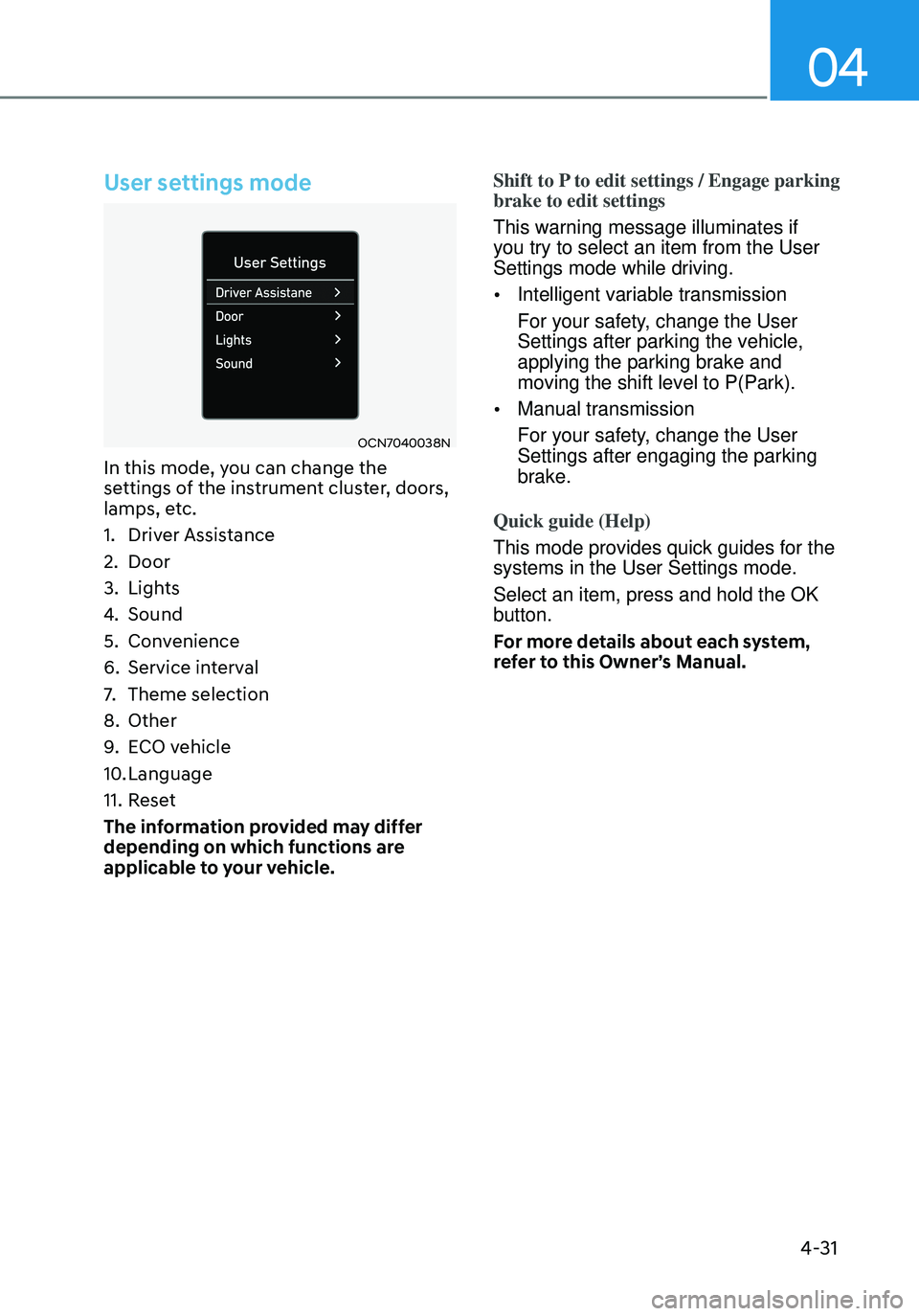
User settings mode
OCN7040038N
In this mode, you can change the
settings of the instrument cluster, doors,
lamps, etc.
1. Driver Assistance
2. Door
3. Lights
4. Sound
5. Convenience
6. Service interval
7. Theme selection
8. Other
9. ECO vehicle
10. Language
11. Reset
The information provided may differ
depending on which functions are
applicable to your vehicle. Shift to P to edit settings / Engage parking
brake to edit settings
This warning message illuminates if
you try to select an item from the User
Settings mode while driving.
•
Intelligent variable transmission
For your safety, change the User
Settings after parking the vehicle,
applying the parking brake and
moving the shift level to P(Park).
• Manual transmission
For your safety, change the User
Settings after engaging the parking
brake.
Quick guide (Help)
This mode provides quick guides for the
systems in the User Settings mode.
Select an item, press and hold the OK
button.
For more details about each system,
refer to this Owner’s Manual.
Page 136 of 555
04
4-35
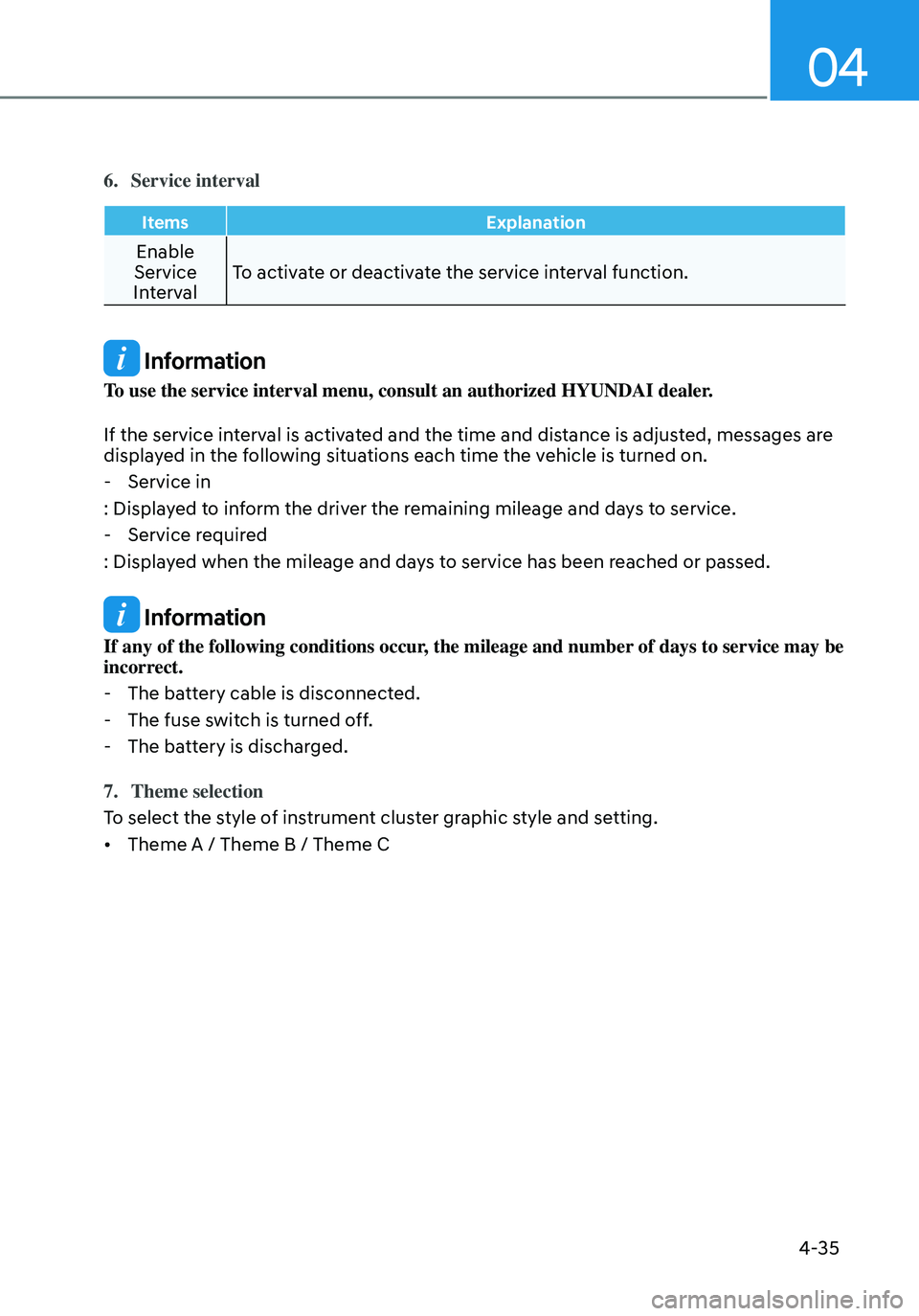
6. Service interval
ItemsExplanation
Enable
Service
Interval To activate or deactivate the service interval function.
Information
To use the service interval menu, consult an authorized HYUNDAI dealer.
If the service interval is activated and the time and distance is adjusted, messages are
displayed in the following situations each time the vehicle is turned on.
-
Service in
: Displayed to inform the driver the remaining mileage and days to service.
- Service required
: Displayed when the mileage and days to service has been reached or passed.
Information
If any of the following conditions occur, the mileage and number of days to service may be
incorrect.
- The battery cable is disconnected.
-The fuse switch is turned off.
-The battery is discharged.
7. Theme selection
To select the style of instrument cluster graphic style and setting.
• Theme A / Theme B / Theme C
Page 138 of 555
04
4-37
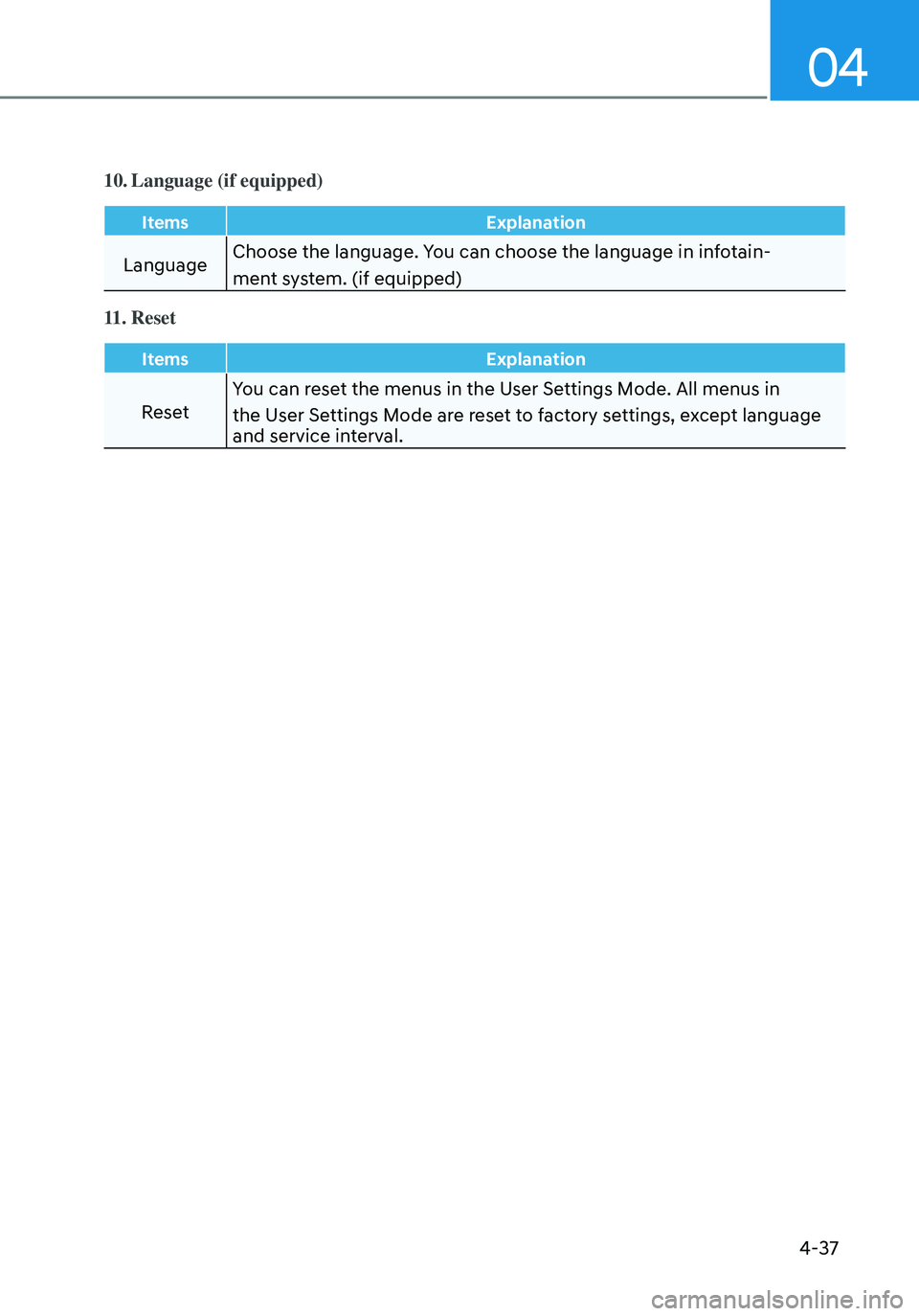
10. Language (if equipped)
ItemsExplanation
LanguageChoose the language. You can choose the language in infotain-
ment system. (if equipped)
11. Reset
Items
Explanation
ResetYou can reset the menus in the User Settings Mode. All menus in
the User Settings Mode are reset to factory settings, except language
and service interval.
Page 147 of 555
Instrument Cluster
4-46
Warning message group
When the warning message light
appears, check the detailed information
in warning message group.
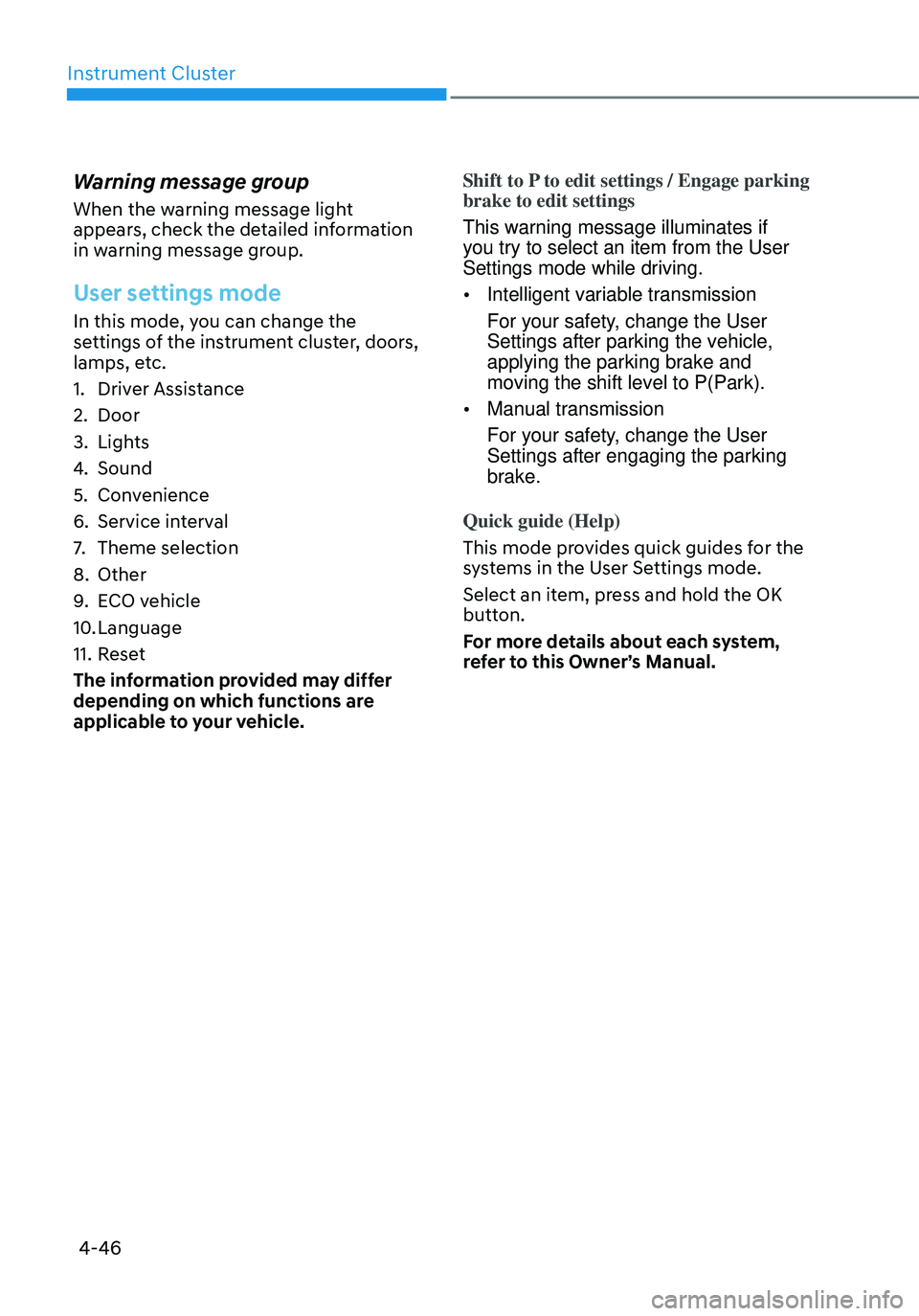
User settings mode
In this mode, you can change the
settings of the instrument cluster, doors,
lamps, etc.
1. Driver Assistance
2. Door
3. Lights
4. Sound
5. Convenience
6. Service interval
7. Theme selection
8. Other
9. ECO vehicle
10. Language
11. Reset
The information provided may differ
depending on which functions are
applicable to your vehicle. Shift to P to edit settings / Engage parking
brake to edit settings
This warning message illuminates if
you try to select an item from the User
Settings mode while driving.
•
Intelligent variable transmission
For your safety, change the User
Settings after parking the vehicle,
applying the parking brake and
moving the shift level to P(Park).
• Manual transmission
For your safety, change the User
Settings after engaging the parking
brake.
Quick guide (Help)
This mode provides quick guides for the
systems in the User Settings mode.
Select an item, press and hold the OK
button.
For more details about each system,
refer to this Owner’s Manual.
Page 151 of 555
Instrument Cluster
4-50
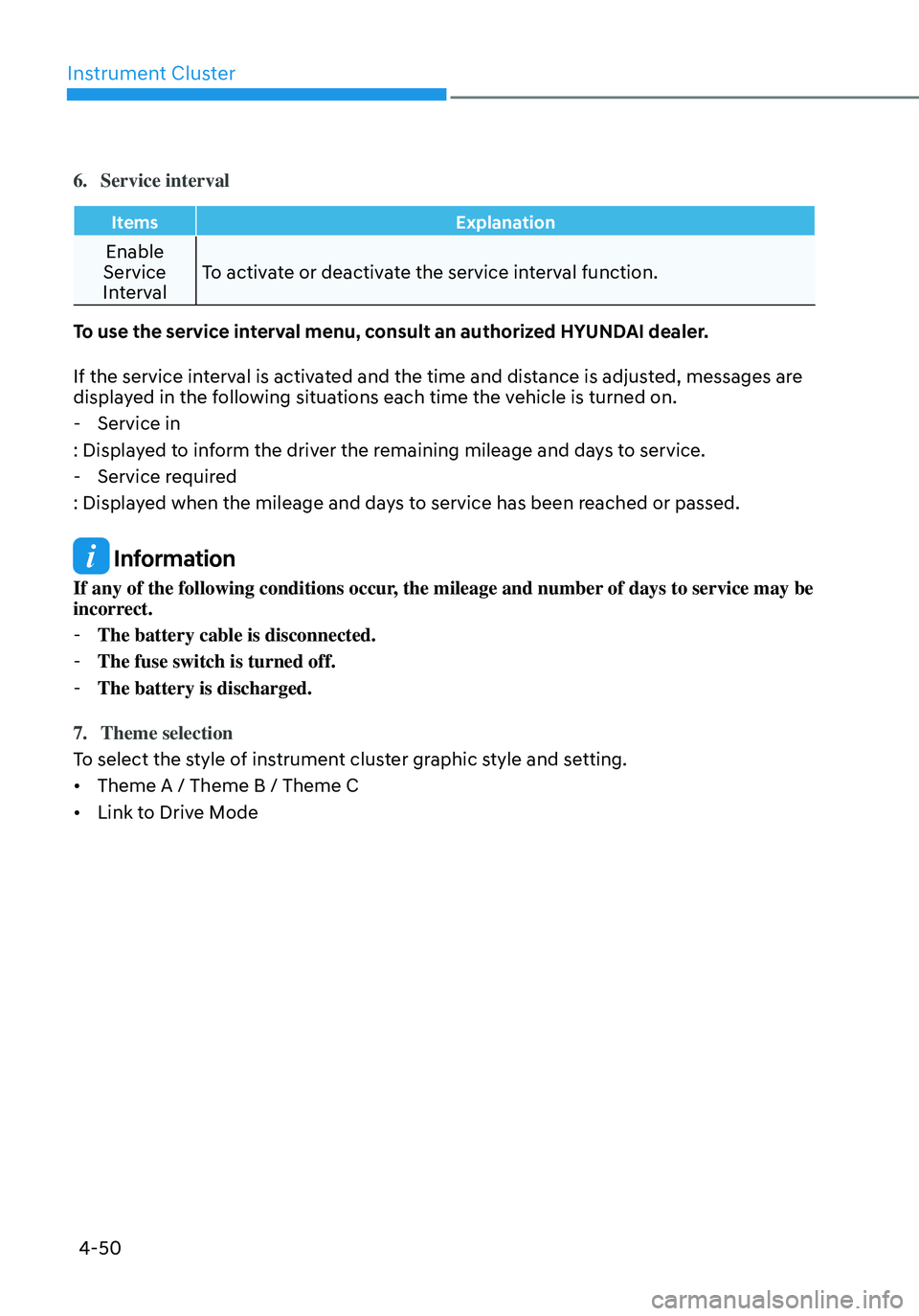
6. Service interval
ItemsExplanation
Enable
Service
Interval To activate or deactivate the service interval function.
To use the service interval menu, consult an authorized HYUNDAI dealer.
If the service interval is activated and the time and distance is adjusted, messages are
displayed in the following situations each time the vehicle is turned on.
- Service in
: Displayed to inform the driver the remaining mileage and days to service.
- Service required
: Displayed when the mileage and days to service has been reached or passed.
Information
If any of the following conditions occur, the mileage and number of days to service may be
incorrect.
- The battery cable is disconnected.
-The fuse switch is turned off.
-The battery is discharged.
7. Theme selection
To select the style of instrument cluster graphic style and setting.
• Theme A / Theme B / Theme C
• Link to Drive Mode
Page 153 of 555
Instrument Cluster
4-52
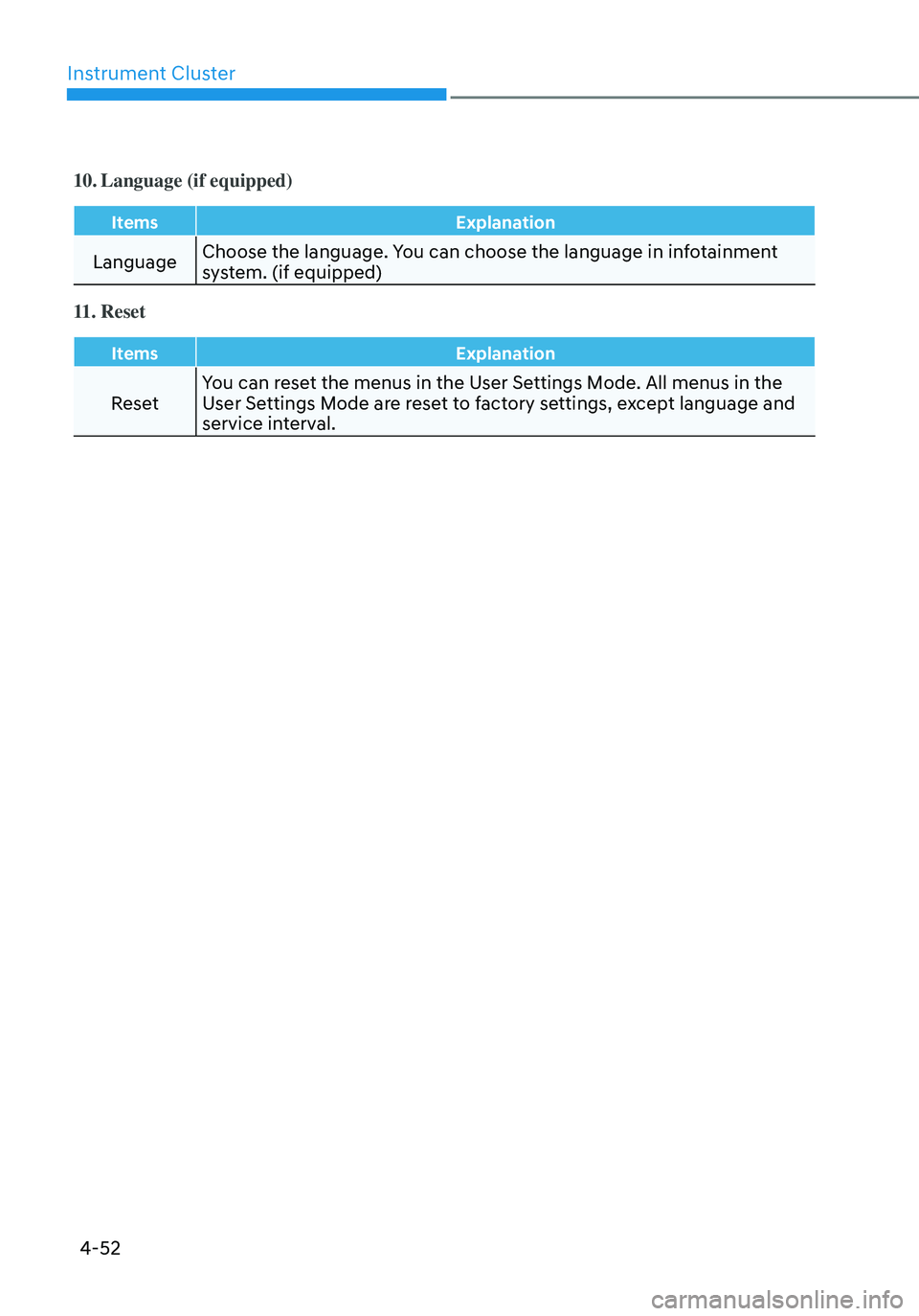
10. Language (if equipped)
ItemsExplanation
LanguageChoose the language. You can choose the language in infotainment
system. (if equipped)
11. Reset
Items
Explanation
ResetYou can reset the menus in the User Settings Mode. All menus in the
User Settings Mode are reset to factory settings, except language and
service interval.
Page 477 of 555
Maintenance
9-8
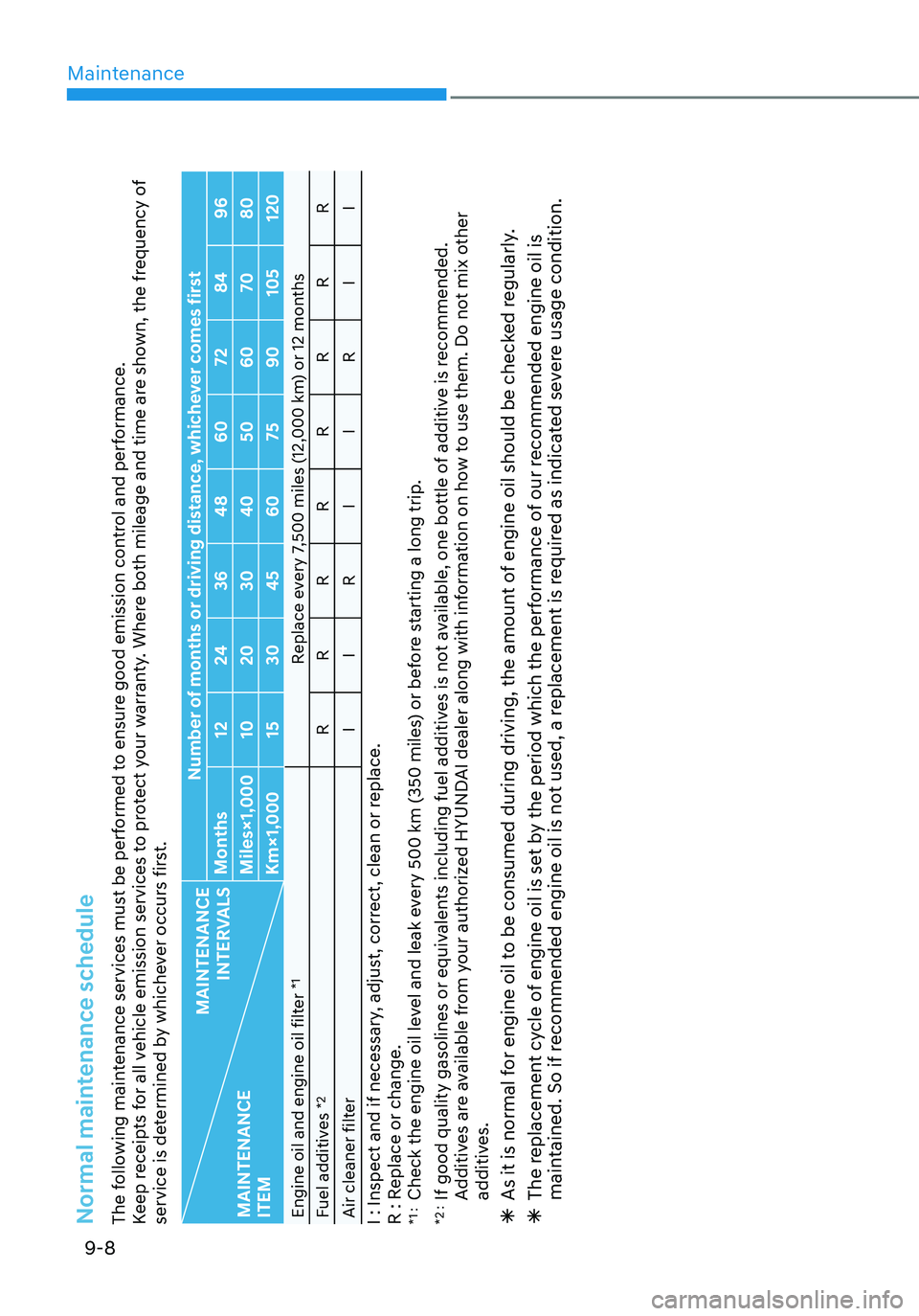
Normal maintenance schedule The following maintenance services must be performed to ensure good emission control and performance.
Keep receipts for all vehicle emission services to protect your warranty. Where both mileage and time are shown, the frequency of
service is determined by whichever occurs first.
MAINTENANCE
INTERVALS
MAINTENANCE
ITEM Number of months or driving distance, whichever comes first
Months 1224 3648 60 7284 96
Miles×1,000 1020 3040 5060 7080
Km×1,000 1530 4560 7590105 120
Engine oil and engine oil filter
*1
Replace every 7,500 miles (12,000 km) or 12 months
Fuel additives
*2
R RRRRRRR
Air cleaner filter IIR IIR II
I : Inspect and if necessary, adjust, correct, clean or replace.
R : Replace or change.*1 : Check the engine oil level and leak every 500 km (350 miles) or before starting a long trip.
*2 : If good quality gasolines or equivalents including fuel additives is not available, one bottle of additive is recommended.
Additives are available from your authorized HYUNDAI dealer along with information on how to use them. Do not mix other
additives. ÃAs it is normal for engine oil to be consumed during driving, the amount of engine oil should be checked regularly. ÃThe replacement cycle of engine oil is set by the period which the performance of our recommended engine oil is
maintained. So if recommended engine oil is not used, a replacement is required as indicated severe usage condition.
Page 481 of 555
Maintenance
9-12
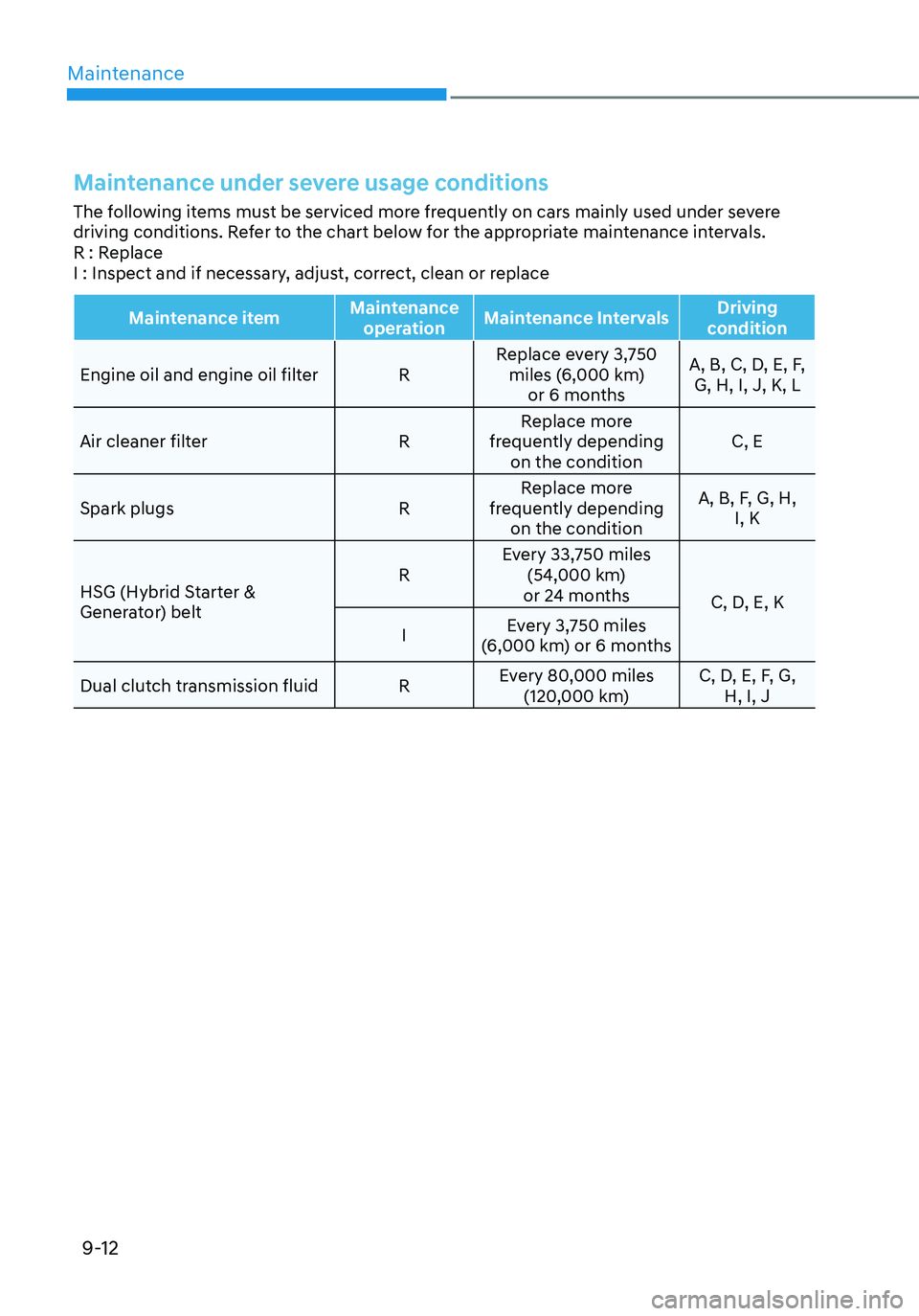
Maintenance under severe usage conditions
The following items must be serviced more frequently on cars mainly used under severe
driving conditions. Refer to the chart below for the appropriate maintenance intervals.
R : Replace
I : Inspect and if necessary, adjust, correct, clean or replace
Maintenance itemMaintenance
operation Maintenance Intervals Driving
condition
Engine oil and engine oil filter RReplace every 3,750
miles (6,000 km) or 6 months A, B, C, D, E, F,
G, H, I, J, K, L
Air cleaner filter RReplace more
frequently depending on the condition C, E
Spark plugs RReplace more
frequently depending on the condition A, B, F, G, H,
I, K
HSG (Hybrid Starter &
Generator) belt R
Every 33,750 miles
(54,000 km)
or 24 months C, D, E, K
I Every 3,750 miles
(6,000 km) or 6 months
Dual clutch transmission fluid REvery 80,000 miles
(120,000 km) C, D, E, F, G,
H, I, J