Auto down HYUNDAI ELANTRA SE 2017 Owners Manual
[x] Cancel search | Manufacturer: HYUNDAI, Model Year: 2017, Model line: ELANTRA SE, Model: HYUNDAI ELANTRA SE 2017Pages: 586, PDF Size: 15.29 MB
Page 70 of 586
2-45
Safety system of your vehicle
2
5. Remove as much slack from thebelt as possible by pushing down
on the child restraint system while
feeding the shoulder belt back into
the retractor.
6. Push and pull on the child restraint system to confirm that the seat
belt is holding it firmly in place. If it
is not, release the seat belt and
repeat steps 2 through 6.
7. Double check that the retractor is in the "Automatic Locking" mode
by attempting to pull more of the
seat belt out of the retractor. If you
cannot, the retractor is in the
"Automatic Locking" mode.
If your CRS manufacturer instructs or
recommends you to use a tether
anchor with the lap/shoulder belt,
refer to the previous pages for more
information. When the seat belt is allowed to
retract to its fully stowed position,
the retractor will automatically
switch from the "Automatic
Locking" mode to the emergency
lock mode for normal adult usage.
To remove the child restraint, press
the release button on the buckle and
then pull the lap/shoulder belt out of
the restraint and allow the seat belt
to retract fully.NOTICE
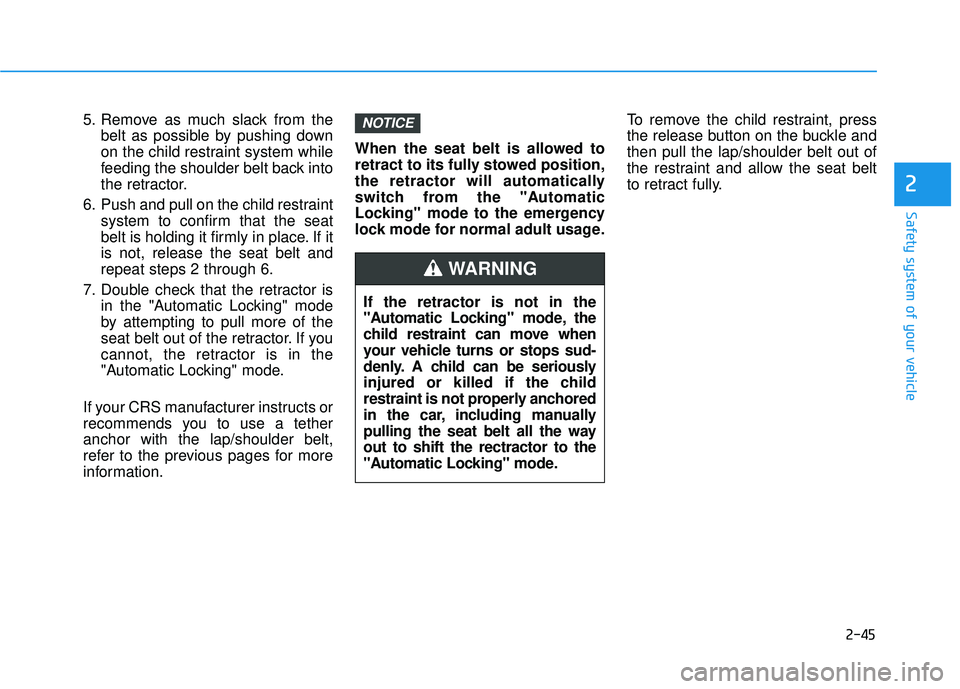
If the retractor is not in the
"Automatic Locking" mode, the
child restraint can move when
your vehicle turns or stops sud-
denly. A child can be seriously
injured or killed if the child
restraint is not properly anchored
in the car, including manually
pulling the seat belt all the way
out to shift the rectractor to the
"Automatic Locking" mode.
WARNING
Page 136 of 586

3-42
Convenient features of your vehicle
Folding the side view mirrors
To fold the side view mirrors, grasp
the housing of the mirror and then
fold it toward the rear of the vehicle.
Reverse Parking Aid Function
(if equipped)
When you move the shift lever to the
R (Reverse) position, the side view
mirror(s) will rotate downwards to aid
with driving in reverse. The position
of the side view mirror switch (1)
determines whether or not the mir-
rors will move:
Left/Right :When either the L (Left) or
R (Right) switch is select-
ed, both side view mirrors
will move.
Neutral : When neither switch is select- ed, the side view mirrors will
not move. The side view mirrors will automati-
cally revert to their original positions if
any of the following occur:
The ignition switch is placed to
either the LOCK/OFF position or
the ACC position.
The shift lever is moved to any position except R (Reverse).
The remote control side view mir- ror switch is not selected.
OAD045016
OADA045461
Page 139 of 586
3-45
Convenient features of your vehicle
3
Auto down window (if equipped)
Pressing the power window switch
momentarily to the second detent
position (6) completely lowers the
window even when the switch is
released. To stop the window at the
desired position while the window is
in operation, pull up or press down
and release the switch.
Auto up/down window (if equipped)
Pressing or pulling up the power win-
dow switch momentarily to the sec-
ond detent position (6) completely
lowers or lifts the window even when
the switch is released. To stop the
window at the desired position while
the window is in operation, pull up or
press down and release the switch.
To reset the power windows
If the power windows do not operate
normally, the automatic power win-
dow system must be reset as follows:
1. Place the ignition switch to the ON
position.
2. Close the window and continue pulling up on the power window
switch for at least one second.
If the power windows do not operate
properly after resetting, have the
system checked by an authorized
HYUNDAI dealer.
Automatic reverse (if equipped)
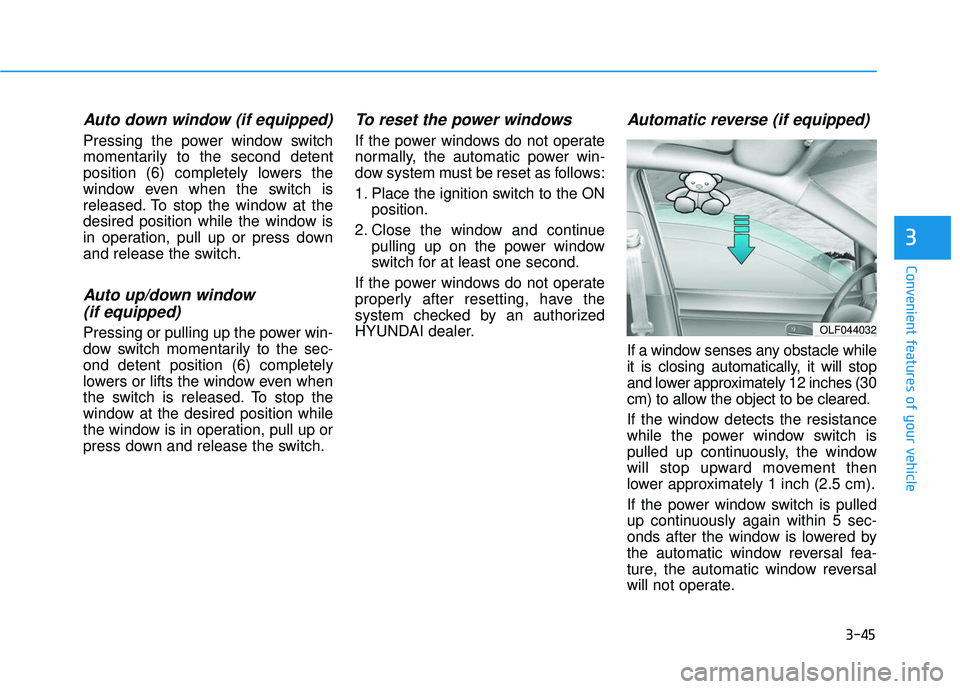
If a window senses any obstacle while
it is closing automatically, it will stop
and lower approximately 12 inches (30
cm) to allow the object to be cleared.
If the window detects the resistance
while the power window switch is
pulled up continuously, the window
will stop upward movement then
lower approximately 1 inch (2.5 cm).
If the power window switch is pulled
up continuously again within 5 sec-
onds after the window is lowered by
the automatic window reversal fea-
ture, the automatic window reversal
will not operate.
OLF044032
Page 143 of 586
3-49
Convenient features of your vehicle
3
Sunshade
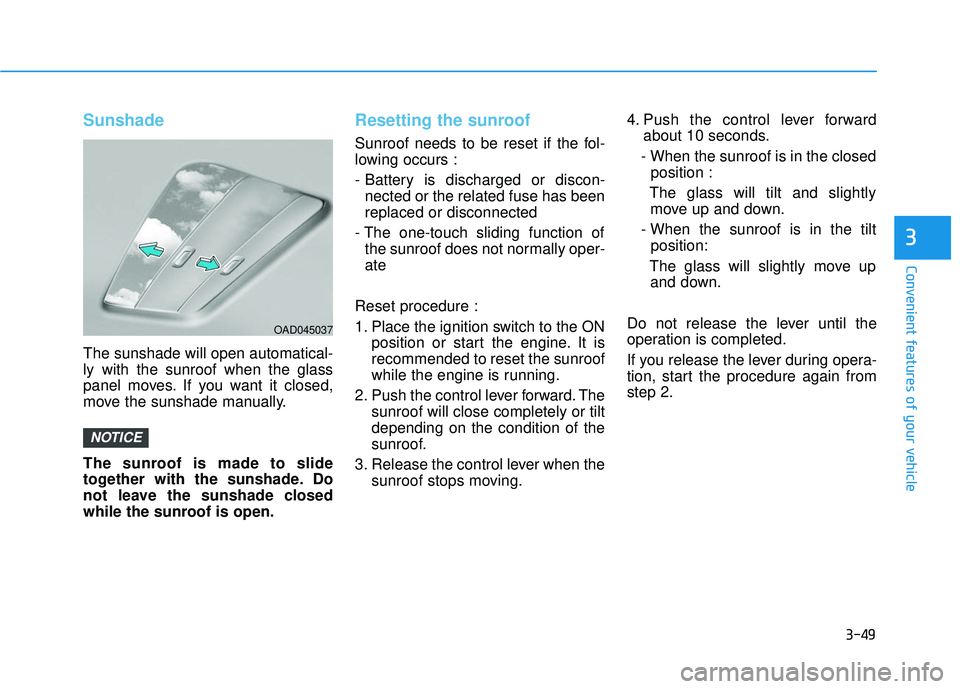
The sunshade will open automatical-
ly with the sunroof when the glass
panel moves. If you want it closed,
move the sunshade manually.
The sunroof is made to slide
together with the sunshade. Do
not leave the sunshade closed
while the sunroof is open.
Resetting the sunroof
Sunroof needs to be reset if the fol-
lowing occurs :
- Battery is discharged or discon-nected or the related fuse has been
replaced or disconnected
- The one-touch sliding function of the sunroof does not normally oper-
ate
Reset procedure :
1. Place the ignition switch to the ON position or start the engine. It is
recommended to reset the sunroof
while the engine is running.
2. Push the control lever forward. The sunroof will close completely or tilt
depending on the condition of the
sunroof.
3. Release the control lever when the sunroof stops moving. 4. Push the control lever forward
about 10 seconds.
- When the sunroof is in the closed position :
The glass will tilt and slightly move up and down.
- When the sunroof is in the tilt position:
The glass will slightly move up and down.
Do not release the lever until the
operation is completed.
If you release the lever during opera-
tion, start the procedure again from
step 2.
NOTICE
OAD045037
Page 161 of 586
3-67
Convenient features of your vehicle
3
Transmission shift indicator
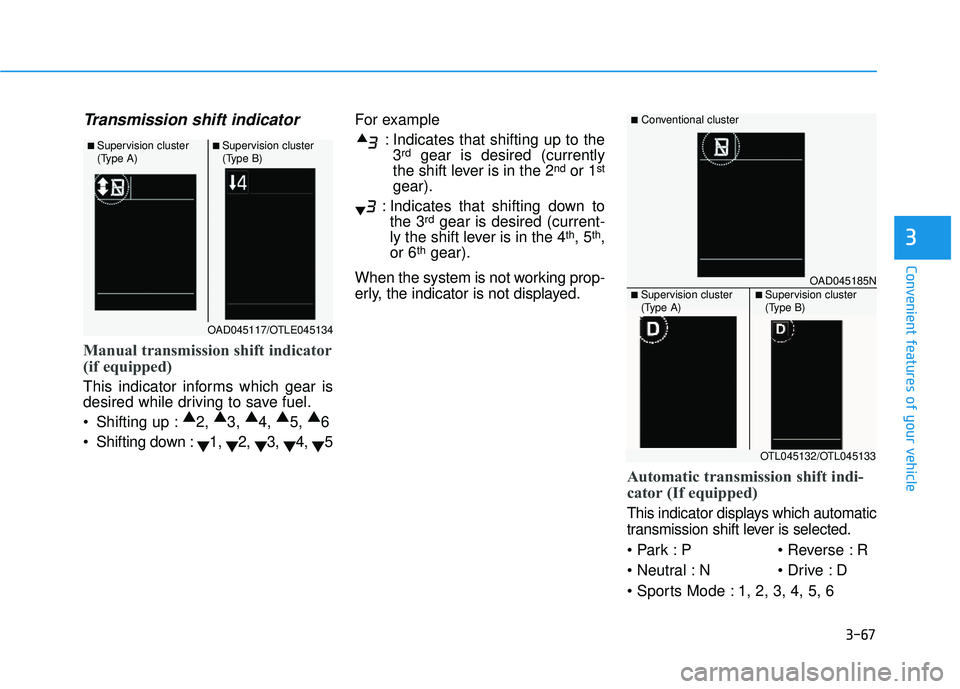
Manual transmission shift indicator
(if equipped)
This indicator informs which gear is
desired while driving to save fuel.
Shifting up :▲
2, ▲
3, ▲
4, ▲
5, ▲
6
Shifting down : ▼1,
▼2,
▼3,
▼4,
▼5 For example
: Indicates that shifting up to the3
rdgear is desired (currently
the shift lever is in the 2ndor 1st
gear).
: Indicates that shifting down to the 3
rdgear is desired (current-
ly the shift lever is in the 4th, 5th,
or 6thgear).
When the system is not working prop-
erly, the indicator is not displayed.
Automatic transmission shift indi-
cator (If equipped)
This indicator displays which automatic
transmission shift lever is selected.
P R
N D
1, 2, 3, 4, 5, 6
OAD045117/OTLE045134
■ Supervision cluster
(Type A)■ Supervision cluster
(Type B)
OAD045185N
■Conventional cluster
■ Supervision cluster
(Type A)■ Supervision cluster
(Type B)
OTL045132/OTL045133
Page 207 of 586
3-113
Convenient features of your vehicle
3
Onetouch turn signal function
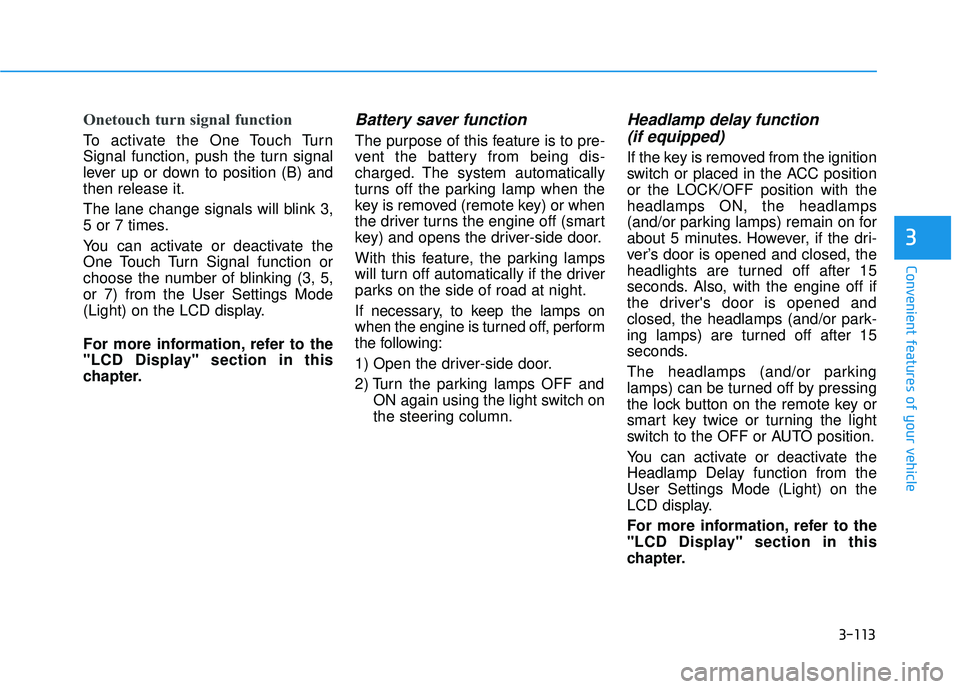
To activate the One Touch Turn
Signal function, push the turn signal
lever up or down to position (B) and
then release it.
The lane change signals will blink 3,
5 or 7 times.
You can activate or deactivate the
One Touch Turn Signal function or
choose the number of blinking (3, 5,
or 7) from the User Settings Mode
(Light) on the LCD display.
For more information, refer to the
"LCD Display" section in this
chapter.
Battery saver function
The purpose of this feature is to pre-
vent the battery from being dis-
charged. The system automatically
turns off the parking lamp when the
key is removed (remote key) or when
the driver turns the engine off (smart
key) and opens the driver-side door.
With this feature, the parking lamps
will turn off automatically if the driver
parks on the side of road at night.
If necessary, to keep the lamps on
when the engine is turned off, perform
the following:
1) Open the driver-side door.
2) Turn the parking lamps OFF andON again using the light switch on
the steering column.
Headlamp delay function (if equipped)
If the key is removed from the ignition
switch or placed in the ACC position
or the LOCK/OFF position with the
headlamps ON, the headlamps
(and/or parking lamps) remain on for
about 5 minutes. However, if the dri-
ver’s door is opened and closed, the
headlights are turned off after 15
seconds. Also, with the engine off if
the driver's door is opened and
closed, the headlamps (and/or park-
ing lamps) are turned off after 15
seconds.
The headlamps (and/or parking
lamps) can be turned off by pressing
the lock button on the remote key or
smart key twice or turning the light
switch to the OFF or AUTO position.
You can activate or deactivate the
Headlamp Delay function from the
User Settings Mode (Light) on the
LCD display.
For more information, refer to the
"LCD Display" section in this
chapter.
Page 234 of 586
3-140
Convenient features of your vehicle
Fan speed control
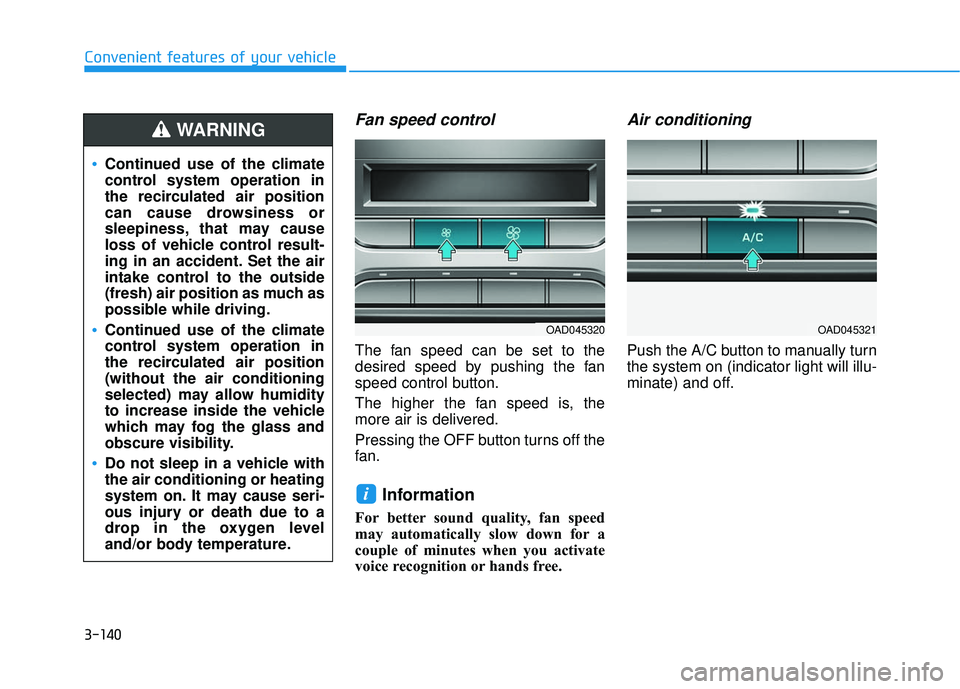
The fan speed can be set to the
desired speed by pushing the fan
speed control button.
The higher the fan speed is, the
more air is delivered.
Pressing the OFF button turns off the
fan.
Information
For better sound quality, fan speed
may automatically slow down for a
couple of minutes when you activate
voice recognition or hands free.
Air conditioning
Push the A/C button to manually turn
the system on (indicator light will illu-
minate) and off.
i
Continued use of the climate
control system operation in
the recirculated air position
can cause drowsiness or
sleepiness, that may cause
loss of vehicle control result-
ing in an accident. Set the air
intake control to the outside
(fresh) air position as much as
possible while driving.
Continued use of the climate
control system operation in
the recirculated air position
(without the air conditioning
selected) may allow humidity
to increase inside the vehicle
which may fog the glass and
obscure visibility.
Do not sleep in a vehicle with
the air conditioning or heating
system on. It may cause seri-
ous injury or death due to a
drop in the oxygen level
and/or body temperature.
WARNING
OAD045321OAD045320
Page 255 of 586
4-3
Multimedia System
4
Do not clean the inside of therear glass window with a cleaner
or scraper to remove foreign
deposits as this may cause dam-
age to the antenna elements.
Avoid adding metallic coatings to the rear glass window. These
can degrade AM and FM broad-
cast signals.
Steering Wheel Audio Control
Do not operate multiple audio
remote control buttons simultane-
ously.
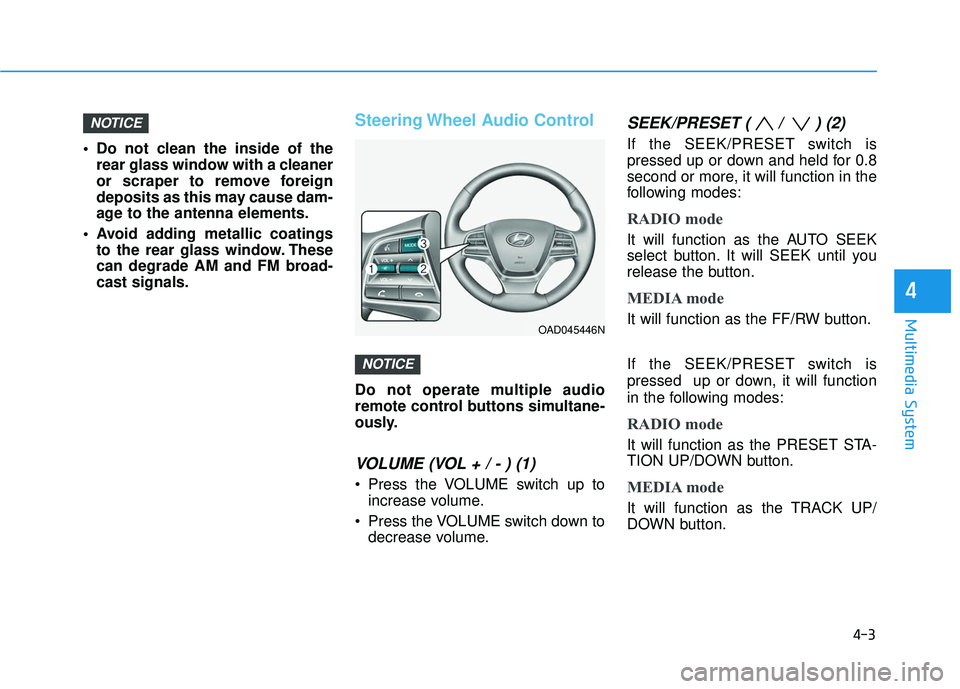
VOLUME (VOL + / - ) (1)
Press the VOLUME switch up toincrease volume.
Press the VOLUME switch down to decrease volume.
SEEK/PRESET ( / ) (2)
If the SEEK/PRESET switch is
pressed up or down and held for 0.8
second or more, it will function in the
following modes:
RADIO mode
It will function as the AUTO SEEK
select button. It will SEEK until you
release the button.
MEDIA mode
It will function as the FF/RW button.
If the SEEK/PRESET switch is
pressed up or down, it will function
in the following modes:
RADIO mode
It will function as the PRESET STA-
TION UP/DOWN button.
MEDIA mode
It will function as the TRACK UP/
DOWN button.
NOTICE
NOTICE
OAD045446N
Page 282 of 586
4-30
Multimedia System
(Continued)
• When connecting iPod
®with the
iPod®Cable, fully insert the USB
connector side of the cable into the
vehicle USB port. If not inserted
completely, communications between
the iPod
®and audio may be inter-
rupted.
• When adjusting the iPod
®sound
settings and the audio system, the
audio sound of both devices may
overlap and may reduce or distort
the sound quality.
• Deactivate (turn off) the iPod
®
equalizer function when adjusting
the audio system’s volume, and turn
off the audio system equalizer when
using the iPod
®equalizer.
• Disconnect the iPod
®cable when not
using the iPod®with the vehicle
audio system. Otherwise, iPod®may
remain in accessory mode, and may
not work properly.
• Use an iPod
®/iPhone®USB cable
shorter than 1 meter in length, longer
cables cannot be recognized.
Information
- Using the Bluetooth®Wireless
Technology Cellular Phone
(if equipped)
• Bluetooth
®Wireless Technology
Handsfree refers to a device which
allows the user to conveniently
make phone calls with Bluetooth
®
Wireless Technology mobile phones
through the audio system.
• Bluetooth
®Wireless Technology
allows devices to be connected in a
short distance, including hands-free
devices, stereo headsets, wireless
remote controllers, etc. For more
information, visit the Bluetooth
®
Wireless Technology website at
www
.Bluetooth.com. Before using
Bluetooth®Wireless Technology
audio features.
• The Bluetooth
®word mark and
logos are registered trademarks
owned by Bluetooth
®SIG, Inc. and
any use of such marks by Hyundai is
under license. Other trademarks
and trade names are those of their
respective owners. A Bluetooth
®
enabled cell phone is required to use
Bluetooth®Wireless Technology.
(Continued) (Continued)
•
Bluetooth
®Wireless Technology fea-
tures supported within the vehicle
are as follows. Some features may
not be supported depending on your
Bluetooth
®Wireless Technology
device.
- Answering and placing Bluetooth
®
Wireless Technology Handsfree
calls
- Menu operation during call (Switch to Private, Switch to call
waiting, Outgoing volume)
- Download Call History
- Download Mobile Phone book
- Phone book/Call History Auto Download
- Bluetooth
®Wireless Technology
device auto connection
- Bluetooth
®Wireless Technology
Audio
(Continued)
i
Page 285 of 586
4-33
Multimedia System
4
Excessive use or operationswhile driving may lead to negli-
gent driving practices and be
the cause of accidents.
Do not operate the device exces- sively while driving.
Viewing the screen for pro- longed periods of time while
driving is dangerous and may
lead to accidents.
Information
- Using Voice Recognition(if equipped)
• When using the voice recognition feature, only commands listed with-
in the user's manual are supported.
• Be aware that when the voice recog- nition system is active, pressing any
button other than the button ter-
minates voice recognition mode.
• For optimal voice recognition per- formance, position your head below
the microphone located above the
driver’s seat and maintain proper
position when speaking voice com-
mands.
• Within the following situations, voice recognition may not function
properly due to external sound.
- When the windows and sunroofare open
- When the blower AC/heater is set to high
- When entering and passing through tunnels
- When driving on rugged and uneven roads
(Continued)(Continued)
- During severe rain (heavy rains,windstorms)
• Phone related voice commands can be used only when a Bluetooth
®
Wireless Technology device is con-
nected.
• When making calls by name, the corresponding contact must be
downloaded and stored within the
audio system.
• After downloading the phone book, it takes some time to convert the
phone book data into voice informa-
tion. During this time, voice recogni-
tion may not operate properly.
• Pressing and holding the button : While holding the button, frequency
changes without stopping. When the
button is released, the system auto-
matically searches for the next fre-
quency from that point.
iNOTICE