reset HYUNDAI ELANTRA SEL 2021 User Guide
[x] Cancel search | Manufacturer: HYUNDAI, Model Year: 2021, Model line: ELANTRA SEL, Model: HYUNDAI ELANTRA SEL 2021Pages: 570, PDF Size: 52.21 MB
Page 166 of 570
Convenient Features
5-30
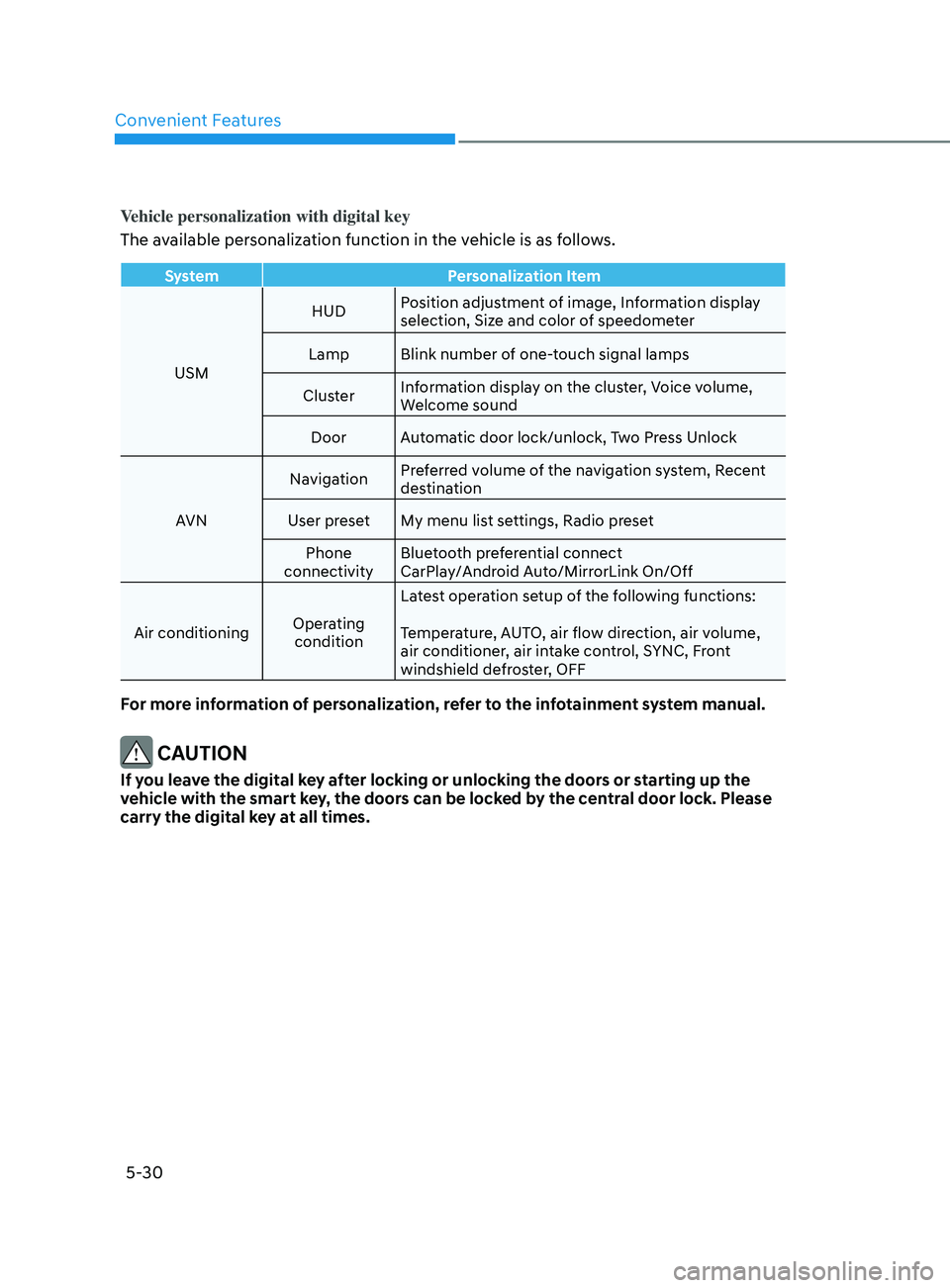
Vehicle personalization with digital key
The available personalization function in the vehicle is as follows.
SystemPersonalization Item
USM HUD
Position adjustment of image, Information display
selection, Size and color of speedometer
Lamp Blink number of one-touch signal lamps
Cluster Information display on the cluster, Voice volume,
Welcome sound
Door Automatic door lock/unlock, Two Press Unlock
AVN Navigation
Preferred volume of the navigation system, Recent
destination
User preset My menu list settings, Radio preset Phone
connectivity Bluetooth preferential connect
CarPlay/Android Auto/MirrorLink On/Off
Air conditioning Operating
condition Latest operation setup of the following functions:
Temperature, AUTO, air flow direction, air volume,
air conditioner, air intake control, SYNC, Front
windshield defroster, OFF
For more information of personalization, refer to the infotainment system manual.
CAUTION
If you leave the digital key after locking or unlocking the doors or starting up the
vehicle with the smart key, the doors can be locked by the central door lock. Please
carry the digital key at all times.
Page 173 of 570
05
5-37
ThefT-AlArm SySTem
This system helps to protect your vehicle
and valuables. The horn will sound and
the hazard warning lights will blink
continuously if any of the following
occur:
- A door is opened without using the remo
te key or smart key.
- The trunk is opened without using the remo
te key or smart key.
- The engine hood is opened.
The alarm continues f
or 30 seconds, then
the system resets. To turn off the alarm,
unlock the doors with the remote key or
smart key.
The Theft Alarm System automatically
sets 30 seconds after you lock the doors
and the trunk. For the system to activate,
you must lock the doors and the trunk
from outside the vehicle with the remote
key or smart key or by pressing the
button on the outside of the door handle
with the smart key in your possession.
The hazard warning lights will blink and
the chime will sound once to indicate the
system is armed.
Once the security system is set, opening
any door, the trunk, or the hood without
using the remote key or smart key will
cause the alarm to activate.
The Theft Alarm System will not set if the
hood, the trunk, or any door is not fully
closed. If the system will not set, check
the hood, the trunk, or the doors are fully
closed.
Do not attempt to alter this system or
add other devices to it. Information
• Do not lock the doors until all
passengers have left the vehicle. If the
remaining passenger leaves the vehicle
when the system is armed, the alarm
will be activated.
• If the vehicle is not disarmed with the
remote key or smart key, open the
doors by using the mechanical key and
place the ignition switch in the ON
position (for remote key) or start the
engine (for smart key) and wait for 30
seconds.
• When the system is disarmed but a
door or trunk is not opened within 30
seconds, the system will be rearmed.
Page 189 of 570
05
5-53
To reset the power windows
If the power windows do not operate
normally, the automatic power window
system must be reset as follows:
1.
Place the ignition swit
ch to the ON
position.
2.
Close the window and con
tinue
pulling up on the power window
switch for at least one second.
If the power windows do not operate
properly after resetting, have the system
checked by an authorized HYUNDAI
dealer.
WARNING
The automatic reverse feature doesn’t
activate while resetting the power
window system. Make sure body parts
or other objects are safely out of the
way before closing the windows to
avoid injuries or vehicle damage.
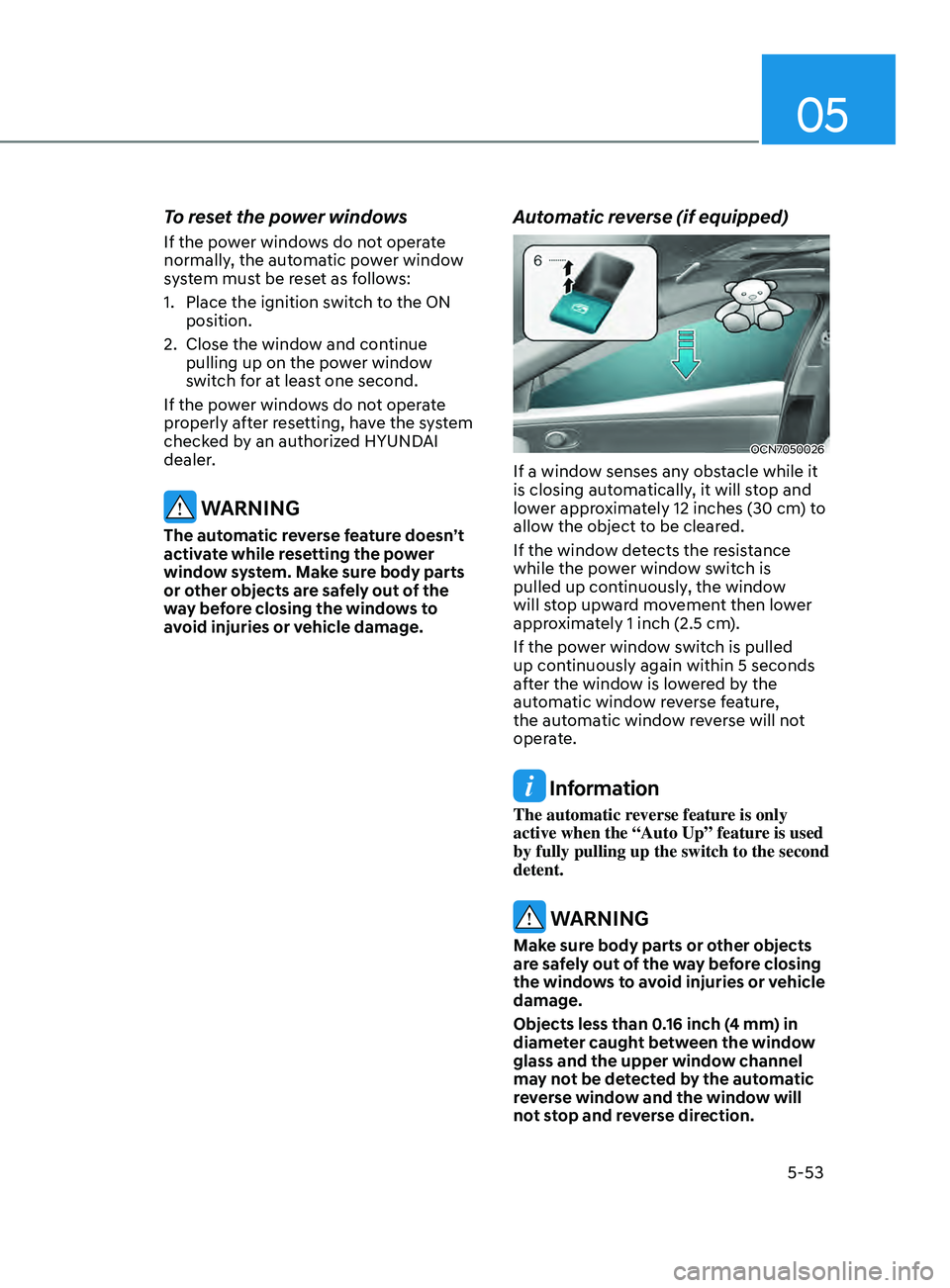
Automatic reverse (if equipped)
OCN7050026
If a window senses any obstacle while it
is closing automatically, it will stop and
lower approximately 12 inches (30 cm) to
allow the object to be cleared.
If the window detects the resistance
while the power window switch is
pulled up continuously, the window
will stop upward movement then lower
approximately 1 inch (2.5 cm).
If the power window switch is pulled
up continuously again within 5 seconds
after the window is lowered by the
automatic window reverse feature,
the automatic window reverse will not
operate.
Information
The automatic reverse feature is only
active when the “Auto Up” feature is used
by fully pulling up the switch to the second
detent.
WARNING
Make sure body parts or other objects
are safely out of the way before closing
the windows to avoid injuries or vehicle
damage.
Objects less than 0.16 inch (4 mm) in
diameter caught between the window
glass and the upper window channel
may not be detected by the automatic
reverse window and the window will
not stop and reverse direction.
Page 194 of 570
Convenient Features
5-58
Resetting the sunroof
The sunroof may need to be reset if the
following conditions occur:
- The batt
ery is discharged or
disconnected or the sunroof fuse has
been replaced or disconnected.
- The sunroo
f control lever is not
operating correctly.
1.
Turn the ignition s
witch to the ON
position or start the engine. We
recommend resetting the sunroof
while the engine is running.
2.
Close the sunroo
f completely if
opened.
3.
Release the sunr
oof control lever.
4.
Mo
ve the sunroof control lever
forward in the direction of close
until the sunroof moves tilt up. Then,
release the lever.
5.
Mo
ve the sunroof control lever
forward in the direction of close, until
the sunroof operates as follow again:
Tilt
do
wn
→ Slide Open → Slide Close
NOTICE
Do not release the lever until the
operation is completed. If you release
the lever during operation, try again
from step 2.
6.
Release the sunr
oof control lever after
all operation has completed. (The
sunroof system has been reset.)
Information
• If the sunroof does not reset when
the vehicle battery is disconnected or
discharged, or related fuse is blown, the
sunroof may not operate normally.
• For more detailed information, we
recommend that you contact an
authorized HYUNDAI dealer.
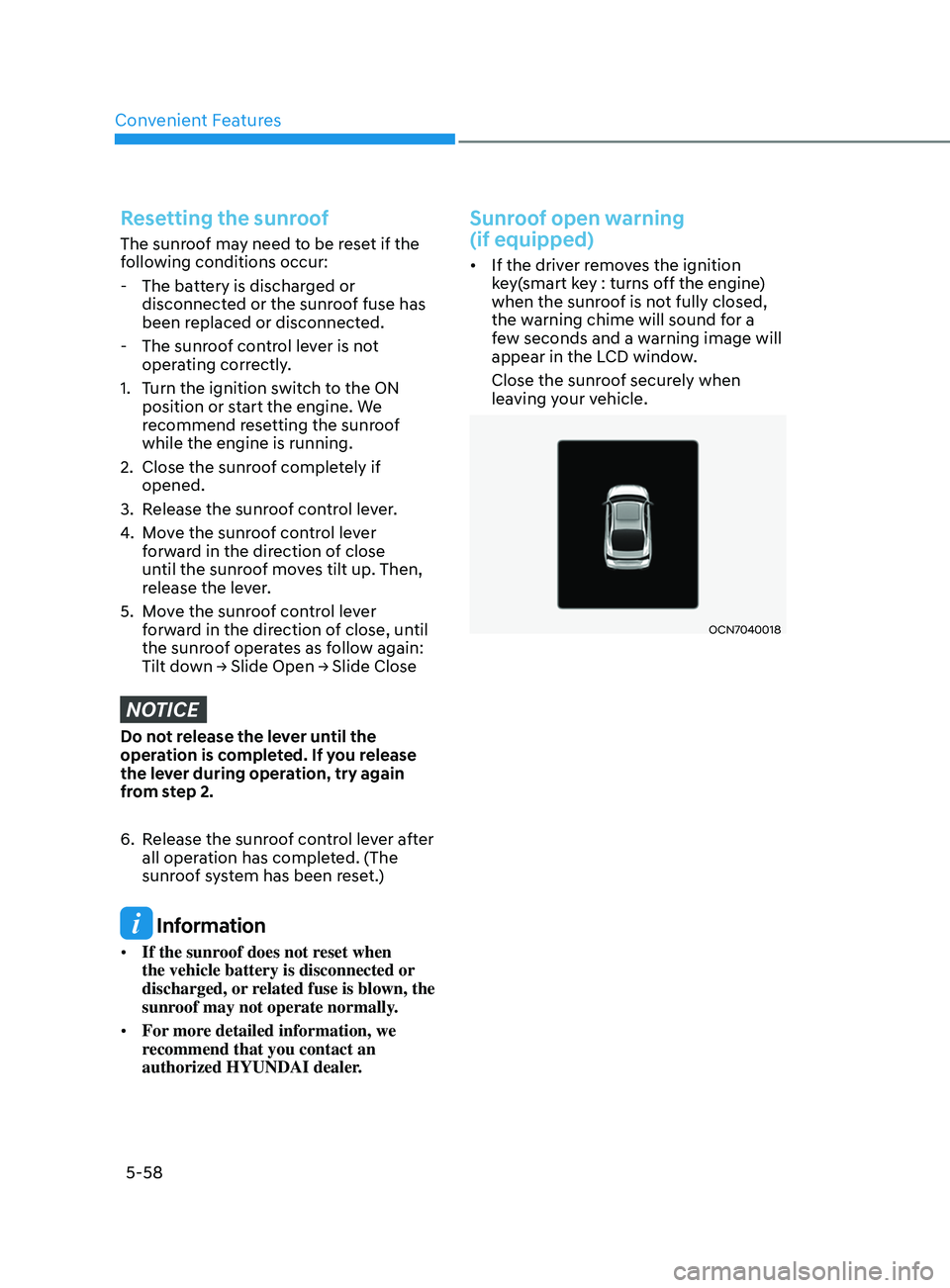
Sunroof open warning
(if equipped)
• If the driver removes the ignition
key(smart key : turns off the engine)
when the sunroof is not fully closed,
the warning chime will sound for a
few seconds and a warning image will
appear in the LCD window.
Close the sunroof securely when
leaving your vehicle.
OCN7040018
Page 234 of 570
Convenient Features
5-98
OCN7050117
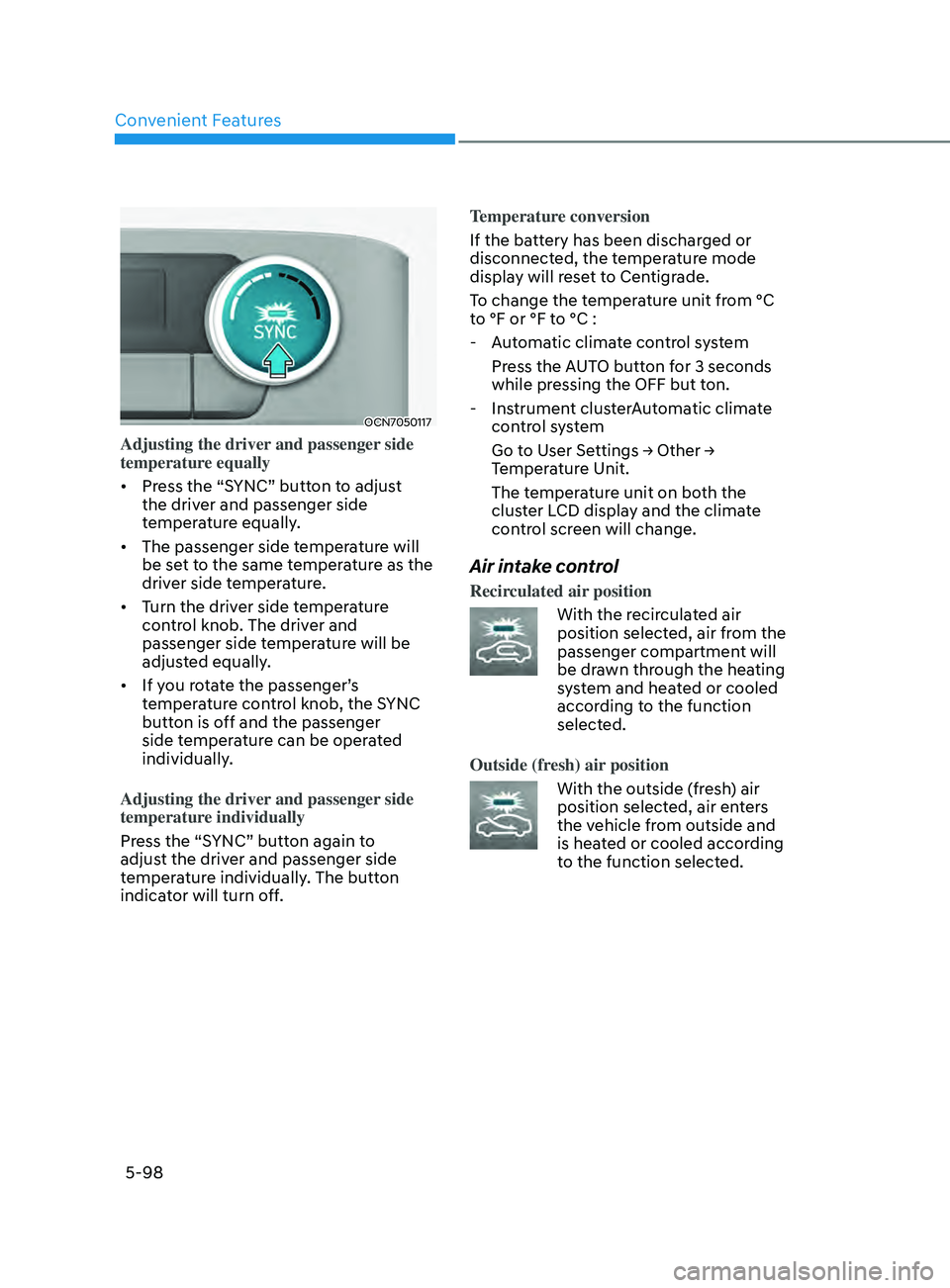
Adjusting the driver and passenger side
temperature equally
• Press the “SYNC” button to adjust
the driver and passenger side
temperature equally.
• The passenger side temperature will
be set to the same temperature as the
driver side temperature.
• Turn the driver side temperature
control knob. The driver and
passenger side temperature will be
adjusted equally.
• If you rotate the passenger’s
temperature control knob, the SYNC
button is off and the passenger
side temperature can be operated
individually.
Adjusting the driver and passenger side
temperature individually
Press the “SYNC” button again to
adjust the driver and passenger side
temperature individually. The button
indicator will turn off. Temperature conversion
If the battery has been discharged or
disconnected, the temperature mode
display will reset to Centigrade.
To change the temperature unit from °C
to °F or °F to °C :
- Aut
omatic climate control system
Press the AUTO button for 3 seconds
while pressing the OFF but ton.
- Instrumen
t clusterAutomatic climate
control system
Go t o U ser Se ttings → Other → Temper
ature Unit.
The temperature unit on both the
cluster LCD display and the climate
control screen will change.
Air intake control
Recirculated air position
With the recirculated air
position selected, air from the
passenger compartment will
be drawn through the heating
system and heated or cooled
according to the function
selected.
Outside (fresh) air position
With the outside (fresh) air
position selected, air enters
the vehicle from outside and
is heated or cooled according
to the function selected.
Page 242 of 570
Convenient Features
5-106
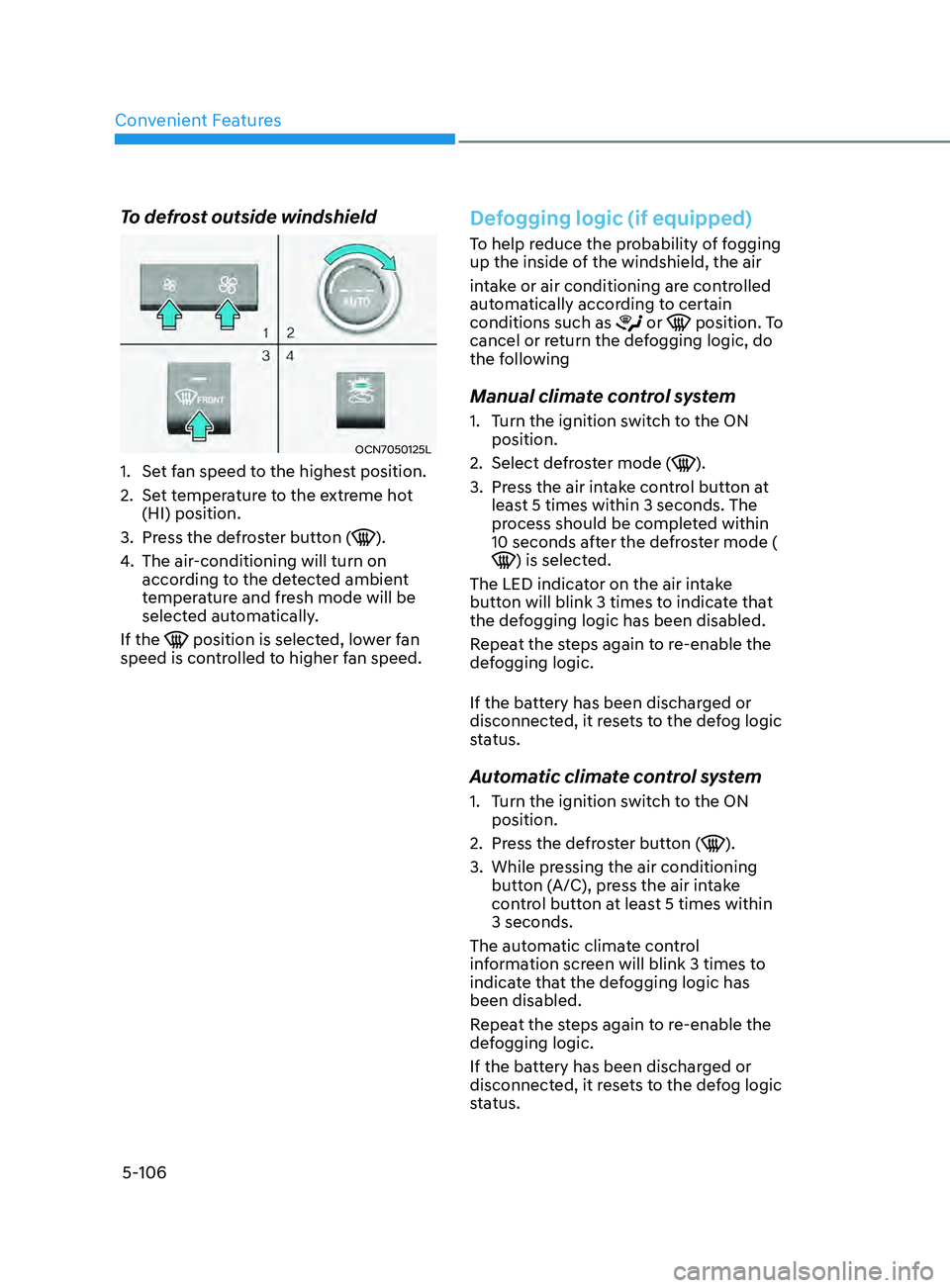
To defrost outside windshield
OCN7050125L
1. Set fan speed to the highest position.
2.
Set t
emperature to the extreme hot
(HI) position.
3.
Press the de
froster button (
).
4.
The air-conditioning will turn on
accor
ding to the detected ambient
temperature and fresh mode will be
selected automatically.
If the
position is selected, lower fan
speed is controlled to higher fan speed.
Defogging logic (if equipped)
To help reduce the probability of fogging
up the inside of the windshield, the air
intake or air conditioning are controlled
automatically according to certain
conditions such as
or position. To
cancel or return the defogging logic, do
the following
Manual climate control system
1. Turn the ignition switch to the ON
position.
2.
Select defr
oster mode (
).
3.
Press the air in
take control button at
least 5 times within 3 seconds. The
process should be completed within
10 seconds after the defroster mode (
) is selected.
The LED indicator on the air intake
button will blink 3 times to indicate that
the defogging logic has been disabled.
Repeat the steps again to re-enable the
defogging logic.
If the battery has been discharged or
disconnected, it resets to the defog logic
status.
Automatic climate control system
1. Turn the ignition switch to the ON
position.
2.
Press the de
froster button (
).
3.
While pressing the air conditioning
butt
on (A/C), press the air intake
control button at least 5 times within
3 seconds.
The automatic climate control
information screen will blink 3 times to
indicate that the defogging logic has
been disabled.
Repeat the steps again to re-enable the
defogging logic.
If the battery has been discharged or
disconnected, it resets to the defog logic
status.
Page 243 of 570
05
5-107
Auto defogging system (only
for automatic climate control
system, if equipped)
OCN7050061
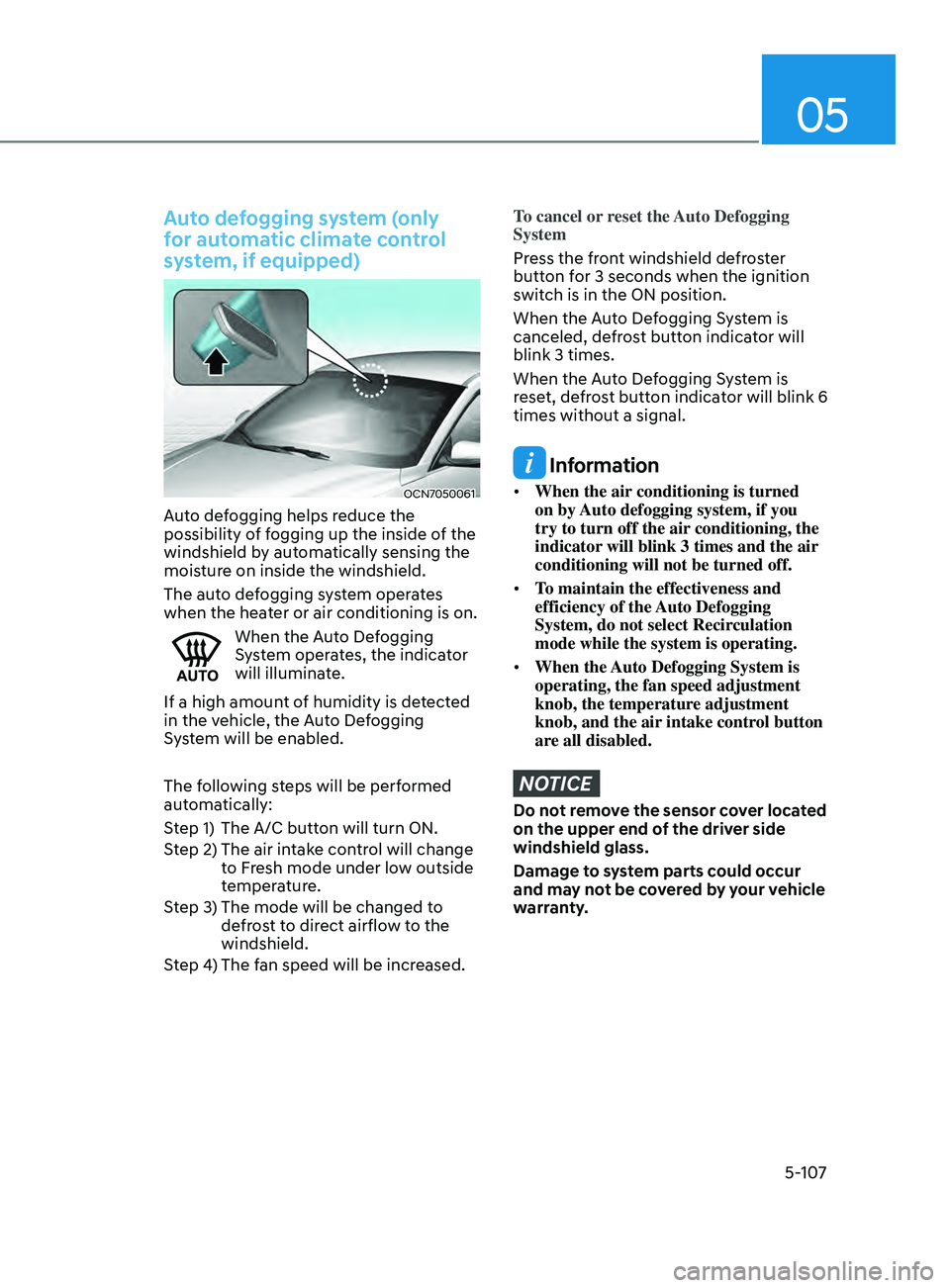
Auto defogging helps reduce the
possibility of fogging up the inside of the
windshield by automatically sensing the
moisture on inside the windshield.
The auto defogging system operates
when the heater or air conditioning is on.
When the Auto Defogging
System operates, the indicator
will illuminate.
If a high amount of humidity is detected
in the vehicle, the Auto Defogging
System will be enabled.
The following steps will be performed
automatically:
Step 1) The A/C button will turn ON.
Step 2) The air intake control will change to Fresh mode under low outside
temperature.
Step 3) The mode will be changed to defrost to direct airflow to the
windshield.
Step 4) The fan speed will be increased.
To cancel or reset the Auto Defogging
System
Press the front windshield defroster
button for 3 seconds when the ignition
switch is in the ON position.
When the Auto Defogging System is
canceled, defrost button indicator will
blink 3 times.
When the Auto Defogging System is
reset, defrost button indicator will blink 6
times without a signal.
Information
• When the air conditioning is turned
on by Auto defogging system, if you
try to turn off the air conditioning, the
indicator will blink 3 times and the air
conditioning will not be turned off.
• To maintain the effectiveness and
efficiency of the Auto Defogging
System, do not select Recirculation
mode while the system is operating.
• When the Auto Defogging System is
operating, the fan speed adjustment
knob, the temperature adjustment
knob, and the air intake control button
are all disabled.
NOTICE
Do not remove the sensor cover located
on the upper end of the driver side
windshield glass.
Damage to system parts could occur
and may not be covered by your vehicle
warranty.
Page 255 of 570
05
5-119
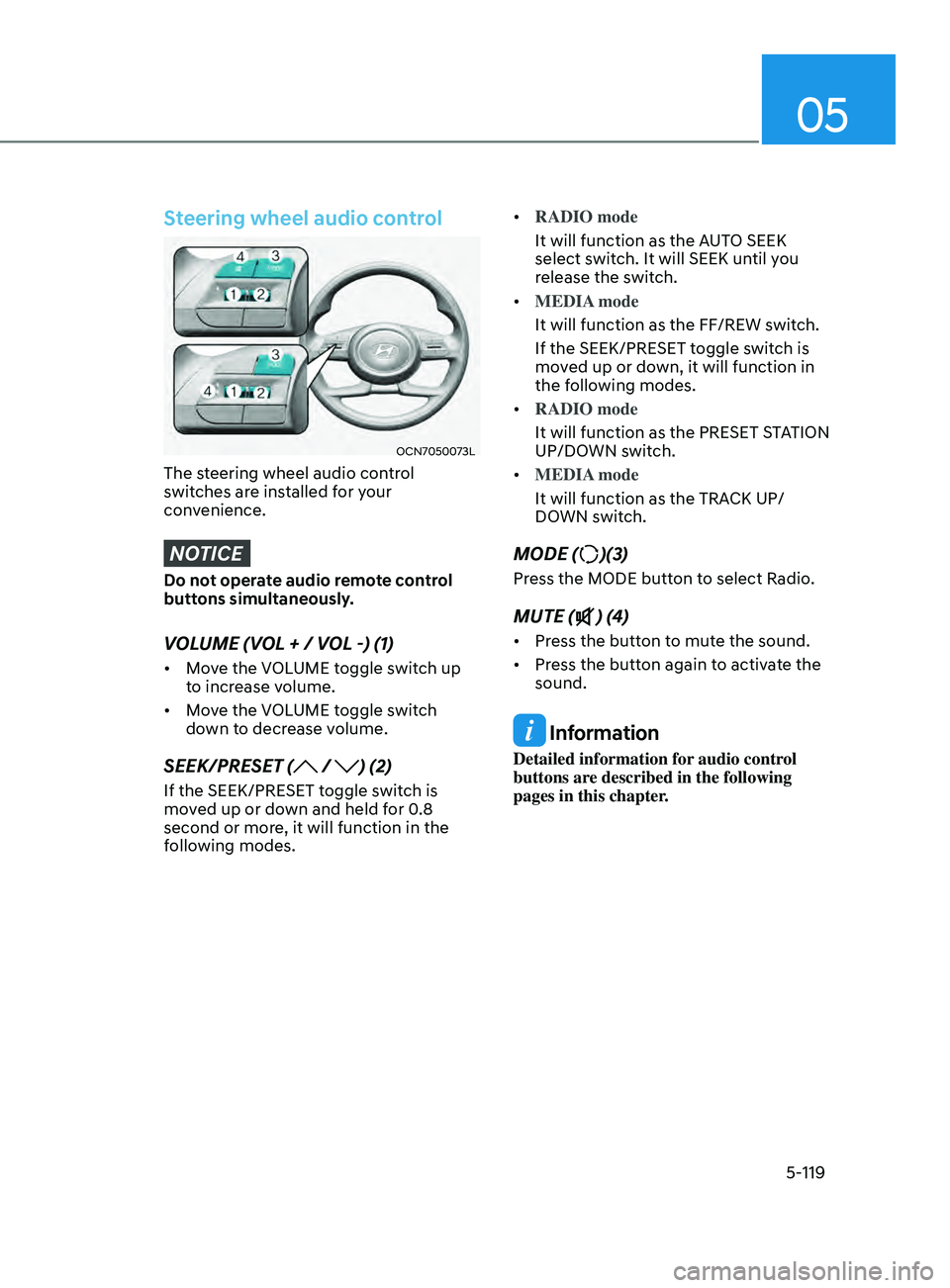
Steering wheel audio control
OCN7050073L
The steering wheel audio control
switches are installed for your
convenience.
NOTICE
Do not operate audio remote control
buttons simultaneously.
VOLUME (VOL + / VOL -) (1)
• Move the VOLUME toggle switch up
to increase volume.
• Move the VOLUME toggle switch
down to decrease volume.
SEEK/PRESET ( / ) (2)
If the SEEK/PRESET toggle switch is
moved up or down and held for 0.8
second or more, it will function in the
following modes. •
RADIO mode
It will function as the AUTO SEEK
select switch. It will SEEK until you
release the switch.
• MEDIA mode
It will function as the FF/REW switch.
If the SEEK/PRESET toggle switch is
moved up or down, it will function in
the following modes.
• RADIO mode
It will function as the PRESET STATION
UP/DOWN switch.
• MEDIA mode
It will function as the TRACK UP/
DOWN switch.
MODE ()(3)
Press the MODE button to select Radio.
MUTE () (4)
• Press the button to mute the sound.
• Press the button again to activate the
sound.
Information
Detailed information for audio control
buttons are described in the following
pages in this chapter.
Page 376 of 570
07
7-63
OTM070111L
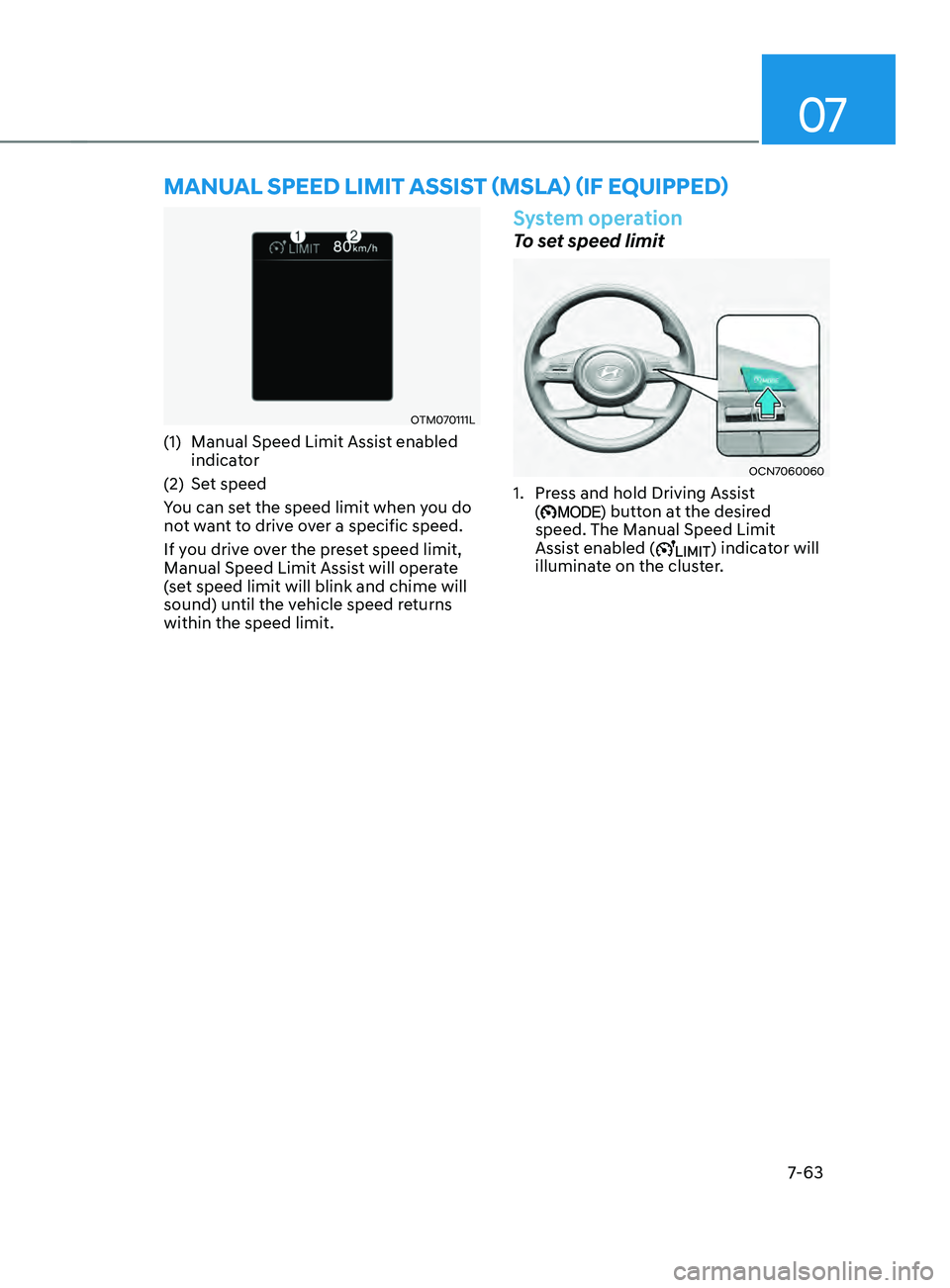
(1) Manual Speed Limit Assist enabled
indicator
(2)
Set speed
Y
ou can set the speed limit when you do
not want to drive over a specific speed.
If you drive over the preset speed limit,
Manual Speed Limit Assist will operate
(set speed limit will blink and chime will
sound) until the vehicle speed returns
within the speed limit.
System operation
To set speed limit
OCN7060060
1. Press and hold Driving Assist
() button at the desired
speed. The Manual Speed Limit
Assist enabled (
) indicator will
illuminate on the cluster.
Manual speed liMit assist (Msla) (iF e quipped)
Page 377 of 570
Driver assistance system
7-64
OCN7060143
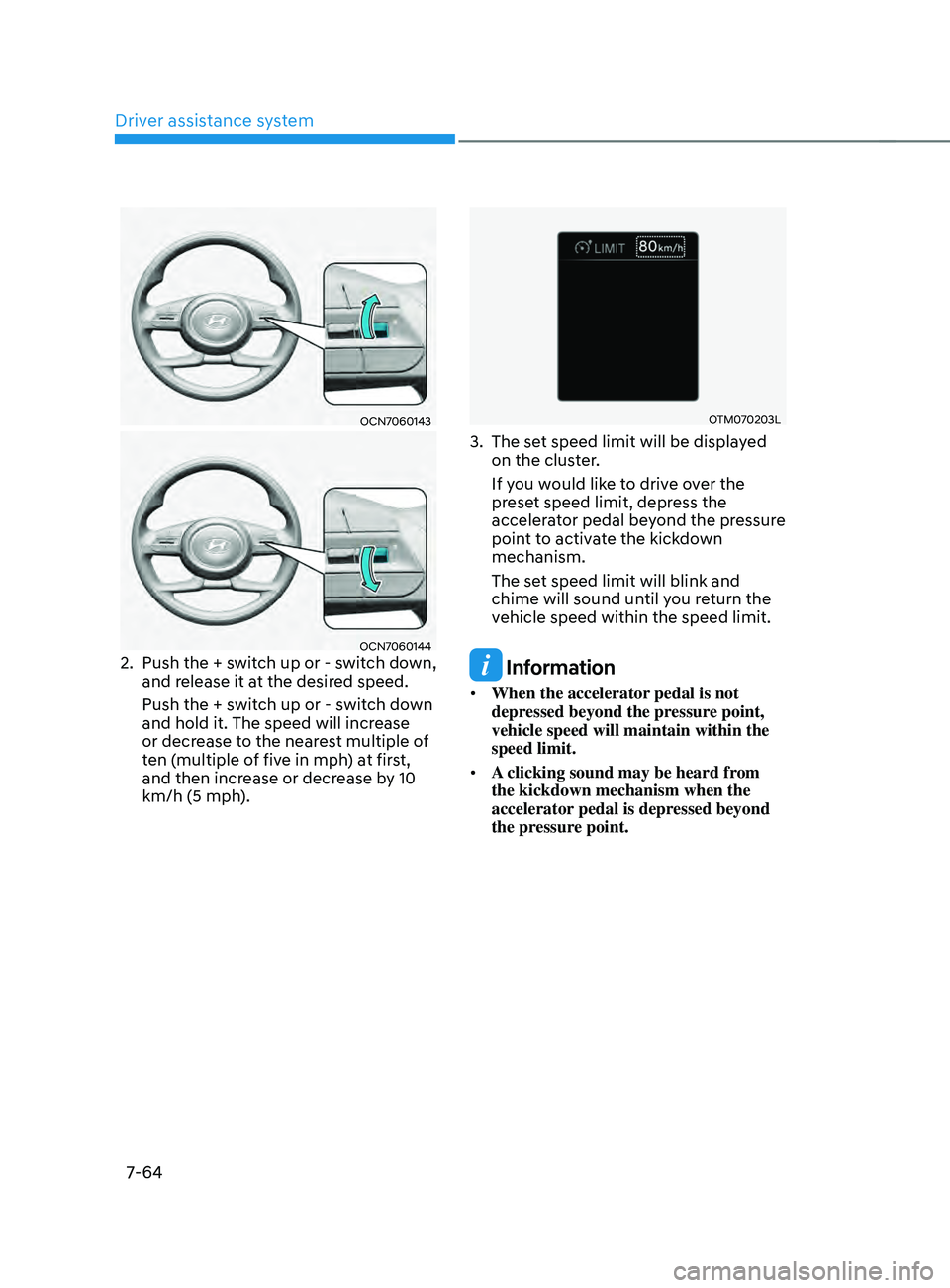
OCN70601442. Push the + switch up or - switch down,
and release it at the desired speed.
Push the + switch up or - switch down
and hold it. The speed will increase
or decrease to the nearest multiple of
ten (multiple of five in mph) at first,
and then increase or decrease by 10
km/h (5 mph).
OTM070203L
3. The set speed limit will be displayed
on the clus ter.
If you would like to drive over the
preset speed limit, depress the
accelerator pedal beyond the pressure
point to activate the kickdown
mechanism.
The set speed limit will blink and
chime will sound until you return the
vehicle speed within the speed limit.
Information
• When the accelerator pedal is not
depressed beyond the pressure point,
vehicle speed will maintain within the
speed limit.
• A clicking sound may be heard from
the kickdown mechanism when the
accelerator pedal is depressed beyond
the pressure point.