Tor HYUNDAI ELANTRA SEL 2021 Manual PDF
[x] Cancel search | Manufacturer: HYUNDAI, Model Year: 2021, Model line: ELANTRA SEL, Model: HYUNDAI ELANTRA SEL 2021Pages: 570, PDF Size: 52.21 MB
Page 172 of 570
Convenient Features
5-36
Rear Occupant Alert (ROA)
System
This function helps prevent the driver
from leaving a passenger in the rear
seats.
If your vehicle is equipped with
additional navigation, please refer
to the infotainment system manual
separately supplied.
OCN7050135L
NOTICE
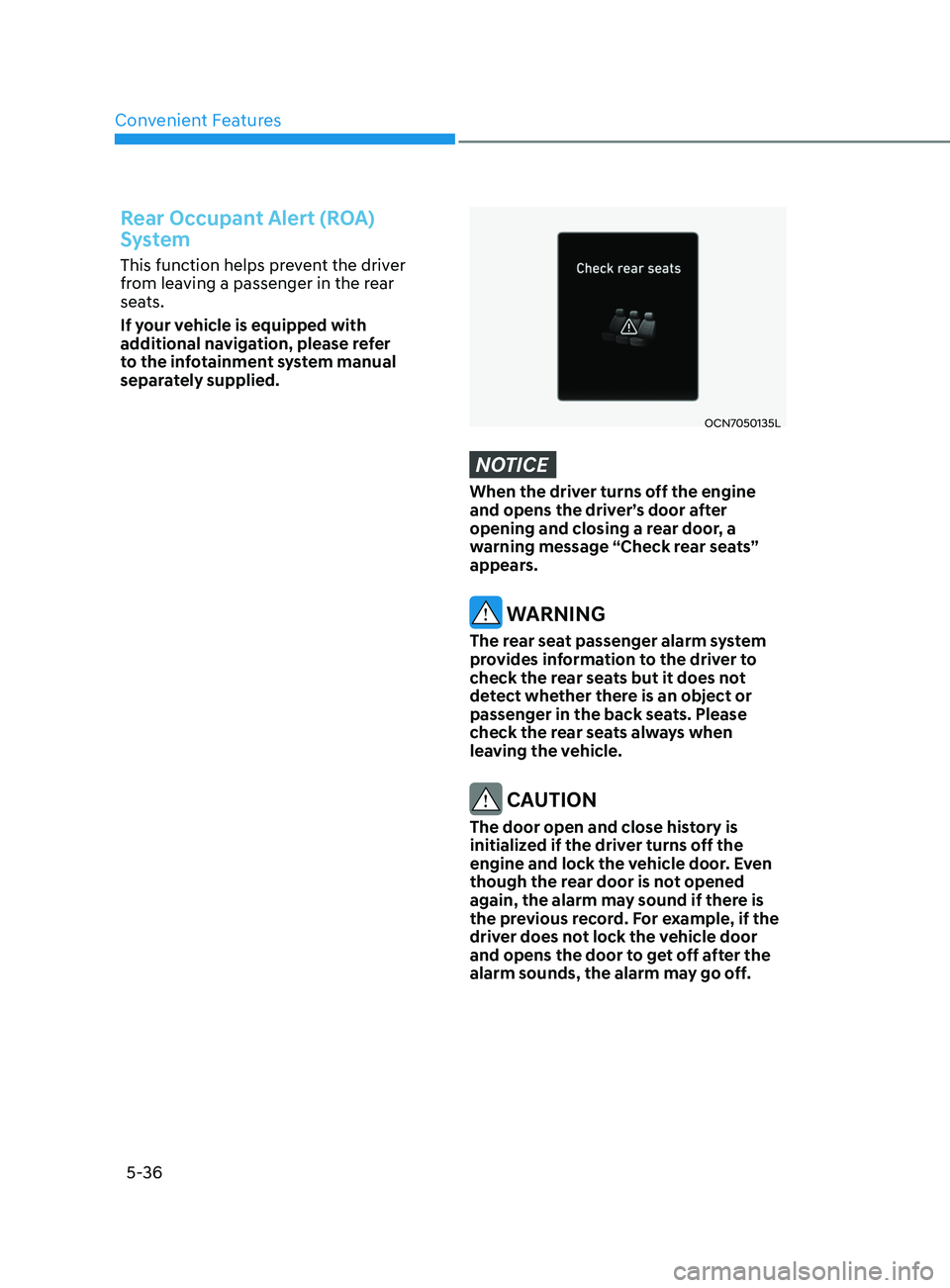
When the driver turns off the engine
and opens the driver’s door after
opening and closing a rear door, a
warning message “Check rear seats”
appears.
WARNING
The rear seat passenger alarm system
provides information to the driver to
check the rear seats but it does not
detect whether there is an object or
passenger in the back seats. Please
check the rear seats always when
leaving the vehicle.
CAUTION
The door open and close history is
initialized if the driver turns off the
engine and lock the vehicle door. Even
though the rear door is not opened
again, the alarm may sound if there is
the previous record. For example, if the
driver does not lock the vehicle door
and opens the door to get off after the
alarm sounds, the alarm may go off.
Page 174 of 570
Convenient Features5-38
steering Wheel
Electric Power Steering (EPS)
The system assists you with steering the
vehicle. If the vehicle is turned off or
if the power steering system becomes
inoperative, you may still steer the
vehicle, but it will require increased
steering effort.
Also, the steering effort becomes heavier
as the vehicle’s speed increases and
becomes lighter as the vehicle’s speed
decreases for better control of the
steering wheel.
Should you notice any change in the
effort required to steer during normal
vehicle operation, have the system
checked by an authorized HYUNDAI
dealer.
CAUTION
• If the Electric Power Steering System
does not operate normally, the
warning light (
) will illuminate
on the instrument cluster. You may
steer the vehicle, but it will require
increased steering efforts. Take your
vehicle to an authorized HYUNDAI
dealer and have the system checked
as soon as possible.
• When an abnormality is detected
in the electric power steering
system, to prevent a an accident, the
steering assist function may become
inoperative. At this time, the warning
light turns on or blinks on the cluster.
The steering wheel may become
difficult to control or operate. Have
your vehicle checked immediately,
after moving the vehicle to a safe
area.
Information
The following symptoms may occur during
normal vehicle operation:
• The steering effort may be high
immediately after placing the ignition
switch in the ON position.
This happens as the system performs
the EPS system diagnostics. When the
diagnostics are completed, the steering
wheel effort will return to its normal
condition.
• When the battery voltage is low, you
may have to put more steering effort.
However, it is a temporary condition so
that it will return to normal condition
after charging the battery.
• A click noise may be heard from the
EPS relay after the ignition switch is in
the ON or LOCK/OFF position.
• Motor noise may be heard when the
vehicle is at a stop or at a low driving
speed.
• When you operate the steering wheel
in low temperatures, abnormal noise
may occur. If the temperature rises, the
noise will disappear. This is a normal
condition.
• When an error is detected from the
EPS, the steering effort assist function
may become inoperative in order to
prevent fatal accidents. Instrument
cluster warning lights may be on or the
steering effort may be high. If these
symptoms occur, drive the vehicle to
a safe area as soon as it is safe to do
so. Have the system checked by an
authorized HYUNDAI dealer as soon
as possible.
Page 178 of 570
Convenient Features
5-42
Electrochromic mirror (ECM) with
HomeLink® system (if equipped)
OCN7050084N
Your vehicle may be equipped with
a Gentex Automatic-Dimming Mirror
with an Integrated HomeLink® Wireless
Control System.
During nighttime driving, this feature will
automatically detect and help reduce
rearview mirror glare. The HomeLink®
Universal Transceiver allows you to
activate your garage door(s), electric
gate, home lighting, etc.
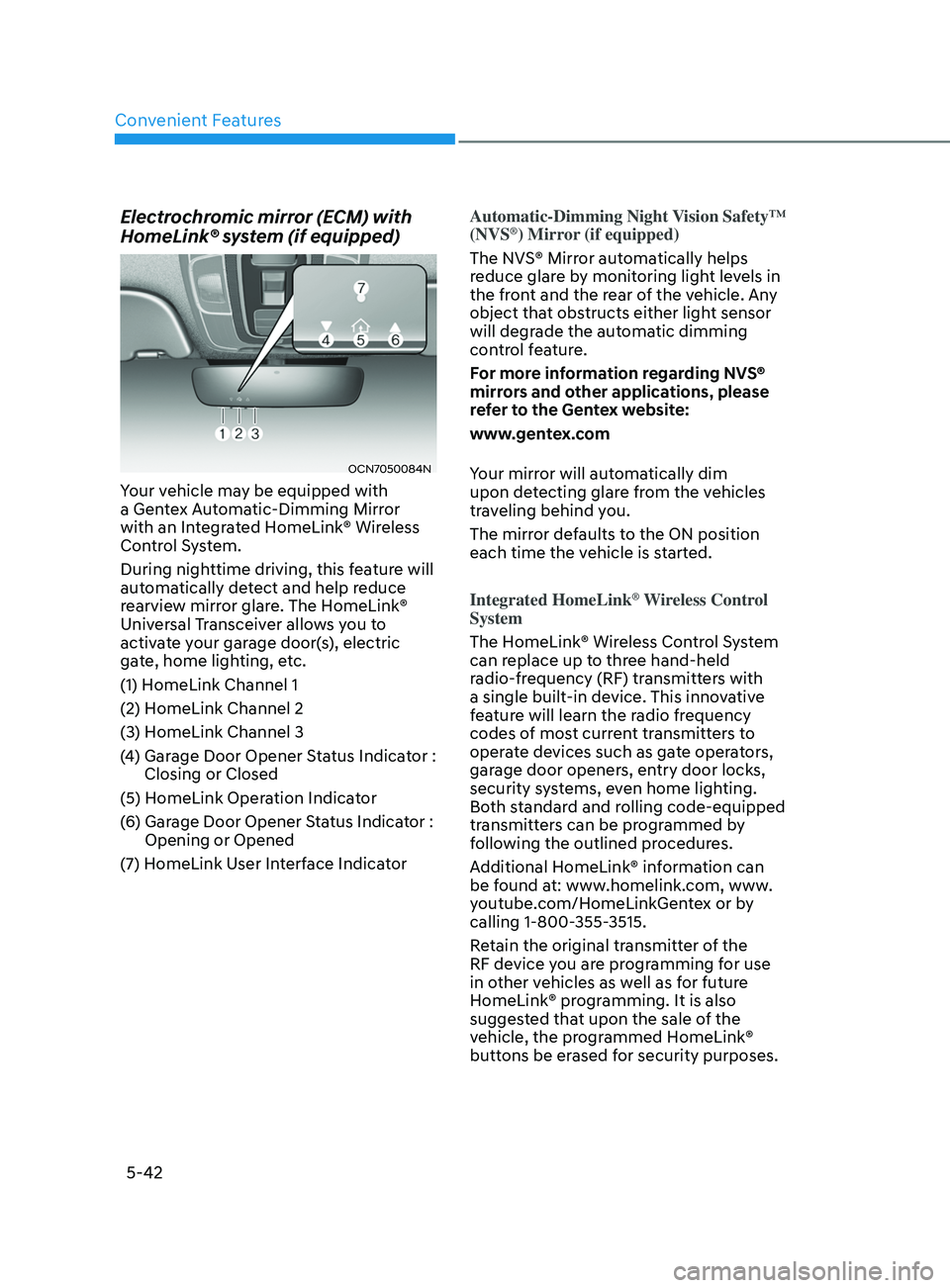
(1) HomeLink Channel 1
(2) HomeLink Channel 2
(3) HomeLink Channel 3
(4)
Garage Door Opener S
tatus Indicator :
Closing or Closed
(5) HomeLink Operation Indicator
(6)
Garage Door Opener S
tatus Indicator :
Opening or Opened
(7)
HomeLink U
ser Interface Indicator Automatic-Dimming Night Vision Safety™
(NVS
®) Mirror (if equipped)
The NVS® Mirror automatically helps
reduce glare by monitoring light levels in
the front and the rear of the vehicle. Any
object that obstructs either light sensor
will degrade the automatic dimming
control feature.
For more information regarding NVS®
mirrors and other applications, please
refer to the Gentex website:
www.gentex.com
Your mirror will automatically dim
upon detecting glare from the vehicles
traveling behind you.
The mirror defaults to the ON position
each time the vehicle is started.
Integrated HomeLink
® Wireless Control
System
The HomeLink® Wireless Control System
can replace up to three hand-held
radio-frequency (RF) transmitters with
a single built-in device. This innovative
feature will learn the radio frequency
codes of most current transmitters to
operate devices such as gate operators,
garage door openers, entry door locks,
security systems, even home lighting.
Both standard and rolling code-equipped
transmitters can be programmed by
following the outlined procedures.
Additional HomeLink® information can
be found at: www.homelink.com, www.
youtube.com/HomeLinkGentex or by
calling 1-800-355-3515.
Retain the original transmitter of the
RF device you are programming for use
in other vehicles as well as for future
HomeLink® programming. It is also
suggested that upon the sale of the
vehicle, the programmed HomeLink®
buttons be erased for security purposes.
Page 179 of 570
05
5-43
WARNING
Before programming HomeLink® to a
garage door opener or gate operator,
make sure people and objects are out
of the way of the device to prevent
potential harm or damage. Do not
use the HomeLink® with any garage
door opener that lacks the safety
stop and reverse features required
by U.S. federal safety standards (this
includes any garage door opener model
manufactured before April 1, 1982).
A garage door that cannot detect an
object - signaling the door to stop and
reverse - does not meet current U.S.
federal safety standards. Using a garage
door opener without these features
increases the risk of serious injury or
death.
Programming HomeLink
®
Please note the following:
• When
pr
ogramming
a gar
age
door opener, it is advised t
o park the
vehicle outside of the garage.
• It
is r
ecommended
tha
t
a ne
w
ba
ttery
be placed in the hand-held transmitt
er
of the device being programmed to
HomeLink® for quicker training and
accurate transmission of the radio-
frequency signal.
• Some
v
ehicles
ma
y
r
equire
the Engine S
tart/Stop button to be in the
ACC (or “Accessories”) position for
programming and/or operation of
HomeLink®.
• In
the e
vent
tha
t
ther
e
ar
e
s
till
progr
amming difficulties or questions
after following the programming steps
listed below, contact HomeLink® at:
www.homelink.com, www.youtube.
com/HomeLinkGentex or by calling
1-800-355-3515. Programming
To program most devices, follow these
instructions:
OCN7050085N
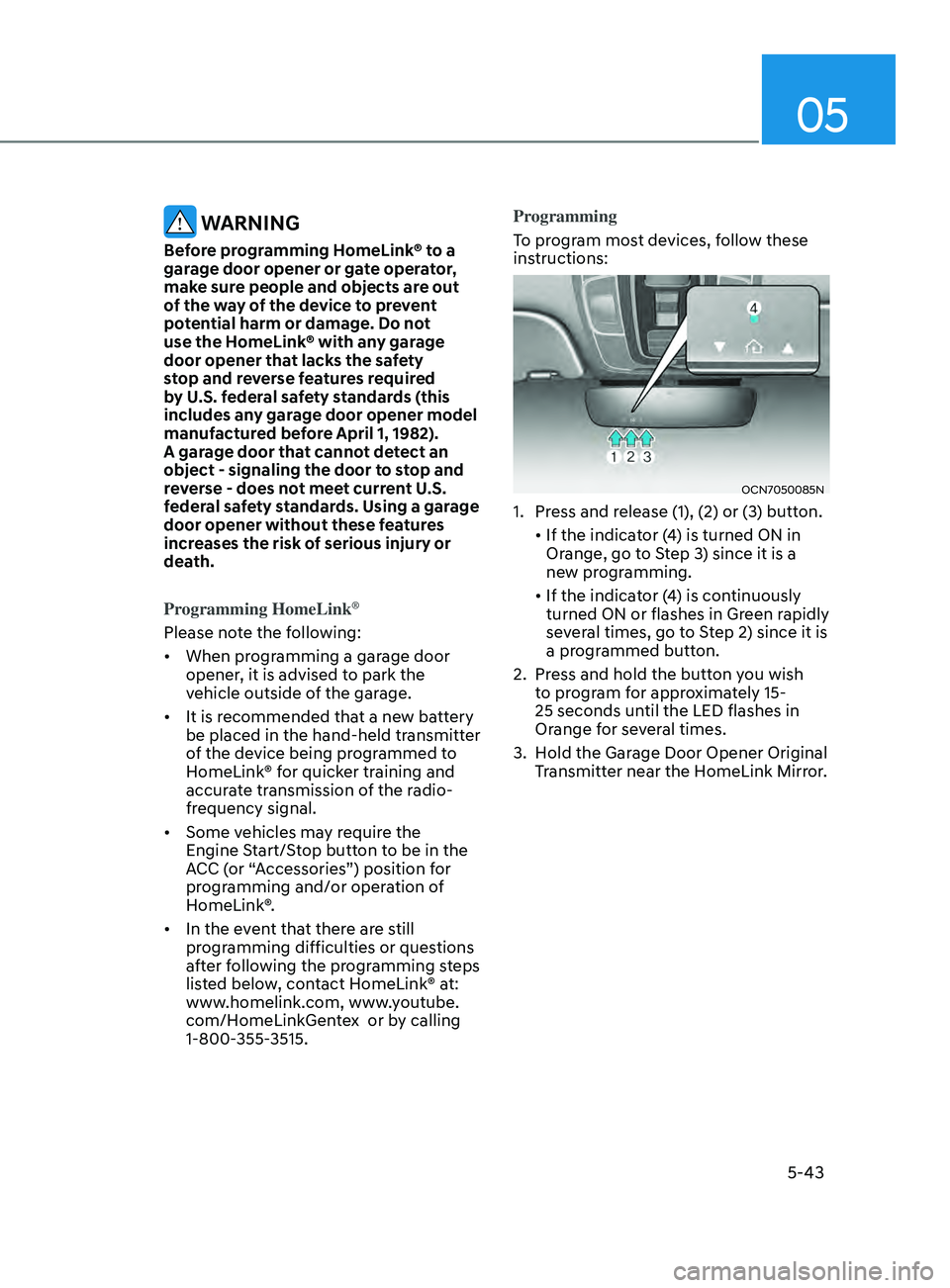
1. Press and release (1), (2) or (3) button.
•
If the indica
tor
(
4)
is turned ON in Orange, go t
o Step 3) since it is a
new programming.
•
If the indica
tor
(
4)
is con
tinuously
turned ON or flashes in Green r
apidly
several times, go to Step 2) since it is
a programmed button.
2.
Press and hold the butt
on you wish
to program for approximately 15-
25 seconds until the LED flashes in
Orange for several times.
3.
Hold the Gar
age Door Opener Original
Transmitter near the HomeLink Mirror.
Page 180 of 570
Convenient Features
5-44
OCN7050086N
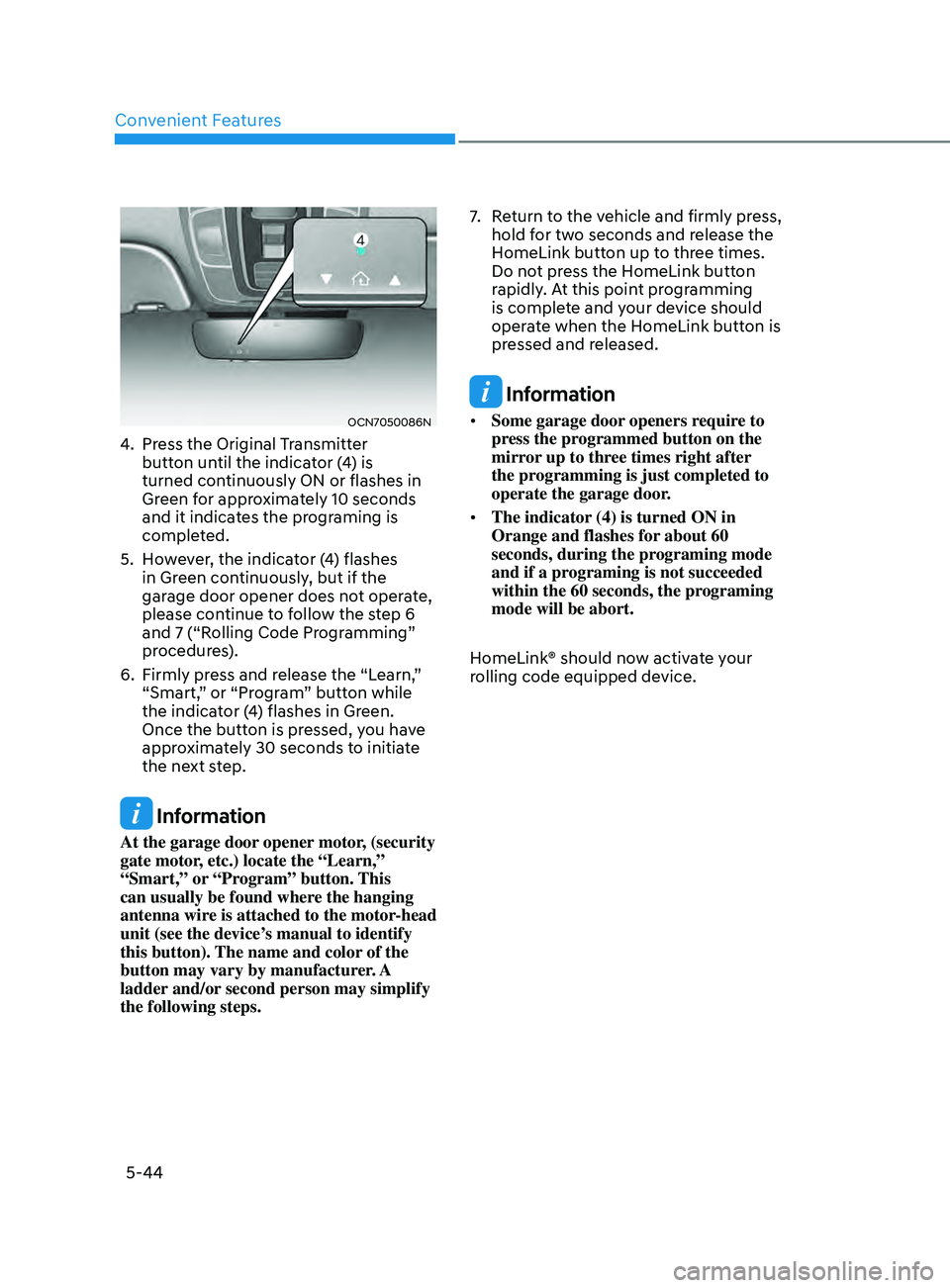
4. Press the Original Transmitter
button until the indicator (4) is
turned continuously ON or flashes in
Green for approximately 10 seconds
and it indicates the programing is
completed.
5.
Ho
wever, the indicator (4) flashes
in Green continuously, but if the
garage door opener does not operate,
please continue to follow the step 6
and 7 (“Rolling Code Programming”
procedures).
6.
Firmly press and r
elease the “Learn,”
“Smart,” or “Program” button while
the indicator (4) flashes in Green.
Once the button is pressed, you have
approximately 30 seconds to initiate
the next step.
Information
At the garage door opener motor, (security
gate motor, etc.) locate the “Learn,”
“Smart,” or “Program” button. This
can usually be found where the hanging
antenna wire is attached to the motor-head
unit (see the device’s manual to identify
this button). The name and color of the
button may vary by manufacturer. A
ladder and/or second person may simplify
the following steps. 7.
Re
turn to the vehicle and firmly press,
hold for two seconds and release the
HomeLink button up to three times.
Do not press the HomeLink button
rapidly. At this point programming
is complete and your device should
operate when the HomeLink button is
pressed and released.
Information
• Some garage door openers require to
press the programmed button on the
mirror up to three times right after
the programming is just completed to
operate the garage door.
• The indicator (4) is turned ON in
Orange and flashes for about 60
seconds, during the programing mode
and if a programing is not succeeded
within the 60 seconds, the programing
mode will be abort.
HomeLink® should now activate your
rolling code equipped device.
Page 181 of 570
05
5-45
Gate operator & Canadian programming
During programming, your handheld
transmitter may automatically stop
transmitting. Continue to press the
Integrated HomeLink® Wireless Control
System button while you press and re-
press (“cycle”) your handheld transmitter
every two seconds until the frequency
signal has been learned. The indicator
light will flash slowly and then rapidly
after several seconds upon successful
training.
OCN7050085N
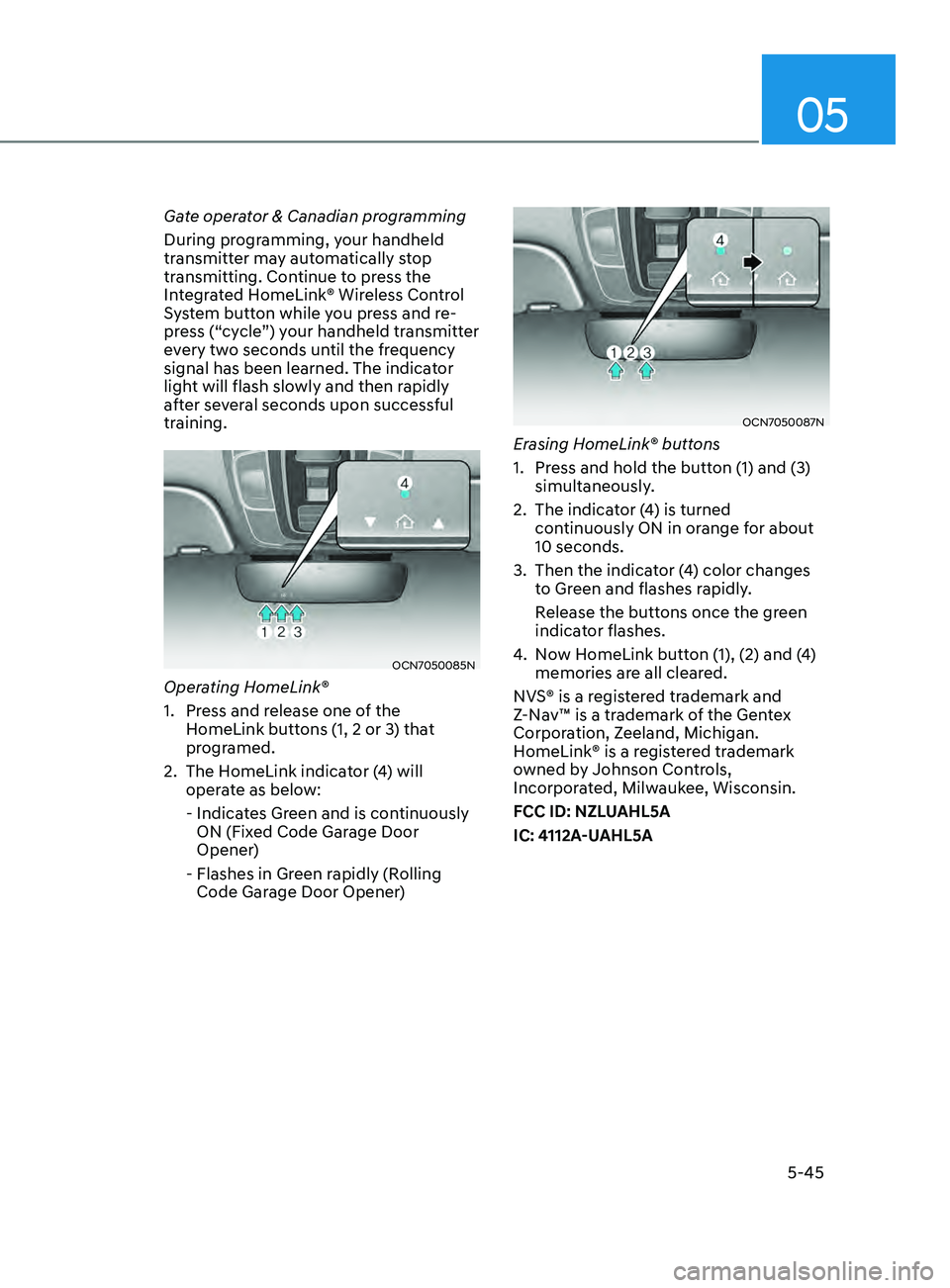
Operating HomeLink®
1.
Press and r
elease one of the
HomeLink buttons (1, 2 or 3) that
programed.
2.
The HomeLink indica
tor (4) will
operate as below:
- Indicat
es Green and is continuously
ON (Fixed Code Garage Door
Opener)
- Flashes in Green r
apidly (Rolling
Code Garage Door Opener)
OCN7050087N
Erasing HomeLink® buttons
1.
Press and hold the butt
on (1) and (3)
simultaneously.
2.
The indicat
or (4) is turned
continuously ON in orange for about
10 seconds.
3.
Then the indicat
or (4) color changes
to Green and flashes rapidly.
Release the butt
ons once the green
indicator flashes.
4.
No
w HomeLink button (1), (2) and (4)
memories are all cleared.
NVS® is a registered trademark and
Z-Nav™ is a trademark of the Gentex
Corporation, Zeeland, Michigan.
HomeLink® is a registered trademark
owned by Johnson Controls,
Incorporated, Milwaukee, Wisconsin.
FCC ID: NZLUAHL5A
IC: 4112A-UAHL5A
Page 183 of 570
05
5-47
OCN7050089N
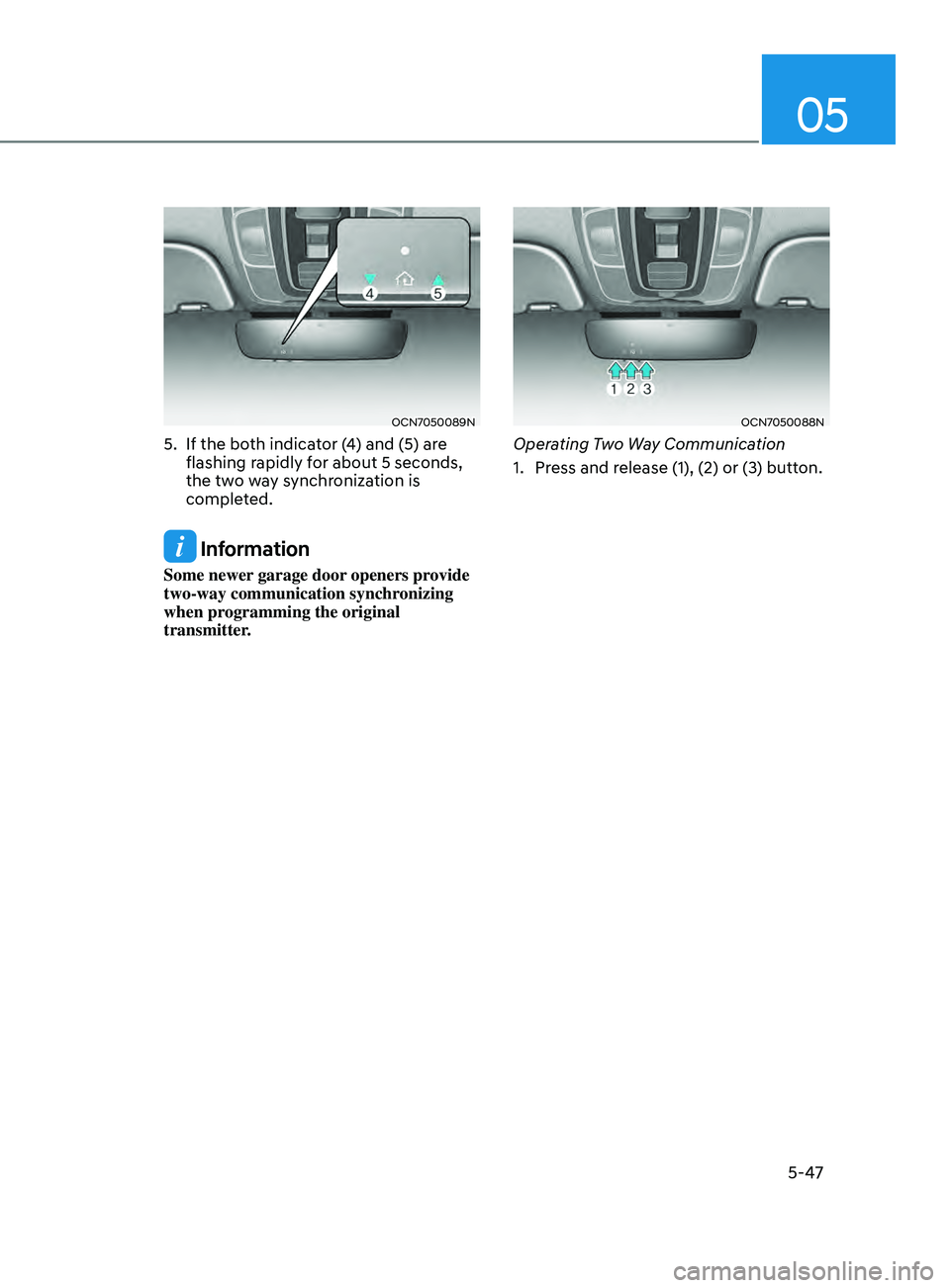
5. If the both indicator (4) and (5) are
flashing rapidly for about 5 seconds,
the two way synchronization is
completed.
Information
Some newer garage door openers provide
two-way communication synchronizing
when programming the original
transmitter.
OCN7050088N
Operating Two Way Communication
1.
Press and r
elease (1), (2) or (3) button.
Page 184 of 570
Convenient Features
5-48
OCN7050089N
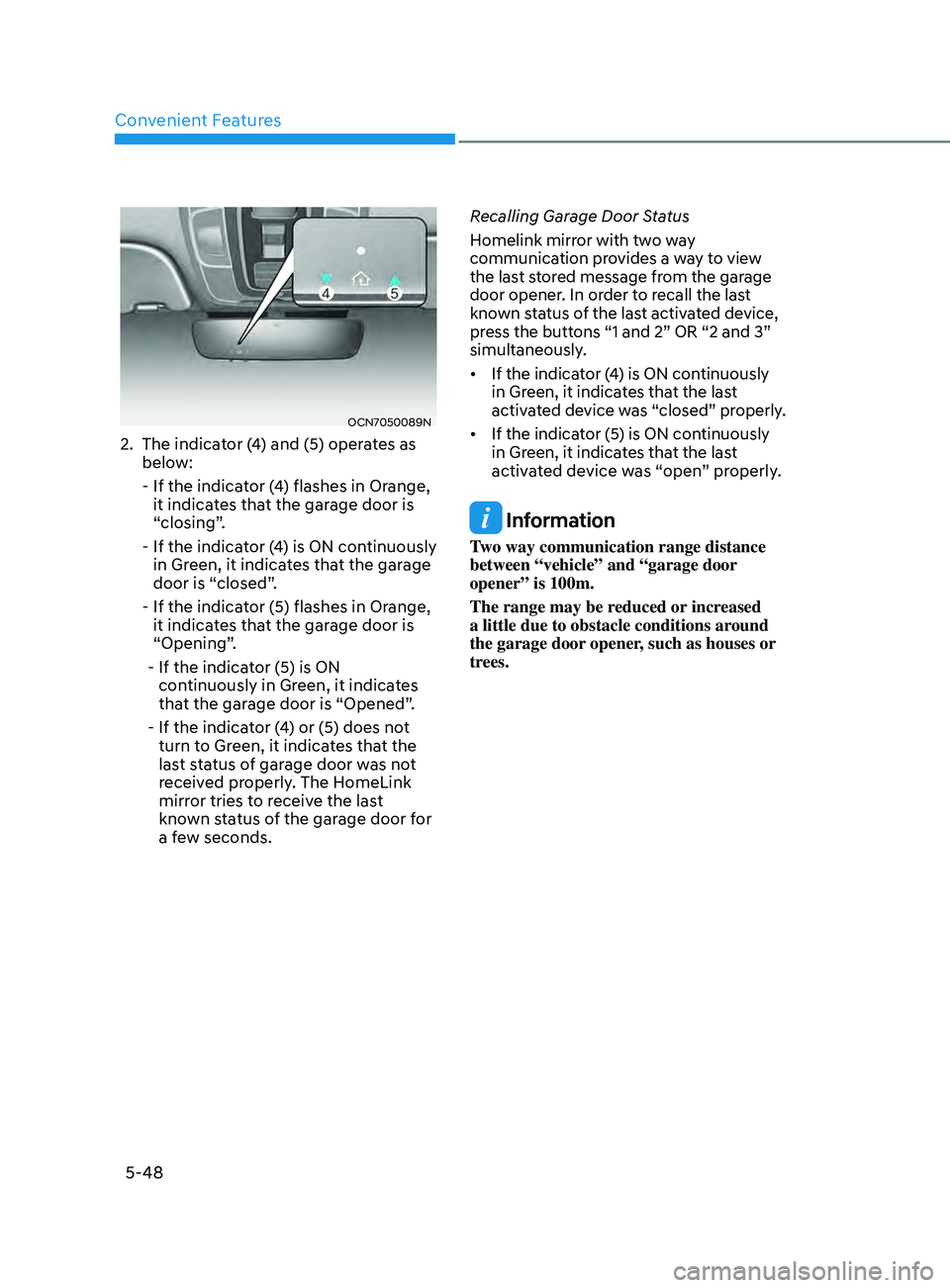
2. The indicator (4) and (5) operates as
below:
- If the indicat
or (4) flashes in Orange,
it indicates that the garage door is
“closing”.
- If the indicat
or (4) is ON continuously
in Green, it indicates that the garage
door is “closed”.
- If the indicat
or (5) flashes in Orange,
it indicates that the garage door is
“Opening”.
- If the indicat
or (5) is ON
continuously in Green, it indicates
that the garage door is “Opened”.
- If the indicat
or (4) or (5) does not
turn to Green, it indicates that the
last status of garage door was not
received properly. The HomeLink
mirror tries to receive the last
known status of the garage door for
a few seconds. Recalling Garage Door Status
Homelink mirror with two way
communication provides a way to view
the last stored message from the garage
door opener. In order to recall the last
known status of the last activated device,
press the buttons “1 and 2” OR “2 and 3”
simultaneously.
• If
the indica
tor
(
4)
is ON con
tinuously
in Green, it indica
tes that the last
activated device was “closed” properly.
• If the indica tor (5) is ON con tinuously in Green, it indica
tes that the last
activated device was “open” properly.
Information
Two way communication range distance
between “vehicle” and “garage door
opener” is 100m.
The range may be reduced or increased
a little due to obstacle conditions around
the garage door opener, such as houses or
trees.
Page 185 of 570
05
5-49
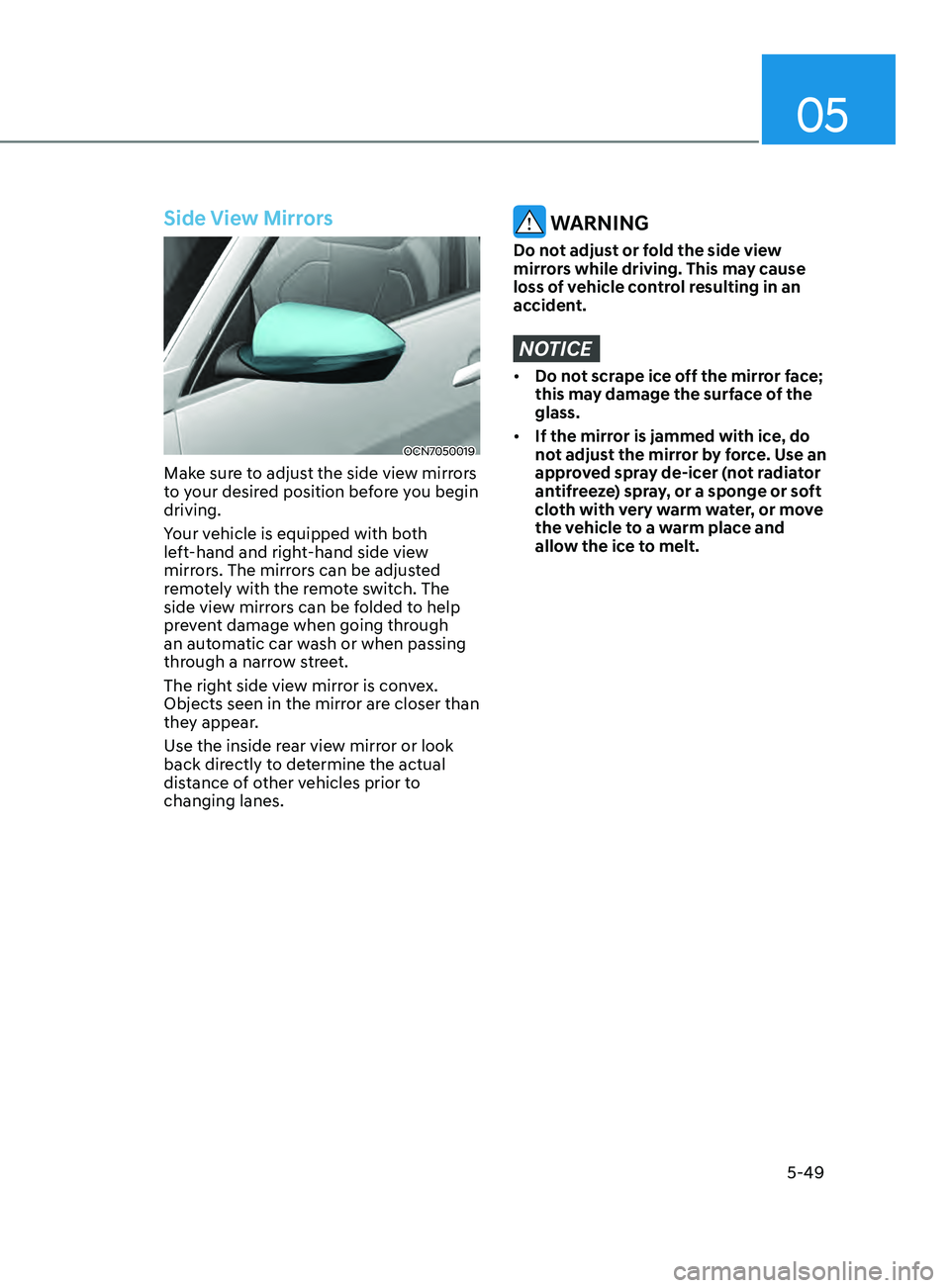
Side View Mirrors
OCN7050019
Make sure to adjust the side view mirrors
to your desired position before you begin
driving.
Your vehicle is equipped with both
left-hand and right-hand side view
mirrors. The mirrors can be adjusted
remotely with the remote switch. The
side view mirrors can be folded to help
prevent damage when going through
an automatic car wash or when passing
through a narrow street.
The right side view mirror is convex.
Objects seen in the mirror are closer than
they appear.
Use the inside rear view mirror or look
back directly to determine the actual
distance of other vehicles prior to
changing lanes.
WARNING
Do not adjust or fold the side view
mirrors while driving. This may cause
loss of vehicle control resulting in an
accident.
NOTICE
• Do not scrape ice off the mirror face;
this may damage the surface of the
glass.
• If the mirror is jammed with ice, do
not adjust the mirror by force. Use an
approved spray de-icer (not radiator
antifreeze) spray, or a sponge or soft
cloth with very warm water, or move
the vehicle to a warm place and
allow the ice to melt.
Page 186 of 570
Convenient Features
5-50
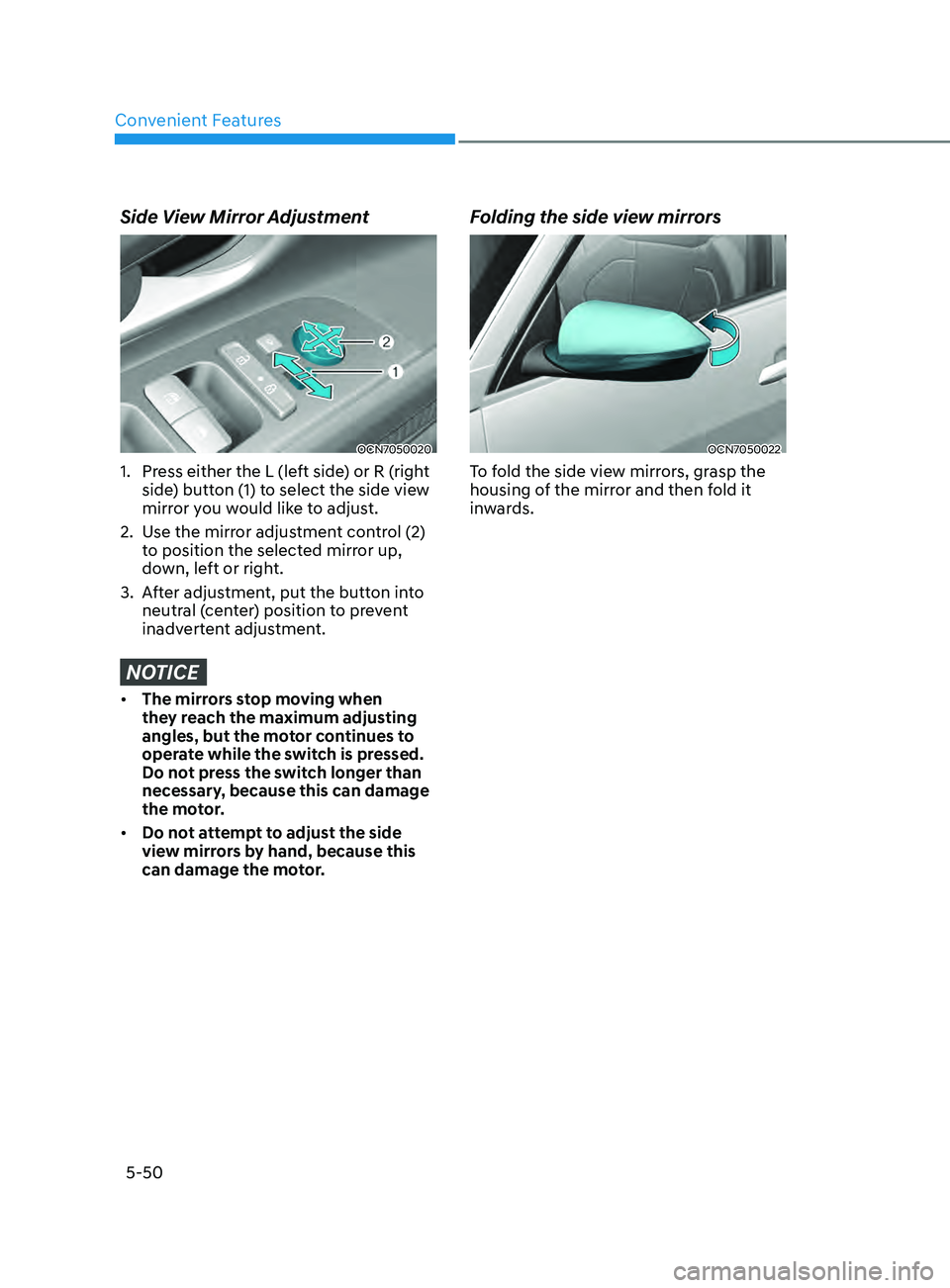
Side View Mirror Adjustment
OCN7050020
1. Press either the L (left side) or R (right
side) button (1) to select the side view
mirror you would like to adjust.
2.
Use the mirr
or adjustment control (2)
to position the selected mirror up,
down, left or right.
3.
Aft
er adjustment, put the button into
neutral (center) position to prevent
inadvertent adjustment.
NOTICE
• The mirrors stop moving when
they reach the maximum adjusting
angles, but the motor continues to
operate while the switch is pressed.
Do not press the switch longer than
necessary, because this can damage
the motor.
• Do not attempt to adjust the side
view mirrors by hand, because this
can damage the motor.
Folding the side view mirrors
OCN7050022
To fold the side view mirrors, grasp the
housing of the mirror and then fold it
inwards.