tow HYUNDAI ELANTRA SPORT 2018 User Guide
[x] Cancel search | Manufacturer: HYUNDAI, Model Year: 2018, Model line: ELANTRA SPORT, Model: HYUNDAI ELANTRA SPORT 2018Pages: 534, PDF Size: 51.51 MB
Page 120 of 534
3-35
Convenient features of your vehicle
3
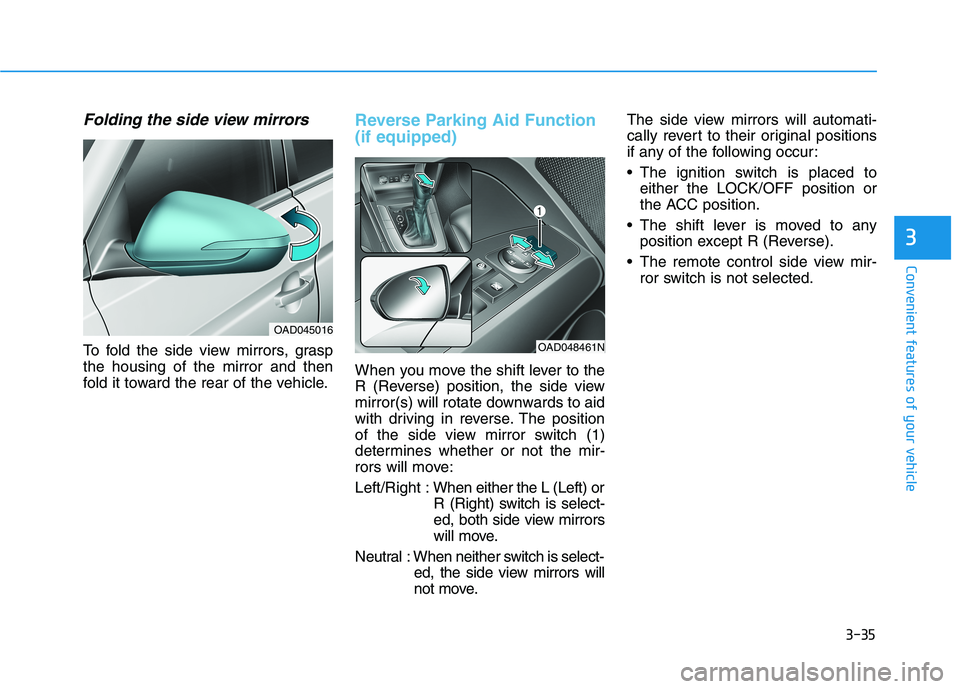
Folding the side view mirrors
To fold the side view mirrors, grasp the housing of the mirror and then
fold it toward the rear of the vehicle.
Reverse Parking Aid Function (if equipped)
When you move the shift lever to the
R (Reverse) position, the side view
mirror(s) will rotate downwards to aid
with driving in reverse. The position
of the side view mirror switch (1)
determines whether or not the mir-
rors will move: Left/Right :When either the L (Left) or
R (Right) switch is select-
ed, both side view mirrors
will move.
Neutral : When neither switch is select- ed, the side view mirrors will
not move. The side view mirrors will automati-
cally revert to their original positions
if any of the following occur:
The ignition switch is placed to
either the LOCK/OFF position or
the ACC position.
The shift lever is moved to any position except R (Reverse).
The remote control side view mir- ror switch is not selected.
OAD045016
OAD048461N
Page 144 of 534
3-59
Convenient features of your vehicle
3
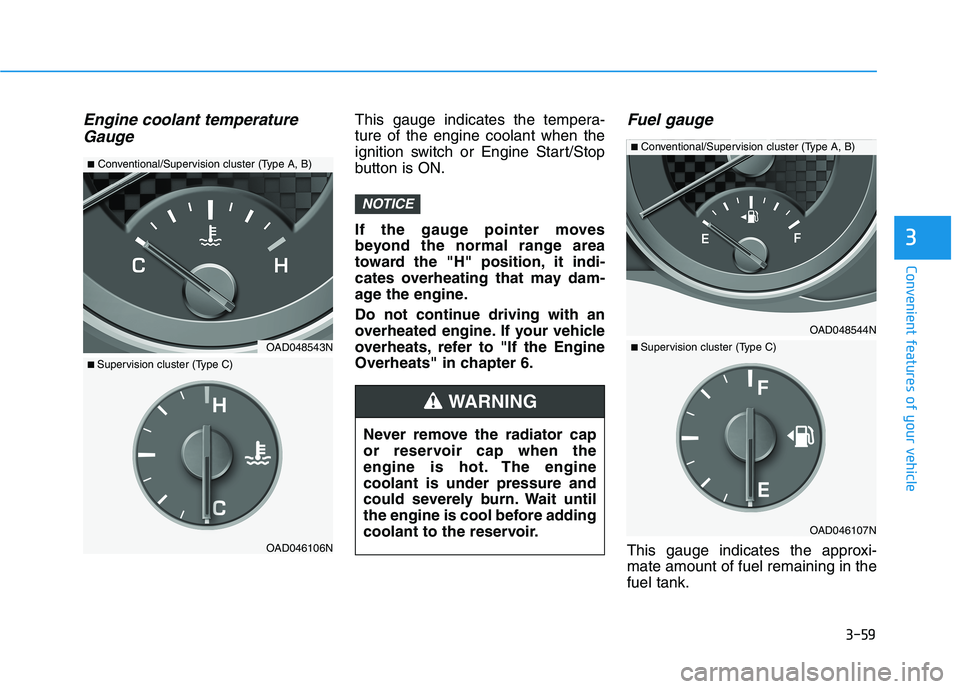
Engine coolant temperatureGaugeThis gauge indicates the tempera- ture of the engine coolant when the
ignition switch or Engine Start/Stop
button is ON.
If the gauge pointer moves
beyond the normal range area
toward the "H" position, it indi-
cates overheating that may dam-
age the engine.
Do not continue driving with an
overheated engine. If your vehicle
overheats, refer to "If the Engine
Overheats" in chapter 6.Fuel gauge
This gauge indicates the approxi-mate amount of fuel remaining in thefuel tank.
NOTICE
Never remove the radiator cap
or reservoir cap when the
engine is hot. The enginecoolant is under pressure and
could severely burn. Wait until
the engine is cool before adding
coolant to the reservoir.
WARNING
OAD048544N
■ Conventional/Supervision cluster (Type A, B)
OAD046107N
■ Supervision cluster (Type C)OAD048543N
■ Conventional/Supervision cluster (Type A, B)
OAD046106N
■ Supervision cluster (Type C)
Page 188 of 534
3-103
Convenient features of your vehicle
3
High beam operation
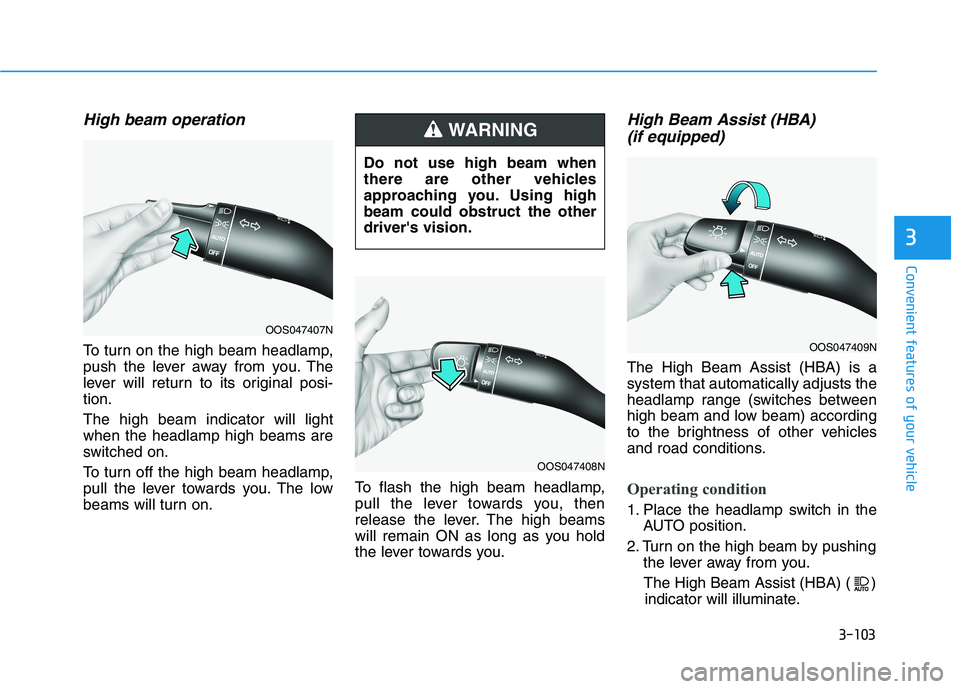
To turn on the high beam headlamp,
push the lever away from you. The
lever will return to its original posi-tion. The high beam indicator will light when the headlamp high beams are
switched on.
To turn off the high beam headlamp,
pull the lever towards you. The low
beams will turn on.To flash the high beam headlamp,
pull the lever towards you, then
release the lever. The high beams
will remain ON as long as you hold
the lever towards you.
High Beam Assist (HBA)
(if equipped)
The High Beam Assist (HBA) is asystem that automatically adjusts the
headlamp range (switches between
high beam and low beam) according
to the brightness of other vehicles
and road conditions.
Operating condition
1. Place the headlamp switch in the AUTO position.
2. Turn on the high beam by pushing the lever away from you.
The High Beam Assist (HBA) ( ) indicator will illuminate.
Do not use high beam when
there are other vehicles
approaching you. Using highbeam could obstruct the otherdriver's vision.
WARNING
OOS047407N
OOS047408N
OOS047409N
Page 189 of 534
3-104
Convenient features of your vehicle
3. The High Beam Assist (HBA) willturn on when vehicle speed is
above 40 km/h (25 mph).
away when the High Beam Assist
(HBA) is operating, the High Beam
Assist (HBA) will turn off and the
high beam will be on continuously.
the headlamp switch is pulled
towards you when the high beam
is off, the high beam will turn onwithout the High Beam Assist
(HBA) canceled. When you let go
of the light switch, the lever will
move to the middle and the high
beam will turn off.
the headlamp switch is pulled
towards you when the high beam
is on by the High Beam Assist
(HBA), the low beam will be onand the High Beam Assist (HBA)
will turn off.
to the headlamp ON position, the
High Beam Assist (HBA) will turn
off and the low beam will be on
continuously. When the High Beam Assist (HBA) is
operating, the high beam switches to
low beam if any of the following con-ditions occur :
- When the headlamp of an on-com-
ing vehicle is detected.
- When the tail lamp of a vehicle in front is detected.
- When the headlamp or tail lamp of a motorcycle or a bicycle is detect- ed.
- When the surrounding ambient light is bright enough that highbeams are not required.
- When streetlights or other lights are detected.
- When the headlamp switch is not in the AUTO position.
- When the High Beam Assist (HBA) is off.
- When vehicle speed is below 35 km/h (22 mph).
Warning light and message
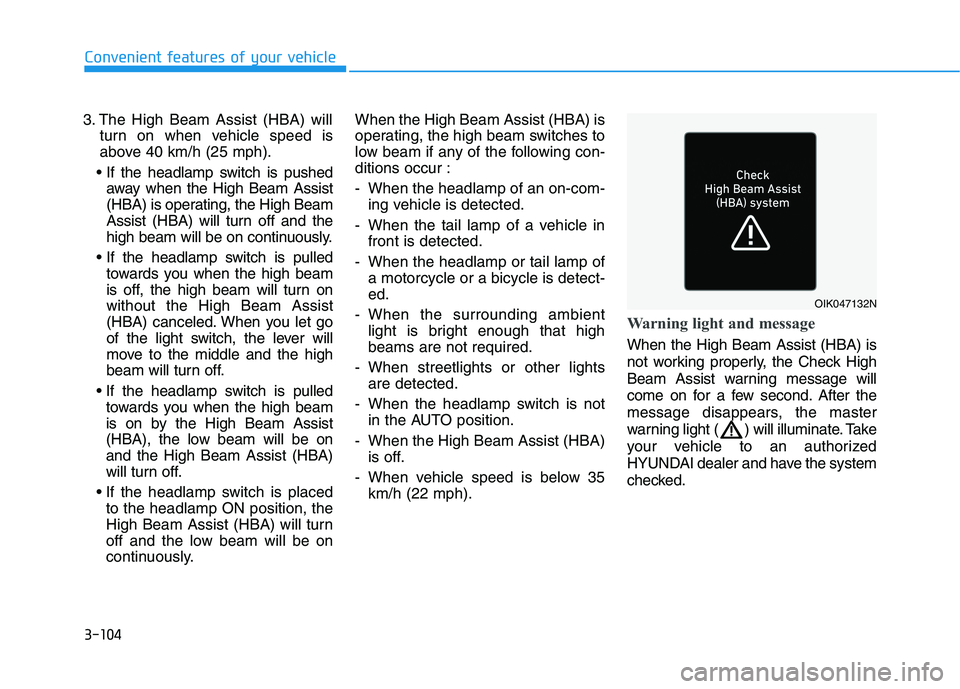
When the High Beam Assist (HBA) is
not working properly, the Check High
Beam Assist warning message will
come on for a few second. After the
message disappears, the master
warning light ( ) will illuminate. Take
your vehicle to an authorized
HYUNDAI dealer and have the system
checked.
OIK047132N
Page 190 of 534
3-105
Convenient features of your vehicle
3
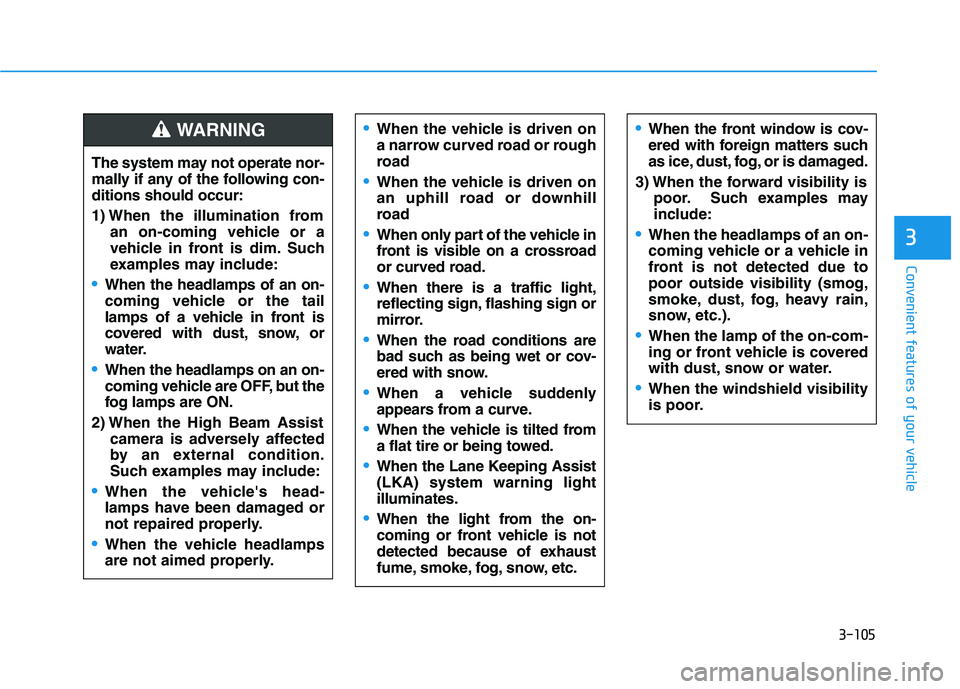
The system may not operate nor-
mally if any of the following con-ditions should occur:
1) When the illumination froman on-coming vehicle or a
vehicle in front is dim. Such
examples may include:
When the headlamps of an on-
coming vehicle or the tail
lamps of a vehicle in front is
covered with dust, snow, or
water.
When the headlamps on an on-
coming vehicle are OFF, but the
fog lamps are ON.
2) When the High Beam Assist camera is adversely affected
by an external condition.
Such examples may include:
When the vehicle's head-
lamps have been damaged or
not repaired properly.
When the vehicle headlamps
are not aimed properly.
When the vehicle is driven on
a narrow curved road or rough
road
When the vehicle is driven on
an uphill road or downhill
road
When only part of the vehicle in
front is visible on a crossroad
or curved road.
When there is a traffic light,
reflecting sign, flashing sign or
mirror.
When the road conditions are
bad such as being wet or cov-
ered with snow.
When a vehicle suddenly
appears from a curve.
When the vehicle is tilted from
a flat tire or being towed.
When the Lane Keeping Assist (LKA) system warning lightilluminates.
When the light from the on-
coming or front vehicle is not
detected because of exhaust
fume, smoke, fog, snow, etc.
When the front window is cov-
ered with foreign matters such
as ice, dust, fog, or is damaged.
3) When the forward visibility is poor. Such examples may
include:
When the headlamps of an on-
coming vehicle or a vehicle in
front is not detected due topoor outside visibility (smog,
smoke, dust, fog, heavy rain,
snow, etc.).
When the lamp of the on-com-
ing or front vehicle is covered
with dust, snow or water.
When the windshield visibility
is poor.
WARNING
Page 198 of 534
3-113
Convenient features of your vehicle
3
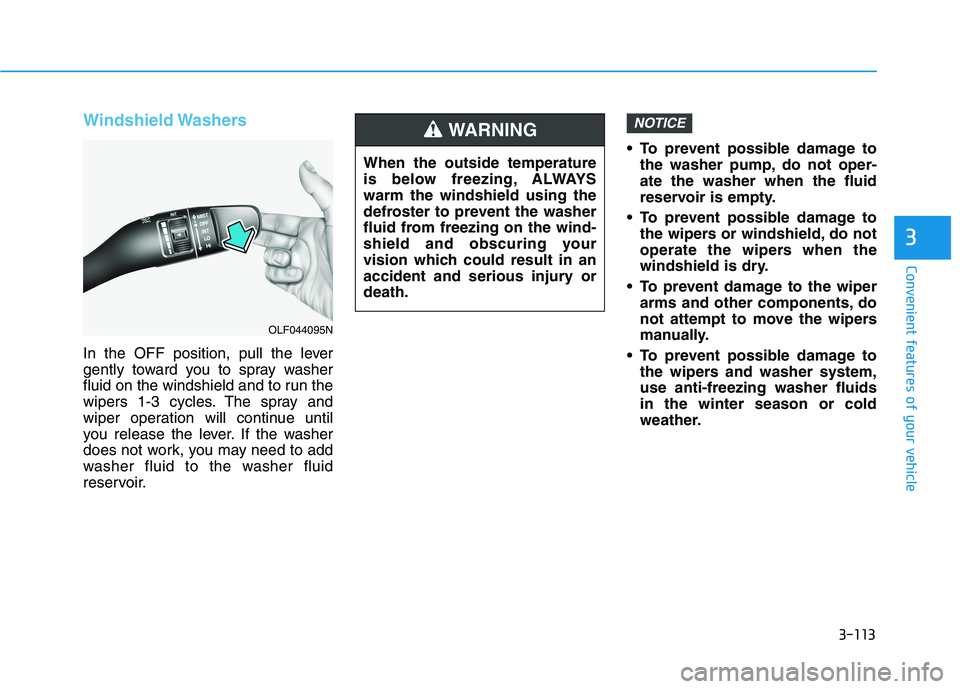
Windshield Washers
In the OFF position, pull the lever
gently toward you to spray washer
fluid on the windshield and to run the
wipers 1-3 cycles. The spray and
wiper operation will continue until
you release the lever. If the washer
does not work, you may need to add
washer fluid to the washer fluid
reservoir. To prevent possible damage to
the washer pump, do not oper-ate the washer when the fluid
reservoir is empty.
To prevent possible damage to the wipers or windshield, do not
operate the wipers when the
windshield is dry.
To prevent damage to the wiper arms and other components, do
not attempt to move the wipers
manually.
To prevent possible damage to the wipers and washer system,use anti-freezing washer fluidsin the winter season or cold
weather.
NOTICE
When the outside temperature
is below freezing, ALWAYSwarm the windshield using the
defroster to prevent the washer
fluid from freezing on the wind-
shield and obscuring your
vision which could result in an
accident and serious injury ordeath.
WARNING
OLF044095N
Page 206 of 534
3-121
Convenient features of your vehicle
3
Mode selection
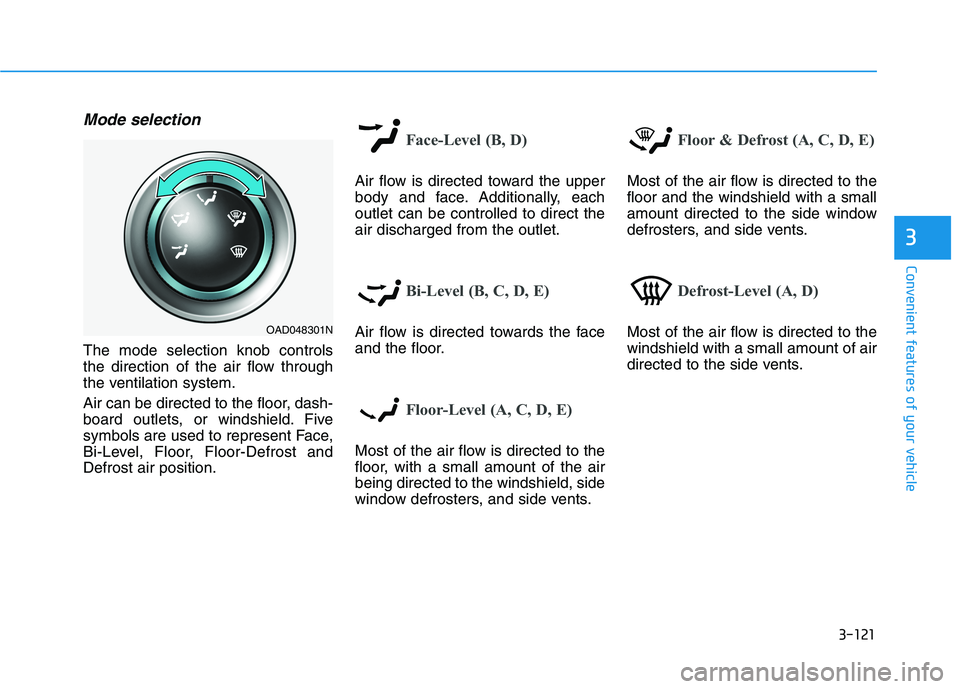
The mode selection knob controls
the direction of the air flow through
the ventilation system.
Air can be directed to the floor, dash-
board outlets, or windshield. Five
symbols are used to represent Face,
Bi-Level, Floor, Floor-Defrost andDefrost air position.
Face-Level (B, D)
Air flow is directed toward the upper
body and face. Additionally, eachoutlet can be controlled to direct theair discharged from the outlet.
Bi-Level (B, C, D, E)
Air flow is directed towards the face
and the floor.
Floor-Level (A, C, D, E)
Most of the air flow is directed to the
floor, with a small amount of the airbeing directed to the windshield, side
window defrosters, and side vents.
Floor & Defrost (A, C, D, E)
Most of the air flow is directed to the floor and the windshield with a small
amount directed to the side window
defrosters, and side vents.
Defrost-Level (A, D)
Most of the air flow is directed to the windshield with a small amount of air
directed to the side vents.OAD048301N
Page 207 of 534
3-122
Convenient features of your vehicle
MAX A/C-Level (B, D) (if equipped)
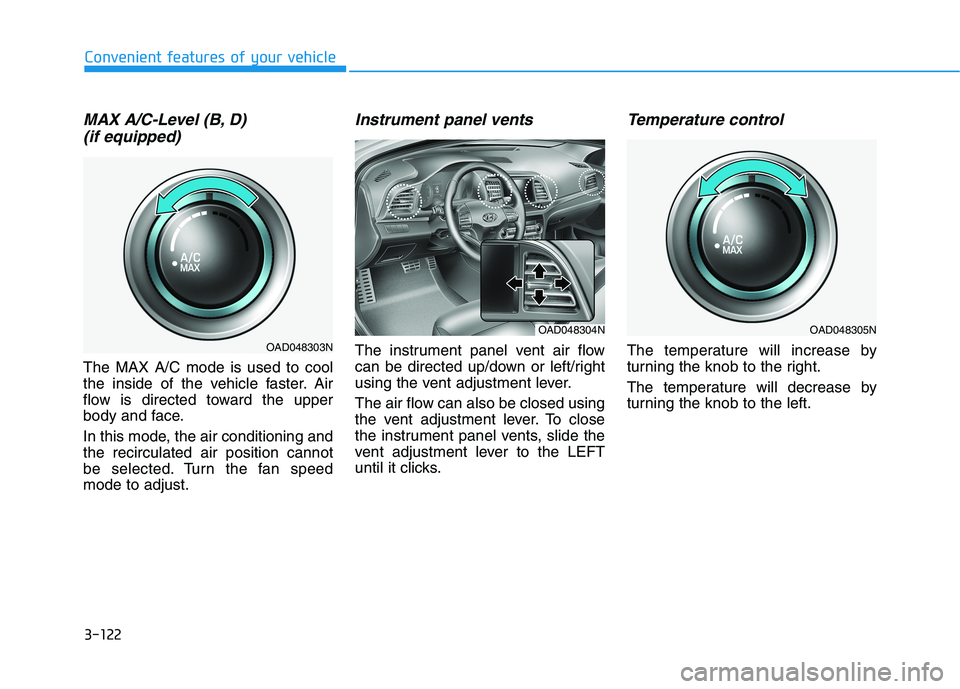
The MAX A/C mode is used to cool
the inside of the vehicle faster. Air
flow is directed toward the upper
body and face.
In this mode, the air conditioning and the recirculated air position cannot
be selected. Turn the fan speedmode to adjust.
Instrument panel vents
The instrument panel vent air flow
can be directed up/down or left/right
using the vent adjustment lever.
The air flow can also be closed using
the vent adjustment lever. To close
the instrument panel vents, slide the
vent adjustment lever to the LEFT
until it clicks.
Temperature control
The temperature will increase by
turning the knob to the right.
The temperature will decrease by
turning the knob to the left.
OAD048305N
OAD048303N
OAD048304N
Page 217 of 534
3-132
Convenient features of your vehicle
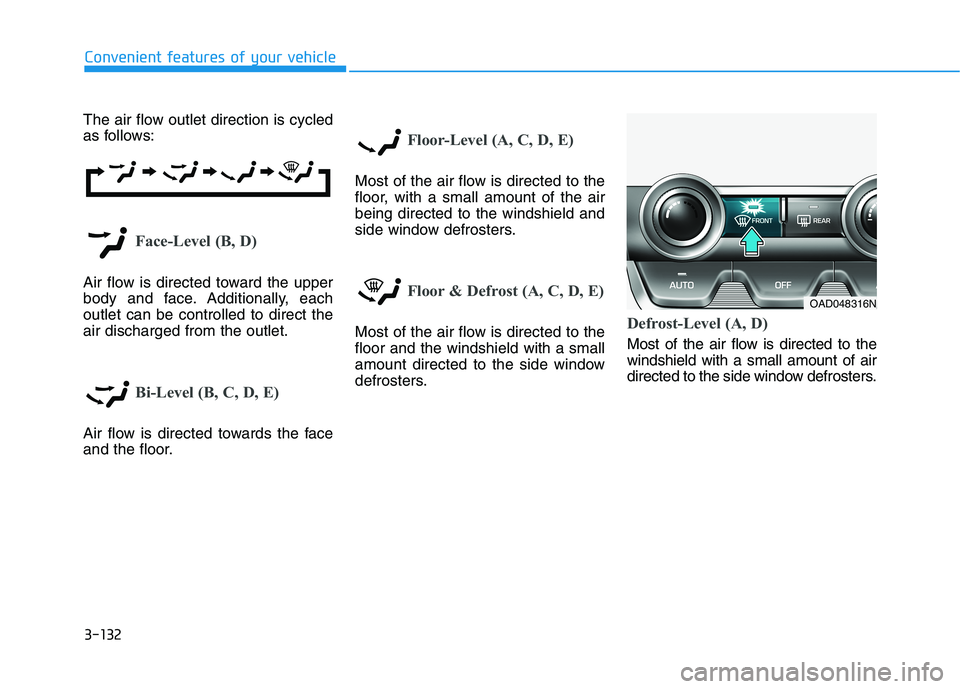
The air flow outlet direction is cycled
as follows:
Face-Level (B, D)
Air flow is directed toward the upper
body and face. Additionally, eachoutlet can be controlled to direct theair discharged from the outlet.
Bi-Level (B, C, D, E)
Air flow is directed towards the face
and the floor.
Floor-Level (A, C, D, E)
Most of the air flow is directed to the
floor, with a small amount of the airbeing directed to the windshield and
side window defrosters.
Floor & Defrost (A, C, D, E)
Most of the air flow is directed to the floor and the windshield with a small
amount directed to the side window
defrosters.Defrost-Level (A, D)
Most of the air flow is directed to the windshield with a small amount of air
directed to the side window defrosters.
OAD048316N
Page 243 of 534
5
Forward Collision Avoidance (FCA) System
(With Hyundai Smart Sense)..............................5-87System Setting and Activation.....................................5-87
FCA Warning Message and System Control ............5-90
FCA Sensor (Front Radar/Front Camera) .................5-92
System Malfunction .......................................................5-94
Limitations of the System .............................................5-96
Lane Keeping Assist (LKA) System .................5-101 LKA System Operation.................................................5-102
Warning Light and Message ......................................5-105
Limitations of the System...........................................5-107
LKA System Function Change ...................................5-109
Driver Attention Warning (DAW) System .......5-110 System Setting and Activation ..................................5-110
Resetting the System ...................................................5-111
System Standby.............................................................5-112
System Malfunction .....................................................5-112
Cruise Control .....................................................5-114 Cruise Control Operation ............................................5-114
Smart Cruise Control System ...........................5-119 Smart Cruise Control Switch ......................................5-120
Smart Cruise Control Speed .......................................5-121
Smart Cruise Control Vehicle-to-Vehicle
Distance ...........................................................................5-125 Sensor to Detect Distance to the
Vehicle Ahead ................................................................5-127
To Adjust the Sensitivity of
Smart Cruise Control ....................................................5-129
To Convert to Cruise Control Mode .........................5-130
Limitations of the System...........................................5-130
Special Driving Conditions ................................5-136 Hazardous Driving Conditions....................................5-136
Rocking the Vehicle ......................................................5-136
Smooth Cornering .........................................................5-137
Driving at Night .............................................................5-137
Driving in the Rain ........................................................5-137
Driving in Flooded Areas.............................................5-138
Highway Driving ............................................................5-138
Winter Driving ....................................................5-139 Snow or Icy Conditions................................................5-139
Winter Precautions .......................................................5-139
Vehicle Load Limit..............................................5-142 Tire Loading Information Label .................................5-143
Trailer Towing .....................................................5-148