stop start HYUNDAI ENTOURAGE 2007 Owners Manual
[x] Cancel search | Manufacturer: HYUNDAI, Model Year: 2007, Model line: ENTOURAGE, Model: HYUNDAI ENTOURAGE 2007Pages: 398, PDF Size: 8.03 MB
Page 12 of 398
13
Introduction
Use of MTBEHyundai recommends that fuels contain-
ing MTBE (Methyl Tertiary Butyl Ether)
over 15.0% vol. (Oxygen Content 2.7%
weight) should not be used in your
Hyundai.
Fuel containing MTBE over 15.0% vol.
(Oxygen Content 2.7% weight) may
reduce vehicle performance and produce
vapor lock or hard starting.Do Not Use MethanolFuels containing methanol (wood alco-
hol) should not be used in your Hyundai.
This type of fuel can reduce vehicle per-
formance and damage components of
the fuel system.
Gasolines for Cleaner AirTo help contribute to cleaner air, Hyundai
recommends that you use gasolines
treated with detergent additives, which
help prevent deposit formation in the
engine. These gasolines will help the
engine run cleaner and enhance per-
formance of the Emission Control
System.Operation in Foreign CountriesIf you are going to drive your Hyundai in
another country, be sure to:
Observe all regulations regarding reg-
istration and insurance.
Determine that acceptable fuel is avail-
able.
During the First 1,200 Miles (2,000
Km)No formal "break-in" procedure is
required with your new Hyundai.
However, you can contribute to the eco-
nomical operation and durability of your
Hyundai by observing the following rec-
ommendations during the first 1,200
miles (2,000 km).
Don't drive faster than 55 MPH (88
km/h).
While driving, keep your engine speed
(rpm, or revolutions per minute)
between 2,000 rpm and 4,000 rpm.
Use moderate acceleration. Don't start
quickly or depress the accelerator
pedal fully.
For the first 200 miles (300 km), try to
avoid hard stops.
Whether going fast or slow, vary your
speed from time to time.
Don't let the engine idle longer than 3
minutes at one time.
Don't tow a trailer during the first 1,200
miles (2,000 km) of operation.
CAUTION
Your Hyundai's New Vehicle Limited
Warranty may not cover damage to
the fuel system and any perform-
ance problems that are caused by
the use of fuels containing
methanol or fuels containing MTBE
(Methyl Tertiary Butyl Ether) over
15.0% vol. (Oxygen Content 2.7%
weight.)
VEHICLE BREAK-IN PROCESS
Page 25 of 398
39
Features of your vehicle
Your vehicle is equipped with an elec-
tronic engine immobilizer system to
reduce the risk of unauthorized vehicle
use.
Your immobilizer system is comprised of
a small transponder in the ignition key,
and antenna coil in the key cylinder and
Immobilizer Control Unit (or Smartra
Unit).
With this system, whenever you insert
your ignition key into the ignition switch
and turn it to ON, the antenna coil in the
ignition switch receives a signal from the
transponder in the ignition key and then
sends the signal to the ECU (Engine
Control Unit).
The ECU checks the signal whether the
ignition key is valid.
If the key is determined to be valid, the
engine will start.
If the key is determined to be invalid, the
engine will not start.
To deactivate the immobilizer
system:Insert the ignition key into the key cylin-
der and turn it to the ON position.To activate the immobilizer sys-
tem:Turn the ignition key to the OFF position.
The immobilizer system activates auto-
matically. Without a valid ignition key for
your vehicle, the engine will not start.✽ ✽
NOTICEWhen starting the engine, do not use the
key with other immobilizer keys in close
proximity to your vehicle’s ignition
switch, otherwise the engine may not
start or may stop soon after it starts. ✽ ✽
NOTICEIf you need additional keys or lose your
keys, consult your authorized Hyundai
dealer.
Limp home (override) procedureWhen you turn the ignition key to the ON
position, if the immobilizer indicator
( ) goes off after blinking 5 times,
your transponder equipped in the ignition
key is out of order. You cannot start the
engine without the lime home procedure.
To start the engine, you have to input
your password by using the ignition
switch.
The following procedure is how to input
your password of “2345” as an example.
1. Turn the ignition key to the ON position.
The immobilizer indicator ( ) will
blink 5 times and go off indicating the
beginning of the limp home procedure.
2. Turn the ignition key to the ACC posi-
tion.
3. To enter the first digit (in this example
“2”), turn the ignition key to the ON and
ACC position twice. Perform the same
procedure for the next digits between 3
seconds and 10 seconds (for example,
for “3”, turn the ignition ON and ACC 3
times).
IMMOBILIZER SYSTEM (IF EQUIPPED)
Page 38 of 398
Features of your vehicle22 3
OEP036004
WARNING
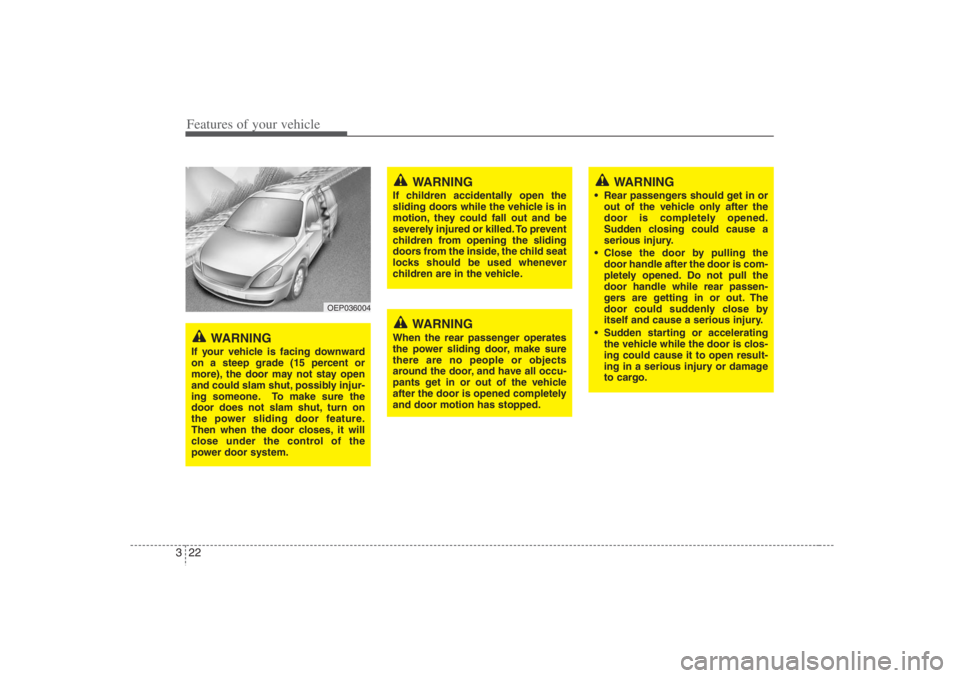
If your vehicle is facing downward
on a steep grade (15 percent or
more), the door may not stay open
and could slam shut, possibly injur-
ing someone. To make sure the
door does not slam shut, turn on
the power sliding door feature.
Then when the door closes, it will
close under the control of the
power door system.
WARNING
If children accidentally open the
sliding doors while the vehicle is in
motion, they could fall out and be
severely injured or killed. To prevent
children from opening the sliding
doors from the inside, the child seat
locks should be used whenever
children are in the vehicle.
WARNING
When the rear passenger operates
the power sliding door, make sure
there are no people or objects
around the door, and have all occu-
pants get in or out of the vehicle
after the door is opened completely
and door motion has stopped.
WARNING
Rear passengers should get in or
out of the vehicle only after the
door is completely opened.
Sudden closing could cause a
serious injury.
Close the door by pulling the
door handle after the door is com-
pletely opened. Do not pull the
door handle while rear passen-
gers are getting in or out. The
door could suddenly close by
itself and cause a serious injury.
Sudden starting or accelerating
the vehicle while the door is clos-
ing could cause it to open result-
ing in a serious injury or damage
to cargo.
Page 118 of 398
Features of your vehicle102 3Power steeringPower steering uses energy from the
engine to assist you in steering the vehi-
cle. If the engine is off or if the power
steering system becomes inoperative,
the vehicle may still be steered, but it will
require increased steering effort.
Should you notice any change in the
effort required to steer during normal
vehicle operation, have the power steer-
ing checked by an Authorized Hyundai
Dealer.
✽ ✽
NOTICEIf the vehicle is parked for extended
periods outside in cold weather (below
14°F/-10°C), the power steering may
require increased effort when the engine
is first started. This is caused by
increased fluid viscosity due to the cold
weather and does not indicate a mal-
function.
When this happens, increase the engine
RPM by depressing accelerator until the
RPM reaches 1,500 rpm then release or
let the engine idle for two or three min-
utes to warm up the fluid.
STEERING WHEEL
CAUTION
Never hold the steering wheel
against a stop (extreme right or
left turn) for more than 5 seconds
with the engine running. Holding
the steering wheel for more than
5 seconds in either position may
cause damage to the power steer-
ing pump.
If the power steering drive belt
breaks or if the power steering
pump malfunctions, the steering
effort will greatly increase.
Page 136 of 398
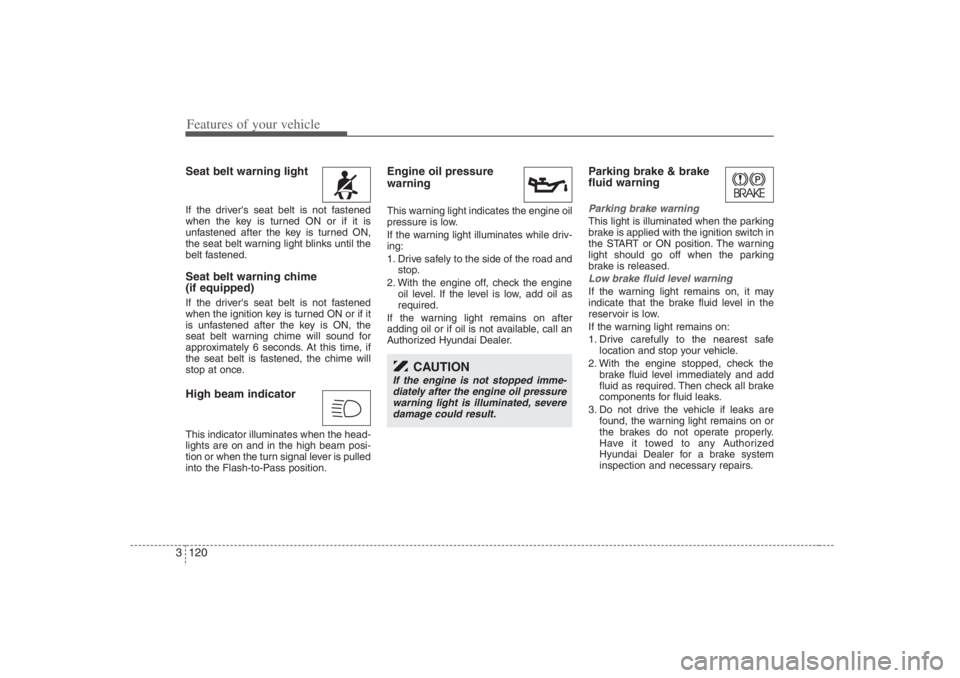
Features of your vehicle120 3Seat belt warning light If the driver's seat belt is not fastened
when the key is turned ON or if it is
unfastened after the key is turned ON,
the seat belt warning light blinks until the
belt fastened.Seat belt warning chime
(if equipped)If the driver's seat belt is not fastened
when the ignition key is turned ON or if it
is unfastened after the key is ON, the
seat belt warning chime will sound for
approximately 6 seconds. At this time, if
the seat belt is fastened, the chime will
stop at once.High beam indicator This indicator illuminates when the head-
lights are on and in the high beam posi-
tion or when the turn signal lever is pulled
into the Flash-to-Pass position.
Engine oil pressure
warning This warning light indicates the engine oil
pressure is low.
If the warning light illuminates while driv-
ing:
1. Drive safely to the side of the road and
stop.
2. With the engine off, check the engine
oil level. If the level is low, add oil as
required.
If the warning light remains on after
adding oil or if oil is not available, call an
Authorized Hyundai Dealer.
Parking brake & brake
fluid warning Parking brake warning This light is illuminated when the parking
brake is applied with the ignition switch in
the START or ON position. The warning
light should go off when the parking
brake is released.Low brake fluid level warningIf the warning light remains on, it may
indicate that the brake fluid level in the
reservoir is low.
If the warning light remains on:
1. Drive carefully to the nearest safe
location and stop your vehicle.
2. With the engine stopped, check the
brake fluid level immediately and add
fluid as required. Then check all brake
components for fluid leaks.
3. Do not drive the vehicle if leaks are
found, the warning light remains on or
the brakes do not operate properly.
Have it towed to any Authorized
Hyundai Dealer for a brake system
inspection and necessary repairs.
CAUTION
If the engine is not stopped imme-
diately after the engine oil pressure
warning light is illuminated, severe
damage could result.
Page 149 of 398
3 133
Features of your vehicle
LO : Normal wiper speed
HI : Fast wiper speed
MIST: For a single wiping cycle, push the
lever upward and release it with
the lever in the OFF position. The
wipers will operate continuously if
the lever is pushed upward and
held.✽ ✽
NOTICEIf there is heavy accumulation of snow
or ice on the windshield, defrost the
windshield for about 10 minutes, or
until the snow and/or ice is removed
before using the windshield wipers to
ensure proper operation.
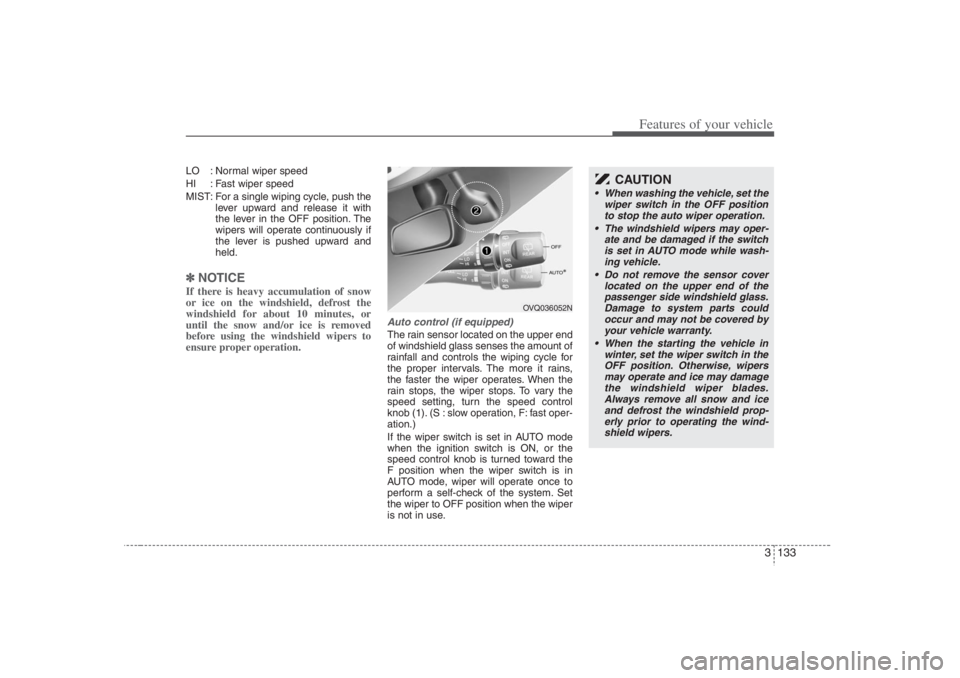
Auto control (if equipped)The rain sensor located on the upper end
of windshield glass senses the amount of
rainfall and controls the wiping cycle for
the proper intervals. The more it rains,
the faster the wiper operates. When the
rain stops, the wiper stops. To vary the
speed setting, turn the speed control
knob (1). (S : slow operation, F: fast oper-
ation.)
If the wiper switch is set in AUTO mode
when the ignition switch is ON, or the
speed control knob is turned toward the
F position when the wiper switch is in
AUTO mode, wiper will operate once to
perform a self-check of the system. Set
the wiper to OFF position when the wiper
is not in use.
OVQ036052N
CAUTION
When washing the vehicle, set the
wiper switch in the OFF position
to stop the auto wiper operation.
The windshield wipers may oper-
ate and be damaged if the switch
is set in AUTO mode while wash-
ing vehicle.
Do not remove the sensor cover
located on the upper end of the
passenger side windshield glass.
Damage to system parts could
occur and may not be covered by
your vehicle warranty.
When the starting the vehicle in
winter, set the wiper switch in the
OFF position. Otherwise, wipers
may operate and ice may damage
the windshield wiper blades.
Always remove all snow and ice
and defrost the windshield prop-
erly prior to operating the wind-
shield wipers.
Page 211 of 398
3195
Features of your vehicle
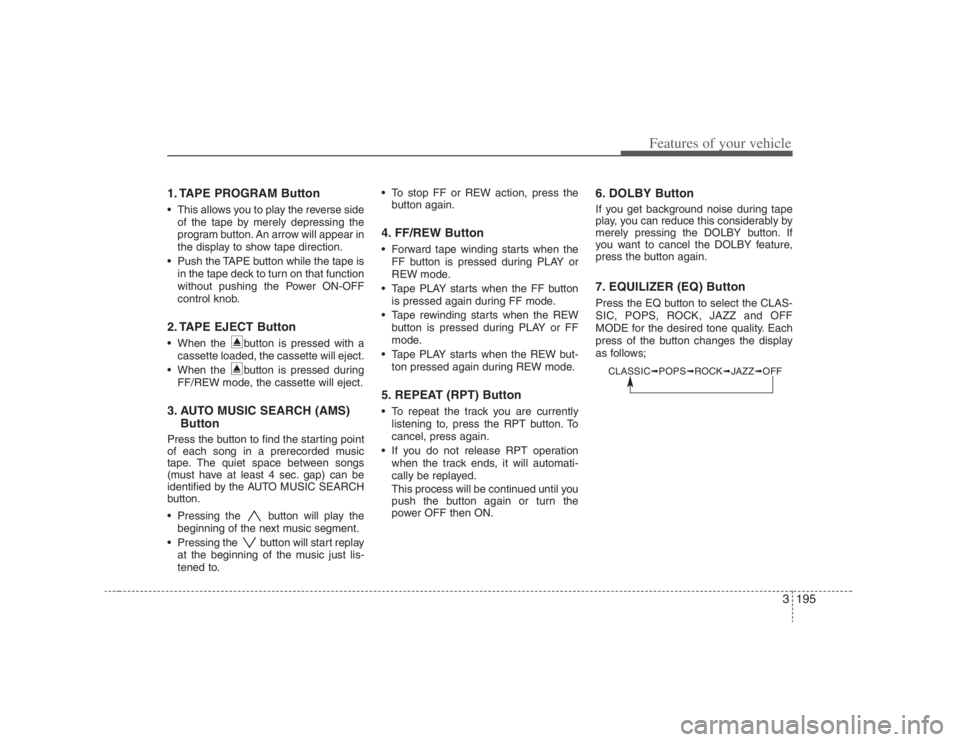
1. TAPE PROGRAM Button This allows you to play the reverse side
of the tape by merely depressing the
program button. An arrow will appear in
the display to show tape direction.
Push the TAPE button while the tape is
in the tape deck to turn on that function
without pushing the Power ON-OFF
control knob.2. TAPE EJECT Button When the button is pressed with a
cassette loaded, the cassette will eject.
When the button is pressed during
FF/REW mode, the cassette will eject.3. AUTO MUSIC SEARCH (AMS)
ButtonPress the button to find the starting point
of each song in a prerecorded music
tape. The quiet space between songs
(must have at least 4 sec. gap) can be
identified by the AUTO MUSIC SEARCH
button.
Pressing the button will play the
beginning of the next music segment.
Pressing the button will start replay
at the beginning of the music just lis-
tened to. To stop FF or REW action, press the
button again.
4. FF/REW Button Forward tape winding starts when the
FF button is pressed during PLAY or
REW mode.
Tape PLAY starts when the FF button
is pressed again during FF mode.
Tape rewinding starts when the REW
button is pressed during PLAY or FF
mode.
Tape PLAY starts when the REW but-
ton pressed again during REW mode.5. REPEAT (RPT) Button To repeat the track you are currently
listening to, press the RPT button. To
cancel, press again.
If you do not release RPT operation
when the track ends, it will automati-
cally be replayed.
This process will be continued until you
push the button again or turn the
power OFF then ON.
6. DOLBY ButtonIf you get background noise during tape
play, you can reduce this considerably by
merely pressing the DOLBY button. If
you want to cancel the DOLBY feature,
press the button again.7. EQUILIZER (EQ) ButtonPress the EQ button to select the CLAS-
SIC, POPS, ROCK, JAZZ and OFF
MODE for the desired tone quality. Each
press of the button changes the display
as follows;
CLASSIC➟POPS➟ROCK➟JAZZ➟OFF
Page 221 of 398
3205
Features of your vehicle
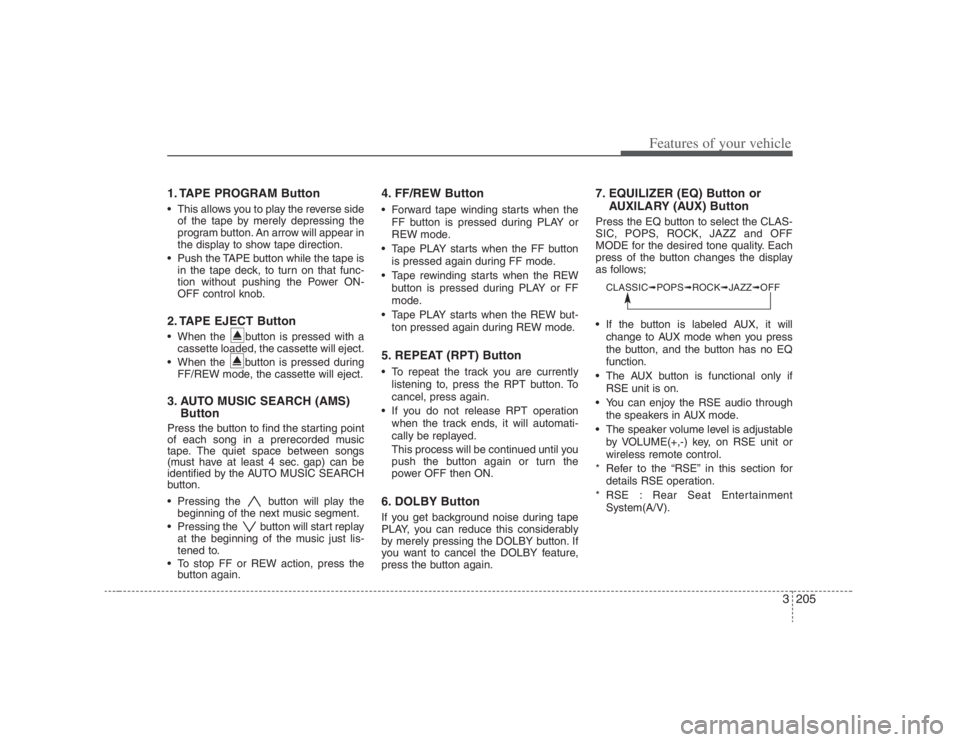
1. TAPE PROGRAM Button This allows you to play the reverse side
of the tape by merely depressing the
program button. An arrow will appear in
the display to show tape direction.
Push the TAPE button while the tape is
in the tape deck, to turn on that func-
tion without pushing the Power ON-
OFF control knob.2. TAPE EJECT Button When the button is pressed with a
cassette loaded, the cassette will eject.
When the button is pressed during
FF/REW mode, the cassette will eject.3. AUTO MUSIC SEARCH (AMS)
ButtonPress the button to find the starting point
of each song in a prerecorded music
tape. The quiet space between songs
(must have at least 4 sec. gap) can be
identified by the AUTO MUSIC SEARCH
button.
Pressing the button will play the
beginning of the next music segment.
Pressing the button will start replay
at the beginning of the music just lis-
tened to.
To stop FF or REW action, press the
button again.
4. FF/REW Button Forward tape winding starts when the
FF button is pressed during PLAY or
REW mode.
Tape PLAY starts when the FF button
is pressed again during FF mode.
Tape rewinding starts when the REW
button is pressed during PLAY or FF
mode.
Tape PLAY starts when the REW but-
ton pressed again during REW mode.5. REPEAT (RPT) Button To repeat the track you are currently
listening to, press the RPT button. To
cancel, press again.
If you do not release RPT operation
when the track ends, it will automati-
cally be replayed.
This process will be continued until you
push the button again or turn the
power OFF then ON.6. DOLBY ButtonIf you get background noise during tape
PLAY, you can reduce this considerably
by merely pressing the DOLBY button. If
you want to cancel the DOLBY feature,
press the button again.
7. EQUILIZER (EQ) Button or
AUXILARY (AUX) ButtonPress the EQ button to select the CLAS-
SIC, POPS, ROCK, JAZZ and OFF
MODE for the desired tone quality. Each
press of the button changes the display
as follows;
If the button is labeled AUX, it will
change to AUX mode when you press
the button, and the button has no EQ
function.
The AUX button is functional only if
RSE unit is on.
You can enjoy the RSE audio through
the speakers in AUX mode.
The speaker volume level is adjustable
by VOLUME(+,-) key, on RSE unit or
wireless remote control.
* Refer to the “RSE” in this section for
details RSE operation.
* RSE : Rear Seat Entertainment
System(A/V).CLASSIC➟POPS➟ROCK➟JAZZ➟OFF
Page 234 of 398
Features of your vehicle218 3✽
✽
NOTICEThe RSE will enter standby mode when
the vehicle ignition is turned off and
back on. Press the SRC or
PLAY/PAUSE( ) button to “wake
up” the unit and resume disc play.1. Stop/Eject While the disc is playing, press the
STOP/EJECT ( ) button to stop disc
play. When the disc has stopped, press
the button again to eject the disc.✽ ✽
NOTICEThe player has an Auto-Reload Disc
Protection feature to protect discs from
accidental damage. If an ejected disc is
not removed within 25 seconds after
being ejected, it will be pulled back into
the player. This is to protect the disc
from accidental damage.
2. Speaker Volume ControlYou can adjust the volume one of two
ways. First, if you are adjusting the vol-
ume for audio through the vehicle speak-
ers, you can use the VOLUME button on
the control panel or the remote control.
This button is reserved for sending a sig-
nal to the vehicle speakers only, and will
not adjust the headphone volume. Press
“+” to increase the volume and “-” to
decrease the volume.
Second, the volume on the wireless
headphones can be adjusted by turning
the VOL knob located on the left side of
the headphones.3. Play/Pause You do not need to press the play button
after first loading a DVD or VCD; it will
start automatically by playing the first
track or bringing up the disc menu.
If the disc does not automatically load,
press PLAY/PAUSE( ) to play the DVD.
While playing a DVD, press PLAY
/PAUSE( ) to pause the DVD. Press
the button again to resume play.
4. Display When the player is in DVD mode, press
the DISP button to view the DVD title,
chapter number and elapsed time and
other information about the DVD current-
ly playing.
It will also display brightness. There are
“Day Time” brightness with brightest level
and “Night Time” brightness which has
70% level of “Day Time” brightness.
Adjust the level of brightness by pressing
the REV(dimmer) or FWD(brighter) but-
tons.
The next time the player is turned on, it
will return to the brightness level it was
adjusted to when last used.
The RSE unit has two presets of display
brightness. When the headlamp is turned
on, the display brightness level will be
dimmed as the preset. However, when
the headlamp is turned off, the display
brightness will return to the daytime
brightness.
Press DISP to adjust the image format.
The image format, also known as the
aspect ratio, is a ratio of the height to
width of the image on the screen. For
example, a 4:3 ratio would mean an
image that is 4 units by 3 units.
Page 257 of 398
411
Driving your vehicle
Moving up a steep grade from a
standing startTo move up a steep grade from a stand-
ing start, depress the brake pedal, shift
the shift lever to D (Drive). Select the
appropriate gear depending on load
weight and steepness of the grade, and
release the parking brake. Depress the
accelerator gradually while releasing the
service brakes.
When accelerating from a stop on a
steep hill, the vehicle may have a ten-
dency to roll backwards. Shifting the
shift lever into 2 (Second Gear) while
in Sports mode will help prevent the
vehicle from rolling backwards.
Good driving practices Never move the gear selector lever
from "P" or "N" to any other position
with the accelerator pedal depressed.
Never move the gear selector lever into
"P" when the vehicle is in motion.
Be sure the car is completely stopped
before you attempt to shift into "R".
Never take the car out of gear and
coast down a hill. This may be
extremely hazardous. Always leave the
car in gear when moving.
Do not "ride" the brakes. This can
cause them to overheat and malfunc-
tion. Instead, when you are driving
down a long hill, slow down and shift to
a lower gear. When you do this, engine
braking will help slow the car.
Slow down before shifting to a lower
gear. Otherwise, the lower gear may
not be engaged.
Always use the parking brake. Do not
depend on placing the transaxle in "P"
to keep the car from moving.
Exercise extreme caution when driving
on a slippery surface. Be especially
careful when braking, accelerating or
shifting gears. On a slippery surface,
an abrupt change in vehicle speed can
cause the drive wheels to lose traction
and the vehicle to go out of control. Optimum vehicle performance and
economy is obtained by smoothly
depressing and releasing the accelera-
tor pedal.
WARNING
Always buckle-up! In a collision,
an unbelted occupant is signifi-
cantly more likely to be seriously
injured or killed than a properly
belted occupant.
Avoid high speeds when corner-
ing or turning.
Do not make quick steering wheel
movements, such as sharp lane
changes or fast, sharp turns.
The risk of rollover is greatly
increased if you lose control of
your vehicle at highway speeds.
Loss of control often occurs if
two or more wheels drop off the
roadway and the driver over-
steers to reenter the roadway.
In the event your vehicle leaves
the roadway, do not steer sharply.
Instead, slow down before pulling
back into the travel lanes.
Never exceed posted speed lim-
its.