wiper HYUNDAI ENTOURAGE 2007 Owners Manual
[x] Cancel search | Manufacturer: HYUNDAI, Model Year: 2007, Model line: ENTOURAGE, Model: HYUNDAI ENTOURAGE 2007Pages: 398, PDF Size: 8.03 MB
Page 16 of 398
23
Your vehicle at a glance
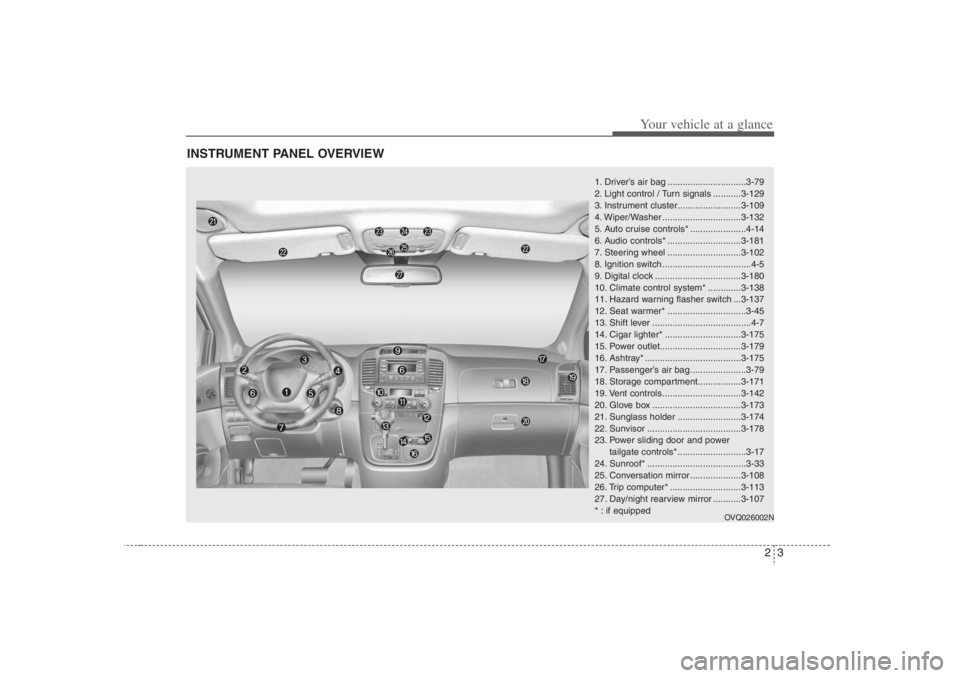
INSTRUMENT PANEL OVERVIEW
1. Driver’s air bag ...............................3-79
2. Light control / Turn signals ...........3-129
3. Instrument cluster.........................3-109
4. Wiper/Washer ...............................3-132
5. Auto cruise controls* ......................4-14
6. Audio controls* .............................3-181
7. Steering wheel .............................3-102
8. Ignition switch ...................................4-5
9. Digital clock ..................................3-180
10. Climate control system* .............3-138
11. Hazard warning flasher switch ...3-137
12. Seat warmer* ...............................3-45
13. Shift lever .......................................4-7
14. Cigar lighter* ..............................3-175
15. Power outlet................................3-179
16. Ashtray* ......................................3-175
17. Passenger’s air bag ......................3-79
18. Storage compartment.................3-171
19. Vent controls ...............................3-142
20. Glove box ...................................3-173
21. Sunglass holder .........................3-174
22. Sunvisor .....................................3-178
23. Power sliding door and power
tailgate controls* ...........................3-17
24. Sunroof* .......................................3-33
25. Conversation mirror ....................3-108
26. Trip computer* ............................3-113
27. Day/night rearview mirror ...........3-107
* : if equipped
OVQ026002N
Page 18 of 398
Interior lights / 3-125
Lighting / 3-128
Wipers and washers / 3-132
Horn / 3-135
Defroster / 3-136
Hazard warning flasher / 3-137
Manual climate control system / 3-138
Automatic climate control system / 3-149
Windshield defrosting and defogging / 3-162
Luggage net holder / 3-165
Roof rack / 3-166
Homelink® wireless control system / 3-167
Storage compartments / 3-171
Interior features / 3-175
Antenna / 3-180
Audio remote control / 3-181
Audio system / 3-182
Rear seat entertainment system / DVD player / 3-212Features of your vehicle
3
Page 130 of 398
Features of your vehicle114 3✽
✽
NOTICEPerform the calibration procedure for a
new vehicle as follows.Calibration procedureThe compass may not indicate the cor-
rect compass direction when you are
driving in certain areas (tunnels, parking
garages, underground parking lots, near
transformer substations, etc.), and the
following may occur:
The compass headings become inac-
curate.
The compass heading doesn't change
when the vehicle changes direction.
Some compass headings are not dis-
played.
The compass headings are inaccurate
in long distance driving.
If the vehicle's compass headings
become inaccurate continuously, the
compass should be manually calibrated
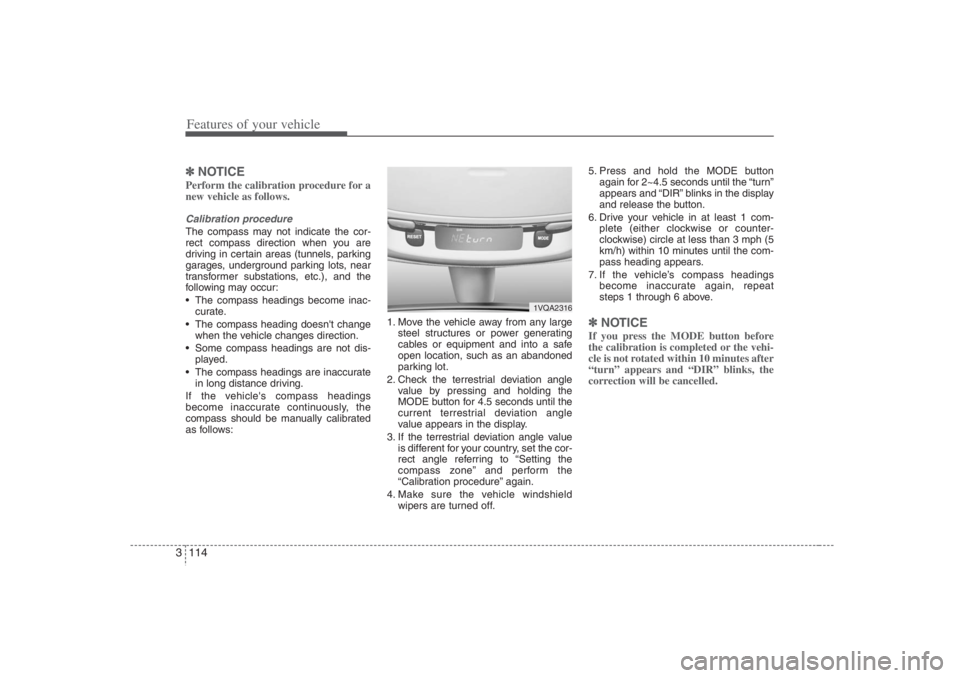
as follows:1. Move the vehicle away from any large
steel structures or power generating
cables or equipment and into a safe
open location, such as an abandoned
parking lot.
2. Check the terrestrial deviation angle
value by pressing and holding the
MODE button for 4.5 seconds until the
current terrestrial deviation angle
value appears in the display.
3. If the terrestrial deviation angle value
is different for your country, set the cor-
rect angle referring to “Setting the
compass zone” and perform the
“Calibration procedure” again.
4. Make sure the vehicle windshield
wipers are turned off.5. Press and hold the MODE button
again for 2~4.5 seconds until the “turn”
appears and “DIR” blinks in the display
and release the button.
6. Drive your vehicle in at least 1 com-
plete (either clockwise or counter-
clockwise) circle at less than 3 mph (5
km/h) within 10 minutes until the com-
pass heading appears.
7. If the vehicle’s compass headings
become inaccurate again, repeat
steps 1 through 6 above.
✽ ✽
NOTICEIf you press the MODE button before
the calibration is completed or the vehi-
cle is not rotated within 10 minutes after
“turn” appears and “DIR” blinks, the
correction will be cancelled.
1VQA2316
Page 148 of 398
Features of your vehicle132 3Lane change signals (B)To signal a lane change, move the turn
signal lever slightly and hold it in position.
The lever will return to the OFF position
when released.
If an indicator stays on and does not
flash or if it flashes abnormally, one of the
turn signal bulbs may be burned out and
will require replacement.✽ ✽
NOTICEIf an indicator flash is abnormally quick
or slow, a bulb may be burned out or
there may be a poor electrical connec-
tion in the circuit.
Front fog light (if equipped) Fog lights are used to provide improved
visibility and avoid accidents when visibil-
ity is poor due to fog, rain or snow etc.
The fog lights will turn on when the fog
light switch (1) is turned to ON after the
headlights are turned on.
To turn off the fog lights, turn the switch
to OFF.
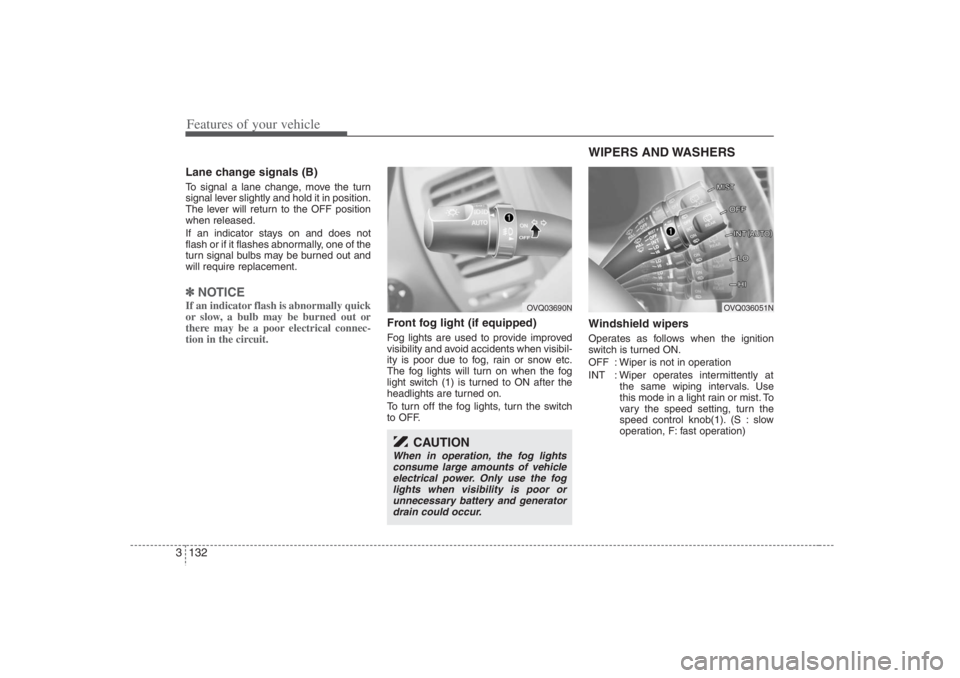
WIPERS AND WASHERS Windshield wipers Operates as follows when the ignition
switch is turned ON.
OFF : Wiper is not in operation
INT : Wiper operates intermittently at
the same wiping intervals. Use
this mode in a light rain or mist. To
vary the speed setting, turn the
speed control knob(1). (S : slow
operation, F: fast operation)
OVQ03690N
CAUTION
When in operation, the fog lights
consume large amounts of vehicle
electrical power. Only use the fog
lights when visibility is poor or
unnecessary battery and generator
drain could occur.
OVQ036051N
Page 149 of 398
3 133
Features of your vehicle
LO : Normal wiper speed
HI : Fast wiper speed
MIST: For a single wiping cycle, push the
lever upward and release it with
the lever in the OFF position. The
wipers will operate continuously if
the lever is pushed upward and
held.✽ ✽
NOTICEIf there is heavy accumulation of snow
or ice on the windshield, defrost the
windshield for about 10 minutes, or
until the snow and/or ice is removed
before using the windshield wipers to
ensure proper operation.
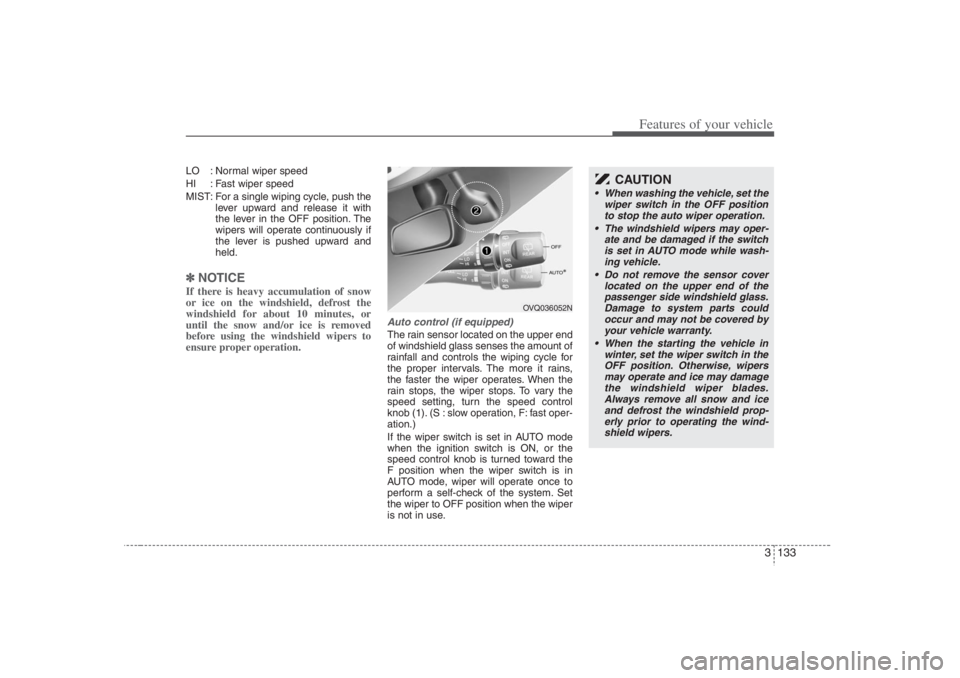
Auto control (if equipped)The rain sensor located on the upper end
of windshield glass senses the amount of
rainfall and controls the wiping cycle for
the proper intervals. The more it rains,
the faster the wiper operates. When the
rain stops, the wiper stops. To vary the
speed setting, turn the speed control
knob (1). (S : slow operation, F: fast oper-
ation.)
If the wiper switch is set in AUTO mode
when the ignition switch is ON, or the
speed control knob is turned toward the
F position when the wiper switch is in
AUTO mode, wiper will operate once to
perform a self-check of the system. Set
the wiper to OFF position when the wiper
is not in use.
OVQ036052N
CAUTION
When washing the vehicle, set the
wiper switch in the OFF position
to stop the auto wiper operation.
The windshield wipers may oper-
ate and be damaged if the switch
is set in AUTO mode while wash-
ing vehicle.
Do not remove the sensor cover
located on the upper end of the
passenger side windshield glass.
Damage to system parts could
occur and may not be covered by
your vehicle warranty.
When the starting the vehicle in
winter, set the wiper switch in the
OFF position. Otherwise, wipers
may operate and ice may damage
the windshield wiper blades.
Always remove all snow and ice
and defrost the windshield prop-
erly prior to operating the wind-
shield wipers.
Page 150 of 398
Features of your vehicle134 3
Variable intermittent wipersSet the lever to the INT/AUTO position
and choose the desired wiper interval by
turning the ring.One - touch wiper For a single wiping cycle, push the lever
upward and release it with the lever in the
OFF position.
The wipers will operate continuously if
the lever is pushed upward and held.
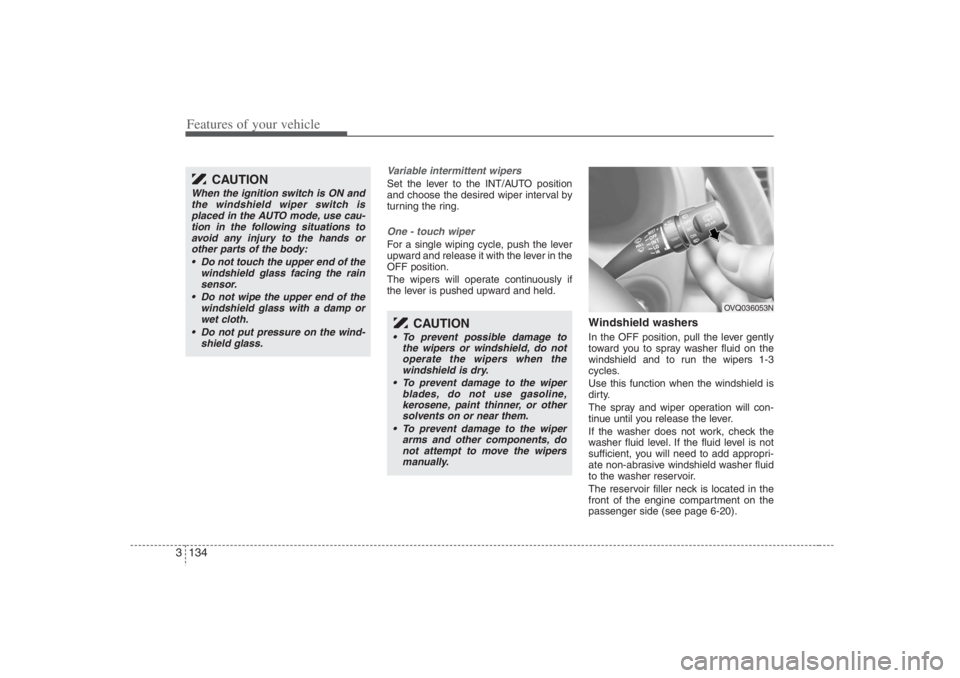
Windshield washers In the OFF position, pull the lever gently
toward you to spray washer fluid on the
windshield and to run the wipers 1-3
cycles.
Use this function when the windshield is
dirty.
The spray and wiper operation will con-
tinue until you release the lever.
If the washer does not work, check the
washer fluid level. If the fluid level is not
sufficient, you will need to add appropri-
ate non-abrasive windshield washer fluid
to the washer reservoir.
The reservoir filler neck is located in the
front of the engine compartment on the
passenger side (see page 6-20).
CAUTION
When the ignition switch is ON and
the windshield wiper switch is
placed in the AUTO mode, use cau-
tion in the following situations to
avoid any injury to the hands or
other parts of the body:
Do not touch the upper end of the
windshield glass facing the rain
sensor.
Do not wipe the upper end of the
windshield glass with a damp or
wet cloth.
Do not put pressure on the wind-
shield glass.
CAUTION
To prevent possible damage to
the wipers or windshield, do not
operate the wipers when the
windshield is dry.
To prevent damage to the wiper
blades, do not use gasoline,
kerosene, paint thinner, or other
solvents on or near them.
To prevent damage to the wiper
arms and other components, do
not attempt to move the wipers
manually.
OVQ036053N
Page 151 of 398
3 135
Features of your vehicle
Rear window wiper and washer
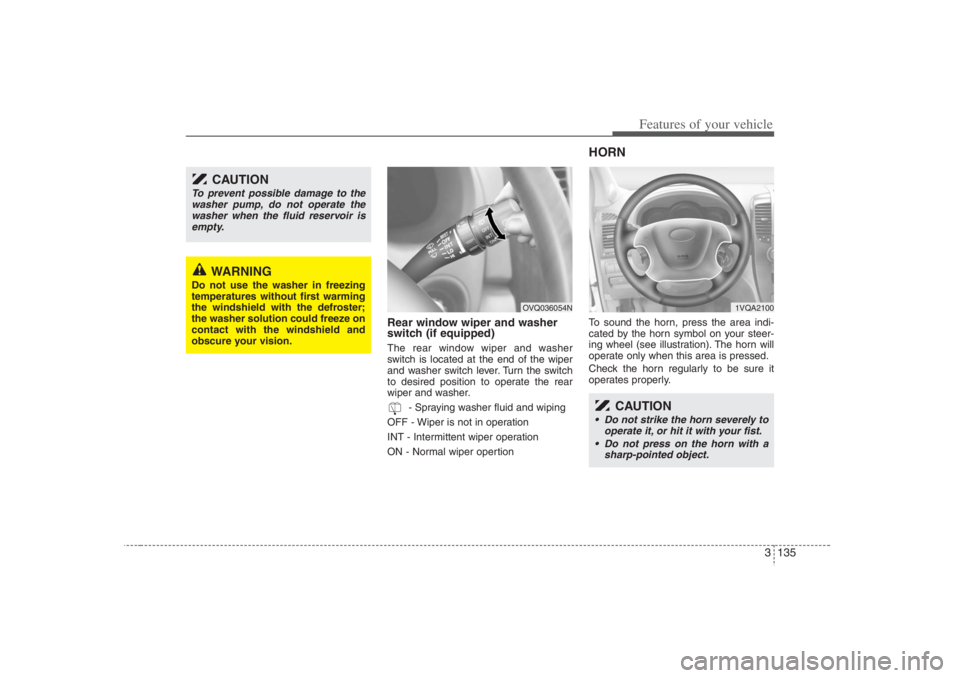
switch (if equipped)The rear window wiper and washer
switch is located at the end of the wiper
and washer switch lever. Turn the switch
to desired position to operate the rear
wiper and washer.
- Spraying washer fluid and wiping
OFF - Wiper is not in operation
INT - Intermittent wiper operation
ON - Normal wiper opertion
HORNTo sound the horn, press the area indi-
cated by the horn symbol on your steer-
ing wheel (see illustration). The horn will
operate only when this area is pressed.
Check the horn regularly to be sure it
operates properly.
CAUTION
To prevent possible damage to the
washer pump, do not operate the
washer when the fluid reservoir is
empty.
WARNING
Do not use the washer in freezing
temperatures without first warming
the windshield with the defroster;
the washer solution could freeze on
contact with the windshield and
obscure your vision.
OVQ036054N
CAUTION
Do not strike the horn severely to
operate it, or hit it with your fist.
Do not press on the horn with a
sharp-pointed object.
1VQA2100
Page 277 of 398
431
Driving your vehicle
Driving at night Because night driving presents more
hazards than driving in the daylight, here
are some important tips to remember:
Slow down and keep more distance
between you and other vehicles, as it
may be more difficult to see at night,
especially in areas where there may
not be any street lights.
Adjust your mirrors to reduce the glare
from other driver's headlights.
Keep your headlights clean and prop-
erly aimed on vehicles not equipped
with the automatic headlight aiming
feature. Dirty or improperly aimed
headlights will make it much more diffi-
cult to see at night.
Avoid staring directly at the headlights
of oncoming vehicles. You could be
temporarily blinded, and it will take
several seconds for your eyes to read-
just to the darkness.
Driving in the rain Rain and wet roads can make driving
dangerous, especially if you’re not pre-
pared for the slick pavement. Here are a
few things to consider when driving in the
rain:
A heavy rainfall will make it harder to
see and will increase the distance
needed to stop your vehicle, so slow
down.
Keep your windshield wiping equip-
ment in good shape. Replace your
windshield wiper blades when they
show signs of streaking or missing
areas on the windshield.
If your tires are not in good condition,
making a quick stop on wet pavement
can cause a skid and possibly lead to
an accident. Be sure your tires are in
good shape.
Turn on your headlights to make it eas-
ier for others to see you.
Driving too fast through large puddles
can affect your brakes. If you must go
through puddles, try to drive through
them slowly.
If you believe you may have gotten
your brakes wet, apply them lightly
while driving until normal braking oper-
ation returns.
Driving in flooded areas Avoid driving through flooded areas
unless you are sure the water is no high-
er than the bottom of the wheel hub.
Drive through any water slowly. Allow
adequate stopping distance because
brake performance may be affected.
After driving through water, dry the
brakes by gently applying them several
times while the vehicle is moving slowly.
Page 315 of 398
6
Maintenance services / 6-2
Scheduled maintenance service / 6-2
Explanation of scheduled maintenance items / 6-7
Owner maintenance / 6-9
Engine compartment / 6-11
Engine oil / 6-12
Engine coolant / 6-13
Air cleaner / 6-15
Automatic transaxle / 6-17
Brakes / 6-19
Lubricants and fluids / 6-20
Power steering / 6-21
Climate control air filter / 6-22
Wiper blades / 6-24
Fuses / 6-26
Battery / 6-35
Tires and wheels / 6-37
Light bulbs replacement / 6-51
Lubricant / 6-59
Corrosion protection / 6-61
Appearance care / 6-63
Emission control system / 6-66
Maintenance
Page 323 of 398
69
Maintenance
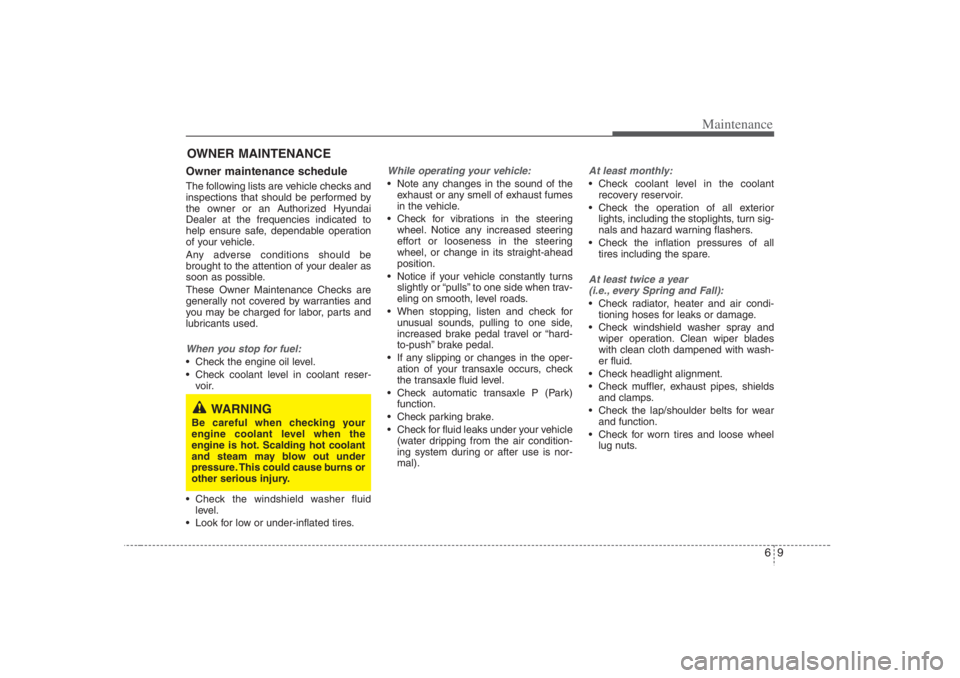
OWNER MAINTENANCE Owner maintenance schedule The following lists are vehicle checks and
inspections that should be performed by
the owner or an Authorized Hyundai
Dealer at the frequencies indicated to
help ensure safe, dependable operation
of your vehicle.
Any adverse conditions should be
brought to the attention of your dealer as
soon as possible.
These Owner Maintenance Checks are
generally not covered by warranties and
you may be charged for labor, parts and
lubricants used.When you stop for fuel: Check the engine oil level.
Check coolant level in coolant reser-
voir.
Check the windshield washer fluid
level.
Look for low or under-inflated tires.
While operating your vehicle: Note any changes in the sound of the
exhaust or any smell of exhaust fumes
in the vehicle.
Check for vibrations in the steering
wheel. Notice any increased steering
effort or looseness in the steering
wheel, or change in its straight-ahead
position.
Notice if your vehicle constantly turns
slightly or “pulls” to one side when trav-
eling on smooth, level roads.
When stopping, listen and check for
unusual sounds, pulling to one side,
increased brake pedal travel or “hard-
to-push” brake pedal.
If any slipping or changes in the oper-
ation of your transaxle occurs, check
the transaxle fluid level.
Check automatic transaxle P (Park)
function.
Check parking brake.
Check for fluid leaks under your vehicle
(water dripping from the air condition-
ing system during or after use is nor-
mal).
At least monthly: Check coolant level in the coolant
recovery reservoir.
Check the operation of all exterior
lights, including the stoplights, turn sig-
nals and hazard warning flashers.
Check the inflation pressures of all
tires including the spare.At least twice a year
(i.e., every Spring and Fall): Check radiator, heater and air condi-
tioning hoses for leaks or damage.
Check windshield washer spray and
wiper operation. Clean wiper blades
with clean cloth dampened with wash-
er fluid.
Check headlight alignment.
Check muffler, exhaust pipes, shields
and clamps.
Check the lap/shoulder belts for wear
and function.
Check for worn tires and loose wheel
lug nuts.
WARNING
Be careful when checking your
engine coolant level when the
engine is hot. Scalding hot coolant
and steam may blow out under
pressure. This could cause burns or
other serious injury.