steering HYUNDAI ENTOURAGE 2008 User Guide
[x] Cancel search | Manufacturer: HYUNDAI, Model Year: 2008, Model line: ENTOURAGE, Model: HYUNDAI ENTOURAGE 2008Pages: 393, PDF Size: 8.78 MB
Page 119 of 393
3 103
Features of your vehicle
Tilt steering A tilt steering wheel allows you to adjust
the steering wheel before you drive. You
can also raise it to the highest level to
give your legs more room when you exit
and enter the vehicle.
The steering wheel should be positioned
so that it is comfortable for you to drive,
while permitting you to see the instru-
ment panel warning lights and gauges.
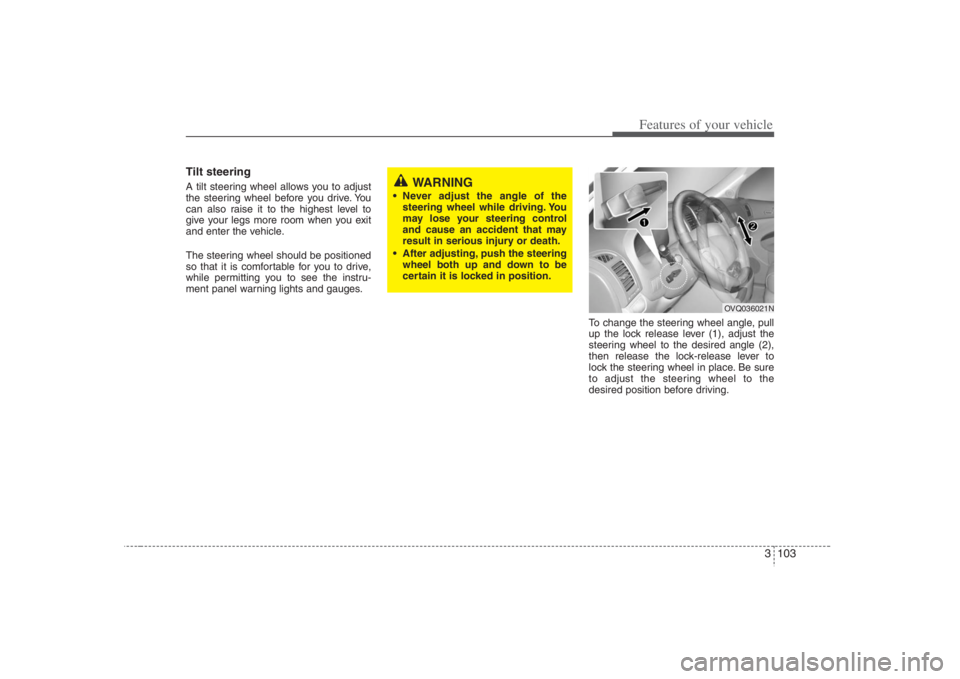
To change the steering wheel angle, pull
up the lock release lever (1), adjust the
steering wheel to the desired angle (2),
then release the lock-release lever to
lock the steering wheel in place. Be sure
to adjust the steering wheel to the
desired position before driving.
WARNING
Never adjust the angle of the
steering wheel while driving. You
may lose your steering control
and cause an accident that may
result in serious injury or death.
After adjusting, push the steering
wheel both up and down to be
certain it is locked in position.
OVQ036021N
Page 124 of 393
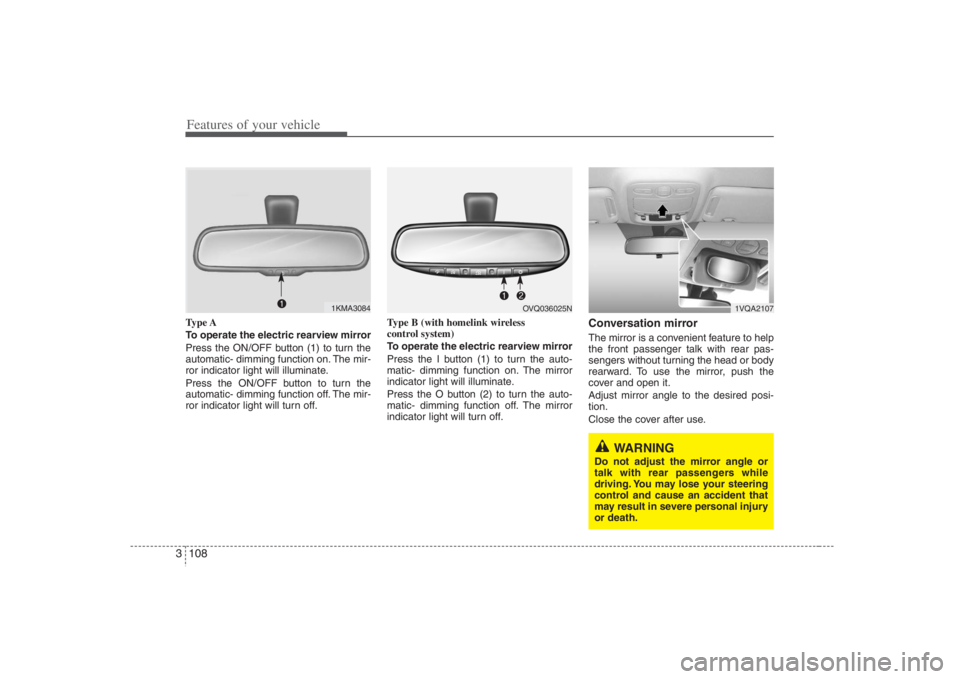
Features of your vehicle108 3Type A
To operate the electric rearview mirror
Press the ON/OFF button (1) to turn the
automatic- dimming function on. The mir-
ror indicator light will illuminate.
Press the ON/OFF button to turn the
automatic- dimming function off. The mir-
ror indicator light will turn off.Type B (with homelink wireless
control system)
To operate the electric rearview mirror
Press the I button (1) to turn the auto-
matic- dimming function on. The mirror
indicator light will illuminate.
Press the O button (2) to turn the auto-
matic- dimming function off. The mirror
indicator light will turn off.
Conversation mirrorThe mirror is a convenient feature to help
the front passenger talk with rear pas-
sengers without turning the head or body
rearward. To use the mirror, push the
cover and open it.
Adjust mirror angle to the desired posi-
tion.
Close the cover after use.
1KMA3084
1VQA2107
WARNING
Do not adjust the mirror angle or
talk with rear passengers while
driving. You may lose your steering
control and cause an accident that
may result in severe personal injury
or death.
OVQ036025N
Page 140 of 393
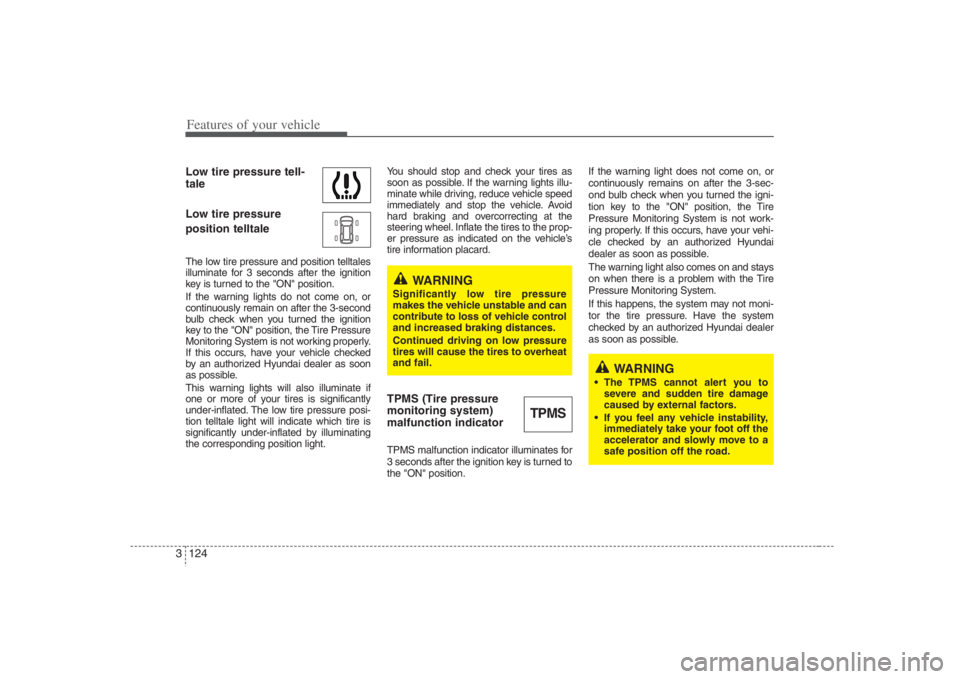
Features of your vehicle124 3Low tire pressure tell-
tale
Low tire pressure
position telltaleThe low tire pressure and position telltales
illuminate for 3 seconds after the ignition
key is turned to the "ON" position.
If the warning lights do not come on, or
continuously remain on after the 3-second
bulb check when you turned the ignition
key to the "ON" position, the Tire Pressure
Monitoring System is not working properly.
If this occurs, have your vehicle checked
by an authorized Hyundai dealer as soon
as possible.
This warning lights will also illuminate if
one or more of your tires is significantly
under-inflated. The low tire pressure posi-
tion telltale light will indicate which tire is
significantly under-inflated by illuminating
the corresponding position light.You should stop and check your tires as
soon as possible. If the warning lights illu-
minate while driving, reduce vehicle speed
immediately and stop the vehicle. Avoid
hard braking and overcorrecting at the
steering wheel. Inflate the tires to the prop-
er pressure as indicated on the vehicle’s
tire information placard.
TPMS (Tire pressure
monitoring system)
malfunction indicatorTPMS malfunction indicator illuminates for
3 seconds after the ignition key is turned to
the "ON" position.If the warning light does not come on, or
continuously remains on after the 3-sec-
ond bulb check when you turned the igni-
tion key to the "ON" position, the Tire
Pressure Monitoring System is not work-
ing properly. If this occurs, have your vehi-
cle checked by an authorized Hyundai
dealer as soon as possible.
The warning light also comes on and stays
on when there is a problem with the Tire
Pressure Monitoring System.
If this happens, the system may not moni-
tor the tire pressure. Have the system
checked by an authorized Hyundai dealer
as soon as possible.
TPMS
WARNING
Significantly low tire pressure
makes the vehicle unstable and can
contribute to loss of vehicle control
and increased braking distances.
Continued driving on low pressure
tires will cause the tires to overheat
and fail.
WARNING
The TPMS cannot alert you to
severe and sudden tire damage
caused by external factors.
If you feel any vehicle instability,
immediately take your foot off the
accelerator and slowly move to a
safe position off the road.
Page 144 of 393
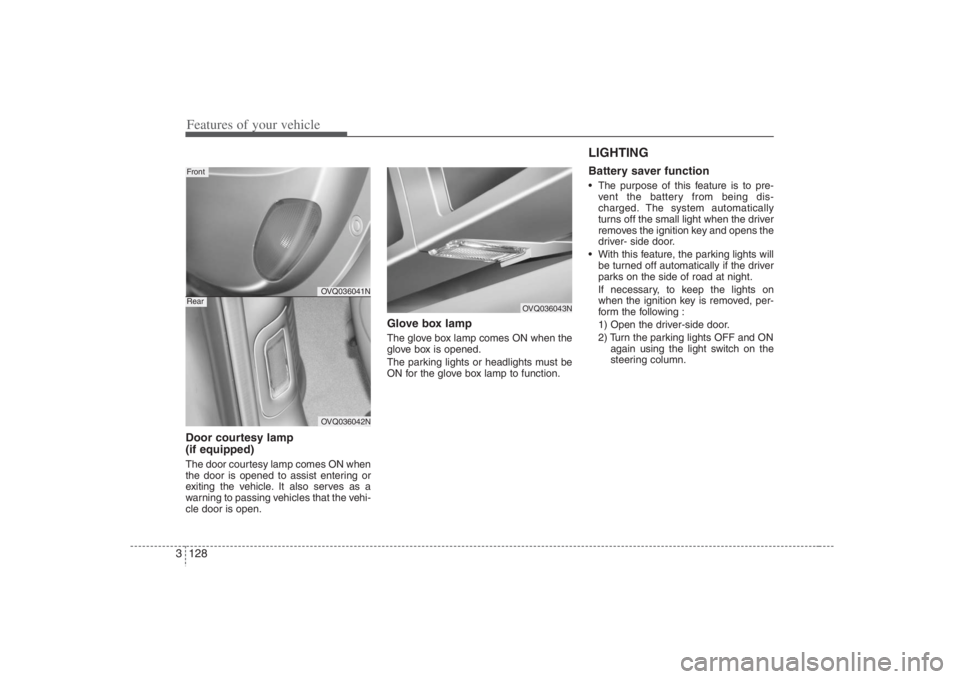
Features of your vehicle128 3Door courtesy lamp
(if equipped)The door courtesy lamp comes ON when
the door is opened to assist entering or
exiting the vehicle. It also serves as a
warning to passing vehicles that the vehi-
cle door is open.
Glove box lampThe glove box lamp comes ON when the
glove box is opened.
The parking lights or headlights must be
ON for the glove box lamp to function.
LIGHTING Battery saver function The purpose of this feature is to pre-
vent the battery from being dis-
charged. The system automatically
turns off the small light when the driver
removes the ignition key and opens the
driver- side door.
With this feature, the parking lights will
be turned off automatically if the driver
parks on the side of road at night.
If necessary, to keep the lights on
when the ignition key is removed, per-
form the following :
1) Open the driver-side door.
2) Turn the parking lights OFF and ON
again using the light switch on the
steering column.
OVQ036041NOVQ036042N
FrontRear
OVQ036043N
Page 195 of 393
3179
Features of your vehicle
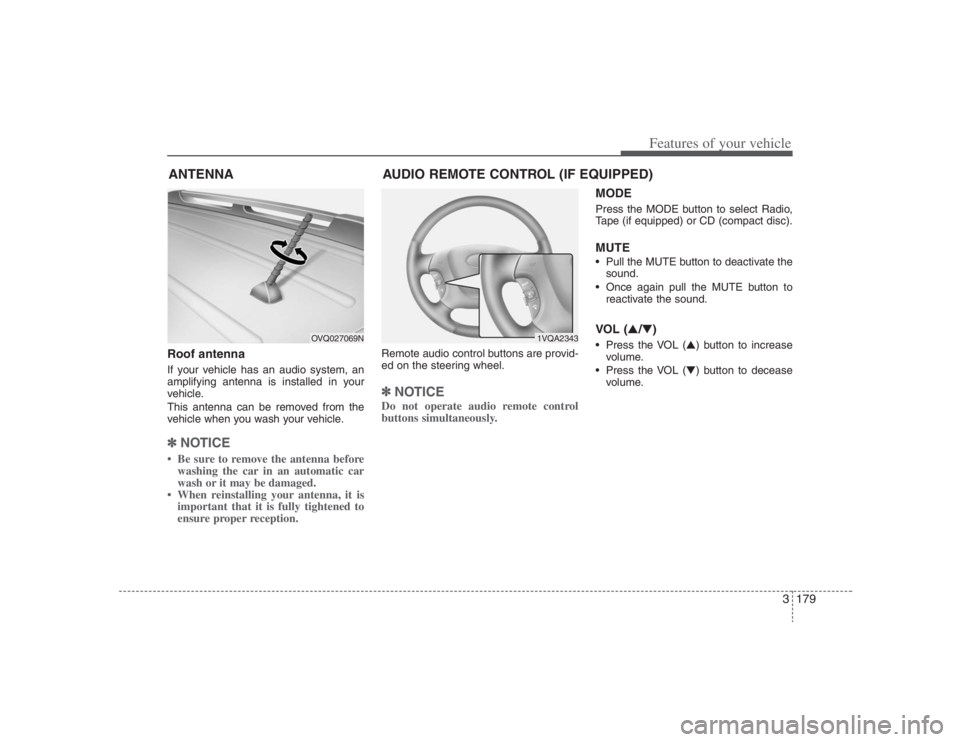
Roof antennaIf your vehicle has an audio system, an
amplifying antenna is installed in your
vehicle.
This antenna can be removed from the
vehicle when you wash your vehicle.✽ ✽
NOTICE• Be sure to remove the antenna before
washing the car in an automatic car
wash or it may be damaged.
• When reinstalling your antenna, it is
important that it is fully tightened to
ensure proper reception.
Remote audio control buttons are provid-
ed on the steering wheel.✽ ✽
NOTICEDo not operate audio remote control
buttons simultaneously.
MODEPress the MODE button to select Radio,
Tape (if equipped) or CD (compact disc).MUTE• Pull the MUTE button to deactivate the
sound.
Once again pull the MUTE button to
reactivate the sound.VOL (▲/▼) Press the VOL (▲) button to increase
volume.
Press the VOL (▼) button to decease
volume.
ANTENNA
1VQA2343
OVQ027069N
AUDIO REMOTE CONTROL (IF EQUIPPED)
Page 245 of 393
45
Driving your vehicle
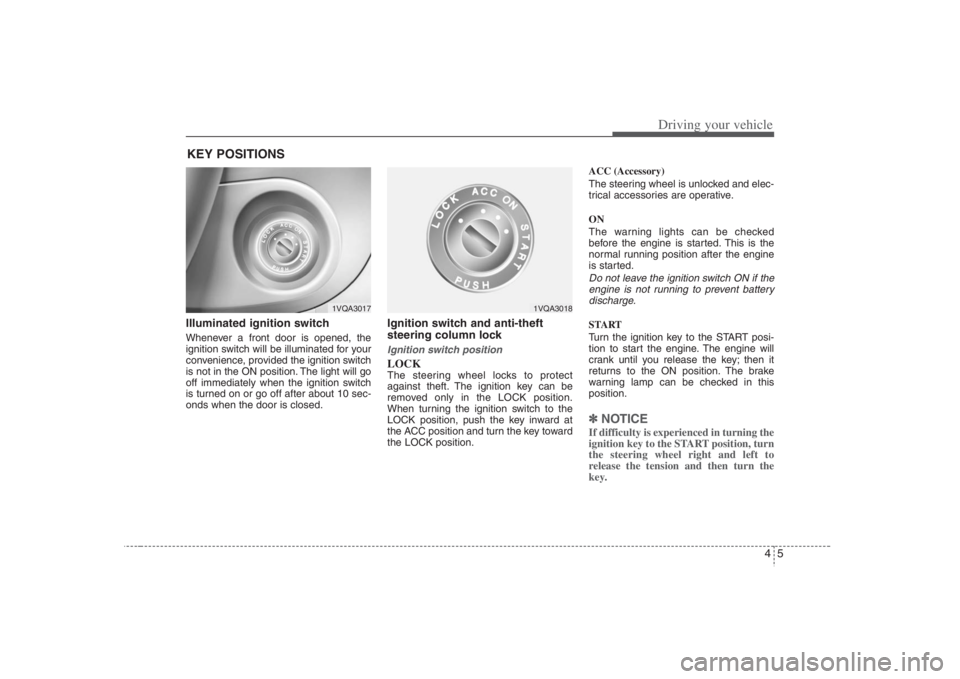
Illuminated ignition switch Whenever a front door is opened, the
ignition switch will be illuminated for your
convenience, provided the ignition switch
is not in the ON position. The light will go
off immediately when the ignition switch
is turned on or go off after about 10 sec-
onds when the door is closed.
Ignition switch and anti-theft
steering column lock Ignition switch positionLOCKThe steering wheel locks to protect
against theft. The ignition key can be
removed only in the LOCK position.
When turning the ignition switch to the
LOCK position, push the key inward at
the ACC position and turn the key toward
the LOCK position.ACC (Accessory)
The steering wheel is unlocked and elec-
trical accessories are operative.
ON
The warning lights can be checked
before the engine is started. This is the
normal running position after the engine
is started.
Do not leave the ignition switch ON if the
engine is not running to prevent battery
discharge.START
Turn the ignition key to the START posi-
tion to start the engine. The engine will
crank until you release the key; then it
returns to the ON position. The brake
warning lamp can be checked in this
position.✽ ✽
NOTICEIf difficulty is experienced in turning the
ignition key to the START position, turn
the steering wheel right and left to
release the tension and then turn the
key.
KEY POSITIONS
1VQA3017
1VQA3018
Page 246 of 393
Driving your vehicle6 4
STARTING THE ENGINE 1. Make sure the parking brake is
applied.
2. Place the transaxle shift lever in P
(Park). Depress the brake pedal fully.
You can also start the engine when
the shift lever is in the N (Neutral)
position.
3. Turn the ignition switch to START and
hold it there until the engine starts (a
maximum of 10 seconds), then
release the key.
4. In extremely cold weather (below
0°F / -18°C) or after the vehicle has
not been operated for several days, let
the engine warm up without depress-
ing the accelerator.Whether the engine is cold or warm, it
should be started without depressing
the accelerator.
WARNING -
Ignition key
Never turn the ignition switch to
LOCK or ACC while the vehicle is
moving. This would result in loss of
directional control and braking
function, which could cause an
accident.
The anti-theft steering column lock
is not a substitute for the parking
brake. Before leaving the driver’s
seat, always make sure the shift
lever is engaged in P (Park) for the
automatic transaxle and set the
parking brake fully and shut the
engine off. Unexpected and sud-
den vehicle movement may occur
if these precautions are not taken.
Never reach for the ignition switch,
or any other controls through the
steering wheel while the vehicle is
in motion. The presence of your
hand or arm in this area could
cause a loss of vehicle control, an
accident and serious bodily injury
or death.
Do not place any movable objects
around the driver’s seat as they
may move while driving, interfere
with the driver and lead to an acci-
dent.
WARNING
Always wear appropriate shoes
when operating your vehicle.
Unsuitable shoes (high heels, ski
boots,etc.) may interfere with your
ability to use the brake and acceler-
ator pedal.
CAUTION
If the engine stalls while you are in
motion, do not attempt to move the
shift lever to the P (Park) position. If
traffic and road conditions permit,
you may put the shift lever in the N
(Neutral) position while the vehicle
is still moving and turn the ignition
switch to the START position in an
attempt to restart the engine.
CAUTION
Do not engage the starter for more
than 10 seconds. If the engine stalls
out or fails to start, wait 5 to 10 sec-
onds before re-engaging the starter.
Improper use of the starter may
damage it.
Page 251 of 393
411
Driving your vehicle
Moving up a steep grade from a
standing startTo move up a steep grade from a stand-
ing start, depress the brake pedal, shift
the shift lever to D (Drive). Select the
appropriate gear depending on load
weight and steepness of the grade, and
release the parking brake. Depress the
accelerator gradually while releasing the
service brakes.
When accelerating from a stop on a
steep hill, the vehicle may have a ten-
dency to roll backwards. Shifting the
shift lever into 2 (Second Gear) while
in Sports mode will help prevent the
vehicle from rolling backwards.
Good driving practices Never move the gear selector lever
from "P" or "N" to any other position
with the accelerator pedal depressed.
Never move the gear selector lever into
"P" when the vehicle is in motion.
Be sure the car is completely stopped
before you attempt to shift into "R".
Never take the car out of gear and
coast down a hill. This may be
extremely hazardous. Always leave the
car in gear when moving.
Do not "ride" the brakes. This can
cause them to overheat and malfunc-
tion. Instead, when you are driving
down a long hill, slow down and shift to
a lower gear. When you do this, engine
braking will help slow the car.
Slow down before shifting to a lower
gear. Otherwise, the lower gear may
not be engaged.
Always use the parking brake. Do not
depend on placing the transaxle in "P"
to keep the car from moving.
Exercise extreme caution when driving
on a slippery surface. Be especially
careful when braking, accelerating or
shifting gears. On a slippery surface,
an abrupt change in vehicle speed can
cause the drive wheels to lose traction
and the vehicle to go out of control. Optimum vehicle performance and
economy is obtained by smoothly
depressing and releasing the accelera-
tor pedal.
WARNING
Always buckle-up! In a collision,
an unbelted occupant is signifi-
cantly more likely to be seriously
injured or killed than a properly
belted occupant.
Avoid high speeds when corner-
ing or turning.
Do not make quick steering wheel
movements, such as sharp lane
changes or fast, sharp turns.
The risk of rollover is greatly
increased if you lose control of
your vehicle at highway speeds.
Loss of control often occurs if
two or more wheels drop off the
roadway and the driver over-
steers to reenter the roadway.
In the event your vehicle leaves
the roadway, do not steer sharply.
Instead, slow down before pulling
back into the travel lanes.
Never exceed posted speed lim-
its.
Page 254 of 393
Driving your vehicle14 4The cruise control system allows you to
program the vehicle to maintain a con-
stant speed without resting your foot on
the accelerator pedal.
This system is designed to function
above approximately 24 mph (40 km/h).
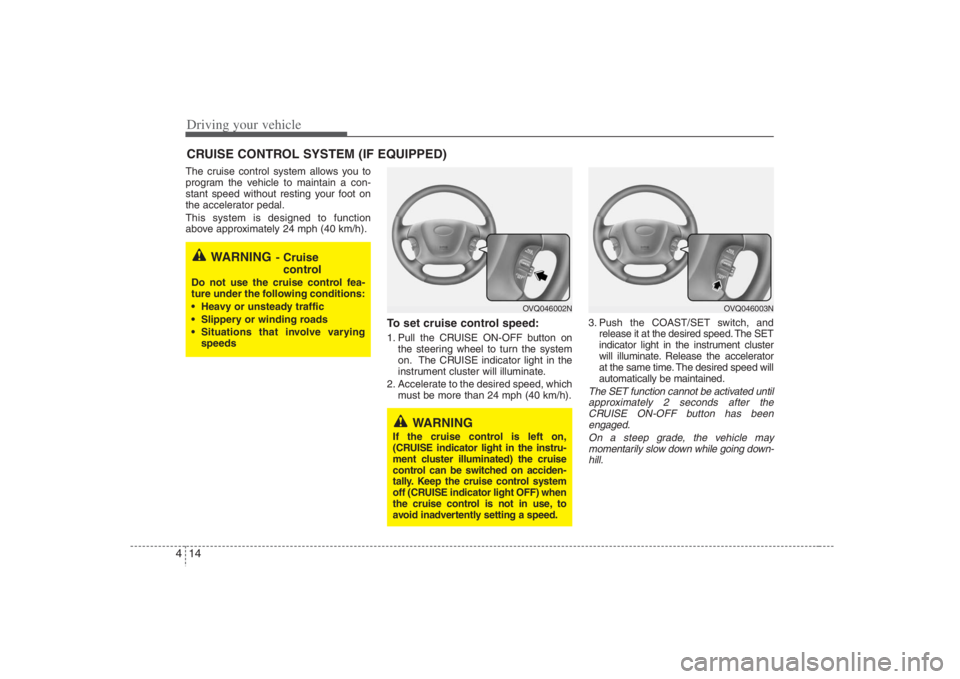
To set cruise control speed:1. Pull the CRUISE ON-OFF button on
the steering wheel to turn the system
on. The CRUISE indicator light in the
instrument cluster will illuminate.
2. Accelerate to the desired speed, which
must be more than 24 mph (40 km/h).3. Push the COAST/SET switch, and
release it at the desired speed. The SET
indicator light in the instrument cluster
will illuminate. Release the accelerator
at the same time. The desired speed will
automatically be maintained.
The SET function cannot be activated until
approximately 2 seconds after the
CRUISE ON-OFF button has been
engaged.
On a steep grade, the vehicle may
momentarily slow down while going down-
hill.
CRUISE CONTROL SYSTEM (IF EQUIPPED)
WARNING
- Cruise
control
Do not use the cruise control fea-
ture under the following conditions:
Heavy or unsteady traffic
Slippery or winding roads
Situations that involve varying
speeds
WARNING
If the cruise control is left on,
(CRUISE indicator light in the instru-
ment cluster illuminated) the cruise
control can be switched on acciden-
tally. Keep the cruise control system
off (CRUISE indicator light OFF) when
the cruise control is not in use, to
avoid inadvertently setting a speed.
OVQ046003N
OVQ046002N
Page 255 of 393
415
Driving your vehicle
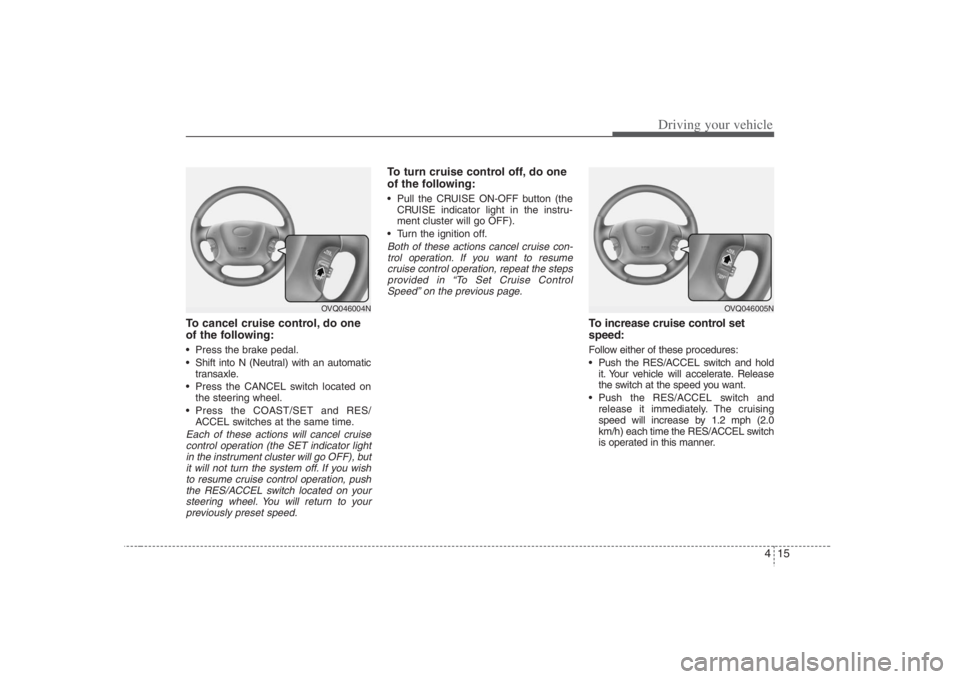
To cancel cruise control, do one
of the following: Press the brake pedal.
Shift into N (Neutral) with an automatic
transaxle.
Press the CANCEL switch located on
the steering wheel.
Press the COAST/SET and RES/
ACCEL switches at the same time.Each of these actions will cancel cruise
control operation (the SET indicator light
in the instrument cluster will go OFF), but
it will not turn the system off. If you wish
to resume cruise control operation, push
the RES/ACCEL switch located on your
steering wheel. You will return to your
previously preset speed.
To turn cruise control off, do one
of the following: Pull the CRUISE ON-OFF button (the
CRUISE indicator light in the instru-
ment cluster will go OFF).
Turn the ignition off.Both of these actions cancel cruise con-
trol operation. If you want to resume
cruise control operation, repeat the steps
provided in “To Set Cruise Control
Speed” on the previous page.
To increase cruise control set
speed:Follow either of these procedures:
Push the RES/ACCEL switch and hold
it. Your vehicle will accelerate. Release
the switch at the speed you want.
Push the RES/ACCEL switch and
release it immediately. The cruising
speed will increase by 1.2 mph (2.0
km/h) each time the RES/ACCEL switch
is operated in this manner.
OVQ046004N
OVQ046005N