ESP Hyundai Equus 2010 User Guide
[x] Cancel search | Manufacturer: HYUNDAI, Model Year: 2010, Model line: Equus, Model: Hyundai Equus 2010Pages: 374, PDF Size: 41.29 MB
Page 132 of 374
Features of your vehicle
54
4
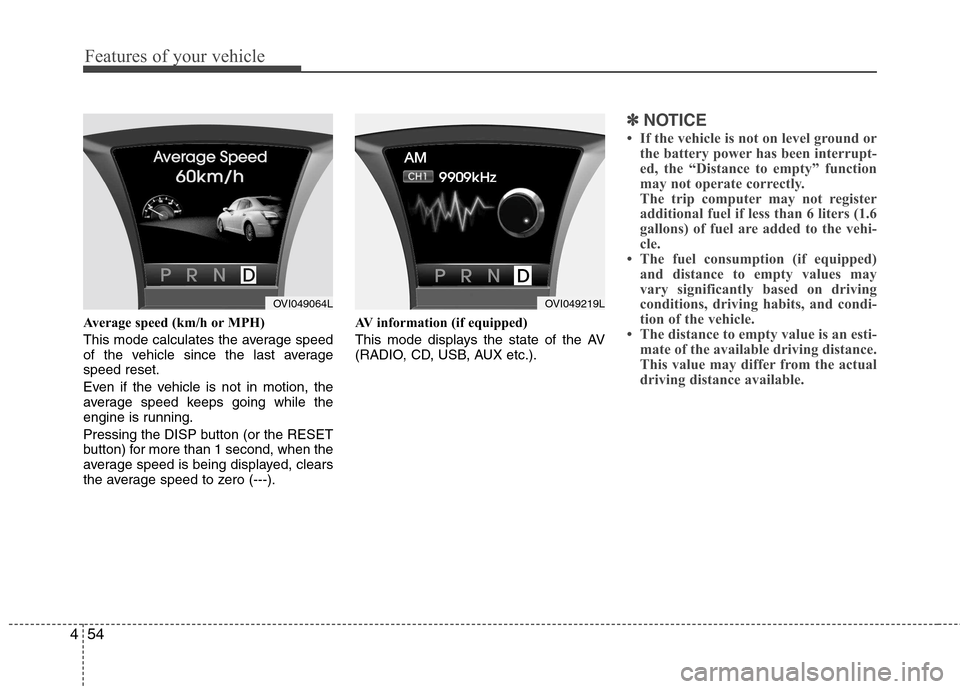
Average speed (km/h or MPH)
This mode calculates the average speed
of the vehicle since the last averagespeed reset.
Even if the vehicle is not in motion, the
average speed keeps going while the
engine is running.
Pressing the DISP button (or the RESET
button) for more than 1 second, when the
average speed is being displayed, clears
the average speed to zero (---). AV information (if equipped)
This mode displays the state of the AV
(RADIO, CD, USB, AUX etc.).
✽✽
NOTICE
If the vehicle is not on level ground or the battery power has been interrupt-
ed, the “Distance to empty” function
may not operate correctly.
The trip computer may not register
additional fuel if less than 6 liters (1.6
gallons) of fuel are added to the vehi-
cle.
The fuel consumption (if equipped)
and distance to empty values may
vary significantly based on driving
conditions, driving habits, and condi-
tion of the vehicle.
The distance to empty value is an esti- mate of the available driving distance.
This value may differ from the actual
driving distance available.
OVI049064LOVI049219L
Page 137 of 374
459
Features of your vehicle
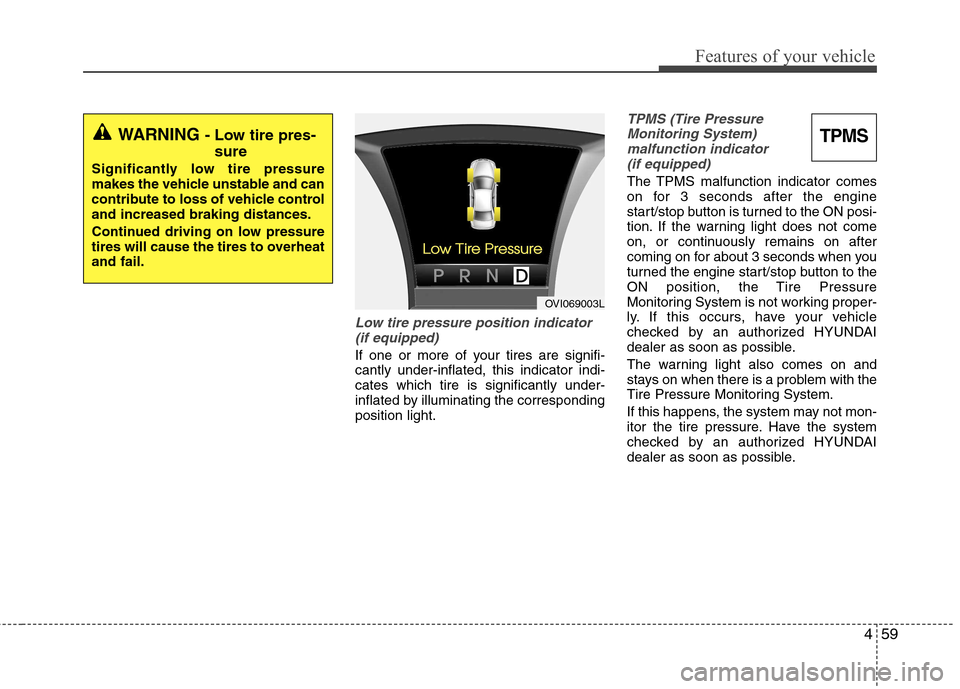
Low tire pressure position indicator(if equipped)
If one or more of your tires are signifi- cantly under-inflated, this indicator indi-cates which tire is significantly under-
inflated by illuminating the correspondingposition light.
TPMS (Tire PressureMonitoring System) malfunction indicator (if equipped)
The TPMS malfunction indicator comes
on for 3 seconds after the engine
start/stop button is turned to the ON posi-
tion. If the warning light does not come
on, or continuously remains on after
coming on for about 3 seconds when you
turned the engine start/stop button to the
ON position, the Tire Pressure
Monitoring System is not working proper-
ly. If this occurs, have your vehicle
checked by an authorized HYUNDAI
dealer as soon as possible.
The warning light also comes on and
stays on when there is a problem with the
Tire Pressure Monitoring System.
If this happens, the system may not mon-
itor the tire pressure. Have the system
checked by an authorized HYUNDAI
dealer as soon as possible.
WARNING - Low tire pres-
sure
Significantly low tire pressure
makes the vehicle unstable and can
contribute to loss of vehicle controland increased braking distances.
Continued driving on low pressure
tires will cause the tires to overheatand fail.TPMS
OVI069003L
Page 140 of 374
Features of your vehicle
62
4
Malfunction indicator light
(MIL) (check engine light)
This indicator light is part of the Engine
Control System which monitors various
emission control system components. If
this light illuminates while driving, it indi-cates that a potential malfunction has
been detected somewhere in the emis-sion control system. This light will also illuminate when the
engine start/stop button is turned to the
ON position, and will go out in a few sec-
onds after the engine is started. If it illu-
minates while driving, or does not illumi-
nate when the engine start/stop button is
turned to the ON position, take your vehi-
cle to your nearest authorized HYUNDAI
dealer and have the system checked.
Generally, your vehicle will continue to be
drivable, but have the system checked by
an authorized HYUNDAI dealer promptly.
ESP indicator (ElectronicStability Program)
The ESP indicator will illuminate when
the engine start/stop button is turned
ON, but should go off after approximate-
ly 3 seconds. If the indicator does not
come on, or continuously remains on
after coming on for about 3 seconds
when you turned the engine start/stop
button to the ON position, or if the indica-
tor comes on while driving, the ESP is
not working properly. Take your vehicle to
an authorized HYUNDAI dealer and have
the system checked.
When the ESP is on, it monitors the driv-
ing conditions and under normal driving
conditions, the ESP light will remain off.
When a slippery or low traction condition
is encountered, the ESP will operate,
and the ESP indicator will blink to indi-
cate the ESP is operating.
CAUTION
Prolonged driving with the
Malfunction Indicator Light illumi-
nated may cause damage to theemission control systems whichcould effect drivability and/or fuel economy.
CAUTION
If the Malfunction Indicator Lightilluminates, potential catalytic con-
verter damage is possible whichcould result in loss of enginepower. Have the Engine ControlSystem inspected as soon as pos-
sible by an authorized HYUNDAIdealer.
Page 141 of 374
463
Features of your vehicle
ESP OFF indicator
The ESP OFF indicator will illuminate
when the engine start/stop button is
turned ON, but should go off after
approximately 3 seconds. To switch to
ESP OFF mode, press the ESP OFF but-
ton. The ESP OFF indicator will illumi-
nate indicating the ESP is deactivated.
VSM OFF indicator (if equipped)
To switch to VSM OFF mode, press the
VSM OFF button. The VSM OFF indica-
tor will illuminate indicating the VSM is
deactivated.
If this indicator stays on when VSM OFF
in not selected, the VSM may have mal-
functioned. Take your vehicle to an
authorized HYUNDAI dealer and have
the system checked.
Cruise indicator (if equipped)
CRUISE indicator
The indicator illuminates when the cruise
control system is enabled.
The cruise indicator in the instrument
cluster is illuminated when the cruise
control ON-OFF button on the steeringwheel is pressed.
The indicator light turns off when the
cruise control ON-OFF button is pressed
again. For more information about the
use of cruise control, refer to “Cruise
control system or Smart cruise control
system” in section 5.
Cruise SET indicator
The indicator illuminates when the cruise
function switch (SET- or RES+) is ON.
The cruise SET indicator light in the
instrument cluster or on the LCD screen
is illuminated when the cruise control
switch (SET- or RES+) is pushed. The
cruise SET indicator does not illuminate
when the cruise control switch (CAN-CEL) is pushed or the system is disen-gaged.
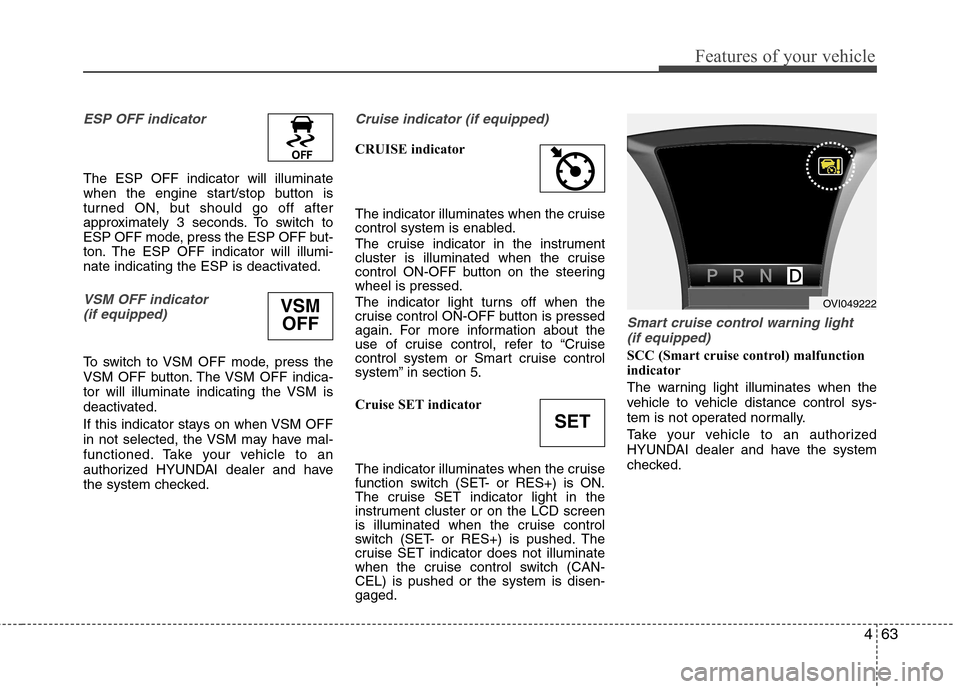
Smart cruise control warning light (if equipped)
SCC (Smart cruise control) malfunction
indicator
The warning light illuminates when the
vehicle to vehicle distance control sys-
tem is not operated normally.
Take your vehicle to an authorized
HYUNDAI dealer and have the system
checked.
VSM
OFF
SET
OVI049222
Page 143 of 374
465
Features of your vehicle
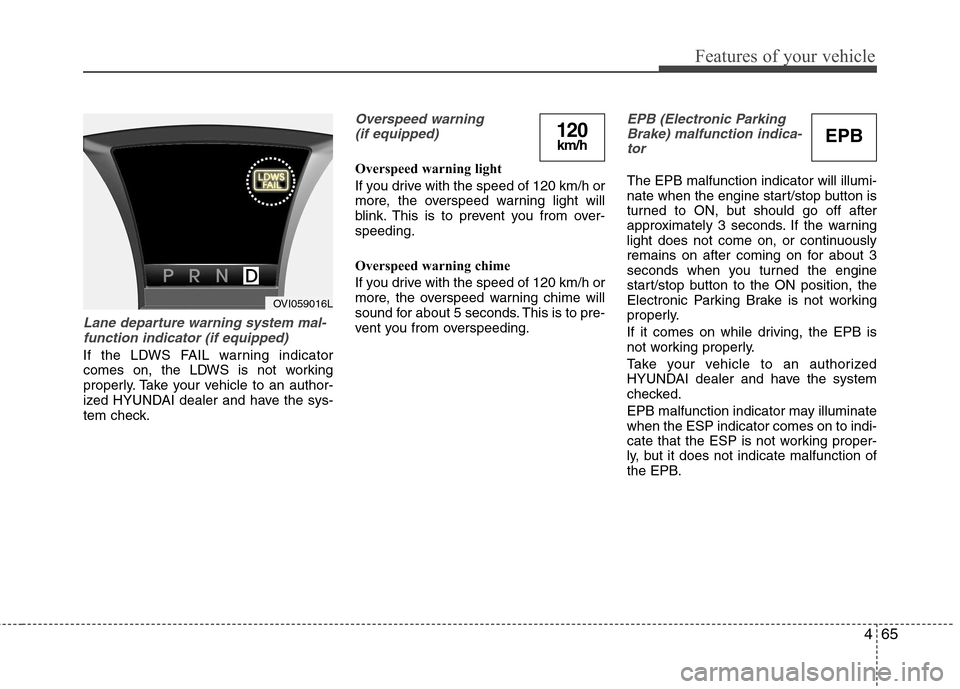
Lane departure warning system mal-function indicator (if equipped)
If the LDWS FAIL warning indicator
comes on, the LDWS is not working
properly. Take your vehicle to an author-
ized HYUNDAI dealer and have the sys-
tem check.
Overspeed warning (if equipped)
Overspeed warning light
If you drive with the speed of 120 km/h or
more, the overspeed warning light will
blink. This is to prevent you from over-speeding.
Overspeed warning chime
If you drive with the speed of 120 km/h or
more, the overspeed warning chime will
sound for about 5 seconds. This is to pre-
vent you from overspeeding.
EPB (Electronic ParkingBrake) malfunction indica-
tor
The EPB malfunction indicator will illumi-
nate when the engine start/stop button is
turned to ON, but should go off after
approximately 3 seconds. If the warning
light does not come on, or continuously
remains on after coming on for about 3
seconds when you turned the engine
start/stop button to the ON position, the
Electronic Parking Brake is not working
properly.
If it comes on while driving, the EPB is
not working properly.
Take your vehicle to an authorized
HYUNDAI dealer and have the system
checked.
EPB malfunction indicator may illuminate when the ESP indicator comes on to indi-
cate that the ESP is not working proper-
ly, but it does not indicate malfunction of
the EPB.
OVI059016L
EPB120km/h
Page 147 of 374
469
Features of your vehicle
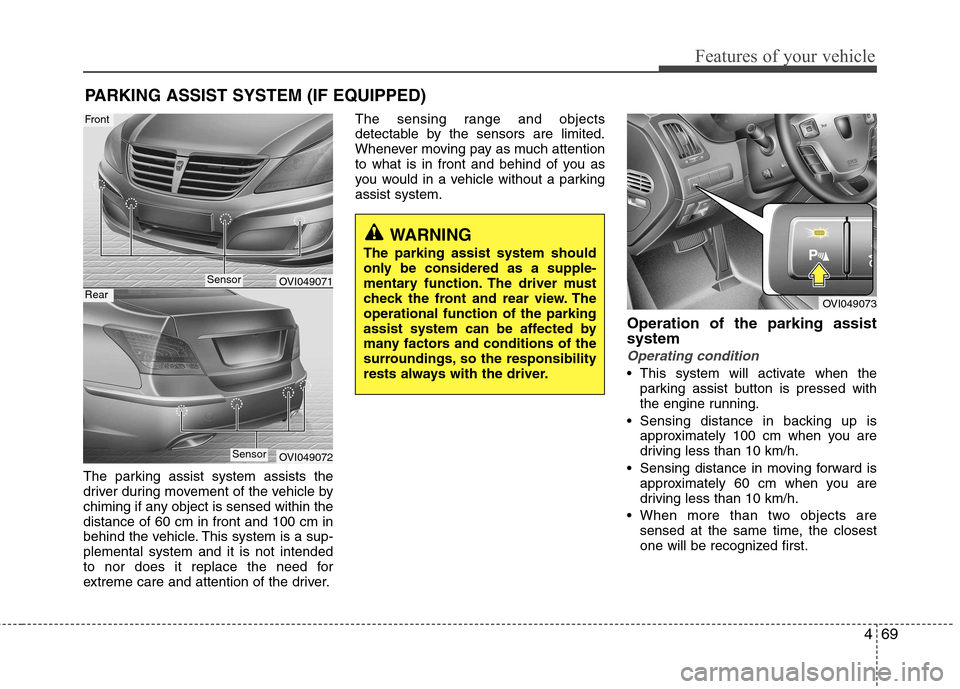
The parking assist system assists the
driver during movement of the vehicle by
chiming if any object is sensed within thedistance of 60 cm in front and 100 cm in
behind the vehicle. This system is a sup-plemental system and it is not intended
to nor does it replace the need for
extreme care and attention of the driver.The sensing range and objects
detectable by the sensors are limited.
Whenever moving pay as much attention
to what is in front and behind of you as
you would in a vehicle without a parkingassist system.
Operation of the parking assistsystem
Operating condition
This system will activate when theparking assist button is pressed with
the engine running.
Sensing distance in backing up is approximately 100 cm when you are
driving less than 10 km/h.
Sensing distance in moving forward is approximately 60 cm when you are
driving less than 10 km/h.
When more than two objects are sensed at the same time, the closest
one will be recognized first.
PARKING ASSIST SYSTEM (IF EQUIPPED)
OVI049071
OVI049072
WARNING
The parking assist system should
only be considered as a supple-
mentary function. The driver must
check the front and rear view. Theoperational function of the parking
assist system can be affected by
many factors and conditions of the
surroundings, so the responsibility
rests always with the driver.
OVI049073
Sensor
Front
Rear
Sensor
Page 149 of 374
471
Features of your vehicle
✽✽NOTICE
1. The warning may not sound sequen- tially depending on the speed and
shapes of the objects detected.
2. The parking assist system may mal-
function if the vehicle bumper height
or sensor installation has been modi-
fied. Any non-factory installed equip-
ment or accessories may also interfere
with the sensor performance.
3. Sensor may not recognize objects less
than 30 cm from the sensor, or it may
sense an incorrect distance. Use with
caution.
4. When the sensor is frozen or stained
with snow or water, the sensor may be
inoperative until the stains are
removed using a soft cloth.
5. Do not push, scratch or strike the sen-
sor with any hard objects that could
damage the surface of the sensor.
Sensor damage could occur. ✽✽
NOTICE
This system can only sense objects with-
in the range and location of the sensors,
it can not detect objects in other areas
where sensors are not installed. Also,
small or slim objects, or objects located
between sensors may not be detected.
Always visually check in front and
behind the vehicle when driving.
Be sure to inform any drivers in the
vehicle that may be unfamiliar with the
system regarding the systems capabili-
ties and limitations.Self-diagnosis
If you don’t hear an audible warning
sound or if the buzzer sounds intermit-
tently when shifting the shift lever into the
R (Reverse) position, this may indicate a
malfunction in the rear parking assist sys-
tem. If this occurs, have your vehicle
checked by an authorized HYUNDAI
dealer as soon as possible.
WARNING
Pay close attention when the vehi-
cle is driven close to objects on the
road, particularly pedestrians, and
especially children. Be aware that
some objects may not be detected
by the sensors, due to the objects
distance, size or material, all of
which can limit the effectiveness of
the sensor. Always perform a visual
inspection to make sure the vehicle
is clear of all obstructions before
moving the vehicle in any direction.
WARNING
Your new vehicle warranty does not
cover any accidents or damage to
the vehicle or injuries to its occu-pants related to a parking assist
system. Always drive safely and
cautiously.
Page 150 of 374
Features of your vehicle
72
4
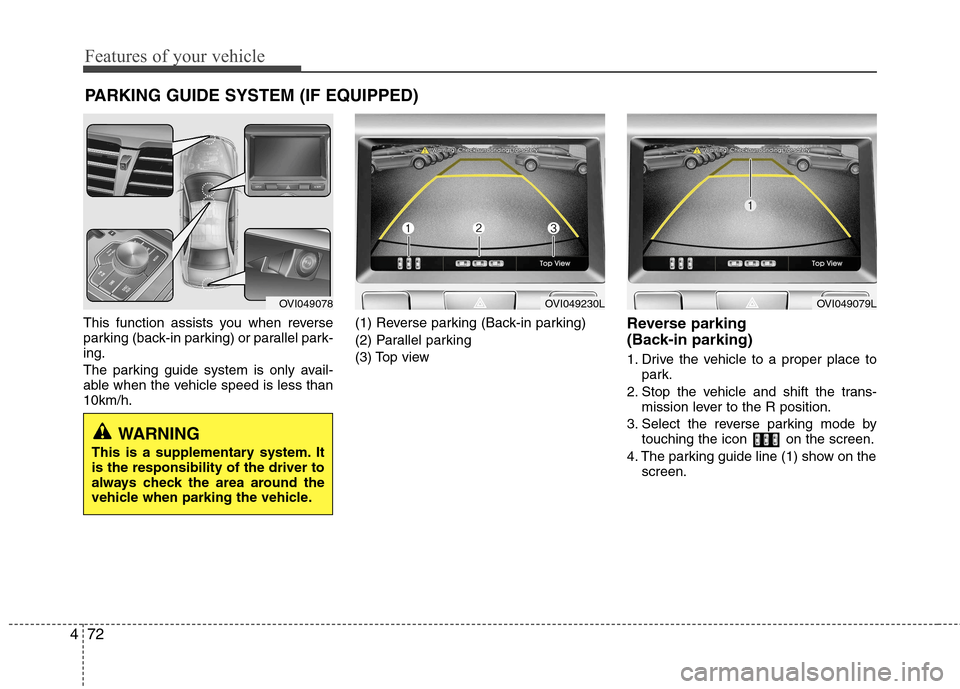
This function assists you when reverse
parking (back-in parking) or parallel park-ing.
The parking guide system is only avail-
able when the vehicle speed is less than10km/h. (1) Reverse parking (Back-in parking)
(2) Parallel parking
(3) Top view
Reverse parking
(Back-in parking)
1. Drive the vehicle to a proper place to
park.
2. Stop the vehicle and shift the trans- mission lever to the R position.
3. Select the reverse parking mode by touching the icon on the screen.
4. The parking guide line (1) show on the screen.
PARKING GUIDE SYSTEM (IF EQUIPPED)
WARNING
This is a supplementary system. It is the responsibility of the driver to
always check the area around the
vehicle when parking the vehicle.
OVI049078OVI049230LOVI049079L
Page 154 of 374
Features of your vehicle
76
4
FRONT BLIND SPOT MONITORING SYSTEM (IF EQUIPPED)
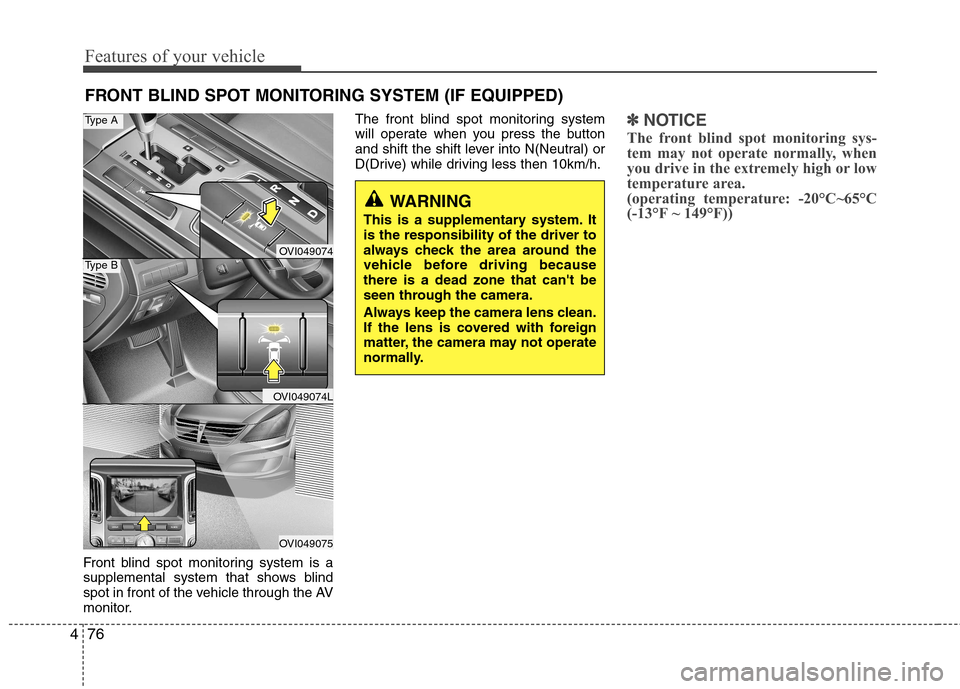
Front blind spot monitoring system is a
supplemental system that shows blind
spot in front of the vehicle through the AV
monitor. The front blind spot monitoring system
will operate when you press the buttonand shift the
shift lever into N(Neutral) or
D(Drive) while driving less then 10km/h.
✽✽ NOTICE
The front blind spot monitoring sys-
tem may not operate normally, when
you drive in the extremely high or low
temperature area.
(operating temperature: -20°C~65°C
(-13°F ~ 149°F))
WARNING
This is a supplementary system. It is the responsibility of the driver to
always check the area around the
vehicle before driving becausethere is a dead zone that can't be
seen through the camera.
Always keep the camera lens clean.
If the lens is covered with foreign
matter, the camera may not operate
normally.
OVI049074
OVI049074L
OVI049075
Type A
Type B
Page 155 of 374
477
Features of your vehicle
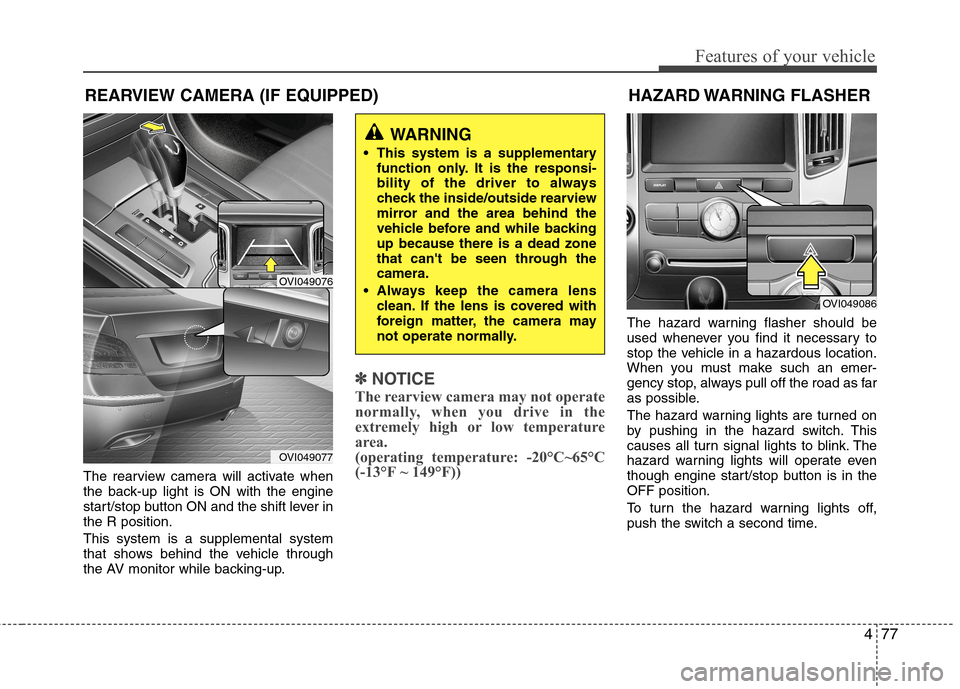
The rearview camera will activate when
the back-up light is ON with the engine
start/stop button ON and the shift lever inthe R position. This system is a supplemental system
that shows behind the vehicle through
the AV monitor while backing-up.
✽✽NOTICE
The rearview camera may not operate
normally, when you drive in the
extremely high or low temperature
area.
(operating temperature: -20°C~65°C
(-13°F ~ 149°F))
The hazard warning flasher should be
used whenever you find it necessary to
stop the vehicle in a hazardous location.
When you must make such an emer-
gency stop, always pull off the road as far
as possible.
The hazard warning lights are turned on
by pushing in the hazard switch. This
causes all turn signal lights to blink. The
hazard warning lights will operate even
though engine start/stop button is in theOFF position.
To turn the hazard warning lights off,
push the switch a second time.
WARNING
This system is a supplementary function only. It is the responsi-
bility of the driver to always
check the inside/outside rearview
mirror and the area behind the
vehicle before and while backingup because there is a dead zone
that can't be seen through thecamera.
Always keep the camera lens clean. If the lens is covered with
foreign matter, the camera may
not operate normally.
OVI049086
REARVIEW CAMERA (IF EQUIPPED)
OVI049076
OVI049077
HAZARD WARNING FLASHER