light Hyundai Equus 2010 User Guide
[x] Cancel search | Manufacturer: HYUNDAI, Model Year: 2010, Model line: Equus, Model: Hyundai Equus 2010Pages: 374, PDF Size: 41.29 MB
Page 67 of 374
349
Safety features of your vehicle
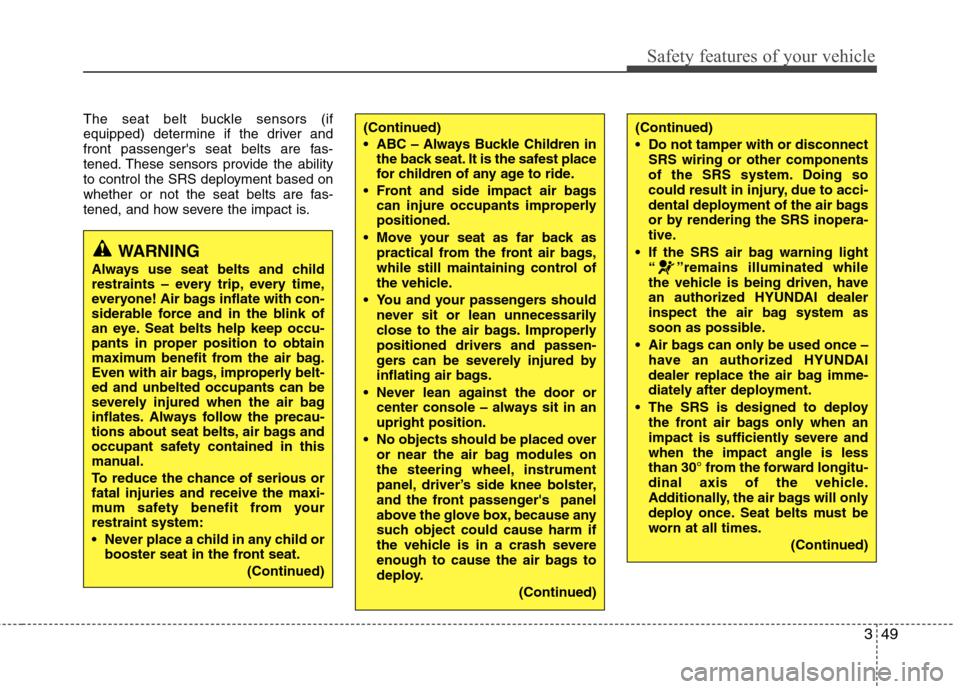
The seat belt buckle sensors (if
equipped) determine if the driver and
front passenger's seat belts are fas-
tened. These sensors provide the ability
to control the SRS deployment based on
whether or not the seat belts are fas-
tened, and how severe the impact is.(Continued)
ABC – Always Buckle Children inthe back seat. It is the safest place
for children of any age to ride.
Front and side impact air bags can injure occupants improperlypositioned.
Move your seat as far back as practical from the front air bags,
while still maintaining control of
the vehicle.
You and your passengers should never sit or lean unnecessarily
close to the air bags. Improperly
positioned drivers and passen-
gers can be severely injured by
inflating air bags.
Never lean against the door or center console – always sit in an upright position.
No objects should be placed over or near the air bag modules on
the steering wheel, instrument
panel, driver’s side knee bolster,
and the front passenger's panel
above the glove box, because any
such object could cause harm if
the vehicle is in a crash severe
enough to cause the air bags to
deploy.
(Continued)(Continued)
Do not tamper with or disconnectSRS wiring or other components
of the SRS system. Doing so
could result in injury, due to acci-
dental deployment of the air bags
or by rendering the SRS inopera-
tive.
If the SRS air bag warning light “ ”remains illuminated while
the vehicle is being driven, have
an authorized HYUNDAI dealer
inspect the air bag system as
soon as possible.
Air bags can only be used once – have an authorized HYUNDAI
dealer replace the air bag imme-
diately after deployment.
The SRS is designed to deploy the front air bags only when an
impact is sufficiently severe andwhen the impact angle is less
than 30° from the forward longitu-
dinal axis of the vehicle.
Additionally, the air bags will only
deploy once. Seat belts must be
worn at all times.
(Continued)
WARNING
Always use seat belts and child
restraints – every trip, every time,
everyone! Air bags inflate with con-
siderable force and in the blink of
an eye. Seat belts help keep occu-
pants in proper position to obtain
maximum benefit from the air bag.
Even with air bags, improperly belt-ed and unbelted occupants can be
severely injured when the air bag
inflates. Always follow the precau-
tions about seat belts, air bags and
occupant safety contained in this
manual.
To reduce the chance of serious or fatal injuries and receive the maxi-
mum safety benefit from yourrestraint system:
Never place a child in any child or booster seat in the front seat.
(Continued)
Page 76 of 374
Safety features of your vehicle
58
3
SRS Care
The SRS is virtually maintenance-free
and so there are no parts you can safely
service by yourself. If the SRS air bag
warnin light does not illuminate when
you turn the ignition ON, or if it continu-
ously remains on, have your vehicle
immediately inspected by an authorized
HYUNDAI dealer.
Any work on the SRS system, such as
removing, installing, repairing, or any
work on the steering wheel, the frontpassenger's panel, front seats and roof
rails must be performed by an authorized
HYUNDAI dealer. Improper handling of
the SRS system may result in serious
personal injury.
WARNING
Modification to SRS components or wiring, including the addition
of any kind of badges to the pad
covers or modifications to the
body structure, can adversely
affect SRS performance and lead
to possible injury.
For cleaning the air bag pad cov- ers, use only a soft, dry cloth or
one which has been moistened
with plain water. Solvents or
cleaners could adversely affect
the air bag covers and proper
deployment of the system.
No objects should be placed over
or near the air bag modules on the
steering wheel, instrument panel,
and the front passenger's panel
above the glove box, because any
such object could cause harm if the
vehicle is in a crash severe enough
to cause the air bags to inflate.
(Continued)
(Continued)
If the air bags inflate, they must be replaced by an authorized
HYUNDAI dealer.
Do not tamper with or disconnect SRS wiring, or other components
of the SRS system. Doing so
could result in injury, due to acci-
dental inflation of the air bags or
by rendering the SRS inopera-
tive.
If components of the air bag sys- tem must be discarded, or if the
vehicle must be scrapped, certain
safety precautions must be
observed. An authorized
HYUNDAI dealer knows these
precautions and can give you the
necessary information. Failure to
follow these precautions and pro-cedures could increase the risk
of personal injury.
If your car was flooded and has soaked carpeting or water on the
flooring, you shouldn't try to start
the engine; have the car towed to
an authorized HYUNDAI dealer.
Page 79 of 374
4
Smart key / 4-3
Theft-alarm system / 4-9
Door locks / 4-11
Trunk / 4-16
Windows / 4-24
Hood / 4-28
Fuel filler lid / 4-30
Sunroof / 4-33
Driver position memory system / 4-37
Steering wheel / 4-39
Mirrors / 4-42
Instrument cluster / 4-47
Parking assist system / 4-69
Parking guide system / 4-72
Front blind spot monitoring system / 4-76
Rearview camera / 4-77
Hazard warning flasher / 4-77
Lighting / 4-78
Wipers and washers / 4-84
Interior light / 4-88
Defroster / 4-91
Automatic climate control system / 4-92
Rear vent / 4-104
Features of your vehicle
Page 81 of 374

43
Features of your vehicle
With a smart key, you can lock or unlock
a door (and trunk) and even start the
engine without inserting the key.
Smart key functions
Carrying the smart key, you can lock and
unlock the vehicle doors (and trunk).
Also, you may start the engine. Refer to
the following for more details.Locking
Pressing the button of the outside door
handles with all doors (and trunk) closed
and any door unlocked, locks all the
doors (and trunk). The hazard warning
lights blink once to indicate that all doors
(and trunk) are locked. The button will
only operate when the smart key is with-in 0.7~1 m (28~40 in.) from the outside
door handle. If you put your hand in the
outside door handle to check that the
doors lock, doors may open.
If you want to make sure that a door has
locked or not, you should check the door
lock button inside the vehicle or check
that the hazard warning lights blink once.Even though you press the outside door
handle buttons, the doors will not lock
and the chime will sound for 3 seconds if
any of following occur:
• The smart key is in the vehicle.
The engine start/stop button is in ACC
or ON position.
Any door except the trunk is open.
Unlocking
Carrying the smart key with you while all
doors locked and if you put your hand in
the outside door handle for approximate-
ly 0.5 second, all doors will unlock. The
hazard warning lights blink twice to indi-
cate that all doors (and trunk) are
unlocked. You can open the door by
pulling the outside door handle. The
smart key is only recognized in the area0.7~1 m (28~40 in.) from the outside
door handle.
When the smart key is recognized in the area of 0.7~1 m (28~40 in.) from the out-
side door handle, other people can alsoopen the door without possession of the
smart key.
SMART KEY
OVI049001OVI049005
UnlockLock
Page 82 of 374

Features of your vehicle
4
4
Trunk unlocking (if equipped)
When all doors are locked, if you are within 0.7~1 m (28~40 in.) from the out-
side trunk handle with your smart key in
your possession, the trunk will unlock
and open when you press the trunk han-
dle switch.
Also, once the trunk is opened and then
closed, the trunk will be locked automati-
cally.
If you close the trunk when the smart key
is in the trunk, the chime will sound for 5
seconds. The trunk will unlock and open
when you press the trunk handle switch.
Start-up
You can start the engine without inserting
the key. For detailed information refer to
“Engine start/stop button” in section 5. Buttons on the smart key
Lock (1)
All doors (and trunk) are locked if the lock
button is pressed while all doors areclosed.
If all doors (and trunk) are closed, the
hazard warning lights blink once to indi-
cate that all doors (and trunk) are locked.However, if any door (or trunk) remains
open, the hazard warning lights will not
operate. If all doors (and trunk) are
closed after the lock button is pressed,
the hazard warning lights blink.
If you press the lock button one more time within 4 seconds after all doors are
locked by pressing the lock button, the
outside rearview mirror will be folded. (if equipped)
Unlock (2)
All doors (and trunk) are unlocked if the
unlock button is pressed.
The hazard warning lights will blink twice
to indicate that all doors (and trunk) are
unlocked.
However, after pressing this button, the
doors (and trunk) will lock automatically
unless you open any door within 30 sec-
onds.
If you press the unlock button one more time within 4 seconds after all doors are
unlocked by pressing the unlock button,
the outside rearview mirror will be unfold-
ed. (if equipped)OVI049004
Page 83 of 374
45
Features of your vehicle
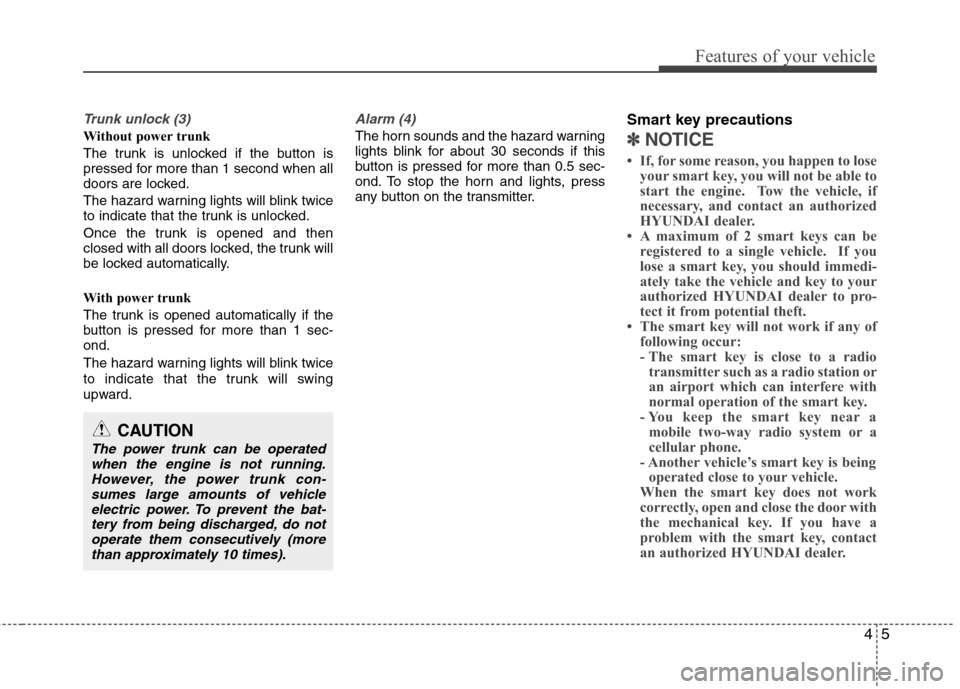
Trunk unlock (3)
Without power trunk
The trunk is unlocked if the button is
pressed for more than 1 second when all
doors are locked.
The hazard warning lights will blink twice
to indicate that the trunk is unlocked.
Once the trunk is opened and then
closed with all doors locked, the trunk will
be locked automatically.
With power trunk
The trunk is opened automatically if the
button is pressed for more than 1 sec-ond.
The hazard warning lights will blink twice
to indicate that the trunk will swing
upward.
Alarm (4)
The horn sounds and the hazard warning
lights blink for about 30 seconds if this
button is pressed for more than 0.5 sec-
ond. To stop the horn and lights, press
any button on the transmitter.Smart key precautions✽✽
NOTICE
If, for some reason, you happen to lose your smart key, you will not be able to
start the engine. Tow the vehicle, if
necessary, and contact an authorized
HYUNDAI dealer.
A maximum of 2 smart keys can be
registered to a single vehicle. If you
lose a smart key, you should immedi-
ately take the vehicle and key to your
authorized HYUNDAI dealer to pro-
tect it from potential theft.
The smart key will not work if any of
following occur:
- The smart key is close to a radiotransmitter such as a radio station or
an airport which can interfere with
normal operation of the smart key.
- You keep the smart key near a
mobile two-way radio system or a
cellular phone.
- Another vehicle’s smart key is being operated close to your vehicle.
When the smart key does not work
correctly, open and close the door with
the mechanical key. If you have a
problem with the smart key, contact
an authorized HYUNDAI dealer.
CAUTION
The power trunk can be operated
when the engine is not running.However, the power trunk con-sumes large amounts of vehicleelectric power. To prevent the bat-
tery from being discharged, do notoperate them consecutively (more than approximately 10 times).
Page 87 of 374
49
Features of your vehicle
THEFT-ALARM SYSTEM
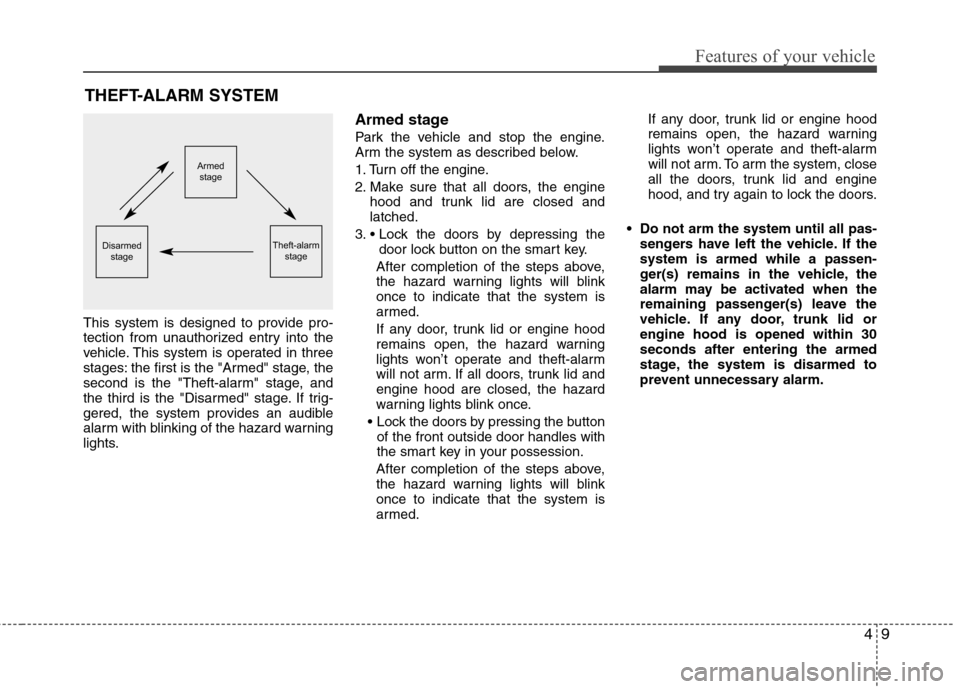
This system is designed to provide pro-
tection from unauthorized entry into the
vehicle. This system is operated in three
stages: the first is the "Armed" stage, the
second is the "Theft-alarm" stage, and
the third is the "Disarmed" stage. If trig-
gered, the system provides an audible
alarm with blinking of the hazard warning
lights. Armed stage
Park the vehicle and stop the engine.
Arm the system as described below.
1. Turn off the engine.
2. Make sure that all doors, the engine
hood and trunk lid are closed and latched.
3. door lock button on the smart key.
After completion of the steps above,
the hazard warning lights will blinkonce to indicate that the system is
armed.
If any door, trunk lid or engine hood
remains open, the hazard warning
lights won’t operate and theft-alarm
will not arm. If all doors, trunk lid andengine hood are closed, the hazard
warning lights blink once.
of the front outside door handles with
the smart key in your possession.
After completion of the steps above,
the hazard warning lights will blinkonce to indicate that the system is
armed. If any door, trunk lid or engine hood
remains open, the hazard warning
lights won’t operate and theft-alarm
will not arm. To arm the system, close
all the doors, trunk lid and engine
hood, and try again to lock the doors.
Do not arm the system until all pas- sengers have left the vehicle. If thesystem is armed while a passen-
ger(s) remains in the vehicle, the
alarm may be activated when the
remaining passenger(s) leave the
vehicle. If any door, trunk lid orengine hood is opened within 30seconds after entering the armed
stage, the system is disarmed to
prevent unnecessary alarm.
Armedstage
Theft-alarm stageDisarmedstage
Page 88 of 374
Features of your vehicle
10
4
Theft-alarm stage
The alarm will be activated if any of the
following occurs while the system is
armed.
A door is opened without using the
smart key.
The trunk is opened without using the smart key.
✽✽ NOTICE
If the trunk is opened by using the smart
key, the alarm will not be activated, but
doors, hood, and engine start/stop but-
ton keep arming condition.
Once the trunk is opened and then
closed, the trunk will be locked and
armed automatically.
The engine hood is opened.
The horn will sound and the hazard
warning lights will blink continuously for
approximately 30 seconds. To turn off the
system, unlock the doors with the smart
key. Disarmed stage
The system will be disarmed when:
- The door unlock button is pressed.
- Putting your hand in the outside door
handle for about 0.5 second while car-
rying the smart key.
After the doors are unlocked, the hazard
warning lights will blink twice to indicate
that the system is disarmed.
After unlocking the door, if any door (or
trunk) is not opened within 30 seconds,
the system will be rearmed.
✽✽ NOTICE
Avoid trying to start the engine while the alarm is activated. The vehicle
starter motor is disabled during the
theft-alarm stage.
If the system is not disarmed, unlock
the doors by inserting the mechanical
key into the key hole and turn the key
toward the rear of the vehicle, then
turn the engine start/stop button to
the ON position and wait for 30 sec-
onds. Then the system will be dis-
armed. (except China)
If you lose your keys, consult your
authorized HYUNDAI dealer.
CAUTION
Do not change, alter or adjust the
theft-alarm system because it could
cause the theft-alarm system to malfunction and should only beserviced by an authorized HYUNDAI dealer.
Malfunctions caused by improperalterations, adjustments or modifi-cations to the theft-alarm system are not covered by your vehicle
manufacturer warranty.
Page 90 of 374

Features of your vehicle
12
4
Power door latch (if equipped)
If a door isn’t closed completely but is closed to the first detent position, the
door will be close automatically. Operating door locks from inside
the vehicle
With the door lock button
To unlock a door, push the door lock
button (1) to the “Unlock” position. The
red mark (2) on the button will be visi-
ble.
To lock a door, push the door lock but- ton (1) to the “Lock” position. If the door
is locked properly, the red mark (2) on
the door lock button will not be visible.
To open a door, pull the door handle (3) outward. If the inner door handle of the driver’s
(or front passenger’s) door is pulled
when the door lock button is in lock
position, the button is unlocked and
door opens. (if equipped)
Front doors cannot be locked if the smart key is in the vehicle and anydoor is opened.
OVI049008
Lock
Unlock
WARNING - Door lock mal-
function
If a power door lock ever fails to
function while you are in the vehi-
cle, try one or more of the following
techniques to exit:
Operate the door unlock feature repeatedly (both electronic and
manual) while simultaneously
pulling on the door handle.
Operate the other door locks and handles, front and rear.
Lower a front window and use the key to unlock the door from out-
side.
OVI049007
WARNING
If the door is open slightly, be care-
ful not to nip fingers in the door.
CAUTION
Before closing the door, ensure that all obstructions are removed.
Page 103 of 374
425
Features of your vehicle
Power windows
The engine start/stop button must be in
the ON position for power windows to
operate.
Each door has a power window switch
that controls the door's window. The driv-
er has a power window lock switch which
can block the operation of passenger
windows. The power windows can be
operated for approximately 30 seconds
after the engine start/stop button turned
to the ACC or OFF position. However, if
the front doors are opened, the power
windows cannot be operated even within
the 30 second period.
✽✽NOTICE
While driving with the rear windows
down or with the sunroof (if equipped)
in an open (or partially open position),
your vehicle may demonstrate a wind
buffeting or pulsation noise. This
noise is a normal occurrence and can be
reduced or eliminated by taking the fol-
lowing actions. If the noise occurs with
one or both of the rear windows down,
partially lower both front windows
approximately one inch. If you expe-
rience the noise with the sunroof open,
slightly reduce the size of the sunroof
opening.
Window opening and closing
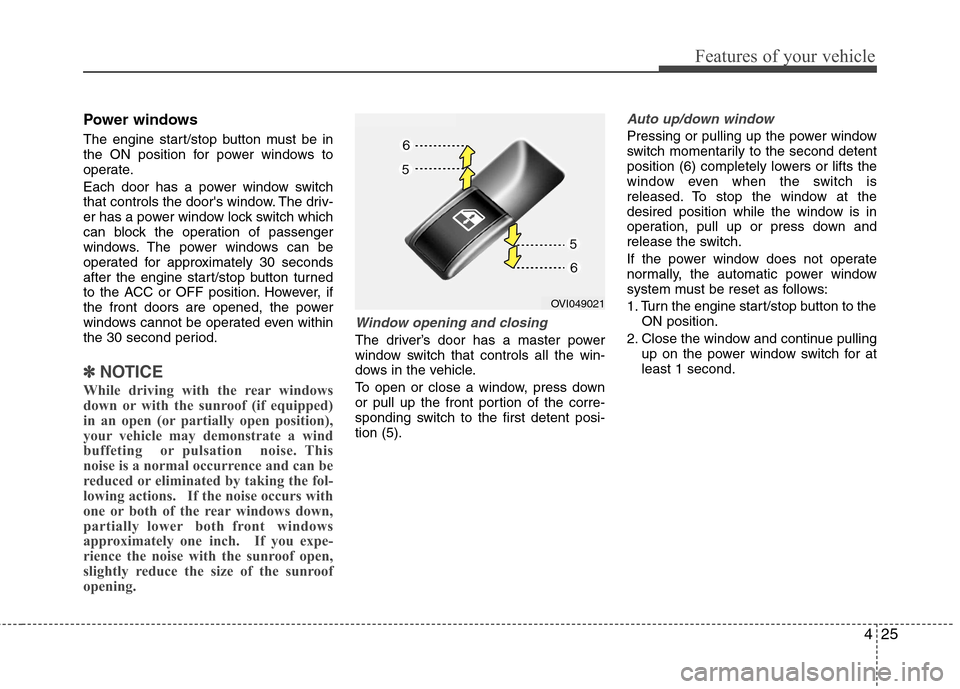
The driver’s door has a master power
window switch that controls all the win-
dows in the vehicle.
To open or close a window, press down
or pull up the front portion of the corre-
sponding switch to the first detent posi-tion (5).
Auto up/down window
Pressing or pulling up the power window
switch momentarily to the second detent
position (6) completely lowers or lifts the
window even when the switch is
released. To stop the window at the
desired position while the window is in
operation, pull up or press down and
release the switch.
If the power window does not operate
normally, the automatic power window
system must be reset as follows:
1. Turn the engine start/stop button to the ON position.
2. Close the window and continue pulling up on the power window switch for at least 1 second.
OVI049021