AUX Hyundai Equus 2010 Owner's Manual
[x] Cancel search | Manufacturer: HYUNDAI, Model Year: 2010, Model line: Equus, Model: Hyundai Equus 2010Pages: 374, PDF Size: 41.29 MB
Page 132 of 374
Features of your vehicle
54
4
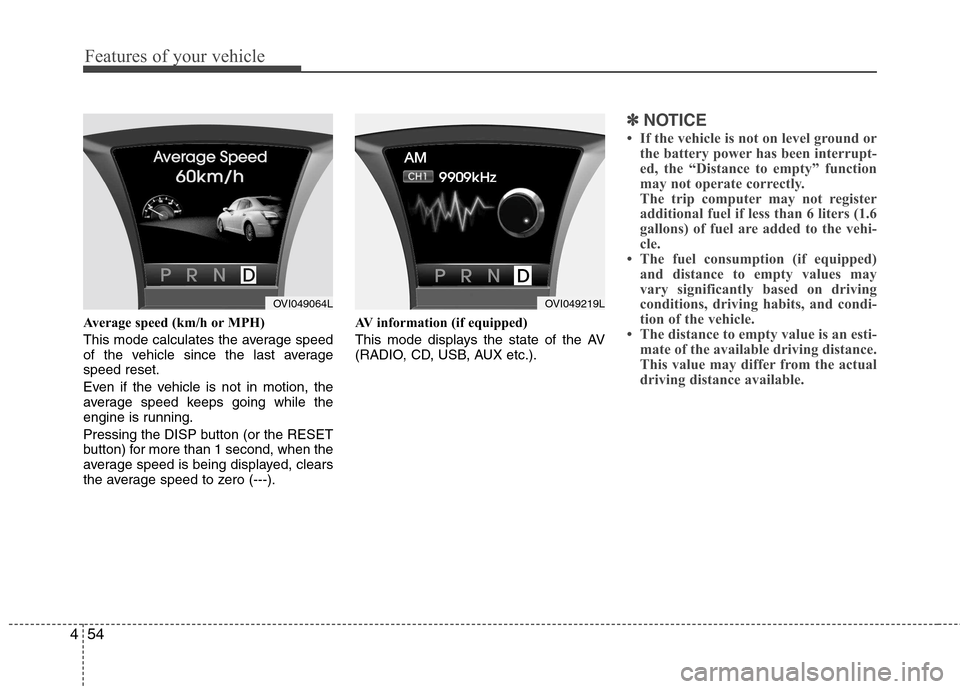
Average speed (km/h or MPH)
This mode calculates the average speed
of the vehicle since the last averagespeed reset.
Even if the vehicle is not in motion, the
average speed keeps going while the
engine is running.
Pressing the DISP button (or the RESET
button) for more than 1 second, when the
average speed is being displayed, clears
the average speed to zero (---). AV information (if equipped)
This mode displays the state of the AV
(RADIO, CD, USB, AUX etc.).
✽✽
NOTICE
If the vehicle is not on level ground or the battery power has been interrupt-
ed, the “Distance to empty” function
may not operate correctly.
The trip computer may not register
additional fuel if less than 6 liters (1.6
gallons) of fuel are added to the vehi-
cle.
The fuel consumption (if equipped)
and distance to empty values may
vary significantly based on driving
conditions, driving habits, and condi-
tion of the vehicle.
The distance to empty value is an esti- mate of the available driving distance.
This value may differ from the actual
driving distance available.
OVI049064LOVI049219L
Page 201 of 374
4123
Features of your vehicle
MULTIMEDIA SYSTEM
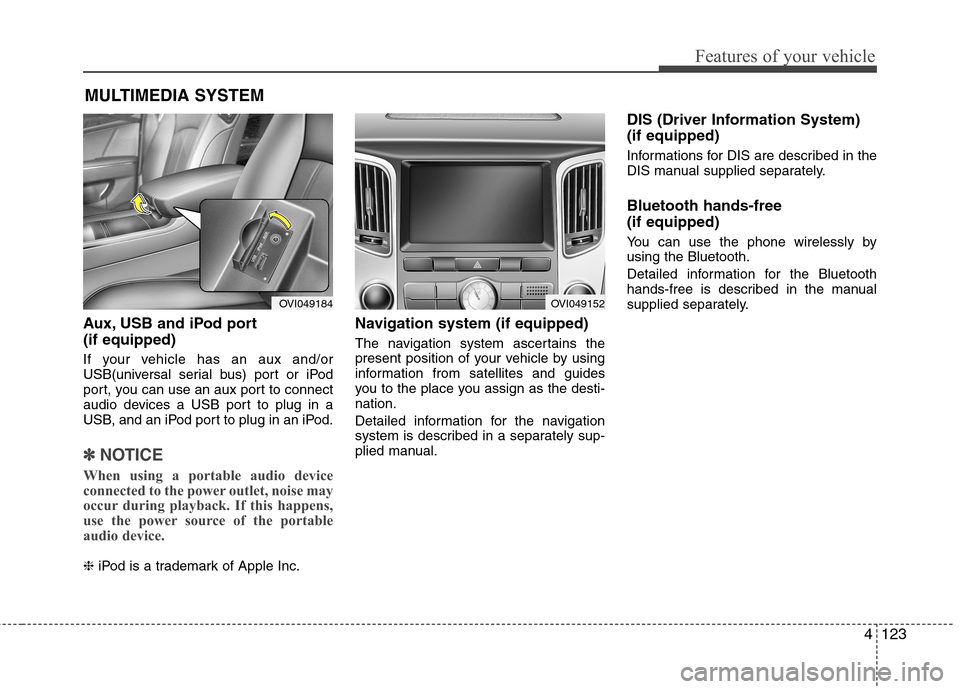
Aux, USB and iPod port (if equipped)
If your vehicle has an aux and/or
USB(universal serial bus) port or iPod
port, you can use an aux port to connect
audio devices a USB port to plug in a
USB, and an iPod port to plug in an iPod.
✽✽NOTICE
When using a portable audio device
connected to the power outlet, noise may
occur during playback. If this happens,
use the power source of the portable
audio device.
❈ iPod is a trademark of Apple Inc. Navigation system (if equipped)
The navigation system ascertains the
present position of your vehicle by using
information from satellites and guides
you to the place you assign as the desti-nation.
Detailed information for the navigation
system is described in a separately sup-
plied manual. DIS (Driver Information System) (if equipped)
Informations for DIS are described in the
DIS manual supplied separately. Bluetooth hands-free (if equipped)
You can use the phone wirelessly by using the Bluetooth.
Detailed information for the Bluetooth
hands-free is described in the manual
supplied separately.
OVI049184OVI049152
Page 203 of 374
4125
Features of your vehicle
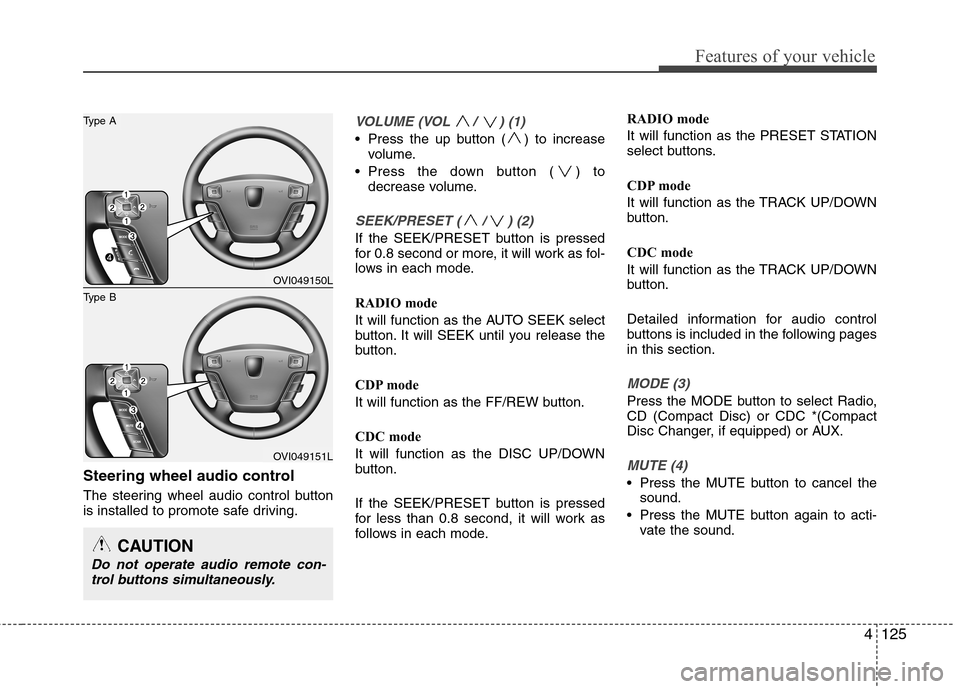
Steering wheel audio control
The steering wheel audio control button
is installed to promote safe driving.
VOLUME (VOL / ) (1)
Press the up button ( ) to increasevolume.
Press the down button ( ) to decrease volume.
SEEK/PRESET ( / ) (2)
If the SEEK/PRESET button is pressed
for 0.8 second or more, it will work as fol-
lows in each mode.
RADIO mode
It will function as the AUTO SEEK select
button. It will SEEK until you release the
button.
CDP mode
It will function as the FF/REW button.
CDC mode
It will function as the DISC UP/DOWN
button.
If the SEEK/PRESET button is pressed
for less than 0.8 second, it will work as
follows in each mode. RADIO mode
It will function as the PRESET STATION
select buttons.
CDP mode
It will function as the TRACK UP/DOWN
button.
CDC mode
It will function as the TRACK UP/DOWN
button.
Detailed information for audio control
buttons is included in the following pagesin this section.
MODE (3)
Press the MODE button to select Radio, CD (Compact Disc) or CDC *(Compact
Disc Changer, if equipped) or AUX.
MUTE (4)
Press the MUTE button to cancel the
sound.
Press the MUTE button again to acti- vate the sound.
CAUTION
Do not operate audio remote con-
trol buttons simultaneously.
OVI049150L
OVI049151L
Type B
Type A