ECO mode Hyundai Equus 2011 User Guide
[x] Cancel search | Manufacturer: HYUNDAI, Model Year: 2011, Model line: Equus, Model: Hyundai Equus 2011Pages: 385, PDF Size: 10.67 MB
Page 147 of 385
465
Features of your vehicle
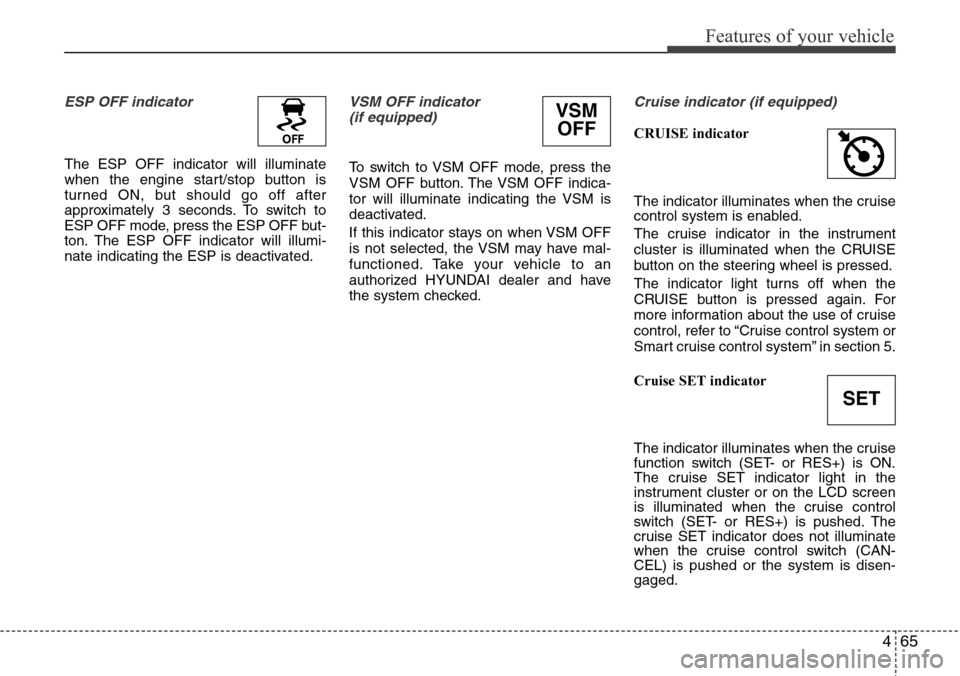
ESP OFF indicator
The ESP OFF indicator will illuminate
when the engine start/stop button is
turned ON, but should go off after
approximately 3 seconds. To switch to
ESP OFF mode, press the ESP OFF but-
ton. The ESP OFF indicator will illumi-
nate indicating the ESP is deactivated.
VSM OFF indicator
(if equipped)
To switch to VSM OFF mode, press the
VSM OFF button. The VSM OFF indica-
tor will illuminate indicating the VSM is
deactivated.
If this indicator stays on when VSM OFF
is not selected, the VSM may have mal-
functioned. Take your vehicle to an
authorized HYUNDAI dealer and have
the system checked.
Cruise indicator (if equipped)
CRUISE indicator
The indicator illuminates when the cruise
control system is enabled.
The cruise indicator in the instrument
cluster is illuminated when the CRUISE
button on the steering wheel is pressed.
The indicator light turns off when the
CRUISE button is pressed again. For
more information about the use of cruise
control, refer to “Cruise control system or
Smart cruise control system” in section 5.
Cruise SET indicator
The indicator illuminates when the cruise
function switch (SET- or RES+) is ON.
The cruise SET indicator light in the
instrument cluster or on the LCD screen
is illuminated when the cruise control
switch (SET- or RES+) is pushed. The
cruise SET indicator does not illuminate
when the cruise control switch (CAN-
CEL) is pushed or the system is disen-
gaged.
SET
VSM
OFF
Page 151 of 385
469
Features of your vehicle
AFLS (Adaptive Front
Lighting System)
malfunction indicator
(if equipped)
If the AFLS malfunction indicator comes
on, the AFLS is not working properly.
Drive to the nearest safe location and
restart the engine. If the indicator contin-
uously remains on, take your vehicle to
an authorized HYUNDAI dealer and have
the system checked.
SPORT mode indicator
(if equipped)
The SPORT indicator light will illuminate
when the SPORT button is pressed. It
enables you to drive dynamically. The
indicator light turns off when the SPORT
button is pressed again. The sporty driv-
ing mode returns to the normal mode.
For more information, refer to "Electronic
controlled suspension" in section 5.
ECS (Electronic Control
Suspension) malfunction
indicator (if equipped)
The ECS malfunction indicator will illumi-
nate when the engine start/stop button is
turned to ON, but should go off after
approximately 3 seconds. If the warning
light does not come on, or continuously
remains on after coming on for about 3
seconds when you turn the engine
start/stop button to the ON position, the
ECS is not working properly.
If it comes on while driving, the electron-
ic control suspension is not working
properly.
Take your vehicle to an authorized
HYUNDAI dealer and have the system
checked.
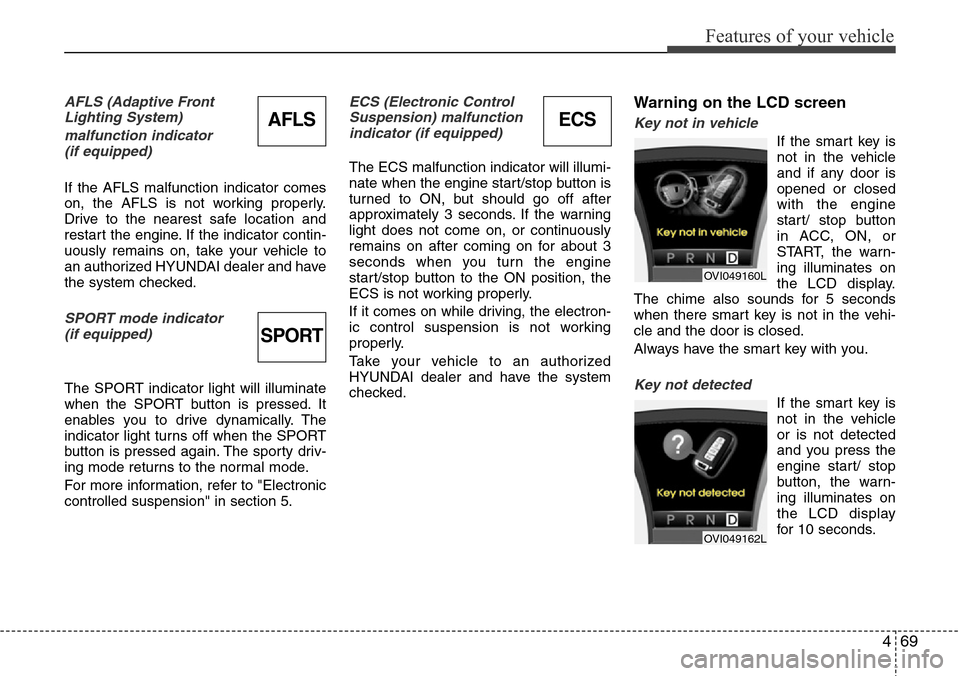
Warning on the LCD screen
Key not in vehicle
If the smart key is
not in the vehicle
and if any door is
opened or closed
with the engine
start/ stop button
in ACC, ON, or
START, the warn-
ing illuminates on
the LCD display.
The chime also sounds for 5 seconds
when there smart key is not in the vehi-
cle and the door is closed.
Always have the smart key with you.
Key not detected
If the smart key is
not in the vehicle
or is not detected
and you press the
engine start/ stop
button, the warn-
ing illuminates on
the LCD display
for 10 seconds.
OVI049160L
OVI049162L
ECSAFLS
SPORT
Page 163 of 385
481
Features of your vehicle
Battery saver function
• The purpose of this feature is to pre-
vent the battery from being dis-
charged. The system automatically
turns off the parking lights when the
driver turns off the engine and opens
the driver-side door.
• With this feature, the parking lights will
be turned off automatically if the driver
parks on the side of road at night.
If necessary, to keep the lights on
when the engine start/stop button is
turned to the OFF position, perform the
following:
1) Open the driver-side door.
2) Turn the parking lights OFF and ON
again using the light switch on the
steering column.
Headlight welcome function
(if equipped)
When the headlight is ON or AUTO posi-
tion and all doors (and trunk) are closed
and locked, if you press the door unlock
button on the smart key, the headlights
will come on for about 15 seconds. At this
time, if you press the door lock or unlock
button, the headlights will turn off imme-
diately.
Headlight escort function
(if equipped)
If you turn the engine start/stop button to
the ACC or OFF position with the head-
lights ON, the headlights (and/or tail
lights) remain on for about 20 minutes.
However, if the driver’s door is opened
and closed, the headlights are turned off
after 30 seconds.
The headlights can be turned off by
pressing the door lock button on the
smart key twice or turning the light switch
to the OFF or Auto position.
If the headlight switch is in the AUTO
position, the function can only operate at
night.
Rescue mode function
(if equipped)
If your vehicle has any problem on the
vehicle network system, the headlights
(low beam) turn on automatically with the
engine start/stop button in the ON posi-
tion even though the headlight switch is
not turned on. At this time, the emer-
gency lighting is not turned off when the
headlight switch is turned off.
LIGHTING
CAUTION
If the driver gets out of the vehicle
through other doors (except dri-
ver's door), the battery saver func-
tion does not operate and the head-
light escort function does not turn
off automatically. Therefore, it caus-
es the battery to be discharged. In
this case, make sure to turn off the
lamp before getting out of the vehi-
cle.
CAUTION
If the rescue mode occurs, have
your vehicle checked by an author-
ized HYUNDAI dealer as soon as
possible.
Page 183 of 385
4101
Features of your vehicle
The temperature will increase to the
maximum (HI) by turning the knob to the
right extremly. The temperature will
decrease to the minimum (Lo) by turning
the knob to the left extremly. When turn-
ing the knob, the temperature will
increase or decrease by 0.5°C/1°F. When
set to the lowest temperature setting, the
air conditioning will operate continuously.
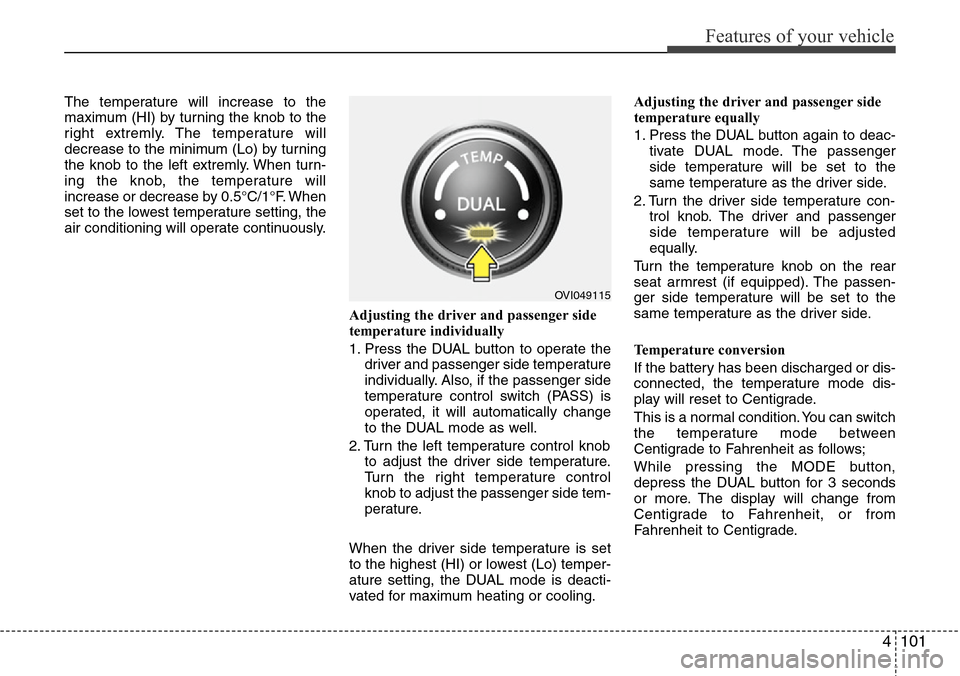
Adjusting the driver and passenger side
temperature individually
1. Press the DUAL button to operate the
driver and passenger side temperature
individually. Also, if the passenger side
temperature control switch (PASS) is
operated, it will automatically change
to the DUAL mode as well.
2. Turn the left temperature control knob
to adjust the driver side temperature.
Turn the right temperature control
knob to adjust the passenger side tem-
perature.
When the driver side temperature is set
to the highest (HI) or lowest (Lo) temper-
ature setting, the DUAL mode is deacti-
vated for maximum heating or cooling.Adjusting the driver and passenger side
temperature equally
1. Press the DUAL button again to deac-
tivate DUAL mode. The passenger
side temperature will be set to the
same temperature as the driver side.
2. Turn the driver side temperature con-
trol knob. The driver and passenger
side temperature will be adjusted
equally.
Turn the temperature knob on the rear
seat armrest (if equipped). The passen-
ger side temperature will be set to the
same temperature as the driver side.
Temperature conversion
If the battery has been discharged or dis-
connected, the temperature mode dis-
play will reset to Centigrade.
This is a normal condition. You can switch
the temperature mode between
Centigrade to Fahrenheit as follows;
While pressing the MODE button,
depress the DUAL button for 3 seconds
or more. The display will change from
Centigrade to Fahrenheit, or from
Fahrenheit to Centigrade.
OVI049115
Page 185 of 385
4103
Features of your vehicle
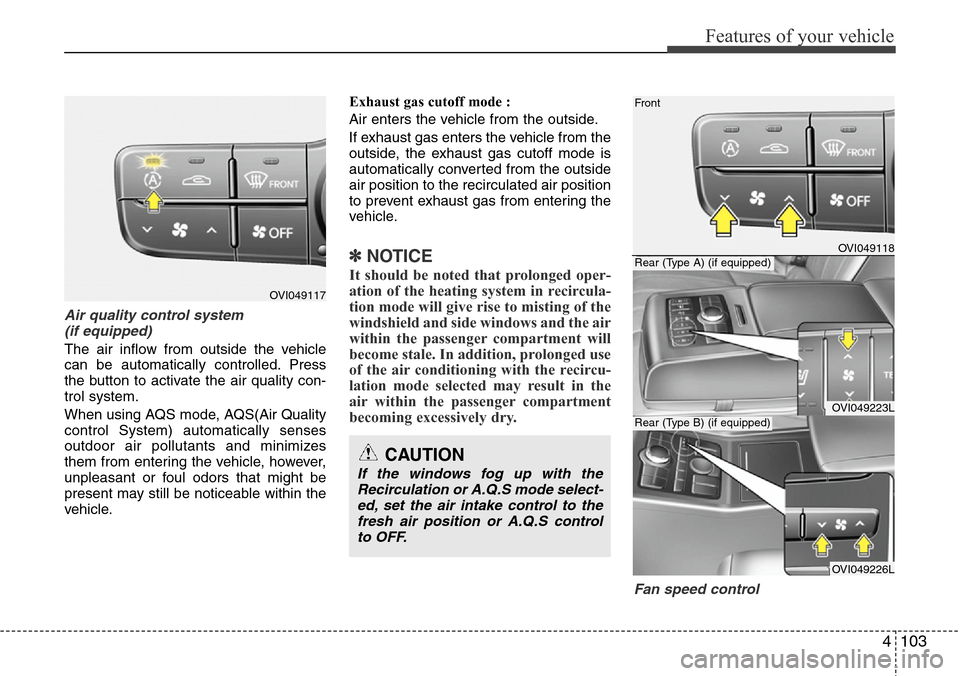
Air quality control system
(if equipped)
The air inflow from outside the vehicle
can be automatically controlled. Press
the button to activate the air quality con-
trol system.
When using AQS mode, AQS(Air Quality
control System) automatically senses
outdoor air pollutants and minimizes
them from entering the vehicle, however,
unpleasant or foul odors that might be
present may still be noticeable within the
vehicle.Exhaust gas cutoff mode :
Air enters the vehicle from the outside.
If exhaust gas enters the vehicle from the
outside, the exhaust gas cutoff mode is
automatically converted from the outside
air position to the recirculated air position
to prevent exhaust gas from entering the
vehicle.
✽NOTICE
It should be noted that prolonged oper-
ation of the heating system in recircula-
tion mode will give rise to misting of the
windshield and side windows and the air
within the passenger compartment will
become stale. In addition, prolonged use
of the air conditioning with the recircu-
lation mode selected may result in the
air within the passenger compartment
becoming excessively dry.
Fan speed control
OVI049117
OVI049118
OVI049223L
OVI049226L Front
Rear (Type A) (if equipped)
Rear (Type B) (if equipped)
CAUTION
If the windows fog up with the
Recirculation or A.Q.S mode select-
ed, set the air intake control to the
fresh air position or A.Q.S control
to OFF.
Page 188 of 385
Features of your vehicle
106 4
Air conditioning
HYUNDAI Air Conditioning Systems are
filled with environmentally friendly
R-134a refrigerant.
1. Start the engine. Press the air condi-
tioning button.
2. Set the mode to the position.
3. Set the air intake control to the outside
air or recirculated air position.
4. Adjust the fan speed control and tem-
perature control to maintain maximum
comfort.
✽NOTICE
• When using the air conditioning sys-
tem, monitor the temperature gauge
closely while driving up hills or in
heavy traffic when outside tempera-
tures are high. Air conditioning sys-
tem operation may cause engine over-
heating. Continue to use the blower
fan but turn the air conditioning sys-
tem off if the temperature gauge indi-
cates engine overheating.
• When opening the windows in humid
weather air conditioning may create
water droplets inside the vehicle.
Since excessive water droplets may
cause damage to electrical equipment,
air conditioning should only be run
with the windows closed.
Air conditioning system operation tips
• If the vehicle has been parked in direct
sunlight during hot weather, open the
windows for a short time to let the hot
air inside the vehicle escape.
• To help reduce moisture inside of the
windows on rainy or humid days,
decrease the humidity inside the vehi-
cle by operating the air conditioning
system.
• During air conditioning system opera-
tion, you may occasionally notice a
slight change in engine speed as the
air conditioning compressor cycles.
This is a normal system operation
characteristic.
• Use the air conditioning system every
month only for a few minutes to ensure
maximum system performance.• When using the air conditioning sys-
tem, you may notice clear water drip-
ping (or even puddling) on the ground
under the passenger side of the vehi-
cle. This is a normal system operation
characteristic.
• Operating the air conditioning system
in the recirculated air position provides
maximum cooling, however, continual
operation in this mode may cause the
air inside the vehicle to become stale.
• During cooling operation, you may
occasionally notice a misty air flow
because of rapid cooling and humid air
intake. This is a normal system opera-
tion characteristics.
Page 204 of 385
Features of your vehicle
122 4
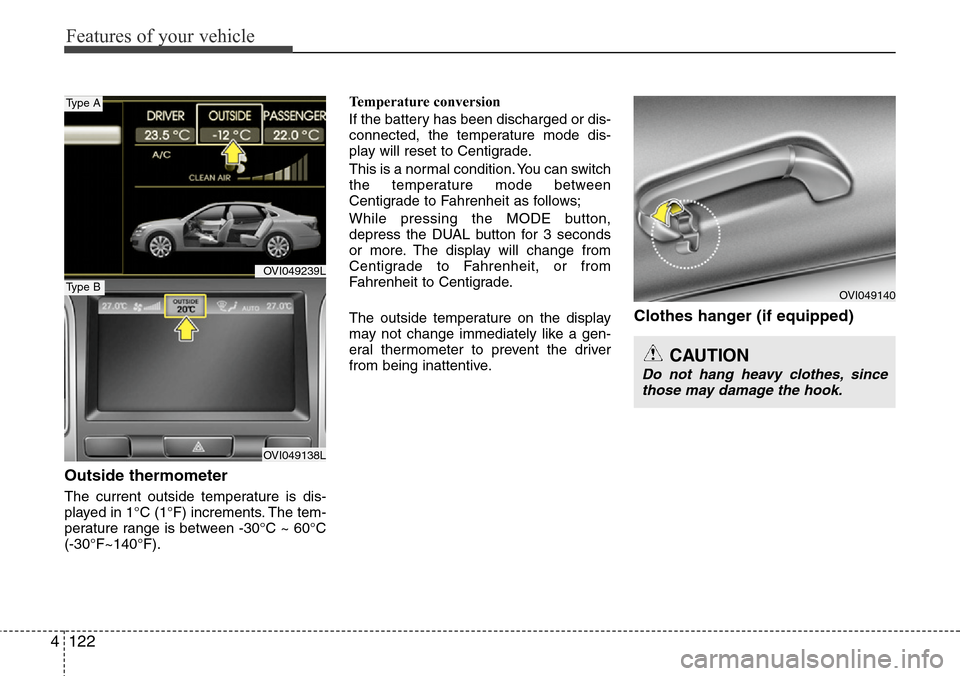
Outside thermometer
The current outside temperature is dis-
played in 1°C (1°F) increments. The tem-
perature range is between -30°C ~ 60°C
(-30°F~140°F).Temperature conversion
If the battery has been discharged or dis-
connected, the temperature mode dis-
play will reset to Centigrade.
This is a normal condition. You can switch
the temperature mode between
Centigrade to Fahrenheit as follows;
While pressing the MODE button,
depress the DUAL button for 3 seconds
or more. The display will change from
Centigrade to Fahrenheit, or from
Fahrenheit to Centigrade.
The outside temperature on the display
may not change immediately like a gen-
eral thermometer to prevent the driver
from being inattentive.
Clothes hanger (if equipped)
CAUTION
Do not hang heavy clothes, since
those may damage the hook.
OVI049140
OVI049239L
OVI049138L
Type A
Type B
Page 212 of 385
Features of your vehicle
130 4
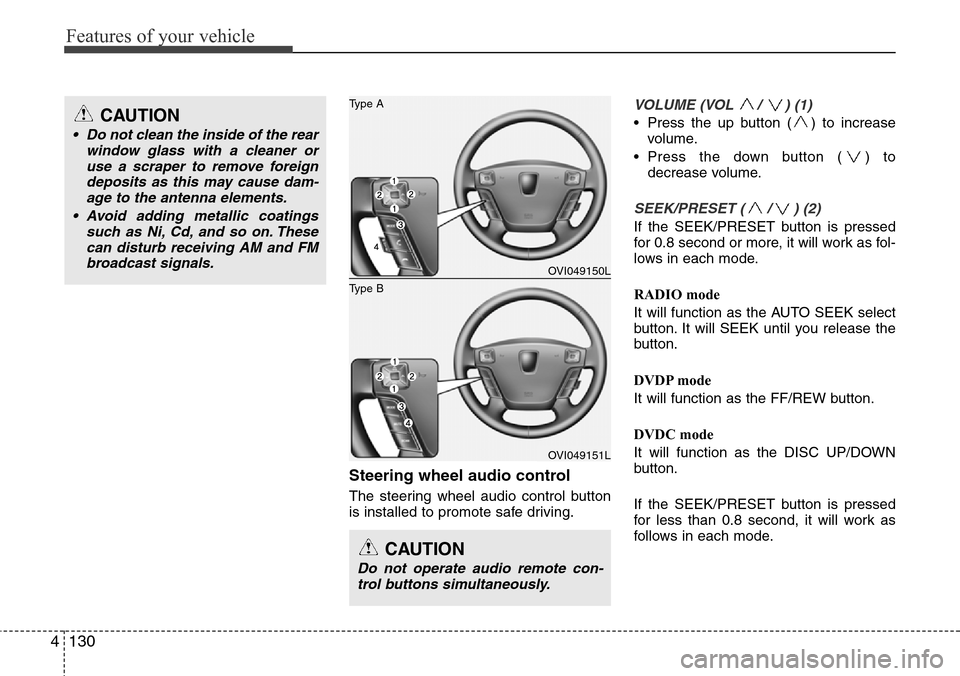
Steering wheel audio control
The steering wheel audio control button
is installed to promote safe driving.
VOLUME (VOL / ) (1)
• Press the up button ( ) to increase
volume.
• Press the down button ( ) to
decrease volume.
SEEK/PRESET ( / ) (2)
If the SEEK/PRESET button is pressed
for 0.8 second or more, it will work as fol-
lows in each mode.
RADIO mode
It will function as the AUTO SEEK select
button. It will SEEK until you release the
button.
DVDP mode
It will function as the FF/REW button.
DVDC mode
It will function as the DISC UP/DOWN
button.
If the SEEK/PRESET button is pressed
for less than 0.8 second, it will work as
follows in each mode.
CAUTION
Do not operate audio remote con-
trol buttons simultaneously.
OVI049150L
OVI049151L
Type B
Type ACAUTION
• Do not clean the inside of the rear
window glass with a cleaner or
use a scraper to remove foreign
deposits as this may cause dam-
age to the antenna elements.
• Avoid adding metallic coatings
such as Ni, Cd, and so on. These
can disturb receiving AM and FM
broadcast signals.
Page 223 of 385
Driving your vehicle
10 5
R (Reverse)
Use this position to drive the vehicle
backward.N (Neutral)
The wheels and transmission are not
engaged. The vehicle will roll freely even
on the slightest incline unless the parking
brake or service brakes are applied.
D (Drive)
This is the normal forward driving posi-
tion. The transmission will automatically
shift through a 8-gear sequence, provid-
ing the best fuel economy and power.
For extra power when passing another
vehicle or climbing grades, depress the
accelerator fully, at which time the trans-
mission will automatically downshift to
the next lower gear.
✽NOTICE
Always come to a complete stop before
shifting into D (Drive).
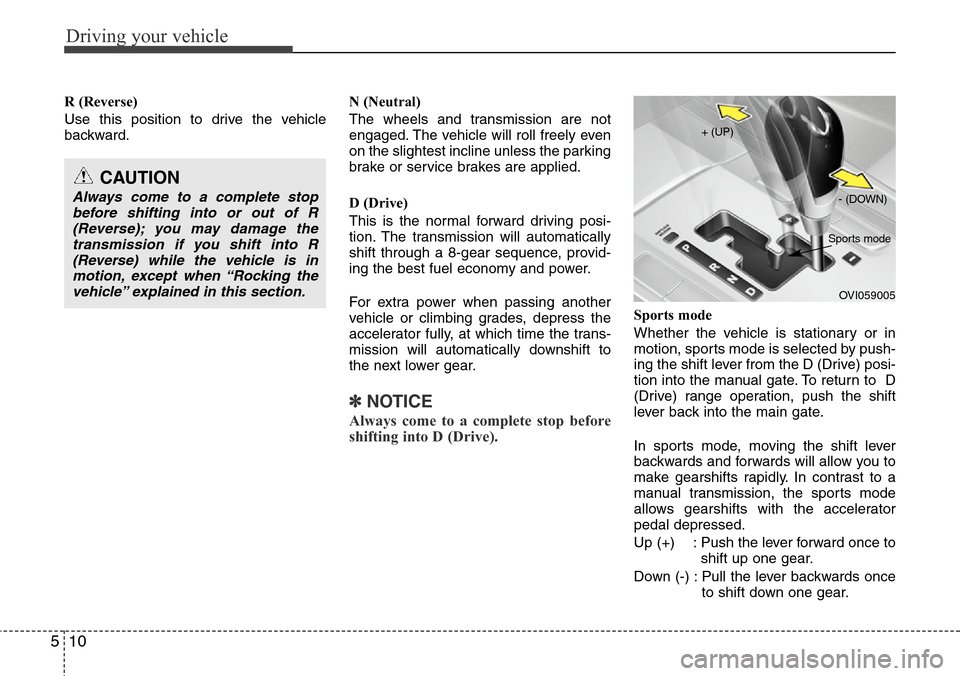
Sports mode
Whether the vehicle is stationary or in
motion, sports mode is selected by push-
ing the shift lever from the D (Drive) posi-
tion into the manual gate. To return to D
(Drive) range operation, push the shift
lever back into the main gate.
In sports mode, moving the shift lever
backwards and forwards will allow you to
make gearshifts rapidly. In contrast to a
manual transmission, the sports mode
allows gearshifts with the accelerator
pedal depressed.
Up (+) : Push the lever forward once to
shift up one gear.
Down (-) : Pull the lever backwards once
to shift down one gear.
CAUTION
Always come to a complete stop
before shifting into or out of R
(Reverse); you may damage the
transmission if you shift into R
(Reverse) while the vehicle is in
motion, except when “Rocking the
vehicle” explained in this section.
OVI059005 + (UP)
- (DOWN)
Sports mode
Page 262 of 385
549
Driving your vehicle
For your safety, the intelligent accelerator
pedal operates as follows:
• The accelerator pedal vibrates when
the lane departure warning system (if
equipped) detects the vehicle has
moved out of its lane.
• The reactive force of the accelerator
pedal increases when the fuel efficien-
cy is low.
The intelligent accelerator pedal function
is available for use in vehicles equipped
with lane departure warning system
(LDWS), vehicle stability management
(VSM) system or ECO driving mode.
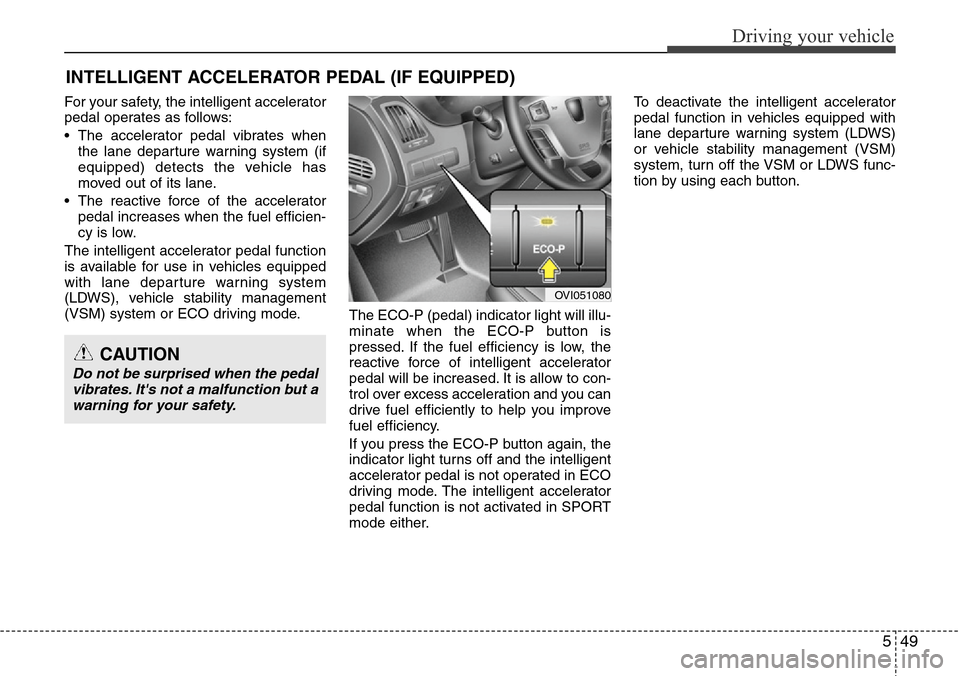
The ECO-P (pedal) indicator light will illu-
minate when the ECO-P button is
pressed. If the fuel efficiency is low, the
reactive force of intelligent accelerator
pedal will be increased. It is allow to con-
trol over excess acceleration and you can
drive fuel efficiently to help you improve
fuel efficiency.
If you press the ECO-P button again, the
indicator light turns off and the intelligent
accelerator pedal is not operated in ECO
driving mode. The intelligent accelerator
pedal function is not activated in SPORT
mode either.To deactivate the intelligent accelerator
pedal function in vehicles equipped with
lane departure warning system (LDWS)
or vehicle stability management (VSM)
system, turn off the VSM or LDWS func-
tion by using each button.
INTELLIGENT ACCELERATOR PEDAL (IF EQUIPPED)
OVI051080
CAUTION
Do not be surprised when the pedal
vibrates. It's not a malfunction but a
warning for your safety.