media Hyundai Equus 2011 User Guide
[x] Cancel search | Manufacturer: HYUNDAI, Model Year: 2011, Model line: Equus, Model: Hyundai Equus 2011Pages: 385, PDF Size: 10.67 MB
Page 174 of 385
Features of your vehicle
92 4
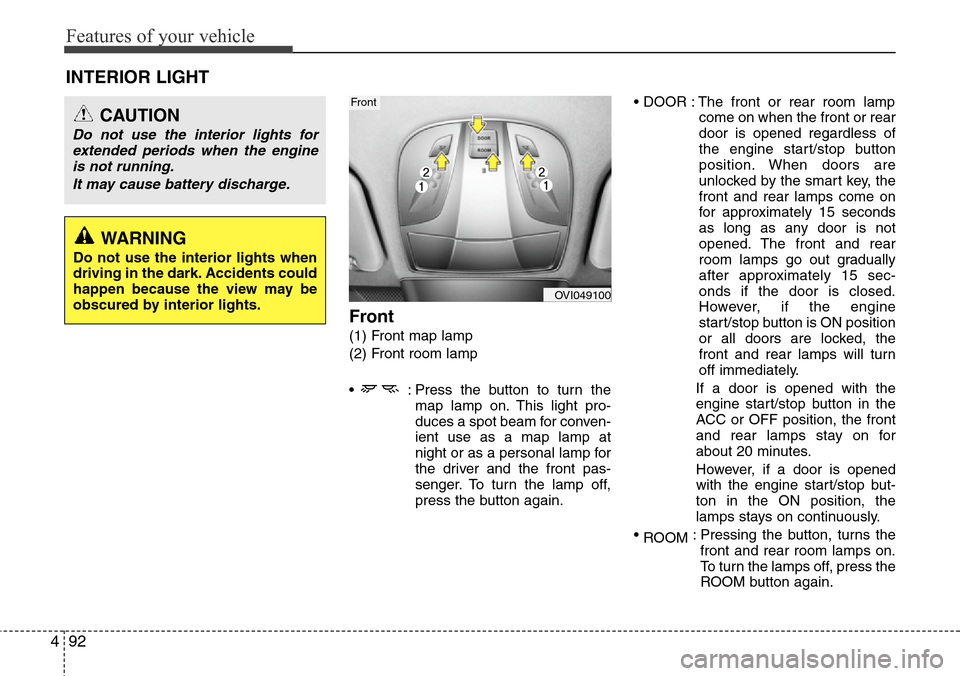
Front
(1) Front map lamp
(2) Front room lamp
• : Press the button to turn the
map lamp on. This light pro-
duces a spot beam for conven-
ient use as a map lamp at
night or as a personal lamp for
the driver and the front pas-
senger. To turn the lamp off,
press the button again.• DOOR : The front or rear room lamp
come on when the front or rear
door is opened regardless of
the engine start/stop button
position. When doors are
unlocked by the smart key, the
front and rear lamps come on
for approximately 15 seconds
as long as any door is not
opened. The front and rear
room lamps go out gradually
after approximately 15 sec-
onds if the door is closed.
However, if the engine
start/stop button is ON position
or all doors are locked, the
front and rear lamps will turn
off immediately.
If a door is opened with the
engine start/stop button in the
ACC or OFF position, the front
and rear lamps stay on for
about 20 minutes.
However, if a door is opened
with the engine start/stop but-
ton in the ON position, the
lamps stays on continuously.
•
ROOM: Pressing the button, turns the
front and rear room lamps on.
To turn the lamps off, press the
ROOM button again.
INTERIOR LIGHT
CAUTION
Do not use the interior lights for
extended periods when the engine
is not running.
It may cause battery discharge.
OVI049100
Front
WARNING
Do not use the interior lights when
driving in the dark. Accidents could
happen because the view may be
obscured by interior lights.
Page 204 of 385
Features of your vehicle
122 4
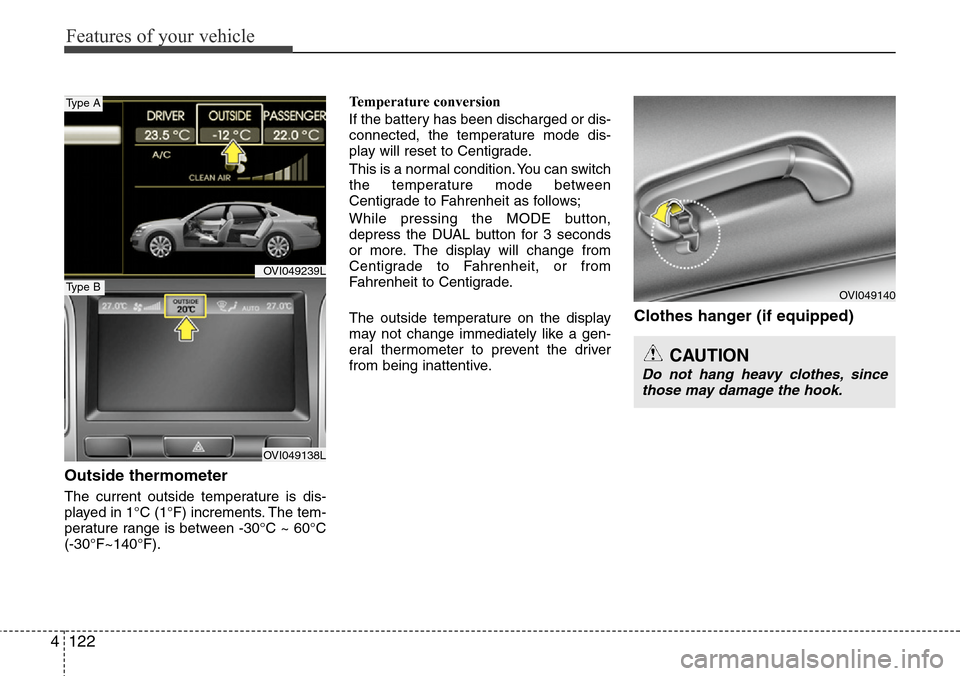
Outside thermometer
The current outside temperature is dis-
played in 1°C (1°F) increments. The tem-
perature range is between -30°C ~ 60°C
(-30°F~140°F).Temperature conversion
If the battery has been discharged or dis-
connected, the temperature mode dis-
play will reset to Centigrade.
This is a normal condition. You can switch
the temperature mode between
Centigrade to Fahrenheit as follows;
While pressing the MODE button,
depress the DUAL button for 3 seconds
or more. The display will change from
Centigrade to Fahrenheit, or from
Fahrenheit to Centigrade.
The outside temperature on the display
may not change immediately like a gen-
eral thermometer to prevent the driver
from being inattentive.
Clothes hanger (if equipped)
CAUTION
Do not hang heavy clothes, since
those may damage the hook.
OVI049140
OVI049239L
OVI049138L
Type A
Type B
Page 210 of 385
Features of your vehicle
128 4
✽NOTICE
If you install an aftermarket HID head-
lamp, your vehicle’s audio and electron-
ic device may malfunction.
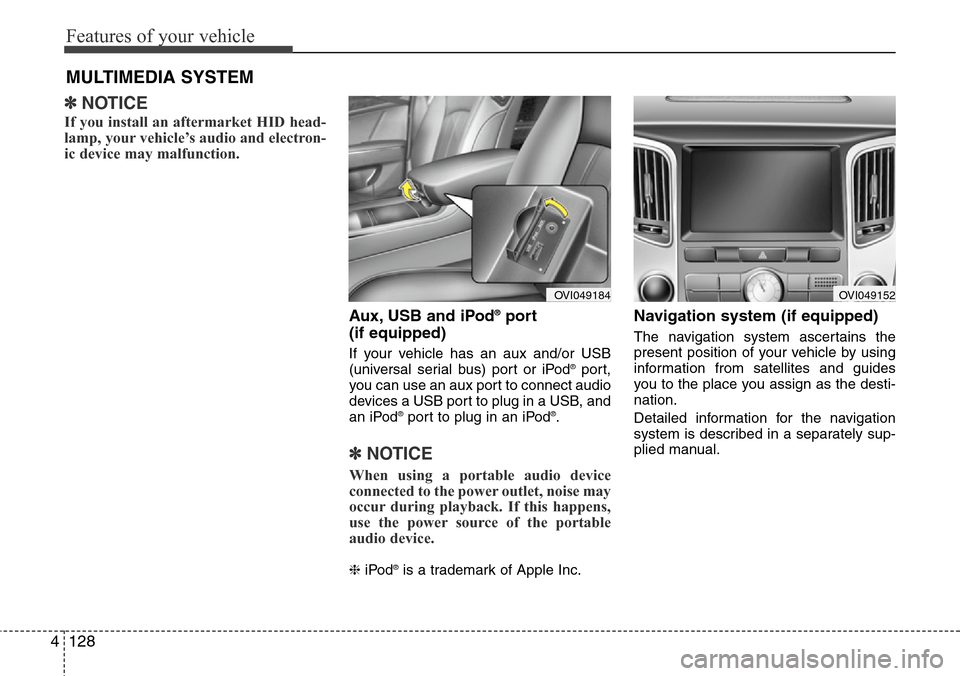
Aux, USB and iPod®port
(if equipped)
If your vehicle has an aux and/or USB
(universal serial bus) port or iPod®port,
you can use an aux port to connect audio
devices a USB port to plug in a USB, and
an iPod
®port to plug in an iPod®.
✽NOTICE
When using a portable audio device
connected to the power outlet, noise may
occur during playback. If this happens,
use the power source of the portable
audio device.
❈iPod®is a trademark of Apple Inc.
Navigation system (if equipped)
The navigation system ascertains the
present position of your vehicle by using
information from satellites and guides
you to the place you assign as the desti-
nation.
Detailed information for the navigation
system is described in a separately sup-
plied manual.
MULTIMEDIA SYSTEM
OVI049184OVI049152
Page 215 of 385
Driving your vehicle
2 5
WARNING- ENGINE EXHAUST CAN BE DANGEROUS!
Engine exhaust fumes can be extremely dangerous. If, at any time, you smell exhaust fumes inside the vehicle, open the win-
dows immediately.
• Do not inhale exhaust fumes.
Exhaust fumes contain carbon monoxide, a colorless, odorless gas that can cause unconsciousness and death by asphyxia-
tion.
• Be sure the exhaust system does not leak.
The exhaust system should be checked whenever the vehicle is raised to change the oil or for any other purpose. If you hear
a change in the sound of the exhaust or if you drive over something that strikes the underneath side of the car, have the
exhaust system checked as soon as possible by an authorized HYUNDAI dealer.
• Do not run the engine in an enclosed area.
Letting the engine idle in your garage, even with the garage door open, is a hazardous practice. Never run the engine in your
garage any longer than it takes to start the engine and back the car out.
• Avoid idling the engine for prolonged periods with people inside the car.
If it is necessary to idle the engine for a prolonged period with people inside the car, be sure to do so only in an open area
with the air intake set at "Fresh" and fan operating at one of the higher speeds so fresh air is drawn into the interior.
If you must drive with the trunk lid open because you are carrying objects that make this necessary:
1. Close all windows.
2. Open side vents.
3. Set the air intake control at "Fresh", the air flow control at "Floor" or "Face" and the fan at one of the higher speeds.
To assure proper operation of the ventilation system, be sure the ventilation air intakes located just in front of the windshield are
kept clear of snow, ice, leaves or other obstructions.
Page 230 of 385
517
Driving your vehicle
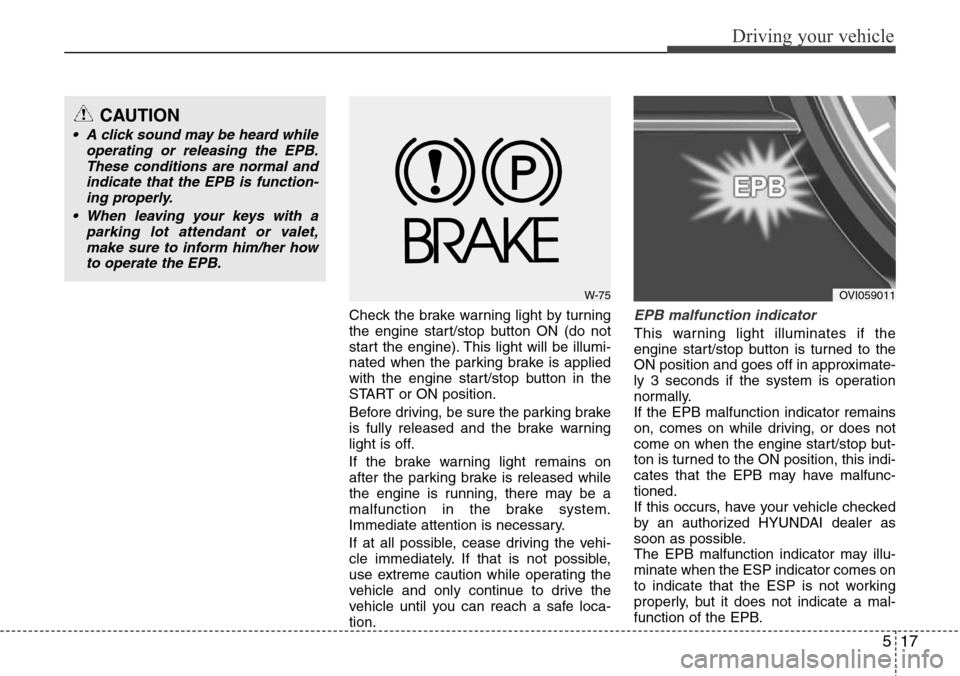
Check the brake warning light by turning
the engine start/stop button ON (do not
start the engine). This light will be illumi-
nated when the parking brake is applied
with the engine start/stop button in the
START or ON position.
Before driving, be sure the parking brake
is fully released and the brake warning
light is off.
If the brake warning light remains on
after the parking brake is released while
the engine is running, there may be a
malfunction in the brake system.
Immediate attention is necessary.
If at all possible, cease driving the vehi-
cle immediately. If that is not possible,
use extreme caution while operating the
vehicle and only continue to drive the
vehicle until you can reach a safe loca-
tion.EPB malfunction indicator
This warning light illuminates if the
engine start/stop button is turned to the
ON position and goes off in approximate-
ly 3 seconds if the system is operation
normally.
If the EPB malfunction indicator remains
on, comes on while driving, or does not
come on when the engine start/stop but-
ton is turned to the ON position, this indi-
cates that the EPB may have malfunc-
tioned.
If this occurs, have your vehicle checked
by an authorized HYUNDAI dealer as
soon as possible.
The EPB malfunction indicator may illu-
minate when the ESP indicator comes on
to indicate that the ESP is not working
properly, but it does not indicate a mal-
function of the EPB.
W-75OVI059011
CAUTION
• A click sound may be heard while
operating or releasing the EPB.
These conditions are normal and
indicate that the EPB is function-
ing properly.
• When leaving your keys with a
parking lot attendant or valet,
make sure to inform him/her how
to operate the EPB.
Page 246 of 385
533
Driving your vehicle
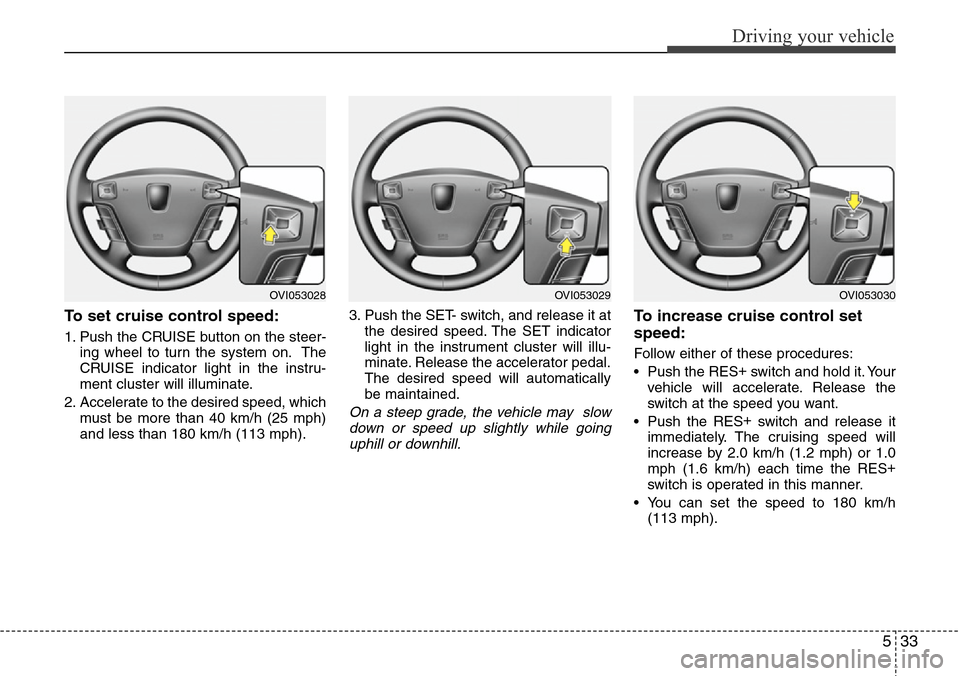
To set cruise control speed:
1. Push the CRUISE button on the steer-
ing wheel to turn the system on. The
CRUISE indicator light in the instru-
ment cluster will illuminate.
2. Accelerate to the desired speed, which
must be more than 40 km/h (25 mph)
and less than 180 km/h (113 mph).3. Push the SET- switch, and release it at
the desired speed. The SET indicator
light in the instrument cluster will illu-
minate. Release the accelerator pedal.
The desired speed will automatically
be maintained.
On a steep grade, the vehicle may slow
down or speed up slightly while going
uphill or downhill.
To increase cruise control set
speed:
Follow either of these procedures:
• Push the RES+
switch and hold it. Your
vehicle will accelerate. Release the
switch at the speed you want.
• Push the RES+
switch and release it
immediately. The cruising speed will
increase by 2.0 km/h (1.2 mph) or 1.0
mph (1.6 km/h) each time the RES+
switch is operated in this manner.
• You can set the speed to 180 km/h
(113 mph).
OVI053029OVI053030OVI053028
Page 247 of 385
Driving your vehicle
34 5
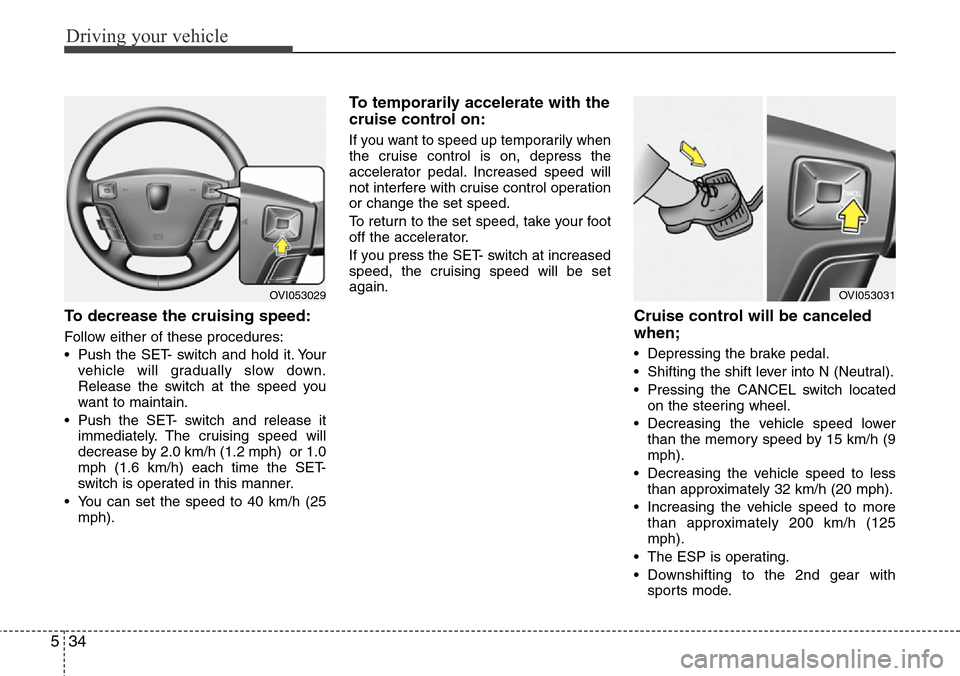
To decrease the cruising speed:
Follow either of these procedures:
• Push the SET- switch and hold it. Your
vehicle will gradually slow down.
Release the switch at the speed you
want to maintain.
• Push the SET- switch and release it
immediately. The cruising speed will
decrease by 2.0 km/h (1.2 mph) or 1.0
mph (1.6 km/h) each time the SET-
switch is operated in this manner.
• You can set the speed to 40 km/h (25
mph).
To temporarily accelerate with the
cruise control on:
If you want to speed up temporarily when
the cruise control is on, depress the
accelerator pedal. Increased speed will
not interfere with cruise control operation
or change the set speed.
To return to the set speed, take your foot
off the accelerator.
If you press the SET- switch at increased
speed, the cruising speed will be set
again.
Cruise control will be canceled
when;
• Depressing the brake pedal.
• Shifting the shift lever into N (Neutral).
• Pressing the CANCEL switch located
on the steering wheel.
• Decreasing the vehicle speed lower
than the memory speed by 15 km/h (9
mph).
• Decreasing the vehicle speed to less
than approximately 32 km/h (20 mph).
• Increasing the vehicle speed to more
than approximately 200 km/h (125
mph).
• The ESP is operating.
• Downshifting to the 2nd gear with
sports mode.
OVI053031OVI053029
Page 250 of 385

537
Driving your vehicle
To set cruise control speed:
1. Push the CRUISE button on the steer-
ing wheel to turn the system on. The
CRUISE indicator light in the instru-
ment cluster will illuminate.
2. Accelerate to the desired speed.
The smart cruise control speed can be
set as follows:
• 30 km/h~180 km/h: when there is no
vehicle in front
• 10 km/h~180 km/h: when there is a
vehicle in front3. Push the SET- switch, and release it at
the desired speed. The SET indicator
light, set speed and vehicle to vehicle
distance on the LCD screen will illumi-
nate. Release the accelerator pedal.
The desired speed will automatically
be maintained.
If there is a vehicle in front of you, the
speed may decrease to maintain the dis-
tance to the vehicle ahead.
On a steep grade, the vehicle may slow
down or speed up slightly while going
uphill or downhill.
To increase cruise control set
speed:
Follow either of these procedures:
• Push the RES+
switch and hold it. Your
vehicle set speed will increase by 10
km/h or 5 mph. Release the switch at
the speed you want.
• Push the RES+
switch and release it
immediately. The cruising speed will
increase by 1.0 km/h (0.6 mph) or 1.0
mph (1.6 km/h) each time the RES+
switch is operated in this manner.
• You can set the speed to 180 km/h
(113 mph).
OVI053028OVI053029OVI053030
Page 251 of 385
Driving your vehicle
38 5
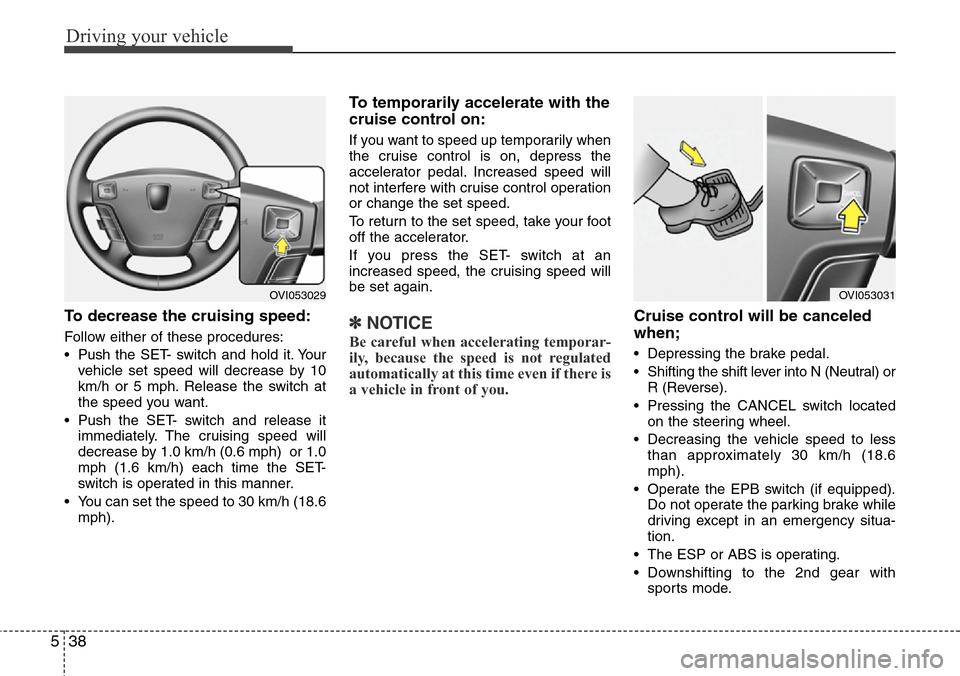
To decrease the cruising speed:
Follow either of these procedures:
• Pushthe SET- switch and hold it. Your
vehicle set speed will decrease by 10
km/h or 5 mph. Release the switch at
the speed you want.
• Push the SET- switch and release it
immediately. The cruising speed will
decrease by 1.0 km/h (0.6 mph) or 1.0
mph (1.6 km/h) each time the SET-
switch is operated in this manner.
• You can set the speed to 30 km/h (18.6
mph).
To temporarily accelerate with the
cruise control on:
If you want to speed up temporarily when
the cruise control is on, depress the
accelerator pedal. Increased speed will
not interfere with cruise control operation
or change the set speed.
To return to the set speed, take your foot
off the accelerator.
If you press the SET- switch at an
increased speed, the cruising speed will
be set again.
✽NOTICE
Be careful when accelerating temporar-
ily, because the speed is not regulated
automatically at this time even if there is
a vehicle in front of you.
Cruise control will be canceled
when;
• Depressing the brake pedal.
• Shifting the shift lever into N (Neutral) or
R (Reverse).
• Pressing the CANCEL switch located
on the steering wheel.
• Decreasing the vehicle speed to less
than approximately 30 km/h (18.6
mph).
• Operate the EPB switch (if equipped).
Do not operate the parking brake while
driving except in an emergency situa-
tion.
• The ESP or ABS is operating.
• Downshifting to the 2nd gear with
sports mode.
OVI053029OVI053031
Page 257 of 385
Driving your vehicle
44 5
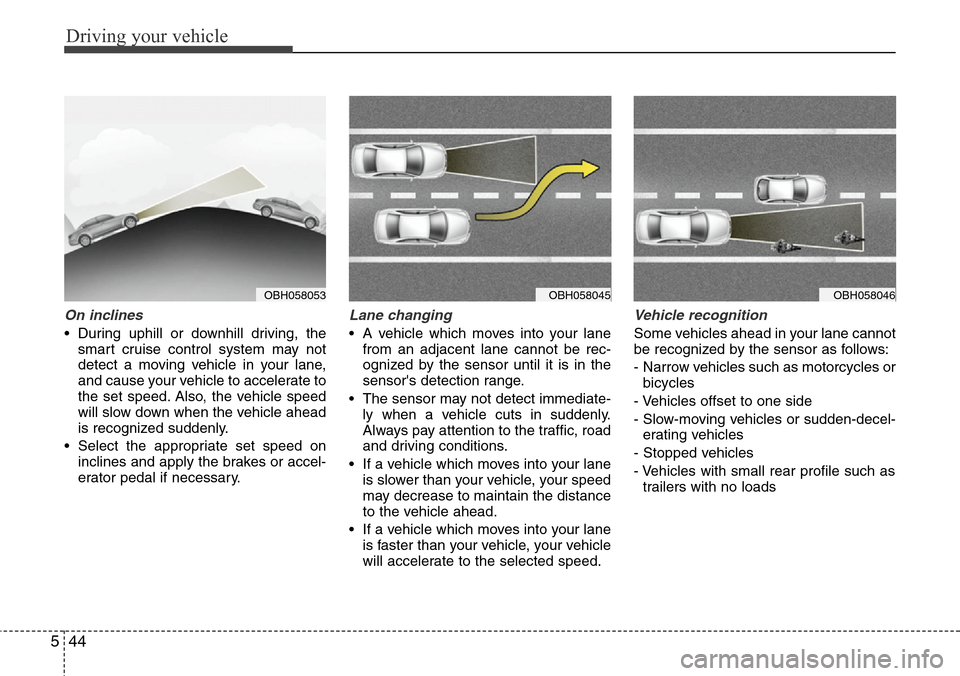
On inclines
• During uphill or downhill driving, the
smart cruise control system may not
detect a moving vehicle in your lane,
and cause your vehicle to accelerate to
the set speed. Also, the vehicle speed
will slow down when the vehicle ahead
is recognized suddenly.
• Select the appropriate set speed on
inclines and apply the brakes or accel-
erator pedal if necessary.
Lane changing
• A vehicle which moves into your lane
from an adjacent lane cannot be rec-
ognized by the sensor until it is in the
sensor's detection range.
• The sensor may not detect immediate-
ly when a vehicle cuts in suddenly.
Always pay attention to the traffic, road
and driving conditions.
• If a vehicle which moves into your lane
is slower than your vehicle, your speed
may decrease to maintain the distance
to the vehicle ahead.
• If a vehicle which moves into your lane
is faster than your vehicle, your vehicle
will accelerate to the selected speed.
Vehicle recognition
Some vehicles ahead in your lane cannot
be recognized by the sensor as follows:
- Narrow vehicles such as motorcycles or
bicycles
- Vehicles offset to one side
- Slow-moving vehicles or sudden-decel-
erating vehicles
- Stopped vehicles
- Vehicles with small rear profile such as
trailers with no loads
OBH058046OBH058045OBH058053