Eco Hyundai Equus 2012 Owners Manual
[x] Cancel search | Manufacturer: HYUNDAI, Model Year: 2012, Model line: Equus, Model: Hyundai Equus 2012Pages: 385, PDF Size: 10.67 MB
Page 233 of 385
Driving your vehicle
20 5
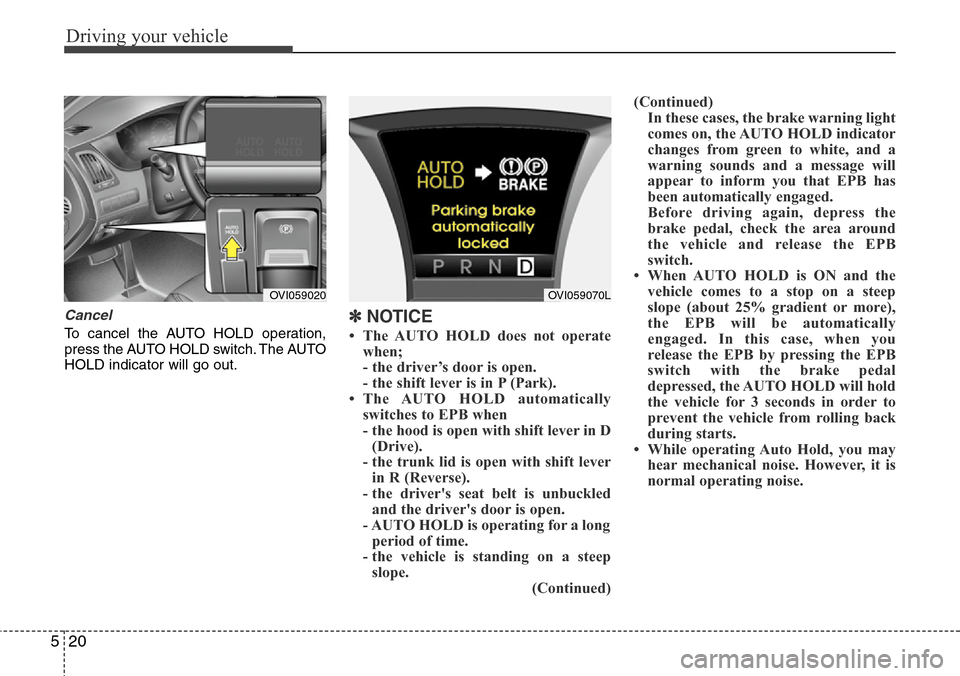
Cancel
To cancel the AUTO HOLD operation,
press the AUTO HOLD switch. The AUTO
HOLD indicator will go out.✽NOTICE
• The AUTO HOLD does not operate
when;
- the driver’s door is open.
- the shift lever is in P (Park).
• The AUTO HOLD automatically
switches to EPB when
- the hood is open with shift lever in D
(Drive).
- the trunk lid is open with shift lever
in R (Reverse).
- the driver's seat belt is unbuckled
and the driver's door is open.
- AUTO HOLD is operating for a long
period of time.
- the vehicle is standing on a steep
slope.
(Continued)(Continued)
In these cases, the brake warning light
comes on, the AUTO HOLD indicator
changes from green to white, and a
warning sounds and a message will
appear to inform you that EPB has
been automatically engaged.
Before driving again, depress the
brake pedal, check the area around
the vehicle and release the EPB
switch.
• When AUTO HOLD is ON and the
vehicle comes to a stop on a steep
slope (about 25% gradient or more),
the EPB will be automatically
engaged. In this case, when you
release the EPB by pressing the EPB
switch with the brake pedal
depressed, the AUTO HOLD will hold
the vehicle for 3 seconds in order to
prevent the vehicle from rolling back
during starts.
• While operating Auto Hold, you may
hear mechanical noise. However, it is
normal operating noise.
OVI059070LOVI059020
Page 235 of 385
Driving your vehicle
22 5
✽NOTICE
A click sound may be heard in the
engine compartment when the vehicle
begins to move after the engine is start-
ed. These conditions are normal and
indicate that the anti-lock brake system
is functioning properly.
• Even with the anti-lock brake system,
your vehicle still requires sufficient
stopping distance. Always maintain a
safe distance from the vehicle in front
of you.
• Always slow down when cornering.
The anti-lock brake system cannot pre-
vent accidents resulting from exces-
sive speeds.
• On loose or uneven road surfaces,
operation of the anti-lock brake system
may result in a longer stopping dis-
tance than for vehicles equipped with a
conventional brake system.
✽NOTICE
When you jump start your vehicle
because of a drained battery, the engine
may not run as smoothly and the ABS
warning light may turn on at the same
time. This happens because of low bat-
tery voltage. It does not mean your ABS
has malfunctioned.
• Do not pump your brakes!
• Have the battery recharged before
driving the vehicle.
W-78
CAUTION
• If the ABS warning light is on and
stays on, you may have a problem
with the ABS. In this case, howev-
er, your regular brakes will work
normally.
• The ABS warning light will stay on
for approximately 3 seconds after
the ignition switch is ON. During
that time, the ABS will go through
self-diagnosis and the light will go
off if everything is normal. If the
light stays on, you may have a
problem with your ABS. Contact
an authorized HYUNDAI dealer as
soon as possible.
CAUTION
• When you drive on a road having
poor traction, such as an icy road,
and have operated your brakes
continuously, the ABS will be
active continuously and the ABS
warning light may illuminate. Pull
your vehicle over to a safe place
and stop the engine.
• Restart the engine. If the ABS
warning light is off, then your
ABS system is normal.
Otherwise, you may have a prob-
lem with the ABS. Contact an
authorized HYUNDAI dealer as
soon as possible.
Page 237 of 385
Driving your vehicle
24 5
ESP operation
ESP ON condition
• When the engine start/stop
button is turned ON, ESP and
ESP OFF indicator lights illu-
minate for approximately 3
seconds, then ESP is turned
on.
• Press the ESP OFF button for
at least half a second after
turning the engine start/stop
button ON to turn ESP off.
(ESP OFF indicator will illumi-
nate). To turn the ESP on,
press the ESP OFF button
(ESP OFF indicator light will
go off).
• When starting the engine,
you may hear a slight ticking
sound. This is the ESP per-
forming an automatic system
self-check and does not indi-
cate a problem.When operating
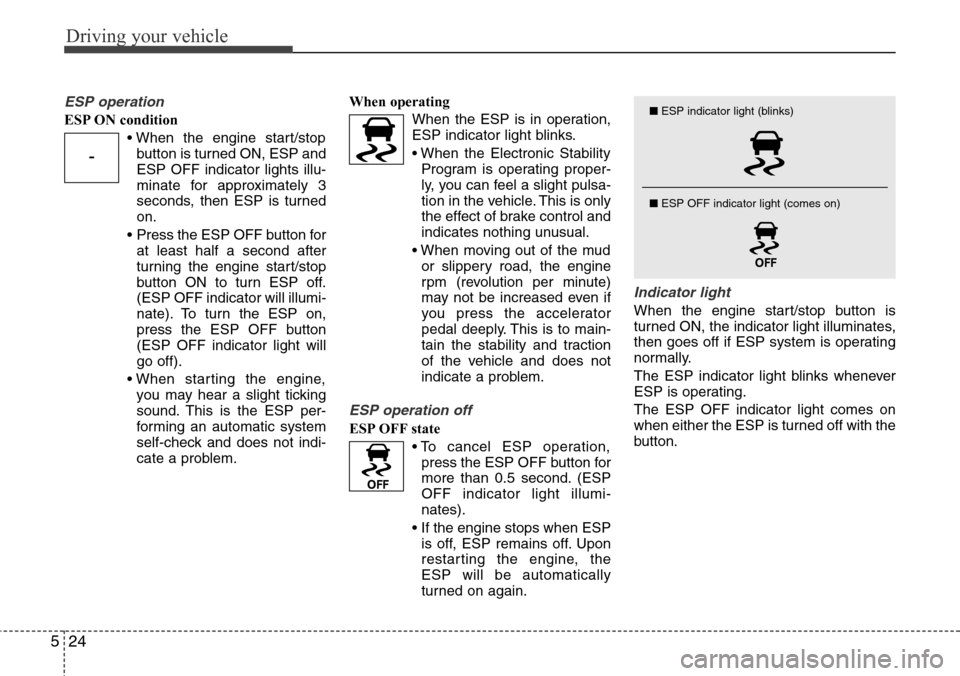
When the ESP is in operation,
ESP indicator light blinks.
• When the Electronic Stability
Program is operating proper-
ly, you can feel a slight pulsa-
tion in the vehicle. This is only
the effect of brake control and
indicates nothing unusual.
• When moving out of the mud
or slippery road, the engine
rpm (revolution per minute)
may not be increased even if
you press the accelerator
pedal deeply. This is to main-
tain the stability and traction
of the vehicle and does not
indicate a problem.
ESP operation off
ESP OFF state
• To cancel ESP operation,
press the ESP OFF button for
more than 0.5 second. (ESP
OFF indicator light illumi-
nates).
• If the engine stops when ESP
is off, ESP remains off. Upon
restarting the engine, the
ESP will be automatically
turned on again.
Indicator light
When the engine start/stop button is
turned ON, the indicator light illuminates,
then goes off if ESP system is operating
normally.
The ESP indicator light blinks whenever
ESP is operating.
The ESP OFF indicator light comes on
when either the ESP is turned off with the
button.
-
■ESP indicator light (blinks)
■ ESP OFF indicator light (comes on)
Page 243 of 385
Driving your vehicle
30 5
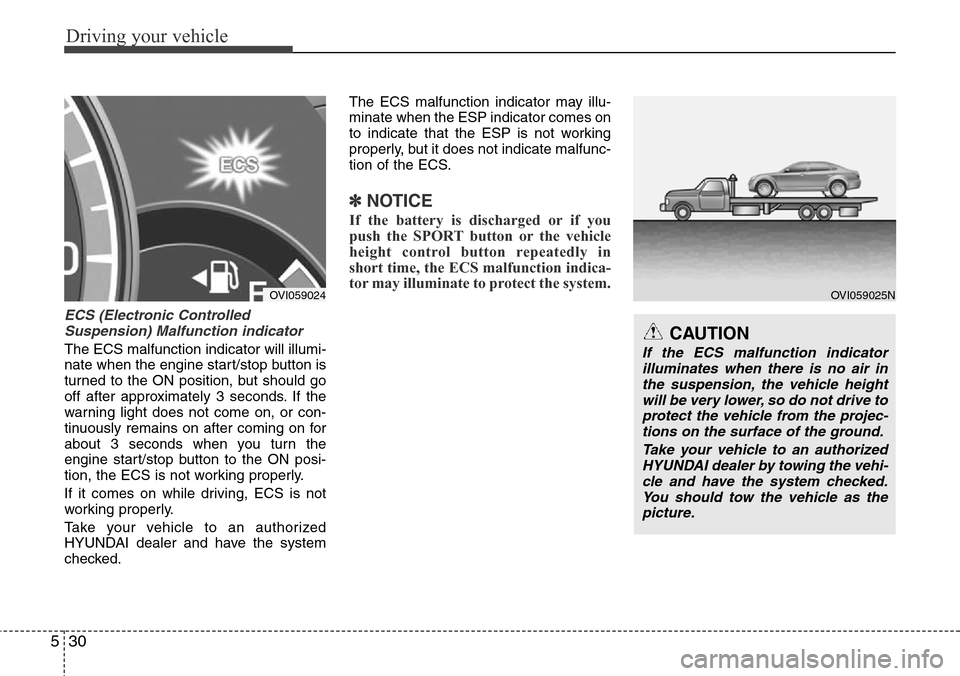
ECS (Electronic Controlled
Suspension) Malfunction indicator
The ECS malfunction indicator will illumi-
nate when the engine start/stop button is
turned to the ON position, but should go
off after approximately 3 seconds. If the
warning light does not come on, or con-
tinuously remains on after coming on for
about 3 seconds when you turn the
engine start/stop button to the ON posi-
tion, the ECS is not working properly.
If it comes on while driving, ECS is not
working properly.
Take your vehicle to an authorized
HYUNDAI dealer and have the system
checked.The ECS malfunction indicator may illu-
minate when the ESP indicator comes on
to indicate that the ESP is not working
properly, but it does not indicate malfunc-
tion of the ECS.
✽NOTICE
If the battery is discharged or if you
push the SPORT button or the vehicle
height control button repeatedly in
short time, the ECS malfunction indica-
tor may illuminate to protect the system.
CAUTION
If the ECS malfunction indicator
illuminates when there is no air in
the suspension, the vehicle height
will be very lower, so do not drive to
protect the vehicle from the projec-
tions on the surface of the ground.
Take your vehicle to an authorized
HYUNDAI dealer by towing the vehi-
cle and have the system checked.
You should tow the vehicle as the
picture.
OVI059025NOVI059024
Page 245 of 385
Driving your vehicle
32 5
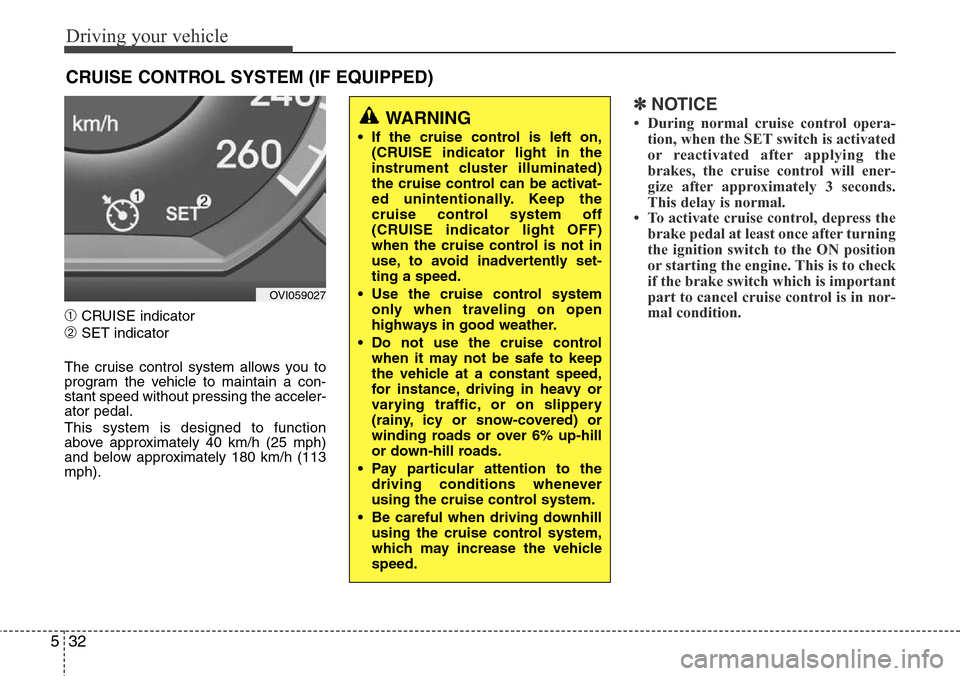
➀CRUISE indicator
➁SET indicator
The cruise control system allows you to
program the vehicle to maintain a con-
stant speed without pressing the acceler-
ator pedal.
This system is designed to function
above approximately 40 km/h (25 mph)
and below approximately 180 km/h (113
mph).
✽NOTICE
• During normal cruise control opera-
tion, when the SET switch is activated
or reactivated after applying the
brakes, the cruise control will ener-
gize after approximately 3 seconds.
This delay is normal.
• To activate cruise control, depress the
brake pedal at least once after turning
the ignition switch to the ON position
or starting the engine. This is to check
if the brake switch which is important
part to cancel cruise control is in nor-
mal condition.
CRUISE CONTROL SYSTEM (IF EQUIPPED)
WARNING
• If the cruise control is left on,
(CRUISE indicator light in the
instrument cluster illuminated)
the cruise control can be activat-
ed unintentionally. Keep the
cruise control system off
(CRUISE indicator light OFF)
when the cruise control is not in
use, to avoid inadvertently set-
ting a speed.
• Use the cruise control system
only when traveling on open
highways in good weather.
• Do not use the cruise control
when it may not be safe to keep
the vehicle at a constant speed,
for instance, driving in heavy or
varying traffic, or on slippery
(rainy, icy or snow-covered) or
winding roads or over 6% up-hill
or down-hill roads.
• Pay particular attention to the
driving conditions whenever
using the cruise control system.
• Be careful when driving downhill
using the cruise control system,
which may increase the vehicle
speed.
OVI059027
Page 249 of 385
Driving your vehicle
36 5
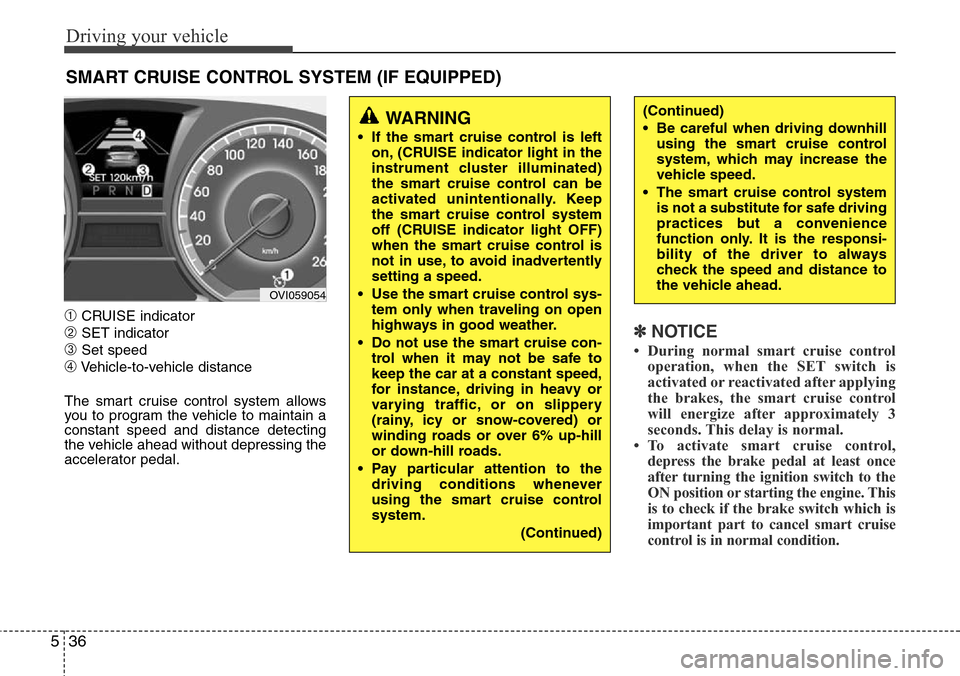
➀CRUISE indicator
➁SET indicator
➂Set speed
➃Vehicle-to-vehicle distance
The smart cruise control system allows
you to program the vehicle to maintain a
constant speed and distance detecting
the vehicle ahead without depressing the
accelerator pedal.
✽NOTICE
• During normal smart cruise control
operation, when the SET switch is
activated or reactivated after applying
the brakes, the smart cruise control
will energize after approximately 3
seconds. This delay is normal.
• To activate smart cruise control,
depress the brake pedal at least once
after turning the ignition switch to the
ON position or starting the engine. This
is to check if the brake switch which is
important part to cancel smart cruise
control is in normal condition.
SMART CRUISE CONTROL SYSTEM (IF EQUIPPED)
WARNING
• If the smart cruise control is left
on, (CRUISE indicator light in the
instrument cluster illuminated)
the smart cruise control can be
activated unintentionally. Keep
the smart cruise control system
off (CRUISE indicator light OFF)
when the smart cruise control is
not in use, to avoid inadvertently
setting a speed.
• Use the smart cruise control sys-
tem only when traveling on open
highways in good weather.
• Do not use the smart cruise con-
trol when it may not be safe to
keep the car at a constant speed,
for instance, driving in heavy or
varying traffic, or on slippery
(rainy, icy or snow-covered) or
winding roads or over 6% up-hill
or down-hill roads.
• Pay particular attention to the
driving conditions whenever
using the smart cruise control
system.
(Continued)
(Continued)
• Be careful when driving downhill
using the smart cruise control
system, which may increase the
vehicle speed.
• The smart cruise control system
is not a substitute for safe driving
practices but a convenience
function only. It is the responsi-
bility of the driver to always
check the speed and distance to
the vehicle ahead.
OVI059054
Page 256 of 385
543
Driving your vehicle
Limitations of the system
The smart cruise control system may
have limits to its ability to detect distance
to the vehicle ahead due to road and traf-
fic conditions.
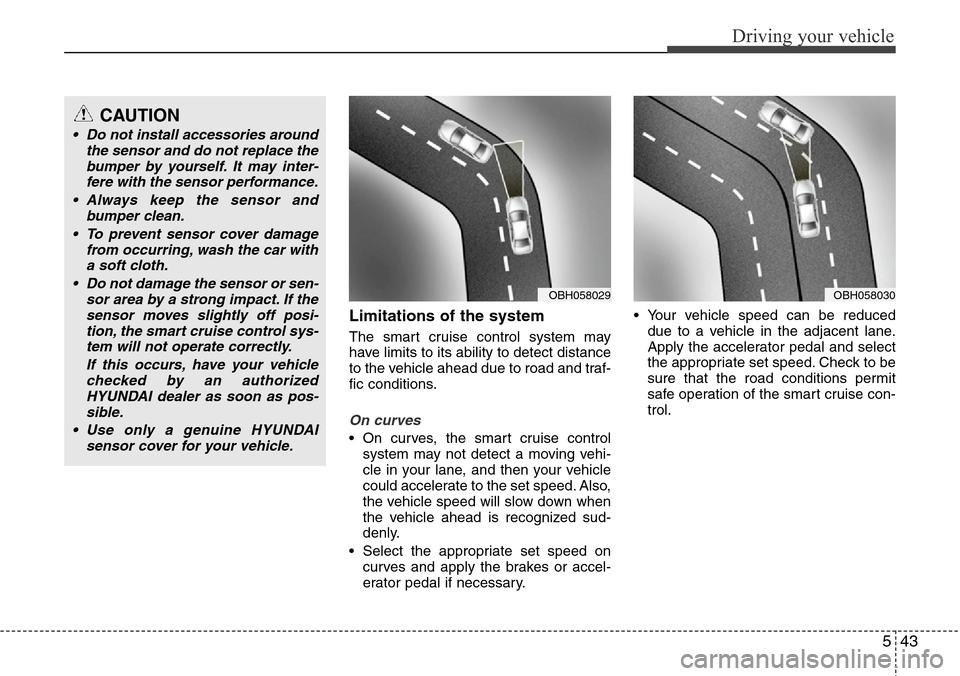
On curves
• On curves, the smart cruise control
system may not detect a moving vehi-
cle in your lane, and then your vehicle
could accelerate to the set speed. Also,
the vehicle speed will slow down when
the vehicle ahead is recognized sud-
denly.
• Select the appropriate set speed on
curves and apply the brakes or accel-
erator pedal if necessary.• Your vehicle speed can be reduced
due to a vehicle in the adjacent lane.
Apply the accelerator pedal and select
the appropriate set speed. Check to be
sure that the road conditions permit
safe operation of the smart cruise con-
trol.
OBH058030OBH058029
CAUTION
• Do not install accessories around
the sensor and do not replace the
bumper by yourself. It may inter-
fere with the sensor performance.
• Always keep the sensor and
bumper clean.
• To prevent sensor cover damage
from occurring, wash the car with
a soft cloth.
• Do not damage the sensor or sen-
sor area by a strong impact. If the
sensor moves slightly off posi-
tion, the smart cruise control sys-
tem will not operate correctly.
If this occurs, have your vehicle
checked by an authorized
HYUNDAI dealer as soon as pos-
sible.
• Use only a genuine HYUNDAI
sensor cover for your vehicle.
Page 257 of 385
Driving your vehicle
44 5
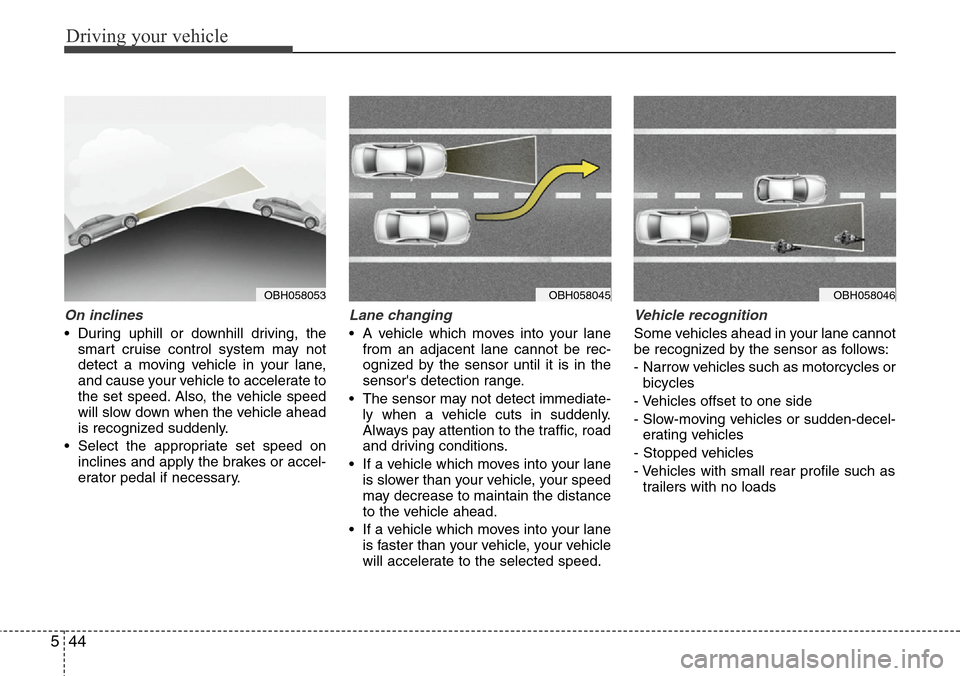
On inclines
• During uphill or downhill driving, the
smart cruise control system may not
detect a moving vehicle in your lane,
and cause your vehicle to accelerate to
the set speed. Also, the vehicle speed
will slow down when the vehicle ahead
is recognized suddenly.
• Select the appropriate set speed on
inclines and apply the brakes or accel-
erator pedal if necessary.
Lane changing
• A vehicle which moves into your lane
from an adjacent lane cannot be rec-
ognized by the sensor until it is in the
sensor's detection range.
• The sensor may not detect immediate-
ly when a vehicle cuts in suddenly.
Always pay attention to the traffic, road
and driving conditions.
• If a vehicle which moves into your lane
is slower than your vehicle, your speed
may decrease to maintain the distance
to the vehicle ahead.
• If a vehicle which moves into your lane
is faster than your vehicle, your vehicle
will accelerate to the selected speed.
Vehicle recognition
Some vehicles ahead in your lane cannot
be recognized by the sensor as follows:
- Narrow vehicles such as motorcycles or
bicycles
- Vehicles offset to one side
- Slow-moving vehicles or sudden-decel-
erating vehicles
- Stopped vehicles
- Vehicles with small rear profile such as
trailers with no loads
OBH058046OBH058045OBH058053
Page 258 of 385
545
Driving your vehicle
A vehicle ahead cannot be recognized
correctly by the sensor if any of following
occurs:
- When the vehicle is pointing upwards
due to overloading in the trunk
- While the steering wheel is operating
- When driving to one side of the lane
- When driving on narrow lanes or on
curves
Apply the brakes or accelerator pedal if
necessary.(Continued)
• The smart cruise control system
is not a substitute for safe driving
practices but a convenience
function only. It is the responsi-
bility of the driver to always
check the speed and the distance
to the vehicle ahead.
• Always be aware of the selected
speed and vehicle to vehicle dis-
tance.
• Always maintain sufficient brak-
ing distance and decelerate your
vehicle by applying the brakes if
necessary.
• As the smart cruise control sys-
tem may not recognize complex
driving situations, always pay
attention to driving conditions
and control your vehicle speed.
• For safe operation, carefully read
and follow the instructions in this
manual before use.WARNING
• The vehicle cannot be stopped by
using the smart cruise control
system.
If an emergency stop is neces-
sary, you must apply the brakes.
• Keep a safe distance according
to road conditions and vehicle
speed. If the vehicle to vehicle
distance is too close during a
high-speed driving, it may cause
a serious collision.
• The smart cruise control system
can not recognize a stopped
vehicle, pedestrians or an
oncoming vehicle. Always look
ahead cautiously to prevent
unexpected and sudden situa-
tions from occurring.
• In front of you, vehicles moving
with a frequent lane change may
cause a delay in the system's
reaction or may cause the system
to react to a vehicle actually in an
adjacent lane. Always look ahead
cautiously to prevent unexpected
and sudden situations from
occurring.
(Continued)
CAUTION
The smart cruise control system
may not operate temporarily due to
electrical interference.
Page 260 of 385
547
Driving your vehicle
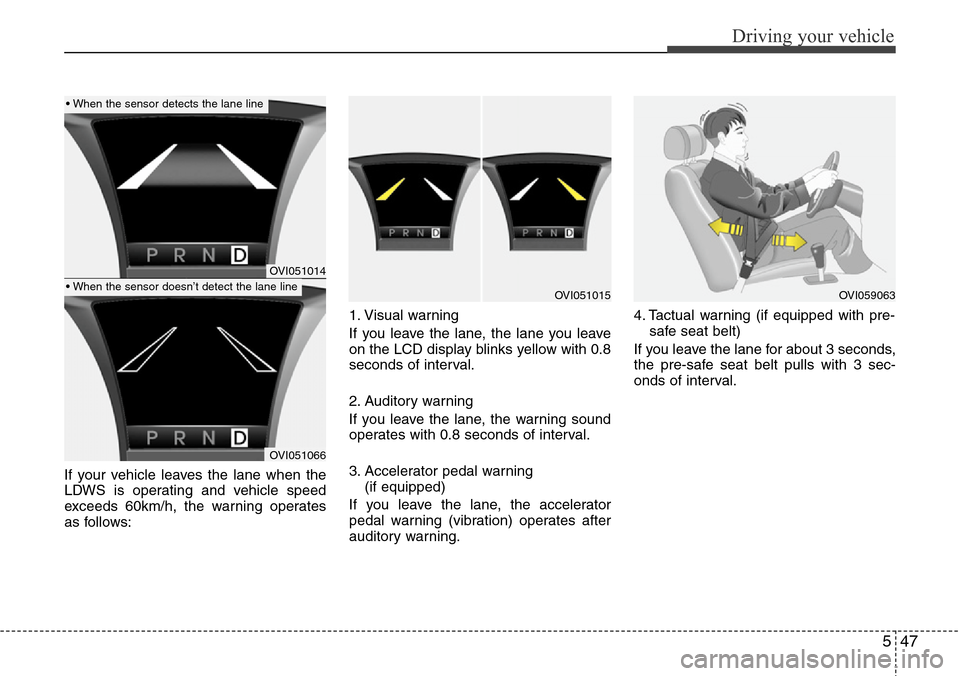
If your vehicle leaves the lane when the
LDWS is operating and vehicle speed
exceeds 60km/h, the warning operates
as follows:1. Visual warning
If you leave the lane, the lane you leave
on the LCD display blinks yellow with 0.8
seconds of interval.
2. Auditory warning
If you leave the lane, the warning sound
operates with 0.8 seconds of interval.
3. Accelerator pedal warning
(if equipped)
If you leave the lane, the accelerator
pedal warning (vibration) operates after
auditory warning.4. Tactual warning (if equipped with pre-
safe seat belt)
If you leave the lane for about 3 seconds,
the pre-safe seat belt pulls with 3 sec-
onds of interval.
OVI051014
OVI051066
OVI051015OVI059063
• When the sensor detects the lane line
• When the sensor doesn’t detect the lane line