warning Hyundai Equus 2012 Owner's Manual
[x] Cancel search | Manufacturer: HYUNDAI, Model Year: 2012, Model line: Equus, Model: Hyundai Equus 2012Pages: 385, PDF Size: 10.67 MB
Page 245 of 385
Driving your vehicle
32 5
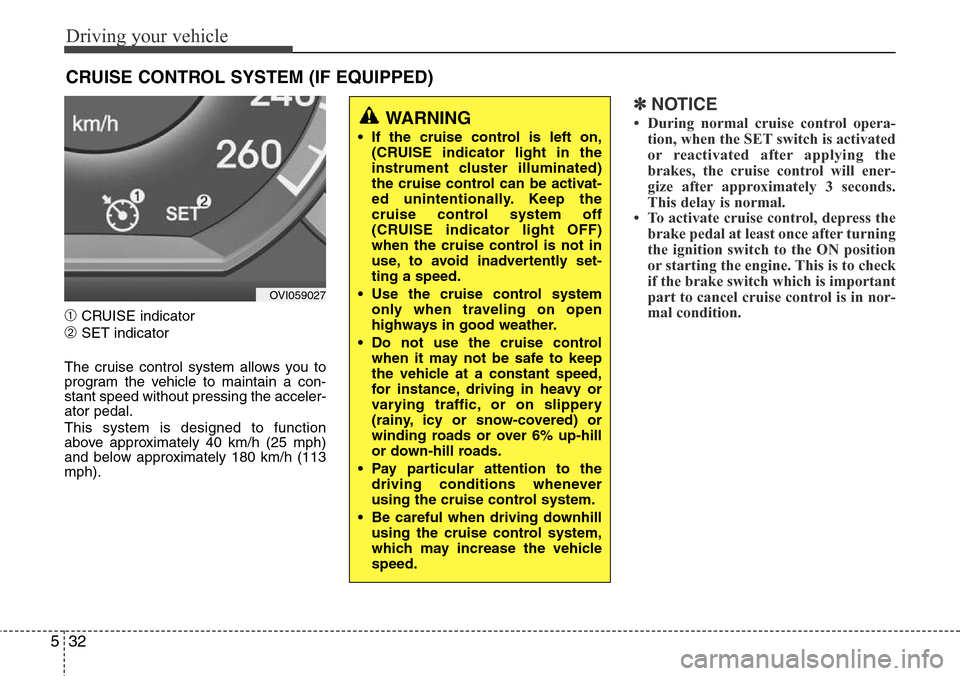
➀CRUISE indicator
➁SET indicator
The cruise control system allows you to
program the vehicle to maintain a con-
stant speed without pressing the acceler-
ator pedal.
This system is designed to function
above approximately 40 km/h (25 mph)
and below approximately 180 km/h (113
mph).
✽NOTICE
• During normal cruise control opera-
tion, when the SET switch is activated
or reactivated after applying the
brakes, the cruise control will ener-
gize after approximately 3 seconds.
This delay is normal.
• To activate cruise control, depress the
brake pedal at least once after turning
the ignition switch to the ON position
or starting the engine. This is to check
if the brake switch which is important
part to cancel cruise control is in nor-
mal condition.
CRUISE CONTROL SYSTEM (IF EQUIPPED)
WARNING
• If the cruise control is left on,
(CRUISE indicator light in the
instrument cluster illuminated)
the cruise control can be activat-
ed unintentionally. Keep the
cruise control system off
(CRUISE indicator light OFF)
when the cruise control is not in
use, to avoid inadvertently set-
ting a speed.
• Use the cruise control system
only when traveling on open
highways in good weather.
• Do not use the cruise control
when it may not be safe to keep
the vehicle at a constant speed,
for instance, driving in heavy or
varying traffic, or on slippery
(rainy, icy or snow-covered) or
winding roads or over 6% up-hill
or down-hill roads.
• Pay particular attention to the
driving conditions whenever
using the cruise control system.
• Be careful when driving downhill
using the cruise control system,
which may increase the vehicle
speed.
OVI059027
Page 249 of 385
Driving your vehicle
36 5
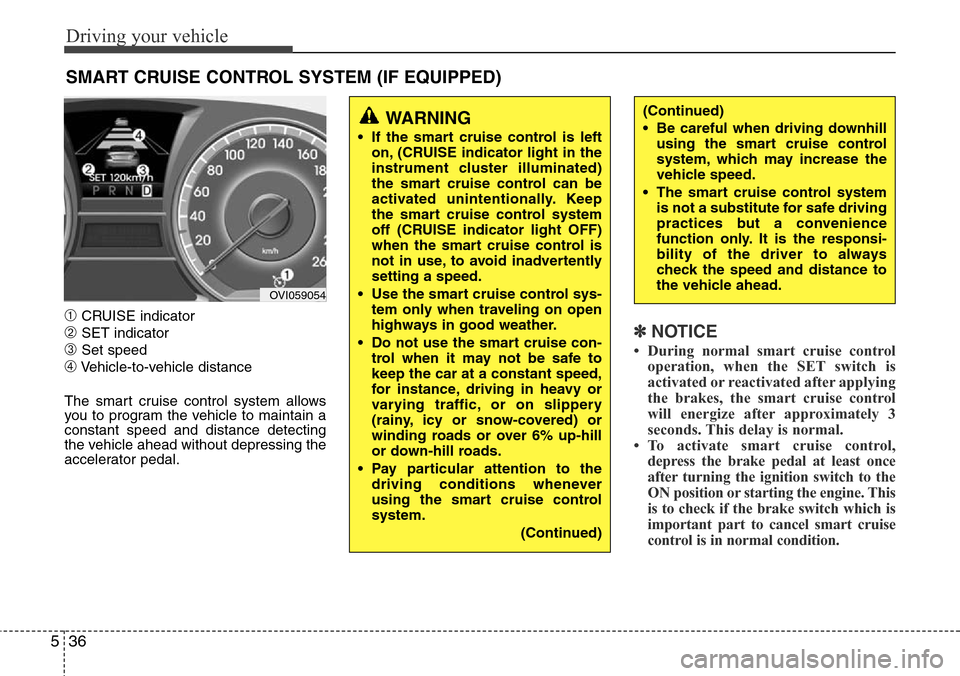
➀CRUISE indicator
➁SET indicator
➂Set speed
➃Vehicle-to-vehicle distance
The smart cruise control system allows
you to program the vehicle to maintain a
constant speed and distance detecting
the vehicle ahead without depressing the
accelerator pedal.
✽NOTICE
• During normal smart cruise control
operation, when the SET switch is
activated or reactivated after applying
the brakes, the smart cruise control
will energize after approximately 3
seconds. This delay is normal.
• To activate smart cruise control,
depress the brake pedal at least once
after turning the ignition switch to the
ON position or starting the engine. This
is to check if the brake switch which is
important part to cancel smart cruise
control is in normal condition.
SMART CRUISE CONTROL SYSTEM (IF EQUIPPED)
WARNING
• If the smart cruise control is left
on, (CRUISE indicator light in the
instrument cluster illuminated)
the smart cruise control can be
activated unintentionally. Keep
the smart cruise control system
off (CRUISE indicator light OFF)
when the smart cruise control is
not in use, to avoid inadvertently
setting a speed.
• Use the smart cruise control sys-
tem only when traveling on open
highways in good weather.
• Do not use the smart cruise con-
trol when it may not be safe to
keep the car at a constant speed,
for instance, driving in heavy or
varying traffic, or on slippery
(rainy, icy or snow-covered) or
winding roads or over 6% up-hill
or down-hill roads.
• Pay particular attention to the
driving conditions whenever
using the smart cruise control
system.
(Continued)
(Continued)
• Be careful when driving downhill
using the smart cruise control
system, which may increase the
vehicle speed.
• The smart cruise control system
is not a substitute for safe driving
practices but a convenience
function only. It is the responsi-
bility of the driver to always
check the speed and distance to
the vehicle ahead.
OVI059054
Page 254 of 385
541
Driving your vehicle
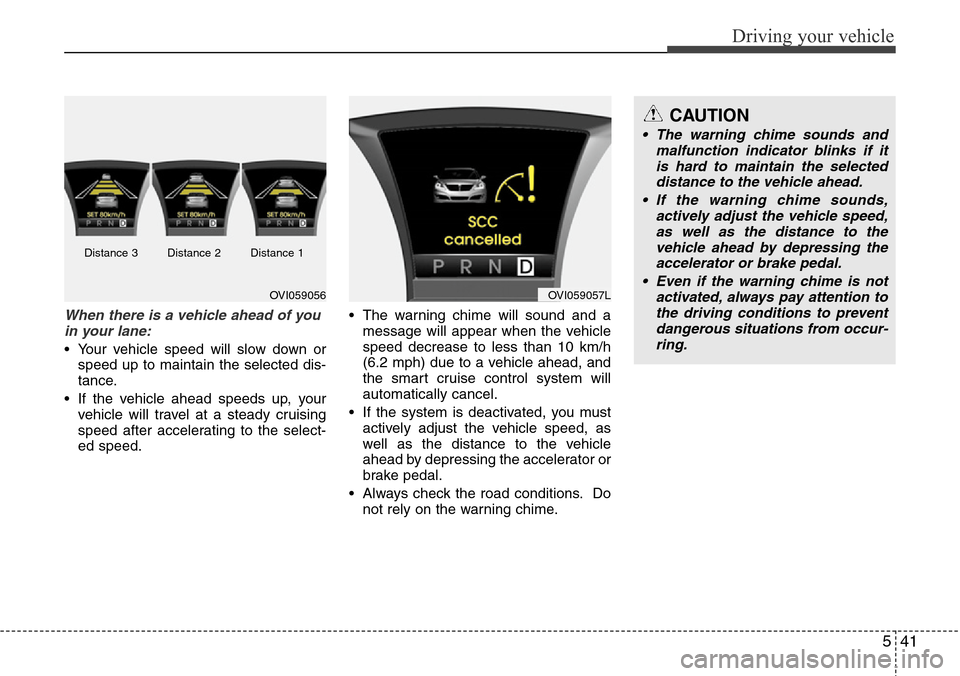
When there is a vehicle ahead of you
in your lane:
• Your vehicle speed will slow down or
speed up to maintain the selected dis-
tance.
• If the vehicle ahead speeds up, your
vehicle will travel at a steady cruising
speed after accelerating to the select-
ed speed.• The warning chime will sound and a
message will appear when the vehicle
speed decrease to less than 10 km/h
(6.2 mph) due to a vehicle ahead, and
the smart cruise control system will
automatically cancel.
• If the system is deactivated, you must
actively adjust the vehicle speed, as
well as the distance to the vehicle
ahead by depressing the accelerator or
brake pedal.
• Always check the road conditions. Do
not rely on the warning chime.
OVI059056OVI059057L
CAUTION
• The warning chime sounds and
malfunction indicator blinks if it
is hard to maintain the selected
distance to the vehicle ahead.
• If the warning chime sounds,
actively adjust the vehicle speed,
as well as the distance to the
vehicle ahead by depressing the
accelerator or brake pedal.
• Even if the warning chime is not
activated, always pay attention to
the driving conditions to prevent
dangerous situations from occur-
ring.
Distance 3 Distance 2 Distance 1
Page 255 of 385
Driving your vehicle
42 5
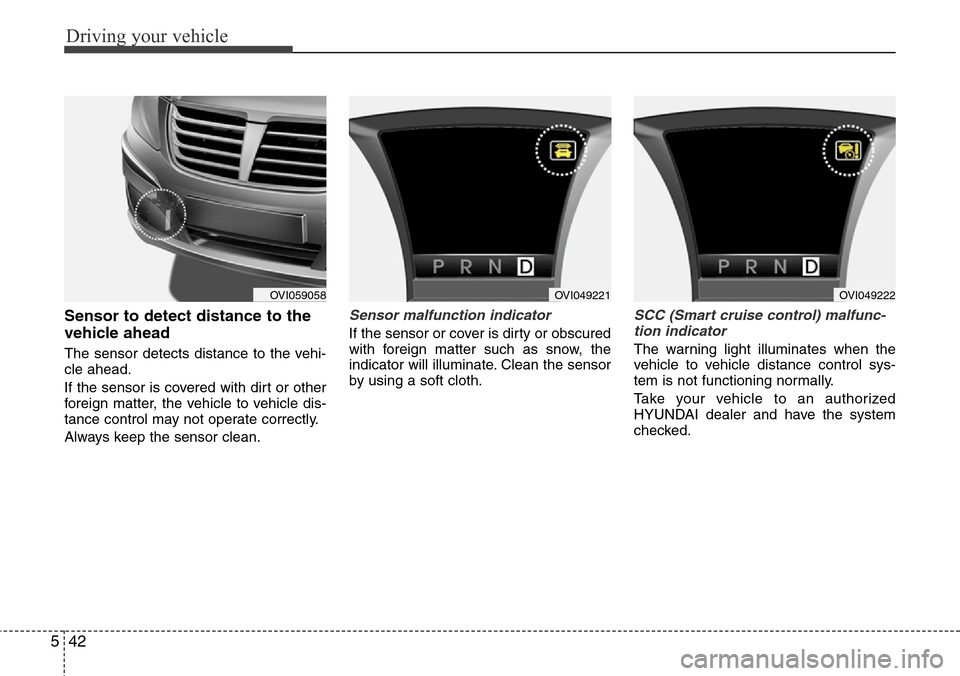
Sensor to detect distance to the
vehicle ahead
The sensor detects distance to the vehi-
cle ahead.
If the sensor is covered with dirt or other
foreign matter, the vehicle to vehicle dis-
tance control may not operate correctly.
Always keep the sensor clean.
Sensor malfunction indicator
If the sensor or cover is dirty or obscured
with foreign matter such as snow, the
indicator will illuminate. Clean the sensor
by using a soft cloth.
SCC (Smart cruise control) malfunc-
tion indicator
The warning light illuminates when the
vehicle to vehicle distance control sys-
tem is not functioning normally.
Take your vehicle to an authorized
HYUNDAI dealer and have the system
checked.
OVI059058OVI049221OVI049222
Page 258 of 385
545
Driving your vehicle
A vehicle ahead cannot be recognized
correctly by the sensor if any of following
occurs:
- When the vehicle is pointing upwards
due to overloading in the trunk
- While the steering wheel is operating
- When driving to one side of the lane
- When driving on narrow lanes or on
curves
Apply the brakes or accelerator pedal if
necessary.(Continued)
• The smart cruise control system
is not a substitute for safe driving
practices but a convenience
function only. It is the responsi-
bility of the driver to always
check the speed and the distance
to the vehicle ahead.
• Always be aware of the selected
speed and vehicle to vehicle dis-
tance.
• Always maintain sufficient brak-
ing distance and decelerate your
vehicle by applying the brakes if
necessary.
• As the smart cruise control sys-
tem may not recognize complex
driving situations, always pay
attention to driving conditions
and control your vehicle speed.
• For safe operation, carefully read
and follow the instructions in this
manual before use.WARNING
• The vehicle cannot be stopped by
using the smart cruise control
system.
If an emergency stop is neces-
sary, you must apply the brakes.
• Keep a safe distance according
to road conditions and vehicle
speed. If the vehicle to vehicle
distance is too close during a
high-speed driving, it may cause
a serious collision.
• The smart cruise control system
can not recognize a stopped
vehicle, pedestrians or an
oncoming vehicle. Always look
ahead cautiously to prevent
unexpected and sudden situa-
tions from occurring.
• In front of you, vehicles moving
with a frequent lane change may
cause a delay in the system's
reaction or may cause the system
to react to a vehicle actually in an
adjacent lane. Always look ahead
cautiously to prevent unexpected
and sudden situations from
occurring.
(Continued)
CAUTION
The smart cruise control system
may not operate temporarily due to
electrical interference.
Page 259 of 385
Driving your vehicle
46 5
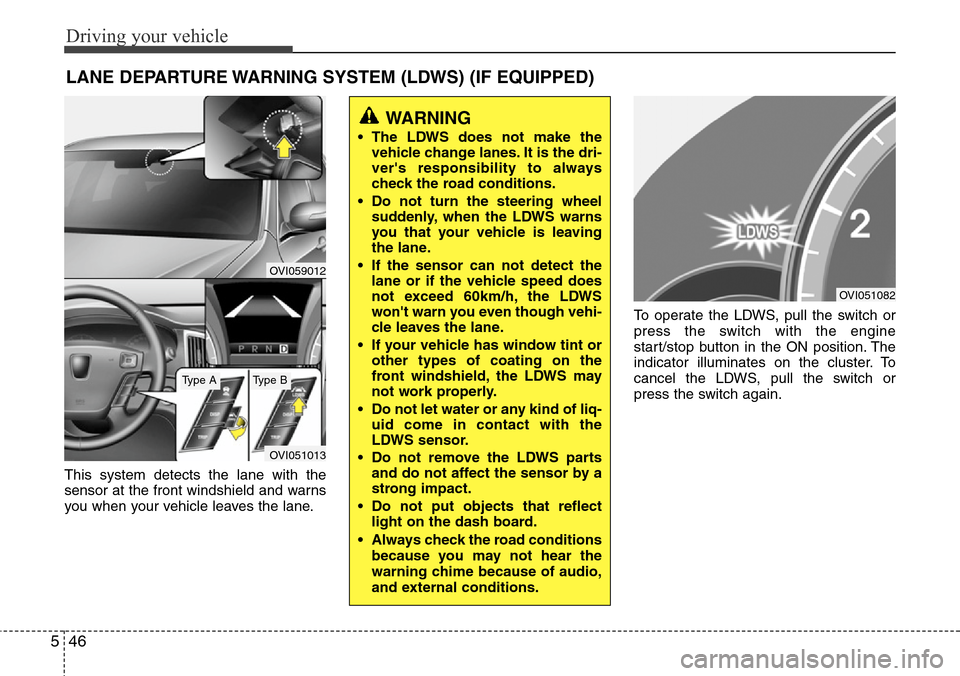
This system detects the lane with the
sensor at the front windshield and warns
you when your vehicle leaves the lane.To operate the LDWS, pull the switch or
press the switch with the engine
start/stop button in the ON position. The
indicator illuminates on the cluster. To
cancel the LDWS, pull the switch or
press the switch again.
LANE DEPARTURE WARNING SYSTEM (LDWS) (IF EQUIPPED)
OVI059012
OVI051013
WARNING
• The LDWS does not make the
vehicle change lanes. It is the dri-
ver's responsibility to always
check the road conditions.
• Do not turn the steering wheel
suddenly, when the LDWS warns
you that your vehicle is leaving
the lane.
• If the sensor can not detect the
lane or if the vehicle speed does
not exceed 60km/h, the LDWS
won't warn you even though vehi-
cle leaves the lane.
• If your vehicle has window tint or
other types of coating on the
front windshield, the LDWS may
not work properly.
• Do not let water or any kind of liq-
uid come in contact with the
LDWS sensor.
• Do not remove the LDWS parts
and do not affect the sensor by a
strong impact.
• Do not put objects that reflect
light on the dash board.
• Always check the road conditions
because you may not hear the
warning chime because of audio,
and external conditions.
OVI051082
Type AType B
Page 260 of 385
547
Driving your vehicle
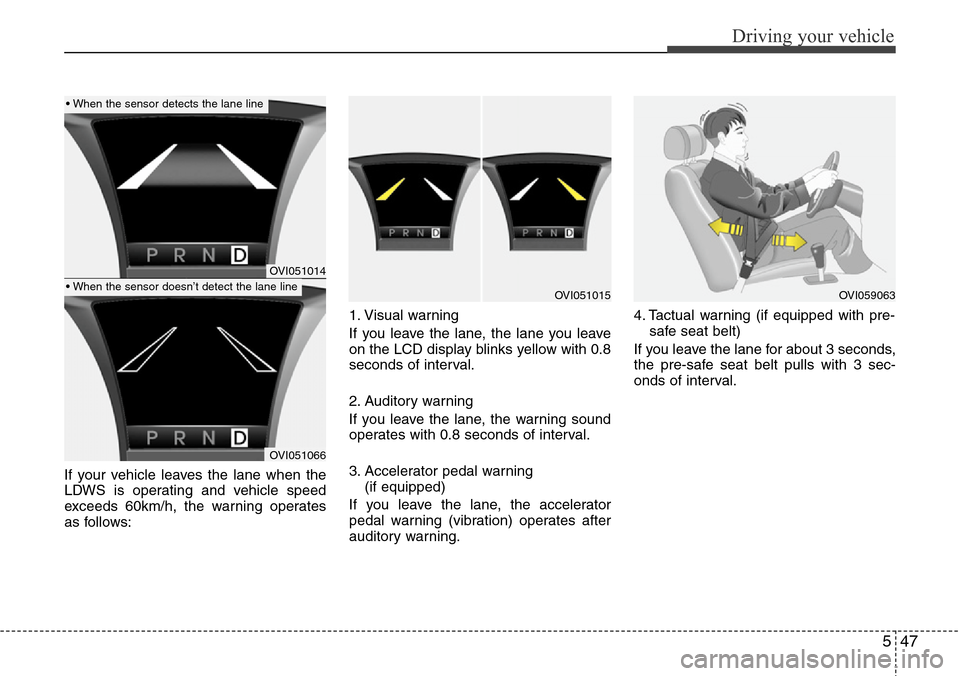
If your vehicle leaves the lane when the
LDWS is operating and vehicle speed
exceeds 60km/h, the warning operates
as follows:1. Visual warning
If you leave the lane, the lane you leave
on the LCD display blinks yellow with 0.8
seconds of interval.
2. Auditory warning
If you leave the lane, the warning sound
operates with 0.8 seconds of interval.
3. Accelerator pedal warning
(if equipped)
If you leave the lane, the accelerator
pedal warning (vibration) operates after
auditory warning.4. Tactual warning (if equipped with pre-
safe seat belt)
If you leave the lane for about 3 seconds,
the pre-safe seat belt pulls with 3 sec-
onds of interval.
OVI051014
OVI051066
OVI051015OVI059063
• When the sensor detects the lane line
• When the sensor doesn’t detect the lane line
Page 261 of 385
Driving your vehicle
48 5
Warning indicator
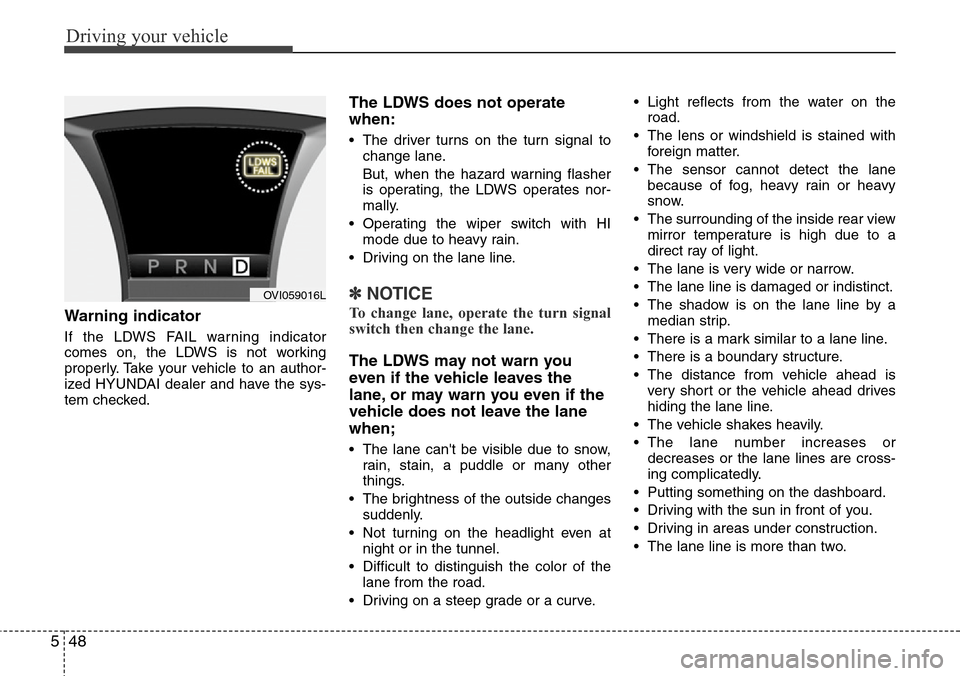
If the LDWS FAIL warning indicator
comes on, the LDWS is not working
properly. Take your vehicle to an author-
ized HYUNDAI dealer and have the sys-
tem checked.
The LDWS does not operate
when:
• The driver turns on the turn signal to
change lane.
But, when the hazard warning flasher
is operating, the LDWS operates nor-
mally.
• Operating the wiper switch with HI
mode due to heavy rain.
• Driving on the lane line.
✽NOTICE
To change lane, operate the turn signal
switch then change the lane.
The LDWS may not warn you
even if the vehicle leaves the
lane, or may warn you even if the
vehicle does not leave the lane
when;
• The lane can't be visible due to snow,
rain, stain, a puddle or many other
things.
• The brightness of the outside changes
suddenly.
• Not turning on the headlight even at
night or in the tunnel.
• Difficult to distinguish the color of the
lane from the road.
• Driving on a steep grade or a curve.• Light reflects from the water on the
road.
• The lens or windshield is stained with
foreign matter.
• The sensor cannot detect the lane
because of fog, heavy rain or heavy
snow.
• The surrounding of the inside rear view
mirror temperature is high due to a
direct ray of light.
• The lane is very wide or narrow.
• The lane line is damaged or indistinct.
• The shadow is on the lane line by a
median strip.
• There is a mark similar to a lane line.
• There is a boundary structure.
• The distance from vehicle ahead is
very short or the vehicle ahead drives
hiding the lane line.
• The vehicle shakes heavily.
• The lane number increases or
decreases or the lane lines are cross-
ing complicatedly.
• Putting something on the dashboard.
• Driving with the sun in front of you.
• Driving in areas under construction.
• The lane line is more than two.
OVI059016L
Page 262 of 385
549
Driving your vehicle
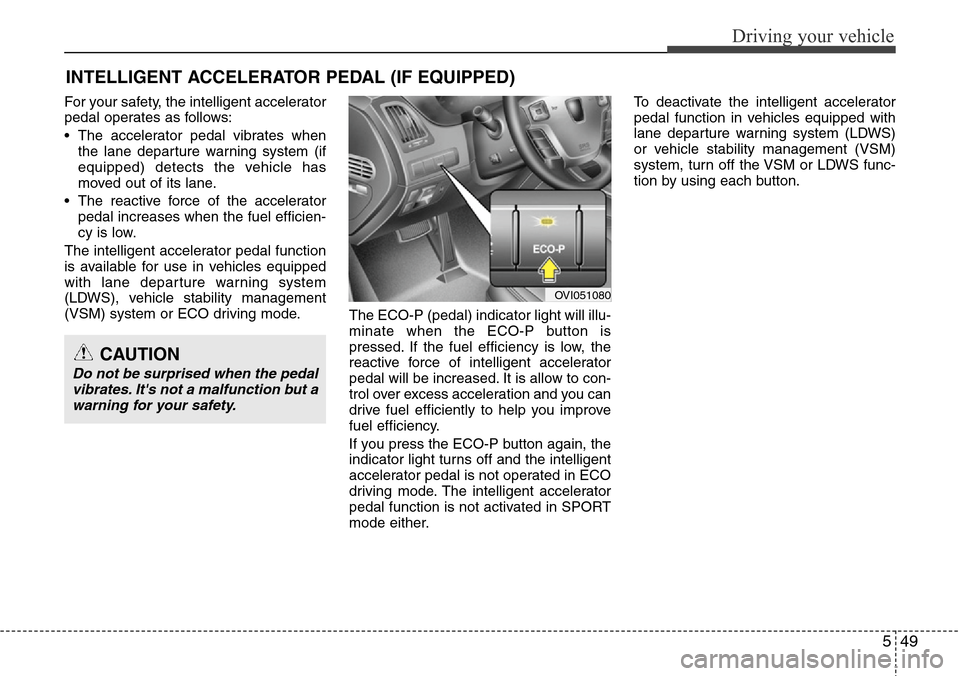
For your safety, the intelligent accelerator
pedal operates as follows:
• The accelerator pedal vibrates when
the lane departure warning system (if
equipped) detects the vehicle has
moved out of its lane.
• The reactive force of the accelerator
pedal increases when the fuel efficien-
cy is low.
The intelligent accelerator pedal function
is available for use in vehicles equipped
with lane departure warning system
(LDWS), vehicle stability management
(VSM) system or ECO driving mode.
The ECO-P (pedal) indicator light will illu-
minate when the ECO-P button is
pressed. If the fuel efficiency is low, the
reactive force of intelligent accelerator
pedal will be increased. It is allow to con-
trol over excess acceleration and you can
drive fuel efficiently to help you improve
fuel efficiency.
If you press the ECO-P button again, the
indicator light turns off and the intelligent
accelerator pedal is not operated in ECO
driving mode. The intelligent accelerator
pedal function is not activated in SPORT
mode either.To deactivate the intelligent accelerator
pedal function in vehicles equipped with
lane departure warning system (LDWS)
or vehicle stability management (VSM)
system, turn off the VSM or LDWS func-
tion by using each button.
INTELLIGENT ACCELERATOR PEDAL (IF EQUIPPED)
OVI051080
CAUTION
Do not be surprised when the pedal
vibrates. It's not a malfunction but a
warning for your safety.
Page 263 of 385
Driving your vehicle
50 5
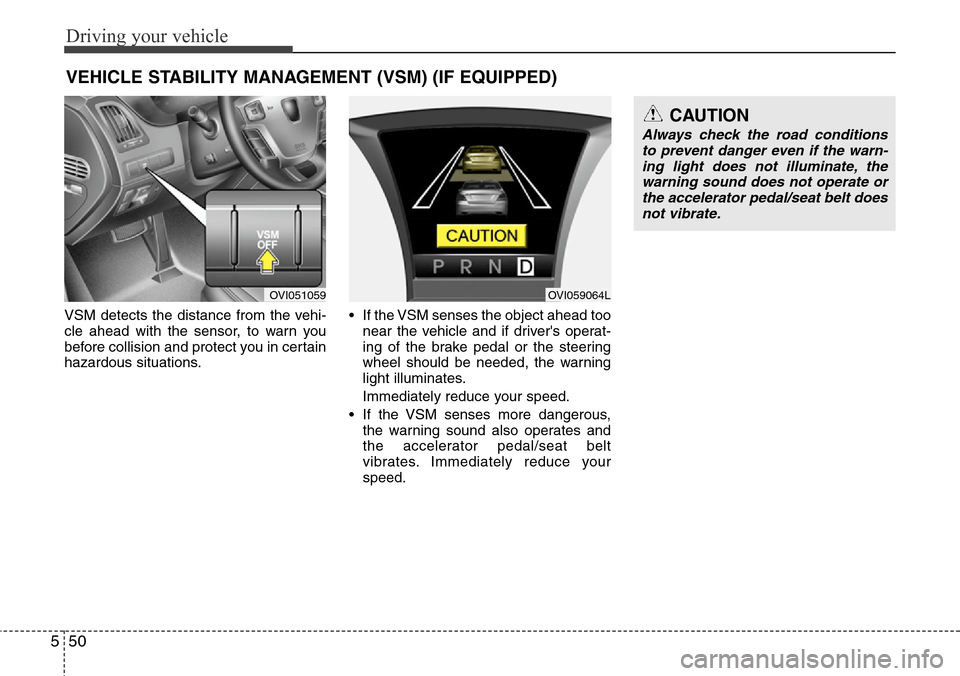
VSM detects the distance from the vehi-
cle ahead with the sensor, to warn you
before collision and protect you in certain
hazardous situations.• If the VSM senses the object ahead too
near the vehicle and if driver's operat-
ing of the brake pedal or the steering
wheel should be needed, the warning
light illuminates.
Immediately reduce your speed.
• If the VSM senses more dangerous,
the warning sound also operates and
the accelerator pedal/seat belt
vibrates. Immediately reduce your
speed.
VEHICLE STABILITY MANAGEMENT (VSM) (IF EQUIPPED)
CAUTION
Always check the road conditions
to prevent danger even if the warn-
ing light does not illuminate, the
warning sound does not operate or
the accelerator pedal/seat belt does
not vibrate.
OVI051059OVI059064L