reset Hyundai Equus 2012 User Guide
[x] Cancel search | Manufacturer: HYUNDAI, Model Year: 2012, Model line: Equus, Model: Hyundai Equus 2012Pages: 385, PDF Size: 10.67 MB
Page 183 of 385
4101
Features of your vehicle
The temperature will increase to the
maximum (HI) by turning the knob to the
right extremly. The temperature will
decrease to the minimum (Lo) by turning
the knob to the left extremly. When turn-
ing the knob, the temperature will
increase or decrease by 0.5°C/1°F. When
set to the lowest temperature setting, the
air conditioning will operate continuously.
Adjusting the driver and passenger side
temperature individually
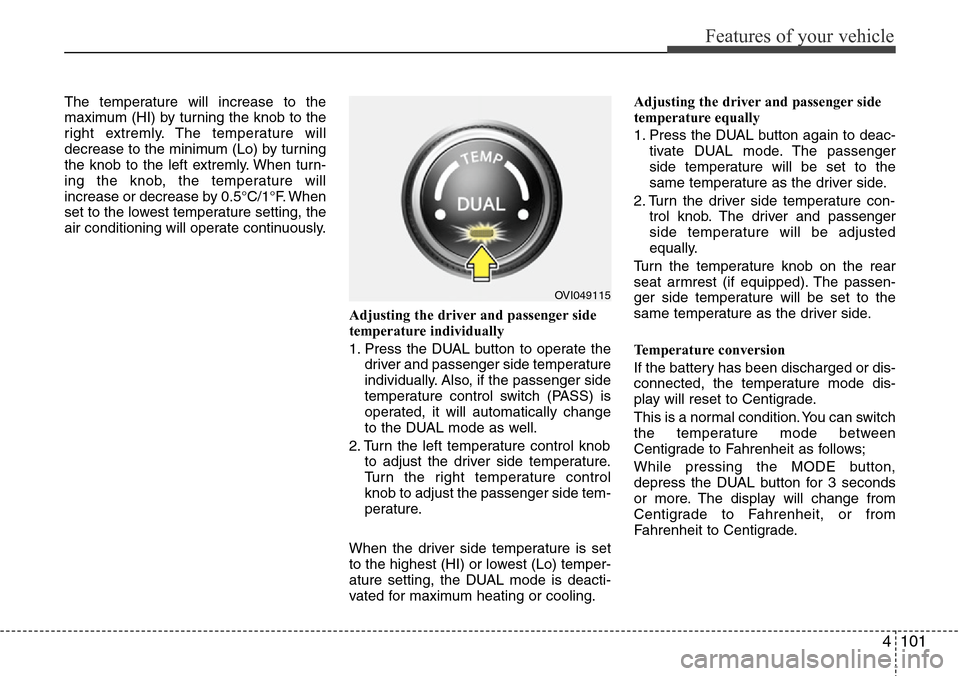
1. Press the DUAL button to operate the
driver and passenger side temperature
individually. Also, if the passenger side
temperature control switch (PASS) is
operated, it will automatically change
to the DUAL mode as well.
2. Turn the left temperature control knob
to adjust the driver side temperature.
Turn the right temperature control
knob to adjust the passenger side tem-
perature.
When the driver side temperature is set
to the highest (HI) or lowest (Lo) temper-
ature setting, the DUAL mode is deacti-
vated for maximum heating or cooling.Adjusting the driver and passenger side
temperature equally
1. Press the DUAL button again to deac-
tivate DUAL mode. The passenger
side temperature will be set to the
same temperature as the driver side.
2. Turn the driver side temperature con-
trol knob. The driver and passenger
side temperature will be adjusted
equally.
Turn the temperature knob on the rear
seat armrest (if equipped). The passen-
ger side temperature will be set to the
same temperature as the driver side.
Temperature conversion
If the battery has been discharged or dis-
connected, the temperature mode dis-
play will reset to Centigrade.
This is a normal condition. You can switch
the temperature mode between
Centigrade to Fahrenheit as follows;
While pressing the MODE button,
depress the DUAL button for 3 seconds
or more. The display will change from
Centigrade to Fahrenheit, or from
Fahrenheit to Centigrade.
OVI049115
Page 192 of 385
Features of your vehicle
110 4
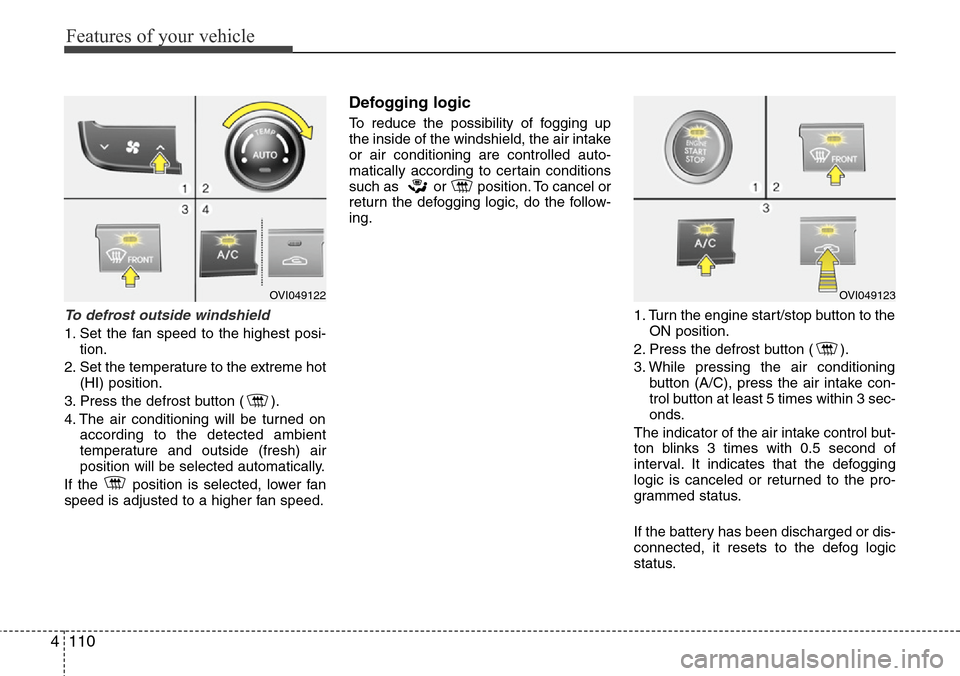
To defrost outside windshield
1. Set the fan speed to the highest posi-
tion.
2. Set the temperature to the extreme hot
(HI) position.
3. Press the defrost button ( ).
4. The air conditioning will be turned on
according to the detected ambient
temperature and outside (fresh) air
position will be selected automatically.
If the position is selected, lower fan
speed is adjusted to a higher fan speed.
Defogging logic
To reduce the possibility of fogging up
the inside of the windshield, the air intake
or air conditioning are controlled auto-
matically according to certain conditions
such as or position. To cancel or
return the defogging logic, do the follow-
ing.
1. Turn the engine start/stop button to the
ON position.
2. Press the defrost button ( ).
3. While pressing the air conditioning
button (A/C), press the air intake con-
trol button at least 5 times within 3 sec-
onds.
The indicator of the air intake control but-
ton blinks 3 times with 0.5 second of
interval. It indicates that the defogging
logic is canceled or returned to the pro-
grammed status.
If the battery has been discharged or dis-
connected, it resets to the defog logic
status.
OVI049122OVI049123
Page 193 of 385
4111
Features of your vehicle
Auto defogging system (if equipped)
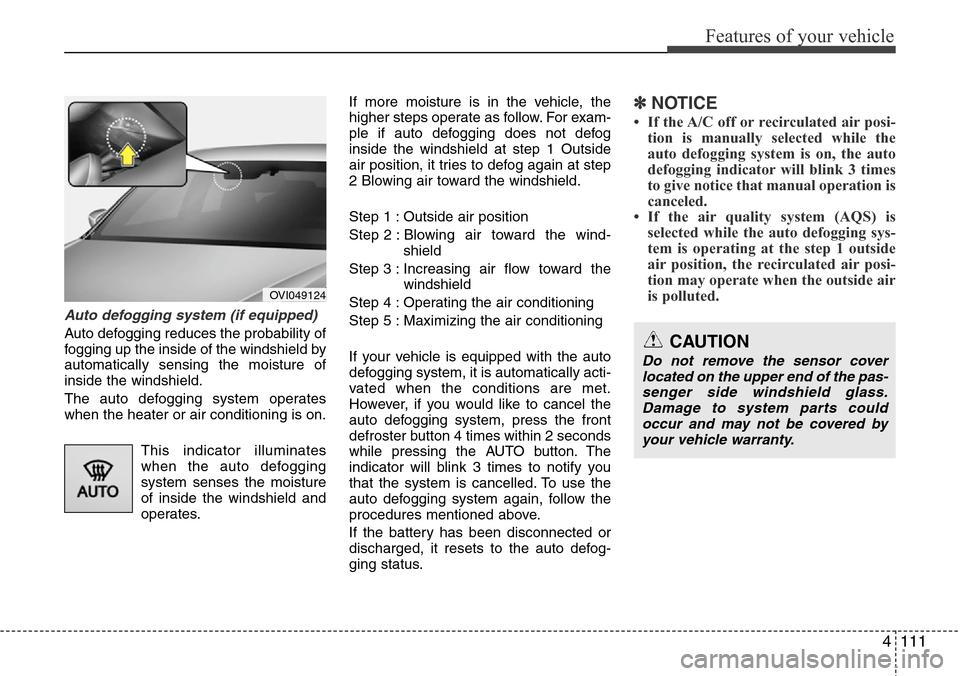
Auto defogging reduces the probability of
fogging up the inside of the windshield by
automatically sensing the moisture of
inside the windshield.
The auto defogging system operates
when the heater or air conditioning is on.
This indicator illuminates
when the auto defogging
system senses the moisture
of inside the windshield and
operates.If more moisture is in the vehicle, the
higher steps operate as follow. For exam-
ple if auto defogging does not defog
inside the windshield at step 1 Outside
air position, it tries to defog again at step
2 Blowing air toward the windshield.
Step 1 : Outside air position
Step 2 : Blowing air toward the wind-
shield
Step 3 : Increasing air flow toward the
windshield
Step 4 : Operating the air conditioning
Step 5 : Maximizing the air conditioning
If your vehicle is equipped with the auto
defogging system, it is automatically acti-
vated when the conditions are met.
However, if you would like to cancel the
auto defogging system, press the front
defroster button 4 times within 2 seconds
while pressing the AUTO button. The
indicator will blink 3 times to notify you
that the system is cancelled. To use the
auto defogging system again, follow the
procedures mentioned above.
If the battery has been disconnected or
discharged, it resets to the auto defog-
ging status.
✽NOTICE
• If the A/C off or recirculated air posi-
tion is manually selected while the
auto defogging system is on, the auto
defogging indicator will blink 3 times
to give notice that manual operation is
canceled.
• If the air quality system (AQS) is
selected while the auto defogging sys-
tem is operating at the step 1 outside
air position, the recirculated air posi-
tion may operate when the outside air
is polluted.
OVI049124
CAUTION
Do not remove the sensor cover
located on the upper end of the pas-
senger side windshield glass.
Damage to system parts could
occur and may not be covered by
your vehicle warranty.
Page 203 of 385
4121
Features of your vehicle
Clock
Whenever the battery terminals or relat-
ed fuses are disconnected, you must
reset the time.
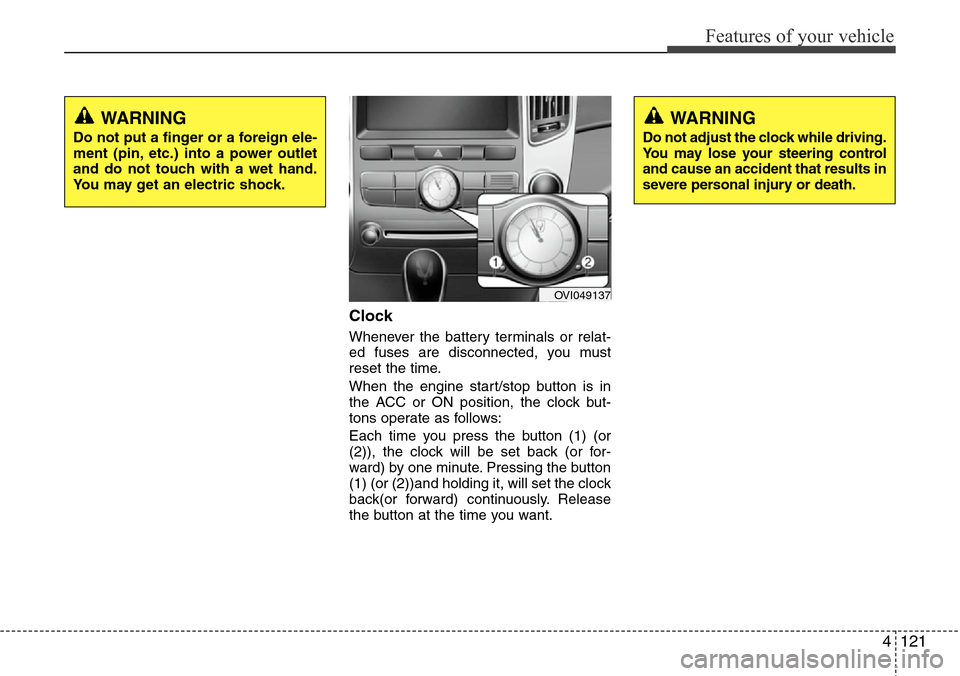
When the engine start/stop button is in
the ACC or ON position, the clock but-
tons operate as follows:
Each time you press the button (1) (or
(2)), the clock will be set back (or for-
ward) by one minute. Pressing the button
(1) (or (2))and holding it, will set the clock
back(or forward) continuously. Release
the button at the time you want.
WARNING
Do not adjust the clock while driving.
You may lose your steering control
and cause an accident that results in
severe personal injury or death.
WARNING
Do not put a finger or a foreign ele-
ment (pin, etc.) into a power outlet
and do not touch with a wet hand.
You may get an electric shock.
OVI049137
Page 204 of 385
Features of your vehicle
122 4
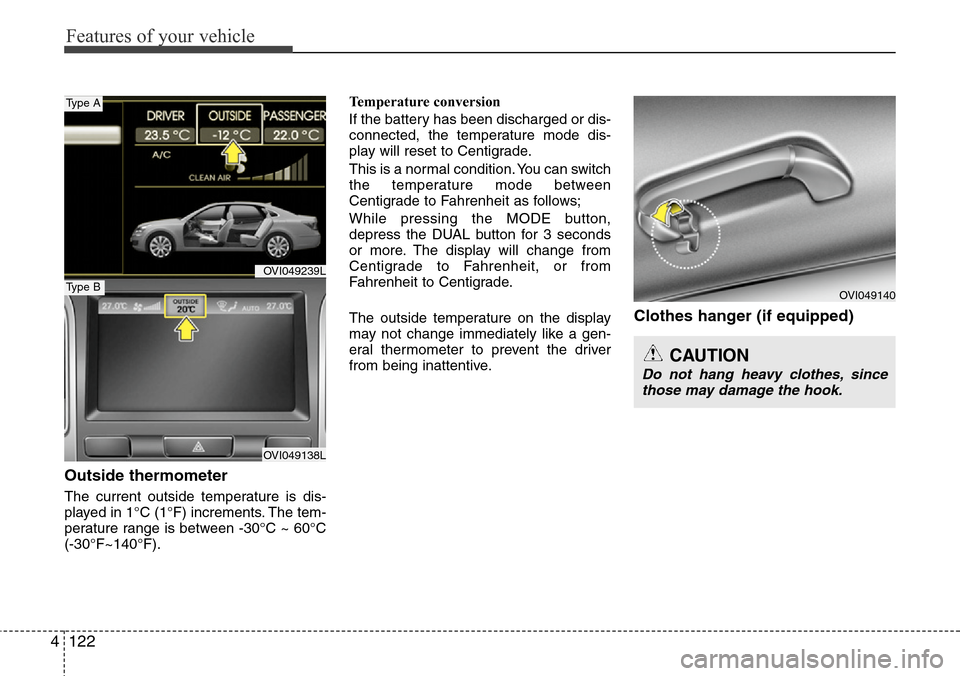
Outside thermometer
The current outside temperature is dis-
played in 1°C (1°F) increments. The tem-
perature range is between -30°C ~ 60°C
(-30°F~140°F).Temperature conversion
If the battery has been discharged or dis-
connected, the temperature mode dis-
play will reset to Centigrade.
This is a normal condition. You can switch
the temperature mode between
Centigrade to Fahrenheit as follows;
While pressing the MODE button,
depress the DUAL button for 3 seconds
or more. The display will change from
Centigrade to Fahrenheit, or from
Fahrenheit to Centigrade.
The outside temperature on the display
may not change immediately like a gen-
eral thermometer to prevent the driver
from being inattentive.
Clothes hanger (if equipped)
CAUTION
Do not hang heavy clothes, since
those may damage the hook.
OVI049140
OVI049239L
OVI049138L
Type A
Type B
Page 212 of 385
Features of your vehicle
130 4
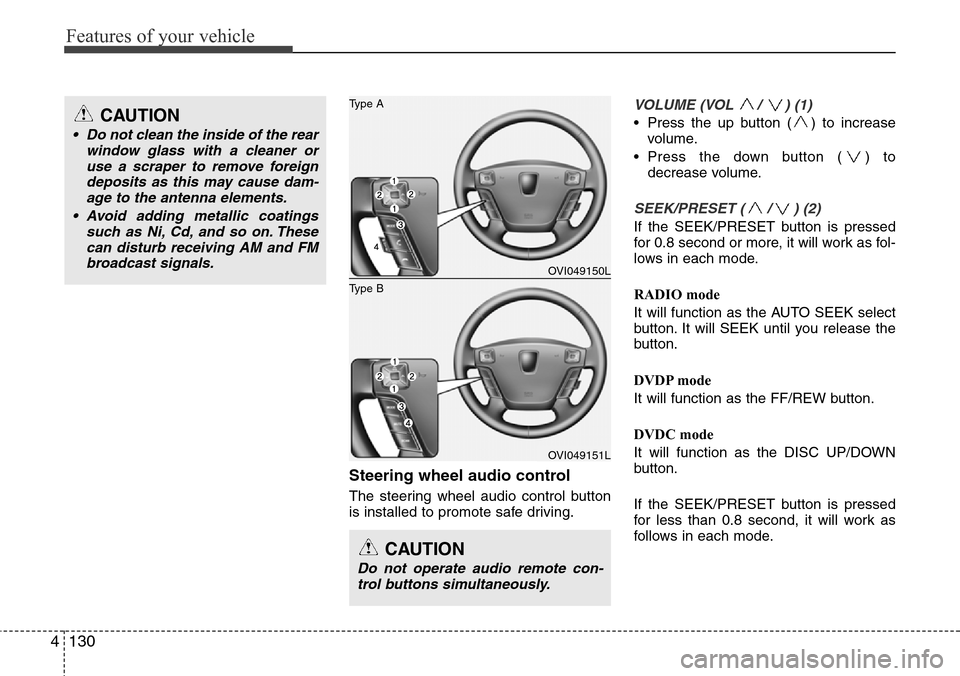
Steering wheel audio control
The steering wheel audio control button
is installed to promote safe driving.
VOLUME (VOL / ) (1)
• Press the up button ( ) to increase
volume.
• Press the down button ( ) to
decrease volume.
SEEK/PRESET ( / ) (2)
If the SEEK/PRESET button is pressed
for 0.8 second or more, it will work as fol-
lows in each mode.
RADIO mode
It will function as the AUTO SEEK select
button. It will SEEK until you release the
button.
DVDP mode
It will function as the FF/REW button.
DVDC mode
It will function as the DISC UP/DOWN
button.
If the SEEK/PRESET button is pressed
for less than 0.8 second, it will work as
follows in each mode.
CAUTION
Do not operate audio remote con-
trol buttons simultaneously.
OVI049150L
OVI049151L
Type B
Type ACAUTION
• Do not clean the inside of the rear
window glass with a cleaner or
use a scraper to remove foreign
deposits as this may cause dam-
age to the antenna elements.
• Avoid adding metallic coatings
such as Ni, Cd, and so on. These
can disturb receiving AM and FM
broadcast signals.
Page 213 of 385
4131
Features of your vehicle
RADIO mode
It will function as the PRESET STATION
select buttons.
DVDP mode
It will function as the TRACK UP/DOWN
button.
DVDC mode
It will function as the TRACK UP/DOWN
button.
Detailed information for audio control
buttons is included in the following pages
in this section.
MODE (3)
Press the MODE button to select Radio,
DVD (Digital Versatile Disc) or DVDC
(Digital Versatile Disc Changer) or AUX.
MUTE (4)
• Press the MUTE button to cancel the
sound.
• Press the MUTE button again to acti-
vate the sound.
✽NOTICE
Detailed information is described in a
separately supplied manual.
Page 248 of 385
535
Driving your vehicle
• Operate the EPB switch. Do not oper-
ate the parking brake while driving
except in an emergency situation.
Each of these actions will cancel cruise
control operation (the SET indicator light
in the instrument cluster will go off), but it
will not turn the system off. If you wish to
resume cruise control operation, push
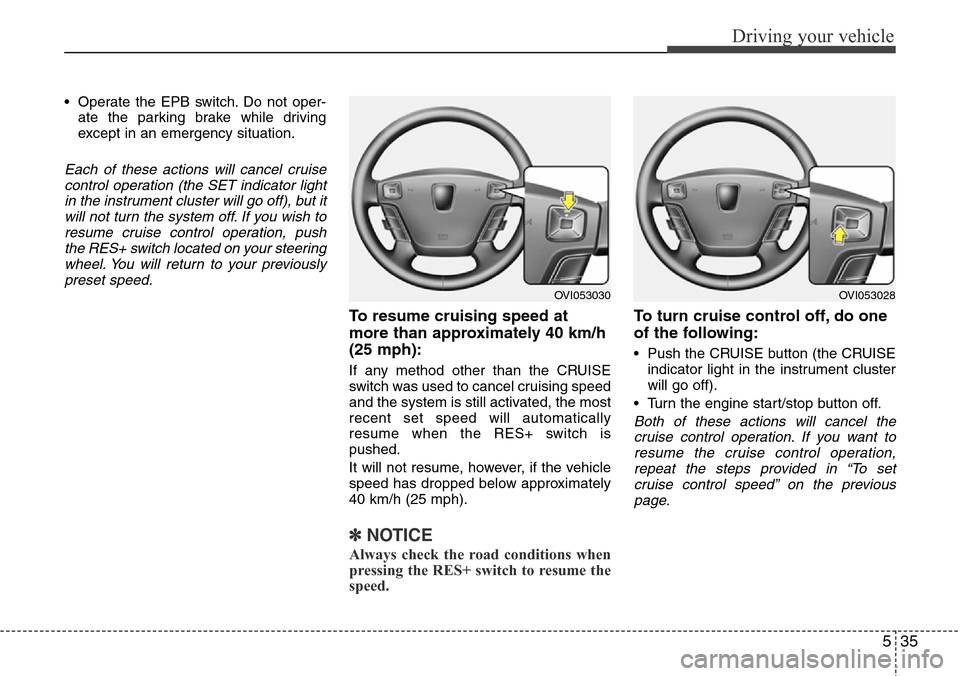
the RES+ switch located on your steering
wheel. You will return to your previously
preset speed.
To resume cruising speed at
more than approximately 40 km/h
(25 mph):
If any method other than the CRUISE
switch was used to cancel cruising speed
and the system is still activated, the most
recent set speed will automatically
resume when the RES+ switch is
pushed.
It will not resume, however, if the vehicle
speed has dropped below approximately
40 km/h (25 mph).
✽NOTICE
Always check the road conditions when
pressing the RES+ switch to resume the
speed.
To turn cruise control off, do one
of the following:
• Push the CRUISE button (the CRUISE
indicator light in the instrument cluster
will go off).
• Turn the engine start/stop button off.
Both of these actions will cancel the
cruise control operation. If you want to
resume the cruise control operation,
repeat the steps provided in “To set
cruise control speed” on the previous
page.
OVI053030OVI053028
Page 252 of 385
539
Driving your vehicle
• Decreasing the vehicle speed to less
than approximately 10km/h (6.2mph)
as the vehicle in front of you.
• Accelerating the vehicle speed to more
than approximately 180km/h
(113mph).
• The ESP is turned off.
• The sensor or the cover is stained with
foreign matter.
Each of these actions will cancel smart
cruise control operation (the SET indica-
tor light, set speed and vehicle to vehicle
distance on the LCD screen will go out),
but it will not turn the system off. If you
wish to resume smart cruise control
operation, push the RES+ switch located
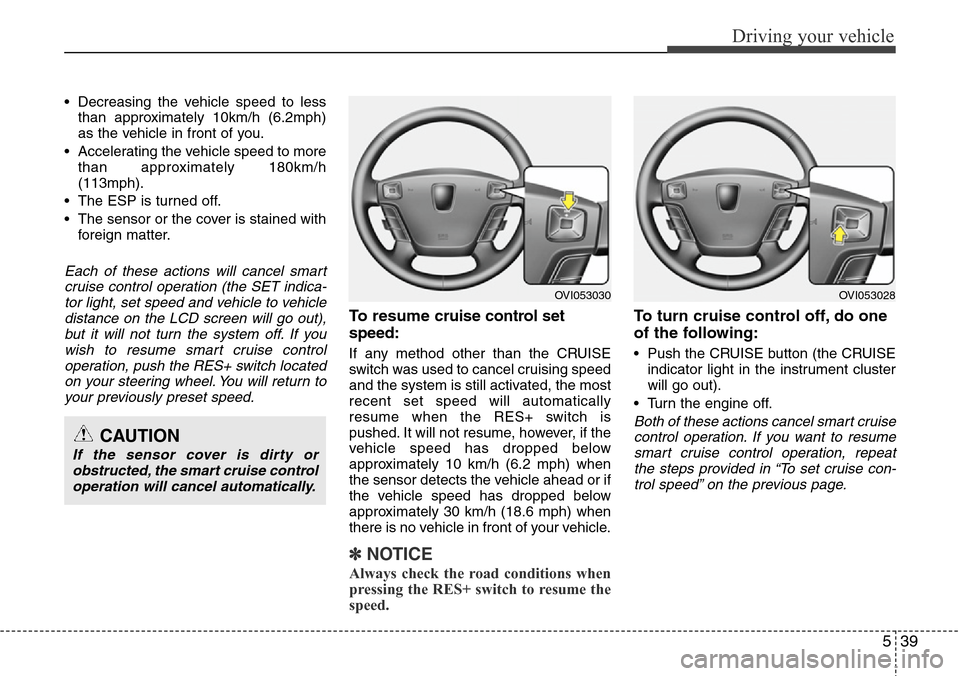
on your steering wheel. You will return to
your previously preset speed.
To resume cruise control set
speed:
If any method other than the CRUISE
switch was used to cancel cruising speed
and the system is still activated, the most
recent set speed will automatically
resume when the RES+ switch is
pushed. It will not resume, however, if the
vehicle speed has dropped below
approximately 10 km/h (6.2 mph) when
the sensor detects the vehicle ahead or if
the vehicle speed has dropped below
approximately 30 km/h (18.6 mph) when
there is no vehicle in front of your vehicle.
✽NOTICE
Always check the road conditions when
pressing the RES+ switch to resume the
speed.
To turn cruise control off, do one
of the following:
• Push the CRUISE button (the CRUISE
indicator light in the instrument cluster
will go out).
• Turn the engine off.
Both of these actions cancel smart cruise
control operation. If you want to resume
smart cruise control operation, repeat
the steps provided in “To set cruise con-
trol speed” on the previous page.CAUTION
If the sensor cover is dirty or
obstructed, the smart cruise control
operation will cancel automatically.
OVI053030OVI053028
Page 337 of 385
735
Maintenance
Reset items
Items should be reset after the battery
has been discharged or the battery has
been disconnected.
• Power trunk (See section 4)
• Sunroof (See section 4)
• Trip computer (See section 4)
• Climate control system
(See section 4)
• Clock (See section 4)
• Audio (See section 4)WARNING
• Before performing maintenance
or recharging the battery, turn off
all accessories and stop the
engine.
• The negative battery cable must
be removed first and installed
last when the battery is discon-
nected.
• Operation related to the battery
should be done in an authorized
HYUNDAI dealer.
CAUTION
• Keep the battery away from water
or any liquid.
• The battery is in the trunk, so you
should be careful when you load
a container filled with liquid into
the trunk.
• For your safety, use the authentic-
ity by approved authorized
HYUNDAI dealer, when you
replace the battery.
WARNING- Recharging
battery
When recharging the battery,
observe the following precautions:
• The battery must be removed
from the vehicle and placed in an
area with good ventilation.
• Do not allow cigarettes, sparks,
or flame near the battery.
• Watch the battery during charg-
ing, and stop or reduce the charg-
ing rate if the battery cells begin
gassing (boiling) violently or if
the temperature of the electrolyte
of any cell exceeds 49°C (120°F).
• Wear eye protection when check-
ing the battery during charging.
• Disconnect the battery charger in
the following order.
1. Turn off the battery charger main
switch.
2. Unhook the negative clamp from
the negative battery terminal.
3. Unhook the positive clamp from
the positive battery terminal.