lock Hyundai Equus 2012 Workshop Manual
[x] Cancel search | Manufacturer: HYUNDAI, Model Year: 2012, Model line: Equus, Model: Hyundai Equus 2012Pages: 385, PDF Size: 10.67 MB
Page 174 of 385
Features of your vehicle
92 4
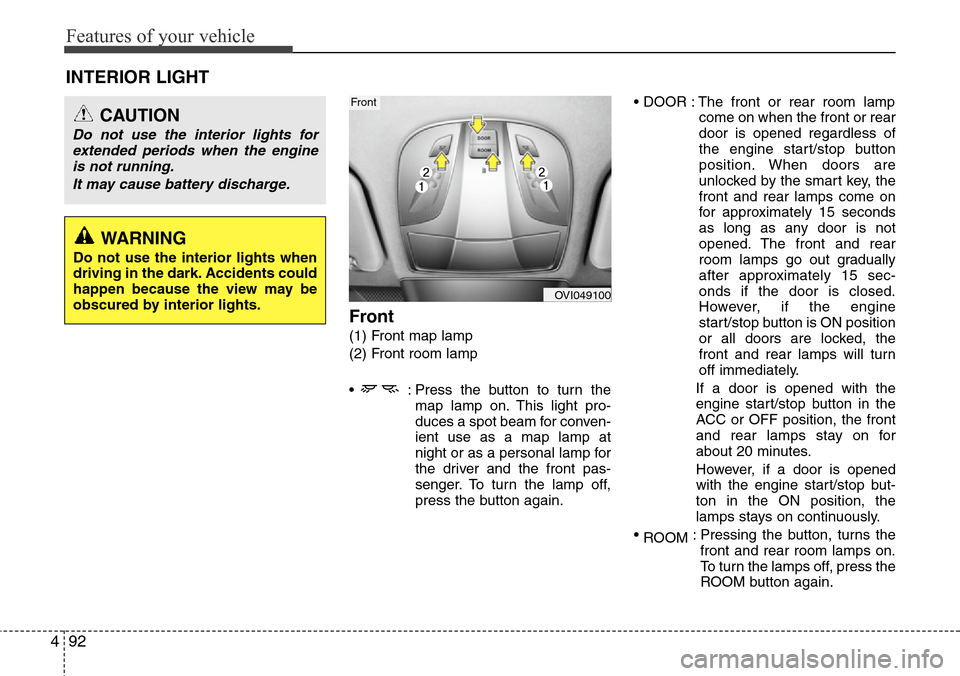
Front
(1) Front map lamp
(2) Front room lamp
• : Press the button to turn the
map lamp on. This light pro-
duces a spot beam for conven-
ient use as a map lamp at
night or as a personal lamp for
the driver and the front pas-
senger. To turn the lamp off,
press the button again.• DOOR : The front or rear room lamp
come on when the front or rear
door is opened regardless of
the engine start/stop button
position. When doors are
unlocked by the smart key, the
front and rear lamps come on
for approximately 15 seconds
as long as any door is not
opened. The front and rear
room lamps go out gradually
after approximately 15 sec-
onds if the door is closed.
However, if the engine
start/stop button is ON position
or all doors are locked, the
front and rear lamps will turn
off immediately.
If a door is opened with the
engine start/stop button in the
ACC or OFF position, the front
and rear lamps stay on for
about 20 minutes.
However, if a door is opened
with the engine start/stop but-
ton in the ON position, the
lamps stays on continuously.
•
ROOM: Pressing the button, turns the
front and rear room lamps on.
To turn the lamps off, press the
ROOM button again.
INTERIOR LIGHT
CAUTION
Do not use the interior lights for
extended periods when the engine
is not running.
It may cause battery discharge.
OVI049100
Front
WARNING
Do not use the interior lights when
driving in the dark. Accidents could
happen because the view may be
obscured by interior lights.
Page 176 of 385
Features of your vehicle
94 4
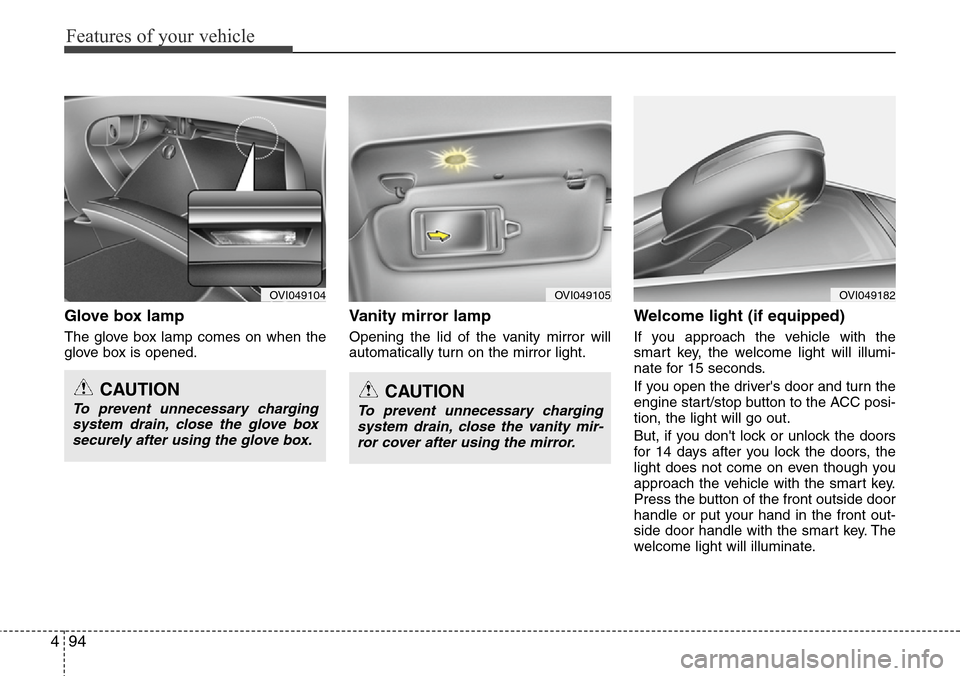
Glove box lamp
The glove box lamp comes on when the
glove box is opened.
Vanity mirror lamp
Opening the lid of the vanity mirror will
automatically turn on the mirror light.
Welcome light (if equipped)
If you approach the vehicle with the
smart key, the welcome light will illumi-
nate for 15 seconds.
If you open the driver's door and turn the
engine start/stop button to the ACC posi-
tion, the light will go out.
But, if you don't lock or unlock the doors
for 14 days after you lock the doors, the
light does not come on even though you
approach the vehicle with the smart key.
Press the button of the front outside door
handle or put your hand in the front out-
side door handle with the smart key. The
welcome light will illuminate.
OVI049104OVI049105OVI049182
CAUTION
To prevent unnecessary charging
system drain, close the glove box
securely after using the glove box.CAUTION
To prevent unnecessary charging
system drain, close the vanity mir-
ror cover after using the mirror.
Page 187 of 385
4105
Features of your vehicle
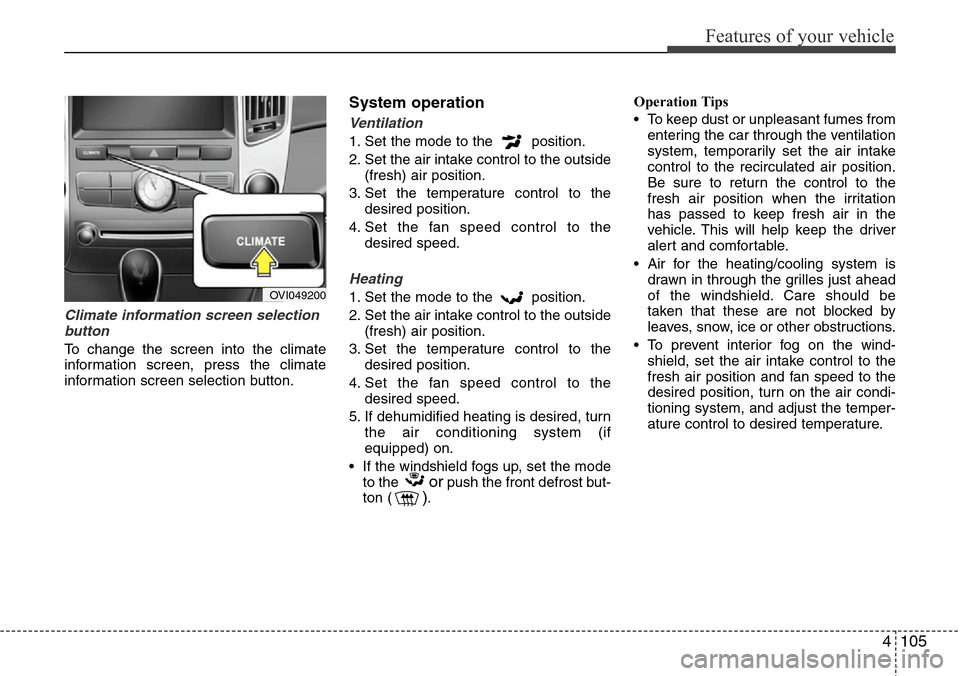
Climate information screen selection
button
To change the screen into the climate
information screen, press the climate
information screen selection button.
System operation
Ventilation
1. Set the mode to the position.
2. Set the air intake control to the outside
(fresh) air position.
3. Set the temperature control to the
desired position.
4. Set the fan speed control to the
desired speed.
Heating
1. Set the mode to the position.
2. Set the air intake control to the outside
(fresh) air position.
3. Set the temperature control to the
desired position.
4. Set the fan speed control to the
desired speed.
5. If dehumidified heating is desired, turn
the air conditioning system (if
equipped) on.
• If the windshield fogs up, set the mode
to the
orpush the front defrost but-
ton ().Operation Tips
• To keep dust or unpleasant fumes from
entering the car through the ventilation
system, temporarily set the air intake
control to the recirculated air position.
Be sure to return the control to the
fresh air position when the irritation
has passed to keep fresh air in the
vehicle. This will help keep the driver
alert and comfortable.
• Air for the heating/cooling system is
drawn in through the grilles just ahead
of the windshield. Care should be
taken that these are not blocked by
leaves, snow, ice or other obstructions.
• To prevent interior fog on the wind-
shield, set the air intake control to the
fresh air position and fan speed to the
desired position, turn on the air condi-
tioning system, and adjust the temper-
ature control to desired temperature.
OVI049200
Page 196 of 385
Features of your vehicle
114 4
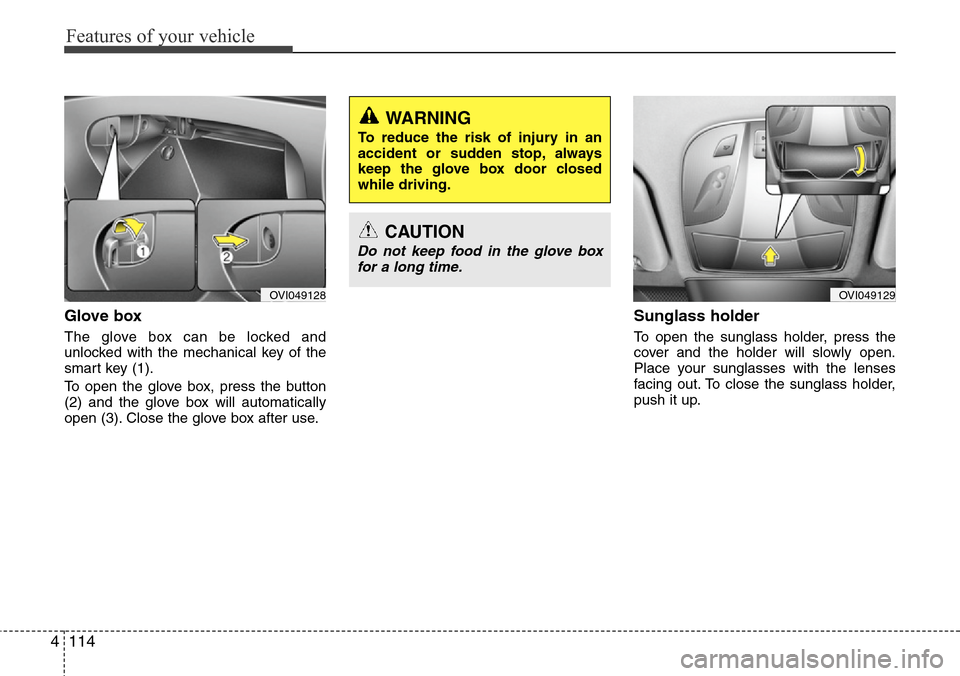
Glove box
The glove box can be locked and
unlocked with the mechanical key of the
smart key (1).
To open the glove box, press the button
(2) and the glove box will automatically
open (3). Close the glove box after use.
Sunglass holder
To open the sunglass holder, press the
cover and the holder will slowly open.
Place your sunglasses with the lenses
facing out. To close the sunglass holder,
push it up.
OVI049129OVI049128
WARNING
To reduce the risk of injury in an
accident or sudden stop, always
keep the glove box door closed
while driving.
CAUTION
Do not keep food in the glove box
for a long time.
Page 197 of 385
4115
Features of your vehicle
Cool box (if equipped)
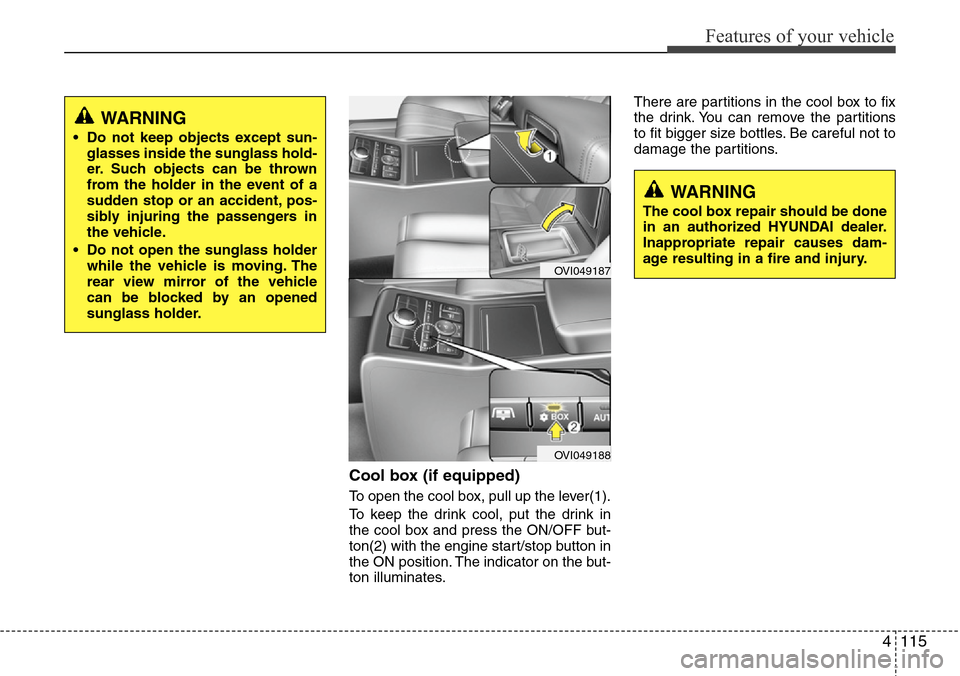
To open the cool box, pull up the lever(1).
To keep the drink cool, put the drink in
the cool box and press the ON/OFF but-
ton(2) with the engine start/stop button in
the ON position. The indicator on the but-
ton illuminates.There are partitions in the cool box to fix
the drink. You can remove the partitions
to fit bigger size bottles. Be careful not to
damage the partitions.
WARNING
• Do not keep objects except sun-
glasses inside the sunglass hold-
er. Such objects can be thrown
from the holder in the event of a
sudden stop or an accident, pos-
sibly injuring the passengers in
the vehicle.
• Do not open the sunglass holder
while the vehicle is moving. The
rear view mirror of the vehicle
can be blocked by an opened
sunglass holder.
WARNING
The cool box repair should be done
in an authorized HYUNDAI dealer.
Inappropriate repair causes dam-
age resulting in a fire and injury.
OVI049187
OVI049188
Page 203 of 385
4121
Features of your vehicle
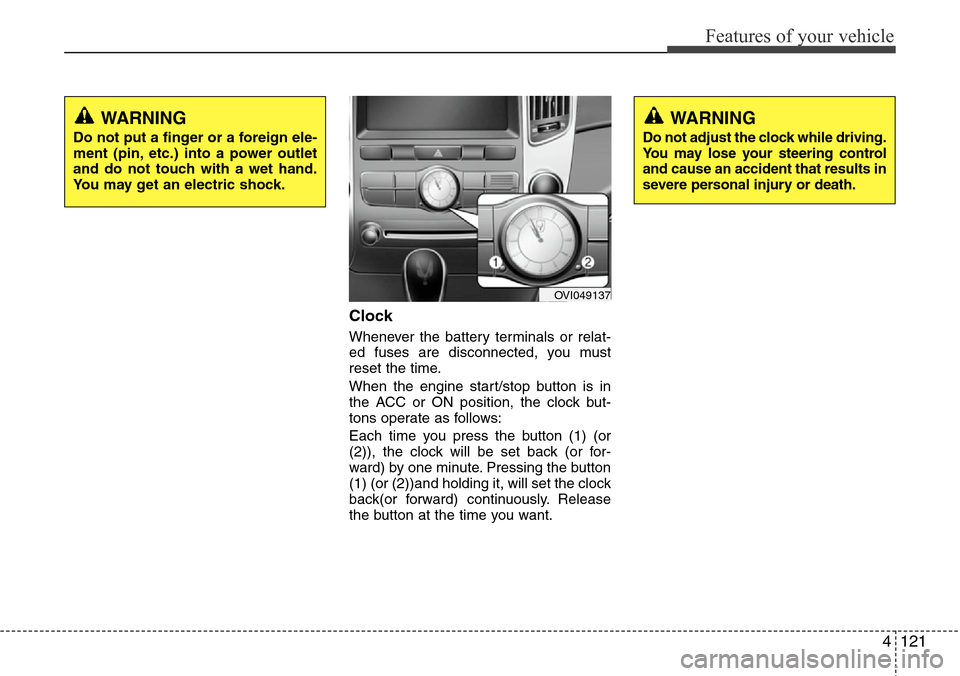
Clock
Whenever the battery terminals or relat-
ed fuses are disconnected, you must
reset the time.
When the engine start/stop button is in
the ACC or ON position, the clock but-
tons operate as follows:
Each time you press the button (1) (or
(2)), the clock will be set back (or for-
ward) by one minute. Pressing the button
(1) (or (2))and holding it, will set the clock
back(or forward) continuously. Release
the button at the time you want.
WARNING
Do not adjust the clock while driving.
You may lose your steering control
and cause an accident that results in
severe personal injury or death.
WARNING
Do not put a finger or a foreign ele-
ment (pin, etc.) into a power outlet
and do not touch with a wet hand.
You may get an electric shock.
OVI049137
Page 216 of 385
53
Driving your vehicle
Before entering vehicle
• Be sure that all windows, outside mir-
ror(s), and outside lights are clean.
• Check the condition of the tires.
• Check under the vehicle for any sign of
leaks.
• Be sure there are no obstacles behind
you if you intend to back up.
Necessary inspections
Fluid levels, such as engine oil, engine
coolant, brake fluid, and washer fluid
should be checked on a regular basis,
with the exact interval depending on the
fluid. Further details are provided in sec-
tion 7, “Maintenance”.
Before starting
• Close and lock all doors.
• Position the seat so that all controls are
easily reached.
• Adjust the inside and outside rearview
mirrors.
• Be sure that all lights work.
• Check all gauges.
• Check the operation of warning lights
when the engine start/stop button is
turned to the ON position.
• Release the parking brake and make
sure the brake warning light goes out.
For safe operation, be sure you are famil-
iar with your vehicle and its equipment.
BEFORE DRIVING
WARNING
All passengers must be properly
belted whenever the vehicle is mov-
ing. Refer to “Seat belts” in section
3 for more information on their
proper use.
WARNING
Always check the surrounding
areas near your vehicle for people,
especially children, before putting a
vehicle into D (Drive) or R
(Reverse).
WARNING- Driving under
the influence of alcohol or
drugs
Drinking and driving is dangerous.
Drunk driving is the number one
contributor to the highway death
toll each year. Even a small amount
of alcohol will affect your reflexes,
perceptions and judgment. Driving
while under the influence of drugs
is as dangerous or more dangerous
than driving drunk.
You are much more likely to have a
serious accident if you drink or
take drugs and drive.
If you are drinking or taking drugs,
don’t drive. Do not ride with a driv-
er who has been drinking or taking
drugs. Choose a designated driver
or call a cab.
WARNING
Driving while distracted can result in
a loss of vehicle control, that may
lead to an accident, severe personal
injury, and death. The driver’s primary
responsibility is in the safe and legal
operation of a vehicle, and use of any
handheld devices, other equipment,
or vehicle systems which take the
driver’s eyes, attention and focus
away from the safe operation of a
vehicle or which are not permissible
by law should never be used during
operation of the vehicle.
Page 217 of 385
Driving your vehicle
4 5
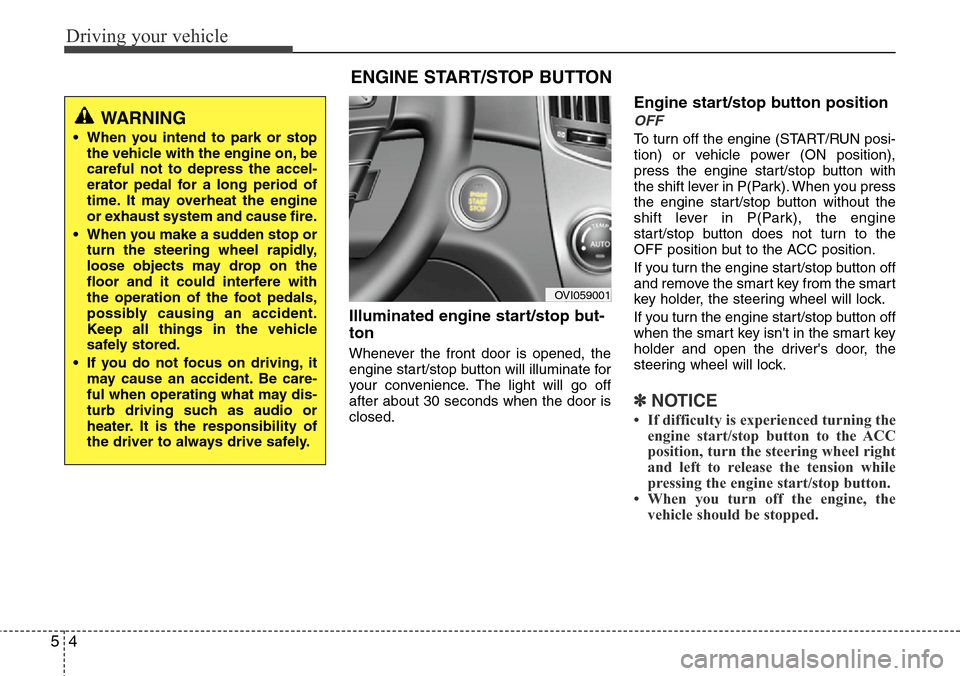
Illuminated engine start/stop but-
ton
Whenever the front door is opened, the
engine start/stop button will illuminate for
your convenience. The light will go off
after about 30 seconds when the door is
closed.
Engine start/stop button position
OFF
To turn off the engine (START/RUN posi-
tion) or vehicle power (ON position),
press the engine start/stop button with
the shift lever in P(Park). When you press
the engine start/stop button without the
shift lever in P(Park), the engine
start/stop button does not turn to the
OFF position but to the ACC position.
If you turn the engine start/stop button off
and remove the smart key from the smart
key holder, the steering wheel will lock.
If you turn the engine start/stop button off
when the smart key isn't in the smart key
holder and open the driver's door, the
steering wheel will lock.
✽NOTICE
• If difficulty is experienced turning the
engine start/stop button to the ACC
position, turn the steering wheel right
and left to release the tension while
pressing the engine start/stop button.
• When you turn off the engine, the
vehicle should be stopped.
ENGINE START/STOP BUTTON
OVI059001
WARNING
• When you intend to park or stop
the vehicle with the engine on, be
careful not to depress the accel-
erator pedal for a long period of
time. It may overheat the engine
or exhaust system and cause fire.
• When you make a sudden stop or
turn the steering wheel rapidly,
loose objects may drop on the
floor and it could interfere with
the operation of the foot pedals,
possibly causing an accident.
Keep all things in the vehicle
safely stored.
• If you do not focus on driving, it
may cause an accident. Be care-
ful when operating what may dis-
turb driving such as audio or
heater. It is the responsibility of
the driver to always drive safely.
Page 218 of 385
55
Driving your vehicle
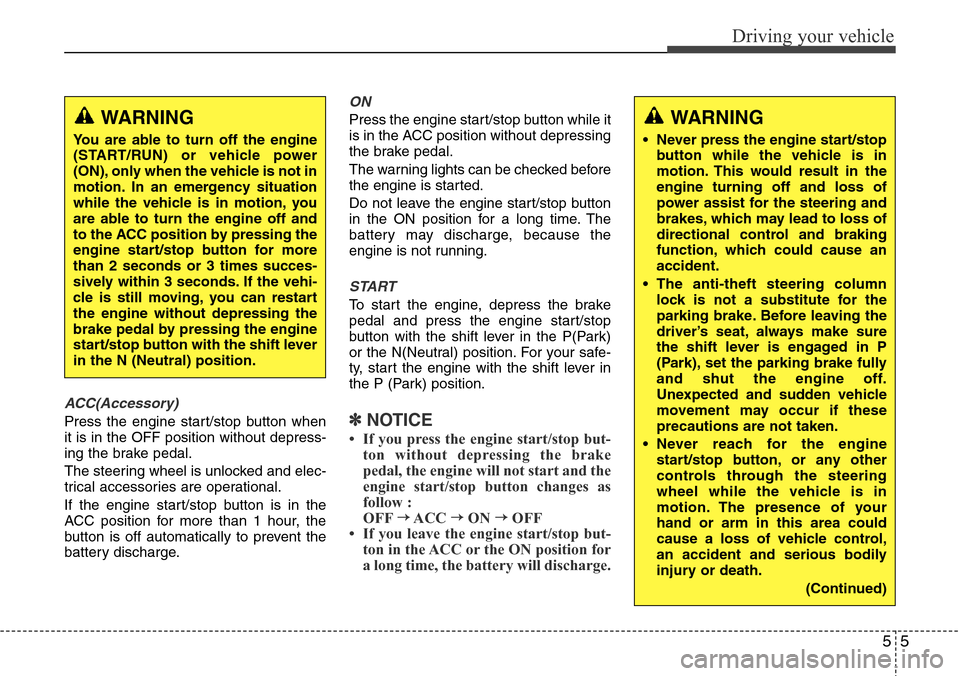
ACC(Accessory)
Press the engine start/stop button when
it is in the OFF position without depress-
ing the brake pedal.
The steering wheel is unlocked and elec-
trical accessories are operational.
If the engine start/stop button is in the
ACC position for more than 1 hour, the
button is off automatically to prevent the
battery discharge.
ON
Press the engine start/stop button while it
is in the ACC position without depressing
the brake pedal.
The warning lights can be checked before
the engine is started.
Do not leave the engine start/stop button
in the ON position for a long time. The
battery may discharge, because the
engine is not running.
START
To start the engine, depress the brake
pedal and press the engine start/stop
button with the shift lever in the P(Park)
or the N(Neutral) position. For your safe-
ty, start the engine with the shift lever in
the P (Park) position.
✽NOTICE
• If you press the engine start/stop but-
ton without depressing the brake
pedal, the engine will not start and the
engine start/stop button changes as
follow :
OFF
→ACC →ON →OFF
Page 221 of 385
Driving your vehicle
8 5
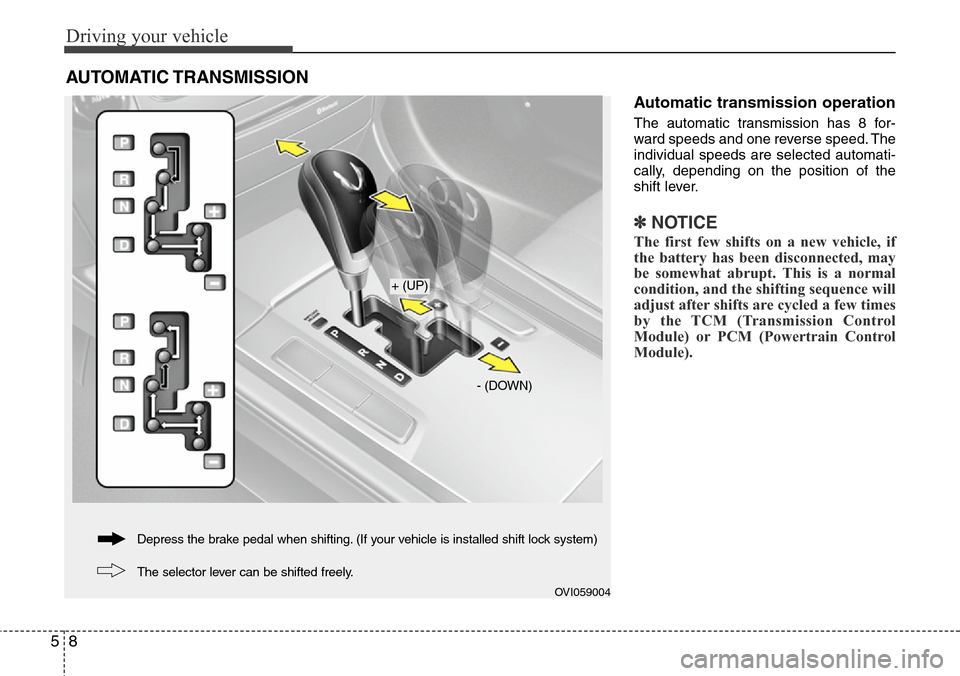
Automatic transmission operation
The automatic transmission has 8 for-
ward speeds and one reverse speed. The
individual speeds are selected automati-
cally, depending on the position of the
shift lever.
✽NOTICE
The first few shifts on a new vehicle, if
the battery has been disconnected, may
be somewhat abrupt. This is a normal
condition, and the shifting sequence will
adjust after shifts are cycled a few times
by the TCM (Transmission Control
Module) or PCM (Powertrain Control
Module).
AUTOMATIC TRANSMISSION
OVI059004
+ (UP)
- (DOWN)
The selector lever can be shifted freely. Depress the brake pedal when shifting. (If your vehicle is installed shift lock system)