engine Hyundai Equus 2013 Owner's Manual
[x] Cancel search | Manufacturer: HYUNDAI, Model Year: 2013, Model line: Equus, Model: Hyundai Equus 2013Pages: 479, PDF Size: 10.15 MB
Page 293 of 479
Driving your vehicle
36 5
✽NOTICE
When you jump start your vehicle
because of a drained battery, the
engine may not run as smoothly and
the ABS warning light may turn on
at the same time. This happens
because of low battery voltage. It
does not mean your ABS has mal-
functioned.
• Do not pump your brakes!
• Have the battery recharged before
driving the vehicle.
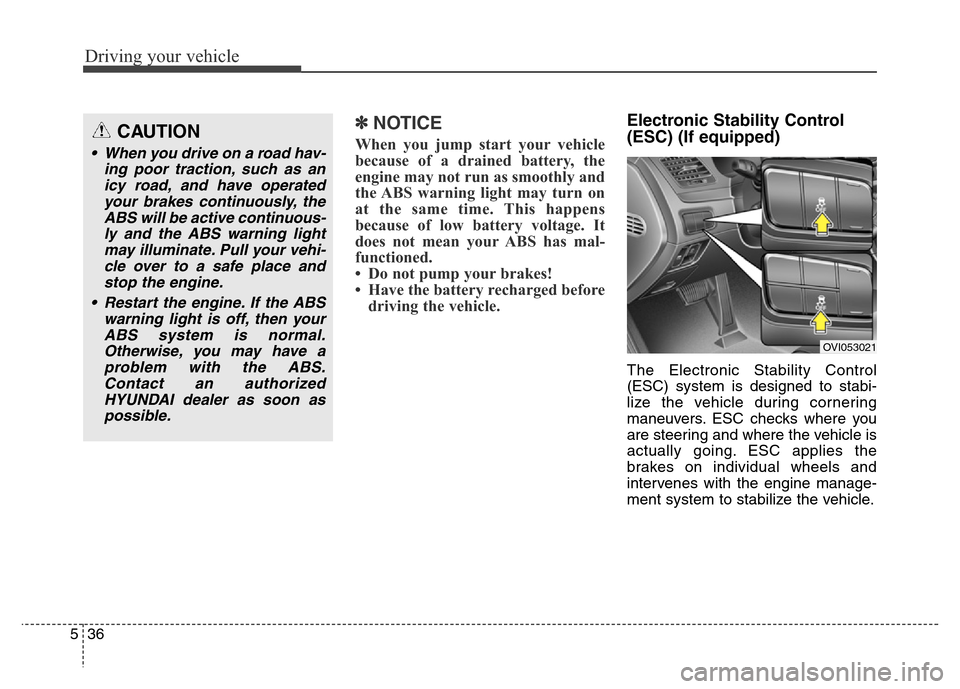
Electronic Stability Control
(ESC) (If equipped)
The Electronic Stability Control
(ESC) system is designed to stabi-
lize the vehicle during cornering
maneuvers. ESC checks where you
are steering and where the vehicle is
actually going. ESC applies the
brakes on individual wheels and
intervenes with the engine manage-
ment system to stabilize the vehicle.
CAUTION
• When you drive on a road hav-
ing poor traction, such as an
icy road, and have operated
your brakes continuously, the
ABS will be active continuous-
ly and the ABS warning light
may illuminate. Pull your vehi-
cle over to a safe place and
stop the engine.
• Restart the engine. If the ABS
warning light is off, then your
ABS system is normal.
Otherwise, you may have a
problem with the ABS.
Contact an authorized
HYUNDAI dealer as soon as
possible.
OVI053021
Page 294 of 479
537
Driving your vehicle
The Electronic Stability Control
(ESC) system is an electronic sys-
tem designed to help the driver main-
tain vehicle control under adverse
conditions. It is not a substitute for
safe driving practices. Factors includ-
ing speed, road conditions and driv-
er steering input can all affect
whether ESC will be effective in pre-
venting a loss of control. It is still your
responsibility to drive and corner at
reasonable speeds and to leave a
sufficient margin of safety.
When you apply your brakes under
conditions which may lock the
wheels, you may hear a “tik-tik’’
sound from the brakes, or feel a cor-
responding sensation in the brake
pedal. This is normal and it means
your ESC is active.✽NOTICE
A click sound may be heard in the
engine compartment when the vehi-
cle begins to move after the engine is
started. These conditions are normal
and indicate that the Electronic
Stability Control System is func-
tioning properly. WARNING
Never drive too fast according
to the road conditions or too
quickly when cornering.
Electronic Stability Control
(ESC) will not prevent acci-
dents. Excessive speed in
turns, abrupt maneuvers and
hydroplaning on wet surfaces
can still result in serious acci-
dents. Only a safe and attentive
driver can prevent accidents by
avoiding maneuvers that cause
the vehicle to lose traction.
Even with ESC installed, always
follow all the normal precau-
tions for driving - including driv-
ing at safe speeds for the condi-
tions.
Page 295 of 479
Driving your vehicle
38 5
ESC operation
ESC ON condition
• When the ignition is turned
ON, ESC and ESC OFF
indicator lights illuminate
for approximately 3 sec-
onds, then ESC is turned
on.
• Press the ESC OFF but-
ton for at least half a sec-
ond after turning the igni-
tion ON to turn ESC off.
(ESC OFF indicator will
illuminate). To turn the
ESC on, press the ESC
OFF button (ESC OFF
indicator light will go off).
• When starting the engine,
you may hear a slight tick-
ing sound. This is the ESC
performing an automatic
system self-check and
does not indicate a prob-
lem.When operating
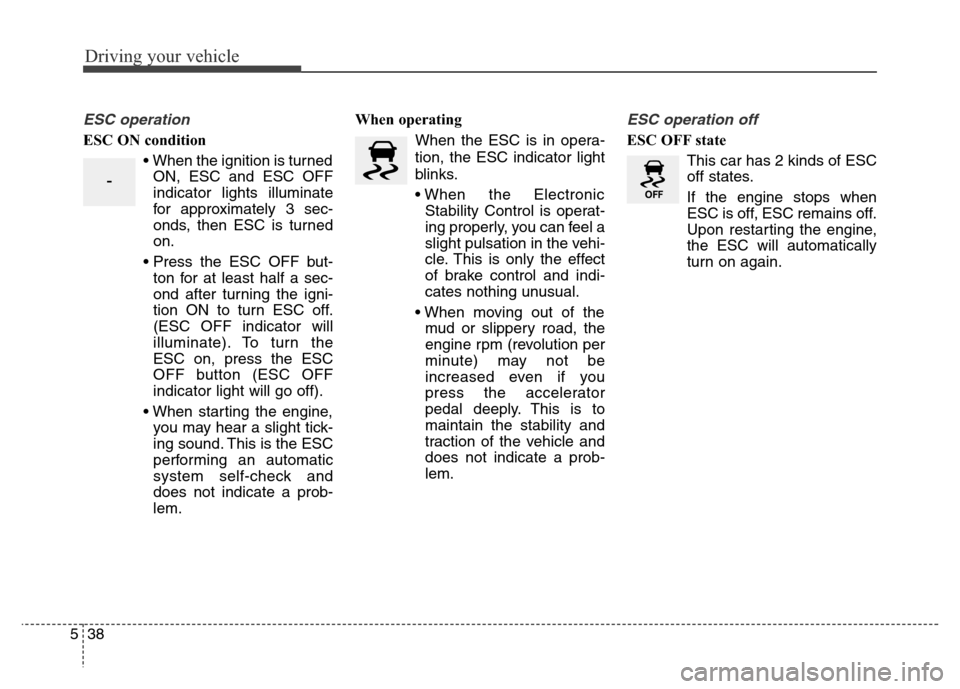
When the ESC is in opera-
tion, the ESC indicator light
blinks.
• When the Electronic
Stability Control is operat-
ing properly, you can feel a
slight pulsation in the vehi-
cle. This is only the effect
of brake control and indi-
cates nothing unusual.
• When moving out of the
mud or slippery road, the
engine rpm (revolution per
minute) may not be
increased even if you
press the accelerator
pedal deeply. This is to
maintain the stability and
traction of the vehicle and
does not indicate a prob-
lem.
ESC operation off
ESC OFF state
This car has 2 kinds of ESC
off states.
If the engine stops when
ESC is off, ESC remains off.
Upon restarting the engine,
the ESC will automatically
turn on again.
-
Page 296 of 479
539
Driving your vehicle
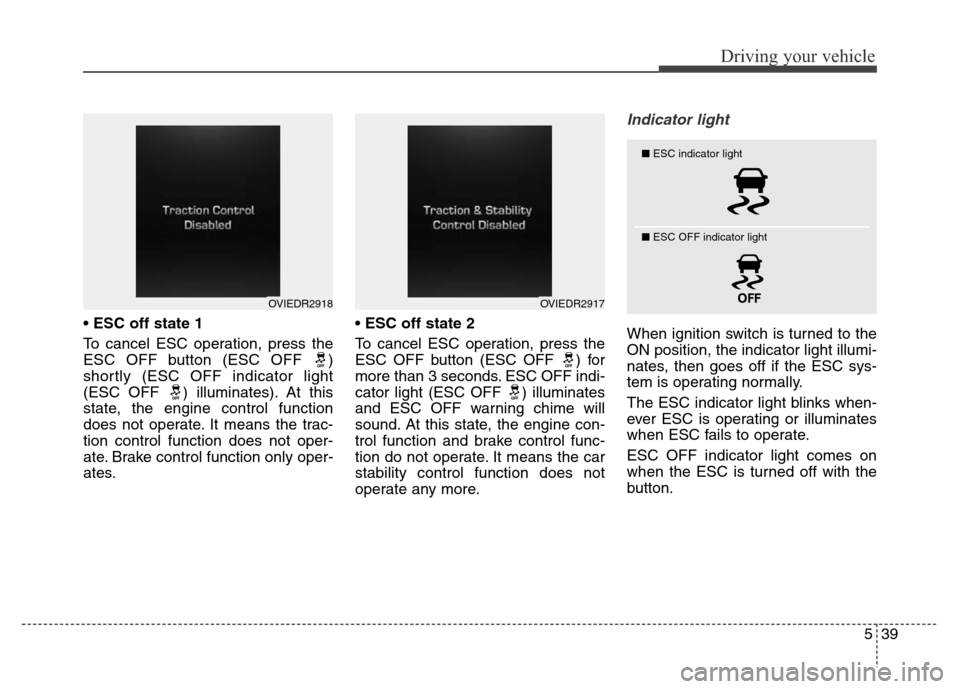
• ESC off state 1
To cancel ESC operation, press the
ESC OFF button (ESC OFF )
shortly (ESC OFF indicator light
(ESC OFF ) illuminates). At this
state, the engine control function
does not operate. It means the trac-
tion control function does not oper-
ate. Brake control function only oper-
ates.•ESC off state 2
To cancel ESC operation, press the
ESC OFF button (ESC OFF ) for
more than 3 seconds. ESC OFF indi-
cator light (ESC OFF ) illuminates
and ESC OFF warning chime will
sound. At this state, the engine con-
trol function and brake control func-
tion do not operate. It means the car
stability control function does not
operate any more.
Indicator light
When ignition switch is turned to the
ON position, the indicator light illumi-
nates, then goes off if the ESC sys-
tem is operating normally.
The ESC indicator light blinks when-
ever ESC is operating or illuminates
when ESC fails to operate.
ESC OFF indicator light comes on
when the ESC is turned off with the
button.
OVIEDR2918OVIEDR2917
■ESC indicator light
■ ESC OFF indicator light
Page 300 of 479
543
Driving your vehicle
• Don't coast down hills with the
vehicle out of gear. This is extreme-
ly hazardous. Keep the car in gear
at all times, use the brakes to slow
down, then shift to a lower gear so
that engine braking will help you
maintain a safe speed.
• Don't "ride" the brake pedal.
Resting your foot on the brake
pedal while driving can be danger-
ous because it can result in the
brakes overheating and losing their
effectiveness. It also increases the
wear of the brake components.
• If a tire goes flat while you are driv-
ing, apply the brakes gently and
keep the car pointed straight
ahead while you slow down. When
you are moving slowly enough for it
to be safe to do so, pull off the road
and stop in a safe place.• If your vehicle is equipped with an
automatic transmission, don't let
your car creep forward. To avoid
creeping forward, keep your foot
firmly on the brake pedal when the
car is stopped.
• Be caution when parking on a hill.
Firmly engage the parking brake
and place the shift lever in P. If your
vehicle is facing downhill, turn the
front wheels into the curb to help
keep the vehicle from rolling. If
your vehicle is facing uphill, turn
the front wheels away from the
curb to help keep the vehicle from
rolling. If there is no curb or if it is
required by other conditions to
keep the vehicle from rolling, block
the wheels.• Under some conditions your park-
ing brake can freeze in the
engaged position. This is most like-
ly to happen when there is an
accumulation of snow or ice
around or near the rear brakes or if
the brakes are wet. If there is a risk
that the parking brake may freeze,
apply it only temporarily while you
put the shift lever in P and block
the rear wheels so the car cannot
roll. Then release the parking
brake.
• Do not hold the vehicle on the
upgrade with the accelerator
pedal. This can cause the trans-
mission to overheat. Always use
the brake pedal or parking brake.
Page 301 of 479
Driving your vehicle
44 5
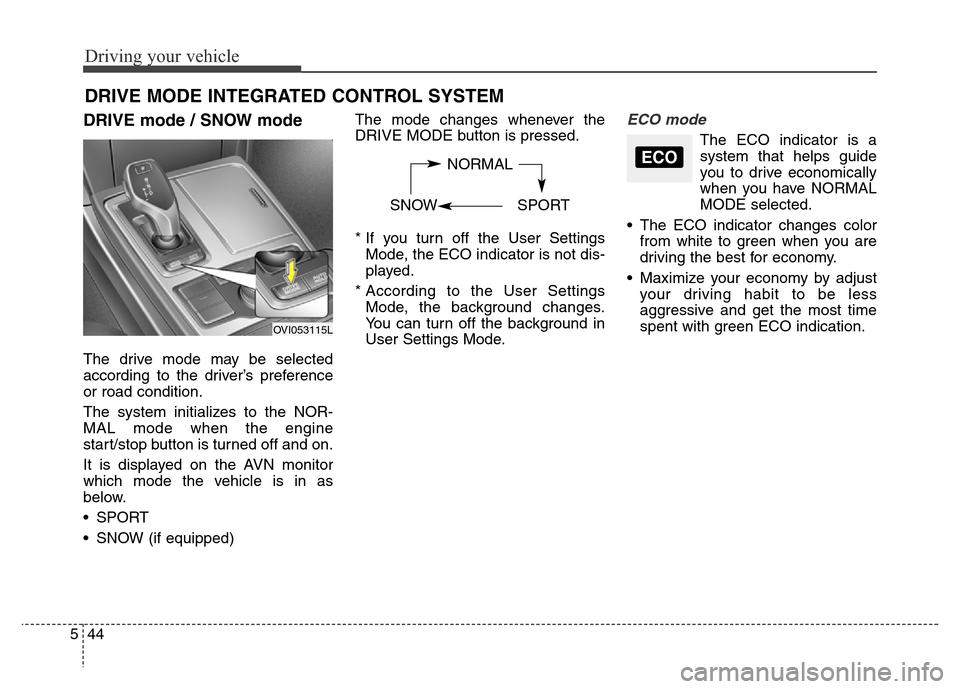
DRIVE mode / SNOW mode
The drive mode may be selected
according to the driver’s preference
or road condition.
The system initializes to the NOR-
MAL mode when the engine
start/stop button is turned off and on.
It is displayed on the AVN monitor
which mode the vehicle is in as
below.
• SPORT
• SNOW (if equipped)The mode changes whenever the
DRIVE MODE button is pressed.
* If you turn off the User Settings
Mode, the ECO indicator is not dis-
played.
* According to the User Settings
Mode, the background changes.
You can turn off the background in
User Settings Mode.
ECO mode
The ECO indicator is a
system that helps guide
you to drive economically
when you have NORMAL
MODE selected.
• The ECO indicator changes color
from white to green when you are
driving the best for economy.
• Maximize your economy by adjust
your driving habit to be less
aggressive and get the most time
spent with green ECO indication.
DRIVE MODE INTEGRATED CONTROL SYSTEM
NORMAL
SNOW SPORTECO
OVI053115L
Page 302 of 479
545
Driving your vehicle
SPORT mode
SPORT mode focuses on dynamic
driving by automatically controlling
the steering wheel, engine and
transaxle system.
• When the DRIVE MODE
button is pressed and
the SPORT mode is
selected, the SPORT
indicator will illuminate.
• If the SPORT mode is activated,
and the engine start/stop button is
turned off and on DRIVE MODE
would be changed to NORMAL
mode. To turn on the SPORT mode
press DRIVE MODE button again.
• If the system is activated:
- Deceleration from release of
accelerator pedal will result in less
rapid fall in RPM (revolutions per
minute) than in the NORMAL
mode.
- Up-shifting is delayed.
✽ NOTICE
In Sport drive mode, the fuel effi-
ciency may decrease.
✽ NOTICE
If you activate the Driving Mode
Theme on the User Settings Mode of
the LCD display (if equipped), the
SPORT and SNOW indicators will
not turn on the instrument cluster.
SNOW mode (if equipped)
Snow mode helps the driver to drive
more effectively on slippery roads
such as snowy or muddy roads.
• When the DRIVE MODE
button is pressed and
the SNOW mode is
selected, the SNOW
indicator will illuminate.
SPORTSNOW
Page 303 of 479
Driving your vehicle
46 5
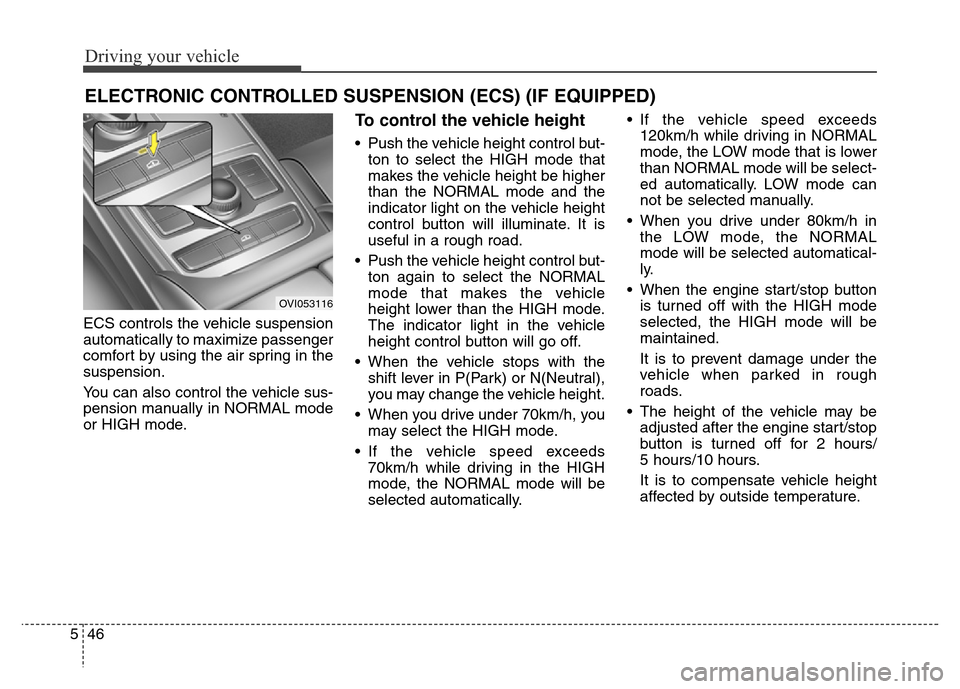
ECS controls the vehicle suspension
automatically to maximize passenger
comfort by using the air spring in the
suspension.
You can also control the vehicle sus-
pension manually in NORMAL mode
or HIGH mode.
To control the vehicle height
• Push the vehicle height control but-
ton to select the HIGH mode that
makes the vehicle height be higher
than the NORMAL mode and the
indicator light on the vehicle height
control button will illuminate. It is
useful in a rough road.
• Push the vehicle height control but-
ton again to select the NORMAL
mode that makes the vehicle
height lower than the HIGH mode.
The indicator light in the vehicle
height control button will go off.
• When the vehicle stops with the
shift lever in P(Park) or N(Neutral),
you may change the vehicle height.
• When you drive under 70km/h, you
may select the HIGH mode.
• If the vehicle speed exceeds
70km/h while driving in the HIGH
mode, the NORMAL mode will be
selected automatically.• If the vehicle speed exceeds
120km/h while driving in NORMAL
mode, the LOW mode that is lower
than NORMAL mode will be select-
ed automatically. LOW mode can
not be selected manually.
• When you drive under 80km/h in
the LOW mode, the NORMAL
mode will be selected automatical-
ly.
• When the engine start/stop button
is turned off with the HIGH mode
selected, the HIGH mode will be
maintained.
It is to prevent damage under the
vehicle when parked in rough
roads.
• The height of the vehicle may be
adjusted after the engine start/stop
button is turned off for 2 hours/
5 hours/10 hours.
It is to compensate vehicle height
affected by outside temperature.
ELECTRONIC CONTROLLED SUSPENSION (ECS) (IF EQUIPPED)
OVI053116
Page 304 of 479
547
Driving your vehicle
✽ NOTICE
• When you drive over 70km/h, you
may not select the HIGH mode.
• Do not operate ECS when the air
filter of the compressor in the
lower part of the vehicle sinks
under the water.
In draft of water into the compres-
sor may happen, and ECS may not
operate normally.
ECS (electronic controlled
suspension) malfunction
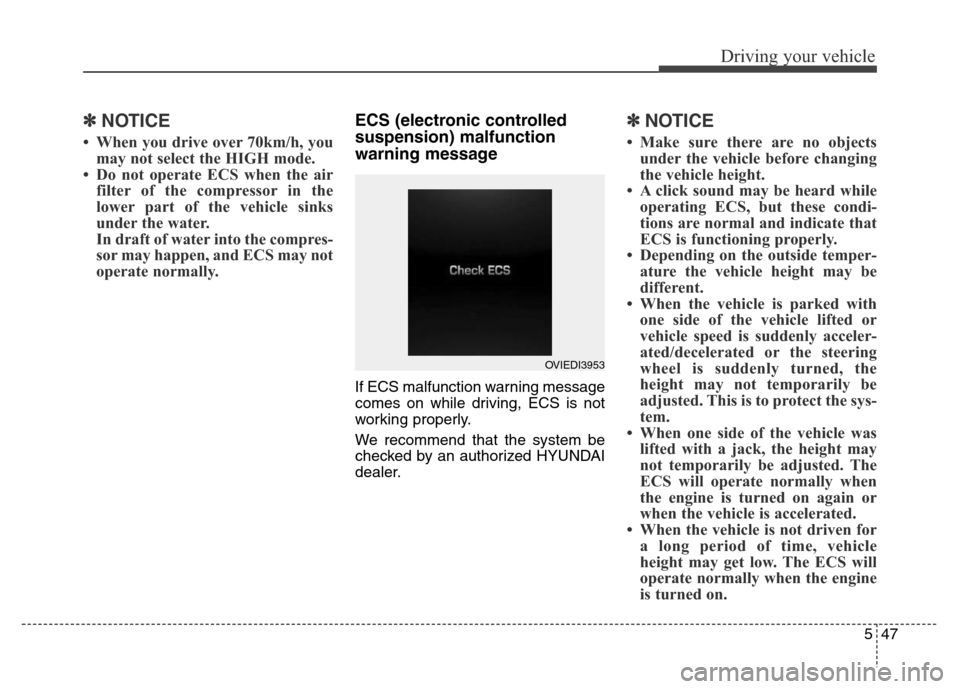
warning message
If ECS malfunction warning message
comes on while driving, ECS is not
working properly.
We recommend that the system be
checked by an authorized HYUNDAI
dealer.
✽ NOTICE
• Make sure there are no objects
under the vehicle before changing
the vehicle height.
• A click sound may be heard while
operating ECS, but these condi-
tions are normal and indicate that
ECS is functioning properly.
• Depending on the outside temper-
ature the vehicle height may be
different.
• When the vehicle is parked with
one side of the vehicle lifted or
vehicle speed is suddenly acceler-
ated/decelerated or the steering
wheel is suddenly turned, the
height may not temporarily be
adjusted. This is to protect the sys-
tem.
• When one side of the vehicle was
lifted with a jack, the height may
not temporarily be adjusted. The
ECS will operate normally when
the engine is turned on again or
when the vehicle is accelerated.
• When the vehicle is not driven for
a long period of time, vehicle
height may get low. The ECS will
operate normally when the engine
is turned on.
OVIEDI3953
Page 311 of 479
Driving your vehicle
54 5
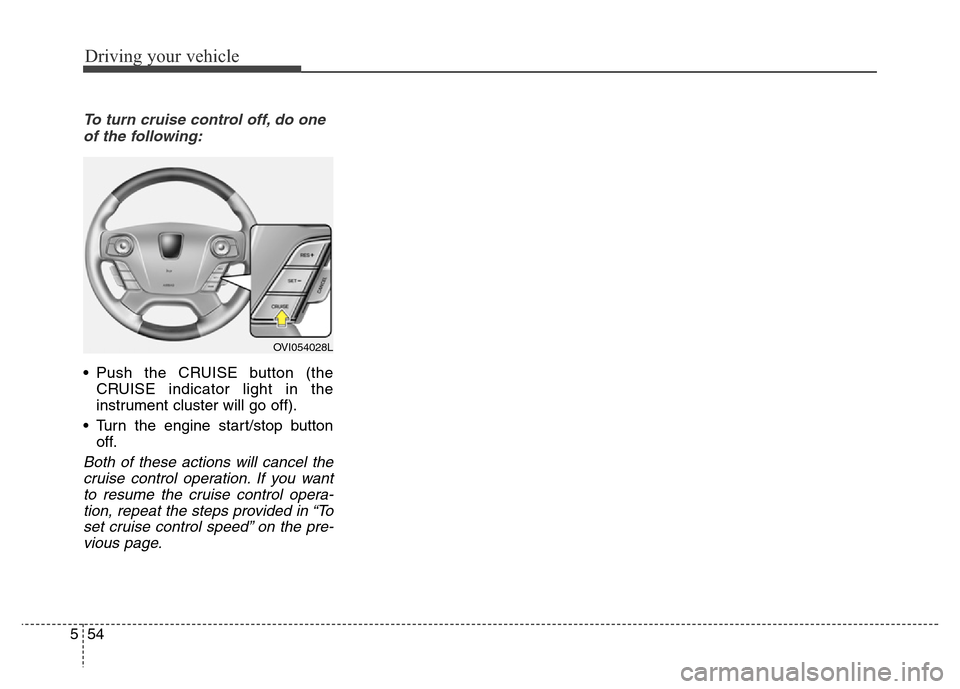
To turn cruise control off, do one
of the following:
• Push the CRUISE button (the
CRUISE indicator light in the
instrument cluster will go off).
• Turn the engine start/stop button
off.
Both of these actions will cancel the
cruise control operation. If you want
to resume the cruise control opera-
tion, repeat the steps provided in “To
set cruise control speed” on the pre-
vious page.
OVI054028L