battery Hyundai Equus 2013 User Guide
[x] Cancel search | Manufacturer: HYUNDAI, Model Year: 2013, Model line: Equus, Model: Hyundai Equus 2013Pages: 479, PDF Size: 10.15 MB
Page 114 of 479
425
Features of your vehicle
If the automatic stop and reversal
feature operates continuously more
than twice during one opening or
closing operation, the power trunk
may stop at that position. At this time,
close the trunk manually and operate
the trunk automatically again.How to reset the power trunk
If the battery has been discharged or
disconnected, or if the related fuse
has been replaced or disconnected,
for the power trunk to operate nor-
mally, reset the power trunk as fol-
low:
1. Put the shift lever in P (Park).
2. Close the trunk manually.
If the power trunk doesn't work prop-
erly after above procedure, we rec-
ommend that the system be checked
by an authorized HYUNDAI dealer.
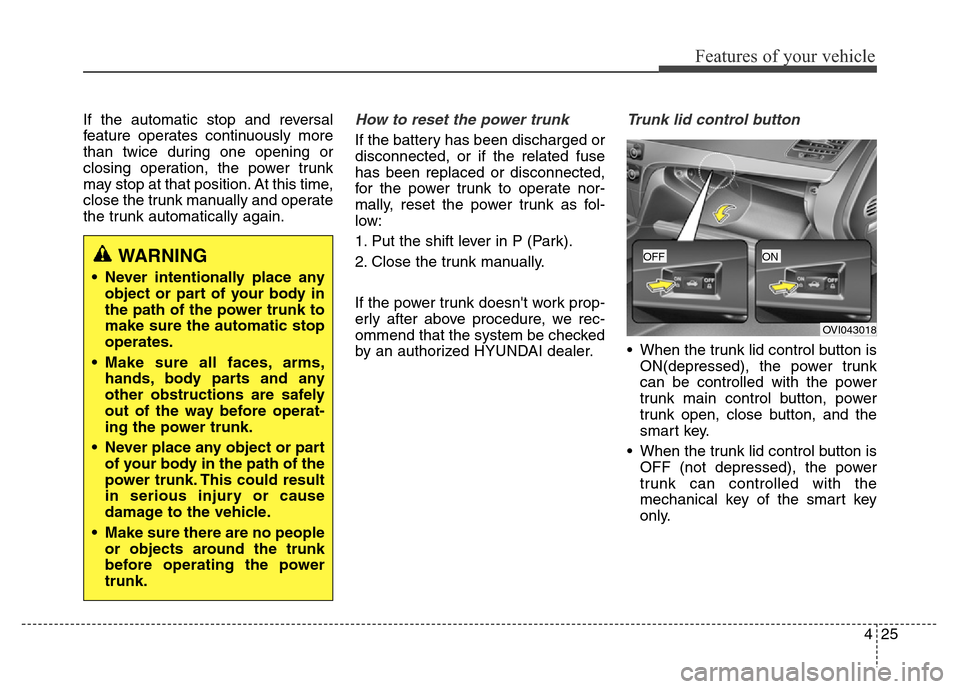
Trunk lid control button
• When the trunk lid control button is
ON(depressed), the power trunk
can be controlled with the power
trunk main control button, power
trunk open, close button, and the
smart key.
• When the trunk lid control button is
OFF (not depressed), the power
trunk can controlled with the
mechanical key of the smart key
only.
WARNING
• Never intentionally place any
object or part of your body in
the path of the power trunk to
make sure the automatic stop
operates.
• Make sure all faces, arms,
hands, body parts and any
other obstructions are safely
out of the way before operat-
ing the power trunk.
• Never place any object or part
of your body in the path of the
power trunk. This could result
in serious injury or cause
damage to the vehicle.
• Make sure there are no people
or objects around the trunk
before operating the power
trunk.
OVI043018
OFFON
Page 130 of 479
441
Features of your vehicle
Resetting the sunroof
Sunroof needs to be reset if (in the
followings)
- Battery is discharged or disconnect-
ed or the related fuse has been
replaced or disconnected.
- The one-touch sliding function of the
sunroof does not normally operate.
1.Turn the engine start/stop button to
the ON position and close the sun-
roof completely.
2.Release the control lever.
3.Pull and hold the control lever
downward until the sunroof tilts
and slightly moves up and down.
Then, release the lever.
4.Pull and hold the control lever
downward until the sunroof is oper-
ated as follows;
TILT DOWN
→SLIDE OPEN →
SLIDE CLOSE
Then, release the control lever.
When this is complete, the sunroof
system is reset.❈For more detailed information, we
recommend that you contact an
authorized HYUNDAI dealer.
CAUTION
If the sunroof is not reset when
the vehicle battery is discon-
nected or discharged, or related
fuse is blown, the sunroof may
operate improperly.
Page 131 of 479
Features of your vehicle
42 4
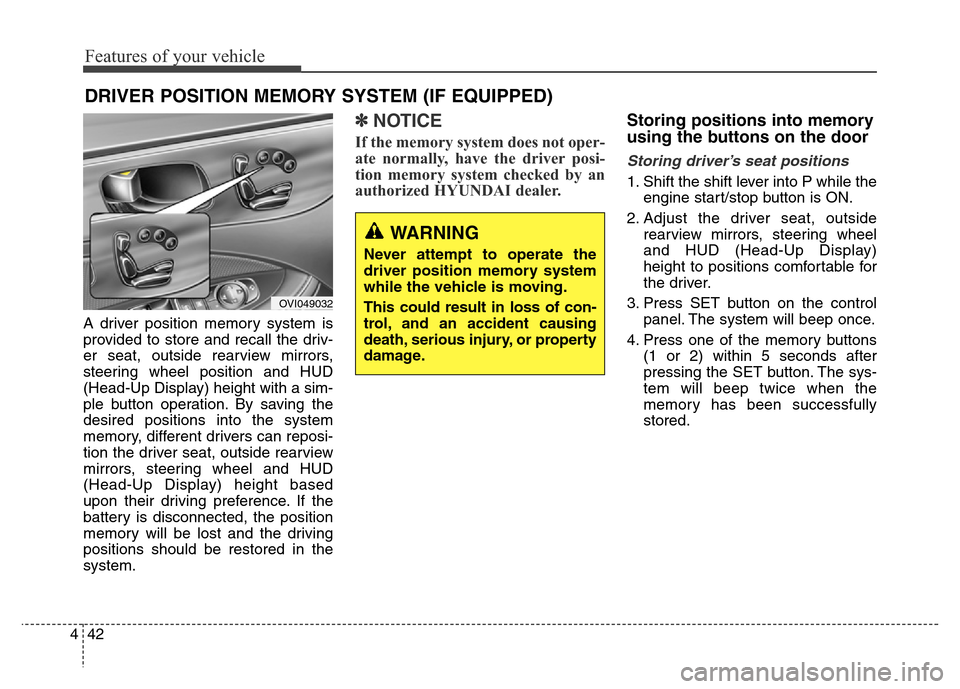
A driver position memory system is
provided to store and recall the driv-
er seat, outside rearview mirrors,
steering wheel position and HUD
(Head-Up Display) height with a sim-
ple button operation. By saving the
desired positions into the system
memory, different drivers can reposi-
tion the driver seat, outside rearview
mirrors, steering wheel and HUD
(Head-Up Display) height based
upon their driving preference. If the
battery is disconnected, the position
memory will be lost and the driving
positions should be restored in the
system.
✽NOTICE
If the memory system does not oper-
ate normally, have the driver posi-
tion memory system checked by an
authorized HYUNDAI dealer.
Storing positions into memory
using the buttons on the door
Storing driver’s seat positions
1. Shift the shift lever into P while the
engine start/stop button is ON.
2. Adjust the driver seat, outside
rearview mirrors, steering wheel
and HUD (Head-Up Display)
height to positions comfortable for
the driver.
3. Press SET button on the control
panel. The system will beep once.
4. Press one of the memory buttons
(1 or 2) within 5 seconds after
pressing the SET button. The sys-
tem will beep twice when the
memory has been successfully
stored.
DRIVER POSITION MEMORY SYSTEM (IF EQUIPPED)
WARNING
Never attempt to operate the
driver position memory system
while the vehicle is moving.
This could result in loss of con-
trol, and an accident causing
death, serious injury, or property
damage.
OVI049032
Page 155 of 479
Features of your vehicle
66 4
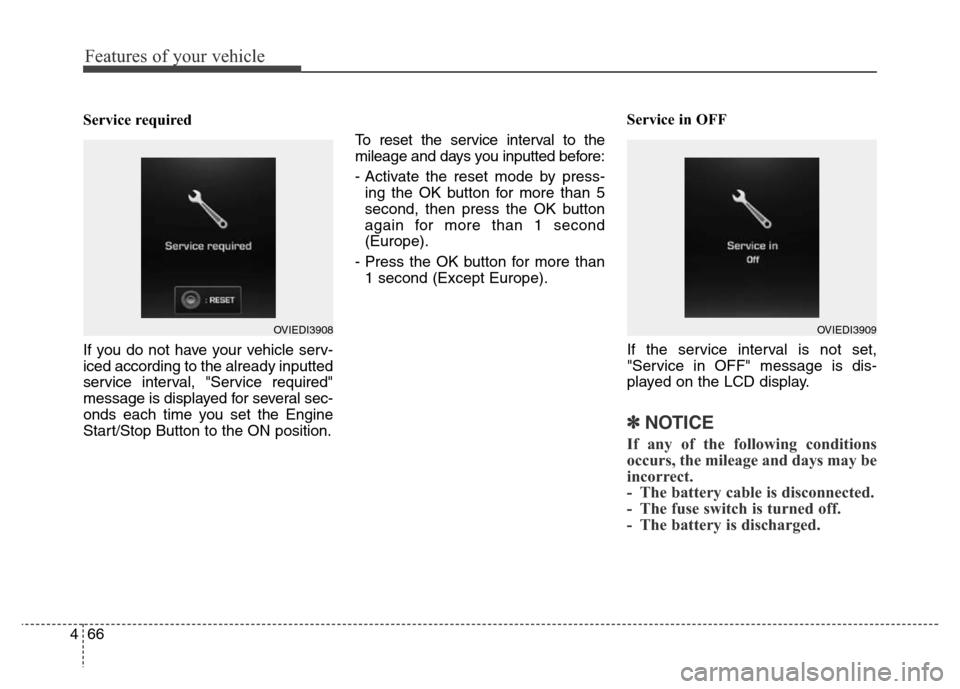
Service required
If you do not have your vehicle serv-
iced according to the already inputted
service interval, "Service required"
message is displayed for several sec-
onds each time you set the Engine
Start/Stop Button to the ON position.To reset the service interval to the
mileage and days you inputted before:
- Activate the reset mode by press-
ing the OK button for more than 5
second, then press the OK button
again for more than 1 second
(Europe).
- Press the OK button for more than
1 second (Except Europe).Service in OFF
If the service interval is not set,
"Service in OFF" message is dis-
played on the LCD display.
✽NOTICE
If any of the following conditions
occurs, the mileage and days may be
incorrect.
- The battery cable is disconnected.
- The fuse switch is turned off.
- The battery is discharged.
OVIEDI3909OVIEDI3908
Page 166 of 479
477
Features of your vehicle
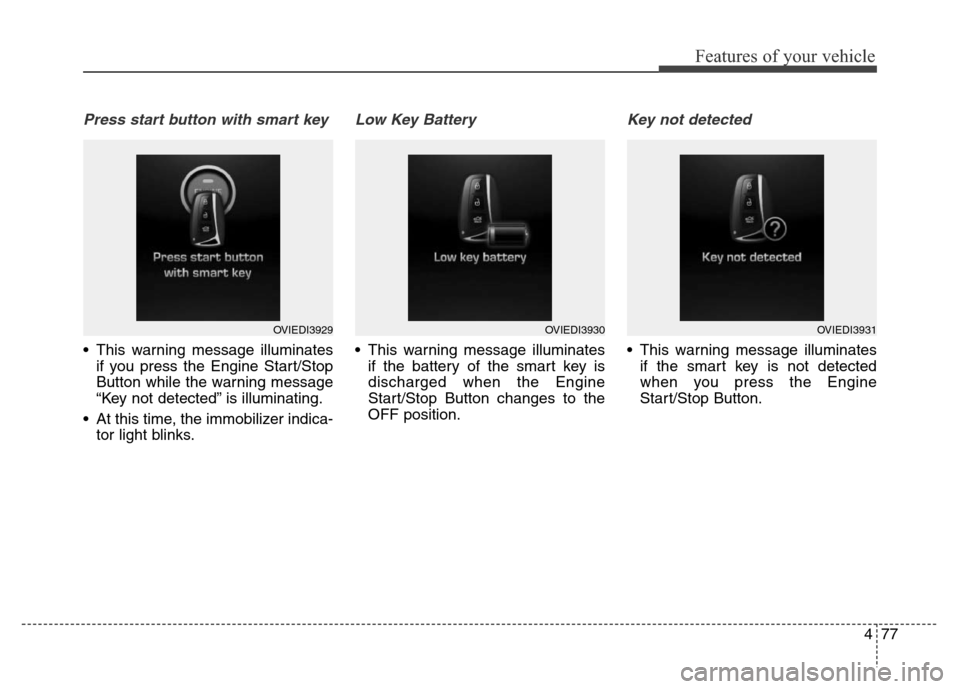
Press start button with smart key
• This warning message illuminates
if you press the Engine Start/Stop
Button while the warning message
“Key not detected” is illuminating.
• At this time, the immobilizer indica-
tor light blinks.
Low Key Battery
• This warning message illuminates
if the battery of the smart key is
discharged when the Engine
Start/Stop Button changes to the
OFF position.
Key not detected
• This warning message illuminates
if the smart key is not detected
when you press the Engine
Start/Stop Button.
OVIEDI3929OVIEDI3930OVIEDI3931
Page 171 of 479
Features of your vehicle
82 4
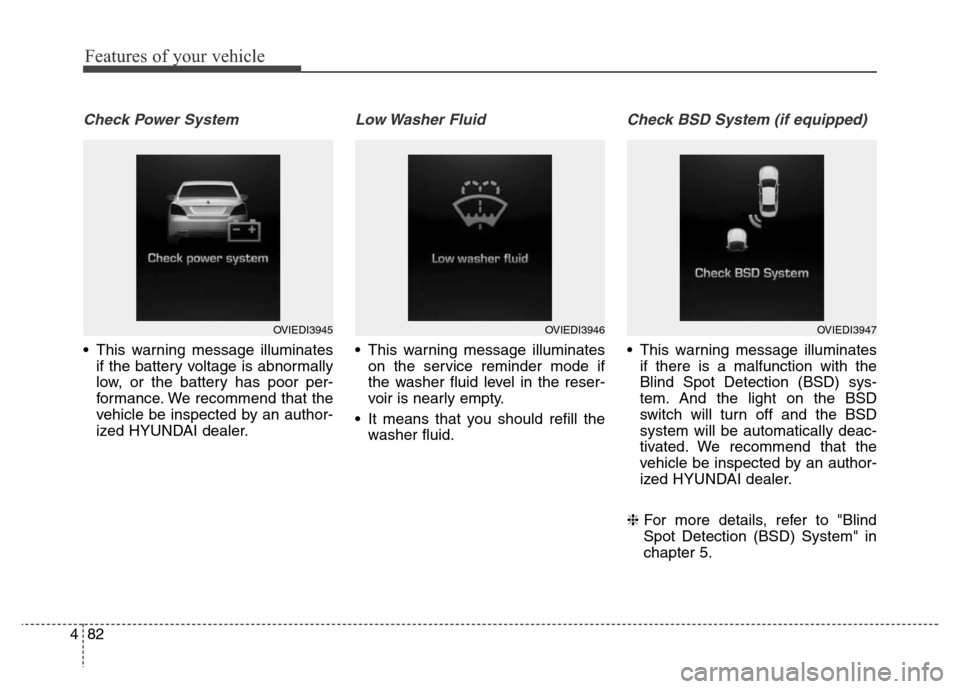
Check Power System
• This warning message illuminates
if the battery voltage is abnormally
low, or the battery has poor per-
formance. We recommend that the
vehicle be inspected by an author-
ized HYUNDAI dealer.
Low Washer Fluid
• This warning message illuminates
on the service reminder mode if
the washer fluid level in the reser-
voir is nearly empty.
• It means that you should refill the
washer fluid.
Check BSD System (if equipped)
• This warning message illuminates
if there is a malfunction with the
Blind Spot Detection (BSD) sys-
tem. And the light on the BSD
switch will turn off and the BSD
system will be automatically deac-
tivated. We recommend that the
vehicle be inspected by an author-
ized HYUNDAI dealer.
❈For more details, refer to "Blind
Spot Detection (BSD) System" in
chapter 5.
OVIEDI3945OVIEDI3946OVIEDI3947
Page 175 of 479
Features of your vehicle
86 4
Overview
Description
The trip computer is a microcomput-
er-controlled driver information sys-
tem that displays information related
to driving.
✽NOTICE
Some driving information stored in
the trip computer (for example
Average Vehicle Speed) resets if the
battery is disconnected.
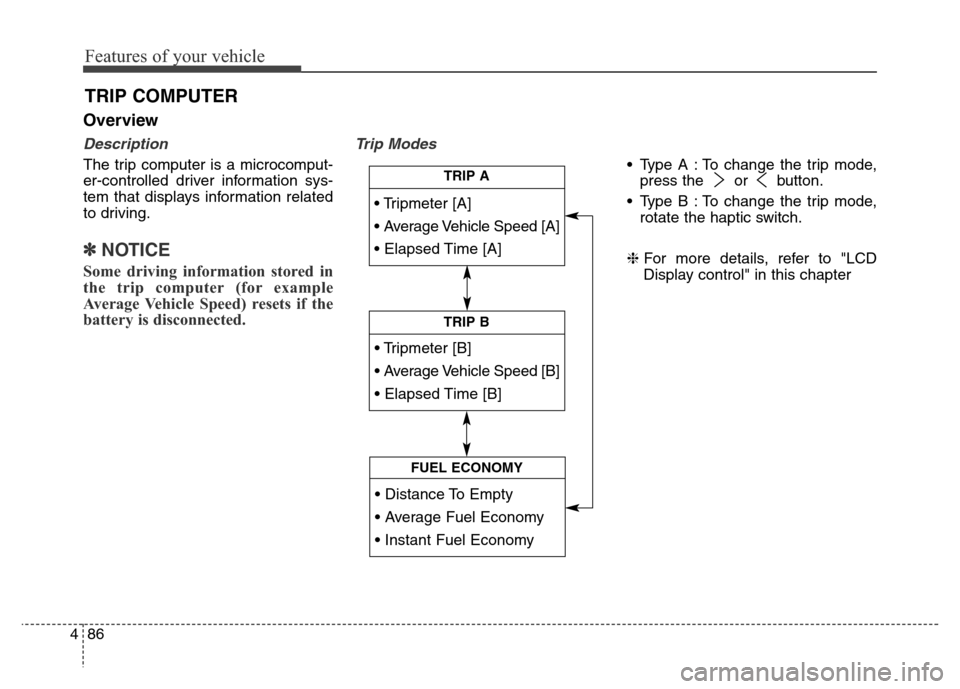
Trip Modes
• Type A : To change the trip mode,
press the or button.
• Type B : To change the trip mode,
rotate the haptic switch.
❈For more details, refer to "LCD
Display control" in this chapter
TRIP COMPUTER
• Tripmeter [A]
• Average Vehicle Speed [A]
• Elapsed Time [A]
TRIP A
• Tripmeter [B]
• Average Vehicle Speed [B]
• Elapsed Time [B]
TRIP B
• Distance To Empty
• Average Fuel Economy
• Instant Fuel Economy
FUEL ECONOMY
Page 177 of 479
Features of your vehicle
88 4
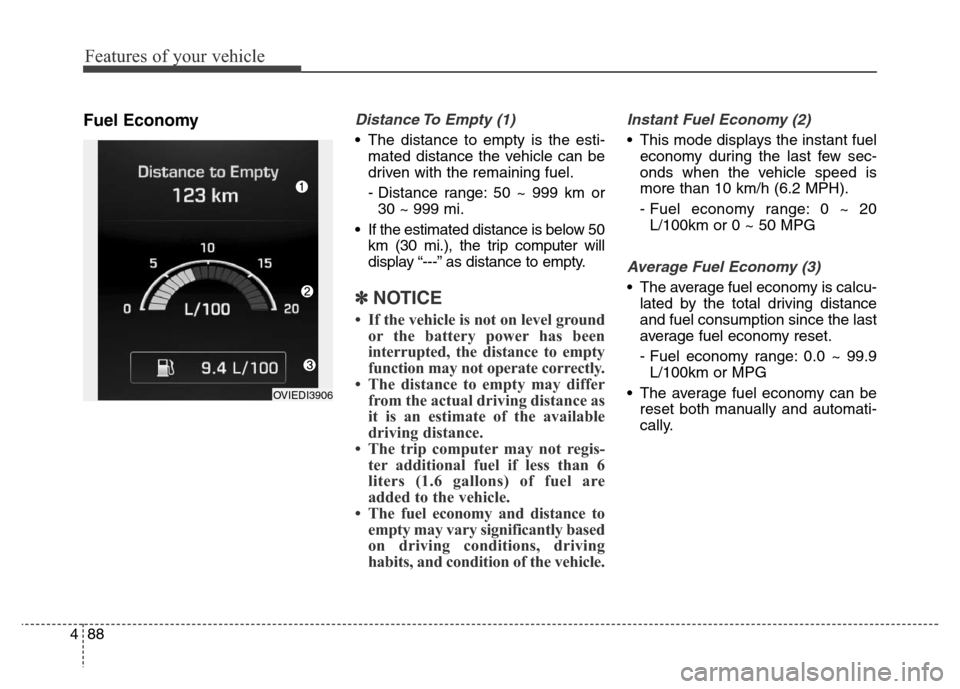
Fuel EconomyDistance To Empty (1)
• The distance to empty is the esti-
mated distance the vehicle can be
driven with the remaining fuel.
- Distance range: 50 ~ 999 km or
30 ~ 999 mi.
• If the estimated distance is below 50
km (30 mi.), the trip computer will
display “---” as distance to empty.
✽NOTICE
• If the vehicle is not on level ground
or the battery power has been
interrupted, the distance to empty
function may not operate correctly.
• The distance to empty may differ
from the actual driving distance as
it is an estimate of the available
driving distance.
• The trip computer may not regis-
ter additional fuel if less than 6
liters (1.6 gallons) of fuel are
added to the vehicle.
• The fuel economy and distance to
empty may vary significantly based
on driving conditions, driving
habits, and condition of the vehicle.
Instant Fuel Economy (2)
• This mode displays the instant fuel
economy during the last few sec-
onds when the vehicle speed is
more than 10 km/h (6.2 MPH).
- Fuel economy range: 0 ~ 20
L/100km or 0 ~ 50 MPG
Average Fuel Economy (3)
• The average fuel economy is calcu-
lated by the total driving distance
and fuel consumption since the last
average fuel economy reset.
- Fuel economy range: 0.0 ~ 99.9
L/100km or MPG
• The average fuel economy can be
reset both manually and automati-
cally.
OVIEDI3906
Page 189 of 479
Features of your vehicle
100 4
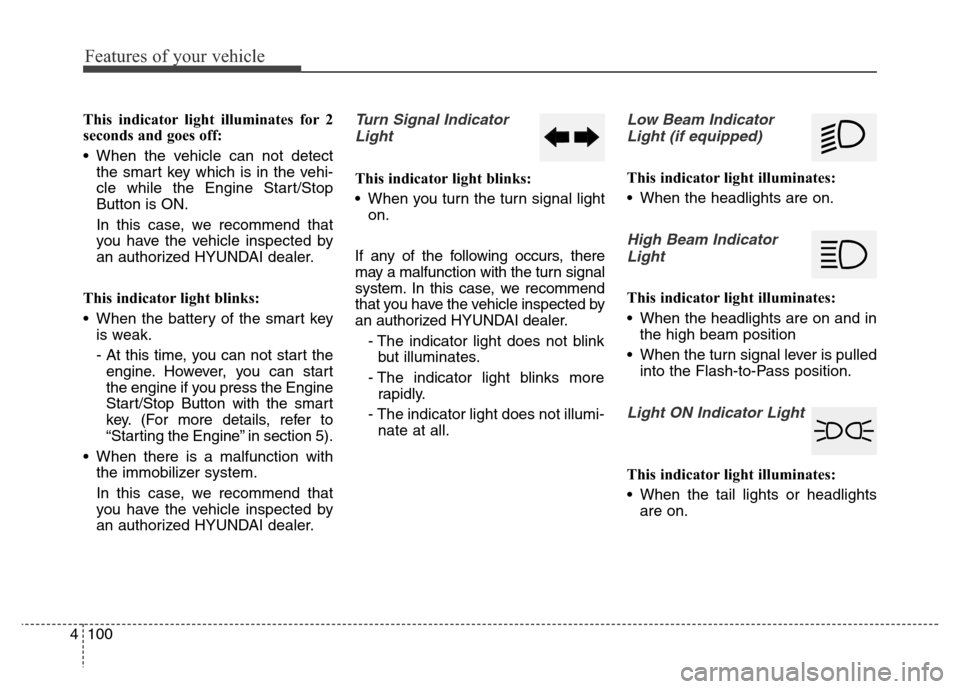
This indicator light illuminates for 2
seconds and goes off:
• When the vehicle can not detect
the smart key which is in the vehi-
cle while the Engine Start/Stop
Button is ON.
In this case, we recommend that
you have the vehicle inspected by
an authorized HYUNDAI dealer.
This indicator light blinks:
• When the battery of the smart key
is weak.
- At this time, you can not start the
engine. However, you can start
the engine if you press the Engine
Start/Stop Button with the smart
key. (For more details, refer to
“Starting the Engine” in section 5).
• When there is a malfunction with
the immobilizer system.
In this case, we recommend that
you have the vehicle inspected by
an authorized HYUNDAI dealer.Turn Signal Indicator
Light
This indicator light blinks:
• When you turn the turn signal light
on.
If any of the following occurs, there
may a malfunction with the turn signal
system. In this case, we recommend
that you have the vehicle inspected by
an authorized HYUNDAI dealer.
- The indicator light does not blink
but illuminates.
- The indicator light blinks more
rapidly.
- The indicator light does not illumi-
nate at all.
Low Beam Indicator
Light (if equipped)
This indicator light illuminates:
• When the headlights are on.
High Beam Indicator
Light
This indicator light illuminates:
• When the headlights are on and in
the high beam position
• When the turn signal lever is pulled
into the Flash-to-Pass position.
Light ON Indicator Light
This indicator light illuminates:
• When the tail lights or headlights
are on.
Page 206 of 479
4117
Features of your vehicle
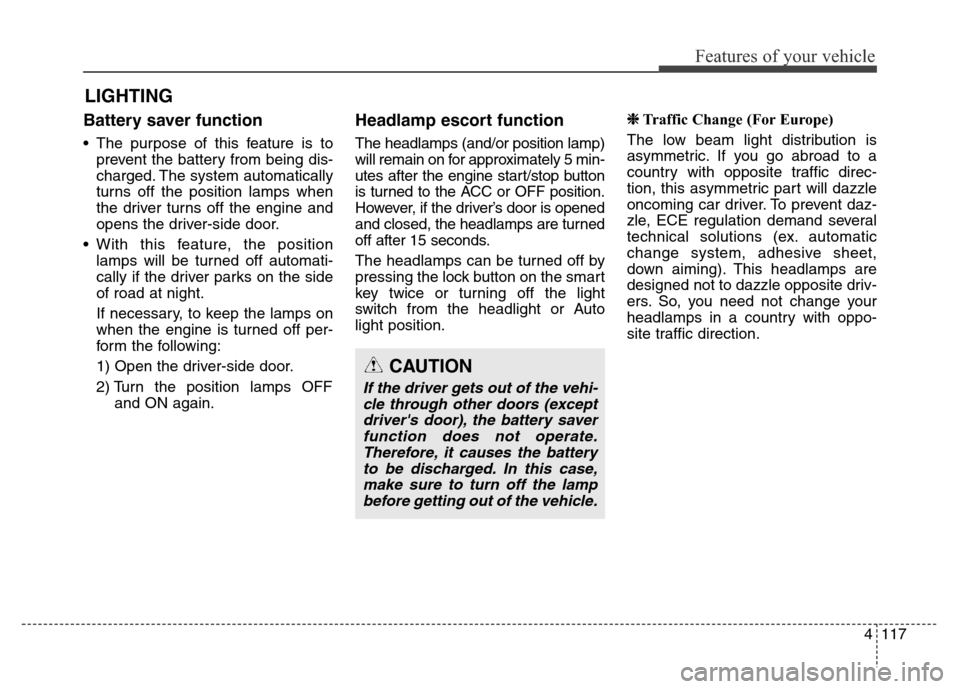
Battery saver function
• The purpose of this feature is to
prevent the battery from being dis-
charged. The system automatically
turns off the position lamps when
the driver turns off the engine and
opens the driver-side door.
• With this feature, the position
lamps will be turned off automati-
cally if the driver parks on the side
of road at night.
If necessary, to keep the lamps on
when the engine is turned off per-
form the following:
1) Open the driver-side door.
2) Turn the position lamps OFF
and ON again.
Headlamp escort function
The headlamps (and/or position lamp)
will remain on for approximately 5 min-
utes after the engine start/stop button
is turned to the ACC or OFF position.
However, if the driver’s door is opened
and closed, the headlamps are turned
off after 15 seconds.
The headlamps can be turned off by
pressing the lock button on the smart
key twice or turning off the light
switch from the headlight or Auto
light position.
❈Traffic Change (For Europe)
The low beam light distribution is
asymmetric. If you go abroad to a
country with opposite traffic direc-
tion, this asymmetric part will dazzle
oncoming car driver. To prevent daz-
zle, ECE regulation demand several
technical solutions (ex. automatic
change system, adhesive sheet,
down aiming). This headlamps are
designed not to dazzle opposite driv-
ers. So, you need not change your
headlamps in a country with oppo-
site traffic direction.
LIGHTING
CAUTION
If the driver gets out of the vehi-
cle through other doors (except
driver's door), the battery saver
function does not operate.
Therefore, it causes the battery
to be discharged. In this case,
make sure to turn off the lamp
before getting out of the vehicle.