ESP Hyundai Equus 2013 Owner's Guide
[x] Cancel search | Manufacturer: HYUNDAI, Model Year: 2013, Model line: Equus, Model: Hyundai Equus 2013Pages: 479, PDF Size: 10.15 MB
Page 278 of 479
521
Driving your vehicle
• Always use the parking brake. Do
not depend on placing the trans-
mission in P (Park) to keep the car
from moving.
• Exercise extreme caution when
driving on a slippery surface. Be
especially careful when braking,
accelerating or shifting gears. On a
slippery surface, an abrupt change
in vehicle speed can cause the
drive wheels to lose traction and
the vehicle to go out of control.
• Optimum vehicle performance and
economy is obtained by smoothly
depressing and releasing the
accelerator pedal.
WARNING
• Always buckle-up! In a colli-
sion, an unbelted occupant is
significantly more likely to be
seriously injured or killed than
a properly belted occupant.
• Avoid high speeds when cor-
nering or turning.
• Do not make quick steering
wheel movements, such as
sharp lane changes or fast,
sharp turns.
• The risk of rollover is greatly
increased if you lose control
of your vehicle at highway
speeds.
• Loss of control often occurs if
two or more wheels drop off
the roadway and the driver
oversteers to reenter the road-
way.
• In the event your vehicle
leaves the roadway, do not
steer sharply. Instead, slow
down before pulling back into
the travel lanes.
• Never exceed posted speed
limits.
WARNING
If your vehicle becomes stuck in
snow, mud, sand, etc., then you
may attempt to rock the vehicle
free by moving it forward and
backward. Do not attempt this
procedure if people or objects
are anywhere near the vehicle.
During the rocking operation
the vehicle may suddenly move
forward or backward as it
becomes unstuck, causing
injury or damage to nearby peo-
ple or objects.
Page 291 of 479
Driving your vehicle
34 5
Anti-lock brake system (ABS)The ABS continuously senses the
speed of the wheels. If the wheels
are going to lock, the ABS system
repeatedly modulates the hydraulic
brake pressure to the wheels.
When you apply your brakes under
conditions which may lock the
wheels, you may hear a “tik-tik’’
sound from the brakes, or feel a cor-
responding sensation in the brake
pedal. This is normal and it means
your ABS is active.
In order to obtain the maximum ben-
efit from your ABS in an emergency
situation, do not attempt to modulate
your brake pressure and do not try to
pump your brakes. Press your brake
pedal as hard as possible or as hard
as the situation allow the ABS to
control the force being delivered to
the brakes.
WARNING
ABS (or ESC) will not prevent
accidents due to improper or
dangerous driving maneuvers.
Even though vehicle control is
improved during emergency
braking, always maintain a safe
distance between you and
objects ahead. Vehicle speeds
should always be reduced dur-
ing extreme road conditions.
The braking distance for vehicle
equipped with an anti-lock brak-
ing system (or Electronic
Stability Control) may be longer
than for those without it in the
following road conditions.
During these conditions the
vehicle should be driven at
reduced speeds:
• Rough, gravel or snow-cov-
ered roads.
• With tire chains installed.
(Continued)
(Continued)
• On roads where the road sur-
face is pitted or has different
surface height.
The safety features of an ABS
(or ESC) equipped vehicle
should not be tested by high
speed driving or cornering. This
could endanger the safety of
yourself or others.
Page 294 of 479
537
Driving your vehicle
The Electronic Stability Control
(ESC) system is an electronic sys-
tem designed to help the driver main-
tain vehicle control under adverse
conditions. It is not a substitute for
safe driving practices. Factors includ-
ing speed, road conditions and driv-
er steering input can all affect
whether ESC will be effective in pre-
venting a loss of control. It is still your
responsibility to drive and corner at
reasonable speeds and to leave a
sufficient margin of safety.
When you apply your brakes under
conditions which may lock the
wheels, you may hear a “tik-tik’’
sound from the brakes, or feel a cor-
responding sensation in the brake
pedal. This is normal and it means
your ESC is active.✽NOTICE
A click sound may be heard in the
engine compartment when the vehi-
cle begins to move after the engine is
started. These conditions are normal
and indicate that the Electronic
Stability Control System is func-
tioning properly. WARNING
Never drive too fast according
to the road conditions or too
quickly when cornering.
Electronic Stability Control
(ESC) will not prevent acci-
dents. Excessive speed in
turns, abrupt maneuvers and
hydroplaning on wet surfaces
can still result in serious acci-
dents. Only a safe and attentive
driver can prevent accidents by
avoiding maneuvers that cause
the vehicle to lose traction.
Even with ESC installed, always
follow all the normal precau-
tions for driving - including driv-
ing at safe speeds for the condi-
tions.
Page 313 of 479
Driving your vehicle
56 5
Smart cruise control speed
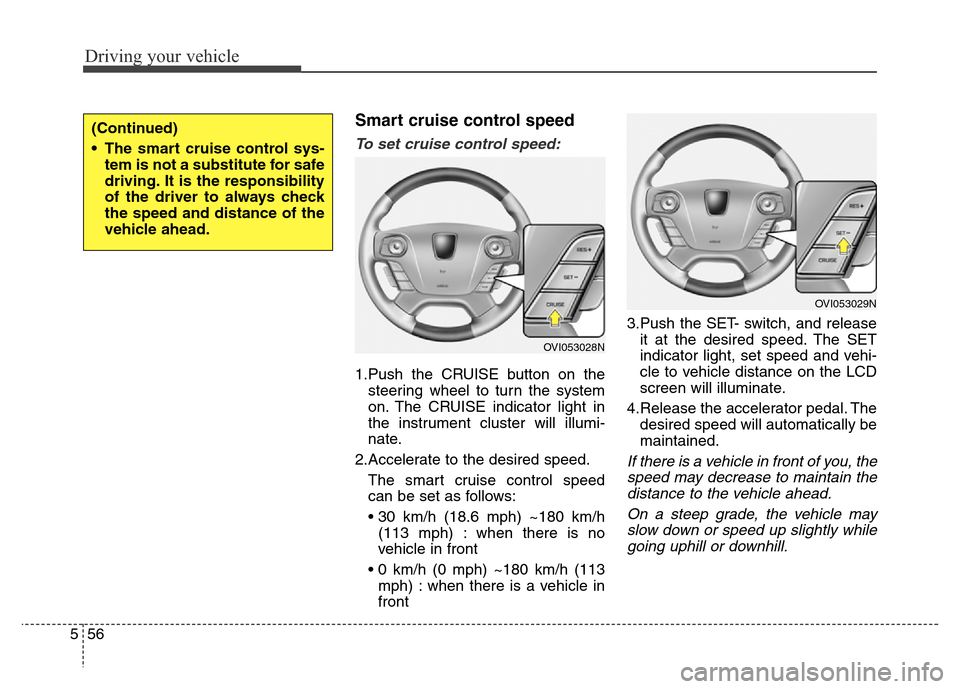
To set cruise control speed:
1.Push the CRUISE button on the
steering wheel to turn the system
on. The CRUISE indicator light in
the instrument cluster will illumi-
nate.
2.Accelerate to the desired speed.
The smart cruise control speed
can be set as follows:
• 30 km/h (18.6 mph) ~180 km/h
(113 mph) : when there is no
vehicle in front
• 0 km/h (0 mph) ~180 km/h (113
mph) : when there is a vehicle in
front3.Push the SET- switch, and release
it at the desired speed. The SET
indicator light, set speed and vehi-
cle to vehicle distance on the LCD
screen will illuminate.
4.Release the accelerator pedal. The
desired speed will automatically be
maintained.
If there is a vehicle in front of you, the
speed may decrease to maintain the
distance to the vehicle ahead.
On a steep grade, the vehicle may
slow down or speed up slightly while
going uphill or downhill.
(Continued)
• The smart cruise control sys-
tem is not a substitute for safe
driving. It is the responsibility
of the driver to always check
the speed and distance of the
vehicle ahead.
OVI053028N
OVI053029N
Page 325 of 479
Driving your vehicle
68 5
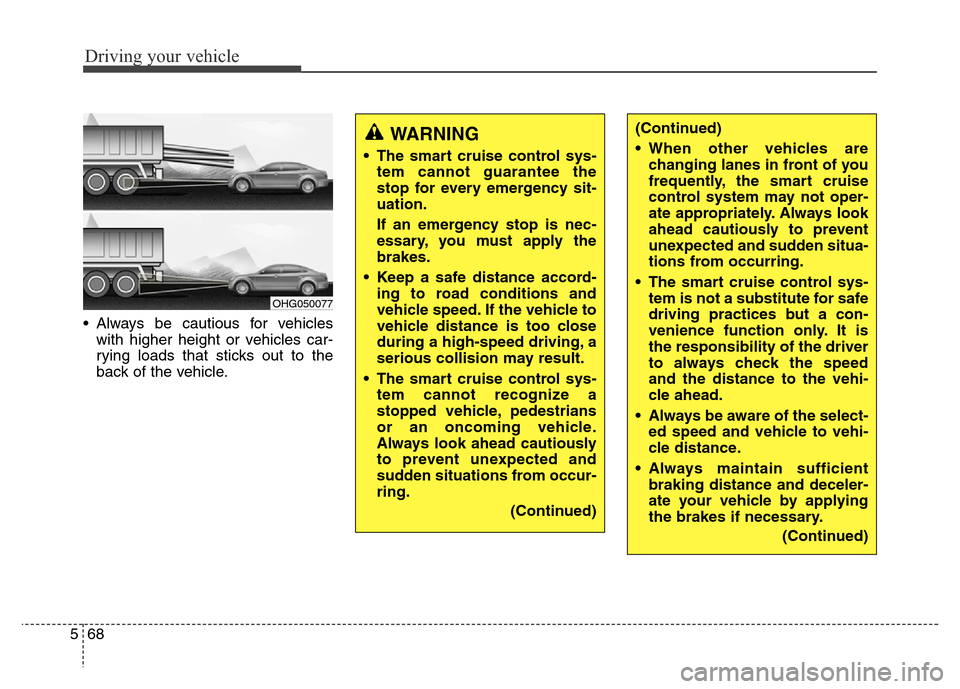
• Always be cautious for vehicles
with higher height or vehicles car-
rying loads that sticks out to the
back of the vehicle.
OHG050077
WARNING
• The smart cruise control sys-
tem cannot guarantee the
stop for every emergency sit-
uation.
If an emergency stop is nec-
essary, you must apply the
brakes.
• Keep a safe distance accord-
ing to road conditions and
vehicle speed. If the vehicle to
vehicle distance is too close
during a high-speed driving, a
serious collision may result.
• The smart cruise control sys-
tem cannot recognize a
stopped vehicle, pedestrians
or an oncoming vehicle.
Always look ahead cautiously
to prevent unexpected and
sudden situations from occur-
ring.
(Continued)
(Continued)
• When other vehicles are
changing lanes in front of you
frequently, the smart cruise
control system may not oper-
ate appropriately. Always look
ahead cautiously to prevent
unexpected and sudden situa-
tions from occurring.
• The smart cruise control sys-
tem is not a substitute for safe
driving practices but a con-
venience function only. It is
the responsibility of the driver
to always check the speed
and the distance to the vehi-
cle ahead.
• Always be aware of the select-
ed speed and vehicle to vehi-
cle distance.
• Always maintain sufficient
braking distance and deceler-
ate your vehicle by applying
the brakes if necessary.
(Continued)
Page 327 of 479

Driving your vehicle
70 5
This system detects the lane with the
sensor at the front windshield and
warns you when your vehicle leaves
the lane.
LANE DEPARTURE WARNING SYSTEM (LDWS) (IF EQUIPPED)
OVI059012
OVI053013
WARNING
• The LDWS does not make the
vehicle change lanes. It is the
driver's responsibility to
always check the road condi-
tions.
• Do not turn the steering wheel
suddenly, when the LDWS
warns you that your vehicle is
leaving the lane.
• If the sensor can not detect
the lane or if the vehicle speed
does not exceed 60km/h, the
LDWS won't warn you even
though vehicle leaves the
lane.
• If your vehicle has window tint
or other types of coating on
the front windshield, the
LDWS may not work properly.
• Do not let water or any kind of
liquid come in contact with
the LDWS sensor.
• Do not remove the LDWS
parts and do not affect the
sensor by a strong impact.
(Continued)
(Continued)
• Do not put objects that reflect
light on the dash board.
• Always check the road condi-
tions because you may not
hear the warning chime
because of audio, and exter-
nal conditions.
Page 334 of 479
577
Driving your vehicle
Malfunction indicator
• The VSM OFF indicator will illumi-
nate when the engine start/stop
button is turned ON, but should go
off after approximately 3 seconds.
If the indicator does not come on,
or continuously remains on after
coming on for about 3 seconds
when you turn the engine
start/stop button to the ON posi-
tion, or if the indicator comes on
while driving, the AVSM is not
working properly. We recommend
that the system be checked by an
authorized HYUNDAI dealer.
• The VSM OFF indicator may illumi-
nate when the ESC indicator or
SCC indicator comes on, but it
does not indicate malfunction of
the AVSM.
WARNING
The AVSM is not a substitute for
safe driving practices but a sup-
plementary function only. It is
the responsibility of the driver
to always check the speed and
the distance to the vehicle
ahead.
WARNING
• Even if there is a malfunction
to the brake operating of the
AVSM, when you depress the
brake pedal, the brake is oper-
ating normally. But, the AVSM
brake operating does not
operate even in certain haz-
ardous situations.
• The AVSM is designed to
function above approximately
15 km/h (9.3 mph) and below
approximately 180 km/h (111.8
mph).
• The AVSM does not react to
- Persons or animals.
- Oncoming vehicles in the
opposite lane or the vehicle
in the intersection.
- Stopped objects.
• The AVSM can not detect the
objects certainly, when:
- The sensors are stained with
dirt or covered.
(Continued)
(Continued)
- There is heavy rain or heavy
snow.
- There is interference by elec-
tromagnetic waves.
- There are strong radar
reflections.
- Driving in curve.
- Driving uphill or downhill.
- Driving in areas under con-
struction.
- The object ahead is very nar-
row such as motorcycles or
bicycles.
- The vehicle cuts in suddenly.
• The AVSM brake operating
does not operates, if the driv-
er does not release the accel-
erator pedal or does not oper-
ate the brake pedal.
Page 341 of 479
Driving your vehicle
84 5
Your vehicle's fuel economy depends
mainly on your style of driving, where
you drive and when you drive.
Each of these factors affects how
many miles (kilometers) you can get
from a gallon (liter) of fuel. To operate
your vehicle as economically as pos-
sible, use the following driving sug-
gestions to help save money in both
fuel and repairs:
• Drive smoothly. Accelerate at a
moderate rate. Don't make "jack-
rabbit" starts or full-throttle shifts
and maintain a steady cruising
speed. Don't race between stop-
lights. Try to adjust your speed to
that of the other traffic so you don't
have to change speeds unneces-
sarily. Avoid heavy traffic whenever
possible. Always maintain a safe
distance from other vehicles so
you can avoid unnecessary brak-
ing. This also reduces brake wear.
• Drive at a moderate speed. The
faster you drive, the more fuel your
car uses. Driving at a moderate
speed, especially on the highway,
is one of the most effective ways to
reduce fuel consumption.• Don't "ride" the brake pedal. This
can increase fuel consumption and
also increase wear on these com-
ponents. In addition, driving with
your foot resting on the brake pedal
may cause the brakes to overheat,
which reduces their effectiveness
and may lead to more serious con-
sequences.
• Take care of your tires. Keep them
inflated to the recommended pres-
sure. Incorrect inflation, either too
much or too little, results in unnec-
essary tire wear. Check the tire
pressures at least once a month.
• Be sure that the wheels are
aligned correctly. Improper align-
ment can result from hitting curbs
or driving too fast over irregular
surfaces. Poor alignment causes
faster tire wear and may also result
in other problems as well as
greater fuel consumption.• Keep your car in good condition.
For better fuel economy and
reduced maintenance costs, main-
tain your car in accordance with
the maintenance schedule in sec-
tion 7. If you drive your car in
severe conditions, more frequent
maintenance is required (see sec-
tion 7 for details).
• Keep your car clean. For maximum
service, your vehicle should be
kept clean and free of corrosive
materials. It is especially important
that mud, dirt, ice, etc. not be
allowed to accumulate on the
underside of the car. This extra
weight can result in increased fuel
consumption and also contribute to
corrosion.
• Travel lightly. Don't carry unneces-
sary weight in your car. Weight
reduces fuel economy.
• Don't let the engine idle longer
than necessary. If you are waiting
(and not in traffic), turn off your
engine and restart only when
you're ready to go.
ECONOMICAL OPERATION
Page 344 of 479
587
Driving your vehicle
✽NOTICE
The ESC system should be turned
OFF prior to rocking the vehicle.
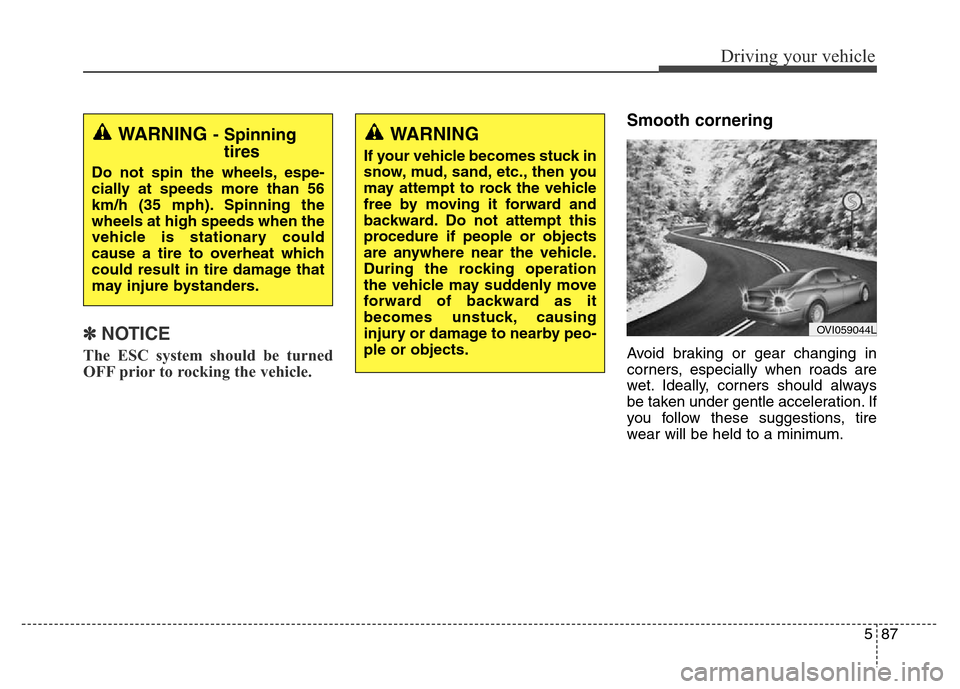
Smooth cornering
Avoid braking or gear changing in
corners, especially when roads are
wet. Ideally, corners should always
be taken under gentle acceleration. If
you follow these suggestions, tire
wear will be held to a minimum.
WARNING- Spinning
tires
Do not spin the wheels, espe-
cially at speeds more than 56
km/h (35 mph). Spinning the
wheels at high speeds when the
vehicle is stationary could
cause a tire to overheat which
could result in tire damage that
may injure bystanders.
WARNING
If your vehicle becomes stuck in
snow, mud, sand, etc., then you
may attempt to rock the vehicle
free by moving it forward and
backward. Do not attempt this
procedure if people or objects
are anywhere near the vehicle.
During the rocking operation
the vehicle may suddenly move
forward of backward as it
becomes unstuck, causing
injury or damage to nearby peo-
ple or objects.
OVI059044L
Page 345 of 479
Driving your vehicle
88 5
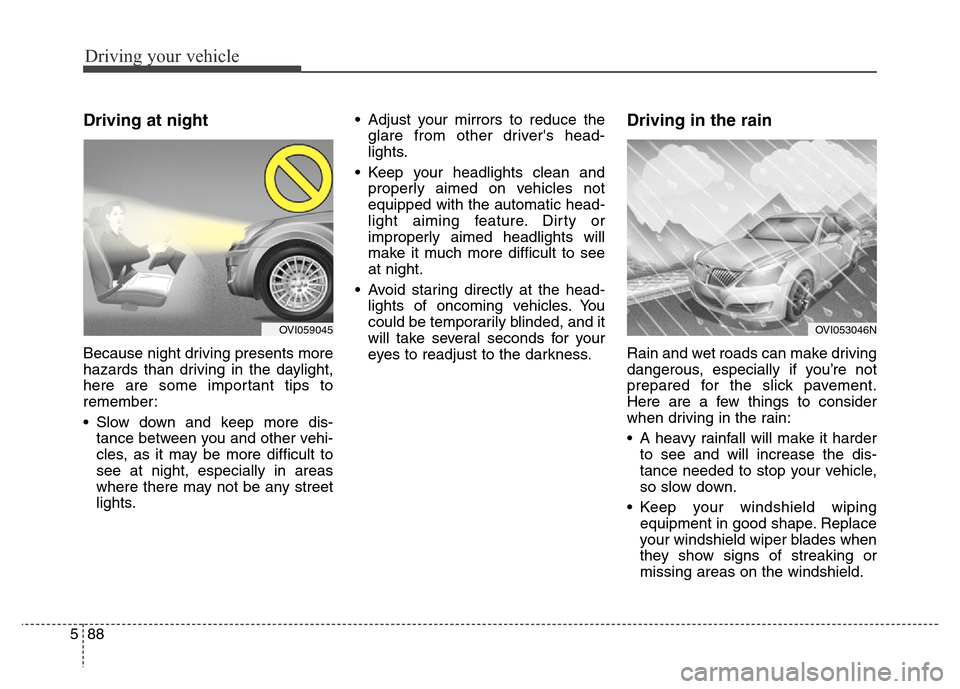
Driving at night
Because night driving presents more
hazards than driving in the daylight,
here are some important tips to
remember:
• Slow down and keep more dis-
tance between you and other vehi-
cles, as it may be more difficult to
see at night, especially in areas
where there may not be any street
lights.• Adjust your mirrors to reduce the
glare from other driver's head-
lights.
• Keep your headlights clean and
properly aimed on vehicles not
equipped with the automatic head-
light aiming feature. Dirty or
improperly aimed headlights will
make it much more difficult to see
at night.
• Avoid staring directly at the head-
lights of oncoming vehicles. You
could be temporarily blinded, and it
will take several seconds for your
eyes to readjust to the darkness.
Driving in the rain
Rain and wet roads can make driving
dangerous, especially if you’re not
prepared for the slick pavement.
Here are a few things to consider
when driving in the rain:
• A heavy rainfall will make it harder
to see and will increase the dis-
tance needed to stop your vehicle,
so slow down.
• Keep your windshield wiping
equipment in good shape. Replace
your windshield wiper blades when
they show signs of streaking or
missing areas on the windshield.
OVI053046NOVI059045