Warning lights Hyundai Equus 2016 User Guide
[x] Cancel search | Manufacturer: HYUNDAI, Model Year: 2016, Model line: Equus, Model: Hyundai Equus 2016Pages: 477, PDF Size: 16.25 MB
Page 185 of 477
Dual-diagonal braking system
Your vehicle is equipped with dual-
diagonal braking systems. This
means you still have braking on two
wheels even if one of the dual sys-
tems fails.
With only one of the dual systems
working, longer pedal travel and
greater pedal pressure may be
required to stop the vehicle.
Also, the vehicle will not stop in as
short a distance only with one por-
tion of the brake systems working.
If the brakes fail while you are driv-
ing, shift to a lower gear for addition-
al engine braking and stop the vehi-
cle as soon as it is safe to do so.
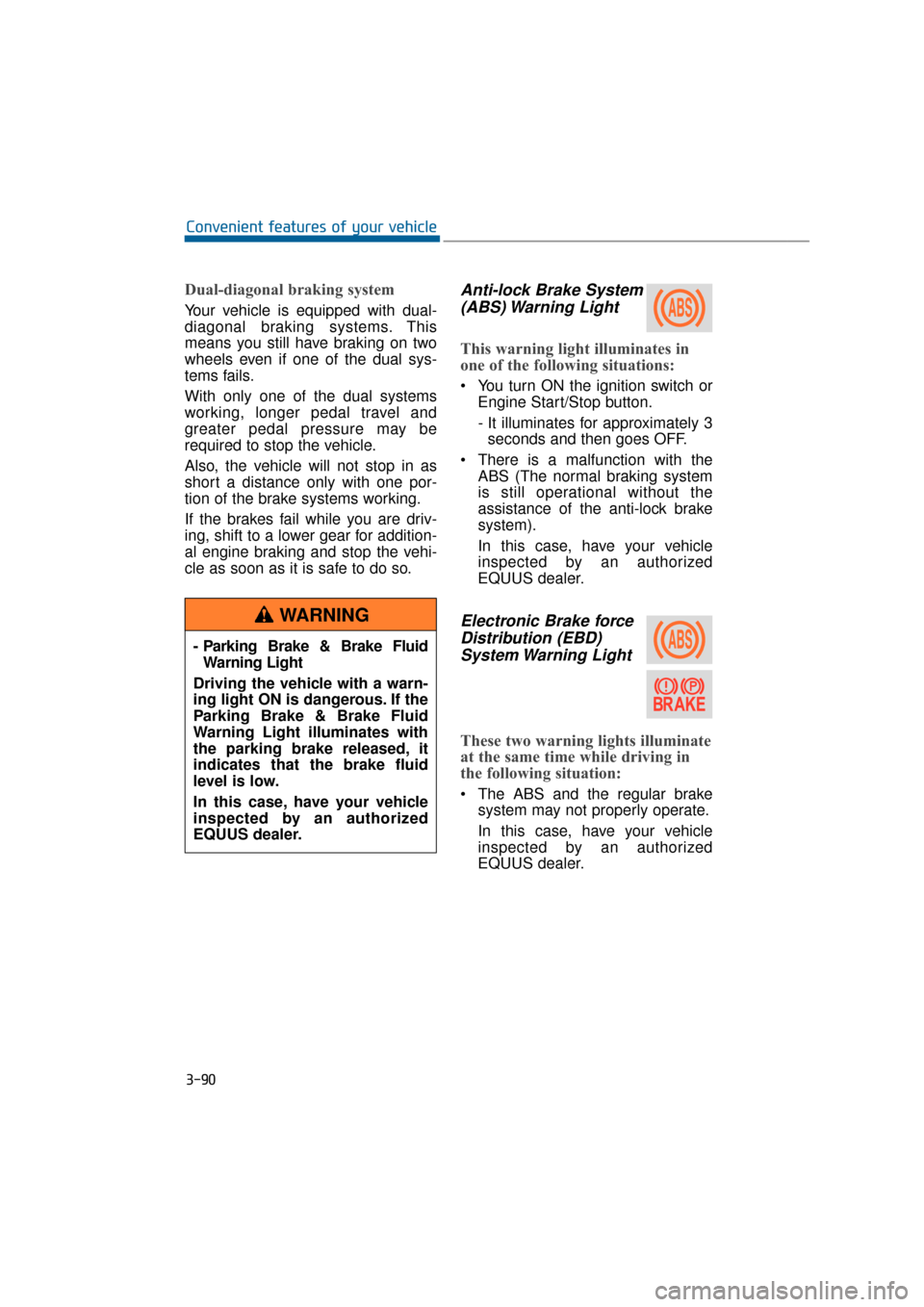
Anti-lock Brake System(ABS) Warning Light
This warning light illuminates in
one of the following situations:
You turn ON the ignition switch or
Engine Start/Stop button.
- It illuminates for approximately 3seconds and then goes OFF.
There is a malfunction with the ABS (The normal braking system
is still operational without the
assistance of the anti-lock brake
system).
In this case, have your vehicle
inspected by an authorized
EQUUS dealer.
Electronic Brake forceDistribution (EBD)System Warning Light
These two warning lights illuminate
at the same time while driving in
the following situation:
The ABS and the regular brake
system may not properly operate.
In this case, have your vehicle
inspected by an authorized
EQUUS dealer.
3-90
Convenient features of your vehicle
- Parking Brake & Brake Fluid Warning Light
Driving the vehicle with a warn-
ing light ON is dangerous. If the
Parking Brake & Brake Fluid
Warning Light illuminates with
the parking brake released, it
indicates that the brake fluid
level is low.
In this case, have your vehicle
inspected by an authorized
EQUUS dealer.
WARNING
Page 186 of 477
Information
- Electronic Brake forceDistribution (EBD) System
Warning Light
When the ABS warning light illumi-
nates, or when both the ABS and the
Parking Brake & Brake Fluid warn-
ing lights illuminate, the speedometer,
the odometer, or the tripmeter may
not properly operate. Also, the EPS
warning light may illuminate, and the
efforts to operate the steering wheel
may require to increase or decrease.
In this case, have your vehicle inspect-
ed by an authorized EQUUS dealer.
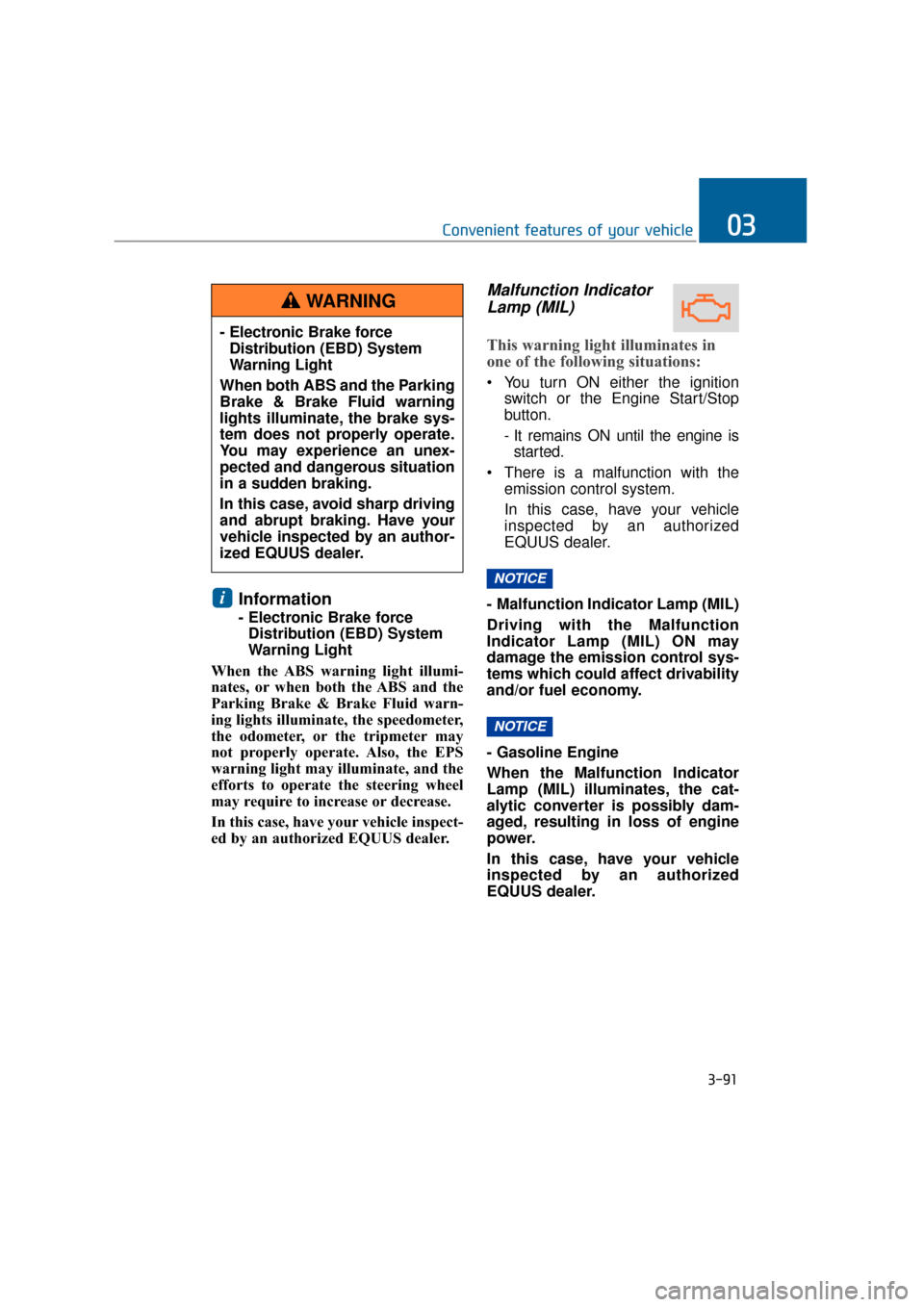
Malfunction Indicator Lamp (MIL)
This warning light illuminates in
one of the following situations:
You turn ON either the ignition
switch or the Engine Start/Stop
button.
- It remains ON until the engine isstarted.
There is a malfunction with the emission control system.
In this case, have your vehicle
inspected by an authorized
EQUUS dealer.
- Malfunction Indicator Lamp (MIL)
Driving with the Malfunction
Indicator Lamp (MIL) ON may
damage the emission control sys-
tems which could affect drivability
and/or fuel economy.
- Gasoline Engine
When the Malfunction Indicator
Lamp (MIL) illuminates, the cat-
alytic converter is possibly dam-
aged, resulting in loss of engine
power.
In this case, have your vehicle
inspected by an authorized
EQUUS dealer.
NOTICE
NOTICE
i
3-91
Convenient features of your vehicle03
- Electronic Brake force Distribution (EBD) System
Warning Light
When both ABS and the Parking
Brake & Brake Fluid warning
lights illuminate, the brake sys-
tem does not properly operate.
You may experience an unex-
pected and dangerous situation
in a sudden braking.
In this case, avoid sharp driving
and abrupt braking. Have your
vehicle inspected by an author-
ized EQUUS dealer.
WARNING
Page 196 of 477
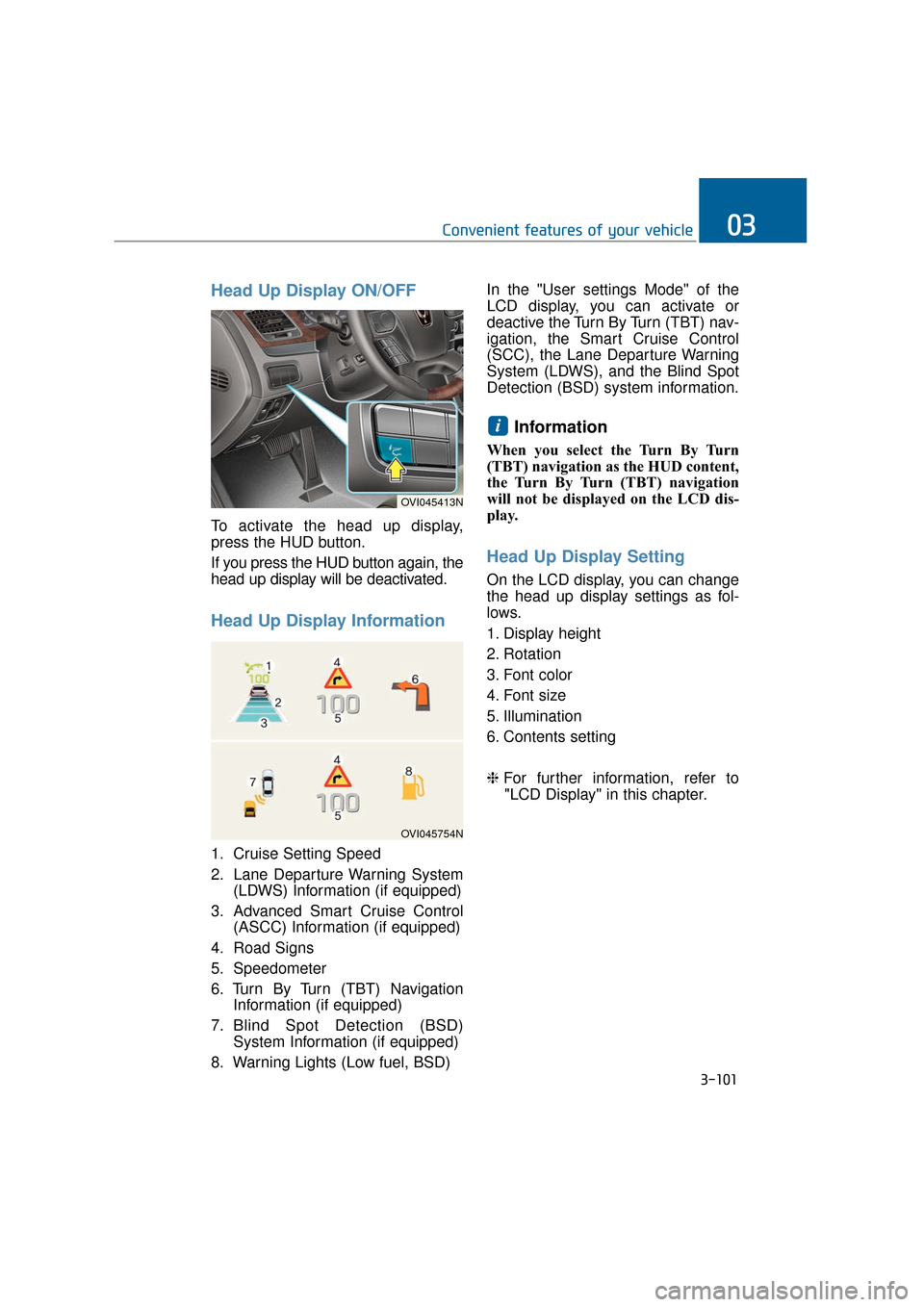
Head Up Display ON/OFF
To activate the head up display,
press the HUD button.
If you press the HUD button again, the
head up display will be deactivated.
Head Up Display Information
1. Cruise Setting Speed
2. Lane Departure Warning System(LDWS) Information (if equipped)
3. Advanced Smart Cruise Control (ASCC) Information (if equipped)
4. Road Signs
5. Speedometer
6. Turn By Turn (TBT) Navigation Information (if equipped)
7. Blind Spot Detection (BSD) System Information (if equipped)
8. Warning Lights (Low fuel, BSD) In the "User settings Mode" of the
LCD display, you can activate or
deactive the Turn By Turn (TBT) nav-
igation, the Smart Cruise Control
(SCC), the Lane Departure Warning
System (LDWS), and the Blind Spot
Detection (BSD) system information.
Information
When you select the Turn By Turn
(TBT) navigation as the HUD content,
the Turn By Turn (TBT) navigation
will not be displayed on the LCD dis-
play.
Head Up Display Setting
On the LCD display, you can change
the head up display settings as fol-
lows.
1. Display height
2. Rotation
3. Font color
4. Font size
5. Illumination
6. Contents setting
❈
For further information, refer to
"LCD Display" in this chapter.
i
3-101
Convenient features of your vehicle03
OVI045754N
OVI045413N
Page 206 of 477
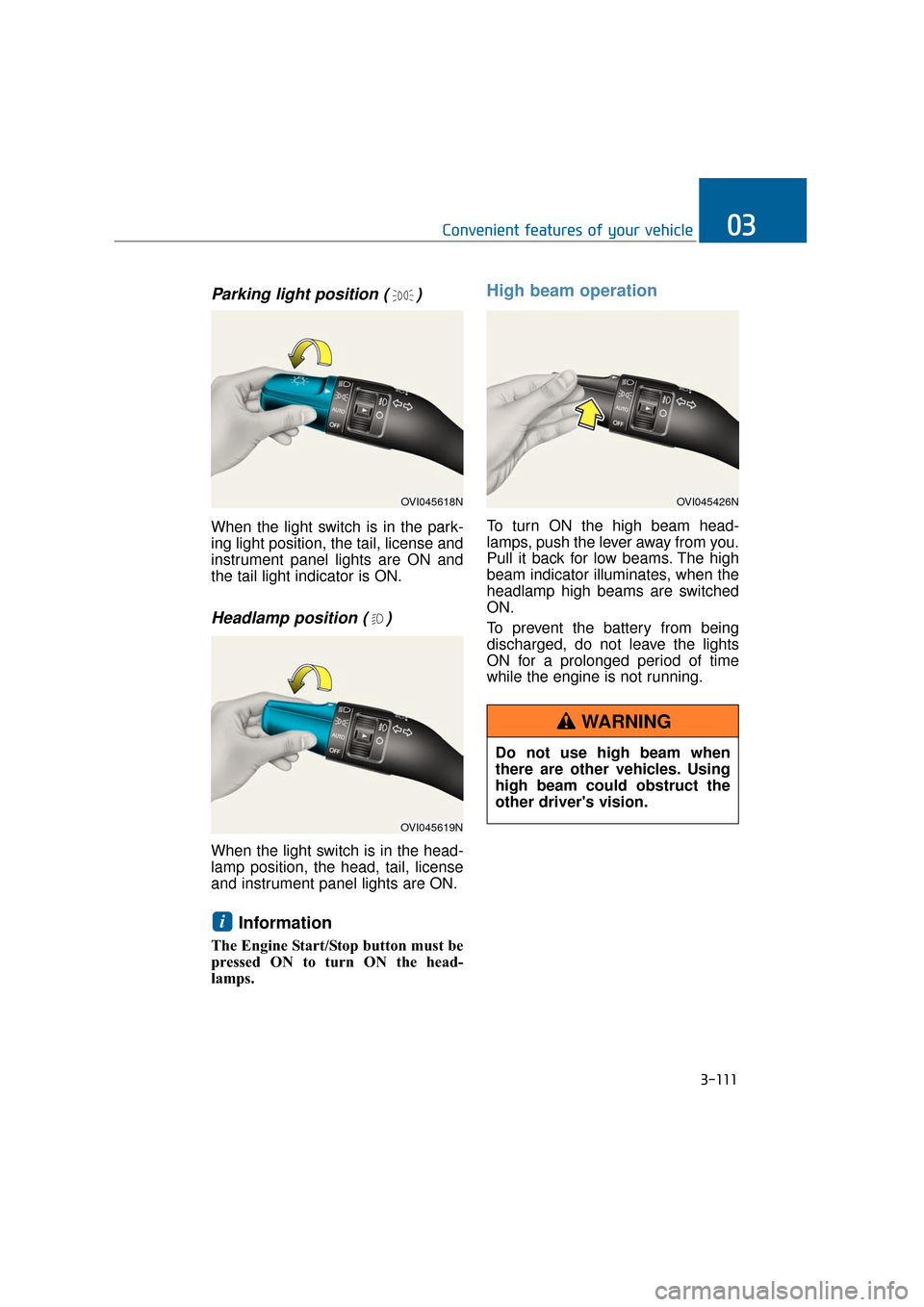
Parking light position ( )
When the light switch is in the park-
ing light position, the tail, license and
instrument panel lights are ON and
the tail light indicator is ON.
Headlamp position ( )
When the light switch is in the head-
lamp position, the head, tail, license
and instrument panel lights are ON.
Information
The Engine Start/Stop button must be
pressed ON to turn ON the head-
lamps.
High beam operation
To turn ON the high beam head-
lamps, push the lever away from you.
Pull it back for low beams. The high
beam indicator illuminates, when the
headlamp high beams are switched
ON.
To prevent the battery from being
discharged, do not leave the lights
ON for a prolonged period of time
while the engine is not running.
i
3-111
Convenient features of your vehicle03
OVI045618N
OVI045619N
OVI045426N
Do not use high beam when
there are other vehicles. Using
high beam could obstruct the
other driver's vision.
WARNING
Page 208 of 477
Information
If an indicator flash is abnormally
quick or slow, a bulb may be burned
out or have a poor electrical connec-
tion in the circuit.
Front fog light
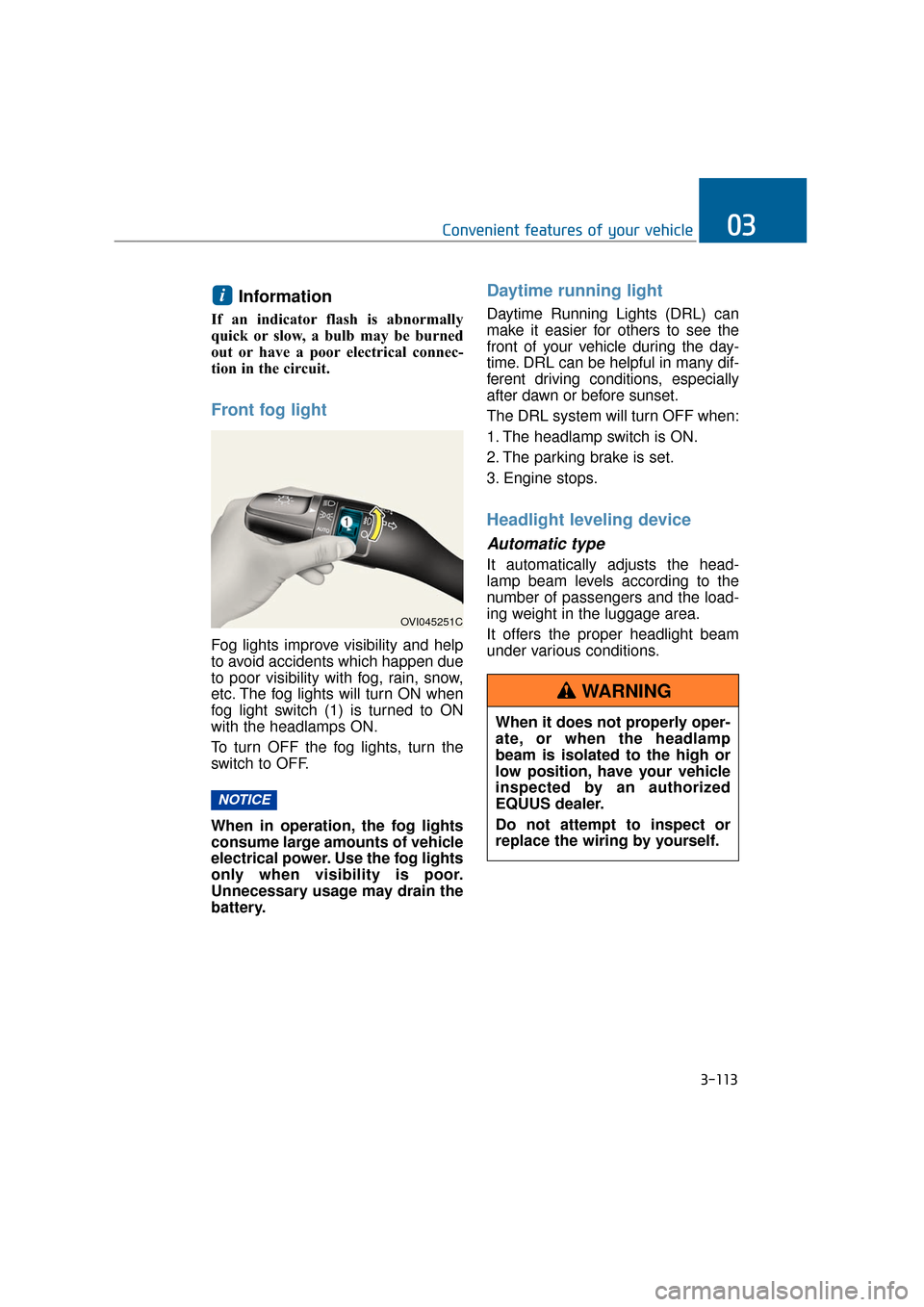
Fog lights improve visibility and help
to avoid accidents which happen due
to poor visibility with fog, rain, snow,
etc. The fog lights will turn ON when
fog light switch (1) is turned to ON
with the headlamps ON.
To turn OFF the fog lights, turn the
switch to OFF.
When in operation, the fog lights
consume large amounts of vehicle
electrical power. Use the fog lights
only when visibility is poor.
Unnecessary usage may drain the
battery.
Daytime running light
Daytime Running Lights (DRL) can
make it easier for others to see the
front of your vehicle during the day-
time. DRL can be helpful in many dif-
ferent driving conditions, especially
after dawn or before sunset.
The DRL system will turn OFF when:
1. The headlamp switch is ON.
2. The parking brake is set.
3. Engine stops.
Headlight leveling device
Automatic type
It automatically adjusts the head-
lamp beam levels according to the
number of passengers and the load-
ing weight in the luggage area.
It offers the proper headlight beam
under various conditions.
NOTICE
i
3-113
Convenient features of your vehicle03
OVI045251C
When it does not properly oper-
ate, or when the headlamp
beam is isolated to the high or
low position, have your vehicle
inspected by an authorized
EQUUS dealer.
Do not attempt to inspect or
replace the wiring by yourself.
WARNING
Page 213 of 477
Do not use the interior lights for
an extended period of time when
the engine is OFF.
It may discharge the battery.
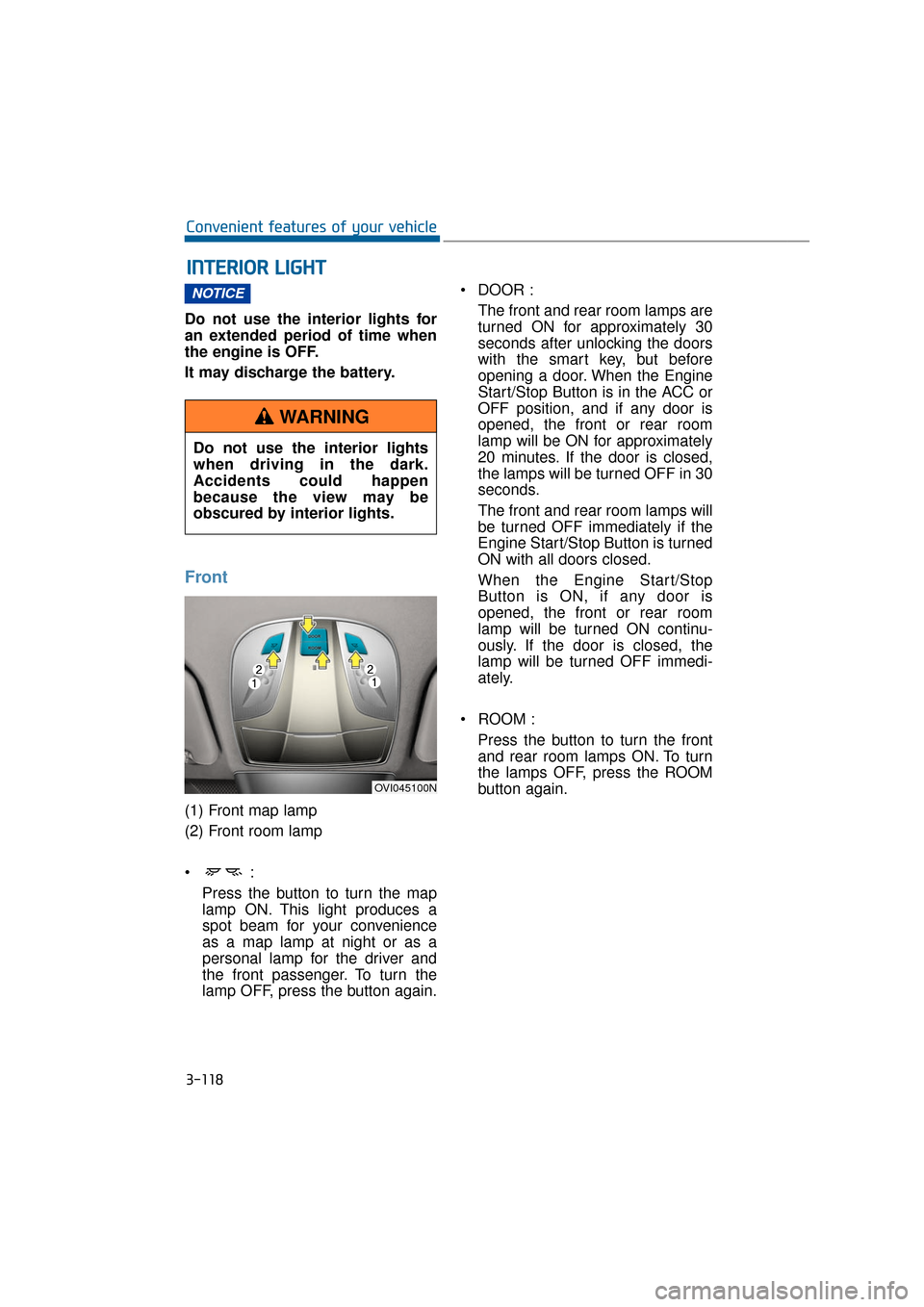
Front
(1) Front map lamp
(2) Front room lamp
Press the button to turn the map
lamp ON. This light produces a
spot beam for your convenience
as a map lamp at night or as a
personal lamp for the driver and
the front passenger. To turn the
lamp OFF, press the button again. DOOR :
The front and rear room lamps are
turned ON for approximately 30
seconds after unlocking the doors
with the smart key, but before
opening a door. When the Engine
Start/Stop Button is in the ACC or
OFF position, and if any door is
opened, the front or rear room
lamp will be ON for approximately
20 minutes. If the door is closed,
the lamps will be turned OFF in 30
seconds.
The front and rear room lamps will
be turned OFF immediately if the
Engine Start/Stop Button is turned
ON with all doors closed.
When the Engine Start/Stop
Button is ON, if any door is
opened, the front or rear room
lamp will be turned ON continu-
ously. If the door is closed, the
lamp will be turned OFF immedi-
ately.
ROOM : Press the button to turn the frontand rear room lamps ON. To turn
the lamps OFF, press the ROOM
button again.
NOTICE
I
I N
N T
TE
ER
R I
IO
O R
R
L
L I
IG
G H
H T
T
3-118
Convenient features of your vehicle
Do not use the interior lights
when driving in the dark.
Accidents could happen
because the view may be
obscured by interior lights.
WARNING
OVI045100N
Page 241 of 477
3-146
Convenient features of your vehicle
Cup holder
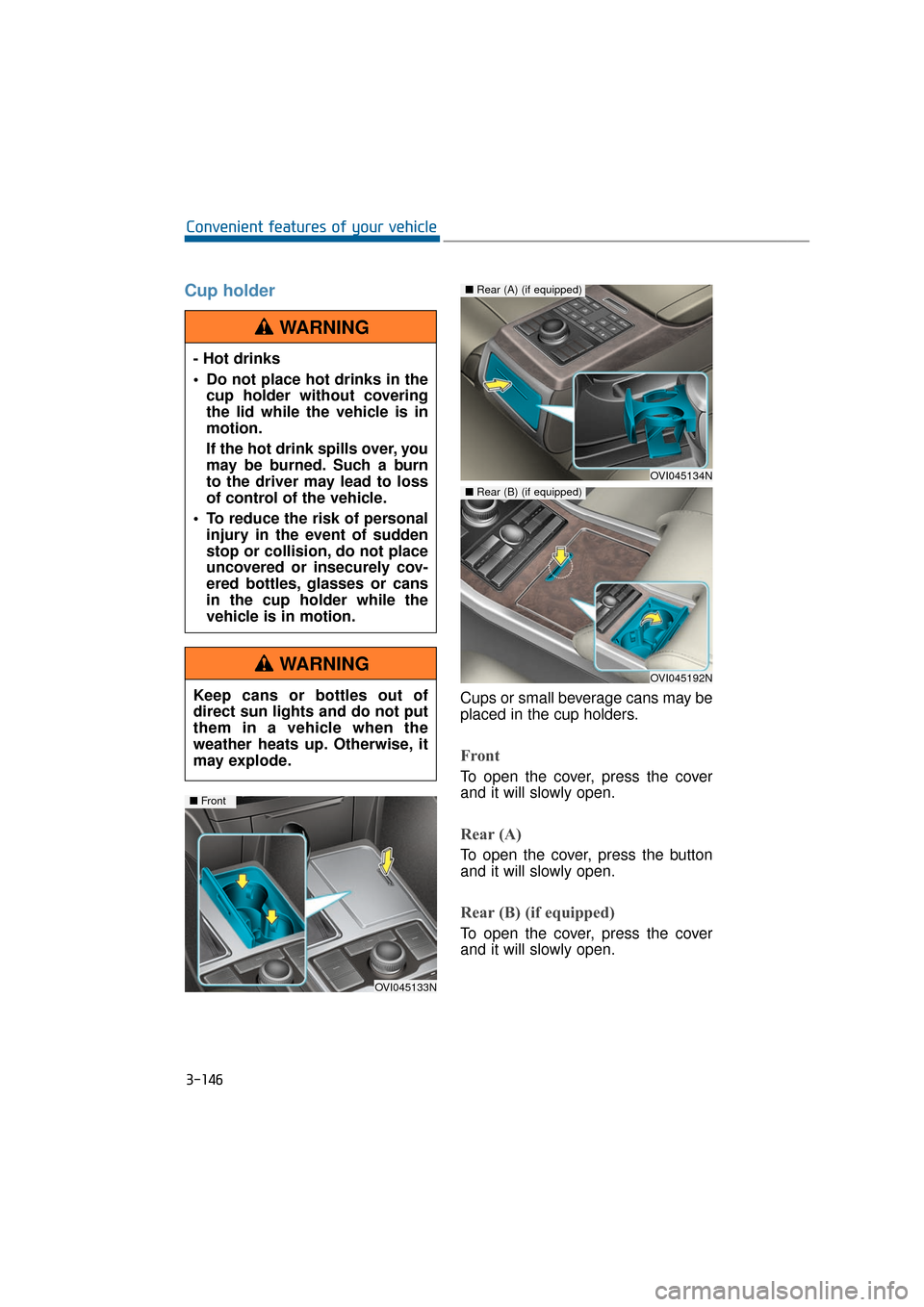
Cups or small beverage cans may be
placed in the cup holders.
Front
To open the cover, press the cover
and it will slowly open.
Rear (A)
To open the cover, press the button
and it will slowly open.
Rear (B) (if equipped)
To open the cover, press the cover
and it will slowly open.
- Hot drinks
Do not place hot drinks in the
cup holder without covering
the lid while the vehicle is in
motion.
If the hot drink spills over, you
may be burned. Such a burn
to the driver may lead to loss
of control of the vehicle.
To reduce the risk of personal injury in the event of sudden
stop or collision, do not place
uncovered or insecurely cov-
ered bottles, glasses or cans
in the cup holder while the
vehicle is in motion.
WARNING
Keep cans or bottles out of
direct sun lights and do not put
them in a vehicle when the
weather heats up. Otherwise, it
may explode.
WARNING
OVI045133N
■ Front
OVI045134N
■Rear (A) (if equipped)
OVI045192N
■Rear (B) (if equipped)
Page 256 of 477
Before entering vehicle
• Be sure that all windows, outsidemirror(s), and outside lights are
clean.
Check the condition of the tires.
Check underneath the vehicle for any leakage sign.
Make sure there are no obstacles behind, when you intend to drive
backwards.
Necessary inspections
Fluid levels, such as engine oil,
engine coolant, brake fluid, and
washer fluid should be checked on a
regular basis, at exact intervals.
Further details are provided in the
chapter 7, "Maintenance".
Before starting
Close and lock all doors.
Check the seat position, so all con-trols are easily accessible.
Adjust the inside and outside rearview mirrors.
Make sure that all lights operate.
Check all gauges.
Check the operation of warning lights when the Engine Start/Stop
button is turned ON.
Release the parking brake and make sure the brake warning light
goes OFF.
For safe operation, make sure you
are familiar with your vehicle equip-
ment and operation.
B B E
EF
FO
O R
RE
E
D
D R
RI
IV
V I
IN
N G
G
5-5
Driving your vehicle05
Careless driving may result in a
loss of vehicle control, possibly
leading to an accident, severe
personal injury, and death. The
driver’s primary responsibility
is to drive in the safe and legal
manner. The use of any hand-
held devices, other equipment,
or vehicle systems, which take
the driver’s eyes, attention and
focus away from the safe opera-
tion of a vehicle or which are
not permissible by law, should
never be used in driving.
WARNINGAll passengers must be proper-
ly belted whenever the vehicle
is moving. Refer to "Seat belts"
in chapter 2 for more informa-
tion on the proper usage.
WARNING
Always take a look around your
vehicle for any passers-by,
especially children, before
changing the shift lever to D
(Drive) or R (Reverse).
WARNING
Page 258 of 477
E
EN
N G
GI
IN
N E
E
S
S T
T A
A R
RT
T/
/S
S T
T O
O P
P
B
B U
U T
TT
TO
O N
N
5-7
Driving your vehicle05
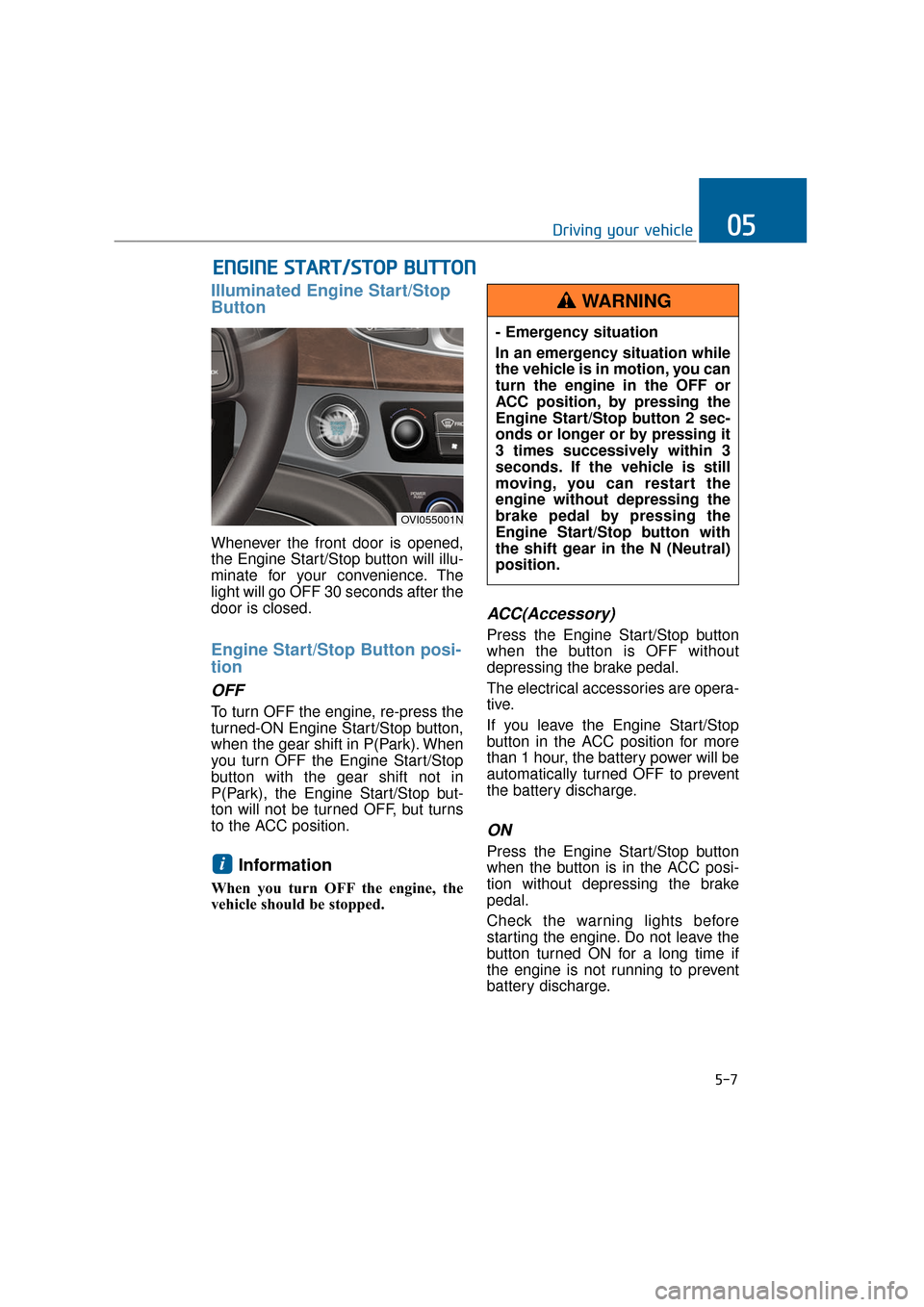
Illuminated Engine Start/Stop
Button
Whenever the front door is opened,
the Engine Start/Stop button will illu-
minate for your convenience. The
light will go OFF 30 seconds after the
door is closed.
Engine Start/Stop Button posi-
tion
OFF
To turn OFF the engine, re-press the
turned-ON Engine Start/Stop button,
when the gear shift in P(Park). When
you turn OFF the Engine Start/Stop
button with the gear shift not in
P(Park), the Engine Start/Stop but-
ton will not be turned OFF, but turns
to the ACC position.
Information
When you turn OFF the engine, the
vehicle should be stopped.
ACC(Accessory)
Press the Engine Start/Stop button
when the button is OFF without
depressing the brake pedal.
The electrical accessories are opera-
tive.
If you leave the Engine Start/Stop
button in the ACC position for more
than 1 hour, the battery power will be
automatically turned OFF to prevent
the battery discharge.
ON
Press the Engine Start/Stop button
when the button is in the ACC posi-
tion without depressing the brake
pedal.
Check the warning lights before
starting the engine. Do not leave the
button turned ON for a long time if
the engine is not running to prevent
battery discharge.i
OVI055001N
- Emergency situation
In an emergency situation while
the vehicle is in motion, you can
turn the engine in the OFF or
ACC position, by pressing the
Engine Start/Stop button 2 sec-
onds or longer or by pressing it
3 times successively within 3
seconds. If the vehicle is still
moving, you can restart the
engine without depressing the
brake pedal by pressing the
Engine Start/Stop button with
the shift gear in the N (Neutral)
position.
WARNING
Page 335 of 477
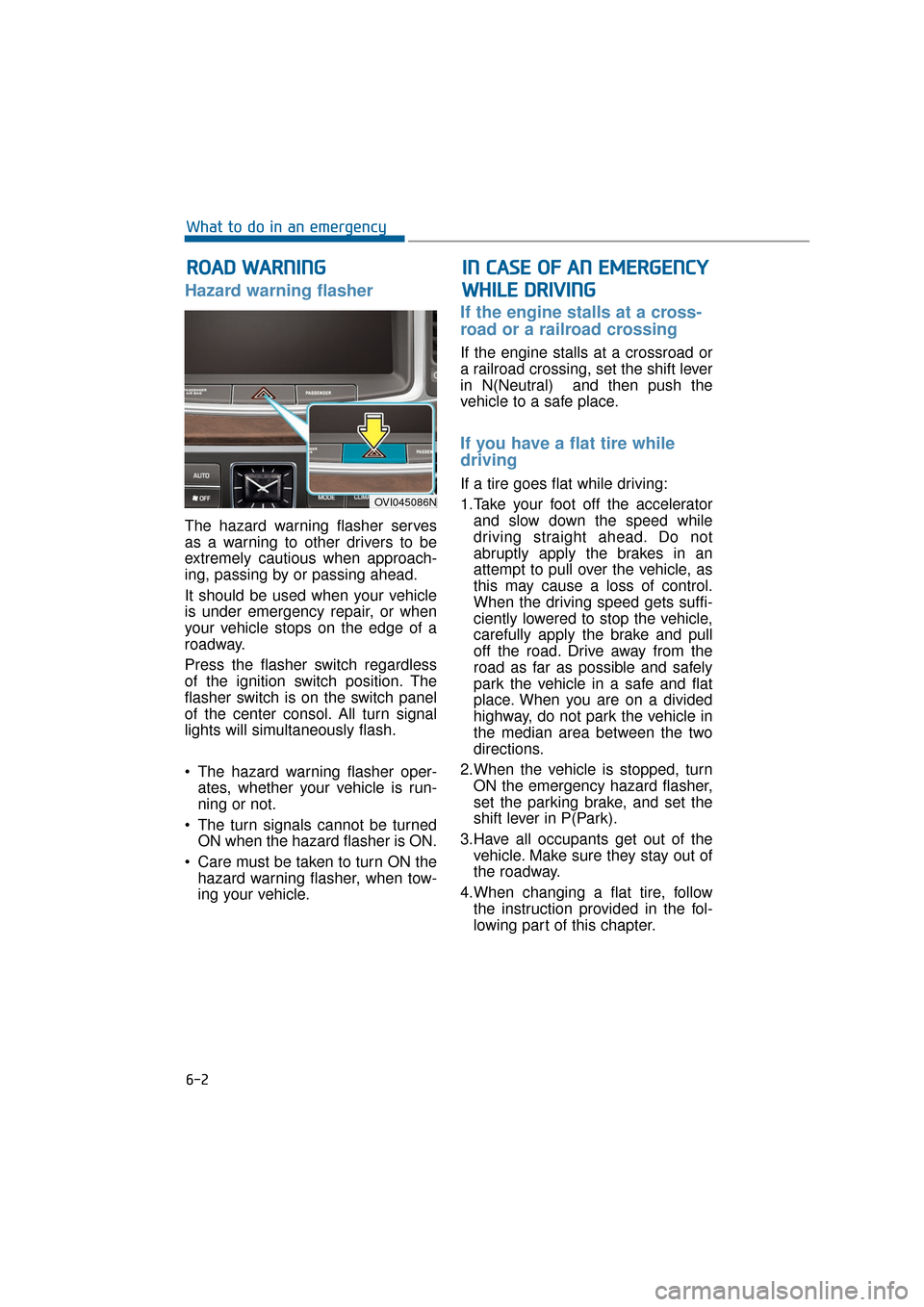
Hazard warning flasher
The hazard warning flasher serves
as a warning to other drivers to be
extremely cautious when approach-
ing, passing by or passing ahead.
It should be used when your vehicle
is under emergency repair, or when
your vehicle stops on the edge of a
roadway.
Press the flasher switch regardless
of the ignition switch position. The
flasher switch is on the switch panel
of the center consol. All turn signal
lights will simultaneously flash.
• The hazard warning flasher oper-ates, whether your vehicle is run-
ning or not.
The turn signals cannot be turned ON when the hazard flasher is ON.
Care must be taken to turn ON the hazard warning flasher, when tow-
ing your vehicle.
If the engine stalls at a cross-
road or a railroad crossing
If the engine stalls at a crossroad or
a railroad crossing, set the shift lever
in N(Neutral) and then push the
vehicle to a safe place.
If you have a flat tire while
driving
If a tire goes flat while driving:
1.Take your foot off the acceleratorand slow down the speed while
driving straight ahead. Do not
abruptly apply the brakes in an
attempt to pull over the vehicle, as
this may cause a loss of control.
When the driving speed gets suffi-
ciently lowered to stop the vehicle,
carefully apply the brake and pull
off the road. Drive away from the
road as far as possible and safely
park the vehicle in a safe and flat
place. When you are on a divided
highway, do not park the vehicle in
the median area between the two
directions.
2.When the vehicle is stopped, turn ON the emergency hazard flasher,
set the parking brake, and set the
shift lever in P(Park).
3.Have all occupants get out of the vehicle. Make sure they stay out of
the roadway.
4.When changing a flat tire, follow the instruction provided in the fol-
lowing part of this chapter.
R RO
O A
AD
D
W
W A
AR
RN
N I
IN
N G
G
6-2
What to do in an emergency
OVI045086N
I
IN
N
C
C A
A S
SE
E
O
O F
F
A
A N
N
E
E M
M E
ER
R G
G E
EN
N C
CY
Y
W
W H
HI
IL
L E
E
D
D R
RI
IV
V I
IN
N G
G