brakes Hyundai Equus 2016 User Guide
[x] Cancel search | Manufacturer: HYUNDAI, Model Year: 2016, Model line: Equus, Model: Hyundai Equus 2016Pages: 477, PDF Size: 16.25 MB
Page 269 of 477
In the event of brake failure
When service brakes fail to operate
while driving, you can make an
emergency stop by setting the park-
ing brake. The braking distance,
however, will become longer than
normal.
Disc brakes wear indicator
Your vehicle is equipped with disc
brakes. When your brake pads are
worn down and new pads are
required, you will hear a high-pitched
warning sound from the front or rear
brakes. You may hear this beeping
sound or it may sound when the
brake pedal is depressed.
Please remember that some driving
conditions or climates may cause a
brake squeal when you first apply (or
lightly apply) the brakes. This is nor-
mal and does not indicate a problem
with your brakes.
To prevent costly brake repairs,do not drive continuously with
the worn-down brake pads.
Always replace brake pads in a set of a complete front and rear
axle.
NOTICE
5-18
Driving your vehicle
- Parking brake
Setting the parking brake while
driving at a normal speed may
cause a sudden loss of vehicle
control. If you must set the
parking brake to stop, set it with
great caution.
WARNING
- Brake wear
This brake wear warning sound
indicates that your vehicle
should be repaired. If you
ignore this audible warning
sound, you will eventually lose
braking performance, which
may lead to a serious accident.
WARNING
Page 274 of 477
AUTO HOLD
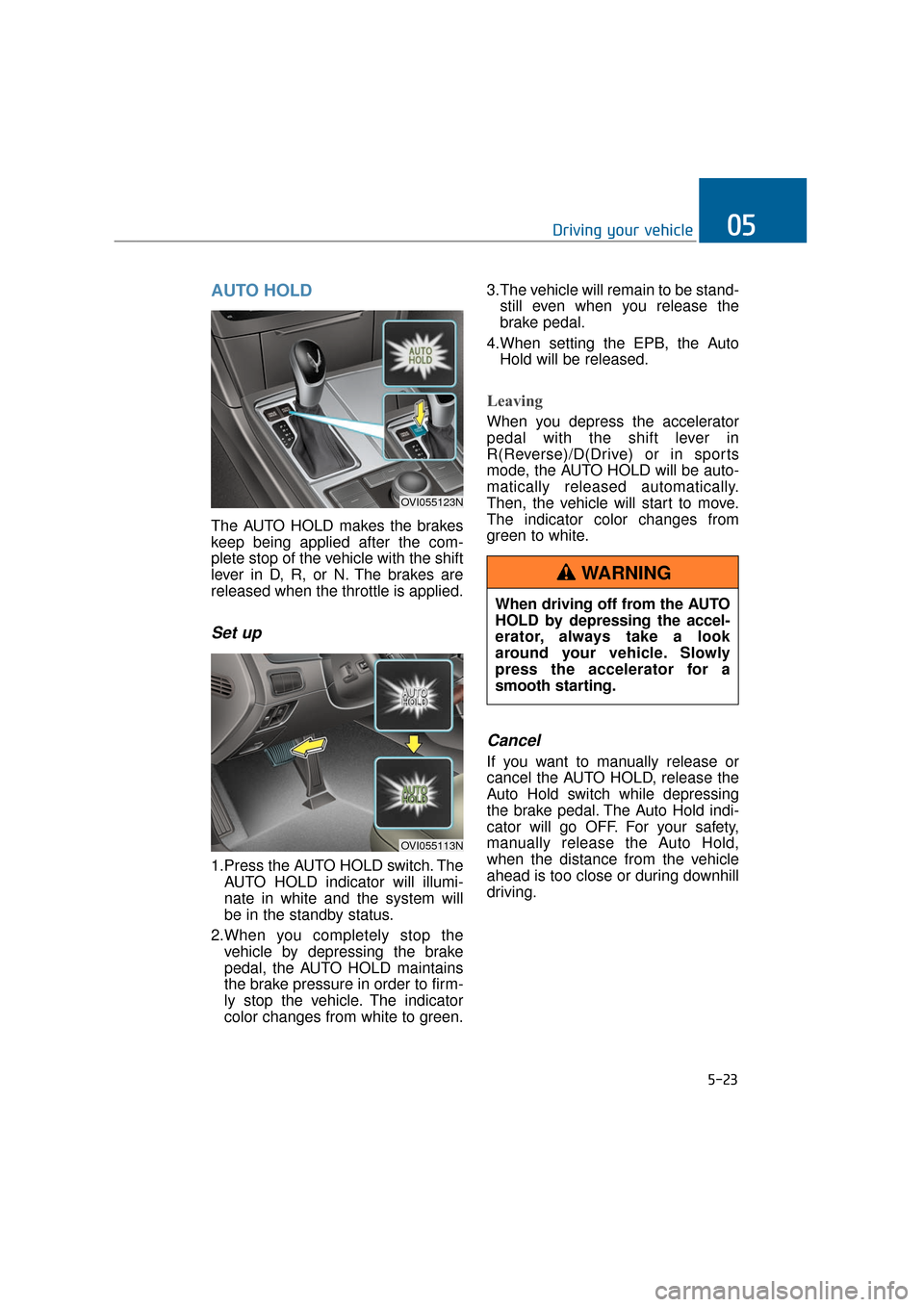
The AUTO HOLD makes the brakes
keep being applied after the com-
plete stop of the vehicle with the shift
lever in D, R, or N. The brakes are
released when the throttle is applied.
Set up
1.Press the AUTO HOLD switch. TheAUTO HOLD indicator will illumi-
nate in white and the system will
be in the standby status.
2.When you completely stop the vehicle by depressing the brake
pedal, the AUTO HOLD maintains
the brake pressure in order to firm-
ly stop the vehicle. The indicator
color changes from white to green. 3.The vehicle will remain to be stand-
still even when you release the
brake pedal.
4.When setting the EPB, the Auto Hold will be released.
Leaving
When you depress the accelerator
pedal with the shift lever in
R(Reverse)/D(Drive) or in sports
mode, the AUTO HOLD will be auto-
matically released automatically.
Then, the vehicle will start to move.
The indicator color changes from
green to white.
Cancel
If you want to manually release or
cancel the AUTO HOLD, release the
Auto Hold switch while depressing
the brake pedal. The Auto Hold indi-
cator will go OFF. For your safety,
manually release the Auto Hold,
when the distance from the vehicle
ahead is too close or during downhill
driving.
5-23
Driving your vehicle05
OVI055123N
OVI055113N
When driving off from the AUTO
HOLD by depressing the accel-
erator, always take a look
around your vehicle. Slowly
press the accelerator for a
smooth starting.
WARNING
Page 277 of 477
Anti-lock brake system (ABS)
The ABS continuously monitors the
wheel speed. When the wheels are
about to be locked, the ABS system
repeatedly modulates the hydraulic
brake pressure to the wheels.When you depress brake pedals in
conditions, which may lock the
wheels, you may hear a snapping
sound or feel like that from the
brakes. This is normal and indicates
your ABS is active.
In order to obtain the maximum ben-
efit from your ABS in an emergency
situation, do not attempt to modulate
your brake pressure or to pump your
brakes. Press your brake pedal as
hard, as possible, or as the situation
allows, in order for the ABS to control
the power delivery to the brakes.
Information
A clicking sound may be heard in the
engine compartment, when the engine
is started, and the vehicle begins to
move. These conditions are normal
and indicate that the anti-lock brake
system properly operates.
Even with the anti-lock brake sys-
tem, your vehicle still requires a
safe braking distance. Always
maintain a safe distance from the
vehicle in front of you.
Always slow down the speed when cornering. The anti-lock brake sys-
tem cannot prevent accidents
resulted from an excessively high
speed.
On loose or uneven road surfaces, operation of the anti-lock brake
system may result in a longer brak-
ing distance than the one of a vehi-
cle equipped with a conventional
brake system.
i
5-26
Driving your vehicle
ABS (or ESC, Electronic
Stability Control system) can-
not prevent accidents caused
by improper or dangerous driv-
ing maneuvers. Even though
you have more control over the
vehicle with emergency brak-
ing, always maintain a safe dis-
tance between you and objects
ahead. Vehicle speeds should
always be reduced in extreme
rough road conditions. The
braking distance of an ABS(or
ESC)-equipped vehicle may be
longer than the one of a ABS-
unequipped vehicle in the fol-
lowing road conditions. In these
conditions the vehicle should
be driven at a reduced speed:
A road surface is rough, or it is covered with gravel or
snow
Tire chains are installed
The road surface is pitted or uneven.
The safety performance of an
ABS(or ESC)-equipped vehicle
should not be tested by driving
at a high speed or cornering.
This may put you and others in
danger.
WARNING
Page 278 of 477
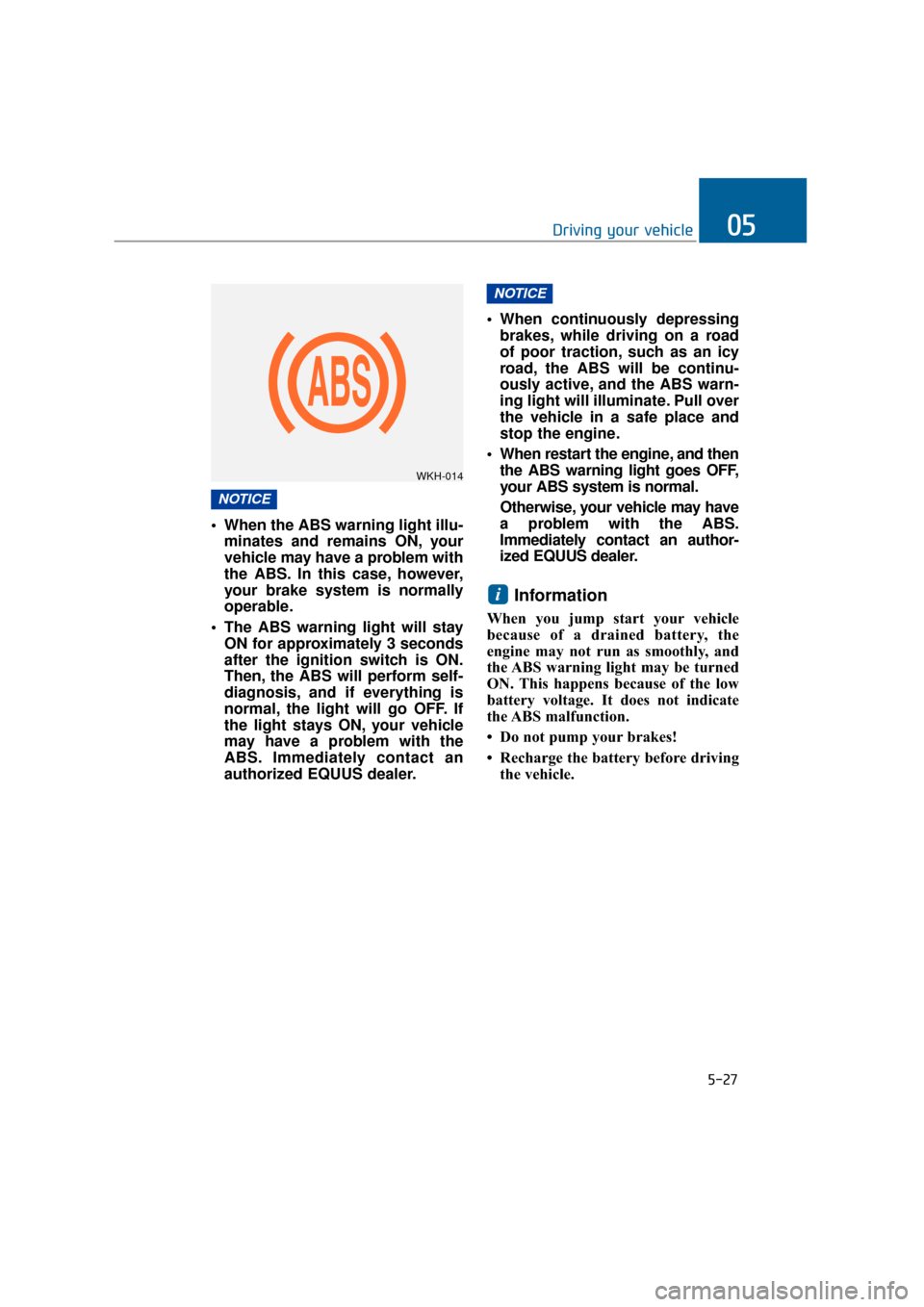
When the ABS warning light illu-minates and remains ON, your
vehicle may have a problem with
the ABS. In this case, however,
your brake system is normally
operable.
The ABS warning light will stay ON for approximately 3 seconds
after the ignition switch is ON.
Then, the ABS will perform self-
diagnosis, and if everything is
normal, the light will go OFF. If
the light stays ON, your vehicle
may have a problem with the
ABS. Immediately contact an
authorized EQUUS dealer. When continuously depressing
brakes, while driving on a road
of poor traction, such as an icy
road, the ABS will be continu-
ously active, and the ABS warn-
ing light will illuminate. Pull over
the vehicle in a safe place and
stop the engine.
When restart the engine, and then the ABS warning light goes OFF,
your ABS system is normal.
Otherwise, your vehicle may have
a problem with the ABS.
Immediately contact an author-
ized EQUUS dealer.
Information
When you jump start your vehicle
because of a drained battery, the
engine may not run as smoothly, and
the ABS warning light may be turned
ON. This happens because of the low
battery voltage. It does not indicate
the ABS malfunction.
• Do not pump your brakes!
• Recharge the battery before drivingthe vehicle.
i
NOTICE
NOTICE
5-27
Driving your vehicle05
WKH-014
Page 283 of 477
Hill-start assist control (HAC)
A vehicle has the tendency to slide
backwards on a steep slope, when the
driver begins to accelerate after a
stop. The HAC prevents the vehicle
from sliding backwards by automati-
cally operating the brake systems for
about 2 seconds. The brake systems
are automatically released, when the
accelerator pedal is depressed or after
about 2 seconds.
Information
• The HAC does not operate when theshift lever is in P(Park) or
N(Neutral).
• The HAC activates, even when the ESC is OFF. However, it does not
activate, when the ESC malfunc-
tions.
Good braking practices
Make sure the parking brake isreleased and that the parking
brake indicator goes OFF before
driving.
Driving through water may get the brakes wet. The brakes may also
get wet after washing the vehicle.
Wet brakes can be dangerous!
Your vehicle may not quickly stop,
when the brakes are wet. Wet
brakes may cause the vehicle to
slide to one side.
To dry the brake, lightly depress
the brake pedal until the braking
operation returns to normal, taking
care to keep the vehicle under con-
trol at all times. When the braking
operation does not return to nor-
mal, immediately and safely stop
the vehicle and call an authorized
EQUUS dealer for assistance.i
5-32
Driving your vehicle
The HAC is activated only for
about 2 seconds, so always
depress the accelerator pedal
to begin driving upwards after a
stop.
WARNING
Whenever parking or leaving the vehicle, always securely
set the parking brake and
locate the vehicle's shift lever
in P(Park). A vehicle, of which
the shift lever is not in P(Park)
with the parking brake set ON,
is at risk of inadvertently mov-
ing and injuring you or others.
All vehicles should always set the parking brake, when park-
ing, to avoid inadvertent
movement, which may injure
occupants or pedestrians.
WARNING
Page 284 of 477
Do not slide down (or coast down)the vehicle on a slope out of gear.
This is extremely hazardous. Keep
the vehicle in gear at all times,
depress the brake pedal to slow
down, and then shift to a lower
gear so that engine braking will
help you maintain a safe speed.
Do not "ride" the brake pedal. Resting your foot on the brake
pedal, while driving, is dangerous
because it may result brake over-
heating or lose braking effects. It
also wears out the brake compo-
nents.
If a tire goes flat while driving, gen- tly depress the brake pedal. Keep
the driving direction straight ahead
while slowing down the speed.
When the speed is lowered
enough to be safe, pull off and stop
the vehicle in a safe place.
When your vehicle is equipped with an automatic transmission, do
not let your car creep forward. To
avoid creeping forward, firmly
depress the brake pedal when
stopping the vehicle.
Be careful when parking on a slope. Firmly set the parking brake
and place the shift lever in P(Park).
When parking the vehicle on a
downward slope, steer the front
wheels sideways (into the curbs) to
prevent the vehicle from rolling.
When parking the vehicle on an
upwards, turn the front wheels
sideways (away from the curb) to
prevent the vehicle from rolling.
If there is no curb, or if it is required
by other conditions, block the
wheels with obstacles to keep the
vehicle from rolling. Under some conditions, your park-
ing brake may freeze in the
engaged position. This is most like-
ly to happen, when there is an
accumulation of snow or ice
around or near the rear brakes, or
when the brake is wet. When there
is a risk that the parking brake may
freeze, temporarily depress the
brake pedal while locating the shift
lever(automatic transmission) in
P(Park) and block the rear wheels.
Thus, the vehicle may not roll.
Then, release the parking brake.
Do not hold the vehicle on a slope by depressing the accelerator. This
may overheat the transmission.
Always use the brake pedal or
parking brake.
5-33
Driving your vehicle05
Page 290 of 477
Information
During the normal operation of the
Smart Cruise Control, with the SET
switch activated or reactivated after
applying brakes, the Smart Cruise
Control will energize after approxi-
mately 3 seconds. This delay is nor-
mal.
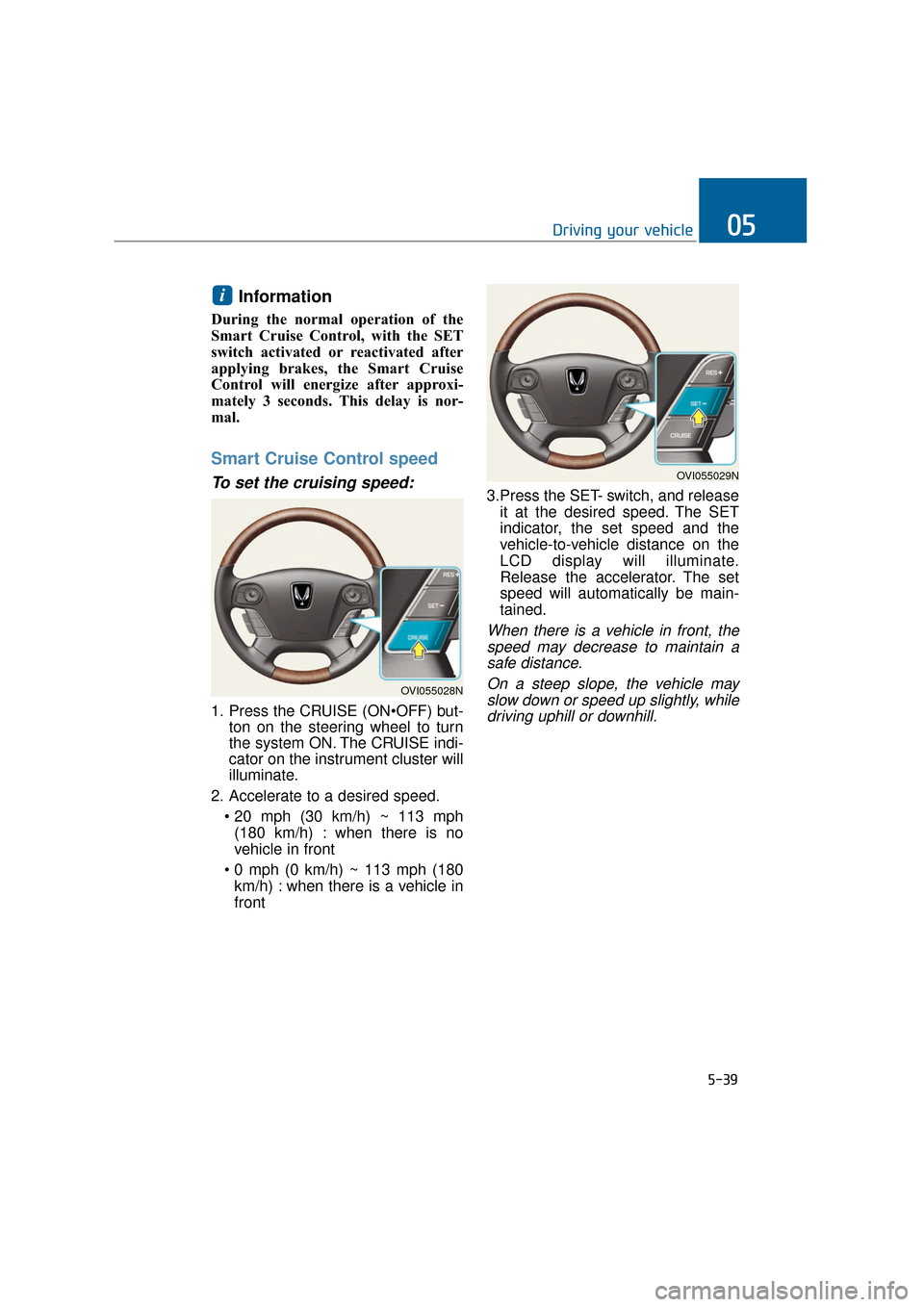
Smart Cruise Control speed
To set the cruising speed:
1. Press the CRUISE (ONton on the steering wheel to turn
the system ON. The CRUISE indi-
cator on the instrument cluster will
illuminate.
2. Accelerate to a desired speed. (180 km/h) : when there is no
vehicle in front
km/h) : when there is a vehicle in
front 3.Press the SET- switch, and release
it at the desired speed. The SET
indicator, the set speed and the
vehicle-to-vehicle distance on the
LCD display will illuminate.
Release the accelerator. The set
speed will automatically be main-
tained.
When there is a vehicle in front, thespeed may decrease to maintain asafe distance.
On a steep slope, the vehicle mayslow down or speed up slightly, whiledriving uphill or downhill.
i
5-39
Driving your vehicle05
OVI055028N
OVI055029N
Page 317 of 477
5-66
Driving your vehicle
Do not "lug" or "over-rev" the engine. Lugging is to drive too
slowly in a high gear, resulting in
the engine bucking. In this case,
shift to a lower gear. Over-revving
is racing the engine beyond its safe
limit. This can be avoided by decel-
erating to a recommended speed.
Use your air conditioning at inter- vals. The air conditioning system
operates by engine power. Thus,
your fuel economy will decline,
when turning it ON.
Opening the windows, while driv- ing at a high speed, may reduce
the fuel economy.
The fuel economy will decline in the crosswind and headwind. To
offset some of this loss, slow down
the driving speed.
Keeping a vehicle in good operating
condition is important both for the
fuel economy and safety. Therefore,
have your vehicle inspected and
maintained by an authorized EQUUS
dealer on a regular basis. - Turning the engine OFF while
driving
Never turn the engine OFF to
coast down hills or anytime the
vehicle is in motion. The power
steering and power brakes will
not properly operate, when the
engine is turned OFF. Keep the
engine ON and downshift to an
appropriate gear for engine
braking effect. Moreover, turn-
ing OFF the ignition, while driv-
ing, may lock the steering
wheel, blocking the steer wheel
movement and causing a seri-
ous injury or death.
WARNING
Page 321 of 477
5-70
Driving your vehicle
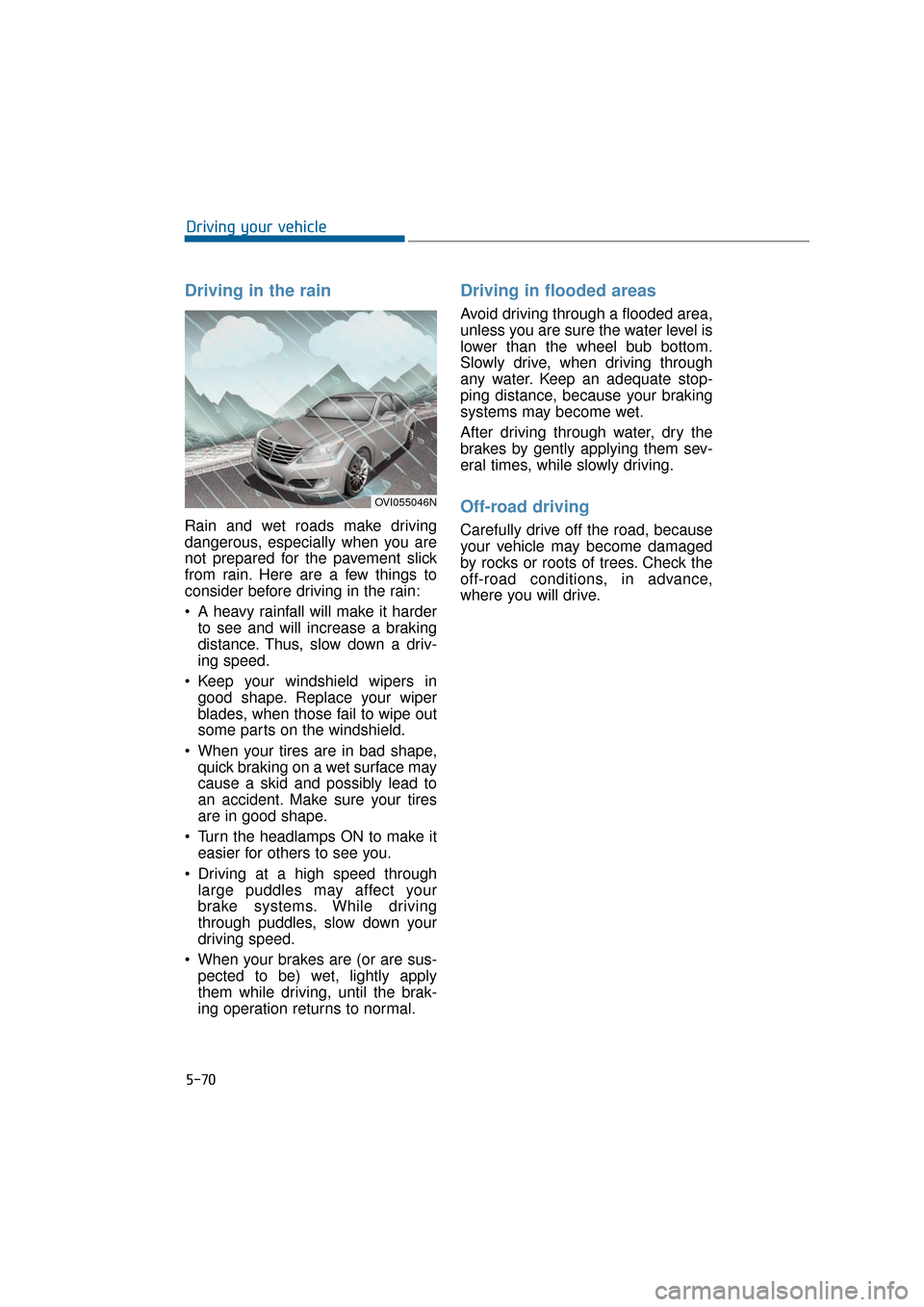
Driving in the rain
Rain and wet roads make driving
dangerous, especially when you are
not prepared for the pavement slick
from rain. Here are a few things to
consider before driving in the rain:
A heavy rainfall will make it harderto see and will increase a braking
distance. Thus, slow down a driv-
ing speed.
Keep your windshield wipers in good shape. Replace your wiper
blades, when those fail to wipe out
some parts on the windshield.
When your tires are in bad shape, quick braking on a wet surface may
cause a skid and possibly lead to
an accident. Make sure your tires
are in good shape.
Turn the headlamps ON to make it easier for others to see you.
Driving at a high speed through large puddles may affect your
brake systems. While driving
through puddles, slow down your
driving speed.
When your brakes are (or are sus- pected to be) wet, lightly apply
them while driving, until the brak-
ing operation returns to normal.
Driving in flooded areas
Avoid driving through a flooded area,
unless you are sure the water level is
lower than the wheel bub bottom.
Slowly drive, when driving through
any water. Keep an adequate stop-
ping distance, because your braking
systems may become wet.
After driving through water, dry the
brakes by gently applying them sev-
eral times, while slowly driving.
Off-road driving
Carefully drive off the road, because
your vehicle may become damaged
by rocks or roots of trees. Check the
off-road conditions, in advance,
where you will drive.
OVI055046N
Page 326 of 477
5-75
Driving your vehicle05
To prevent the locks from
frozen
To prevent the locks from being
frozen, spray authorized de-icing
fluid or glycerin into key openings.
When a lock opening is already cov-
ered with ice, spray authorized de-
icing fluid on the ice to remove it.
When an internal part of a lock
freezes, try to thaw it with a heated
key. Carefully use the heated key to
avoid an injury.
Use authorized window-wash-
er anti-freezer solution in sys-
tem
To prevent the window washer from
being frozen, add authorized win-
dow-washer anti-freeze solution, as
instructed on the window-washer
container. Window-washer anti-
freeze solution is available from an
authorized EQUUS dealer, and so
are the most auto parts outlets. Do
not use engine coolant or other types
of anti-freezer solution, because
these may damage the vehicle paint.
Do not let your parking brake
freeze
Under some conditions, your parking
brake may freeze in the engaged
position. This is most likely to hap-
pen, when there is an accumulation
of snow or ice around/near the rear
brakes, or when the brakes are wet.
When there is the risk that your park-
ing brake may freeze, temporarily
apply it after locating the shift lever in
P(Park). Also, block the rear wheels
in advance, so the vehicle may not
roll. Then, release the parking brake.
Do not let ice and snow accu-
mulate underneath
Under some conditions, snow and
ice may build up under the fenders
and interfere with the steering. When
driving in such conditions during the
severe winter, you should check
underneath the vehicle on a regular
basis to assure that moving the front
wheels and the steering components
is unobstructed.
Carry emergency equipment
In accordance with weather condi-
tions, you should carry appropriate
emergency equipment, while driving.
Some of the items you may want to
carry include tire chains, tow straps,
chains, flashlight, emergency flares,
sand, a shovel, jumper cables, a win-
dow scraper, gloves, ground cloth,
coveralls and a blanket.
Do not place objects or materi-
als in the engine compartment
Putting objects or materials in the
engine compartment may cause an
engine failure or combustion,
because those may block the engine
cooling. The manufacturer is not
responsible for the damage caused
by such placement.