height Hyundai Equus 2016 Owner's Guide
[x] Cancel search | Manufacturer: HYUNDAI, Model Year: 2016, Model line: Equus, Model: Hyundai Equus 2016Pages: 477, PDF Size: 16.25 MB
Page 200 of 477
Inoperable conditions of the
Parking Assist System
The Parking Assist System maynot properly operate, when:
1. Moisture is frozen over the sensor.
(It will operate normally again
when the frozen ice melts.)
2. The sensor is covered or blocked with foreign substances, such as
snow or water. (It will normally
operate again when the substance
is removed, and the sensor is no
longer blocked.)
3. The sensor is stained with foreign substances such as snow or
water. (The sensing range will
return to normal when foreign sub-
stances are removed.)
There is a possible malfunctionwith the Parking Assist Systemwhen:
1. The vehicle drives on uneven road
surfaces such as unpaved roads,
gravels, bumps, or slopes.
2. The sensor is interfered with objects, which generate excessive
noise, such as horns, motorcycle
engines, or truck air brakes.
3. Heavy rain or water is sprayed.
4. Wireless transmitters or mobile phones are near the sensor.
5. The sensor is covered with snow.
Detecting range may decrease when:
1. Outside air temperature is
extremely hot or cold.
2. The sensor cannot detect an object, as it is smaller than 39 in (1
m) or narrower than 5.5 in (14 cm)
in diameter.
The following objects may notbe recognized by the sensor:
1. A sharp or slim object, such as
ropes, chains or small poles.
2. An object, such as clothes, spongy material or snow, absorbs the sen-
sor frequency.
Information
1. The warning may not soundsequentially depending on the speed
and shapes of the objects detected.
2. The Parking Assist System may malfunction if the vehicle bumper
height or sensor installation is mod-
ified. Any unauthorized installment
of equipment or accessories may
also limit the sensor performance.
3. Sensor may not recognize objects within 12 in (30 cm), or it may mis-
calculate the distance.
4. When the sensor is frozen or stained with snow or water, the sensor may
be inoperative until the stains are
removed using a soft cloth.
5. Do not push, scratch or strike the sensor with any hard objects that
could damage the sensor surface.
This may damage the sensor.
i
3-105
Convenient features of your vehicle03
Page 252 of 477
Driving your vehicle
Before driving.........................................................5-5
Before entering vehicle ...................................................5-5
Necessary inspections .....................................................5-5
Before starting .................................................................5-5
Engine start/stop button ......................................5-7
Illuminated Engine Start/Stop Button ..........................5-7
Engine Start/Stop Button position ...............................5-7
Starting the engine ................................................5-9
Automatic transmission .......................................5-11
Automatic transmission operation ..............................5-12
Good driving practices ...................................................5-15
Brake system ........................................................5-17
Power brakes ...................................................................5-17
Electric parking brake (EPB) ........................................5-19
Emergency braking .........................................................5-22
AUTO HOLD ......................................................................5-\
23
Anti-lock brake system (ABS) .....................................5-26
Electronic stability control (ESC) ................................5-28
Hill-start assist control (HAC) ......................................5-32
Good braking practices..................................................5-32
Drive mode integrated control system .............5-34
DRIVE mode / SNOW mode ..........................................5-34
Electronic controlled suspension (ECS) ...........5-36
To control the vehicle height .......................................5-36
ECS (Electronic Controlled Suspension) malfunction
warning message.............................................................5-37
Page 287 of 477
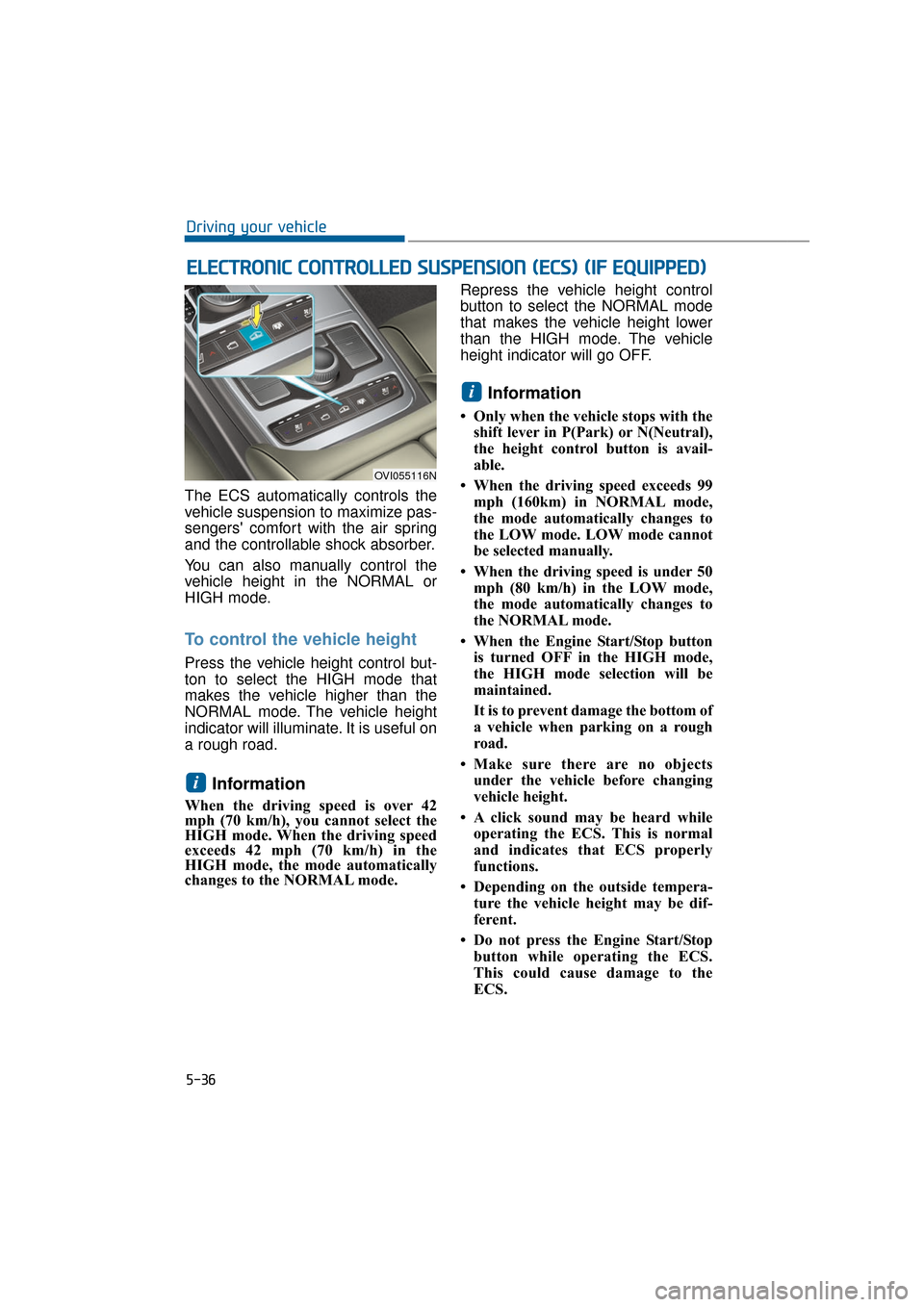
The ECS automatically controls the
vehicle suspension to maximize pas-
sengers' comfort with the air spring
and the controllable shock absorber.
You can also manually control the
vehicle height in the NORMAL or
HIGH mode.
To control the vehicle height
Press the vehicle height control but-
ton to select the HIGH mode that
makes the vehicle higher than the
NORMAL mode. The vehicle height
indicator will illuminate. It is useful on
a rough road.
Information
When the driving speed is over 42
mph (70 km/h), you cannot select the
HIGH mode. When the driving speed
exceeds 42 mph (70 km/h) in the
HIGH mode, the mode automatically
changes to the NORMAL mode. Repress the vehicle height control
button to select the NORMAL mode
that makes the vehicle height lower
than the HIGH mode. The vehicle
height indicator will go OFF.
Information
• Only when the vehicle stops with the
shift lever in P(Park) or N(Neutral),
the height control button is avail-
able.
• When the driving speed exceeds 99 mph (160km) in NORMAL mode,
the mode automatically changes to
the LOW mode. LOW mode cannot
be selected manually.
• When the driving speed is under 50 mph (80 km/h) in the LOW mode,
the mode automatically changes to
the NORMAL mode.
• When the Engine Start/Stop button is turned OFF in the HIGH mode,
the HIGH mode selection will be
maintained.
It is to prevent damage the bottom of
a vehicle when parking on a rough
road.
• Make sure there are no objects under the vehicle before changing
vehicle height.
• A click sound may be heard while operating the ECS. This is normal
and indicates that ECS properly
functions.
• Depending on the outside tempera- ture the vehicle height may be dif-
ferent.
• Do not press the Engine Start/Stop button while operating the ECS.
This could cause damage to the
ECS.
i
i
E EL
LE
E C
CT
T R
R O
O N
NI
IC
C
C
C O
O N
NT
TR
R O
O L
LL
LE
E D
D
S
S U
U S
SP
P E
EN
N S
SI
IO
O N
N
(
( E
E C
CS
S)
)
(
( I
IF
F
E
E Q
Q U
UI
IP
P P
PE
ED
D )
)
5-36
Driving your vehicle
OVI055116N
Page 288 of 477
ECS (Electronic Controlled
Suspension) malfunction
warning message
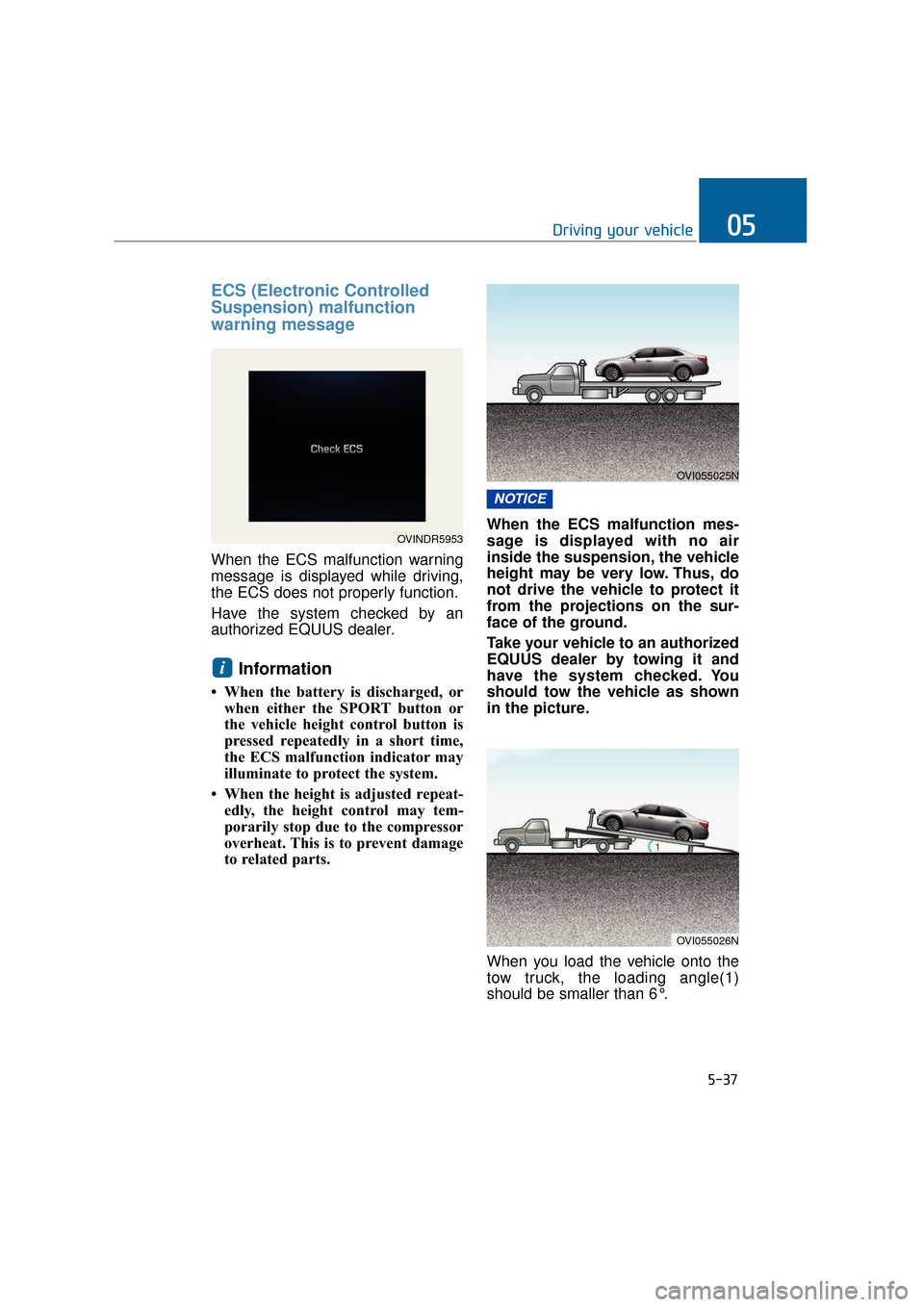
When the ECS malfunction warning
message is displayed while driving,
the ECS does not properly function.
Have the system checked by an
authorized EQUUS dealer.
Information
• When the battery is discharged, orwhen either the SPORT button or
the vehicle height control button is
pressed repeatedly in a short time,
the ECS malfunction indicator may
illuminate to protect the system.
• When the height is adjusted repeat- edly, the height control may tem-
porarily stop due to the compressor
overheat. This is to prevent damage
to related parts. When the ECS malfunction mes-
sage is displayed with no air
inside the suspension, the vehicle
height may be very low. Thus, do
not drive the vehicle to protect it
from the projections on the sur-
face of the ground.
Take your vehicle to an authorized
EQUUS dealer by towing it and
have the system checked. You
should tow the vehicle as shown
in the picture.
When you load the vehicle onto the
tow truck, the loading angle(1)
should be smaller than 6°.
NOTICE
i
5-37
Driving your vehicle05
OVINDR5953
OVI055025N
OVI055026N
Page 300 of 477
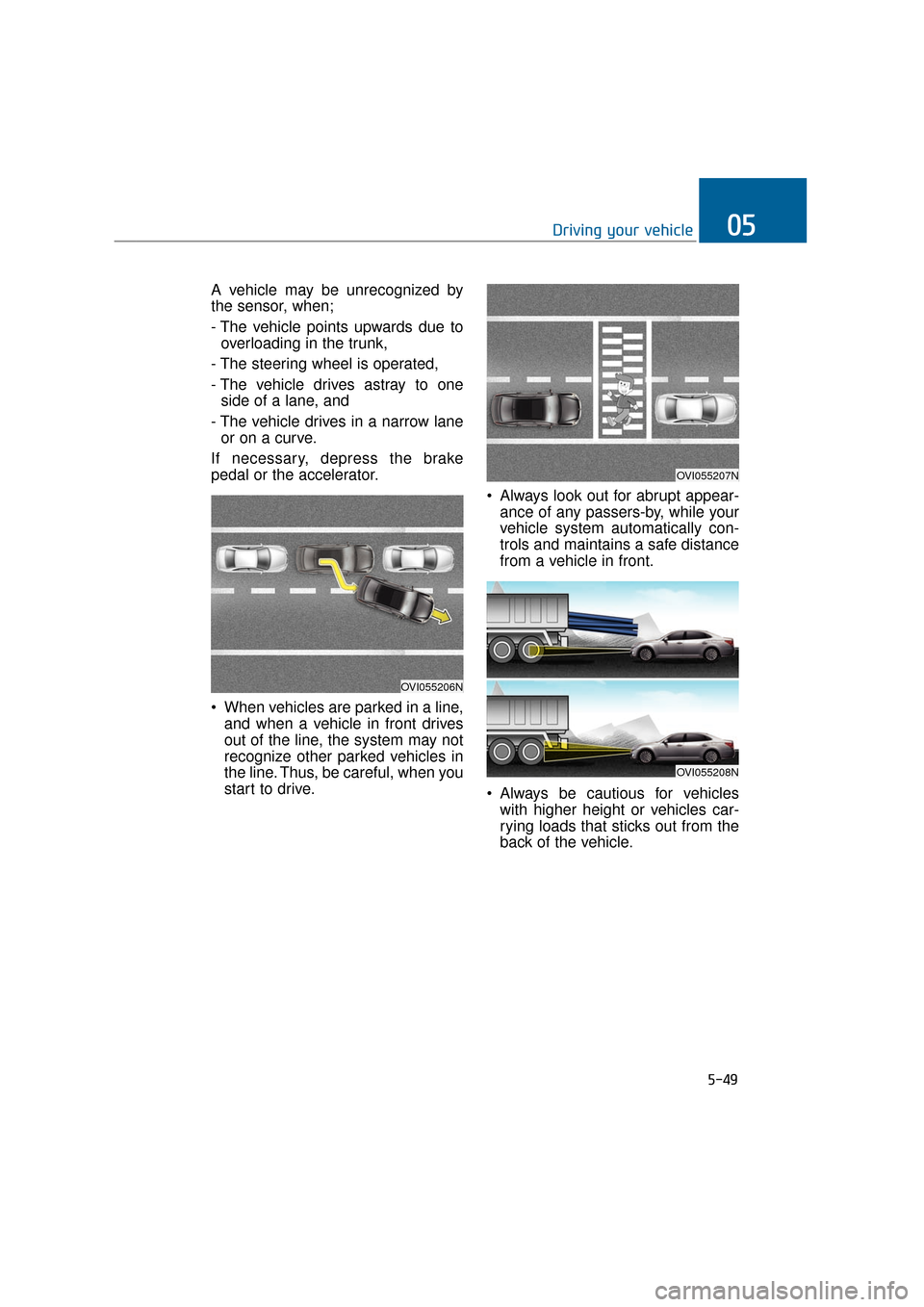
A vehicle may be unrecognized by
the sensor, when;
- The vehicle points upwards due tooverloading in the trunk,
- The steering wheel is operated,
- The vehicle drives astray to one side of a lane, and
- The vehicle drives in a narrow lane or on a curve.
If necessary, depress the brake
pedal or the accelerator.
When vehicles are parked in a line, and when a vehicle in front drives
out of the line, the system may not
recognize other parked vehicles in
the line. Thus, be careful, when you
start to drive. Always look out for abrupt appear-
ance of any passers-by, while your
vehicle system automatically con-
trols and maintains a safe distance
from a vehicle in front.
Always be cautious for vehicles with higher height or vehicles car-
rying loads that sticks out from the
back of the vehicle.
5-49
Driving your vehicle05
OVI055207N
OVI055206N
OVI055208N
Page 314 of 477
The system may not properlyoperate, when the bumper is
replaced, or when a repair work
is done near the sensor.
The sensing range differs according to the roads width.
When the road is narrow, the
system may detect other vehi-
cles in the next lane.
On the contrary, when the road is wide, the system may not
detect other vehicles.
The system may be turn OFF due to the strong electromagnet-
ic waves.
Non-operating condition
Driver's Attention
The driver must be cautious in the
below situations, because the sys-
tem may not properly operate to
assist the driver.
- The vehicle drives on a curved roador through a tollgate.
- The sensor is polluted with rain, snow, mud, etc.
- The rear bumper, in which the sen- sor is located, is covered or blocked
with a foreign matter such as a
sticker, a bumper guard, a bicycle
stand, etc.
- The rear bumper is damaged, or the sensor is out of the original
default position.
- The vehicle height gets lower or higher due to heavy loading in a
trunk, abnormal tire pressure, etc.
- The vehicle drives in a bad weather such as heavy rain or snow.
- There is a fixed object near the vehicle, such as a guardrail.
- A huge amount of metal sub- stances are near the vehicle, such
as in a construction site.
- A big vehicle is near such as a bus or truck.
- A motorcycle or bicycle is near.
- A flat trailer like vehicle is near.
- When the other vehicle passes by very fast.
- When changing lanes.
- When going down or up a steep road where the height of the lane is differ-
ent.
NOTICE
5-63
Driving your vehicle05
The warning light on the out- side rearview mirror and the
head-up display will illumi-
nate whenever an approach-
ing vehicle behind is detected
by the system.
To avoid an accident, do not
pay too much attention to the
warnings, and do not neglect
to take a look around.
Drive safely even though the vehicle is equipped with the
BSD system. Do not rely sole-
ly on the system. Check the
road conditions before chang-
ing the lanes.
The system may not alert the
driver in some conditions.
Thus, take a look around.
WARNING
Page 315 of 477
- When the other vehicle drives at therear very nearby or drives very close.
- When a trailer or carrier is installed.
- When the temperature of rear bumper is high.
- When the sensors are covered by the vehicle, wall and pillar of parking
lot.
- When your vehicle moves back, if the detected vehicle also moves back.
- If there is small things like shopping cart and baby carriage.
- If there is low height vehicle like sport vehicle.
- When the vehicle is close to your vehicle.
- When driving through a narrow road with many trees or bushes.
The warning light on the outsiderearview mirror may not alert thedriver, when:
- The outside rearview mirrors are
severely polluted
- The windows are severely polluted
- The windows are severely tinted.
This device complies with Part
15 of the FCC rules.
Operation is subject to the following
two conditions:
1. This device may not cause harmful interference, and
2. This device must accept any inter- ference received, including inter-
ference that may cause undesired
operation.
5-64
Driving your vehicle
Page 354 of 477
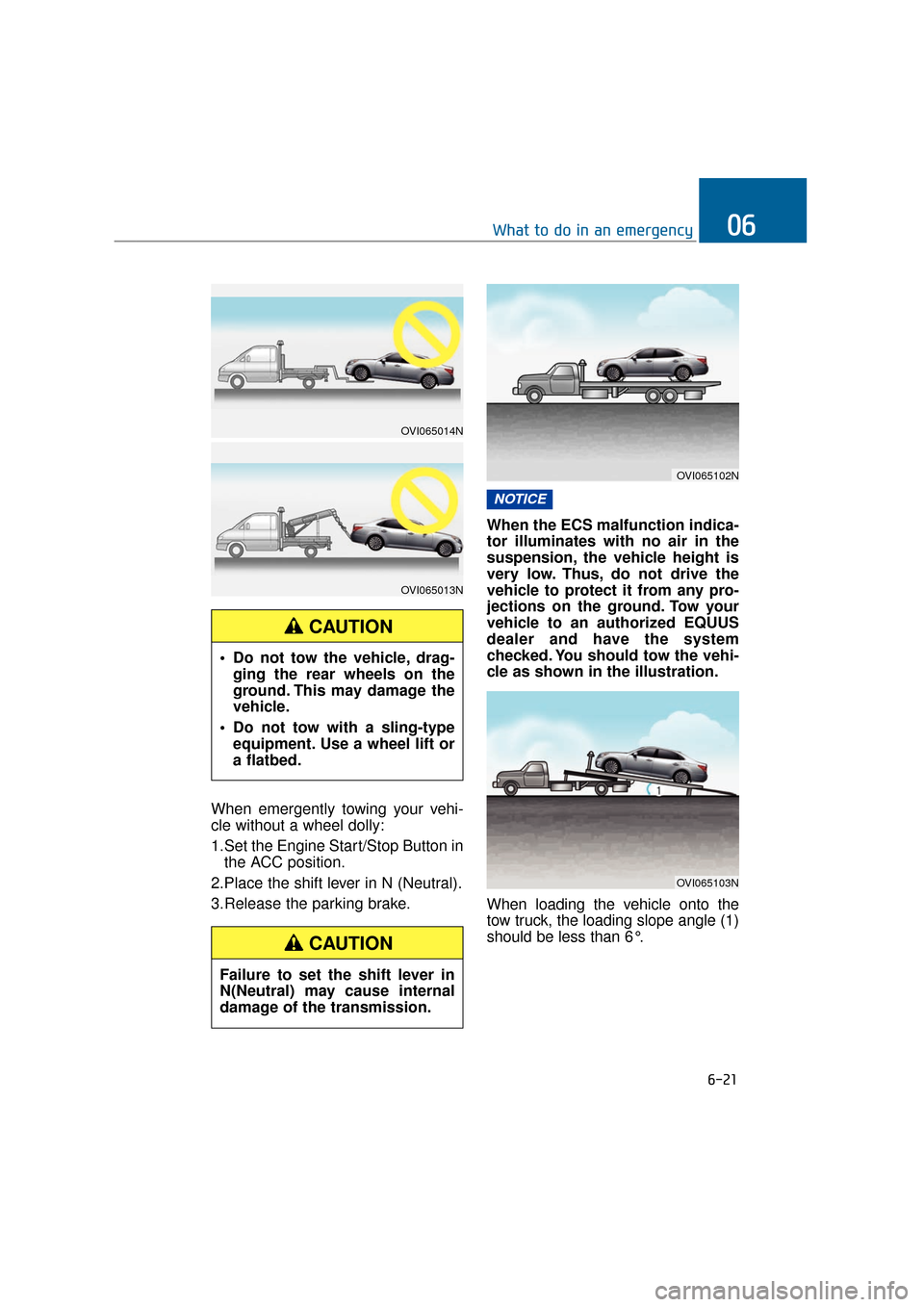
When emergently towing your vehi-
cle without a wheel dolly:
1.Set the Engine Start/Stop Button inthe ACC position.
2.Place the shift lever in N (Neutral).
3.Release the parking brake. When the ECS malfunction indica-
tor illuminates with no air in the
suspension, the vehicle height is
very low. Thus, do not drive the
vehicle to protect it from any pro-
jections on the ground. Tow your
vehicle to an authorized EQUUS
dealer and have the system
checked. You should tow the vehi-
cle as shown in the illustration.
When loading the vehicle onto the
tow truck, the loading slope angle (1)
should be less than 6°.
NOTICE
6-21
What to do in an emergency06
Do not tow the vehicle, drag-
ging the rear wheels on the
ground. This may damage the
vehicle.
Do not tow with a sling-type equipment. Use a wheel lift or
a flatbed.
CAUTION
Failure to set the shift lever in
N(Neutral) may cause internal
damage of the transmission.
CAUTION
OVI065102N
OVI065103N
OVI065014N
OVI065013N
Page 404 of 477
7-47
Maintenance07
Compact spare tire replacement
A compact spare tire has a shorter
tread life than a regular one. Replace
it, when a tread wear indicator is
found. A compact spare tire should
be replaced with the one in the same
size as the original one, and should
be installed over a tire wheel of the
same compact size. A compact
spare tire is not designed to be
installed over a wheel of the regular
size, and a compact spare wheel is
not designed for a tire of the regular
size.
Wheel replacement
When replacing the metal wheels for
any reason, make sure the new
wheels are equivalent to the original
wheel in terms of diameter, rim width
and offset.
Information
The front tire size is different from the
rear one. While rotating tire positions,
check the size of the tires and wheels.
Information
A wheel in the different size may
adversely affect the wheel bearing,
braking, stopping, handling, ground
clearance, body-to-tire clearance,
snow-chain clearance, speedometer,
odometer, headlamp angle and
bumper height.
Tire traction
Tire traction may decrease when
driving with worn-out or improperly-
inflated tires on a slippery surface.
Tires should be replaced, when a
tread wear indicator appears. Slow
down the driving speed to lower the
risk of losing the vehicle control,
when it rains or snows, or when your
vehicle drives on a icy surface.
i
i
The compact spare tire is for
emergency use only. Do not
operate your vehicle on this
compact spare at a speed over
50 mph (80 km/h). The original
tire should be immediately
repaired or replaced to avoid a
spare-tire failure and a possible
personal injury or death.
WARNING
Page 405 of 477
7-48
Maintenance
Tire maintenance
In addition to the proper inflation
pressure, correct wheel alignment
prevents tire abrasion. When you find
uneven tire abrasion, have the wheel
alignment checked by your EQUUS
dealer.
When replacing your tires, make
sure they are well balanced. This
increases your driving comfort and
tire life. Additionally, a tire should be
rebalanced after being removed from
a wheel.
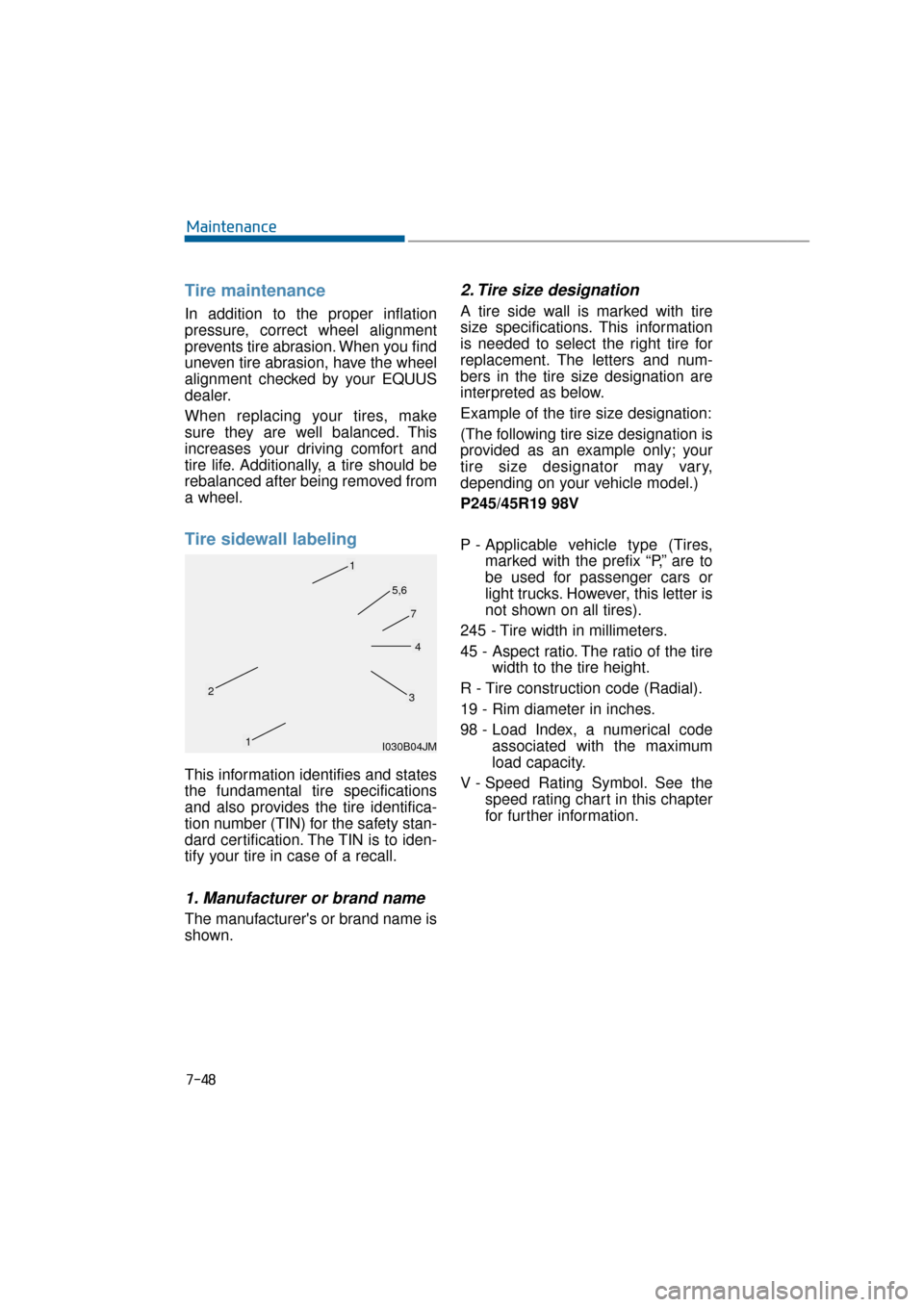
Tire sidewall labeling
This information identifies and states
the fundamental tire specifications
and also provides the tire identifica-
tion number (TIN) for the safety stan-
dard certification. The TIN is to iden-
tify your tire in case of a recall.
1. Manufacturer or brand name
The manufacturer's or brand name is
shown.
2. Tire size designation
A tire side wall is marked with tire
size specifications. This information
is needed to select the right tire for
replacement. The letters and num-
bers in the tire size designation are
interpreted as below.
Example of the tire size designation:
(The following tire size designation is
provided as an example only; your
tire size designator may vary,
depending on your vehicle model.)
P245/45R19 98V
P - Applicable vehicle type (Tires,marked with the prefix “P,’’ are to
be used for passenger cars or
light trucks. However, this letter is
not shown on all tires).
245 - Tire width in millimeters.
45 - Aspect ratio. The ratio of the tire width to the tire height.
R - Tire construction code (Radial).
19 - Rim diameter in inches.
98 - Load Index, a numerical code associated with the maximum
load capacity.
V - Speed Rating Symbol. See the speed rating chart in this chapter
for further information.
I030B04JM
1
1
23
4
5,6
7