reset Hyundai Equus 2016 Owner's Guide
[x] Cancel search | Manufacturer: HYUNDAI, Model Year: 2016, Model line: Equus, Model: Hyundai Equus 2016Pages: 477, PDF Size: 16.25 MB
Page 181 of 477
Overview
Description
The trip computer is a driving infor-
mation system, controlled by a
micro-computer. This displays driv-
ing-related information.
Information
Some driving information, stored in
the trip computer (i.e. average vehicle
speed), is reset, when the battery is
disconnected.
Trip Modes
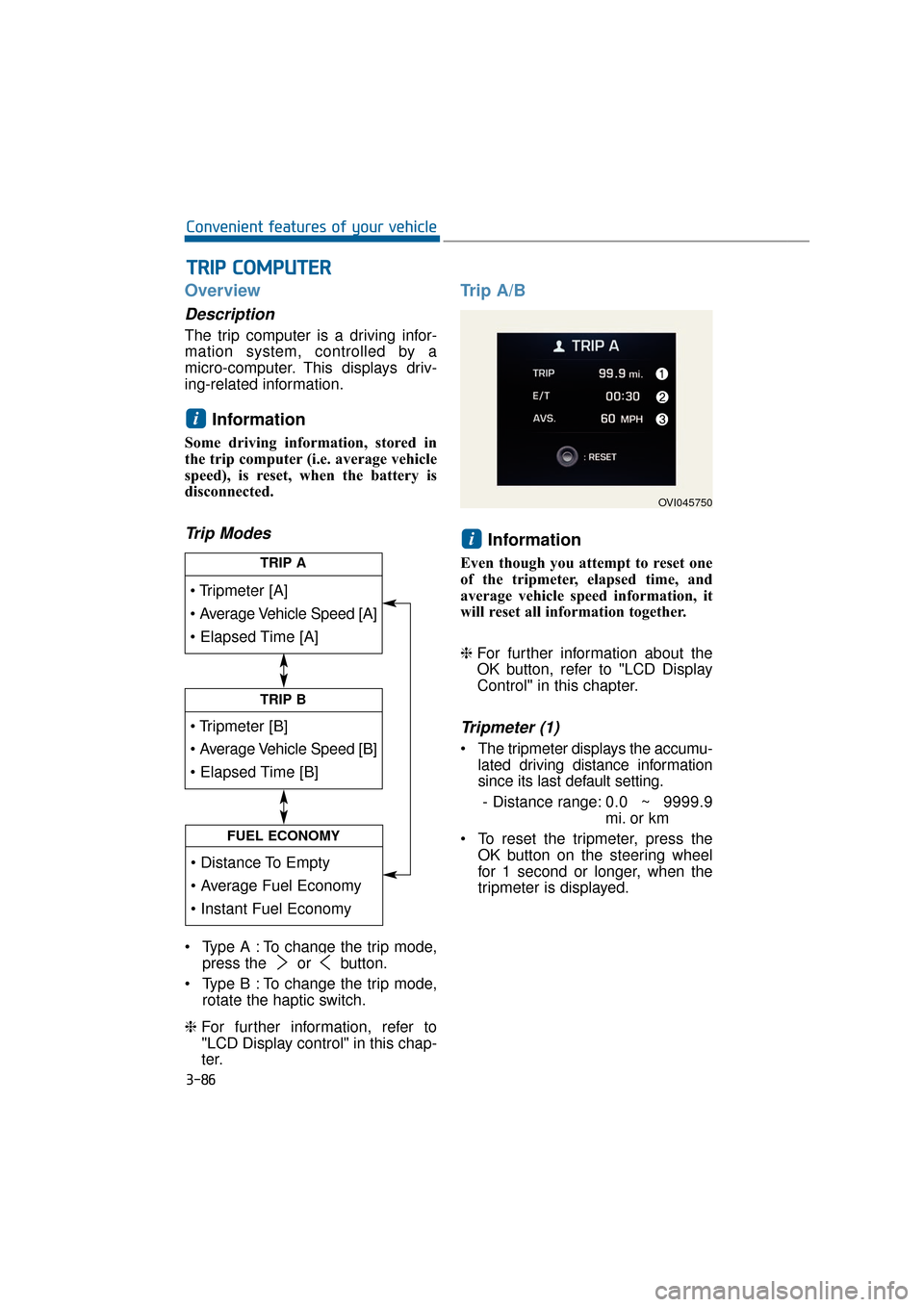
Type A : To change the trip mode,press the or button.
Type B : To change the trip mode, rotate the haptic switch.
❈ For further information, refer to
"LCD Display control" in this chap-
ter.
Trip A/B
Information
Even though you attempt to reset one
of the tripmeter, elapsed time, and
average vehicle speed information, it
will reset all information together.
❈For further information about the
OK button, refer to "LCD Display
Control" in this chapter.
Tripmeter (1)
The tripmeter displays the accumu-
lated driving distance information
since its last default setting.
- Distance range: 0.0 ~ 9999.9
mi. or km
To reset the tripmeter, press the OK button on the steering wheel
for 1 second or longer, when the
tripmeter is displayed.
i
i
T
TR
R I
IP
P
C
C O
O M
M P
PU
U T
TE
ER
R
3-86
Convenient features of your vehicle
TRIP A
TRIP B
FUEL ECONOMY
OVI045750
Page 182 of 477
Elapsed Time (2)
The elapsed time displays theaccumulated driving hour informa-
tion since its last default setting.
- Time range (hh:mm): 00:00 ~99:59
To reset the elapsed time, press the OK button on the steering
wheel for 1 second or longer, when
the elapsed time is displayed.
Information
Even though the vehicle is not in
motion, the elapsed time keeps being
recorded, while the engine is running.
Average Vehicle Speed (3)
The average vehicle speed is cal-culated by dividing the accumulat-
ed driving distance by the accu-
mulated driving hour since its last
default setting.
- Speed range: 0 ~ 999 MPH orkm/h
To reset the average vehicle speed, press the OK button on the
steering wheel for 1 second or
over, when the average vehicle
speed is displayed.
Information
• The average vehicle speed is not dis-played, when the vehicle drives
shorter than 0.19 miles (300 meters)
after turning ON the Engine
Start/Stop button.
• Even though the vehicle is not in motion, the average vehicle speed
keeps being recorded while the
engine is running.
Fuel Economy
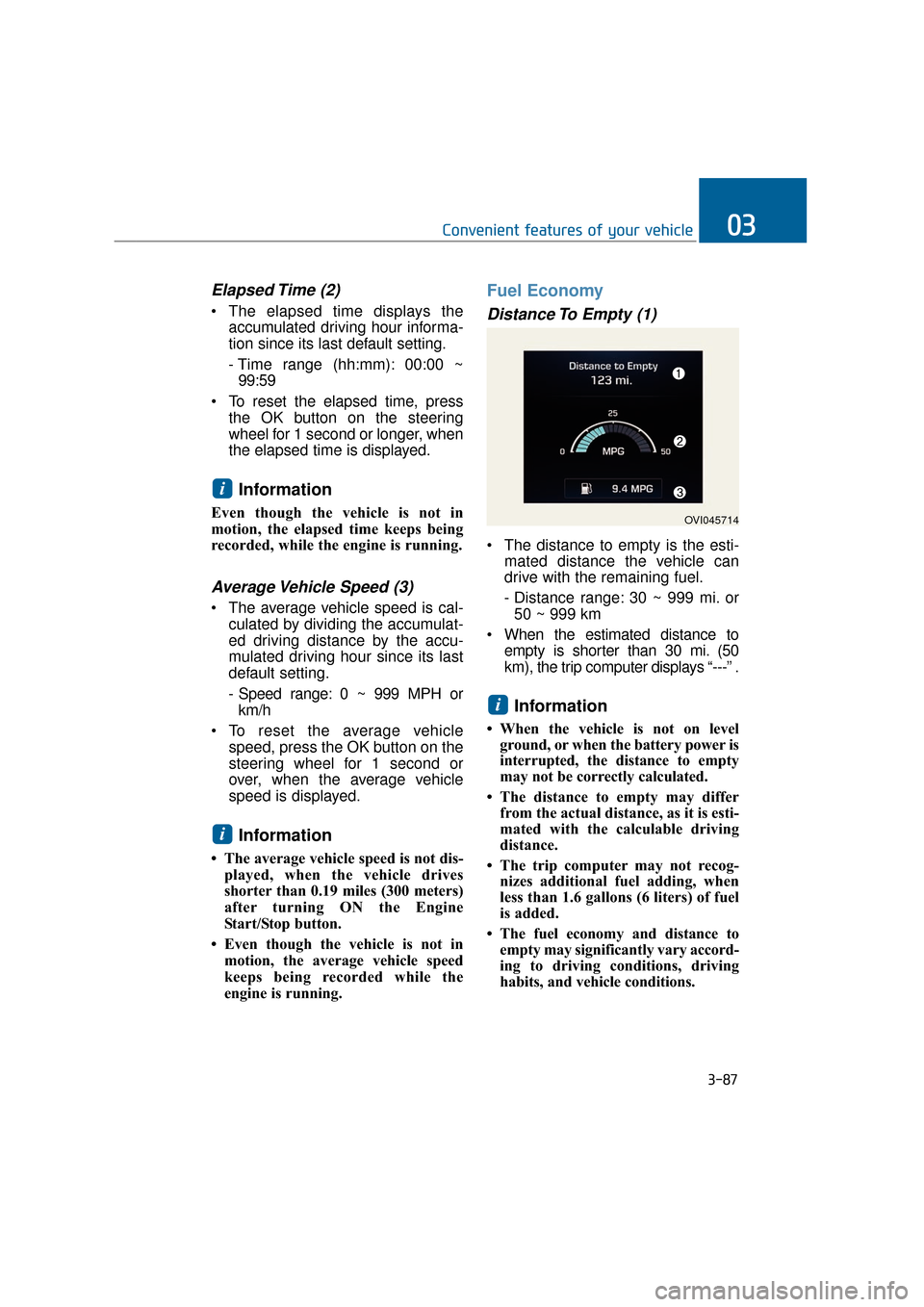
Distance To Empty (1)
The distance to empty is the esti- mated distance the vehicle can
drive with the remaining fuel.
- Distance range: 30 ~ 999 mi. or50 ~ 999 km
When the estimated distance to empty is shorter than 30 mi. (50
km), the trip computer displays “---” .
Information
• When the vehicle is not on levelground, or when the battery power is
interrupted, the distance to empty
may not be correctly calculated.
• The distance to empty may differ from the actual distance, as it is esti-
mated with the calculable driving
distance.
• The trip computer may not recog- nizes additional fuel adding, when
less than 1.6 gallons (6 liters) of fuel
is added.
• The fuel economy and distance to empty may significantly vary accord-
ing to driving conditions, driving
habits, and vehicle conditions.
i
i
i
3-87
Convenient features of your vehicle03
OVI045714
Page 183 of 477
Instant Fuel Economy (2)
This mode displays the instant fueleconomy during the last few sec-
onds when a driving speed exceeds
6.2 MPH (10 km/h).
- Fuel economy range: 0 ~ 50MPG or 0 ~ 20 L/100km
Average Fuel Economy (3)
The average fuel economy is cal- culated by dividing the total driving
distance by the fuel consumption
since its last default setting.
- Fuel economy range: 0.0 ~ 99.9MPG or L/100km
The average fuel economy can be reset both manually and automati-
cally.
Manual reset
To manually reset the average fuel
economy, press the OK button on the
steering wheel for 1 second or over,
when the average fuel economy is
displayed.
❈For further information about the
OK button, refer to "LCD Display
Control" in this chapter.
Automatic reset
To automatically reset the average
fuel economy after refueling, select
the "Auto Reset" mode in User
Setting menu on the LCD display
(Refer to "LCD Display").
In "Auto Reset" mode, the average
fuel economy will be reset to zero
(---), when more than 1.6 gallons (6
liters) of fuel is added, and then a
driving speed exceeds 1 km/h.
Information
The average fuel economy may dis-
play inaccurate calculation, when the
vehicle drives shorter than 0.19 miles
(300 meters) after turning ON the
Engine Start/Stop button.
i
3-88
Convenient features of your vehicle
Page 225 of 477
3-130
Convenient features of your vehicle
Temperature control
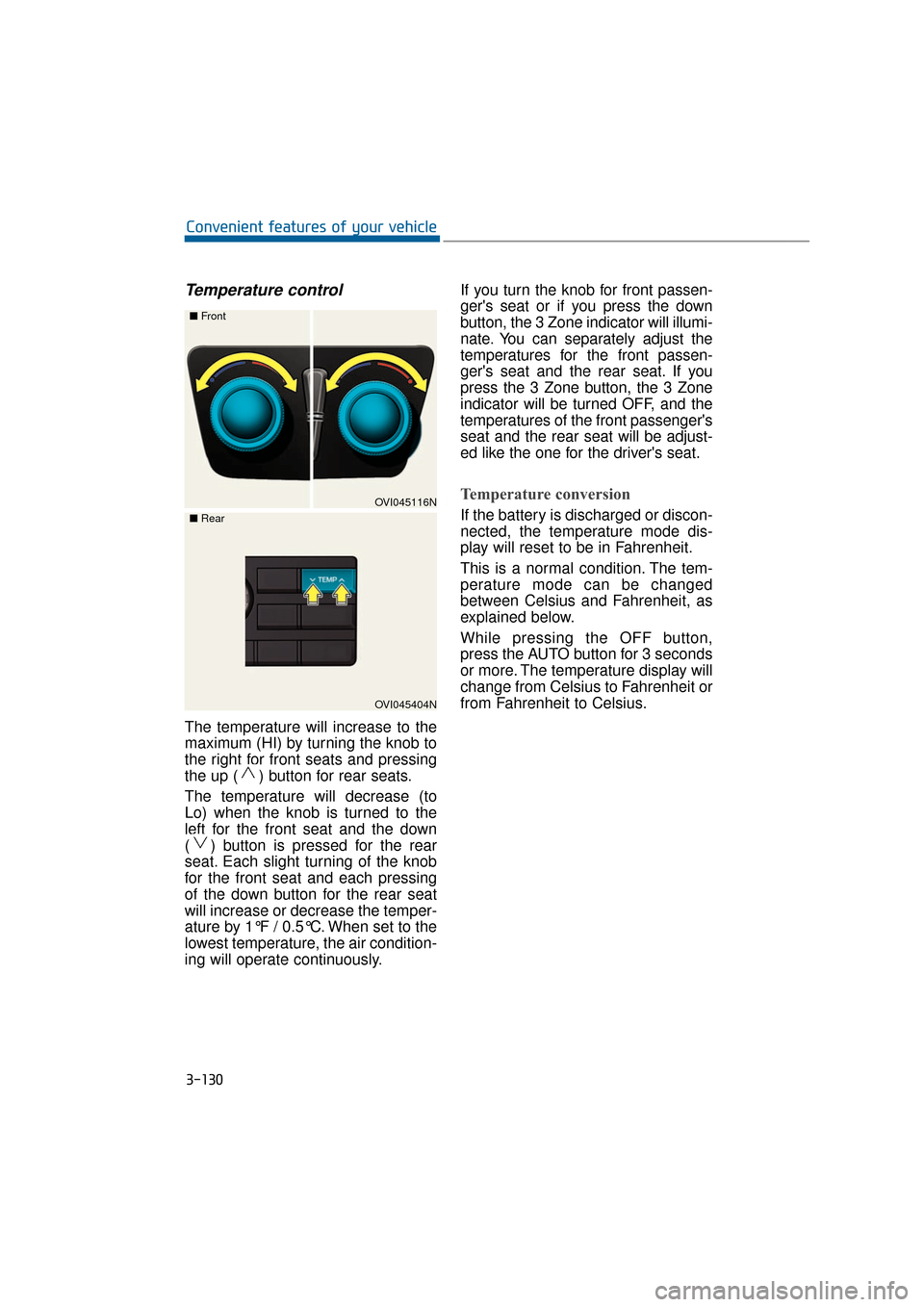
The temperature will increase to the
maximum (HI) by turning the knob to
the right for front seats and pressing
the up ( ) button for rear seats.
The temperature will decrease (to
Lo) when the knob is turned to the
left for the front seat and the down
( ) button is pressed for the rear
seat. Each slight turning of the knob
for the front seat and each pressing
of the down button for the rear seat
will increase or decrease the temper-
ature by 1°F / 0.5°C. When set to the
lowest temperature, the air condition-
ing will operate continuously.If you turn the knob for front passen-
ger's seat or if you press the down
button, the 3 Zone indicator will illumi-
nate. You can separately adjust the
temperatures for the front passen-
ger's seat and the rear seat. If you
press the 3 Zone button, the 3 Zone
indicator will be turned OFF, and the
temperatures of the front passenger's
seat and the rear seat will be adjust-
ed like the one for the driver's seat.
Temperature conversion
If the battery is discharged or discon-
nected, the temperature mode dis-
play will reset to be in Fahrenheit.
This is a normal condition. The tem-
perature mode can be changed
between Celsius and Fahrenheit, as
explained below.
While pressing the OFF button,
press the AUTO button for 3 seconds
or more. The temperature display will
change from Celsius to Fahrenheit or
from Fahrenheit to Celsius.OVI045116N
■
Front
OVI045404N
■
Rear
Page 234 of 477
3-139
Convenient features of your vehicle03
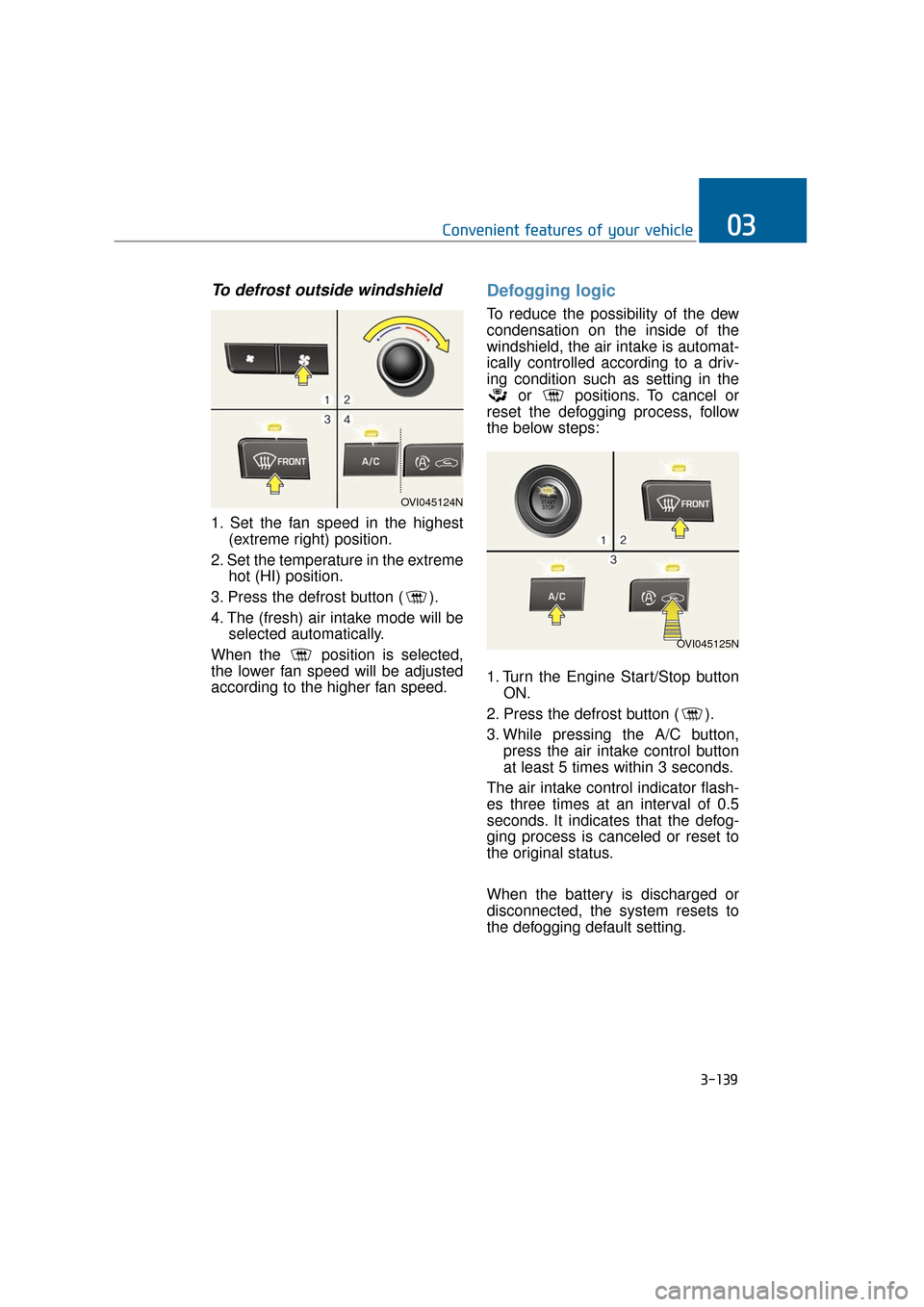
To defrost outside windshield
1. Set the fan speed in the highest(extreme right) position.
2. Set the temperature in the extreme hot (HI) position.
3. Press the defrost button ( ).
4. The (fresh) air intake mode will be selected automatically.
When the position is selected,
the lower fan speed will be adjusted
according to the higher fan speed.
Defogging logic
To reduce the possibility of the dew
condensation on the inside of the
windshield, the air intake is automat-
ically controlled according to a driv-
ing condition such as setting in the or positions. To cancel or
reset the defogging process, follow
the below steps:
1. Turn the Engine Start/Stop button ON.
2. Press the defrost button ( ).
3. While pressing the A/C button, press the air intake control button
at least 5 times within 3 seconds.
The air intake control indicator flash-
es three times at an interval of 0.5
seconds. It indicates that the defog-
ging process is canceled or reset to
the original status.
When the battery is discharged or
disconnected, the system resets to
the defogging default setting.
OVI045124N
OVI045125N
Page 235 of 477
3-140
Convenient features of your vehicle
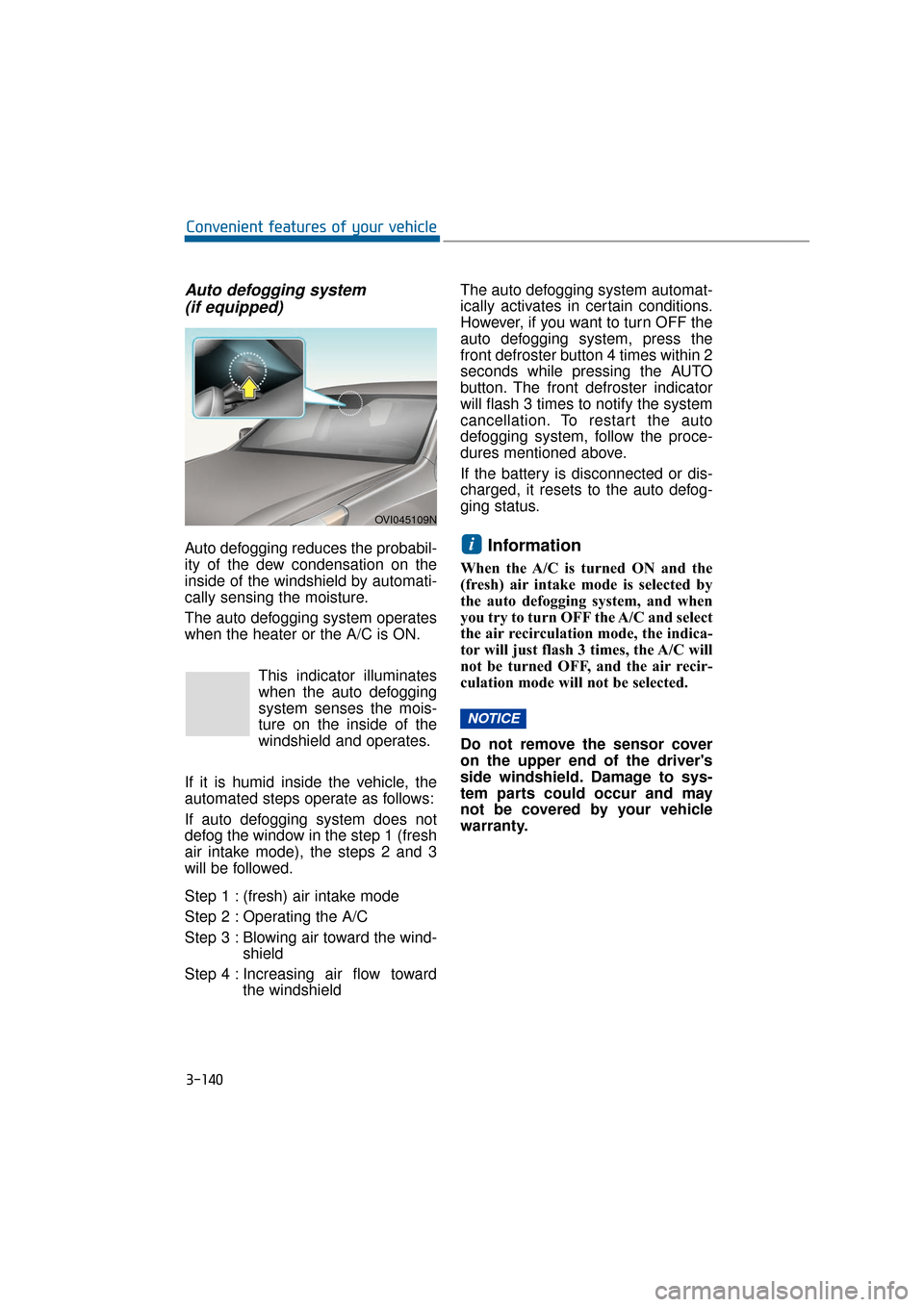
Auto defogging system (if equipped)
Auto defogging reduces the probabil-
ity of the dew condensation on the
inside of the windshield by automati-
cally sensing the moisture.
The auto defogging system operates
when the heater or the A/C is ON.
This indicator illuminates
when the auto defogging
system senses the mois-
ture on the inside of the
windshield and operates.
If it is humid inside the vehicle, the
automated steps operate as follows:
If auto defogging system does not
defog the window in the step 1 (fresh
air intake mode), the steps 2 and 3
will be followed.
Step 1 : (fresh) air intake mode
Step 2 : Operating the A/C
Step 3 : Blowing air toward the wind- shield
Step 4 : Increasing air flow toward the windshield The auto defogging system automat-
ically activates in certain conditions.
However, if you want to turn OFF the
auto defogging system, press the
front defroster button 4 times within 2
seconds while pressing the AUTO
button. The front defroster indicator
will flash 3 times to notify the system
cancellation. To restart the auto
defogging system, follow the proce-
dures mentioned above.
If the battery is disconnected or dis-
charged, it resets to the auto defog-
ging status.Information
When the A/C is turned ON and the
(fresh) air intake mode is selected by
the auto defogging system, and when
you try to turn OFF the A/C and select
the air recirculation mode, the indica-
tor will just flash 3 times, the A/C will
not be turned OFF, and the air recir-
culation mode will not be selected.
Do not remove the sensor cover
on the upper end of the driver's
side windshield. Damage to sys-
tem parts could occur and may
not be covered by your vehicle
warranty.
NOTICE
i
OVI045109N
Page 251 of 477
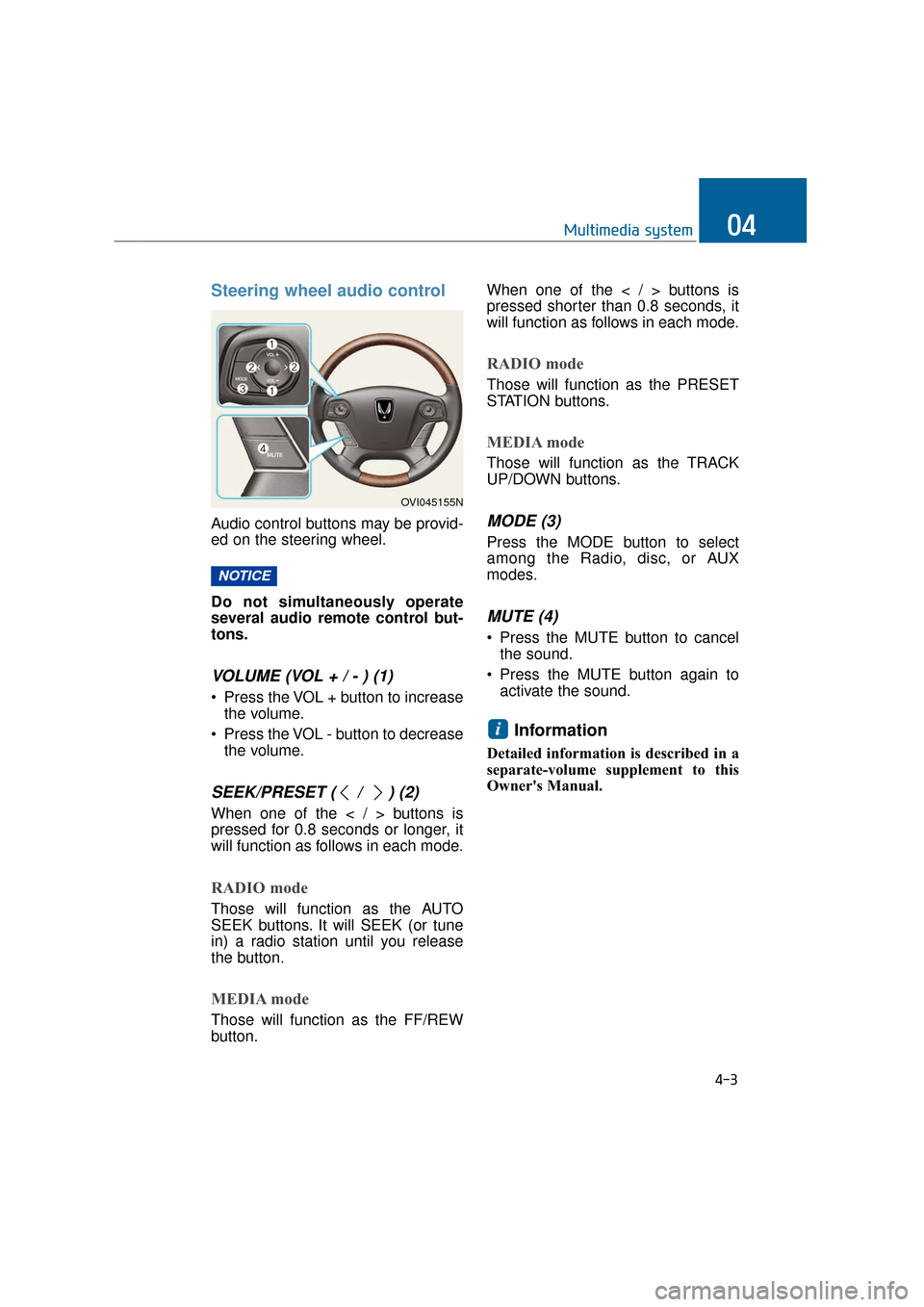
Steering wheel audio control
Audio control buttons may be provid-
ed on the steering wheel.
Do not simultaneously operate
several audio remote control but-
tons.
VOLUME (VOL + / - ) (1)
• Press the VOL + button to increasethe volume.
Press the VOL - button to decrease the volume.
SEEK/PRESET ( / ) (2)
When one of the < / > buttons is
pressed for 0.8 seconds or longer, it
will function as follows in each mode.
RADIO mode
Those will function as the AUTO
SEEK buttons. It will SEEK (or tune
in) a radio station until you release
the button.
MEDIA mode
Those will function as the FF/REW
button. When one of the < / > buttons is
pressed shorter than 0.8 seconds, it
will function as follows in each mode.
RADIO mode
Those will function as the PRESET
STATION buttons.
MEDIA mode
Those will function as the TRACK
UP/DOWN buttons.
MODE (3)
Press the MODE button to select
among the Radio, disc, or AUX
modes.
MUTE (4)
Press the MUTE button to cancel
the sound.
Press the MUTE button again to activate the sound.
Information
Detailed information is described in a
separate-volume supplement to this
Owner's Manual.
i
NOTICE
4-3
Multimedia system04
OVI045155N
Page 286 of 477
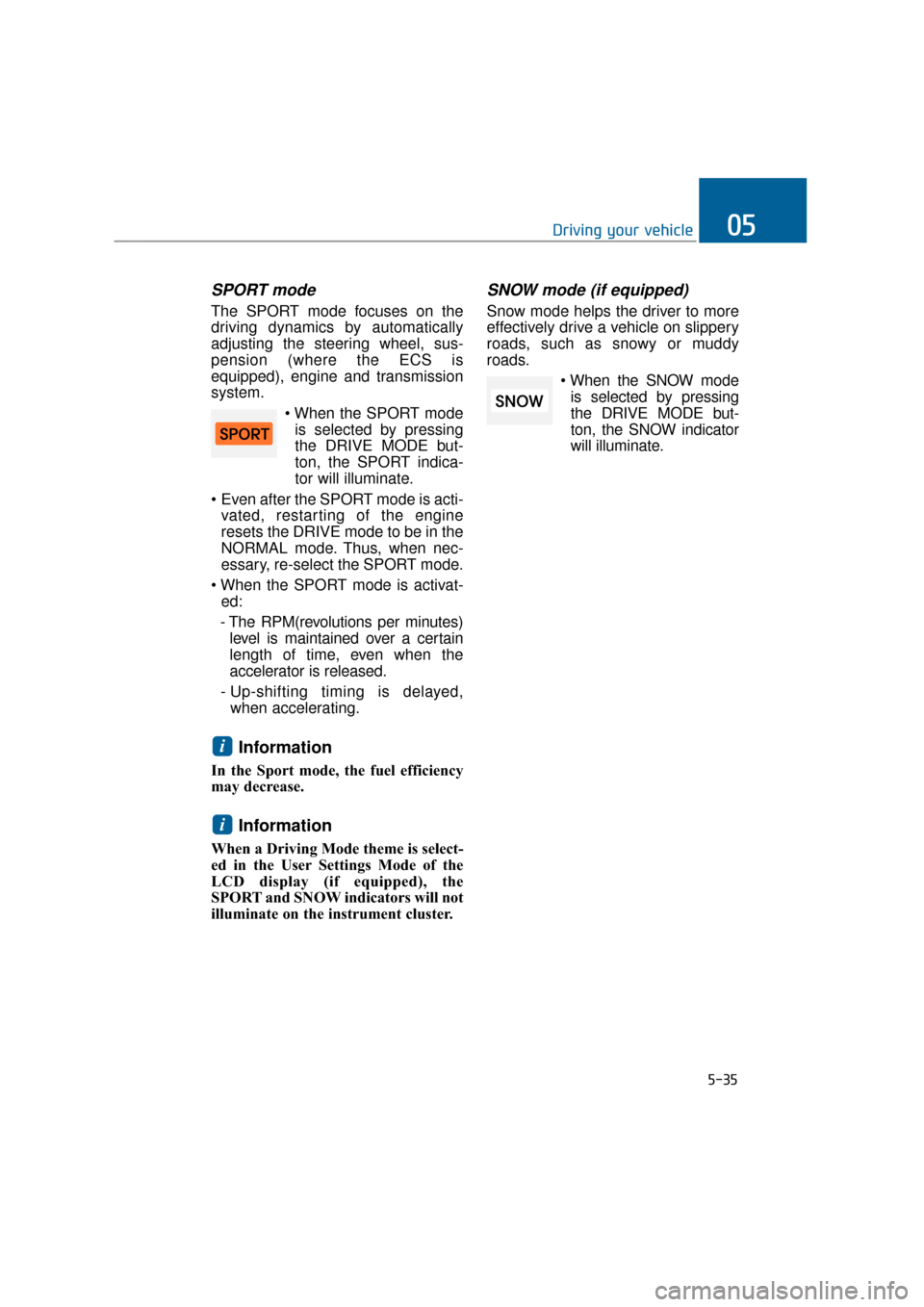
SPORT mode
The SPORT mode focuses on the
driving dynamics by automatically
adjusting the steering wheel, sus-
pension (where the ECS is
equipped), engine and transmission
system.is selected by pressing
the DRIVE MODE but-
ton, the SPORT indica-
tor will illuminate.
Even after the SPORT mode is acti- vated, restarting of the engine
resets the DRIVE mode to be in the
NORMAL mode. Thus, when nec-
essary, re-select the SPORT mode.
ed:
- The RPM(revolutions per minutes) level is maintained over a certain
length of time, even when the
accelerator is released.
- Up-shifting timing is delayed, when accelerating.
Information
In the Sport mode, the fuel efficiency
may decrease.
Information
When a Driving Mode theme is select-
ed in the User Settings Mode of the
LCD display (if equipped), the
SPORT and SNOW indicators will not
illuminate on the instrument cluster.
SNOW mode (if equipped)
Snow mode helps the driver to more
effectively drive a vehicle on slippery
roads, such as snowy or muddy
roads.
is selected by pressing
the DRIVE MODE but-
ton, the SNOW indicator
will illuminate.
i
i
5-35
Driving your vehicle05
Page 359 of 477
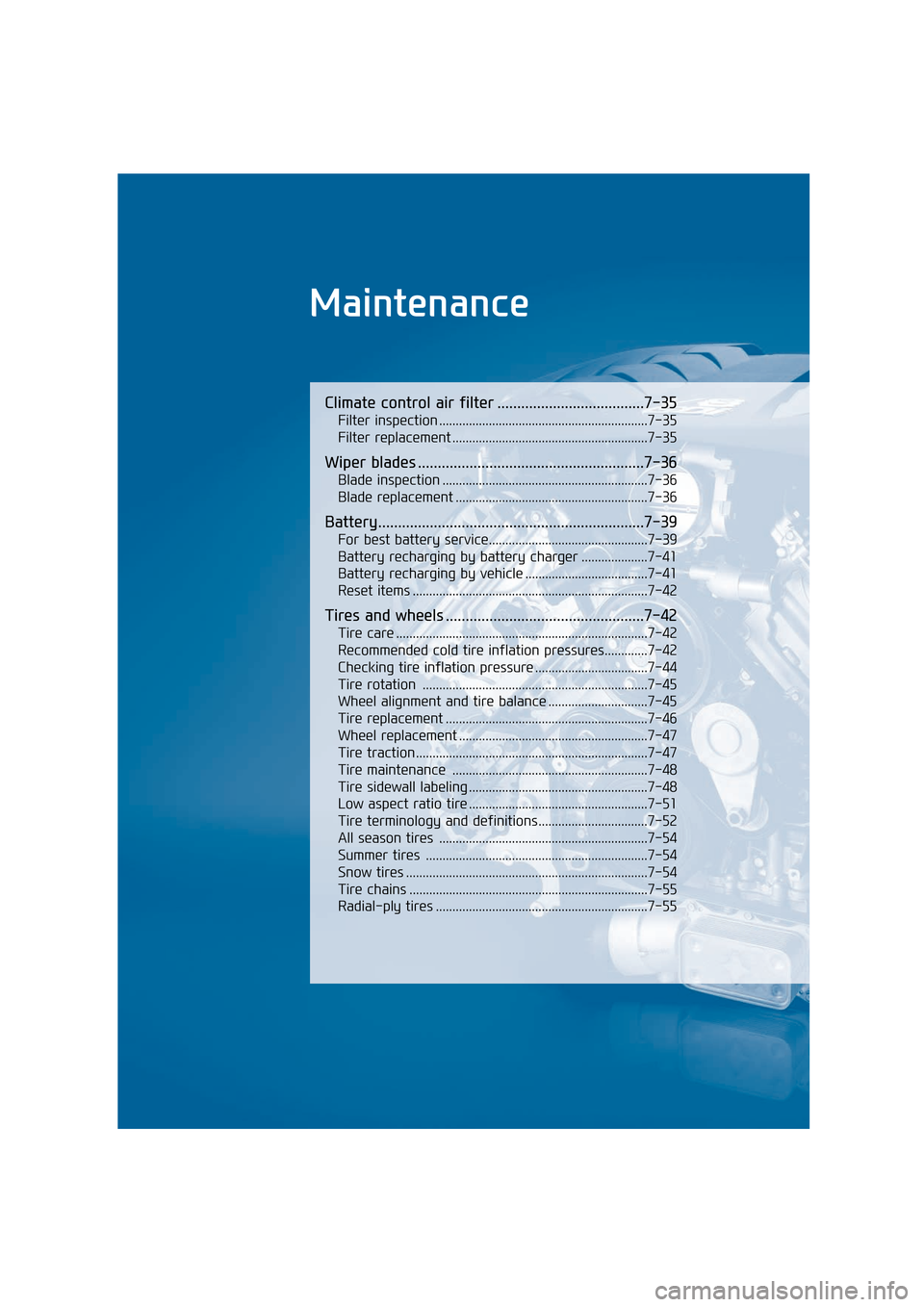
Maintenance
Climate control air filter .....................................7-35
Filter inspection ...............................................................7-35
Filter replacement ...........................................................7-35
Wiper blades .........................................................7-36
Blade inspection ..............................................................7-36
Blade replacement ..........................................................7-36
Battery...................................................................7-39
For best battery service................................................7-39
Battery recharging by battery charger ....................7-41
Battery recharging by vehicle .....................................7-41
Reset items .......................................................................7\
-42
Tires and wheels ..................................................7-42
Tire care ........................................................................\
....7-42
Recommended cold tire inflation pressures.............7-42
Checking tire inflation pressure ..................................7-44
Tire rotation ....................................................................7-45\
Wheel alignment and tire balance ..............................7-45
Tire replacement .............................................................7-46
Wheel replacement .........................................................7-47
Tire traction ......................................................................7-\
47
Tire maintenance ...........................................................7-48
Tire sidewall labeling ......................................................7-48
Low aspect ratio tire ......................................................7-51
Tire terminology and definitions.................................7-52
All season tires ...............................................................7-54
Summer tires ...................................................................7-54
Snow tires ........................................................................\
.7-54
Tire chains ........................................................................\
7-55
Radial-ply tires ................................................................7-55
Page 399 of 477
7-42
Maintenance
Keep the battery away from water or any other liquid.
The battery is located in the trunk. Thus, be careful when
loading a container filled with
liquid inside the trunk.
For your safety, use only the genuine HYUNDAI battery, when
replacing it.
Reset items
Items should be reset after either a
battery discharge or a battery dis-
connection.
Auto up/down window (See the chapter 3)
Rear door window curtains (See the chapter 3)
Sunroof (See the chapter 3)
Driver position memory system (See the chapter 3)
Trip computer (See the chapter 3)
Climate control system (See the chapter 3)
Clock (See DIS manual)
Audio (See DIS manual)
Power trunk (See the chapter 3)
Tire care
For the better maintenance, safety,
and fuel economy, you must always
maintain the recommended tire infla-
tion pressures, and follow the load
limits and weight distribution recom-
mendation.
Recommended cold tire infla-
tion pressures
The tire pressure (including the
spare) should be measured, when it
is cold. A “cold tire” means the vehi-
cle does not drive for the last 3 hours
or is driven shorter than 1 mile (1.6
km).
The recommended pressure must be
maintained for the best driving, han-
dling, and the minimum tire wear-out.
For the information about the recom-
mended inflation pressure, refer to
“Tire and wheels” in the chapter 8.
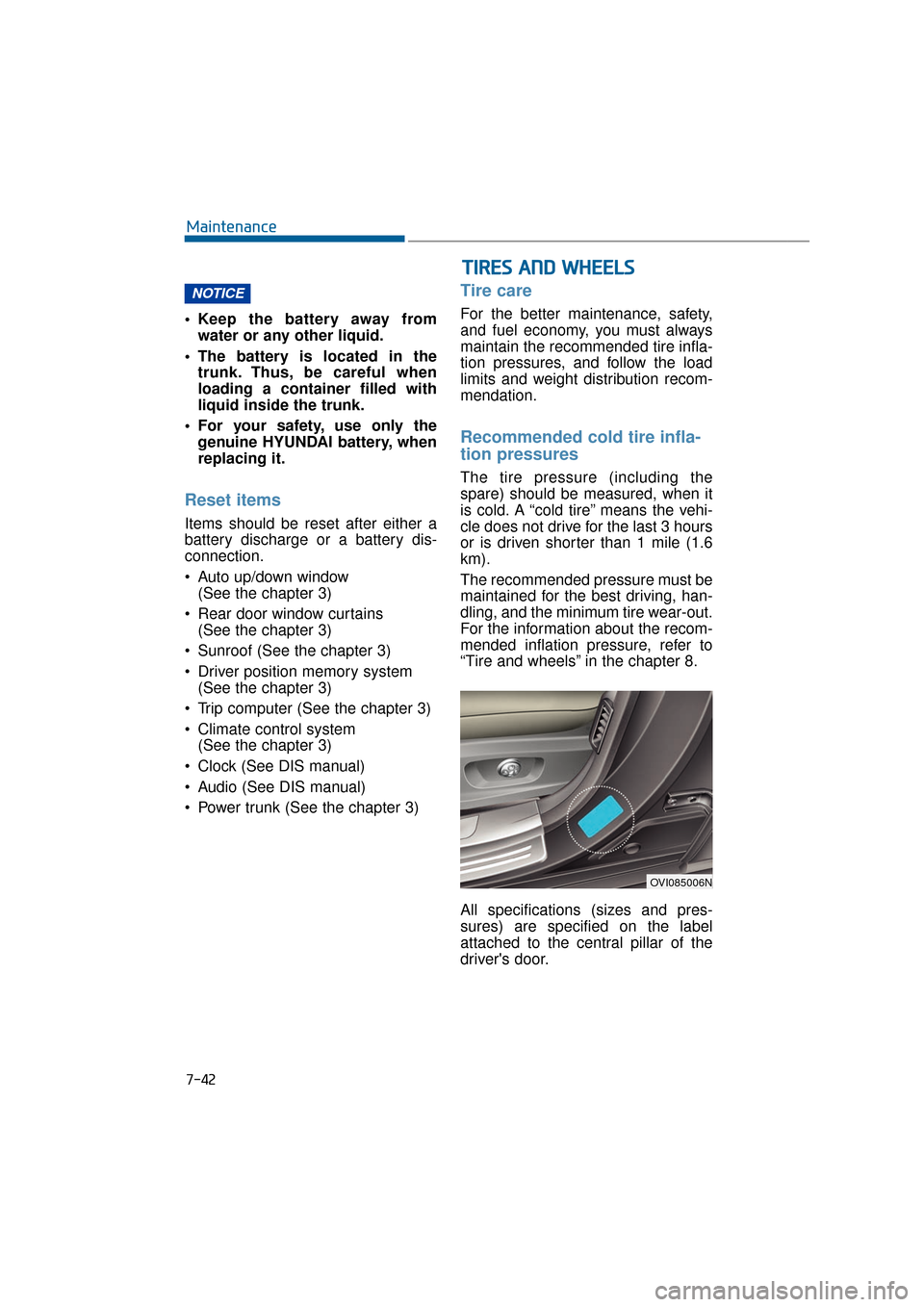
All specifications (sizes and pres-
sures) are specified on the label
attached to the central pillar of the
driver's door.
NOTICE
T T I
IR
R E
ES
S
A
A N
N D
D
W
W H
HE
EE
EL
LS
S
OVI085006N