brake sensor Hyundai Equus 2016 Owner's Manual
[x] Cancel search | Manufacturer: HYUNDAI, Model Year: 2016, Model line: Equus, Model: Hyundai Equus 2016Pages: 477, PDF Size: 16.25 MB
Page 18 of 477
F18
Advanced smart cruise
control system....................5-38
Smart cruise control speed ..5-39
Smart cruise control vehicle-
to-vehicle distance ................5-43
Vehicle-to-vehicle distance
sensor........................................5-45
To convert to the cruise
control mode ...........................5-46
Limitations of the system ....5-47
Lane departure warning
system (LDWS) ...................5-51
LDWS operation......................5-52
Advanced vehicle safety
management (AVSM).........5-55
Blind spot detection system
(BSD)....................................5-58
Operating conditions .............5-59
Warning types .........................5-59
Detecting sensor ....................5-60
Warning message ...................5-61
RCTA (Rear cross traffic
alert) ..........................................5-62
Non-operating condition ......5-63
Economical operation........5-65
Special driving conditions.. 5-67
Hazardous driving
conditions .................................5-67
Rocking the vehicle ...............5-68
Smooth cornering ..................5-69
Driving at night .......................5-69
Driving in the rain ..................5-70
Driving in flooded areas .......5-70
Off-road driving .....................5-70
Highway driving ......................5-71
Winter driving.....................5-72
Snowy or icy conditions .......5-72
Use high quality ethylene
glycol coolant ..........................5-74
Check battery and cables ....5-74
Change to "winter weight"
oil if necessary .......................5-74
Check spark plugs and
ignition system ........................5-74
To prevent the locks from
frozen........................................5-75
Use authorized window
washer anti-freezer solution
in system ..................................5-75
Do not let your parking
brake freeze ............................5-75
Do not let ice and snow
accumulate underneath ........5-75
Carry emergency
equipment.................................5-75
Do not place objects or
materials in the engine
compartment ...........................5-75
Vehicle load limit ................5-76
Tire and loading information
label ...........................................5-76
Certification label ...................5-80
Vehicle weight ....................5-82
Base curb weight ...................5-82
Vehicle curb weight ...............5-82
Load weight .............................5-82
GAW (Gross axle weight) .....5-82
GAWR (Gross axle weight
rating) ........................................5-82
GVW (Gross vehicle weight).. 5-82
GVWR (Gross vehicle
weight rating) ..........................5-82
Trailer towing .....................5-82
Page 91 of 477
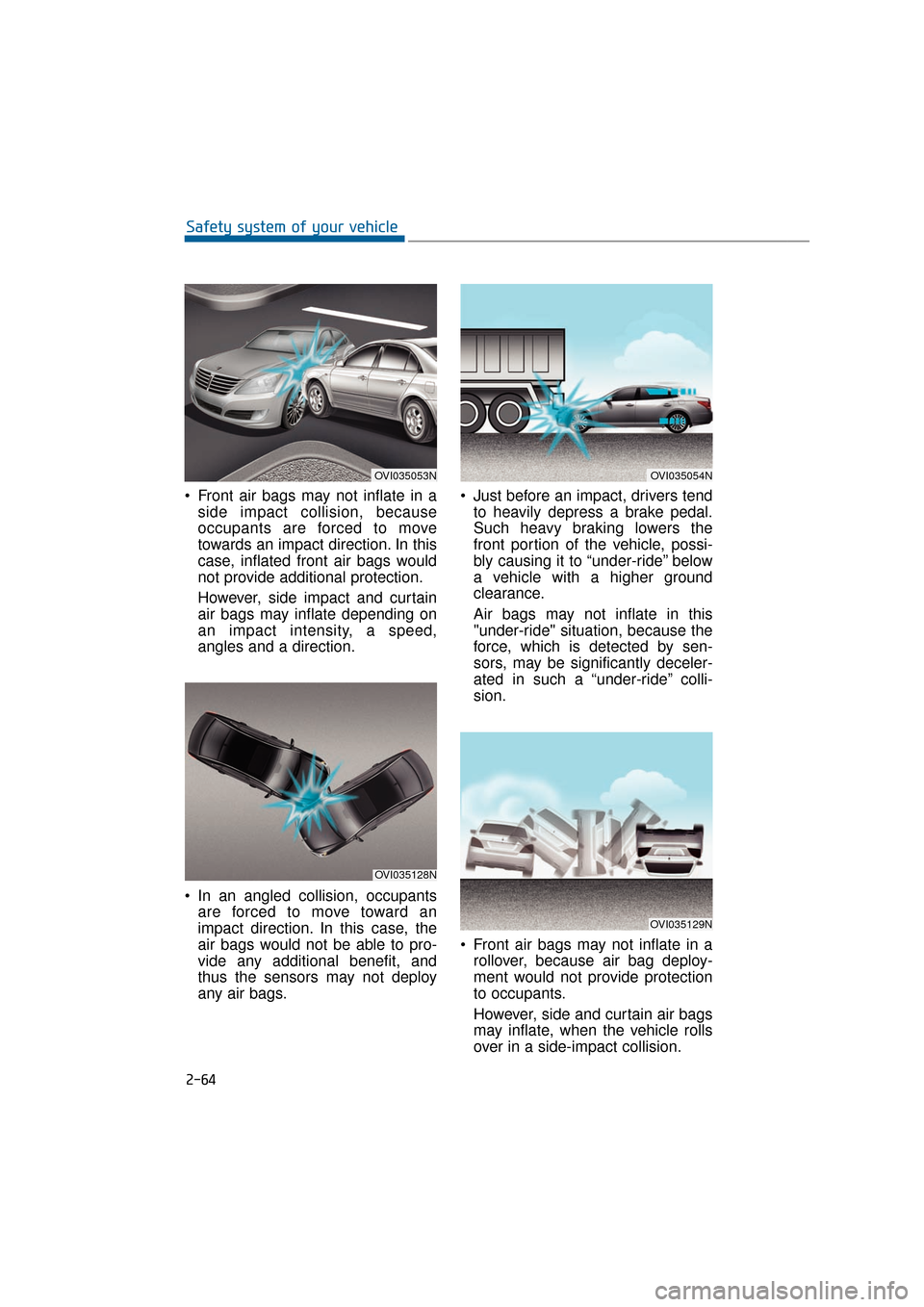
Front air bags may not inflate in aside impact collision, because
occupants are forced to move
towards an impact direction. In this
case, inflated front air bags would
not provide additional protection.
However, side impact and curtain
air bags may inflate depending on
an impact intensity, a speed,
angles and a direction.
In an angled collision, occupants are forced to move toward an
impact direction. In this case, the
air bags would not be able to pro-
vide any additional benefit, and
thus the sensors may not deploy
any air bags. Just before an impact, drivers tend
to heavily depress a brake pedal.
Such heavy braking lowers the
front portion of the vehicle, possi-
bly causing it to “under-ride” below
a vehicle with a higher ground
clearance.
Air bags may not inflate in this
"under-ride" situation, because the
force, which is detected by sen-
sors, may be significantly deceler-
ated in such a “under-ride” colli-
sion.
Front air bags may not inflate in a rollover, because air bag deploy-
ment would not provide protection
to occupants.
However, side and curtain air bags
may inflate, when the vehicle rolls
over in a side-impact collision.
2-64
Safety system of your vehicle
OVI035053N
OVI035128N
OVI035129N
OVI035054N
Page 193 of 477
![Hyundai Equus 2016 Owners Manual AUTO HOLD Indicator Light (if equipped)
This indicator light illuminates:
[White] When you activate the
auto hold system by pressing the
AUTO HOLD button.
[Green] When you completely stop the vehicl](/img/35/14636/w960_14636-192.png "Hyundai Equus 2016 Owners Manual AUTO HOLD Indicator Light (if equipped)
This indicator light illuminates:
[White] When you activate the
auto hold system by pressing the
AUTO HOLD button.
[Green] When you completely stop the vehicl")
AUTO HOLD Indicator Light (if equipped)
This indicator light illuminates:
[White] When you activate the
auto hold system by pressing the
AUTO HOLD button.
[Green] When you completely stop the vehicle by depressing the
brake pedal with the auto hold
system ON.
[Yellow] When there is a malfunc- tion with the auto hold system.
In this case, have your vehicle
inspected by an authorized
EQUUS dealer.
❈ For further information, refer to
“Auto Hold” in the chapter 5.
Lane Departure Warning System
(LDWS) Indicator Light(if equipped)
This indicator light illuminates:
[Green] When you activate the
Lane Departure Warning System
by pressing the LDWS button.
[White] When system operating conditions are not satisfied, or
when the sensor does not detect
the lane line.
[Yellow] When there is a malfunc- tion with the Lane Departure
Warning System.
In this case, have your vehicle
inspected by an authorized
EQUUS dealer.
❈ For further information, refer to
“Lane Departure Warning System
(LDWS)” in the chapter 5.
3-98
Convenient features of your vehicle
Page 200 of 477
Inoperable conditions of the
Parking Assist System
The Parking Assist System maynot properly operate, when:
1. Moisture is frozen over the sensor.
(It will operate normally again
when the frozen ice melts.)
2. The sensor is covered or blocked with foreign substances, such as
snow or water. (It will normally
operate again when the substance
is removed, and the sensor is no
longer blocked.)
3. The sensor is stained with foreign substances such as snow or
water. (The sensing range will
return to normal when foreign sub-
stances are removed.)
There is a possible malfunctionwith the Parking Assist Systemwhen:
1. The vehicle drives on uneven road
surfaces such as unpaved roads,
gravels, bumps, or slopes.
2. The sensor is interfered with objects, which generate excessive
noise, such as horns, motorcycle
engines, or truck air brakes.
3. Heavy rain or water is sprayed.
4. Wireless transmitters or mobile phones are near the sensor.
5. The sensor is covered with snow.
Detecting range may decrease when:
1. Outside air temperature is
extremely hot or cold.
2. The sensor cannot detect an object, as it is smaller than 39 in (1
m) or narrower than 5.5 in (14 cm)
in diameter.
The following objects may notbe recognized by the sensor:
1. A sharp or slim object, such as
ropes, chains or small poles.
2. An object, such as clothes, spongy material or snow, absorbs the sen-
sor frequency.
Information
1. The warning may not soundsequentially depending on the speed
and shapes of the objects detected.
2. The Parking Assist System may malfunction if the vehicle bumper
height or sensor installation is mod-
ified. Any unauthorized installment
of equipment or accessories may
also limit the sensor performance.
3. Sensor may not recognize objects within 12 in (30 cm), or it may mis-
calculate the distance.
4. When the sensor is frozen or stained with snow or water, the sensor may
be inoperative until the stains are
removed using a soft cloth.
5. Do not push, scratch or strike the sensor with any hard objects that
could damage the sensor surface.
This may damage the sensor.
i
3-105
Convenient features of your vehicle03
Page 292 of 477
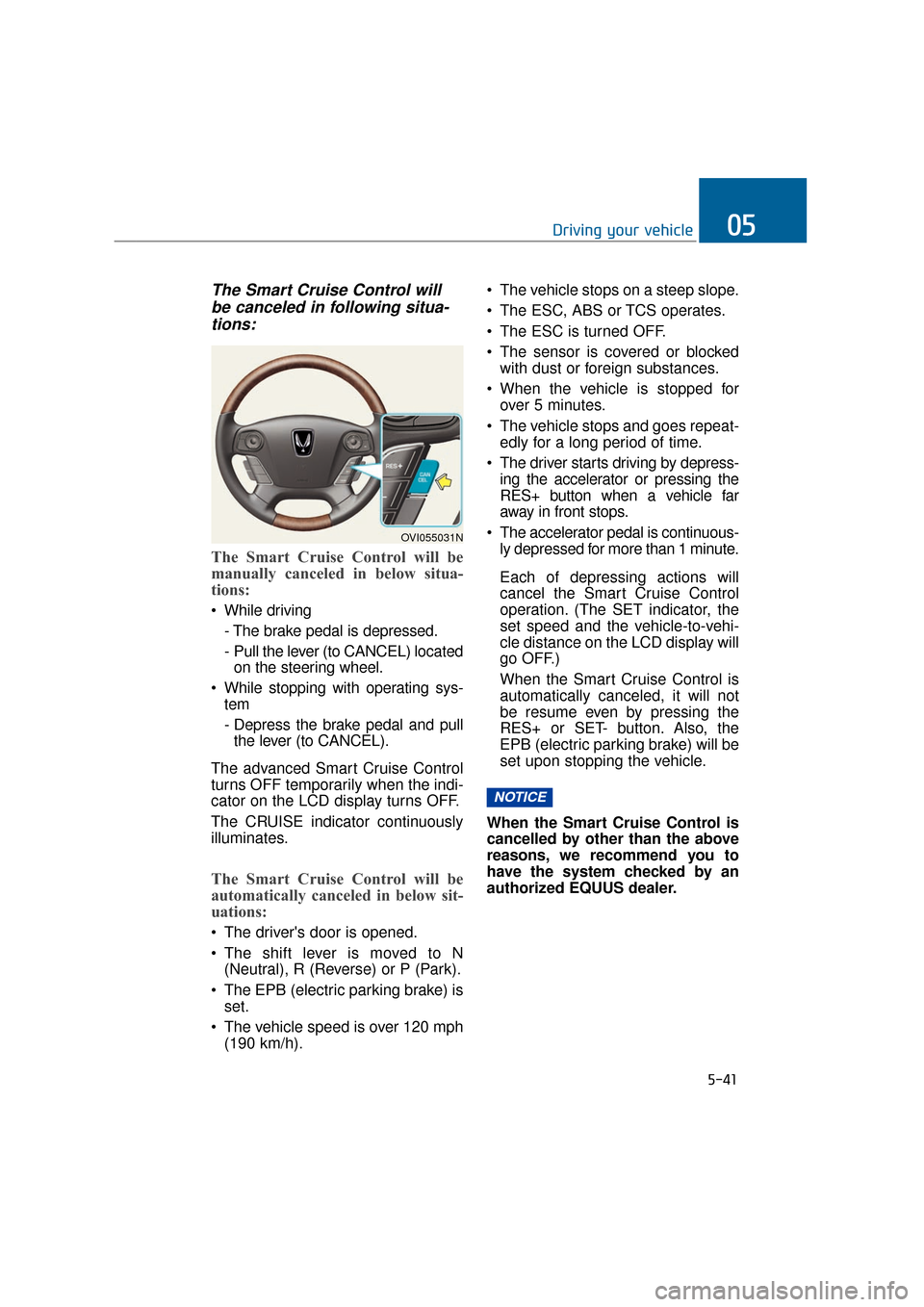
The Smart Cruise Control willbe canceled in following situa-tions:
The Smart Cruise Control will be
manually canceled in below situa-
tions:
While driving
- The brake pedal is depressed.
- Pull the lever (to CANCEL) locatedon the steering wheel.
While stopping with operating sys- tem
- Depress the brake pedal and pullthe lever (to CANCEL).
The advanced Smart Cruise Control
turns OFF temporarily when the indi-
cator on the LCD display turns OFF.
The CRUISE indicator continuously
illuminates.
The Smart Cruise Control will be
automatically canceled in below sit-
uations:
The driver's door is opened.
The shift lever is moved to N (Neutral), R (Reverse) or P (Park).
The EPB (electric parking brake) is set.
The vehicle speed is over 120 mph (190 km/h). The vehicle stops on a steep slope.
The ESC, ABS or TCS operates.
The ESC is turned OFF.
The sensor is covered or blocked
with dust or foreign substances.
When the vehicle is stopped for over 5 minutes.
The vehicle stops and goes repeat- edly for a long period of time.
The driver starts driving by depress- ing the accelerator or pressing the
RES+ button when a vehicle far
away in front stops.
The accelerator pedal is continuous- ly depressed for more than 1 minute.
Each of depressing actions will
cancel the Smart Cruise Control
operation. (The SET indicator, the
set speed and the vehicle-to-vehi-
cle distance on the LCD display will
go OFF.)
When the Smart Cruise Control is
automatically canceled, it will not
be resume even by pressing the
RES+ or SET- button. Also, the
EPB (electric parking brake) will be
set upon stopping the vehicle.
When the Smart Cruise Control is
cancelled by other than the above
reasons, we recommend you to
have the system checked by an
authorized EQUUS dealer.
NOTICE
5-41
Driving your vehicle05
OVI055031N
Page 293 of 477
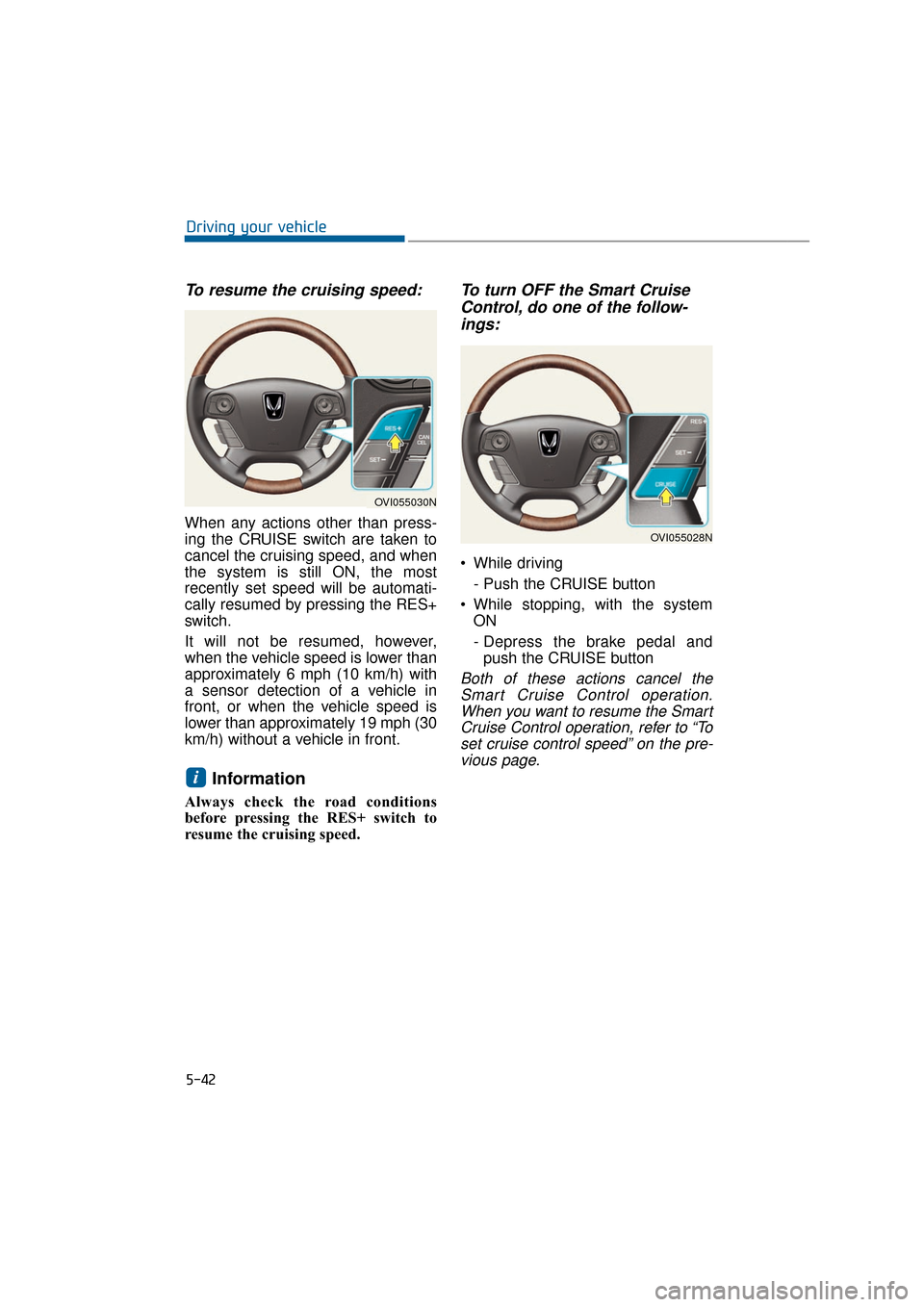
To resume the cruising speed:
When any actions other than press-
ing the CRUISE switch are taken to
cancel the cruising speed, and when
the system is still ON, the most
recently set speed will be automati-
cally resumed by pressing the RES+
switch.
It will not be resumed, however,
when the vehicle speed is lower than
approximately 6 mph (10 km/h) with
a sensor detection of a vehicle in
front, or when the vehicle speed is
lower than approximately 19 mph (30
km/h) without a vehicle in front.
Information
Always check the road conditions
before pressing the RES+ switch to
resume the cruising speed.
To turn OFF the Smart CruiseControl, do one of the follow-ings:
While driving
- Push the CRUISE button
While stopping, with the system ON
- Depress the brake pedal andpush the CRUISE button
Both of these actions cancel theSmart Cruise Control operation.When you want to resume the SmartCruise Control operation, refer to “Toset cruise control speed” on the pre-vious page.
i
5-42
Driving your vehicle
OVI055030N
OVI055028N
Page 297 of 477
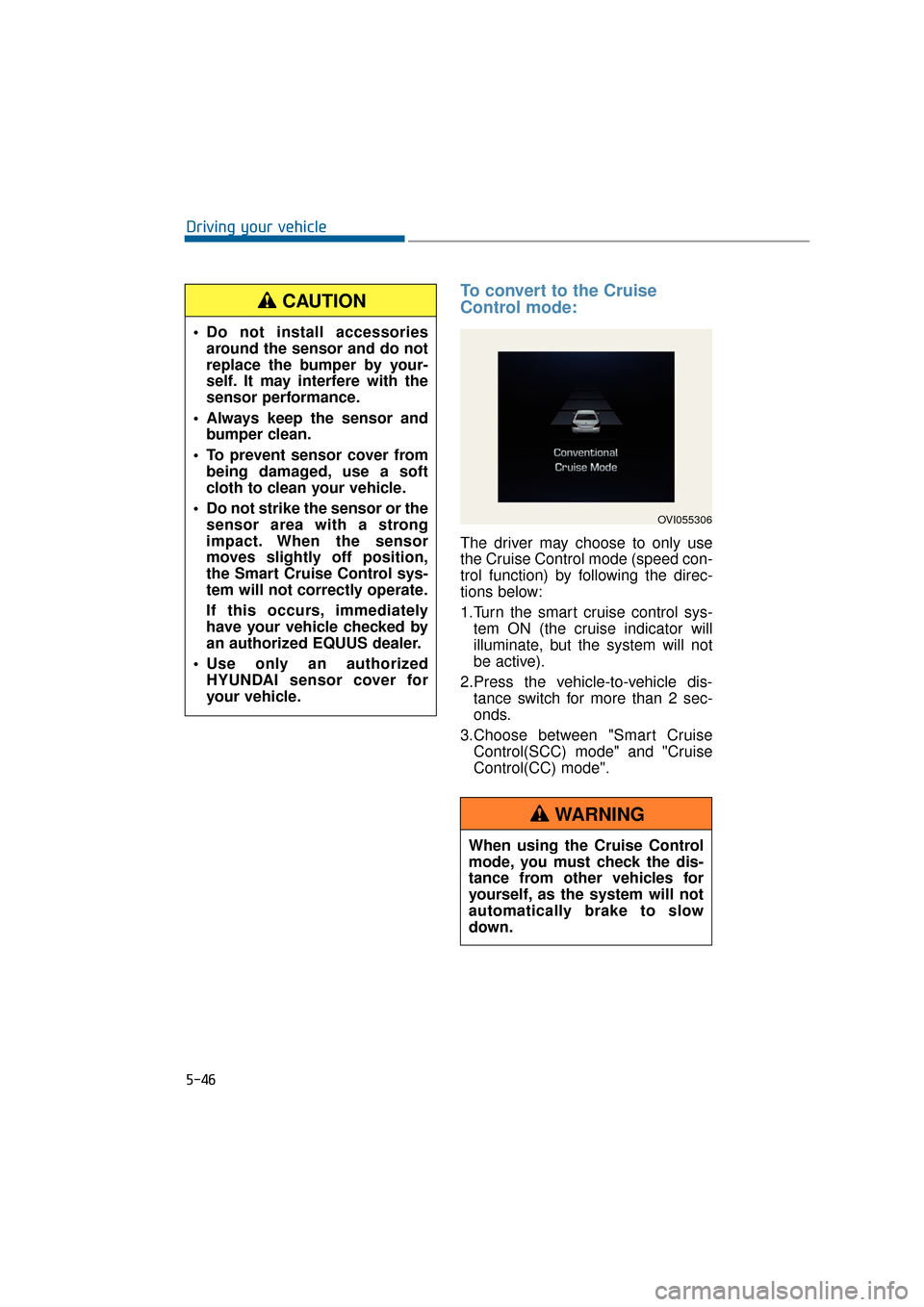
To convert to the Cruise
Control mode:
The driver may choose to only use
the Cruise Control mode (speed con-
trol function) by following the direc-
tions below:
1.Turn the smart cruise control sys-tem ON (the cruise indicator will
illuminate, but the system will not
be active).
2.Press the vehicle-to-vehicle dis- tance switch for more than 2 sec-
onds.
3.Choose between "Smart Cruise Control(SCC) mode" and "Cruise
Control(CC) mode".
5-46
Driving your vehicle
OVI055306
When using the Cruise Control
mode, you must check the dis-
tance from other vehicles for
yourself, as the system will not
automatically brake to slow
down.
WARNING
Do not install accessoriesaround the sensor and do not
replace the bumper by your-
self. It may interfere with the
sensor performance.
Always keep the sensor and bumper clean.
To prevent sensor cover from being damaged, use a soft
cloth to clean your vehicle.
Do not strike the sensor or the sensor area with a strong
impact. When the sensor
moves slightly off position,
the Smart Cruise Control sys-
tem will not correctly operate.
If this occurs, immediately
have your vehicle checked by
an authorized EQUUS dealer.
Use only an authorized HYUNDAI sensor cover for
your vehicle.
CAUTION
Page 300 of 477
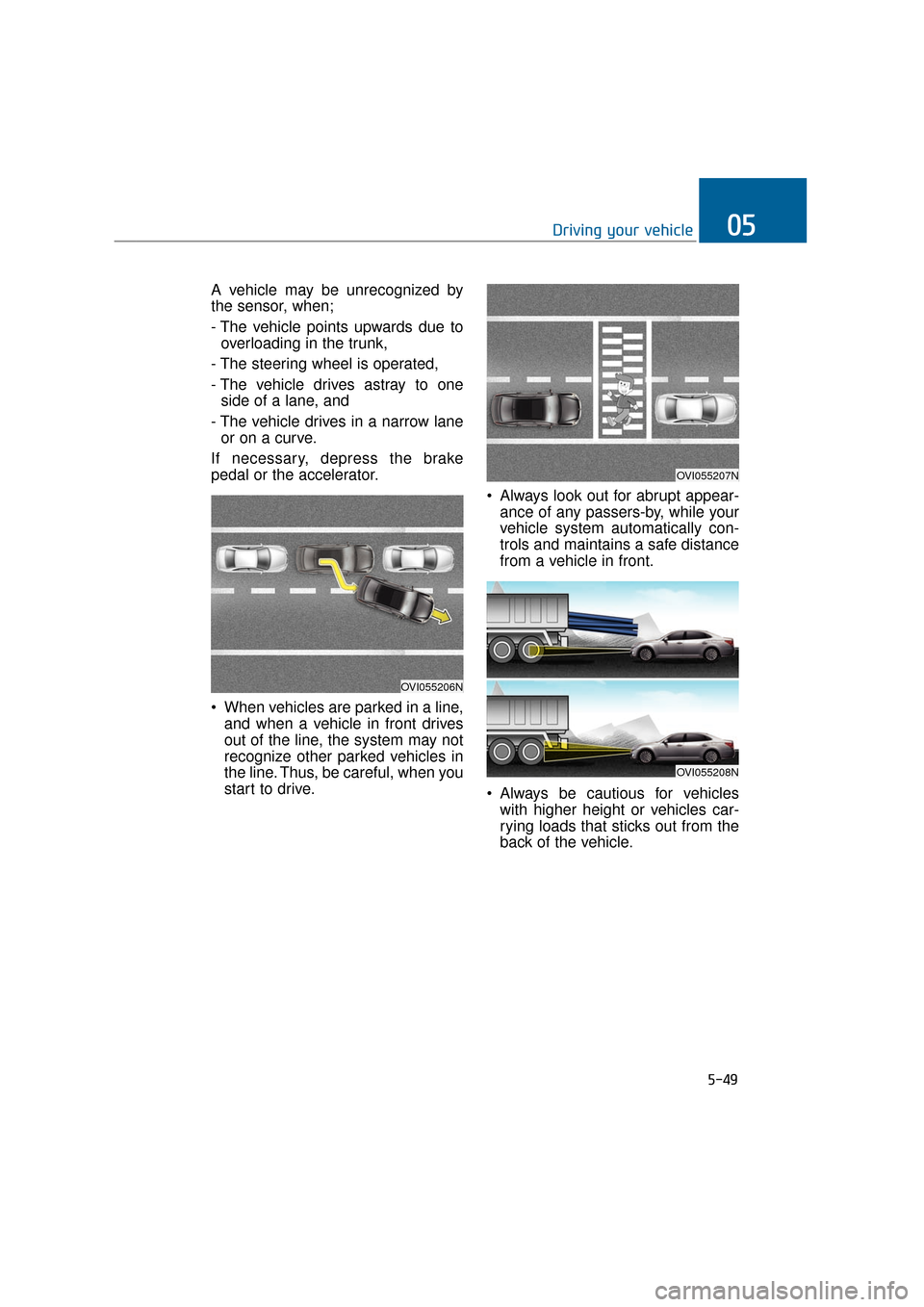
A vehicle may be unrecognized by
the sensor, when;
- The vehicle points upwards due tooverloading in the trunk,
- The steering wheel is operated,
- The vehicle drives astray to one side of a lane, and
- The vehicle drives in a narrow lane or on a curve.
If necessary, depress the brake
pedal or the accelerator.
When vehicles are parked in a line, and when a vehicle in front drives
out of the line, the system may not
recognize other parked vehicles in
the line. Thus, be careful, when you
start to drive. Always look out for abrupt appear-
ance of any passers-by, while your
vehicle system automatically con-
trols and maintains a safe distance
from a vehicle in front.
Always be cautious for vehicles with higher height or vehicles car-
rying loads that sticks out from the
back of the vehicle.
5-49
Driving your vehicle05
OVI055207N
OVI055206N
OVI055208N
Page 308 of 477
5-57
Driving your vehicle05
Even if there is a malfunctionin AVSM braking, the brake is
normally operable by
depressing the brake pedal.
The AVSM braking does not
operate in certain hazardous
situations.
The AVSM is designed to be active, while driving above
approximately 9.3 mph (15
km/h) and below approximate-
ly 111.8 mph (180 km/h).
The AVSM does not react to: - A person or animal
- An oncoming vehicle inlanes of the opposite direc-
tion or a vehicle in an inter-
section
- A stopped object
The AVSM cannot detect an object in below conditions:
- The sensors are stained orcovered with dirt.
- There is heavy rain or heavy snow.
- There is interference from electromagnetic waves.
- There are strong radar reflections.
- The vehicle drives in a curve.
- The vehicle drives uphill or downhill.
- The vehicle drives in a con- struction area.
- An object in front is very nar- row, such as a motorcycle or
bicycle.
- A vehicle suddenly cuts in front.
(Continued)
(Continued)
The AVSM braking operationin inoperable, when the driver
does not release the accelera-
tor nor depress the brake
pedal.WARNING
Page 343 of 477
Changing a tire with TPMS
When you have a flat tire, both of the
low tire pressure telltale and the low
tire position telltale will illuminate.
Immediately have the flat tire
repaired or replaced by an author-
ized EQUUS dealer.
The spare tire is not equipped with a
tire pressure monitoring sensor.
Thus, when replacing with the spare
tire, the low tire pressure telltale will
remain ON.
Also, the TPMS Malfunction Indicator
will illuminate after 1-minute flashing,
when the vehicle drives at a speed
above 15.5 mph (25 km/h) for
approximately 20 minutes.
When the tire equipped with a tire
pressure monitoring sensor is re-
inflated to the recommended level,
the low tire pressure telltale and
TPMS malfunction indicator will go
OFF for a few minutes.
When the indicator illumination does
not go OFF after a few minutes,
please visit an authorized EQUUS
dealer.Each wheel is equipped with a tire
pressure sensor, inside the tire and
behind the valve stem (except for the
spare tire). You must use the TPMS-
specific wheels. It is recommended
that you always have your tires serv-
iced by an authorized EQUUS deal-
er.
You cannot diagnose under-inflation
of a tire only with eyes. Always use a
tire pressure gauge of good quality to
measure the pressure level. Please
note that a heated tire (from being
driven) has higher pressure meas-
urement criteria than a cold tire.
A cold tire means the vehicle was
driven for less than 1 mile (1.6 km),
or was mostly idle for the last 3
hours.
Cool down the tire before measuring
the inflation pressure. Always make
sure that the tire is cold before inflat-
ing the tire to the recommended
pressure level.
6-10
What to do in an emergency
Never use an unauthorized
puncture-repairing agent to
repair and/or inflate an under-
inflated tire. Unauthorized tire
sealant may damage the tire
pressure sensor.
CAUTION
- TPMS
The TPMS cannot alert the driver to a sudden but severe
tire damage caused by exter-
nal factors, such as nails or
road debris.
When you sense any driving instability, immediately take
your foot off the accelerator,
lightly apply the brakes, and
slowly drive to a safe place off
the road.
WARNING